
Is Ring Alarm Z Wave Hub?
Smart home security is growing fast. Many people want simple systems that connect with other devices. The Ring Alarm is a popular choice for home security, but there are questions about how it works with other smart devices. One common question is: Is Ring Alarm a Z-Wave hub? Many are unsure if Ring Alarm can control Z-Wave devices or act as a central controller for Z-Wave networks.
Let’s look closely at what Z-Wave is, how Ring Alarm uses it, and what you can expect if you want to build a smart home using Ring’s system. This guide will help you understand the real capabilities of Ring Alarm, and give you practical advice for making the most of your smart security setup.
What Is Z-wave?
Z-Wave is a wireless protocol. It’s designed for smart home devices to communicate with each other. Unlike Wi-Fi or Bluetooth, Z-Wave uses a low-power radio frequency that travels well through walls and over longer distances. This makes it perfect for smart locks, sensors, lights, and other devices inside a home.
Some key facts about Z-Wave:
- Z-Wave works at 908.42 MHz in the US, which keeps it away from crowded Wi-Fi bands.
- Devices form a mesh network, meaning each device can relay signals to others.
- Z-Wave is used by over 3,000 certified devices worldwide.
One big advantage is interoperability—Z-Wave products from different brands can often work together if you have a central hub. This is why many people want their main home security system to act as a Z-Wave hub.
Ring Alarm Overview
The Ring Alarm system is made by Ring, which is owned by Amazon. Ring started with video doorbells, but now offers full security solutions including:
- Base Station (the main controller)
- Contact sensors (for doors and windows)
- Motion detectors
- Keypad
- Range extender
- Optional extras like smoke alarms
Ring Alarm connects to your home Wi-Fi and uses its own app for control. You can monitor your home from anywhere, get alerts, and even use professional monitoring services.
But how does Ring Alarm fit into the world of Z-Wave? Is its Base Station a true Z-Wave hub?

Credit: www.amazon.com
Is Ring Alarm A Z-wave Hub?
The short answer: Ring Alarm’s Base Station does have Z-Wave built-in, but it is not a traditional, open Z-Wave hub.
Ring Alarm uses Z-Wave to connect its own sensors and devices. For example, the contact sensors, motion detectors, and range extender all use Z-Wave. The Base Station controls them and keeps them connected, even if your Wi-Fi goes down.
However, Ring’s Z-Wave system is closed. This means:
- You can only add approved Ring devices (and a few certified Z-Wave items).
- You cannot use Ring Alarm as a central Z-Wave hub for other brands’ devices.
- You cannot control Z-Wave lights, thermostats, or locks directly from Ring’s app unless they are officially supported.
This is different from open Z-Wave hubs like SmartThings or Hubitat, which let you add and control almost any Z-Wave device.
Z-wave Features In Ring Alarm
Ring Alarm does offer some Z-Wave functions:
- Device Pairing: You can add new sensors and devices using Z-Wave pairing.
- Mesh Network: Devices communicate through the Base Station, boosting range.
- Battery Backup: Z-Wave communication continues during power outages.
But Ring limits what you can add. Most non-Ring Z-Wave devices will not work unless they are officially certified for Ring Alarm.
Ring Alarm Vs. Traditional Z-wave Hubs
Here’s a quick comparison between Ring Alarm and typical Z-Wave hubs:
| Feature | Ring Alarm | Traditional Z-Wave Hub |
|---|---|---|
| Device Compatibility | Limited (mostly Ring & certified devices) | Wide (many brands, types) |
| Control Options | Ring app only | Multiple apps, integrations |
| Automation | Basic routines | Advanced automation |
| Professional Monitoring | Available | Varies by hub |
| Z-Wave Mesh | Yes | Yes |
Which Z-wave Devices Work With Ring Alarm?
Ring Alarm supports a handful of third-party Z-Wave devices. However, the list is small and changes over time. Most users stick to Ring-branded sensors and accessories.
Here are a few Z-Wave devices known to work with Ring Alarm:
- Dome Siren: Can be added as an extra alarm sound.
- First Alert Smoke and CO Detector: Works with Ring for added safety.
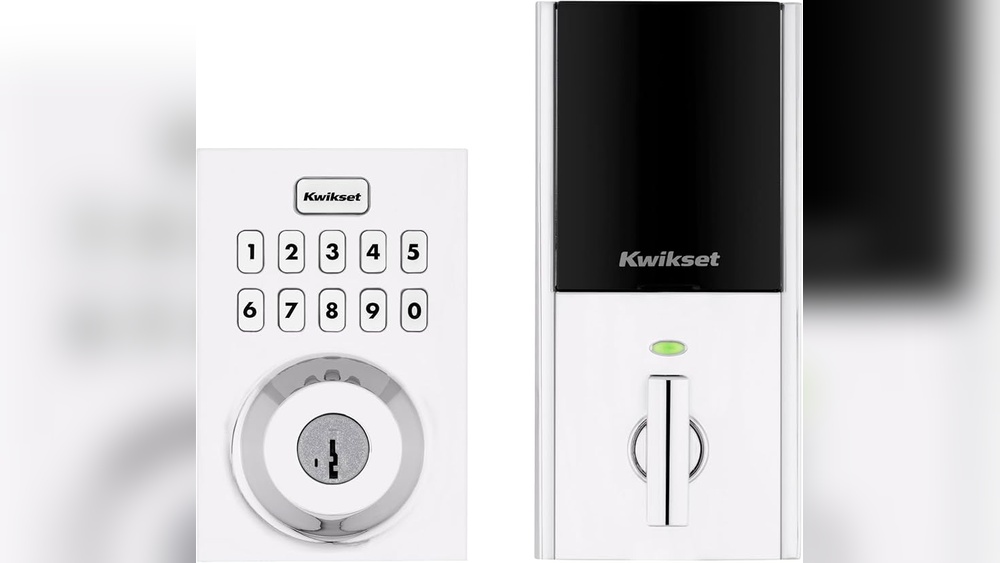
- Schlage Z-Wave locks: Some models are compatible.
- Leviton Z-Wave switches: Limited support.
Ring’s own website and community forums are the best place to check compatibility. If you try to add unsupported devices, the system may reject them or lose important functions like battery status or alerts.
Example: Adding A Z-wave Lock
Suppose you want to connect a Schlage Z-Wave lock to your Ring Alarm. The process is:
- Put the lock in pairing mode.
- Use the Ring app to add a new device.
- Follow on-screen instructions to complete pairing.
Once connected, you can lock and unlock from the Ring app, and set up notifications. However, advanced features (like custom user codes or schedules) may not be available.

Credit: www.cnet.com
How Ring Alarm Uses Z-wave Internally
Ring Alarm’s Base Station acts as a central point for all Z-Wave devices in the Ring ecosystem. Here’s how it works:
- Sensors and accessories talk to the Base Station using Z-Wave.
- The Base Station manages the mesh network, making sure every device stays connected.
- If your Wi-Fi drops, Z-Wave devices still talk to the Base Station, so alarms work.
This setup boosts reliability. For example, even during a power outage, the battery-powered Base Station and sensors can still trigger alarms.
Z-wave Range Extender
Ring includes a Z-Wave range extender in its kits. This device plugs into a wall outlet and helps Z-Wave signals reach far corners of your home. It’s helpful for large houses or those with thick walls.
Limitations Of Ring Alarm As A Z-wave Hub
It’s important to know what Ring Alarm cannot do with Z-Wave:
- Limited device support: Only works with a small number of third-party Z-Wave devices.
- No advanced automation: You cannot create complex routines or control devices beyond basic functions.
- No open API: You cannot connect Ring Alarm directly to other smart home platforms using Z-Wave.
- No central control of all Z-Wave devices: Ring Alarm is not a replacement for hubs like SmartThings.
Some users try to add unsupported Z-Wave devices, but this often fails or causes problems. Ring’s system is designed to be simple and secure, not flexible.
Why Ring Chooses A Closed Z-wave System
Ring’s main goal is reliability and security. By limiting which Z-Wave devices can join, Ring avoids compatibility issues, buggy behavior, and security risks. This makes the system easy for beginners and reduces troubleshooting.
For advanced users, this can feel restrictive. But for most homeowners, the trade-off is a simpler, more stable system.

Credit: www.perumoveplasticos.com
Comparing Ring Alarm With Other Z-wave Hubs
Let’s look at how Ring Alarm stacks up against other popular Z-Wave hubs.
| Hub | Z-Wave Support | Device Compatibility | Automation | App Integrations | Monitoring |
|---|---|---|---|---|---|
| Ring Alarm | Built-in (closed) | Limited | Basic | Ring app only | Yes |
| SmartThings | Built-in (open) | Wide | Advanced | Many apps | Optional |
| Hubitat | Built-in (open) | Wide | Advanced | Many apps | Optional |
| Wink Hub | Built-in (open) | Wide | Moderate | Wink app | No |
Ring Alarm is best for those who want easy setup, reliable monitoring, and basic smart home features. If you want deep control over Z-Wave devices, consider a more open hub.
Practical Tips For Using Ring Alarm’s Z-wave Features
If you decide to use Ring Alarm as your smart home hub, here are some practical tips:
- Stick to approved devices: Only use Z-Wave devices listed as compatible by Ring.
- Place the Base Station in a central location: This helps all sensors stay connected.
- Use the Range Extender for larger homes: Plug it in halfway between the Base Station and distant sensors.
- Check device status often: Use the Ring app to see if sensors are online.
- Do not try to add unsupported devices: This can cause errors or reduce security.
Non-obvious Insight: Battery Management
Most Z-Wave sensors are battery-powered. Ring Alarm’s app shows battery status, but some third-party devices may not display this correctly. If you rely on third-party sensors, check batteries manually every few months.
Non-obvious Insight: Firmware Updates
Ring updates its Base Station firmware regularly. These updates can improve Z-Wave performance or add support for new devices. Make sure your Base Station stays updated for best results.
Common Mistakes When Using Ring Alarm As A Z-wave Hub
Many beginners make mistakes when setting up Ring Alarm with Z-Wave devices. Here are some to avoid:
- Trying to add unsupported devices: Not all Z-Wave devices will work. Always check compatibility.
- Ignoring placement: If sensors are far from the Base Station, signals may drop. Use extenders.
- Skipping battery checks: Dead batteries can leave your home unprotected.
- Assuming full Z-Wave control: Ring Alarm is not a full Z-Wave hub; it’s a closed system.
- Not updating firmware: Outdated firmware can cause bugs.
If you want a flexible Z-Wave setup, Ring Alarm may not be the best choice. But for basic home security, it’s reliable and easy to use.
Smart Home Integration With Ring Alarm
Ring Alarm can connect to other smart home platforms, but not through Z-Wave. Instead, it uses cloud integrations. For example:
- Alexa: You can arm/disarm your Ring Alarm using voice commands.
- SmartThings: Limited integration, mostly through cloud APIs.
- IFTTT: Basic routines, such as triggering smart lights when Ring Alarm is activated.
These integrations add convenience, but do not expand Z-Wave control. If you want to control Z-Wave devices from multiple brands, you’ll need a separate hub.
Example: Using Alexa With Ring Alarm
You can link Ring Alarm to Amazon Alexa. This lets you say, “Alexa, arm Ring Alarm,” or get status updates. But you cannot control Z-Wave devices directly with Alexa unless they are Ring-compatible.
Security And Privacy With Ring Alarm’s Z-wave
Ring takes security seriously. Z-Wave communication in Ring Alarm is encrypted. Only paired devices can talk to the Base Station. This reduces the risk of hacking or interference.
Ring also offers two-factor authentication for its app, and stores video clips securely. However, some privacy concerns exist, especially with cloud integrations. Always set strong passwords and review privacy settings.
Z-wave Security Features
- AES encryption: Keeps device communication safe.
- Secure pairing: Prevents unauthorized devices from joining.
- Isolation from Wi-Fi: Z-Wave operates separately, so Wi-Fi hacks do not affect Z-Wave sensors.
Who Should Use Ring Alarm’s Z-wave Capabilities?
Ring Alarm is ideal for:
- Homeowners wanting easy security
- Beginners in smart home tech
- People who want professional monitoring
- Those happy with basic device control
Ring Alarm is not ideal for:
- Advanced smart home users
- Those wanting full Z-Wave control
- People with many brands of Z-Wave devices
- DIY enthusiasts seeking custom automation
If you fit the first group, Ring Alarm’s Z-Wave functions are enough. If you want more, consider a dedicated Z-Wave hub.
How To Expand Your Ring Alarm System
You can grow your Ring Alarm setup by adding more Ring sensors, cameras, and accessories. Here’s how:
- Buy new Ring devices: Contact sensors, motion detectors, smoke alarms.
- Pair them using the Ring app: Follow instructions for easy setup.
- Use the Ring Protect plan: Get professional monitoring and video storage.
Ring’s ecosystem is expanding, but it stays focused on security. If you want to control smart lights, thermostats, or other devices, use Alexa or another platform.
Expansion Example
Suppose you want extra protection in your garage. Buy a Ring motion sensor, pair it with your Base Station, and set up alerts in the app. If you want to add a Dome Siren, follow the same process. It’s simple and reliable.
Real-world Experiences With Ring Alarm’s Z-wave
Many users report that Ring Alarm is stable and easy to use. The sensors connect quickly, and the app is straightforward. Here are some real experiences:
- Setup is fast: Most sensors pair in minutes.
- Range is good: Z-Wave signals reach across large homes with the extender.
- Professional monitoring is helpful: Quick response in emergencies.
Some users complain about limited device compatibility. For example, you cannot add Z-Wave thermostats or smart bulbs unless Ring supports them. Advanced users find this restrictive, but beginners appreciate the simplicity.
Case Study: Family Home
A family in Texas installed Ring Alarm with 10 contact sensors and 3 motion detectors. They placed the Base Station in the hallway, used a range extender in the garage, and paired a Dome Siren for extra alarm volume.
The system worked well, and they received alerts on their phones. When one sensor lost connection, moving the range extender fixed the issue. They tried to add a Z-Wave smart plug, but it was not supported. Overall, they found Ring Alarm reliable for basic security.
Future Of Ring Alarm And Z-wave
Ring continues to update its products. In the future, Ring may support more Z-Wave devices, or open up its system for advanced users. However, Ring’s focus remains on security and simplicity.
Z-Wave itself is evolving. New versions (like Z-Wave Plus) offer better range and battery life. If Ring adopts these improvements, users may benefit from stronger connections and more device options.
For now, Ring Alarm’s Z-Wave functions are limited to security devices. If you want a broad smart home system, you’ll need to combine Ring with other platforms.
Frequently Asked Questions
Can I Use Ring Alarm As A Z-wave Hub For All My Devices?
No. Ring Alarm only supports approved Ring devices and a few certified Z-Wave products. You cannot use it as an open Z-Wave hub to control devices from many brands.
What Z-wave Devices Are Compatible With Ring Alarm?
Ring Alarm works with most Ring-branded sensors, Dome Siren, First Alert Smoke and CO Detector, some Schlage locks, and limited Leviton switches. Always check the official compatibility list before buying.
Can I Control Z-wave Lights Or Thermostats With Ring Alarm?
No. Ring Alarm does not support most Z-Wave lights or thermostats. You can only control devices that Ring officially supports. For smart lighting, use Alexa or a dedicated Z-Wave hub.
Is Z-wave Communication In Ring Alarm Secure?
Yes. Ring Alarm uses AES encryption for Z-Wave communication. Only paired devices can connect, making it safe from hacking and interference.
What Happens If My Wi-fi Goes Down? Will Ring Alarm Still Work?
Yes. Ring Alarm’s Z-Wave devices connect to the Base Station, which has battery backup. Alarms and sensors will still work even if Wi-Fi is offline.
Final Thoughts
Ring Alarm is not a traditional Z-Wave hub. It uses Z-Wave for its own sensors and a few extra devices, but stays closed for simplicity and reliability. If you want easy home security with professional monitoring, Ring Alarm is a solid choice.
If you need deep Z-Wave control, consider hubs like SmartThings or Hubitat.
The best approach is to decide what matters most: security and ease of use, or advanced smart home control. Ring Alarm is perfect for beginners and those who want a simple system, but advanced users may need more flexibility.
If you want to learn more about Z-Wave technology and device compatibility, visit the Z-Wave official website for detailed guides and device lists.
Ring Alarm will keep evolving. For now, it gives homeowners a reliable, easy-to-use security system with basic Z-Wave features, making smart home protection simple for everyone.