
Smart voice assistants are part of daily life now—at home, at work, and on the go. But when privacy matters, it’s easy to feel uneasy about which device or wearable is really safe. Many people want hands-free help, but worry about who’s listening, where their data goes, or what’s recorded without consent.
Choosing a voice assistant for privacy isn’t simple. Some are built into glasses or earphones, others hide in desk gadgets, and a few even come as office tools. Features overlap. Promises about privacy and security are everywhere, but real differences can be hard to spot.
Trade-offs pop up between convenience, data control, and how you actually use the device—at work, outdoors, or in meetings.
This guide will help you sort what actually matters, so you can pick a voice assistant that fits your habits and comfort level with privacy.
What To Think About Before Choosing
Most people focus on features or brand first. But for voice assistants, the real question is: where does your voice data go, and who controls it? Some products let you keep recordings local, while others rely on cloud sync. Think about when you want hands-free help—are you mostly at your desk, walking, or driving? Comfort and battery life can matter as much as security if you use the device all day.
Common Buyer Mistakes
It’s easy to assume all assistants work the same way. Many buyers overlook how devices connect (Bluetooth, Wi-Fi, app), or forget to check if the privacy features are on by default or require setup. Some products need subscriptions for full privacy controls.
Others might store conversations in the cloud even when they claim local storage. Reading the fine print helps avoid surprises.
The products below were chosen for people who want voice features but don’t want to trade away their privacy. You’ll see a range of styles and approaches—each fits a different routine, and each handles privacy in its own way.
Archer Ai Voice Recorder Earpiece
The Archer AI Voice Recorder Earpiece stands out as the Best Voice Assistant for Privacy by delivering clear calls and secure local transcription without cloud dependence.
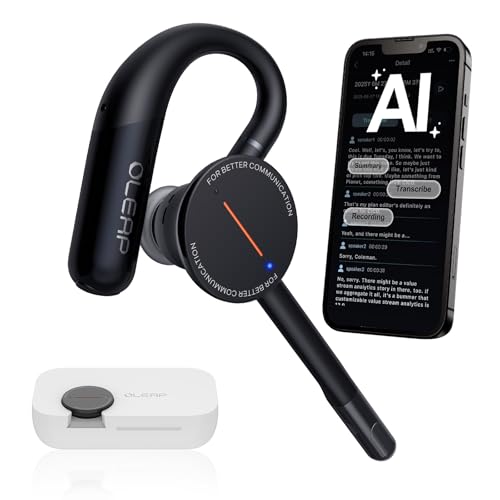
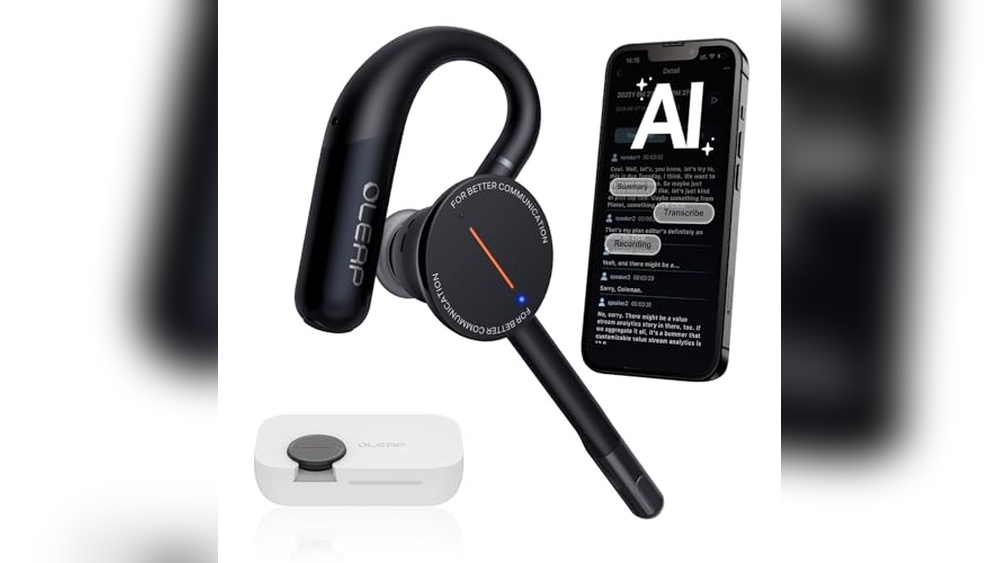
The Archer AI Voice Recorder Earpiece is a wireless single-ear Bluetooth headset designed to replace multiple devices by combining calls, voice recording, transcription, and note summarization in one compact tool. It is especially useful for meetings, interviews, and on-the-go work where privacy and clarity are essential.
Using this earpiece feels effortless thanks to its lightweight design and ergonomic ear hooks, providing all-day comfort without pressure. The advanced noise cancellation ensures your voice stands out clearly even in busy environments, helping you stay focused and organized without distraction.
Key Advantages For Privacy-focused Users
- Real-time noise cancellation up to 50dB filters out background sounds effectively.
- Local storage of recordings with encrypted data keeps your information private.
- Multiple recording modes tailored for calls, media, personal memos, and ambient sounds.
- AI-powered transcription and summarization work offline for consistent privacy.
- Single-ear design reduces heat and pressure for comfortable extended use.
- Separates your voice clearly in noisy settings, improving call quality.
- Compact device replaces multiple tools, minimizing what you carry.
Considerations Before Buying
- Single-ear design may not suit users wanting stereo sound or full immersion.
- Limited local storage time (about 133 minutes) before syncing to cloud is needed.
- Advanced features require using the companion app for transcription and summaries.
Where This Device Excels
This earpiece is ideal for professionals attending frequent meetings or interviews who value privacy and clear communication without bulky gear. It removes the hassle of juggling multiple devices by integrating recording and transcription seamlessly.
For users worried about data privacy, the option to keep recordings local and encrypted provides peace of mind. To maximize results, use the app regularly to manage and review transcripts efficiently, saving time and reducing manual note-taking.
Its lightweight comfort means you can wear it throughout your workday without distraction, making it a practical and reliable companion.
| Best for | Why |
|---|---|
| Business meetings and interviews | Clear voice capture and real-time transcription support professional communication and note-taking. |
| Privacy-conscious users | Local encrypted storage and offline transcription protect sensitive information from cloud exposure. |
| On-the-go professionals | Lightweight, single-ear design offers comfort and frees one ear for environmental awareness. |
| Multi-taskers needing summaries | Automatic AI summaries reduce time spent reviewing long recordings. |
Oikkei Ai Voice Mouse
Best Voice Assistant for Privacy with meeting transcription, language support, and file location control for those who value data security.

The OIKKEI AI Voice Mouse is a wireless computer mouse that doubles as a voice assistant and meeting tool. It helps professionals capture meeting notes, transcribe speech, and summarize key points—without juggling multiple devices or apps. Integrated file location control means you decide where your data is stored, supporting privacy-minded users.
Switching between desk work and presentations feels seamless, thanks to its detachable design and gesture controls. Using this mouse means less time spent organizing notes and more time focusing on work. The long battery life and portable build make it easy to rely on in any setting, whether you’re at your desk or presenting across the room.
Why It Stands Out For Secure Voice Control
- Lets you choose where meeting files are saved for better privacy.
- Records, transcribes, and summarizes meetings with one click.
- Supports 12 languages for global teams and travel.
- Works as both a mouse and a presentation remote—no extra gear needed.
- Integrated ChatGPT assistant for hands-free questions and tasks.
- Battery lasts up to 25 days on a single charge.
- Compact, lightweight design for easy carrying.
Things To Consider Before Buying
- Requires internet access for AI voice assistant features.
- Some advanced functions need driver installation.
- Only compatible with Windows, macOS, and Linux systems.
Where This Shines
This is ideal for professionals, students, or journalists who need accurate meeting notes and value privacy. It removes the hassle of manual note-taking and eliminates the worry about where your recordings are stored. If you often switch between presenting and desk work, the dual-mode design saves time and reduces what you carry.
To get the most from it, set your preferred file location before your first meeting. That way, you’ll always know where your data lives. The reliable battery and easy Bluetooth setup mean fewer surprises—just charge and connect. For anyone who dislikes managing multiple devices, this tool brings peace of mind and simplicity to daily routines.
| Best for | Why |
|---|---|
| Privacy-focused meeting notetakers | You control where sensitive meeting files are saved |
| Frequent presenters and trainers | Switches easily between mouse and presentation remote |
| Multilingual teams or travelers | Built-in translation for 12 languages |
| Laptop users on the go | Lightweight, portable, and long battery life |
Genxenon Bluetooth Voice Assistant Glasses
For buyers seeking the Best Voice Assistant for Privacy, these GenXenon glasses offer seamless hands-free control without compromising comfort or style.
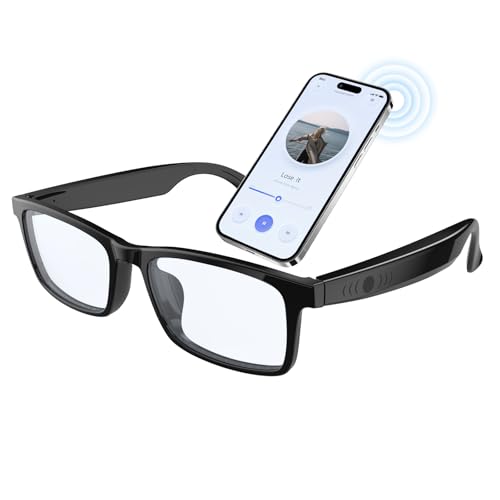
GenXenon Bluetooth Voice Assistant Glasses combine blue light protection and built-in speakers, making screen time easier on your eyes and ears. With touch controls and voice assistant access, you can manage music, calls, and tasks without reaching for your phone.
These glasses are compatible with both iOS and Android, making them a practical choice for everyday tech users.
Using them feels natural—just tap to activate features and enjoy clear audio with minimal delay. The stable Bluetooth connection and long battery life mean you can rely on them throughout your workday or gaming session. The lightweight design helps you stay focused and comfortable, even during extended use.
What Makes These Glasses Stand Out
- Blue light blocking lenses reduce eye strain during long screen sessions
- Touch controls allow quick access to music and calls
- Voice assistant activation keeps your hands free
- Low latency audio for sync between visuals and sound
- Dual microphones enable clear, hands-free calling
- Works seamlessly with iOS and Android devices
- Lightweight, wearable design for daily use
Points To Consider Before Buying
- Battery lasts about 4 hours per charge—may need frequent recharging for heavy users
- Audio quality is best suited for calls and casual listening, not immersive music
- Requires Bluetooth connection—may not fit users who prefer wired solutions
Who This Fits Best
If you spend hours in front of screens and want discreet, hands-free access to your phone’s voice assistant, these glasses are well-suited. They remove the hassle of juggling devices and reduce eye strain, letting you focus on tasks or calls without distraction. A quick tip: keep them charged between uses, as the 4-hour battery is perfect for work blocks but may fall short for all-day wear.
Confidence comes from knowing you can answer calls, control music, or activate your assistant with a simple touch. With reliable Bluetooth and comfortable fit, you get fewer interruptions and more peace of mind. For anyone who values privacy and practicality in wearable tech, these glasses deliver a smooth, predictable experience.
| Best for | Why |
|---|---|
| Remote workers | Hands-free calls and blue light protection for long screen hours |
| Gamers | Low latency audio keeps sound synced with gameplay |
| Commuters | Quick access to voice assistant and calls without using a phone |
| Anyone seeking privacy | Direct control via touch and voice, reducing need for physical phone use |
Yiugae Note Ai Voice Recorder
A Best Voice Assistant for Privacy choice for anyone who needs accurate transcription and secure note-taking across languages.

This portable voice recorder from Yiugae stands out for its advanced transcription and summarization abilities. It’s designed to capture phone calls, meetings, and interviews, making it ideal for users who value privacy and clarity. Its support for 126 languages and speaker identification means you can use it anywhere, without worrying about missing details.
Using this recorder feels seamless—just tap to highlight important moments, take photos, or jot down notes as you go. The “ASK AI” feature lets you interact with your recordings, extracting key points or drafting emails, so you spend less time sorting through audio and more time acting on what matters.
Voice Assistant Features That Matter
- Transcribes and summarizes audio in 126 languages
- Identifies speakers automatically for clear records
- Lets you highlight key moments during recordings
- Allows multimodal input: Audio, notes, and images
- Interactive AI helps extract insights and draft responses
- Directional audio minimizes background noise
- Includes free starter plan for monthly transcription minutes
Potential Limitations For Buyers
- Monthly transcription limits may require an upgrade
- Annual plans needed for unlimited use
- Magnetic case may not suit all carrying preferences
What I’d Tell A Friend
If you regularly attend meetings or handle sensitive phone calls, this recorder makes documentation easy and secure. It saves time by organizing your notes and audio, removing the hassle of manual transcriptions and summaries. The built-in AI means you won’t waste energy sorting through hours of recordings.
For best results, use the highlight feature during important moments and try the “ASK AI” tool to pull out key insights fast. With reliable speaker identification and noise reduction, you can trust your notes to be accurate every time. I like how it keeps my workflow simple and stress-free.
| Best for | Why |
|---|---|
| Business meetings | Captures structured summaries and speaker details instantly |
| Interviews | Highlights key moments and organizes responses efficiently |
| Multilingual environments | Supports transcription across 126 languages for global use |
| Phone call documentation | Switches automatically for clear, reliable call recording |
Monfolroy Smart Glasses With Voice Assistant
For those seeking the Best Voice Assistant for Privacy, these smart glasses combine hands-free help with features for seamless, private daily use.

The MONFOLROY Smart Glasses with Voice Assistant are wearable tech glasses that blend open-ear Bluetooth audio, real-time translation, and a built-in 8MP camera. They’re designed for people who want hands-free help and privacy, while capturing moments or communicating efficiently on the go.
Wearing these glasses feels natural and light thanks to the comfortable, durable frame. You can get instant answers, manage tasks, or translate conversations without pulling out your phone. Calls and music remain clear, and you stay aware of your surroundings, which adds confidence during travel or commuting.
Why These Glasses Stand Out
- Hands-free AI voice assistant for fast, private help
- Real-time multi-language translation for travel and work
- Open-ear stereo sound keeps you aware of your environment
- 1080P first-person camera for easy video and photo capture
- Noise-cancelling dual-mic for clearer calls
- Lightweight, sweat-proof, and impact-resistant frame
- Photochromic lenses block UV rays outdoors
Keep In Mind Before Buying
- Lenses do not darken when driving due to windshield UV filtering
- Requires Bluetooth connection for audio and calls
- Frame size may not suit all face shapes
Where This Shines
These glasses are ideal for frequent travelers, cyclists, and professionals who need quick answers or translation support without sacrificing privacy. They remove the hassle of juggling multiple devices or stopping to check your phone, especially when your hands are full or you’re on the move.
A quick tip: get the best experience by pairing with a reliable Bluetooth source and adjusting the fit for comfort. You’ll appreciate the peace of mind that comes from staying connected and informed while still being present in your surroundings. Personally, I find the open-ear design a smart touch for urban commutes.
| Best for | Why |
|---|---|
| International travelers | Real-time translation helps break language barriers instantly |
| Cyclists and commuters | Open-ear audio keeps you alert to traffic and surroundings |
| On-the-go professionals | Voice assistant streamlines tasks without interrupting workflow |
| Those who value privacy | Hands-free interaction reduces screen time and exposure |
Rokid Ai Glasses With Dual Assistants
For those seeking the Best Voice Assistant for Privacy, Rokid AI Glasses offer hands-free control and seamless language translation without compromising comfort.
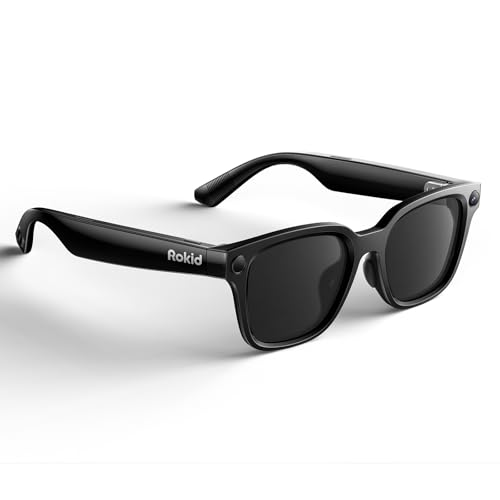
Rokid AI Glasses with Dual Assistants are wearable tech glasses designed to make real-time translation, voice commands, and hands-free assistance easy and discreet. They solve the challenge of staying productive and connected while traveling, working, or navigating everyday conversations in different languages.
The unique feature is their integration of both Gemini 3 and ChatGPT 5. 2, allowing you to access knowledge or translation instantly by voice—no screens or constant device checking required.
In daily use, these glasses feel lightweight and comfortable, so you can wear them all day without fatigue. The open-ear audio lets you hear spoken answers or translations naturally, so you stay aware of your surroundings. Tasks like taking photos, finding information, or handling calls become much smoother and less distracting.
Everything is activated by simple voice prompts, making technology fade into the background.
Why Users Choose Rokid Glasses
- Dual AI assistants for hands-free knowledge and translation
- Real-time language support with online and offline translation
- Lightweight and comfortable for all-day wear
- Discreet open-ear audio for situational awareness
- First-person camera for easy photo and video capture
- Simple voice activation for all key features
Points To Consider Before Buying
- No display for visual notifications or content
- Battery life may require an optional charging case for heavy use
- Works best with access to online services for full translation support
Where This Shines
These glasses are ideal for travelers, professionals, or anyone who moves between languages and needs privacy-focused voice assistance without pulling out a phone. They reduce the hassle of switching devices, juggling apps, or missing key information during busy moments. With instant voice control, you spend less time fiddling and more time engaging in real life.
To get the most out of Rokid AI Glasses, set up offline translation before traveling and learn the core voice commands. This ensures reliable help even without a network. The peace of mind comes from knowing you can communicate and capture moments hands-free, with privacy and comfort.
I like how they blend into daily routines without drawing attention.
| Best for | Why |
|---|---|
| Frequent travelers | Hands-free global translation and assistance on the go |
| Multilingual meetings | Real-time language support without screens or devices |
| Outdoor content creators | First-person camera for capturing experiences easily |
| Privacy-focused users | Voice control with discreet, open-ear audio |
Genxenon Bluetooth Voice Assistant Glasses
Best Voice Assistant for Privacy with open-ear audio lets you access your assistant hands-free while keeping conversations discreet.

The GenXenon Bluetooth Voice Assistant Glasses combine wearable tech with everyday sunglasses, offering hands-free control for privacy-minded users. With touch activation, you can access your voice assistant without taking out your phone, making it convenient for cycling, driving, or running.
Using these smart glasses feels natural and effortless. The lightweight frame and open-ear speakers mean you stay aware of your surroundings while enjoying music or calls. It’s a simple way to manage tasks and stay connected on the go, reducing interruptions and keeping your focus where you want it.
Key Benefits For Privacy-focused Wearers
- Touch control for instant access to voice assistant
- Open-ear audio keeps you aware of your environment
- Lightweight and comfortable for extended wear
- UV400 polarized lenses protect your eyes outdoors
- Compatible with both iPhone and Android devices
- Up to 6 hours of music or talk time per charge
- Quick charging keeps you ready
Consider Before Buying
- Battery life may not last all day for heavy users
- Open-ear audio means others may hear your music in quiet spaces
- Not suitable for those who prefer total sound isolation
Where This Shines
If you need a privacy-friendly way to use a voice assistant without fumbling for your phone, these smart glasses make daily routines smoother. They’re ideal for people who spend time outdoors or commute and want to keep their hands free.
By reducing the need to pull out your device, you save time and avoid distractions. A quick tip: use the touch control to activate your assistant—no voice commands needed, which keeps interactions subtle and private. The reliable battery and comfortable fit mean fewer surprises and more confidence throughout your day.
I appreciate how these sunglasses blend tech with practical style, making them easy to wear anywhere.
| Best for | Why |
|---|---|
| Outdoor commuters | Hands-free assistant access and UV protection |
| Cyclists & runners | Open-ear audio keeps you aware of surroundings |
| Privacy-focused users | Discreet voice control without phone exposure |
| Multi-device owners | Works with both Android and iPhone |
Eufy Security Indoor Cam E220
Best Voice Assistant for Privacy for those seeking hands-off home monitoring with strong smart integration and event-based recording.

The eufy Security Indoor Cam E220 is a compact indoor surveillance camera designed to give you peace of mind when you’re away. It solves the problem of unnecessary video storage by only recording when a person or pet is detected, thanks to its on-device AI.
If you want a camera that’s easy to control via voice assistants and prioritizes relevant alerts, this model stands out.
Daily use is straightforward—integrate it with Apple HomeKit, Google Assistant, or Amazon Alexa, and you can check in or control settings with a quick voice command. Pan-and-tilt lets you see the whole room, while motion tracking means you won’t miss important activity.
You’ll feel confident knowing the system keeps you notified of what matters, without overwhelming you with constant alerts.
Why This Camera Stands Out
- Works with major voice assistants for seamless control
- Only records when people or pets are detected
- 2K clarity for clear viewing of events
- Pan-and-tilt covers the entire room
- Motion tracking follows movement in real time
- Two-way audio for direct communication
- Night vision for 24/7 monitoring
Points To Weigh Before Buying
- Requires Wi-Fi and plug-in power
- Some features limited when using with HomeKit (1080p max)
- No outdoor use—indoor only
Who This Fits Best
This camera is ideal for users who want a private, event-focused security solution that integrates with their smart home ecosystem. If you’re tired of sifting through hours of uneventful footage, the human/pet detection removes that hassle and makes alerts more meaningful.
You’ll spend less time checking your phone and more time feeling secure.
Set up is simple—just follow the HomeKit guide if you’re in the Apple ecosystem, or link to Alexa/Google for voice commands. For best results, position the camera for a full view of high-traffic areas, and enable motion tracking to follow pets or people.
With consistent, relevant notifications and full-room coverage, you can trust your space is watched without being overwhelmed. Personally, I appreciate how it keeps things clear and straightforward.
| Best for | Why |
|---|---|
| Smart home users with privacy concerns | Records only when people or pets are detected, reducing unnecessary footage |
| Pet owners monitoring activity | Motion tracking reliably follows pets and provides timely alerts |
| Voice assistant households | Easily integrates with HomeKit, Alexa, and Google Assistant for voice control |
| Those wanting clear indoor coverage | Pan-and-tilt and 2K video give a full, detailed view of rooms |
Egikuye Smart Camera Glasses
These EGIKUYE glasses offer the Best Voice Assistant for Privacy by combining discreet voice control with built-in AI support in a wearable design.

The EGIKUYE Smart Camera Glasses are wearable tech designed to capture moments hands-free while providing voice-activated AI assistance. They solve the need for discreet recording and real-time help without pulling out a phone or device.
Using these glasses feels natural and unobtrusive, as voice commands manage calls, music, and translations while you stay focused. The lightweight design ensures comfort throughout daily activities, making privacy-conscious voice control easy and consistent.
Key Benefits Of Egikuye Smart Glasses
- Discreet 4K HD camera records video and audio from your point of view.
- AI ChatGPT assistant answers questions and follows voice commands smoothly.
- Real-time translation supports over 110 languages for global communication.
- Bluetooth connectivity allows hands-free calls and music control.
- Lightweight with UV protection lenses suited for all-day wear.
Considerations Before Buying
- Lacks detailed privacy settings specific to voice data management.
- May require some learning curve for voice command accuracy in noisy environments.
- Regular size frame may not fit all face shapes comfortably.
Who Benefits Most From These Glasses
These glasses are ideal for professionals and travelers who want private, hands-free AI assistance and recording without obvious devices. They remove the hassle of juggling multiple gadgets and simplify communication across languages.
To get the best results, speak clearly to the voice assistant in quieter settings when possible. This approach helps reduce misunderstandings and ensures reliable responses for smoother daily use. If you value privacy and convenience in one wearable, these glasses fit well.
| Best for | Why |
|---|---|
| Frequent travelers | Real-time translation supports communication across 110+ languages. |
| Professionals in meetings | Hands-free 4K video and audio capture from a first-person view. |
| Privacy-conscious users | Voice assistant integrates discreetly without exposing phone usage. |
| Outdoor enthusiasts | Lightweight design with UV protection lenses for comfort and safety. |
Giwbeiv Ai Smart Glasses
For those seeking the Best Voice Assistant for Privacy, Giwbeiv AI Smart Glasses offer hands-free control and secure real-time translation without compromising personal data.

The Giwbeiv AI Smart Glasses combine camera, headphones, photochromic lens, and voice assistant in a single wearable. They are designed for people who want to record moments, translate conversations, and interact hands-free—without needing to reach for their phone.
Using them feels effortless: voice commands let you control features, get instant translations, and recognize objects right in front of you. The glasses adapt to changing light, provide clear sound, and make daily travel or work tasks smoother. You can move between environments with confidence, knowing your communication and recordings are discreet and easy.
Key Advantages For Everyday Use
- Instant voice-to-text and hands-free control
- Reliable real-time translation for over 60 languages
- Object recognition with audible prompts
- Automatic lens color adjustment for outdoor comfort
- Open Hi-Fi sound and clear dual microphone calls
- Built-in memory, no need for external devices
Consider Before You Buy
- Requires wearing glasses for all functions
- May not fit those seeking a traditional headphone experience
- No explicit privacy certifications provided
Where This Shines
Giwbeiv AI Smart Glasses are ideal for travelers, multilingual professionals, and anyone who values privacy in their voice assistant. They remove the need to pull out your phone, reduce language barriers, and make daily tasks more seamless. The combination of translation and object recognition is especially useful in unfamiliar environments.
For best results, use voice commands consistently and take advantage of the photochromic lenses outdoors. You’ll get peace of mind knowing you can communicate and record discreetly, without extra hassle. If you like to move quickly between tasks and environments, these glasses provide reliable support and fewer surprises.
| Best for | Why |
|---|---|
| International travel | Real-time translation and instant voice assistance ease communication abroad |
| Work on-the-go | Hands-free recording and object recognition simplify multitasking |
| Vlogging in public | Discreet camera and smart audio let you capture moments naturally |
| Privacy-focused users | Voice assistant functions without needing to expose phone data |
How To Choose The Right Smart Assistant Device
- Intended Use: Decide if you need hands-free recording, real-time translation, or productivity features. Glasses and earpieces offer convenient access in different scenarios, while mice and cameras suit desktop or home use.
- Privacy and Data Handling: Check how your recordings and transcripts are stored. Some devices encrypt locally, others rely on cloud syncing. Understand what happens to your data after use.
- Comfort and Wearability: For wearable tech, consider weight, fit, and battery life. Lightweight glasses and earpieces are better for all-day wear. Presentation mice and home cameras require less attention to ergonomics.
- Language and AI Features: If translation or multi-language support is important, check supported languages and accuracy. Not all devices handle multiple languages equally well.
- Compatibility: Confirm the device works with your phone, computer, or smart home system. Bluetooth and app support vary between brands.
Common Mistakes To Avoid
- Assuming all smart glasses have displays—many provide audio and camera only.
- Overlooking battery limitations, especially for translation and recording features.
- Ignoring privacy policies for cloud-stored transcripts and recordings.
- Buying a device without checking fit or comfort for daily use.
- Expecting universal compatibility—always check supported OS and devices.
Who Should Avoid These Products
- If you dislike wearing tech on your face or ear for hours, smart glasses and earpieces may not suit you.
- If you need advanced editing or professional-grade audio/video, these devices may lack depth.
- If you prefer manual note-taking or are sensitive about privacy, consider alternatives.
- If you rarely attend meetings or presentations, you may not benefit from the specialized features.
Usage And Setup Tips
- Read the setup guide to pair devices with your phone or computer before first use.
- Keep wearables clean and store them in a case to avoid scratches and damage.
- Charge devices fully before long meetings or trips.
- Test translation and recording features in a quiet environment to understand limitations.
- Adjust settings for privacy and data storage according to your comfort level.
Frequently Asked Questions
Do Smart Glasses Show Information On The Lenses?
No, most models provide audio and camera features, not visual displays.
Can These Devices Transcribe Meetings In Multiple Languages?
Some models support many languages, but accuracy depends on background noise and language complexity.
Is Bluetooth Pairing Required For All Devices?
Most wearables and mice use Bluetooth, but some recorders can store data locally.
Are Recordings Stored Securely?
Many devices offer encrypted local storage. Cloud syncing varies by model; check privacy details.
How Long Do Batteries Last?
Battery life ranges from a few hours to several days, depending on device and features used.
Are These Products Compatible With All Phones And Computers?
Compatibility varies. Confirm support for your operating system before purchase.
Final Thoughts
Smart assistant devices offer practical solutions for hands-free productivity, translation, and recording. Consider how you’ll use the device, what features matter most, and your comfort with wearable technology. Review privacy and compatibility to ensure your choice fits your lifestyle. Making an informed decision will help you get the most out of your purchase.