
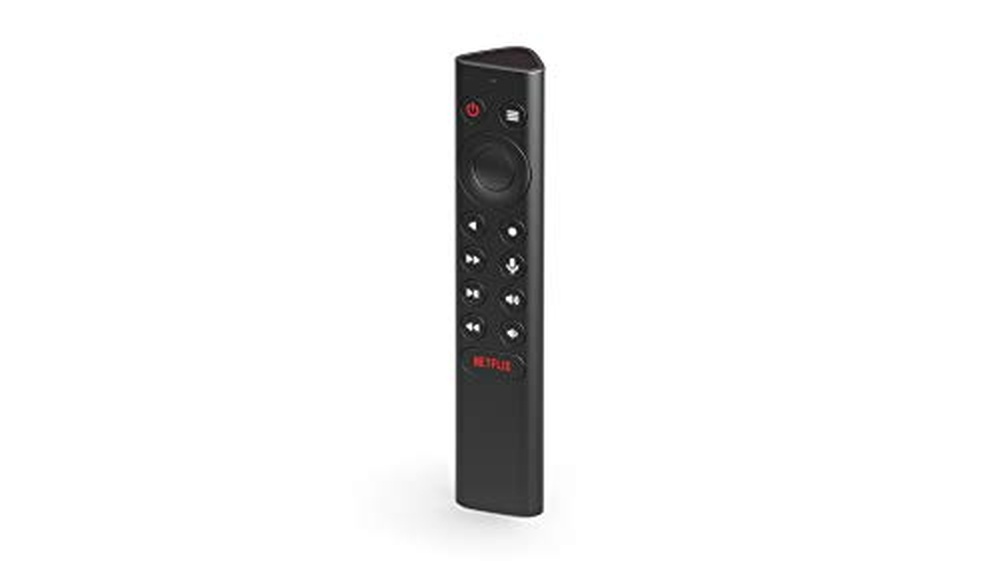
If you’ve spent time with your Nvidia Shield, you know how frustrating a lost or unreliable remote can be. Maybe your original remote stopped working, or you need something easier to use in the dark. Finding a good replacement isn’t as simple as it should be.
The world of Nvidia Shield remotes is crowded and confusing. Some remotes support voice search, others offer backlit buttons, and a few let you customize controls or manage your TV’s volume. But not every remote works with every Shield model.
Trade-offs between price, build quality, and features make choosing tricky.
This article will help you sort through what matters most, so you can pick a remote that fits how you actually use your Shield.
What Matters When Picking A Remote
Most buyers focus on features, but compatibility comes first. Make sure the remote supports your Shield model and is easy to pair. Think about how you use your Shield: Do you need voice search? Backlit buttons for nighttime? Custom buttons for quick access? It’s easy to overlook these until you’re missing them.
Common Mistakes
Many people grab the cheapest remote or the one with the most features, only to find it doesn’t work with their setup. Others forget about battery type or how simple pairing should be. Double-check before you buy—what works for one Shield model might not for another.
Below, you’ll find a range of remotes chosen for different needs and budgets. Each has strengths for certain users or setups. Take a look and see which fits your situation.
Nvidia Shield Tv Remote With Voice & Backlit Buttons
The Best Remote Control for Nvidia Shield makes navigating your SHIELD TV easier with motion-activated backlit buttons and customizable controls.
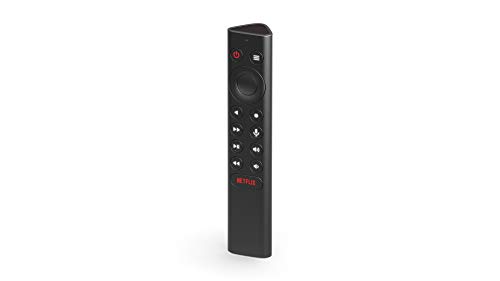
The NVIDIA Shield TV Remote with Voice & Backlit Buttons is designed for users who want an intuitive and reliable way to control their SHIELD TV. With motion-activated backlit keys, it solves the common problem of fumbling in the dark.
Customizable menu buttons offer quick access to your favorite features or apps, helping you get more out of your streaming experience.
Using this remote feels seamless, especially in low-light rooms where illuminated buttons make a real difference. Voice search powered by Google Assistant means you spend less time typing and more time enjoying content. The remote’s shape and weight feel comfortable, and the IR blaster lets you control other devices, streamlining your setup.
What Sets It Apart
- Backlit buttons light up automatically in the dark
- Customizable menu button for quick actions
- Works with 2015/2017/2019 SHIELD TV models
- Voice search with Google Assistant integration
- Controls TV volume, power, and input via IR blaster
- Comfortable, easy-to-hold design
Points To Consider
- Requires latest SHIELD Experience upgrade
- Not compatible with non-SHIELD devices
- Some features may require setup time
Who This Fits Best
This remote is best for SHIELD TV owners who watch movies and shows in dim rooms and want a hassle-free way to access their favorite content. It removes the stress of searching for buttons in the dark and eliminates the need for multiple remotes by controlling your TV as well.
If you set up the customizable menu button, you can launch apps or adjust settings with just a tap, making your daily use smoother. You’ll get consistent performance without surprises, especially if you keep your SHIELD TV updated. My tip: assign your most-used app or action to the single-press menu for the quickest access.
| Best for | Why |
|---|---|
| Watching in dark rooms | Motion-activated backlit buttons make navigation easy at night |
| Controlling multiple devices | Built-in IR blaster manages TV volume, power, and input |
| Customizing streaming setup | Menu button can trigger favorite apps or settings instantly |
| Hands-free searching | Integrated Google Assistant for quick voice commands |
Loutoc Voice Remote For Nvidia Shield Tv
Best Remote Control for Nvidia Shield if you want easy voice navigation and reliable compatibility across all Shield TV models.

This remote from LOUTOC is designed to replace the original remote for NVIDIA Shield TV and Shield TV Pro (2015, 2017, 2019). It solves the hassle of lost or malfunctioning remotes and works with all major Shield models, as long as your device is updated to the latest SHIELD Experience.
Using it feels intuitive—voice search is fast and accurate, even in noisy rooms. The buttons are comfortable and responsive, making everyday streaming and navigation smoother and less frustrating.
What Stands Out
- Works with all NVIDIA Shield TV models from 2015 to 2019
- Voice search for quick commands and app launching
- Accurate voice recognition, even with background noise
- Easy pairing process for quick setup
- Comfortable feel and responsive button design
- Supports using multiple remotes simultaneously
Points To Consider
- Requires two AAA batteries (not included)
- Needs latest SHIELD Experience update for full compatibility
- No batteries in the box, so you need to prepare ahead
What I’d Tell A Friend
If you have an NVIDIA Shield TV and your remote is missing or unreliable, this LOUTOC voice remote is a straightforward fix. It’s especially helpful for anyone who wants quick voice controls and a remote that’s easy to pair with any Shield TV model.
No more hunting for lost remotes or struggling with sluggish buttons.
You won’t waste time on setup, and controlling your Shield TV becomes more relaxing and consistent. My tip: update your Shield TV to the latest software before pairing—this avoids connection hiccups. Once set, you can trust it to work reliably, even if you have kids or guests using the TV.
| Best for | Why |
|---|---|
| Shield TV users needing a replacement remote | Works with all 2015–2019 models, easy to pair |
| Fans of voice control | Accurate and fast voice search for hands-free use |
| Households with multiple remotes | Supports using more than one remote on the same device |
| Anyone wanting quick setup | Simple pairing process and clear instructions |
Pairtty Backlit Voice Remote For Nvidia Shield
The Best Remote Control for Nvidia Shield stands out with hands-free voice commands and seamless compatibility for Shield TV users.

The Pairtty Backlit Voice Remote is a replacement controller made for NVIDIA Shield TV owners who want a smoother, smarter experience. It eliminates the frustration of navigating menus and searching for content by adding voice control and a customizable button.
In everyday use, the backlit buttons make it easy to see what you’re doing, even in a dark room. You get quick access to streaming and device controls, so there’s less fumbling and more watching. Pairing is straightforward, and the remote feels reliable for regular TV nights.
Reasons To Choose This Remote
- Voice assistant support for fast content search
- Automatic backlight for easy use in low light
- Menu button with 25+ custom functions
- Controls TV power, volume, and input directly
- Works with all major Shield TV models (2015/2017/2019, Pro, Cube)
- Simple pairing process
- 90-day after-sales support
Potential Limitations
- Requires two AAA batteries (not included)
- Custom functions may need setup time to learn
- No rechargeable option
What I’d Tell A Friend
If you’ve ever been frustrated by lost remotes or hard-to-find buttons, this remote is built for you—especially if you own any NVIDIA Shield TV model. It removes the hassle of fumbling in the dark and makes switching apps or searching with your voice feel natural.
The learning curve for custom functions is worth it if you want to personalize your setup.
Stress from finding the right button in the dark or juggling multiple remotes disappears with this all-in-one device. For best results, take five minutes to set up your most-used shortcuts on the menu button. Once paired, you can count on consistent, smooth operation every night—no surprises.
| Best for | Why |
|---|---|
| Shield TV users in dark rooms | Automatic backlight ensures buttons are always visible |
| People who want voice control | Works with Google’s voice assistant for quick searches |
| Anyone needing custom shortcuts | Menu button supports 25+ personal functions |
| Multi-device households | Can control both Shield TV and TV functions (volume, power, input) |
Ryqif Replacement Remote For Nvidia Shield Tv
For buyers seeking the Best Remote Control for Nvidia Shield, this model stands out for its comfortable grip and compatibility with multiple Shield TV generations.

The RYQIF Replacement Remote for Nvidia Shield TV gives users a straightforward way to replace or upgrade their original remote. Designed for Shield TV models from 2015, 2017, and 2019, it helps avoid compatibility headaches and restores full device control quickly.
Its compact, lightweight body fits well in your hand, with an anti-slip surface that reduces accidental drops. Everyday use feels natural and reliable, making it easy to adjust volume, power, and settings without searching for buttons or worrying about frequent pairing.
Key Benefits For Shield Tv Owners
- Works with Nvidia Shield TV models from 2015 to 2019
- Comfortable, ergonomic design prevents slips
- Simple setup and easy pairing process
- Direct access to volume and power controls
- Customizable settings button for quick tasks
- Decent control range up to ten meters
- Responsive customer service with fast replies
Consider Before You Buy
- Not compatible with devices outside the listed Shield TV models
- No advanced smart features or voice support
- Some users may need to pair manually with button combo
What I’d Tell A Friend
If you have an Nvidia Shield TV from 2015, 2017, or 2019 and need a remote that just works, this is a solid pick. It takes away the hassle of button confusion and unreliable connections, letting you get back to streaming and browsing quickly.
To make pairing smoother, try holding the Back and Home buttons as described in the setup guide. You’ll appreciate the peace of mind from the anti-slip grip, and if anything goes wrong, their responsive support team is ready to help.
I like that it feels familiar and doesn’t require relearning old habits.
| Best for | Why |
|---|---|
| Owners of 2015/2017/2019 Nvidia Shield TV | Ensures full compatibility and easy replacement |
| Anyone who values comfort in hand | Ergonomic, anti-slip design minimizes drops |
| People needing reliable, basic control | Simple layout and responsive buttons suit everyday use |
| Those who want quick support | Fast customer service for any issues |
Wdzp Voice Remote For Nvidia Shield Tv
A top pick for Best Remote Control for Nvidia Shield, offering easy pairing and wide compatibility for hassle-free setup.

This remote is designed to replace or complement your Nvidia Shield TV controller, solving the common frustration of failed remotes or limited device compatibility. It works with most Android devices that have a USB input, making it a versatile backup or replacement option for many setups.
Using it feels intuitive thanks to its ergonomic shape and responsive keys. The voice function adds an extra layer of convenience, and the pairing process is straightforward. You get a wide control range, so you don’t have to point precisely, making everyday use more relaxed and dependable.
Why This Remote Stands Out
- Works with almost all Android devices with USB input
- Simple pairing process for quick setup
- Ergonomic design is comfortable to hold
- Responsive buttons for smooth operation
- Voice function for hands-free control
- Over 26 feet control distance and wide angle
- 12-month warranty for peace of mind
Consider Before Buying
- Batteries and instructions are not included
- Pairing may require restarting the set-top box if not successful
- No advanced features beyond basic voice and air mouse
Who This Fits Best
This remote is ideal for Nvidia Shield TV owners who want a reliable, easy-to-use backup or replacement controller. It’s especially suited to those who use multiple Android devices or want broad compatibility without technical headaches. The straightforward pairing removes the stress of setup, and the wide control range means you won’t struggle with awkward angles.
For best results, make sure to check battery power before pairing and keep the remote close to your set-top box during setup. The 12-month warranty gives extra peace of mind, so you’re covered for unexpected issues. If you value simplicity and consistency, this remote will make your streaming setup smoother—I found the ergonomic design surprisingly comfortable during long sessions.
| Best for | Why |
|---|---|
| Replacement for failed Nvidia Shield remote | Quick pairing and broad compatibility solve remote outages |
| Multi-device Android setups | Works with various Android TV boxes, mini PCs, and smart TVs |
| Users needing voice control | Built-in voice function streamlines navigation and search |
| Anyone wanting a backup remote | Simple use, wide control range, and comfortable design |
Auilzlz Voice Remote For Nvidia Shield Tv
Best Remote Control for Nvidia Shield users who want a reliable, backlit replacement that covers all essential functions.

The Auilzlz Voice Remote for NVIDIA Shield TV is a replacement remote designed for all models of NVIDIA Shield TV and Shield TV Pro. It solves the problem of lost or malfunctioning remotes, providing an alternative that matches the original’s core functions and adds backlit buttons for nighttime use.
Using this remote feels simple and dependable. The infrared signal is strong, and the buttons respond quickly, so there’s no lag or frustration during use. Its familiar layout means you don’t need to relearn anything, making it easy for anyone in the household to pick up and use right away.
Why This Remote Stands Out
- Compatible with all major NVIDIA Shield TV models (2015, 2017, 2019, Pro)
- Backlit buttons for easy use in low light
- Fast response with minimal delay
- Strong infrared signal covers typical living rooms
- Soft, dust-resistant button design
- Tested for long-term durability (150,000+ clicks)
- One-year warranty for peace of mind
Keep In Mind Before Buying
- No voice assistant or Bluetooth features beyond original
- Requires line-of-sight for best signal
- Not an upgrade in features—focuses on reliable replacement
Who This Fits Best
This remote is ideal for NVIDIA Shield TV owners who need a straightforward, dependable replacement without extra complexity. If you want to eliminate the hassle of unreliable buttons or missing remotes, this model brings back the ease of original use with some added comfort like backlighting.
It’s especially useful for families or anyone sharing a device, since it mimics the original’s feel and layout. For best results, make sure your Shield TV is visible for the infrared signal. The included one-year warranty adds extra confidence that you won’t be left without a working remote again.
| Best for | Why |
|---|---|
| Replacing lost or broken Shield remotes | Matches original functions and layout |
| Nighttime streaming sessions | Backlit buttons for visibility in the dark |
| Multi-user households | Simple, familiar controls for everyone |
| Users seeking quick response | Minimal button lag and tested durability |
Wdzp Nvidia Shield Replacement Remote
Best Remote Control for Nvidia Shield users who want voice search and customizable buttons in a protective, easy-to-find design.

The WDZP Nvidia Shield Replacement Remote is designed for Shield TV owners who need a reliable backup or replacement. It features a glow-in-the-dark silicone case, making it easy to spot in low light, and supports voice search through Google Assistant for quick navigation and commands.
Day-to-day, it feels familiar and straightforward to use, with dedicated volume control and a customizable menu button for your most-used actions. The silicone case provides extra grip and protection, giving you confidence that drops or spills won’t ruin your remote.
Adjusting settings is simple, and the backlit home button helps in the dark.
Key Benefits For Shield Users
- Compatible with Nvidia Shield TV 2015/2017/2019 models
- Glow-in-the-dark protective silicone case for easy finding
- Supports voice search via Google Assistant
- Customizable menu button with up to 25 actions
- Dedicated volume control (with setup)
- Backlit home button for use in the dark
Consider Before Buying
- Volume control requires a manual setup in device settings
- Light-emitting function only activates when pressing buttons
- Not an official Nvidia product (third-party replacement)
Who This Fits Best
This remote is ideal for Nvidia Shield TV owners who want an easy-to-find, resilient replacement with voice features and button customization. It removes the hassle of losing your remote in the dark and guessing which button to press, especially if you watch TV in dim rooms or need quick access to favorite apps.
To get the best experience, set up the volume control as described in the instructions—this step ensures seamless integration. Once configured, you’ll enjoy reliable performance and peace of mind, knowing you have a durable, user-friendly remote always within reach. I appreciate how the glow silicone case keeps it visible even on busy couches.
| Best for | Why |
|---|---|
| Shield TV owners needing a backup remote | Works with 2015/2017/2019 models, easy pairing |
| Users who lose remotes often | Glow-in-the-dark case is easy to spot |
| Anyone who values quick app access | Customizable menu button for shortcuts |
| Voice command fans | Built-in Google Assistant support |
Allimity Voice Remote For Nvidia Shield Tv
As the Best Remote Control for Nvidia Shield, this model stands out for its easy voice command access and flexible compatibility across Shield TV generations.

The Allimity Voice Remote for NVIDIA Shield TV is a replacement remote that helps you control your Shield device with ease. It solves the hassle of losing your original remote or dealing with worn-out buttons, offering motion-activated backlighting and customizable menu buttons for added convenience.
Using this remote feels familiar and intuitive—just press the microphone button to use Google Assistant and quickly access your favorite content. With features like an IR blaster and location function, it’s easy to locate the remote if misplaced, bringing peace of mind to daily use.
Why This Remote Stands Out
- Simple voice command access for hands-free control
- Works with multiple NVIDIA Shield TV models (2015, 2017, 2019, Pro)
- Motion-activated for easy operation in the dark
- Customizable menu buttons for personal shortcuts
- Location function helps find the remote if lost
- IR blaster adds extra device control options
Potential Downsides To Consider
- Requires your Shield device to run the latest SHIELD Experience update
- Not compatible with non-Shield devices
- Remote may need customer service support for setup on some TVs
What I’d Tell A Friend
If you own an NVIDIA Shield TV (2015, 2017, or 2019), this remote is a smart replacement that cuts out the stress of hunting for the right buttons or losing control in the dark. It’s best for anyone who values voice search and wants a remote that’s easy to personalize.
By upgrading, you’ll remove the hassle of fumbling with outdated or unresponsive remotes. For the smoothest setup, make sure your Shield runs the latest update before pairing. The location feature offers extra security, so you spend less time searching and more time watching.
| Best for | Why |
|---|---|
| NVIDIA Shield TV owners | Full compatibility with 2015, 2017, and 2019 models |
| People who use voice assistants | Easy Google Assistant integration via microphone button |
| Anyone who misplaces remotes | Location function helps you find it quickly |
| Users who want custom shortcuts | Customizable menu buttons to fit your habits |
Ryqif Remote For Nvidia Shield Tv Pro
The Best Remote Control for Nvidia Shield offers reliable compatibility and a comfortable grip for users who want a straightforward replacement option.

The RYQIF Remote for Nvidia Shield TV Pro is a replacement remote designed specifically for model P2575. It solves the hassle of pairing or setup—just insert batteries and it’s ready to use. The ergonomic design with smooth edges and an anti-slip surface makes it comfortable and safe to hold, minimizing accidental drops.
In daily use, the remote feels lightweight and fits naturally in your hand, making navigation effortless. The control range is generous, so you don’t have to point directly at your device. This means less frustration and more consistent performance when watching shows or gaming.
It’s a straightforward solution for those who want simplicity and reliability from their remote.
Key Advantages For Everyday Use
- Works out-of-the-box with Nvidia Shield TV Pro (P2575)
- No pairing or setup required
- Comfortable, ergonomic, and non-slip design
- Supports voice function for added convenience
- Long control range up to ten meters
- Responsive customer service with quick replies
Points To Consider Before Buying
- Batteries are not included
- Only compatible with specific Nvidia Shield model (P2575)
- No advanced smart features outside standard controls
What I’d Tell A Friend
If you have a Nvidia Shield TV Pro P2575 and want a remote that just works, this RYQIF model is a smart choice. It’s best for anyone who wants to avoid the hassle of pairing and needs a comfortable, reliable remote for daily use.
It removes guesswork from setup and gives you peace of mind with a solid grip and dependable range.
A quick tip: keep a set of batteries handy since they aren’t included. If you ever run into questions, the customer service response is fast, which adds to the reliability. Personally, I appreciate products that work simply and consistently—this remote fits that need.
| Best for | Why |
|---|---|
| Nvidia Shield TV Pro (P2575) owners | Guaranteed compatibility without setup steps |
| Users who want a simple replacement | No pairing or complex features to manage |
| People who value comfort and grip | Ergonomic design with anti-slip surface |
| Buyers needing responsive support | Quick customer service for peace of mind |
Avtbeisty Nvidia Shield Replacement Remote
A practical choice for anyone seeking the Best Remote Control for Nvidia Shield, offering reliable compatibility across all Shield TV models.

The Avtbeisty Nvidia Shield Replacement Remote is designed for those who need a straightforward, dependable replacement for their Shield TV remote. It works with all 2015, 2017, and 2019 NVIDIA Shield TV models, making it a simple solution for anyone with multiple generations of devices at home.
Using this remote feels familiar and intuitive—voice search is quick to activate, and the buttons respond with a satisfying click. The setup process is smooth: just hold it close to your Shield TV and follow the pairing steps. This remote’s shape and key pressure make regular TV control comfortable and effortless.
What Stands Out
- Universal compatibility with all Shield TV models from 2015 to 2019
- Easy voice search for hands-free navigation
- Simple pairing process with clear instructions
- Comfortable grip and tactile button feel
- Reliable connection without frequent dropouts
- Lightweight design for everyday use
Points To Consider
- Requires the latest SHIELD Experience update for best results
- No extra smart home or learning features
- Design and color are basic (black only)
Where This Shines
This remote is best for Shield TV users who want a no-fuss, reliable replacement that works across all their devices. It removes the frustration of juggling different remotes or dealing with unresponsive buttons, especially when you want quick access to streaming apps.
If you keep your Shield TV updated, the pairing and voice search features make everyday use straightforward and stress-free. My quick tip: hold the remote close and follow the pairing steps for instant setup—no guessing, no hassle. It’s a dependable backup, so you won’t get caught without a working remote.
| Best for | Why |
|---|---|
| Shield TV owners (2015–2019) | Works with all model years, no compatibility worries |
| Voice search users | Easy voice control for faster navigation |
| Simple remote swap | Quick pairing, no complex setup |
| Minimalist remote needs | No unnecessary extra features, just works |
How To Choose A Replacement Remote For Nvidia Shield Tv
- Compatibility: Always check if the remote supports your exact Shield TV model year (2015, 2017, 2019) before ordering. Not all remotes work with every version.
- Voice Control: Decide if you need built-in voice commands. Voice search is convenient but not available on every model.
- Backlit Buttons: If you often watch TV in low light, consider a remote with motion-activated or backlit keys for easier navigation.
- Customizable Buttons: Some remotes let you program menu buttons for quick app launch or other shortcuts. Consider if this flexibility matters for your usage.
- IR vs. Wireless: Many remotes use IR for TV control. If your setup hides devices, wireless (Bluetooth) may offer more reliable performance.
Common Mistakes When Replacing Your Shield Remote
- Forgetting to check if a firmware update is required for your Shield TV before pairing a new remote.
- Assuming all remotes include batteries—many do not, and require AAA batteries purchased separately.
- Overlooking pairing instructions—some remotes need a specific pairing process, not just battery insertion.
- Expecting all functions (like custom buttons or voice) to work identically to the original remote.
Who Should Avoid Aftermarket Shield Remotes?
- If you rely on advanced Shield-exclusive features or want guaranteed seamless integration, consider only the official NVIDIA remote.
- Buyers who are uncomfortable with basic setup steps (like pairing or updating software) may find some third-party options challenging.
- Those sensitive to button feel or build quality differences may prefer the original remote, as some replacements use different materials or layouts.
Setup And Usage Tips
- Update your Shield TV to the latest software before pairing any replacement remote.
- Carefully follow any included pairing steps. Hold remotes close to the device during setup if required.
- If your remote uses an IR blaster, make sure there is a clear line of sight to your TV or AV receiver.
- Some functions may need customization in the Shield settings menu after pairing.
Faqs
Will All Replacement Remotes Work With Every Nvidia Shield Tv Model?
No. Always check that the replacement remote lists your exact Shield TV model and year. Compatibility varies.
Do Third-party Remotes Support Voice Search?
Some do, but not all. Check for a dedicated microphone button and voice support in the description before buying.
Are Batteries Included With Replacement Remotes?
Usually not. Most require you to supply your own AAA batteries.
Can I Use More Than One Remote With My Shield Tv?
Yes, you can pair multiple remotes, including the original and replacements, to your device.
Why Aren’t All Functions Identical To The Original Remote?
Some advanced features or button layouts may differ. Aftermarket remotes often focus on core functions rather than exact replication.
How Do I Control My Tv’s Power And Volume?
Look for remotes with an IR blaster or CEC support. Some require enabling settings on your Shield TV for full TV control.
Final Thoughts
Choosing a replacement remote for your NVIDIA Shield TV depends on your model, feature needs, and comfort with setup. Reviewing compatibility and required features will help you find a remote that fits your routine. Take your time to compare options so you can enjoy uninterrupted streaming and device control.