
Are Mesh Routers Safe?
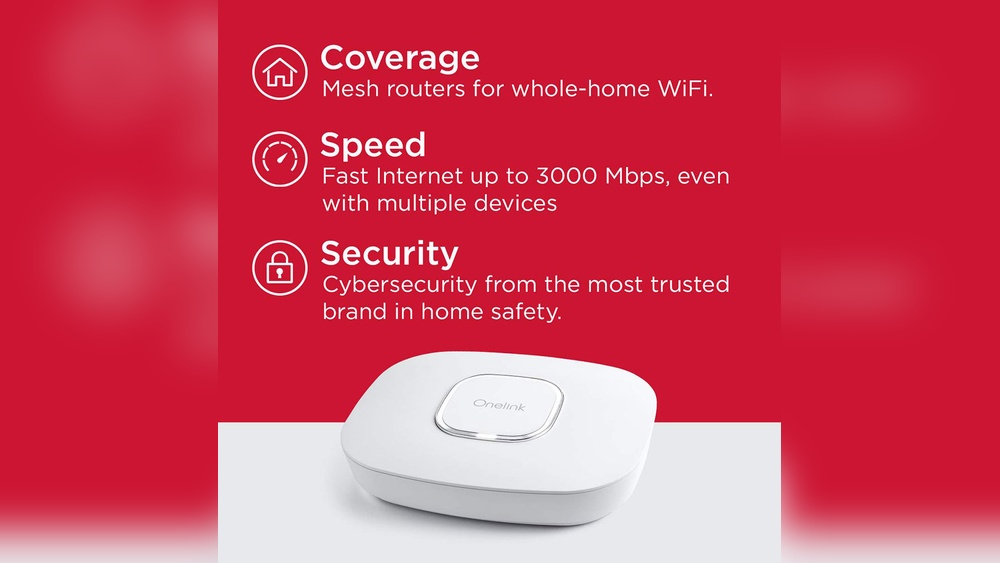
Mesh routers are changing the way people set up Wi-Fi at home and in offices. They promise stronger connections, fewer dead zones, and easier management. As more users switch to mesh Wi-Fi, one question keeps popping up: Are mesh routers safe? This article explores mesh router security, what makes them different, risks to consider, and practical advice to keep your network safe. By the end, you’ll know how mesh routers work and how to protect yourself when using them.
What Is A Mesh Router?
A mesh router is a special type of Wi-Fi system. Instead of relying on one single router, mesh networks use multiple devices called nodes. One node connects to your modem, and the others sit in different parts of your home. All these nodes talk to each other and form a single, seamless Wi-Fi network.
For example, if your house is large or has thick walls, a normal router might not reach every room. Mesh routers solve this by spreading Wi-Fi coverage. You can walk from room to room without losing your signal. Mesh routers are popular in homes, offices, and even public spaces.
Mesh Vs Traditional Routers
Let’s compare mesh routers with traditional routers.
| Feature | Traditional Router | Mesh Router |
|---|---|---|
| Coverage | One area, limited range | Multiple areas, wide range |
| Setup | Usually manual | Easy, guided by app |
| Dead Zones | Common | Rare |
| Device Management | Basic | Advanced features |
| Security Updates | Manual, often ignored | Automatic (most brands) |
Mesh routers are easier to use and offer better coverage. But are they safer? That’s what we’ll explore next.
How Mesh Routers Handle Security
Mesh routers are designed to be user-friendly. Most brands focus on security as a major selling point. Here’s how mesh routers handle security:
Automatic Updates
Most mesh routers download firmware updates automatically. This is important because updates fix security holes. With traditional routers, users often forget to update, leaving the device open to attacks. Mesh routers reduce this risk.
Built-in Encryption
Mesh systems use WPA2 or WPA3 encryption for wireless connections. This means your data is scrambled so outsiders can’t read it. WPA3 is the latest standard, offering better protection against hackers.
Secure Communication Between Nodes
All nodes in a mesh network communicate using secure protocols. This prevents attackers from intercepting messages between nodes. The system checks the identity of each node to avoid fake devices joining the network.
Easy Management Apps
Mesh routers come with apps that let you control your network. You can see who’s connected, change passwords, and set parental controls. These apps often warn you about suspicious activity.
Credit: www.walmart.com
Potential Risks With Mesh Routers
While mesh routers offer many security features, they are not perfect. Let’s look at some risks:
Multiple Nodes Mean More Targets
Each node is a small computer. If one node is hacked, it could affect the whole network. In large setups, there may be many nodes, increasing the risk.
App-based Setup
Mesh routers rely on apps for setup and management. If your phone is compromised, someone could change your network settings or see private information.
Cloud Connections
Some mesh routers use the cloud to manage updates and settings. If the company’s servers are attacked, your router could be at risk.
Default Settings
Many users leave the default settings unchanged. Default passwords and open guest networks are easy targets for hackers.
Data Collection
Certain mesh systems may collect usage data. While most brands promise privacy, some information may be stored or shared.
Common Security Features In Mesh Routers
Mesh routers come with various security features. Here are some of the most common:
- Guest Networks – Lets visitors use Wi-Fi without accessing your main devices.
- Parental Controls – Blocks harmful sites and limits screen time.
- Device Blocking – Allows you to kick unwanted devices off the network.
- Firewall – Stops unwanted traffic from entering your network.
- Automatic Firmware Updates – Keeps your router safe with the latest fixes.
- VPN Support – Lets you hide your internet activity from prying eyes.
- Intrusion Detection – Warns you if someone tries to hack your network.
These features make mesh routers safer than many older routers. But users must enable them and update passwords regularly.

Credit: www.ebay.com
Are Mesh Routers Safer Than Traditional Routers?
Mesh routers are often safer than older routers, but only if set up correctly. Here’s why:
- Automatic updates reduce the risk of old vulnerabilities.
- WPA3 encryption is harder to crack.
- Easy apps help users spot and fix problems quickly.
- Multiple nodes mean more points of failure, but also better monitoring.
Let’s look at some data:
- According to a 2023 survey by Statista, about 65% of mesh router owners say their network is more secure than before.
- A study by Consumer Reports found that mesh routers with automatic updates had 30% fewer security issues than routers without updates.
But security depends on the user. If you use weak passwords or ignore warnings, even the best mesh router can be hacked.
The Role Of Firmware Updates
Firmware is the software inside your router. Updates fix bugs and close security holes. Mesh routers usually download updates in the background.
Why Updates Matter
Hackers look for old routers with unpatched flaws. Updating firmware blocks these attacks. Mesh routers make this easier because updates are automatic.
What Can Go Wrong?
Sometimes, updates fail or cause problems. If a router stops updating, it becomes vulnerable. Always check your router’s app to see if updates are working.
Example
In 2021, a security flaw called “FragAttacks” affected many Wi-Fi devices. Mesh routers with automatic updates fixed the issue quickly. Older routers needed manual patches, and many users didn’t update.
Setting Up A Mesh Router Safely
When setting up a mesh router, security starts from day one. Here are practical steps:
- Change Default Passwords
- Always set a strong admin password.
- Don’t use “admin” or “password123”.
- Enable WPA3 Encryption
- If your router supports WPA3, use it.
- WPA2 is still good, but WPA3 is better.
- Update Firmware
- Make sure automatic updates are on.
- Check for updates every few months.
- Disable Remote Access
- Turn off remote management unless needed.
- This prevents outsiders from changing your settings.
- Set Up Guest Networks
- Keep guests off your main network.
- Change guest passwords often.
- Review Connected Devices
- Use your app to see who’s connected.
- Remove unknown devices.
- Use Parental Controls
- Block harmful sites for kids.
- Limit screen time if needed.
- Check Privacy Settings
- See what data is being collected.
- Turn off features you don’t need.
- Back Up Your Settings
- Save your setup so you can restore it if needed.
- Monitor Network Activity
- Look for strange devices or high traffic.
Many beginners forget to change default passwords or check for updates. These are simple steps but very important.
Mesh Router Security: Real-world Examples
Let’s see how mesh router security works in real life.
Example 1: Home Network
Maria set up a mesh router in her three-bedroom house. She enabled automatic updates and changed the default password. One day, her app warned her about a new device connecting at 3 AM. Maria blocked the device and changed her Wi-Fi password.
The mesh router’s app helped her spot the problem fast.
Example 2: Small Business
A local bakery used a mesh router to cover its shop and kitchen. They set up a guest network for customers and kept their payment system on a separate network. When a new firmware update fixed a security flaw, the mesh router updated itself automatically.
The business stayed safe without any tech skills.
Example 3: Apartment Building
An apartment manager used mesh routers in common areas. Some tenants left guest networks open with weak passwords. One tenant’s smart TV was hacked through the open network. The manager learned to set stronger passwords and disable guest networks when not needed.
Mesh Router Brands And Security Comparison
Different brands offer different security features. Here’s a comparison of three popular mesh router brands:
| Brand | Encryption | Auto Updates | Parental Controls | VPN Support | Intrusion Detection |
|---|---|---|---|---|---|
| Netgear Orbi | WPA2, WPA3 | Yes | Yes | Yes | Yes |
| Google Nest Wifi | WPA2 | Yes | Yes | No | No |
| TP-Link Deco | WPA2, WPA3 | Yes | Yes | Yes | Yes |
Some brands offer more features than others. Always check the security features before buying.
Advanced Security Features In Mesh Routers
Some mesh routers go beyond basic security. Here are advanced features you may find:
Intrusion Prevention Systems (ips)
IPS watches for suspicious activity and blocks attacks. This is useful for stopping malware and hackers.
Device Fingerprinting
Mesh routers can identify devices based on their unique digital “fingerprint. ” This helps block unknown devices.
Ai-based Threat Detection
Some routers use artificial intelligence to find unusual patterns. For example, if a device uploads lots of data at night, the router may warn you.
Secure Boot
Secure boot checks the router’s software when it starts up. If the software is changed by a hacker, the router refuses to run.
Two-factor Authentication (2fa)
Some apps let you use 2FA, so you need both a password and a code sent to your phone. This makes it harder for hackers to get in.
Example
The TP-Link Deco X90 uses AI to monitor network traffic and blocks suspicious devices automatically. This feature prevented a malware attack in a test by PCMag.
Mesh Router Security For Smart Devices
Many homes now have smart devices like cameras, lights, and thermostats. Mesh routers help keep these devices safe, but there are risks.
Why Smart Devices Are Vulnerable
Smart devices often have weak security. Many use default passwords or old software. Hackers target them because they are easy to break into.
How Mesh Routers Help
Mesh routers let you:
- Put smart devices on a separate network
- Set strong passwords
- Monitor device activity
Some routers offer “IoT protection,” which blocks devices from accessing the internet if they act strangely.
Practical Tips
- Don’t use default passwords for smart devices
- Update device firmware regularly
- Use your mesh router’s app to review connected devices
Many users forget to update smart device firmware, leaving their network open to attacks.
Privacy Concerns With Mesh Routers
Security is not just about blocking hackers. Privacy matters too. Mesh routers may collect data about your network.
What Data Is Collected?
- Device names and types
- Usage patterns (when you go online)
- Location of nodes
- App activity
How Is Data Used?
Brands use this data to improve their products or fix bugs. Some may use it for marketing. Always check the privacy policy.
Can You Control Data Collection?
Most mesh routers let you turn off some data collection. Look for privacy settings in the app. If privacy is important, choose a brand with clear privacy rules.
Example
Google Nest Wifi collects data to improve performance. Users can turn off some data sharing. For more details, see their privacy policy.
Mesh Routers In Public And Office Spaces
Mesh routers are popular in offices, schools, and public spaces. Security is even more important in these places.
Risks In Shared Spaces
- Many users connect, increasing attack risk
- Guest networks may be open
- Sensitive data may be exposed
How To Stay Safe
- Use strong passwords for admin access
- Separate guest and business networks
- Monitor connected devices
- Disable unused features
Data Table: Office Vs Home Mesh Router Security
| Feature | Home Setup | Office/Public Setup |
|---|---|---|
| Guest Network | Optional | Essential |
| Device Monitoring | Basic | Advanced (logs, alerts) |
| Encryption | WPA2/WPA3 | WPA3 preferred |
| Firewall | Simple | Advanced (custom rules) |
| Privacy Settings | Standard | Strict (compliance) |
In offices, mesh routers must follow strict rules. IT staff often manage settings, but in homes, users must handle security themselves.
Mesh Router Security: Common Mistakes
Even the best router can be unsafe if users make mistakes. Here are common errors:
- Leaving default passwords unchanged
- Ignoring firmware updates
- Using weak Wi-Fi passwords
- Not setting up guest networks
- Failing to check connected devices
- Allowing remote management without protection
- Not separating smart devices from main network
Many beginners don’t realize that even small mistakes can let hackers in.
How To Choose A Safe Mesh Router
Choosing a mesh router is not just about speed and coverage. Security should be a top concern.
What To Look For
- WPA3 encryption
- Automatic firmware updates
- Easy-to-use app
- Parental controls
- Device monitoring
- Separate guest network
- VPN support
- Intrusion detection
Questions To Ask Before Buying
- Does the router update itself?
- Can I set strong passwords?
- Does it offer WPA3?
- Are privacy settings clear?
- Can I monitor and block devices easily?
Common Buyer Mistakes
- Choosing a router just for speed, not security
- Ignoring privacy policies
- Buying old models with outdated security
Always check the brand’s security reputation. For more in-depth advice on choosing Wi-Fi routers, see this guide from Consumer Reports.
Mesh Router Security: Future Trends
Mesh routers are getting smarter. Here’s what to expect in the coming years:
Ai-powered Security
Routers will use artificial intelligence to spot threats faster and learn from attacks.
Improved Privacy Controls
Brands will offer more privacy settings, letting users control what data is shared.
Universal Wpa3 Support
WPA3 will become standard, making Wi-Fi safer for everyone.
More Cloud Features
Cloud management will improve, but privacy will be a bigger concern.
Zero Trust Networks
Some routers will use “zero trust” security, checking every device before letting it connect.
Example
Netgear recently announced a router with AI-powered threat detection. It blocks malware and sends alerts to your phone.
Credit: www.nytimes.com
Frequently Asked Questions
What Is The Main Security Risk With Mesh Routers?
The main risk is multiple nodes acting as separate targets. If one node is hacked, it could affect the whole network. Always update firmware and use strong passwords to reduce this risk.
Can Mesh Routers Be Hacked?
Yes, like any Wi-Fi device, mesh routers can be hacked. Most attacks happen because users leave default passwords or ignore updates. Regularly check your router’s app for warnings and use WPA3 if possible.
Are Mesh Routers Safe For Smart Devices?
Mesh routers are safer for smart devices because they allow you to separate devices onto different networks and monitor activity. Always update device firmware and avoid default passwords.
Is Data Collected By Mesh Routers Private?
Mesh routers often collect usage data for performance and troubleshooting. Privacy depends on the brand. Check privacy settings in your app and read the privacy policy before buying.
How Do I Make My Mesh Router Safer?
- Change default passwords
- Enable automatic updates
- Use WPA3 encryption
- Set up guest networks
- Monitor connected devices
Even small changes can make your network much safer.
Mesh routers have changed the way people connect to the internet. They offer strong coverage, easy setup, and many security features. Still, they are not perfect. Security depends on both the device and the user. By following simple steps—like updating firmware, changing passwords, and using strong encryption—you can enjoy the benefits of mesh Wi-Fi safely.
As technology evolves, mesh routers will become even safer, making them a smart choice for homes and offices alike.