
For many people, the iPad has become a daily companion. It helps with work, learning, entertainment, and even controlling other devices. Because tablets often replace remote controls, many users wonder about one specific feature: Do iPads have IR blasters? If you want to use your iPad to control your TV, air conditioner, or other home electronics, this question matters. This article will give you a complete answer, explain why IR (infrared) blasters matter, what you can do if your iPad doesn’t have one, and what alternatives exist. By the end, you’ll understand everything you need to know about iPads and IR blasters, including practical tips and real solutions.
What Is An Ir Blaster And Why Does It Matter?
First, let’s get clear on what an IR blaster actually is. IR stands for infrared, a type of light our eyes can’t see. Most traditional remote controls use IR signals to send commands to devices like TVs, sound systems, and air conditioners. An IR blaster is hardware inside a device (like a phone or tablet) that lets it send out these IR signals, just like a normal remote control.
When a device has an IR blaster, you can often use it as a universal remote. You can control several appliances from one gadget, which is especially convenient if you lose remotes easily or want fewer things on your coffee table.
Some Android phones have included IR blasters, making them popular choices for home automation enthusiasts.
Why do people care? The answer is simple: with an IR blaster, your device can control almost any device that uses a standard infrared remote. This includes most TVs, set-top boxes, fans, and older smart devices. It’s a small feature with big convenience.
Do Ipads Have Ir Blasters? The Direct Answer
If you’re hoping your iPad can act as a universal remote right out of the box, the answer is straightforward: No iPad model has a built-in IR blaster. This is true for all generations, from the earliest iPad to the latest iPad Pro, iPad Air, iPad mini, and standard iPad.
You won’t find an IR transmitter or receiver inside any iPad. This is a design choice by Apple. Even as competitors like Samsung and Huawei added IR blasters to some phones and tablets, Apple never adopted this hardware for their iPad lineup.
But why did Apple make this decision? There are a few reasons:
- Apple prefers wireless standards like Wi-Fi and Bluetooth for device communication.
- The company focuses on modern smart home solutions, which use Wi-Fi or Bluetooth, not infrared.
- IR technology is becoming less common as smart home devices use apps and voice control.
Still, many TVs and appliances in homes rely on IR remotes. This leaves iPad users looking for alternatives.
Credit: www.mobilefun.co.uk
How Do Ipads Control Other Devices?
Even without an IR blaster, iPads can still control many smart devices. Here’s how:
1. Wi-fi And Bluetooth
Most modern smart TVs, speakers, and appliances support Wi-Fi or Bluetooth. iPads can connect to these devices using special apps. For example:
- Apple TV can be controlled directly from the iPad using the Apple TV Remote app.
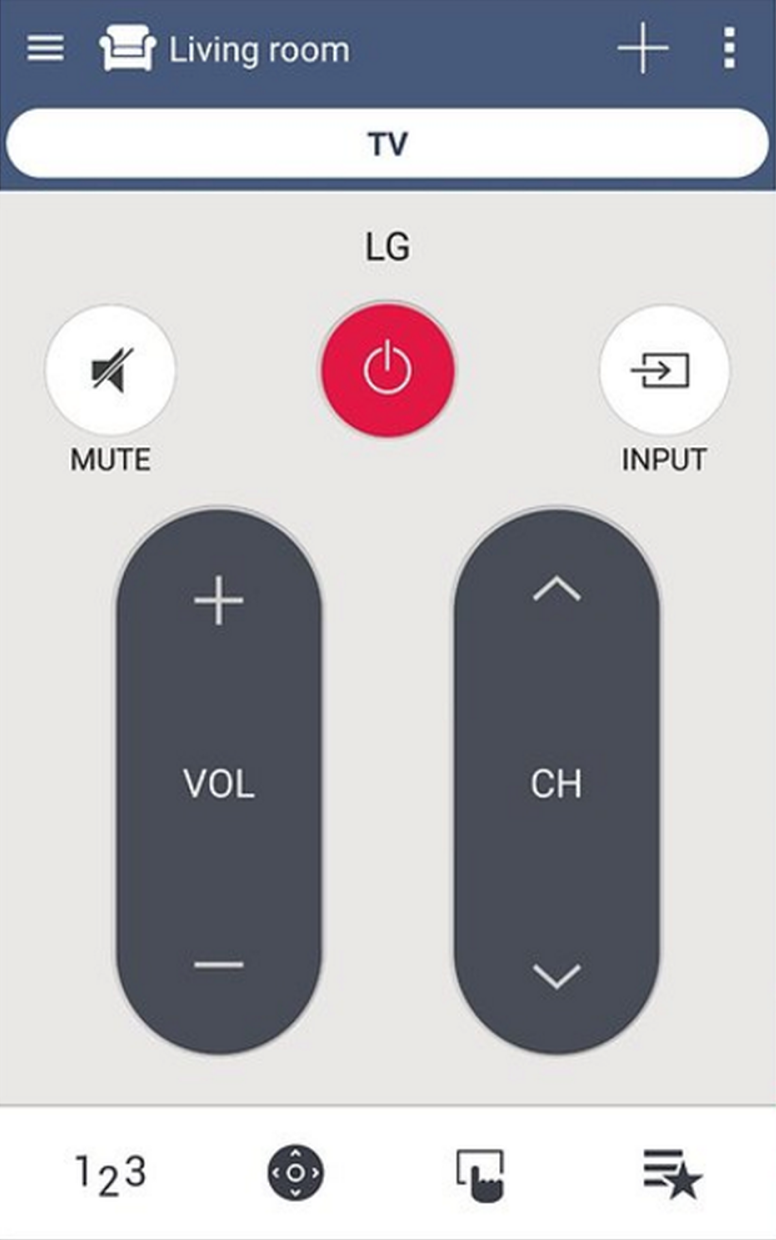
- Many smart TVs (like Samsung, LG, Sony) have their own apps for iOS.
- Smart speakers (like Sonos, Amazon Echo) use Wi-Fi/Bluetooth and dedicated apps.
- Smart lighting and thermostats (like Philips Hue, Nest) are fully app-controlled.
This method is often more reliable and offers more features than old IR remotes, such as voice control, viewing media libraries, and automation.
2. Smart Home Integration
Apple’s HomeKit platform lets you control compatible smart devices through the Home app on your iPad. If your lights, plugs, thermostats, or cameras support HomeKit, you can control them even when you’re not at home.
Siri voice commands also work with HomeKit accessories. For example, you can say, “Hey Siri, turn off the TV,” if your TV supports HomeKit.
3. Hdmi-cec
Some iPad accessories, like the Apple Digital AV Adapter, let you connect your iPad to a TV via HDMI. If your TV supports HDMI-CEC (Consumer Electronics Control), you can use the TV remote to control some iPad functions, such as play/pause when watching videos.
However, this is not the same as the iPad controlling the TV—the remote works in the other direction.
Comparison: Ipads Vs. Devices With Ir Blasters
Let’s compare iPads and popular devices with IR blasters. This helps highlight what’s possible and what’s not.
| Device | Has IR Blaster? | Main Remote Control Methods | Supported Devices |
|---|---|---|---|
| iPad (all models) | No | Wi-Fi, Bluetooth, HomeKit | Smart TVs, smart home, Wi-Fi/Bluetooth devices |
| Samsung Galaxy Tab (select models) | Yes (older models) | IR, Wi-Fi, Bluetooth | TVs, air conditioners, set-top boxes, smart devices |
| Huawei MediaPad (select models) | Yes (some models) | IR, Wi-Fi, Bluetooth | TVs, appliances, smart devices |
| Amazon Fire Tablet | No | Wi-Fi, Bluetooth | Smart devices only |
As you can see, only some Android tablets have IR blasters, and even there, the feature is disappearing from new models.
Why Did Apple Skip The Ir Blaster?
Apple rarely explains every design choice, but several reasons make sense:
- Focus on Modern Standards: Apple leads the move to wireless and app-based controls.
- Smart Home Ecosystem: Apple wants users to adopt HomeKit and Wi-Fi-based solutions for better integration and security.
- Simplicity: Fewer hardware features mean easier support and fewer compatibility issues.
- Market Trends: IR control is becoming less important as more devices become “smart.”
While some users miss the convenience of IR blasters, Apple believes the future is in Wi-Fi, Bluetooth, and cloud-connected devices.
Common Use Cases: When An Ir Blaster Is Still Useful
Despite the trend toward smart devices, many homes still use appliances that rely on traditional IR remotes. Here are situations where an IR blaster is valuable:
- Controlling Older TVs: Many TVs (especially in bedrooms or guest rooms) don’t have smart features.
- Set-Top Boxes: Cable and satellite boxes often use IR.
- Air Conditioners and Fans: Most models worldwide use IR for remote control.
- Audio Systems: Receivers, soundbars, and DVD/Blu-ray players often need IR.
- Projectors and Presentations: Conference rooms and classrooms may use devices that only accept IR commands.
If you need to control these devices, an IR blaster is almost essential.

Credit: getzget.com
External Ir Blaster Accessories For Ipads
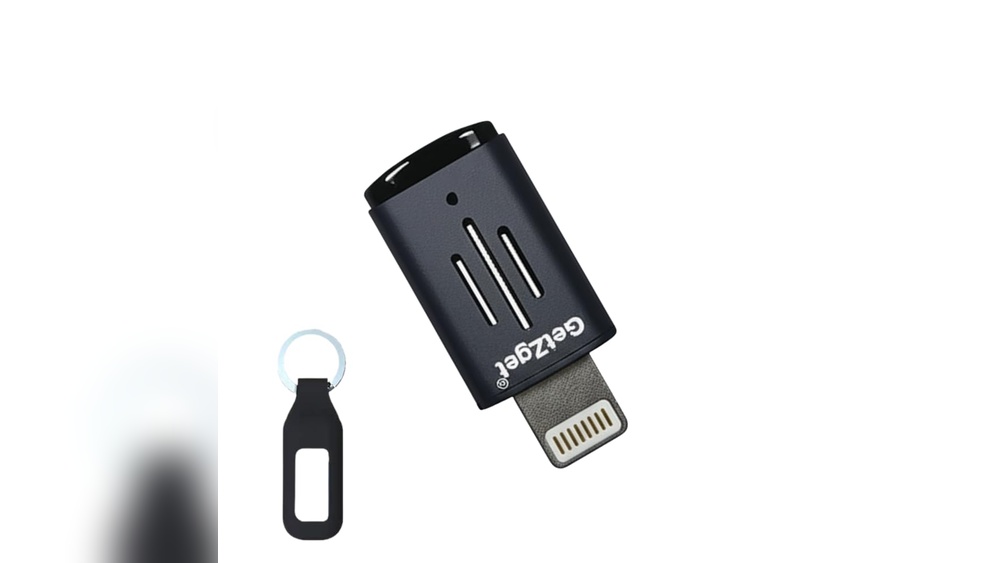
While iPads lack a built-in IR blaster, there are ways to add this feature. The most common solution is using an external IR blaster accessory. These are small devices that plug into your iPad, usually through the headphone jack (for older models) or the Lightning/USB-C port.
How Do External Ir Blasters Work?
- The accessory acts as the IR transmitter.
- You install a companion app that lets you choose the device you want to control (TV, AC, etc. ).
- The app sends commands to the accessory, which then sends IR signals to your device.
Popular External Ir Blaster Brands
Several brands have made IR blaster accessories, including:
- BroadLink
- Pronto Peel
- ZaZa Remote
- AnyMote
Most of these work with both iOS and Android, but compatibility can change with iPad hardware updates.
Practical Example
Suppose you have a 2021 iPad with a USB-C port. You would need an IR blaster that supports USB-C or use an adapter. After plugging it in, you download the manufacturer’s app, add your device (TV, air conditioner, etc. ), and use your iPad as a remote.
What You Need To Know Before Buying
- Compatibility: Not all IR accessories support every iPad model. Check the connector type (Lightning vs. USB-C).
- App Updates: Some accessories stop working if the app is no longer updated or supported.
- Limited Range: External IR blasters usually have less range than dedicated remotes.
- Battery Drain: Some accessories can use extra battery power.
Table: Comparing Built-in Vs. External Ir Blaster Solutions
Here’s a quick comparison of using a tablet or phone with a built-in IR blaster versus using an external accessory with your iPad.
| Feature | Built-in IR Blaster | External IR Blaster Accessory |
|---|---|---|
| Convenience | Always available | Accessory required |
| Setup | Simple, app included | Install accessory and app |
| Compatibility | Works with most remotes | Depends on accessory and app |
| Range | Usually strong | Often limited |
| Cost | No extra cost | Accessory price ($10-$50) |
| Updates | App updates required | Accessory and app updates required |
Non-obvious insight: Many users find that external IR blasters can become useless if the company stops updating the app, so check recent reviews before buying.

Credit: www.youtube.com
App-based Ir Remote Solutions: How Effective Are They?
Some apps in the App Store claim to let your iPad act as a universal remote. However, these apps can be misleading.
Pure Software Apps
Without hardware, your iPad cannot send IR signals. Apps alone cannot magically turn your iPad into an IR remote unless you have an accessory.
Some “universal remote” apps work by connecting to Wi-Fi-enabled devices (like smart TVs or streaming boxes), but they cannot control old appliances that require IR.
Apps For External Ir Blasters
The best universal remote apps are those that work with specific external IR blasters. These let you control a wide range of devices, as long as the accessory and app are compatible with your iPad.
Practical tip: Always check if the app has recently been updated and supports your iPad’s operating system version.
Alternative Solutions For Ipad Users
If you want to control IR-only devices but don’t want to buy an accessory, there are still options.
1. Smart Ir Hubs
A smart IR hub is a device you put in your room that connects to Wi-Fi and sends IR signals to your TV, AC, or other devices. You control the hub from your iPad using an app.
Popular models include:
- BroadLink RM4 Mini
- Logitech Harmony Hub (discontinued but still supported)
- SwitchBot Hub Mini
How it works: The hub is always plugged in and can “see” your devices. Your iPad connects to the hub over Wi-Fi. When you tap a button in the app, the hub sends the IR signal.
Benefits:
- Control from anywhere (even outside your home)
- Can automate actions (like turning on the AC at a set time)
- Works with multiple devices at once
- Often supports voice assistants (Siri Shortcuts, Alexa, Google Assistant)
Drawback: The hub must be in the same room as the devices you want to control.
2. Universal Remote With Ipad App Integration
Some premium universal remotes offer iPad app integration. For example, Harmony Elite remotes let you control devices using both the physical remote and a companion iPad app. This can be a more expensive solution, but it combines the best of both worlds.
3. Upgrading To Smart Devices
If you’re often frustrated by IR-only devices, consider replacing them with smart versions that support Wi-Fi or Bluetooth. While this can be costly, it future-proofs your setup and gives you more features.
Example: Replacing an old TV with a new smart TV means you can control it directly from your iPad, without needing IR.
Table: Alternatives For Controlling Ir Devices With Ipad
Here’s a comparison of methods for controlling IR-only devices with your iPad.
| Solution | Hardware Needed | Cost | Pros | Cons |
|---|---|---|---|---|
| External IR Blaster | Accessory | Low to moderate | Portable, flexible | Accessory can break or be unsupported |
| Smart IR Hub | Hub device | Moderate | Control many devices, automation | Must be plugged in, fixed location |
| Universal Remote + App | Remote, sometimes hub | High | Physical and app control | Expensive, complex setup |
| Upgrade to Smart Devices | New devices | Expensive | Future-proof, more features | High initial cost |
Common Mistakes Ipad Owners Make When Trying To Control Ir Devices
- Assuming all universal remote apps work: Many users download remote apps expecting them to work without hardware. Remember, your iPad cannot send IR signals by itself.
- Buying incompatible accessories: Double-check that any IR blaster supports your iPad’s port and iOS version.
- Ignoring app support: If the IR blaster’s app is no longer supported, the accessory may stop working after an iOS update.
- Placing the IR accessory incorrectly: IR needs a direct line of sight. If something blocks the signal, it won’t work.
- Not considering future needs: If you plan to upgrade your TV or appliances, it may be smarter to buy Wi-Fi/Bluetooth devices instead of investing in IR accessories.
Non-obvious insight: Some cheap IR blaster accessories are clones with poor quality or lack device databases, making them frustrating to use. Always buy from reputable brands.
Security And Privacy: Ir Vs. Wi-fi/bluetooth Control
One area many people overlook is security. Traditional IR remotes are very safe—signals can’t travel through walls and aren’t connected to the internet.
Wi-Fi and Bluetooth remotes (including apps on your iPad) can potentially be hacked if you don’t use strong passwords or keep devices updated. However, the risk is low if you follow basic security advice.
If you use a smart IR hub, always change default passwords and keep firmware updated.
The Future: Will Ipads Ever Get Ir Blasters?
It’s unlikely that Apple will add an IR blaster to future iPads. The industry trend is moving away from IR and toward app-based and voice control. Most new devices are “smart” and connect to your iPad or iPhone via Wi-Fi, Bluetooth, or HomeKit.
If you rely on IR for many devices, an Android tablet with IR blaster or a smart IR hub may be a better choice. But for most users, the iPad’s focus on smart home features is enough.
Real-world Stories: How People Solve This Problem
Sarah, a college student: “I wanted to control my old dorm room TV with my iPad. I bought a $15 IR blaster accessory. It worked for a few months, but then the app stopped updating and became useless. I switched to a smart IR hub, and now I can control the TV, AC, and even my LED lights with my iPad.”
Mike, a hotel manager: “We use smart IR hubs in every room. Guests can control the TV and air conditioning from an iPad we provide. It’s more reliable than handing out multiple remotes.”
Ravi, a tech enthusiast: “I use a Harmony remote with iPad integration. It’s expensive, but I can set up custom scenes—like ‘Movie Night’—that dim the lights, turn on the projector, and start Netflix, all from my iPad.”
These stories show that while iPads don’t have built-in IR blasters, there are flexible solutions for almost any situation.
Practical Tips For Choosing The Right Solution
- Make a list of devices you want to control. Are they all IR-only, or do some support Wi-Fi/Bluetooth?
- If you only need to control one or two devices, an external IR blaster might be enough.
- If you want to automate your home or control many devices, a smart IR hub is usually better.
- Avoid very cheap accessories—they often lack support or device compatibility.
- Check if your devices are listed in the accessory’s or hub’s app database before buying.
- If you plan to upgrade your TV or appliances soon, consider buying smart devices.
Frequently Asked Questions
Can I Use My Ipad As A Universal Remote For My Tv?
You can use your iPad as a universal remote for smart TVs that support Wi-Fi or Bluetooth. For older TVs that use IR remotes, you’ll need an external IR blaster accessory or a smart IR hub.
Are There Any Ipad Models With Built-in Ir Blasters?
No, no iPad model has ever included a built-in IR blaster. This includes all generations of iPad, iPad Air, iPad mini, and iPad Pro.
What Are The Best Alternatives If My Ipad Doesn’t Have Ir?
The most effective alternatives are using an external IR blaster accessory or a smart IR hub. Both let you control IR devices from your iPad with the right app.
Do Iphone Models Have Ir Blasters?
Like iPads, no iPhone model has ever included an IR blaster. IPhones also rely on Wi-Fi, Bluetooth, or external accessories for remote control functions.
Where Can I Find More Information About Smart Ir Hubs?
For more details on smart IR hubs, setup guides, and compatibility, you can visit the Wikipedia page on Infrared blasters.
The bottom line is simple: while iPads don’t have built-in IR blasters, you’re not out of options. With the right accessory or smart hub, your iPad can still control almost any device in your home. By understanding your needs and the available solutions, you can make the most of your iPad—no matter what kind of remote you need.