
Ring cameras are everywhere now. These smart devices help people watch their homes and keep their families safe. But many people wonder about their power needs. If you use a solar panel with a Ring camera, does it still need a battery? Or can the solar panel do all the work? This question is important, especially for people who want a simple setup or live where electricity is not always reliable.
Understanding how Ring cameras work with batteries and solar panels can save you time, money, and trouble. Some users think that solar panels will make their Ring cameras run forever without any battery. Others worry about cloudy days or power outages.
There are also questions about installation, maintenance, and the best way to use both power sources. This article gives you clear answers and useful tips. It will help you decide what works best for your home and your needs.
How Ring Cameras Get Power
Ring cameras come in several models. Each model has its own way of getting power. Some are wired, some use batteries, and some can use solar panels. It’s important to know which kind you have before you decide how to power it.
Wired Vs Battery-powered Models
- Wired Ring cameras connect directly to your home’s electricity. They do not need a battery or solar panel. These are good for places where power is always available.
- Battery-powered Ring cameras have a rechargeable battery. You charge the battery, then put it back in the camera. These models are popular because you can install them anywhere, even where there is no power outlet.
Solar Panel Compatibility
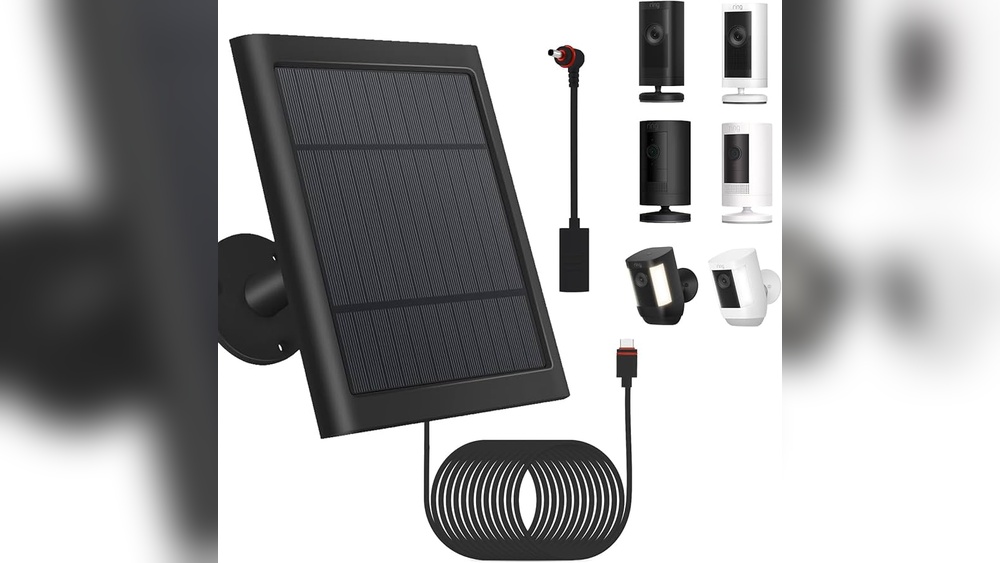
Not all Ring cameras can use a solar panel. Only some models are made to work with a solar panel. Usually, Ring’s Stick Up Cam and Spotlight Cam have solar panel options. These solar panels are small, easy to install, and made to keep your camera’s battery charged.
Some models have built-in batteries, while others use removable batteries. Understanding your camera’s type helps you decide if a solar panel is a good fit.
The Role Of The Battery In A Solar Setup
Many people think that a solar panel alone can run a Ring camera. But this is not true. The battery is still needed. Let’s look at why.
Solar Panel As A Charger
The Ring solar panel is designed to charge the battery of the camera. It does not directly power the camera. When the sun shines, the panel sends energy to the battery. The battery stores this energy, then powers the camera.
If the camera runs only on the solar panel, it would stop working at night or during cloudy days. The battery acts as a backup, keeping the camera running at all times.
Battery Required Even With Solar Panel
- The battery is required for all Ring cameras that use a solar panel.
- Without a battery, the camera will not turn on, even if the panel is connected.
- The solar panel helps keep the battery charged, so you don’t have to recharge it as often.
This setup is helpful for places where you can’t easily reach the camera to charge the battery. The solar panel does most of the charging work, but the battery is still needed for the camera to work.
What Happens During Cloudy Days?
Solar panels need sunlight to charge. On cloudy days or during winter, they may not generate enough power. The battery stores energy, so the camera keeps working even if the panel is not charging. If the battery runs low, you may need to recharge it manually.

Credit: www.amazon.com
How Solar Panels Work With Ring Cameras
Solar panels are a simple and eco-friendly way to keep your Ring camera charged. But how do they actually work? Let’s break it down.
Charging Process
- The solar panel collects sunlight and changes it into electricity.
- This electricity is sent to the camera’s battery.
- The battery stores the energy and uses it to power the camera.
This process is automatic. You don’t need to do anything once the panel is installed. The camera will keep working as long as the battery has power.
Direct Power Vs Battery Power
You might wonder if the panel can power the camera directly. The answer is no. The camera always runs from the battery. The solar panel is only a charger.
If you remove the battery, the camera will not work. Even if the panel is connected, the camera needs the battery to function.
Efficiency Of Ring Solar Panels
Ring solar panels are small, about the size of a book. They are made to charge the camera’s battery slowly throughout the day. They are not strong enough to keep the camera running without a battery. Their job is to help recharge the battery and reduce how often you need to do it yourself.
Here is a comparison showing the charging rates for different Ring solar panels and camera models:
| Ring Camera Model | Solar Panel Charging Rate | Battery Capacity | Average Days Between Charges* |
|---|---|---|---|
| Stick Up Cam Battery | 0.5-1.0W/hr | 6040 mAh | 30-60 days |
| Spotlight Cam Battery | 0.5-1.5W/hr | 6040 mAh | 20-40 days |
| Floodlight Cam Battery | 1.0W/hr | 6040 mAh | 20-30 days |
*Based on average sunlight and camera usage.
This table shows that the solar panel helps extend the battery life, but you may still need to recharge during heavy usage or poor sunlight.
Installation: Solar Panel And Battery Setup
Setting up a Ring camera with a solar panel is simple if you follow the steps. Here’s how to do it properly.
Steps To Install
- Choose a location with good sunlight. The solar panel needs direct sun for most of the day.
- Install the camera according to the Ring instructions. Make sure the battery is fully charged and inserted.
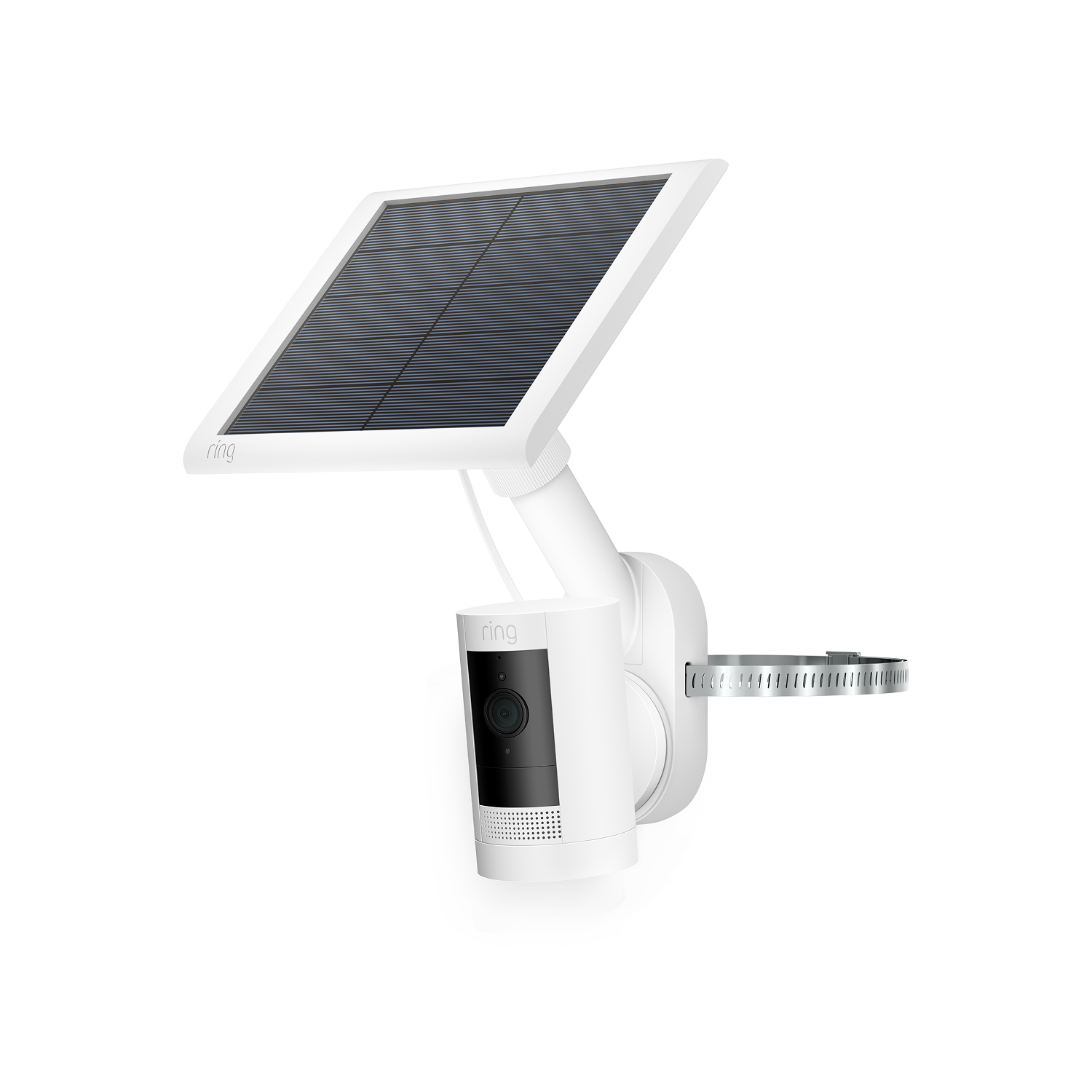
- Mount the solar panel. Use the included brackets and screws. Point the panel toward the sun for best results.
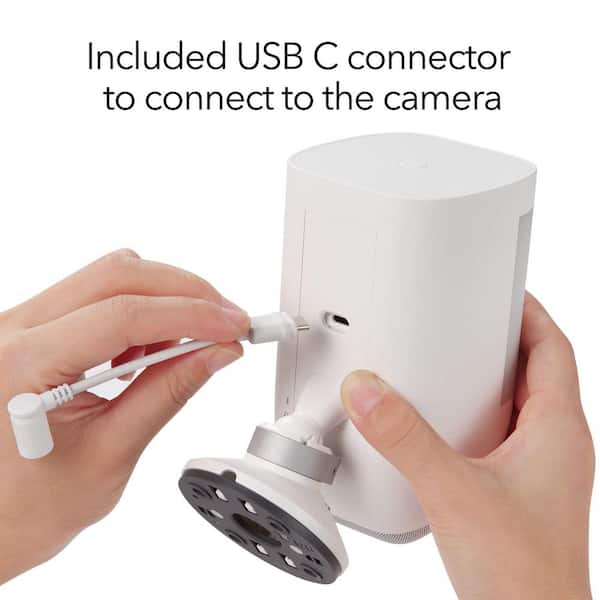
- Connect the panel to the camera using the cable. Make sure the connection is secure.
- Check the battery status in the Ring app. Watch how the battery level changes over the next few days.
Practical Tips
- Clean the solar panel regularly. Dust and dirt can block sunlight.
- Check for shade from trees or buildings. Even a small shadow can lower charging.
- If you live in an area with long winters or frequent clouds, consider using two batteries or charging manually during bad weather.
Common Installation Mistakes
- Placing the solar panel where there is not enough sunlight.
- Forgetting to connect the cable securely.
- Not checking the battery status after setup.
These mistakes can cause your camera to lose power, even with the solar panel installed. Make sure you follow the instructions and check your setup regularly.
Credit: www.homedepot.com
Real-life Performance: Solar Panel And Battery
How well does a Ring camera run with a solar panel and battery? The answer depends on several factors.
Sunlight And Usage
If your home gets a lot of sunlight, the solar panel can keep the battery charged most of the time. In areas with less sun, the battery may drain faster.
- Heavy camera usage (lots of motion events, live view, recording) uses more power.
- Light usage (few events, short clips) uses less power.
Statistics From Ring Users
Surveys show that Ring camera users with solar panels charge their batteries far less often. Some users only need to recharge their battery once or twice a year. Others, in cloudy areas, may need to charge every few months.
Ring’s own data suggests:
- Solar panel users report battery levels above 80% most of the time.
- Cameras without solar panels often drop below 50% after a few weeks.
Example: Two Homes
- Home A: Gets 6 hours of sun each day. Camera battery stays above 90%. No manual charging needed for months.
- Home B: Gets 2 hours of sun. Battery drops to 40% after a month. Manual charging needed every few weeks.
This shows that the solar panel helps, but does not always make manual charging unnecessary. The battery is still needed.
Battery Maintenance With Solar Panel
Even with a solar panel, you must care for the battery. Here are some tips.
Checking Battery Health
The Ring app shows battery status. Check it often, especially after storms or cloudy days.
- If the battery is dropping fast, check the solar panel for dirt or shade.
- Replace the battery if it does not hold a charge.
Charging And Replacing
- Use official Ring batteries for best results.
- Charge the battery fully before installing.
- Replace old batteries every 2-3 years for best performance.
Extending Battery Life
- Reduce motion sensitivity if possible. Fewer events save power.
- Turn off features you do not use, like live view.
- Place the camera in a spot with less activity.
These tips help your battery last longer, even with a solar panel.
Solar Panel Limitations
Solar panels are helpful, but not perfect. Here are some things to keep in mind.
Weather And Seasons
Solar panels work best in direct sunlight. Rain, snow, and clouds lower their output.
- Winter months may have less sunlight. Battery may drain faster.
- Snow or leaves can cover the panel. Clean it often.
Power Output
Ring solar panels are small. They charge slowly. If your camera records a lot, the panel may not keep up.
- A camera with many motion events may need extra charging.
- The panel cannot fully recharge a dead battery in one day.
Installation Challenges
Some homes do not have sunny spots for the panel. If your wall faces north or is shaded, you may need to find another place or use manual charging.
Comparison: Solar Panel Vs Wired Power
Here is a quick comparison of power options:
| Power Option | Pros | Cons |
|---|---|---|
| Solar Panel + Battery | Easy to install Eco-friendly No wiring needed | Needs sunlight Battery still required May need manual charging |
| Wired Power | Always on No battery maintenance Works in any weather | Needs outlet Harder to install No backup during outages |
This shows the solar panel is a good choice for places with sun, but the battery is still needed.
Does The Solar Panel Replace The Battery?
Many people ask if the solar panel can replace the battery. The answer is clear: no.
- The solar panel is not strong enough to power the camera alone.
- The camera does not run directly from the panel. It needs a battery.
- If you remove the battery, the camera will not work.
Think of the solar panel as a helper. It keeps the battery charged, but does not replace it.
Why Battery Is Essential
The battery stores energy. It keeps the camera running day and night, even when the sun is gone. Without the battery, the camera shuts off at night or during cloudy weather.
Solar panels are good for keeping the battery full, but the battery is the main power source.
Choosing The Right Setup
If you want to use a Ring camera with a solar panel, choose the right model and setup.
Compatible Models
Ring offers several models that work with solar panels:
- Stick Up Cam Battery
- Spotlight Cam Battery
- Floodlight Cam Battery
Check the Ring website or manual to confirm your camera is compatible.
Installing In Difficult Locations
If your home has little sunlight, try these tips:
- Install the panel where it gets the most sun, even if it means using a longer cable.
- Use two batteries and swap them as needed.
- Use a wired model if sunlight is not possible.
Comparing Battery And Solar Options
Here is a comparison of Ring camera models and their power options:
| Camera Model | Battery | Solar Panel | Wired Option |
|---|---|---|---|
| Stick Up Cam | Yes | Yes | Yes |
| Spotlight Cam | Yes | Yes | Yes |
| Doorbell 2 | Yes | No | Yes |
| Floodlight Cam | Yes | Yes | Yes |
This table shows which cameras can use batteries, solar panels, and wired power.
Pros And Cons Of Using Solar Panel With Battery
Let’s look at the benefits and drawbacks of this setup.
Benefits
- Less manual charging: Solar panel keeps battery charged most of the time.
- Flexible installation: No need for power outlets.
- Eco-friendly: Uses renewable energy.
Drawbacks
- Battery still needed: Solar panel cannot replace battery.
- Weather limits: Cloudy days may lower charging.
- Maintenance: Panel needs cleaning, battery needs checking.
Non-obvious Insights
- Battery life depends on camera activity. If your camera is in a busy area, even a solar panel may not keep up. Consider placing the camera where there is less movement.
- Panel angle matters. The best angle for a solar panel is usually the same as your latitude. Adjusting the panel can improve charging by up to 30%.
- Solar panel cable length: Longer cables can reduce charging power. Keep the cable as short as possible for best results.
Credit: ring.com
Troubleshooting Power Issues
If your Ring camera stops working or the battery drains fast, try these steps.
Steps To Fix
- Check sunlight: Make sure the panel is not shaded.
- Clean panel: Dust or dirt can block sunlight.
- Check cable: Make sure the cable is connected tightly.
- Check battery: Replace if it does not hold a charge.
- Update firmware: Use the Ring app to check for updates.
When To Call Support
If you try these steps and your camera still has problems, contact Ring support. They can check for defects or offer replacement parts.
Frequently Asked Questions
Does Ring Camera Need A Battery If I Use A Solar Panel?
Yes. The camera must have a battery installed. The solar panel only charges the battery; it does not power the camera directly. Without a battery, the camera will not work.
Can The Solar Panel Keep The Battery Fully Charged All Year?
This depends on your location and camera use. In sunny areas with light usage, the solar panel can keep the battery charged most of the time. In cloudy areas or with heavy use, you may need to charge the battery manually sometimes.
What Happens If The Battery Is Dead But The Solar Panel Is Connected?
The camera will not work. The solar panel cannot power the camera alone. You must recharge or replace the battery before the camera will turn on.
Is It Possible To Use Two Batteries With A Ring Camera And Solar Panel?
Some Ring cameras allow for dual batteries. This can help the camera run longer between charges. The solar panel will charge both batteries, but heavy usage may still require manual charging.
How Do I Know If My Solar Panel Is Working?
Check the battery status in the Ring app. If the battery level goes up during sunny days, the panel is working. If not, check for shade, dirt, or connection issues.
Ring cameras are reliable and flexible, but understanding their power needs is key. If you use a solar panel, you still need a battery. The solar panel helps keep the battery charged, but it does not replace it. Plan your setup based on sunlight, camera model, and usage. Clean and check your panel and battery often for best performance. With the right setup, your Ring camera can help protect your home for years. For more technical details, see the official Ring Support website.