
Many homeowners now use security cameras to protect their property. One popular brand is Ring, which offers smart cameras for doors, yards, and garages. Keeping these cameras powered can be a challenge, especially if you don’t want to drill holes or run wires. Ring offers a solar panel to help keep your camera charged with sunlight. But one question often comes up: Can a Ring Solar Panel charge 2 cameras at the same time? This article will answer that question in depth, explain how Ring solar panels work, and help you decide if this solution is right for your home.
How Ring Solar Panels Work
Ring solar panels are designed to provide extra power to Ring cameras, especially the Stick Up Cam and Spotlight Cam models. These panels use sunlight to produce electricity, which charges the camera’s battery. The solar panel connects to the camera using a cable and a special power port. It’s a simple plug-and-play system, and you don’t need electrical skills to set it up.
The solar panel is not meant to fully power the camera on its own. It is designed to trickle charge—meaning it slowly adds power to the battery during daylight hours. This helps extend the battery life and reduces the need for manual recharging. In sunny climates, a solar panel can keep a camera running for weeks or months without needing a battery swap.
Ring’s solar panels are weather-resistant, so you can install them outside without worrying about rain or snow. Some models come with adjustable mounting brackets, making it easy to point the panel toward the sun.
Ring Camera Models Compatible With Solar Panels
Not all Ring cameras work with solar panels. Here’s a quick look at which models are compatible:
| Ring Camera Model | Solar Panel Compatible? | Solar Port Location |
|---|---|---|
| Stick Up Cam Battery | Yes | Back of camera |
| Spotlight Cam Battery | Yes | Bottom of camera |
| Doorbell Cam (Battery) | No | N/A |
| Floodlight Cam | No | N/A |
| Indoor Cam | No | N/A |
Stick Up Cam Battery and Spotlight Cam Battery are the main models that work with Ring’s official solar panels. Wired cameras or doorbells generally cannot use solar charging.
Can One Ring Solar Panel Charge Two Cameras?
The short answer: No, a Ring Solar Panel is designed to charge one camera only. The official Ring solar panel comes with a single cable and connector that fits one camera. There is no built-in splitter or multi-port option.
Why Only One Camera?
Ring’s solar panels are built to deliver just enough power for one camera. Most panels produce about 2-3 watts of power in direct sunlight. That is enough for a single camera’s battery, but not for two. If you try to connect two cameras, the panel won’t provide enough energy for both. This can lead to both cameras running out of battery quickly.
The camera’s firmware also expects a certain amount of power. If the power is too low, the camera may show an error or ignore the panel. In some cases, using a splitter or DIY cable can cause damage to the camera or panel.
What Happens If You Try?
Some people have tried to use splitter cables or third-party adapters to connect one solar panel to two cameras. However, this usually leads to problems:
- Both cameras get less power and batteries drain faster.
- The solar panel can overheat or fail.
- Cameras may show charging errors or disconnect from Wi-Fi.
Ring’s official support warns against using splitters or connecting more than one camera to a panel. Doing this may void the camera’s warranty.
Power Output And Charging Limits
Let’s look at the numbers. Ring’s standard solar panel produces about 2.2W at 5V. A Ring Stick Up Cam uses around 1-2 watts when idle and more when recording. Charging two cameras would require at least 4 watts—almost double what the panel can deliver.
Here’s a comparison of power needs:
| Device | Typical Power Draw (Idle) | Solar Panel Output |
|---|---|---|
| One Ring Camera | 1-2W | 2.2W |
| Two Ring Cameras | 2-4W | 2.2W |
As you can see, one panel is barely enough for one camera, and not nearly enough for two.
Real-life Examples: What Users Experience
Many Ring users try to get creative with their setup. They ask, “Can I use one solar panel for two cameras if I live in a sunny area?” Even in places like California or Florida, the answer is still no. The panel’s power output is limited by its size and design.
Some users have reported that with a splitter, both cameras show “charging,” but the batteries still drain. Others found that in winter or cloudy weather, the panel can’t keep up with even one camera. If you have two cameras, you need two panels.
Non-obvious Insight 1
The quality of sunlight matters. If your solar panel is shaded for part of the day, it will produce less power. Many beginners think that “any daylight” is enough, but even small shadows or indirect sunlight can reduce charging by half or more.
Non-obvious Insight 2
Ring cameras use motion detection and live view, which require extra power. If you have high activity (lots of motion alerts), the battery drains faster. Even with a solar panel, you may need to recharge the battery more often than you expect.
How To Properly Power Two Cameras With Solar Panels
If you want to use solar panels for two Ring cameras, the best solution is to install one panel per camera. This is the official recommendation from Ring and from experienced installers.
Steps To Set Up Two Cameras With Solar Panels
- Choose the right camera models: Make sure both cameras are compatible with Ring solar panels.
- Buy two solar panels: Each camera needs its own panel.
- Install panels in sunny spots: Position each panel so it gets direct sunlight for at least 4-6 hours per day.
- Connect each panel to its camera: Use the supplied cable and port.
- Check charging status: Use the Ring app to see if each camera is charging.
- Adjust settings: Reduce motion sensitivity or recording if battery drains too quickly.
Practical Example
Imagine you have a Stick Up Cam on your front porch and another in your backyard. You install a solar panel beside each camera, making sure nothing blocks the sunlight. Each camera’s battery stays topped up for weeks, even with daily motion alerts.
Alternatives And Workarounds
If you want to avoid buying two panels, there are a few alternatives, but each comes with drawbacks.
Larger Third-party Solar Panels
Some online stores sell high-wattage solar panels with multiple cables. In theory, these panels can charge two cameras, but there are risks:
- Compatibility issues: Ring cameras may not accept third-party power.
- Warranty problems: Using unofficial accessories may void your warranty.
- Overcharging: Too much power can damage the camera.
Diy Splitters
Some users make their own splitters to connect one panel to two cameras. This rarely works well. Both cameras get less power, and the charging is unreliable.
Wired Power
If you can run a wire, consider using Ring Wired Cameras. These models don’t need batteries or solar panels and are powered directly from your home’s electricity.
Battery Swaps
If you cannot use two panels, consider keeping spare batteries on hand. Swap them out every few weeks and recharge them indoors.
Key Factors When Choosing Solar Panels For Ring Cameras
Before buying, consider these factors:
- Sunlight exposure: Is there enough sun for the panel?
- Camera model compatibility: Will the panel fit your camera?
- Weather resistance: Can the panel survive rain, snow, or wind?
- Cable length: Is the panel close enough to the camera?
- Mounting options: Can you install the panel at the right angle?
If you miss any of these, your panel may not charge properly.
Common Buyer Mistakes
- Buying one panel for two cameras.
- Ignoring cable length (too short to reach the camera).
- Installing panels in shaded areas.
- Using third-party panels that aren’t compatible.
Comparison: Ring Solar Panel Vs. Third-party Panels
Let’s compare the official Ring panel to some third-party alternatives.
| Feature | Ring Solar Panel | Third-Party Panel |
|---|---|---|
| Compatibility | High (Ring cameras) | Varies, often low |
| Warranty | Official support | No warranty |
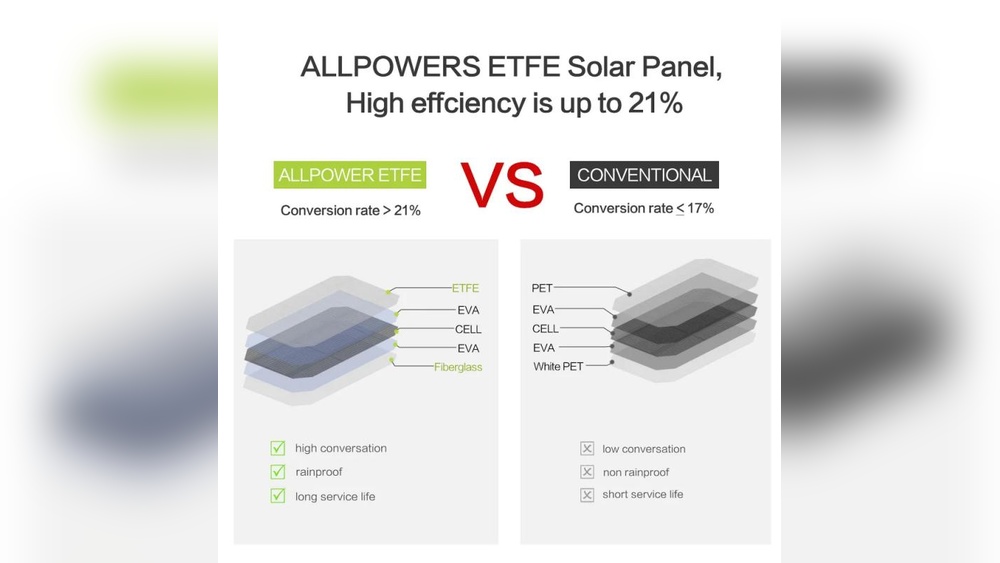
| Power Output | 2.2W | Up to 5W |
| Weatherproof | Yes | Depends on brand |
| Cable Included | Yes | Sometimes |
| Multi-Camera Charging | No | Possible, but risky |
Ring’s own panel is safer and more reliable, but only for one camera. Third-party panels may promise more power, but compatibility and safety are issues.
Installation Tips For Maximum Charging
Getting the best from your solar panel means installing it correctly. Here are some tips:
- Face the panel south (in the US) for maximum sunlight.
- Tilt the panel at a 30-45 degree angle.
- Keep the panel clean—dust reduces power.
- Avoid shaded spots (trees, roofs, walls).
- Use the longest cable possible if the panel must be far from the camera.
Proper installation can double the charging efficiency.

Credit: callsunsolar.com
Environmental And Cost Benefits
Using solar panels for Ring cameras saves money and helps the environment. You avoid electricity costs and reduce battery waste. Over a year, a solar panel can save dozens of battery swaps.
Statistics:
- Average Ring camera battery lasts 1-3 months without solar.
- With solar, battery swaps drop to 1-2 times per year.
- Each panel costs about $40-50, but saves hours of recharging time.
Solar panels are a good investment if you have sunny locations.
What If You Have Multiple Cameras?
If you have three or more Ring cameras, you will need a solar panel for each battery-powered device. There is no official solution for multi-camera solar charging. For larger setups, consider switching to wired cameras or a mix of solar and battery.
Some advanced users build their own solar systems with bigger panels and battery banks. This requires electrical knowledge and is not recommended for beginners. It can also void your camera warranty.

Credit: www.amazon.com
Troubleshooting Common Issues
Sometimes, solar panels don’t charge as expected. Here are some common problems and solutions:
- Panel not charging: Check cable connection and sunlight exposure.
- Camera battery drains quickly: Reduce motion alerts, clean panel, check for shade.
- Charging error in app: Restart the camera or app, check firmware updates.
- Panel gets hot: Make sure it’s not covered or blocked.
If problems continue, contact Ring support or check their help pages.
Expert Advice: Is It Worth Buying Two Panels?
If you want reliable charging for two cameras, buying two panels is the best choice. The cost is not much higher than buying one, and you get peace of mind. Avoid splitters and third-party panels unless you know exactly what you’re doing.
For most homeowners, official Ring panels are the safest option. They are easy to install, weatherproof, and supported by Ring’s warranty.
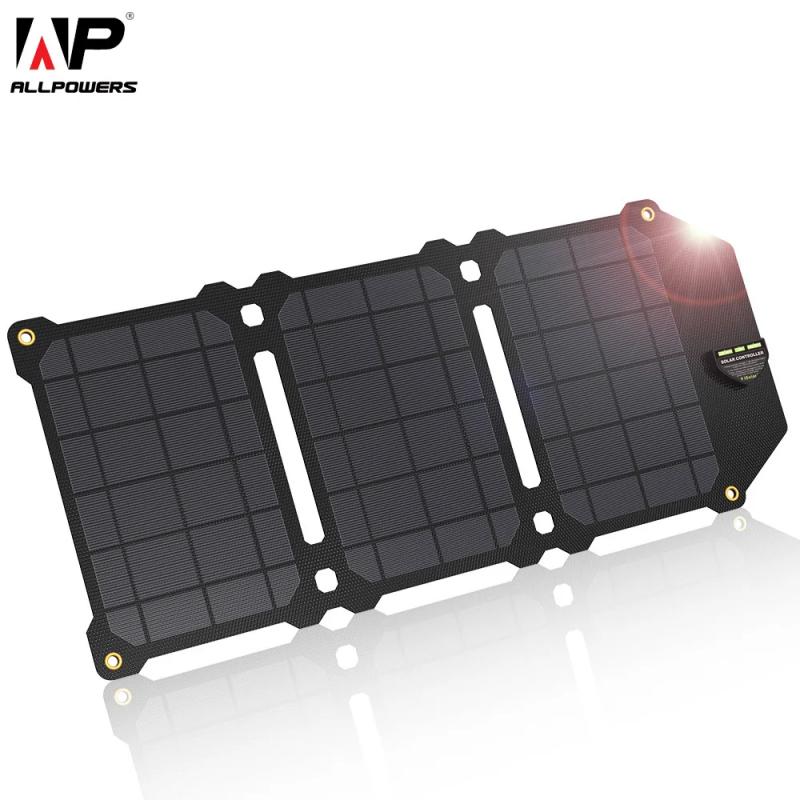
Credit: www.kentfaith.com
Additional Insights: What Beginners Often Miss
Many beginners don’t realize that solar charging depends on usage patterns. If your camera is used for live view often or if there’s lots of motion, battery drains faster. Solar panels help, but they don’t replace batteries completely.
Another missed detail is seasonal variation. In winter, sunlight is weaker and days are shorter. Your panel may charge much less than in summer. Plan for extra battery swaps in colder months.
Frequently Asked Questions
Can I Use A Splitter To Connect One Ring Solar Panel To Two Cameras?
No, Ring does not support splitters or dual connections. Using a splitter can cause charging errors, battery drain, and may void your warranty.
What Happens If My Solar Panel Is Shaded For Part Of The Day?
If the panel is shaded, it produces much less power. Even a few hours of shade can cut charging by half. Always install panels in sunny spots for best results.
Do I Need To Clean My Ring Solar Panel?
Yes, dust, pollen, and bird droppings can block sunlight. Clean your panel once a month with a damp cloth to keep charging strong.
Can I Use A Third-party Solar Panel With My Ring Camera?
Some third-party panels may work, but compatibility and warranty are not guaranteed. Always check if the panel matches your camera’s power port and voltage. Using official Ring panels is safest.
How Long Does A Ring Solar Panel Last?
Ring solar panels are built to last 2-5 years outdoors. Weather, sunlight, and cleaning affect their lifespan. If you notice reduced charging, check for damage or dirt.
Final Thoughts
Keeping your Ring cameras charged is key to protecting your home. Ring Solar Panels are a smart way to extend battery life using sunlight, but each panel is designed for just one camera. Trying to charge two cameras with one panel will cause problems and isn’t supported by Ring. For the best performance, use one panel per camera, install it in a sunny spot, and follow installation tips.
If you need to power more cameras, consider a mix of solar and wired options. Stay safe by using official accessories and checking your setup often. For more details and support, visit the Ring official website.
By understanding how Ring solar panels work and planning your setup, you can enjoy reliable security, save time on battery swaps, and help the environment.