
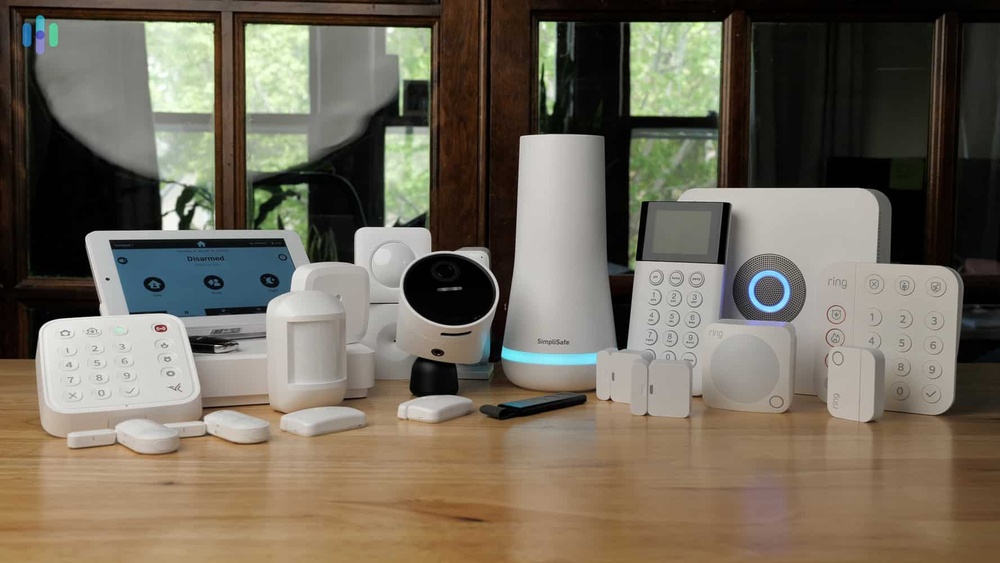
Smart locks and cameras are changing how people protect their homes and offices. These devices make it possible to control doors, see live video, and receive alerts from anywhere in the world. But with all these benefits, there is a big question: Who provides secure processing for smart locks and cameras? This question is not only about which company makes the gadgets. It’s about the technology, the service, and the expertise that keep your smart devices—and your private moments—safe from hackers and misuse.
If you use a smart lock or camera, you trust that device to protect your family, your privacy, and your property. A single weak point can open the door to break-ins, data theft, or even someone spying on you through your own camera.
Understanding who is behind the secure processing of these devices helps you make better choices, ask smart questions, and avoid hidden risks.
This article explores the key companies, technologies, and standards that make smart lock and camera security possible. You’ll learn how secure processing works, which brands lead the way, and what you should look for to keep your devices safe. Whether you’re choosing your first smart lock or running a business with dozens of cameras, this guide will help you protect what matters most.
What Does Secure Processing Mean For Smart Locks And Cameras?
Secure processing is more than just a technical term. It’s about how data from your smart devices is managed, encrypted, and stored so that only authorized people can access it. With smart locks and cameras, secure processing covers several things:
- User authentication: Making sure only the right people can unlock the door or view the camera feed.
- Data encryption: Protecting information as it travels over Wi-Fi, Bluetooth, or the internet.
- Tamper detection: Noticing if someone tries to physically break or hack the device.
- Firmware updates: Delivering security fixes to the device as new threats appear.
A common mistake is to think that buying a popular brand means you’re automatically safe. In reality, the way a company handles secure processing is often more important than the brand name or hardware features.
The Main Providers Of Secure Processing
Secure processing for smart locks and cameras is rarely handled by a single company. Instead, it’s a mix of device makers, cloud service providers, chip manufacturers, and security software vendors. Let’s look at each group and their roles.
1. Smart Device Manufacturers
These are the brands you see in stores. They design the hardware and often build the software that controls the lock or camera. Some of the most trusted brands include:
- August
- Yale
- Schlage
- Kwikset
- Nest (Google)
- Arlo
- Ring (Amazon)
- SimpliSafe
- Eufy
- Wyze
Each company has its own way of handling security. Some build advanced security features into their devices. Others rely more on the platforms they connect to, like Apple HomeKit, Amazon Alexa, or Google Assistant.
Example: How August Handles Security
August, known for its smart locks, uses AES 128-bit and 256-bit encryption for data transmission. It also uses two-factor authentication for user accounts. Firmware updates are pushed regularly to fix security holes. But the real processing happens on both the device and in the cloud, using secure servers.
2. Chip And Module Makers
Inside every smart lock or camera is a chip or module that does the actual processing. These chips handle encryption, authentication, and sometimes even biometric data like fingerprints. The biggest names in this area include:
- Qualcomm
- NXP Semiconductors
- STMicroelectronics
- Texas Instruments
- Infineon Technologies
- MediaTek
- Nordic Semiconductor
These companies provide secure elements—special chips designed to store passwords, keys, and other secrets safely. They often follow industry standards like FIPS 140-2 or Common Criteria for security.
Example: Nxp’s Secure Elements
NXP’s A71CH chip is widely used in smart locks. It securely stores encryption keys and supports end-to-end encrypted communication, making it much harder for hackers to steal credentials even if they physically access the device.
3. Cloud Service Providers
Many smart locks and cameras depend on the cloud. When you unlock your door from your phone, or watch a live camera feed at work, the data often travels through servers owned by a cloud provider. The main players here are:
- Amazon Web Services (AWS)
- Microsoft Azure
- Google Cloud Platform
- Alibaba Cloud
These companies offer secure processing environments with advanced firewalls, intrusion detection, and regular security audits. They also provide tools for end-to-end encryption, which means your data stays private even from the cloud provider itself.
Example: Aws Iot Core
AWS IoT Core is used by many smart device makers to manage millions of devices securely. It supports X.509 certificate-based authentication, encrypted data transmission, and granular access controls. However, security still depends on how well the device maker configures the cloud services.
4. Security Software Vendors
Some companies specialize in adding an extra layer of security to smart devices. They provide software libraries, security audits, and penetration testing services. Examples include:
- Symantec (now part of Broadcom)
- McAfee
- F-Secure
- Avast
- Bitdefender
These companies help device makers find vulnerabilities before hackers do, and sometimes offer endpoint protection apps for users.
How Secure Processing Works: A Practical Example
Consider a smart lock from Yale, controlled through a mobile app. Here’s how secure processing typically works:
- User Authentication: You open the app and log in, using a password and sometimes your fingerprint.
- Command Encryption: When you unlock the door, the command is encrypted on your phone using a secure key.
- Data Transmission: The encrypted command goes through Wi-Fi or Bluetooth, sometimes passing through the cloud.
- Device Verification: The smart lock’s chip checks the command and decrypts it only if it’s from an authorized user.
- Action: The lock opens, and a log is sent to your app, all encrypted.
If you use a camera, the video feed is also encrypted and stored either locally or in the cloud, depending on your settings.
Comparison Of Security Features In Leading Brands
Here’s a comparison of how some popular brands handle secure processing:
| Brand | Encryption Standard | Cloud Security | Two-Factor Authentication | Tamper Alerts |
|---|---|---|---|---|
| August | AES 128/256-bit | AWS | Yes | Yes |
| Nest | AES 128-bit | Google Cloud | Yes | Yes |
| Ring | AES 128-bit | AWS | Optional | Yes |
| Schlage | AES 128-bit | Optional | Yes | Yes |
| Eufy | AES 256-bit | Optional | Yes | Yes |
Notice that cloud security and two-factor authentication are not always included by default. Always check these features before you buy.
Key Technologies Behind Secure Processing
Secure processing is not just about who provides it, but also how it works. There are several key technologies involved:
Encryption
Most smart locks and cameras use Advanced Encryption Standard (AES), usually 128 or 256 bits. This is the same level of security used by banks and governments. Data is scrambled with a secret key, so even if someone intercepts it, they can’t read it without the key.
Secure Boot
This feature prevents hackers from loading fake software onto your device. The device checks its own software for signs of tampering each time it turns on.
Trusted Platform Module (tpm) And Secure Elements
A TPM or secure element chip stores sensitive data—like passwords and encryption keys—separately from the main processor. This makes it much harder for attackers to extract secrets, even if they get physical access.
End-to-end Encryption
Some brands, like Eufy, offer end-to-end encryption for video feeds. This means your camera footage is encrypted on the device and only decrypted on your phone, not even the cloud provider can see it.
Over-the-air (ota) Updates
Smart device makers can fix security bugs by sending updates directly to your lock or camera. Devices with automatic OTA updates are usually safer, but it’s important to install updates quickly.
Multi-factor Authentication
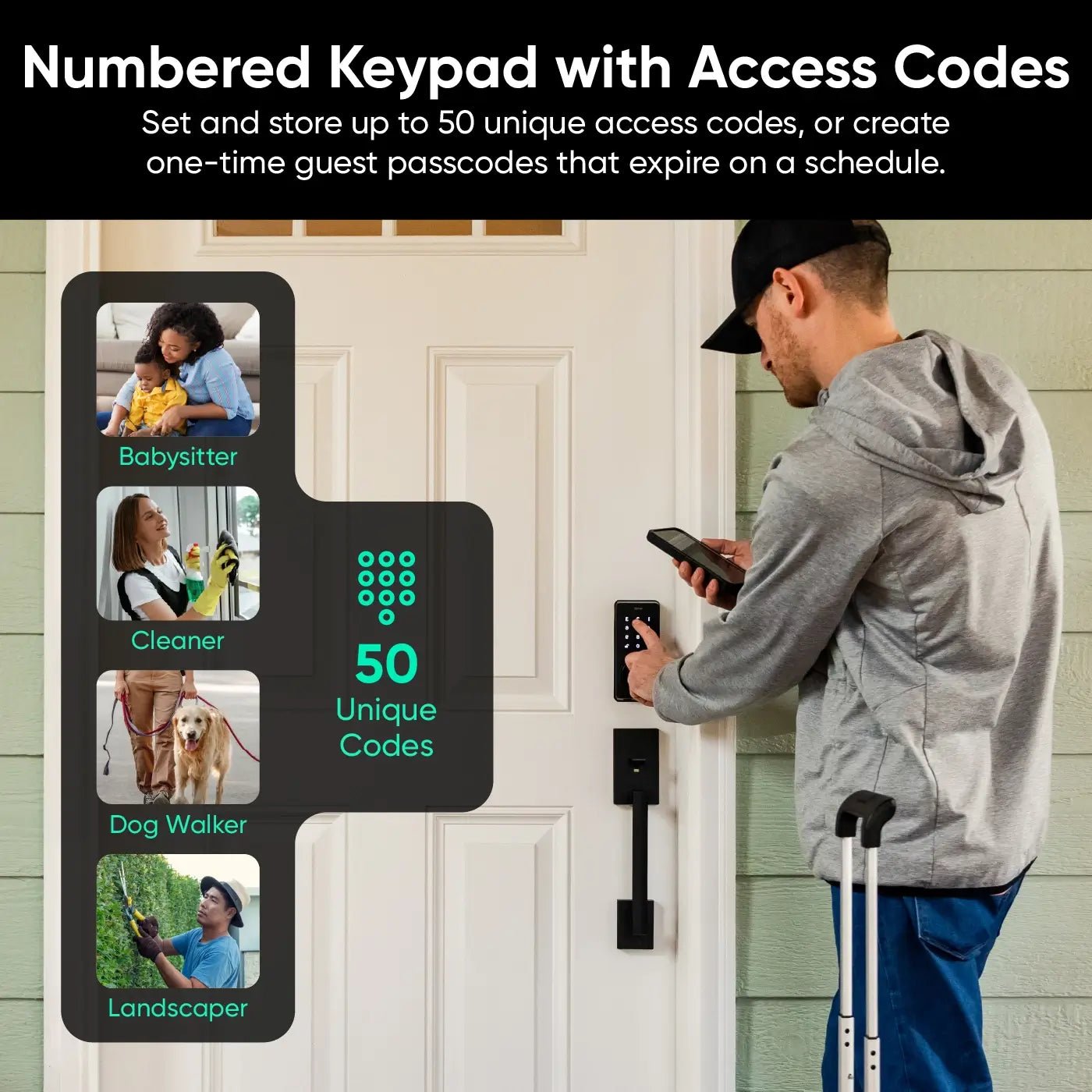
Using two or more ways to verify your identity—like a password plus a fingerprint—makes it much harder for hackers to break in.
Credit: www.wyze.com
Standards And Certifications
Trustworthy smart locks and cameras usually follow security standards and earn certifications. Here are some of the most important:
- FIPS 140-2: A US government standard for encryption modules.
- Common Criteria: An international standard for secure devices.
- UL 294: For access control systems, including smart locks.
- ISO/IEC 27001: For information security management in the cloud.
Manufacturers often highlight these certifications in their product details. But a missing certification doesn’t always mean a device is insecure—it may simply not have been tested yet.
Cloud Vs. Local Processing: Security Pros And Cons
Where secure processing happens matters a lot. Some devices do most processing locally (on the device), while others send data to the cloud. Each approach has trade-offs.
Cloud-based Processing
Pros:
- Easier to access your devices from anywhere
- More powerful security analysis and updates
- Data backed up automatically
Cons:
- Data travels over the internet, increasing risk of interception
- Privacy concerns if the cloud provider is breached
- Dependent on the provider’s security practices
Local Processing
Pros:
- Less data leaves your home or office
- Lower risk if the internet is down
- More control over privacy
Cons:
- Harder to access remotely
- Fewer features (like advanced AI or analytics)
- Updates may be less frequent
Many top brands now offer hybrid solutions—basic functions work locally, while advanced features use the cloud.
Example: Eufy’s Local Storage Focus
Eufy’s smart cameras are known for storing videos locally on a secure HomeBase device. This means your footage doesn’t go to the cloud unless you want it to. But you can still access videos from your phone, with end-to-end encryption.
Who Is Legally Responsible For Secure Processing?
Responsibility for secure processing is usually shared:
- Manufacturers must design devices that follow security best practices.
- Cloud providers must protect data on their servers and during transmission.
- Users must set strong passwords and install updates.
In the US and Europe, there are laws about data protection, like the General Data Protection Regulation (GDPR). If a company is careless and you lose data or privacy, you may have legal options. However, most smart device warranties limit this responsibility.
Common Security Risks And How Providers Address Them
Even with strong secure processing, risks remain. Here are some common threats and how top providers deal with them:
1. Default Passwords
Many hacks happen because users never change the default password. Good providers now require you to set a strong password during setup.
2. Unencrypted Data
Some cheap devices send data over the internet without encryption. Top brands always use HTTPS, TLS, or other secure protocols.
3. Outdated Firmware
If a device is not updated, it may have known holes. Providers with automatic OTA updates reduce this risk.
4. Physical Tampering
Thieves may try to break or bypass a smart lock. High-end devices have tamper sensors that alert you if someone tries to mess with them.
5. Poor Cloud Security
If a cloud server is hacked, all device data may be at risk. That’s why major providers use security audits, monitoring, and encrypted storage.
Example: Ring’s Response To Security Concerns
In 2019, Ring faced criticism when hackers accessed some cameras. Since then, the company has added two-factor authentication, improved encryption, and stronger privacy controls. This shows that even big brands must constantly update their security practices.

Credit: www.eufy.com
Comparison Of Secure Elements In Smart Locks
The chip inside your smart lock plays a big role in security. Here’s a comparison of some popular secure elements:
| Chip Maker | Secure Element | Encryption Support | Certification | Used By |
|---|---|---|---|---|
| NXP | A71CH | AES, RSA, ECC | Common Criteria | August, Yale |
| STMicroelectronics | STSAFE-A100 | AES, ECC | FIPS 140-2 | Schlage |
| Infineon | OPTIGA Trust | AES, ECC | Common Criteria | Kwikset |
| Texas Instruments | CC3220 | AES, RSA | FIPS 140-2 | Custom |
| Nordic | nRF52840 | AES | None | Wyze |
Advanced chips with certified secure elements make it much harder for attackers to steal secrets or clone your device.
How To Choose Secure Smart Locks And Cameras
Choosing a secure device is not just about brand reputation. Here’s what you should check:
- Encryption: Look for AES 128-bit or higher, both for data in transit and at rest.
- Secure Element: Devices with certified secure chips are safer.
- Two-Factor Authentication: Make sure the app offers this feature.
- Automatic Updates: Devices should get regular OTA security updates.
- Tamper Alerts: Extra sensors can warn you about physical attacks.
- Privacy Policy: Read how your data is handled and stored.
- Cloud Security: If you use cloud storage, make sure it’s with a reputable provider.
Common Buyer Mistakes
- Focusing only on features: Fancy features are useless if security is weak.
- Ignoring app security: The app is often the weakest link—check its reviews and update history.
- Assuming local storage is always safer: Local video can still be stolen if the device is not well protected.
Credit: www.wyze.com
Real-world Cases: Security Breaches And Success Stories
Learning from real incidents helps you spot good and bad practices.
Case 1: Mirai Botnet Attacks
In 2016, the Mirai botnet infected thousands of IoT devices, including cameras. The main cause was weak default passwords and poor device updates. Since then, major providers now force password changes and regular updates.
Case 2: Google Nest’s Security Upgrades
Google Nest has invested heavily in secure processing, including end-to-end encryption and biometric authentication. In 2021, it launched a hardware security module inside its cameras, reducing the risk of hacking.
Case 3: Eufy’s Local Storage
Eufy’s focus on local, encrypted storage has won praise from privacy experts. Even if the cloud is breached, local footage remains safe unless the device itself is stolen.
The Role Of Open Standards And Industry Groups
No single provider can address every security need alone. Industry groups and open standards help everyone follow best practices.
- Zigbee Alliance and Z-Wave Alliance set secure communication standards for smart locks.
- Open Connectivity Foundation (OCF) pushes for common security models in IoT devices.
- Bluetooth SIG ensures encryption and authentication for Bluetooth-enabled devices.
These groups publish guidelines and test devices for compliance. Choosing products that follow these standards adds another layer of safety.
The Future Of Secure Processing For Smart Devices
Smart locks and cameras are getting smarter, but so are hackers. Here’s what’s coming next in secure processing:
Artificial Intelligence (ai) And Machine Learning
AI can spot suspicious behavior, like someone trying to open your lock at odd hours. Some cameras now use AI to recognize faces, raising both security and privacy concerns.
Quantum-resistant Encryption
Quantum computers could eventually break today’s encryption methods. Companies like NXP and Infineon are working on new chips that can resist quantum attacks.
Zero Trust Architecture
This approach means never trusting any device by default, even inside your own network. Each action is checked and verified, making it much harder for hackers to move around if they get in.
User Education
Even the best security can fail if users make mistakes. Providers are adding more prompts, tips, and automatic protections to help non-technical users stay safe.
Comparison Of Cloud Security Providers
Since many smart devices rely on the cloud, it’s useful to see how major providers compare:
| Provider | Data Encryption | Compliance | Used By |
|---|---|---|---|
| AWS | AES 256-bit | GDPR, ISO/IEC 27001 | Ring, August |
| Google Cloud | AES 256-bit | GDPR, ISO/IEC 27001 | Nest |
| Microsoft Azure | AES 256-bit | GDPR, ISO/IEC 27001 | SimpliSafe |
| Alibaba Cloud | AES 256-bit | GDPR, ISO/IEC 27001 | Asia-based brands |
Choosing a device that uses a well-known cloud provider adds trust, but always check how the device maker configures these services.
Non-obvious Insights For Beginners
- Your router’s security matters: Even the best smart lock can be hacked if your Wi-Fi password is weak. Secure your home network first.
- Physical security is still important: A strong deadbolt is still harder to bypass than most electronic locks. Combine smart devices with good old-fashioned security.
- Check app permissions: Some smart lock apps ask for more permissions than they need. Only allow access that makes sense for the device.
- Privacy laws differ by region: Some features, like video recording, may be restricted in your area. Always check local laws before installing cameras.
Frequently Asked Questions
Who Is The Most Trusted Provider For Secure Smart Locks?
Several brands are known for strong security, including August, Yale, and Schlage. But the real security comes from their use of certified chips, regular updates, and strong encryption. Always check for two-factor authentication and see if they use a reputable cloud service.
Can Smart Locks And Cameras Be Hacked?
Yes, if not properly secured. Most hacks happen due to weak passwords, outdated firmware, or unencrypted data. Leading providers use encryption, secure elements, and regular updates to reduce these risks, but users must also follow best practices.
What Is The Best Encryption Standard For Smart Devices?
AES 128-bit or 256-bit encryption is the gold standard for smart locks and cameras. This protects data both in transit and at rest. Devices with secure chips often support even stronger methods like RSA or ECC for extra safety.
Do I Need Cloud Storage For My Smart Camera?
Not always. Brands like Eufy offer secure local storage, while others like Ring and Nest store video in the cloud. Cloud storage makes remote access easier but can raise privacy concerns. Choose based on your needs and the provider’s security track record.
Where Can I Learn More About Iot Device Security?
A good starting point is the Wikipedia page on IoT security. It covers the basics, common risks, and links to more detailed resources.
Smart locks and cameras offer new levels of convenience and protection, but they bring new risks too. Understanding who provides secure processing—and how it’s done—helps you make smarter choices. By looking beyond brand names, checking for strong encryption, and staying updated, you can enjoy the benefits of smart security without putting your privacy or safety at risk.