

Does Z Wave Need A Hub?
Smart homes are changing how we live. Lights, locks, and thermostats now respond to our voice or phone. Many devices use wireless technology called Z Wave. If you’re new to home automation, you may wonder: Does Z Wave need a hub? This question is important before buying smart gadgets. The answer can affect your setup, cost, and how easy it is to control your devices. Let’s break down what Z Wave is, how it works, and whether a hub is necessary.
What Is Z Wave?
Z Wave is a wireless communication protocol used in smart home devices. It lets gadgets like sensors, lights, and locks talk to each other. Unlike Wi-Fi or Bluetooth, Z Wave is made for low-power, reliable communication over short distances. It operates on a specific radio frequency (908.42 MHz in the US), which avoids interference with Wi-Fi networks.
Key features of Z Wave:
- Mesh network: Devices relay signals to one another.
- Low energy use: Good for battery-powered products.
- Reliable: Designed for home automation, not general data.
Z Wave is popular because it connects many brands and types of devices. Over 3,000 products use Z Wave, from big names like Samsung SmartThings to smaller brands.
How Does Z Wave Work?
Z Wave builds a mesh network. This means each device can pass information to others. For example, a door sensor sends a signal to your hub, but the signal might travel through a nearby light switch first.
The mesh network helps:
- Extend range: Devices further away can still connect.
- Increase reliability: If one device fails, the signal finds another path.
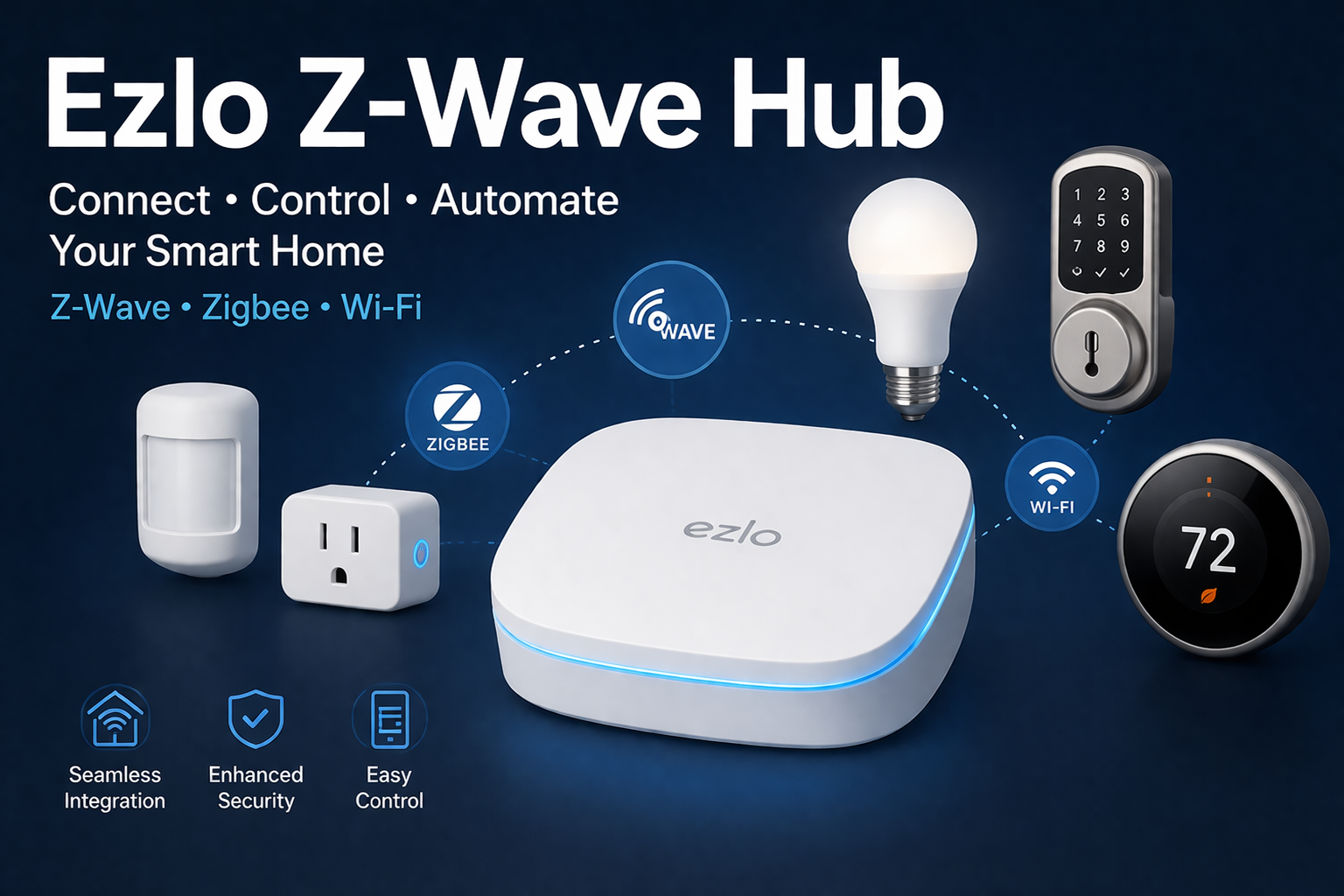
Z Wave devices don’t connect directly to your phone or Wi-Fi. Instead, they use their own protocol. This is where the hub comes in.
Credit: blog.ezlo.com
What Is A Hub?
A hub is a central controller. It connects Z Wave devices to your phone, tablet, or smart assistant (like Alexa or Google Home). The hub acts as a translator. It takes Z Wave signals and converts them to Wi-Fi or Bluetooth so you can control them through apps.
Popular Z Wave hubs include:
- Samsung SmartThings Hub
- Aeotec Z Wave Hub
- Hubitat Elevation
- Vera Edge
Without a hub, most Z Wave devices cannot be controlled by your phone or voice. Some devices can talk to each other directly, but you won’t have remote access or automation.
Do Z Wave Devices Always Need A Hub?
For most setups, Z Wave devices need a hub. The hub lets you:
- Control devices from your phone.
- Set up automation (like lights turning on when you arrive).
- Integrate with other smart products.
Some exceptions exist:
- A few Z Wave devices can pair directly with each other, like a sensor controlling a light switch.
- But, these direct links are simple and limited. You can’t control them remotely or use advanced automation.
So, for a complete smart home, a hub is almost always required.
Comparing Z Wave With Other Smart Home Protocols
Let’s see how Z Wave stacks up against other popular protocols: Wi-Fi, Zigbee, and Bluetooth.
| Protocol | Requires Hub? | Typical Range | Energy Use | Device Types |
|---|---|---|---|---|
| Z Wave | Yes (for full control) | Up to 130 feet | Low | Sensors, locks, lights |
| Zigbee | Yes (for full control) | Up to 65 feet | Low | Lights, sensors |
| Wi-Fi | No (sometimes) | Up to 200 feet | High | Cameras, plugs, bulbs |
| Bluetooth | No | Up to 30 feet | Low | Speakers, locks |
Z Wave and Zigbee both need a hub for advanced control. Wi-Fi devices often connect directly to your phone or router, but may use more power and have less security. Bluetooth is simple, but range and features are limited.
Why Use A Hub With Z Wave?
Using a hub unlocks the full potential of Z Wave.
Central Control
With a hub, you can manage all your devices from one app. This makes your home easier to control, especially as you add more gadgets.
Automation
Hubs allow you to set up automation rules. For example:
- Turn on hallway lights when motion is detected.
- Lock all doors at bedtime.
- Receive alerts if a window is opened.
Without a hub, you’d have to control each device manually, or rely on basic pairings.
Remote Access
A hub connects your Z Wave system to the internet. You can control devices from anywhere in the world. This is important for security (checking locks) or convenience (turning off forgotten lights).
Integration With Other Systems
Many hubs support other protocols like Zigbee or Wi-Fi. You can connect non-Z Wave devices to your system. For example, a hub might let you use a Z Wave motion sensor to control a Wi-Fi smart bulb.
Voice Control
If you want to use Alexa or Google Home, you need a hub. The hub connects your Z Wave devices to voice assistants.
What Happens If You Don’t Use A Hub?
If you skip the hub, you lose several benefits.
Limited Device Pairing
Some Z Wave devices can pair directly. For example, a light switch can be triggered by a motion sensor. But these pairings are basic:
- No remote access.
- No advanced automation.
- No app control.
No Remote Monitoring
Without a hub, you can’t check sensors or cameras when you’re away. This limits your security and flexibility.
Reduced Expansion
Adding new devices becomes harder. Each device must be paired directly, and you may run into compatibility issues.
No Voice Assistant Integration
Alexa and Google Home cannot talk to Z Wave devices directly. The hub is needed as a bridge.
Example: Pairing Without A Hub
Suppose you have a Z Wave door sensor and a Z Wave siren. You can pair them so the siren sounds when the door opens. But you can’t adjust settings easily, get notifications, or control them from your phone.
Types Of Z Wave Hubs
There are several types of Z Wave hubs. Each offers different features and levels of control.
Dedicated Z Wave Hubs
These are made only for Z Wave devices. They offer strong compatibility and easy setup.
- Aeotec Z Wave Hub
- Vera Edge
Multi-protocol Hubs
These hubs support Z Wave, Zigbee, and sometimes Wi-Fi. They are good for larger smart homes.
- Samsung SmartThings
- Hubitat Elevation
Diy Hubs
Some tech-savvy people use computers like Raspberry Pi with software (Home Assistant, OpenHAB). These can be customized, but require technical skills.
Smart Speakers With Built-in Hubs
A few smart speakers (like Amazon Echo Plus) include Zigbee, but not Z Wave. Z Wave needs a separate hub.
How To Choose The Right Z Wave Hub
Picking the best hub depends on your needs.
Compatibility
Check which devices the hub supports. Not all hubs work with every Z Wave gadget. Look for compatibility lists on the manufacturer’s site.
Ease Of Use
Some hubs are simple to set up. Others need more technical knowledge. Choose a hub that matches your comfort level.
Automation Features
If you want advanced automation, pick a hub with strong rule-making tools.
Integration With Other Protocols
If you plan to use Zigbee or Wi-Fi devices, choose a multi-protocol hub.
App Quality
Read reviews about the hub’s app. A good app makes controlling your home easier.
Price
Z Wave hubs range from $60 to $200+. Consider your budget, but don’t sacrifice reliability.
Support
Look for hubs with good customer support and active user communities.
Z Wave Hub Setup: Step-by-step
Setting up a Z Wave hub is usually straightforward. Here’s a general guide:
- Connect the hub to power and internet (usually via Ethernet or Wi-Fi).
- Download the app for your hub on your phone.
- Create an account and log in.
- Add devices: Put Z Wave devices in pairing mode, then add them through the app.
- Set up automation: Use the app to create rules (like turning on lights when motion is detected).
- Integrate voice assistants: Connect Alexa or Google Home if supported.
- Test devices: Make sure everything works as expected.
Tip: Place your hub in a central location. This helps signals reach all devices.
Credit: butterflymx.com
Common Mistakes When Using Z Wave Without A Hub
Many beginners make errors when skipping the hub.
Pairing Limitations
Trying to pair too many devices directly can cause confusion. Signals may not work as expected.
Lack Of Updates
Without a hub, devices may not get firmware updates. This can lead to bugs or security risks.
No Backup
If a device fails, you cannot restore settings easily. The hub often keeps backups.
Poor Security
Direct pairings may lack strong encryption. Hubs usually offer better security.
Real-world Examples
Small Apartment
Sarah lives in a studio and wants to control lights and locks. She buys a Z Wave light switch and lock. Without a hub, she can pair the switch and lock, but only control them manually. With a hub, she can automate her lights, lock doors remotely, and get alerts.
Large Home
Mike has a big house with 20 Z Wave devices. He uses a Samsung SmartThings Hub. All devices are managed in one app. He sets up routines for bedtime and vacation mode. Without a hub, he would need to pair devices individually, losing automation and remote access.
Z Wave Hub Vs. Direct Device Pairing
Here’s a simple comparison between using a hub and not using one.
| Feature | With Hub | Without Hub |
|---|---|---|
| Remote Control | Yes | No |
| Automation | Advanced | Basic |
| Voice Assistant | Yes | No |
| Device Management | Easy (one app) | Difficult (manual) |
| Security | Strong | Limited |
| Expansion | Simple | Complex |
Security Considerations
Z Wave is known for secure communication. Devices use encryption to protect data. However, the hub usually manages security keys.
Without a hub:
- Security may be weaker.
- Firmware updates are harder.
- No centralized monitoring.
With a hub:
- Security keys are managed.
- Updates are easier.
- Alerts can be sent to your phone.
Z Wave Hubs And Compatibility
Not all hubs are equal. Some work well with most devices, others are limited. Always check compatibility before buying.
Example: The Hubitat Elevation supports hundreds of Z Wave devices. But some older products may need manual setup.
Non-obvious insight: Some devices need the latest Z Wave version (Z Wave Plus). Make sure your hub supports the version your devices use.
Z Wave Plus: Does It Change Hub Needs?
Z Wave Plus is an updated protocol. It offers:
- Longer range
- Better battery life
- Easier setup
But it still requires a hub for full control. Z Wave Plus devices can pair directly, but the same limits apply as standard Z Wave.
Z Wave Hubs And Smart Home Ecosystems
A hub can connect Z Wave devices to wider smart home systems.
Examples:
- Use a Z Wave motion sensor to trigger a Philips Hue (Wi-Fi) light.
- Link Z Wave door locks to Nest security systems.
Without a hub, these integrations are impossible.
Hubless Z Wave: Is It Ever Practical?
Some people ask if you can run Z Wave devices without a hub.
When It Might Work:
- Small setups (one or two devices).
- Simple actions (like turning on a light from a switch).
- No need for remote access or automation.
When It Won’t Work:
- Large homes.
- Multiple devices.
- Advanced automation.
- Voice assistant integration.
Non-obvious insight: Even if you start hubless, adding a hub later is often needed as your smart home grows.
Troubleshooting Common Z Wave Hub Issues
Even with a hub, problems can occur. Here’s how to solve common issues:
Devices Not Pairing
- Check device compatibility.
- Move devices closer to the hub.
- Reset the device and try again.
Automation Not Working
- Review automation rules for errors.
- Check device battery levels.
Poor Signal
- Add more Z Wave devices to build the mesh.
- Avoid placing the hub near metal or thick walls.
Hub Not Responding
- Restart the hub.
- Check internet connection.
Latest Trends: Z Wave And Matter
Matter is a new smart home protocol aiming to connect all devices. Z Wave is working to become compatible with Matter through hubs.
Current status: You still need a hub for Z Wave devices to work with Matter. This lets you use Z Wave gadgets with new Matter-certified products.
Credit: blog.ezlo.com
Data On Z Wave Adoption
- Over 100 million Z Wave chips sold worldwide.
- More than 3,000 certified products (as of 2023).
- Used in homes, hotels, and offices.
Stat insight: Most Z Wave users rely on hubs for full control, according to surveys.
Z Wave Hub Alternatives
If you don’t want a hub, consider devices that use Wi-Fi or Bluetooth. These can connect directly to your phone, but may lack mesh networking and strong security.
Example: Wi-Fi smart bulbs can be controlled without a hub, but may use more power and crowd your network.
Expert Recommendations
Most smart home experts suggest using a hub with Z Wave. The benefits are clear:
- Easier control
- Better security
- Stronger automation
If you’re just starting, invest in a reliable hub. It’s the backbone of your smart home.
Frequently Asked Questions
Do All Z Wave Devices Need A Hub?
Most Z Wave devices need a hub for full control. Some can pair directly, but this is limited to simple actions. Without a hub, you lose remote access, automation, and voice control.
Can I Use Alexa Or Google Home With Z Wave Without A Hub?
No. Alexa and Google Home do not support Z Wave natively. You need a hub to connect Z Wave devices to these voice assistants. The hub acts as a bridge.
What Happens If My Z Wave Hub Goes Offline?
If the hub is offline, remote control and automation stop working. Some direct pairings may still function, but most devices depend on the hub. When the hub is back online, control resumes.
Is Z Wave Better Than Wi-fi For Smart Home Devices?
Z Wave is better for low-power devices and mesh networking. Wi-Fi offers direct connection but uses more power and may be less secure. For many sensors and locks, Z Wave is preferred. Wi-Fi is good for cameras and high-data devices.
Where Can I Find A List Of Z Wave Compatible Hubs And Devices?
You can find official compatibility lists on the Z Wave Alliance website: Z Wave Alliance. Always check compatibility before buying.
Final Thoughts
So, does Z Wave need a hub? For almost all smart home setups, the answer is yes. The hub is what unlocks remote control, automation, security, and voice assistant integration. While a few devices can pair directly, this is limited and not practical for most homes. Investing in a good hub makes your system easier to use and future-proof. If you want a smart home that works smoothly, don’t skip the hub. With the right setup, your Z Wave devices will deliver convenience, safety, and flexibility for years to come.