

Is Google Home A Zigbee Hub?
Smart homes are growing fast. Every year, more people install devices that connect and automate their homes. Lights, sensors, locks, thermostats, and speakers can all talk to each other. But these devices use different ways to communicate. One popular method is Zigbee. It’s reliable, low-power, and designed for home automation. Many buyers ask: “Is Google Home a Zigbee hub?” This question matters because it affects how easily you can connect and control your smart devices.
In this article, we’ll look deeply at how Google Home works, what Zigbee is, and whether Google Home can directly support Zigbee devices. We’ll compare features, show real examples, and give practical advice. If you’re planning a smart home or just curious about Google Home’s abilities, you’ll find clear answers here.
What Is Zigbee?
To understand if Google Home is a Zigbee hub, you first need to know what Zigbee does. Zigbee is a wireless standard made for smart home devices. It’s different from Wi-Fi and Bluetooth in a few key ways:
- Zigbee uses very little power, so devices like sensors and lights can run for months or even years on small batteries.
- It’s fast and stable, especially for simple commands like turning lights on or off.
- Zigbee creates a mesh network. Each device can pass signals to other devices, making the network strong and reliable.
Zigbee is used by popular brands like Philips Hue, Samsung SmartThings, and IKEA. These products can talk to each other if they share the Zigbee standard.
Key Zigbee Features
- Low power consumption: Ideal for battery-powered devices.
- Mesh networking: Makes communication reliable even in large homes.
- Simple setup: Usually just plug-and-play with a compatible hub.
- Security: Uses strong encryption to keep your devices safe.
- Interoperability: Many brands support Zigbee, allowing for mixed setups.
Why Zigbee Is Popular In Smart Homes
Smart homes often need many small devices. For example, you may have motion sensors, door sensors, and smart bulbs in every room. Zigbee lets these devices work together without needing lots of Wi-Fi bandwidth. The mesh networking also helps in houses where Wi-Fi signals are weak in some rooms.
What Is Google Home?
Google Home is a smart speaker line and app made by Google. It helps you control your smart home, play music, ask questions, and manage tasks through voice commands. The Google Home ecosystem includes the original Google Home speaker, Google Nest Mini, Google Home Max, Google Nest Hub, and Google Nest Audio.
Main Functions
- Voice assistant: Powered by Google Assistant.
- Smart home control: Works with many devices (lights, thermostats, cameras) using Wi-Fi.
- Streaming: Plays music, podcasts, and radio.
- Routine automation: Automates tasks like turning off lights at bedtime.
- Integration: Connects with Android, iOS, and Chromecast devices.
Google Home is the center of many smart homes, especially for users who prefer Google services.
Google Home Vs Google Nest
Google changed its branding from Google Home to Google Nest for newer devices. The Google Home app still controls both old and new devices. But the name “Nest” often means more advanced hardware and features, like displays and improved microphones.
Credit: moeshouse.com
What Is A Zigbee Hub?
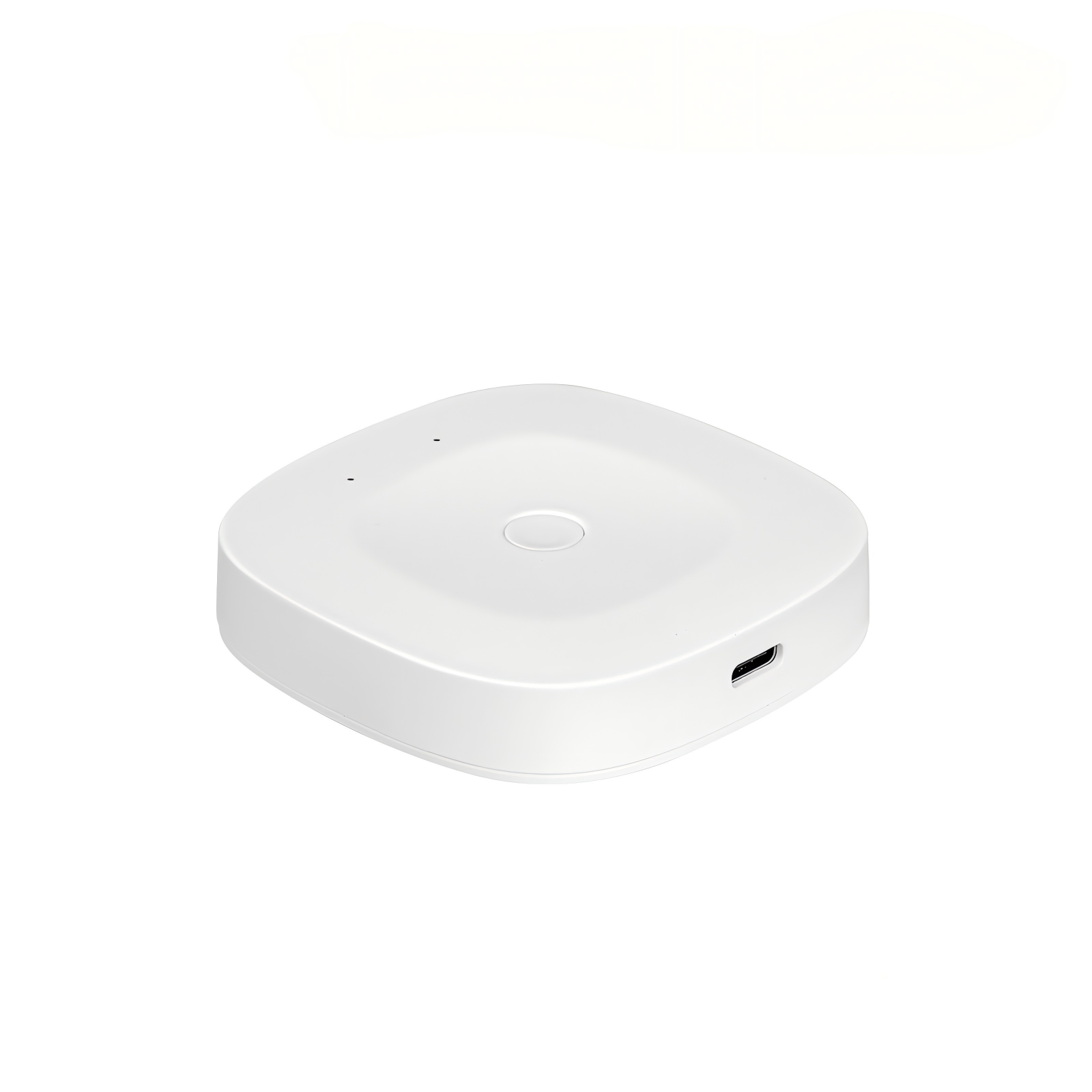
A Zigbee hub is a device that connects Zigbee devices to your home network. It acts as a bridge between Zigbee devices and your smartphone or smart home system. Popular Zigbee hubs include:
- Philips Hue Bridge
- Samsung SmartThings Hub
- Amazon Echo Plus (built-in Zigbee)
- Aqara Hub
These hubs translate Zigbee signals so you can control devices with apps or voice assistants.
How Zigbee Hubs Work
- Device pairing: You add Zigbee devices to the hub.
- Network creation: The hub starts a mesh network; devices connect to each other.
- Control and automation: You use the hub’s app or voice assistant to manage devices.
- Integration: Many hubs connect to Google Home, Alexa, or Apple HomeKit.
Why Hubs Matter
Without a hub, Zigbee devices can’t connect to your Wi-Fi or communicate with your phone. The hub is essential for controlling Zigbee devices from outside your home and integrating them into routines.
Does Google Home Have Zigbee Built-in?
This is the central question. The simple answer is: No, Google Home devices do not have built-in Zigbee radios. Google Home, Google Nest Mini, Google Nest Audio, and Google Nest Hub (including Nest Hub Max) do not natively support Zigbee.
Here’s a quick comparison:
| Device | Zigbee Support | Other Protocols |
|---|---|---|
| Google Home / Nest speakers | No | Wi-Fi, Bluetooth |
| Amazon Echo Plus | Yes | Wi-Fi, Bluetooth |
| Samsung SmartThings Hub | Yes | Wi-Fi, Z-Wave, Bluetooth |
| Philips Hue Bridge | Yes | Ethernet |
| Google Nest Hub Max | No | Wi-Fi, Bluetooth |
Why Google Home Doesn’t Have Zigbee
Google Home focuses on Wi-Fi and Bluetooth for device communication. Most smart home devices connect using Wi-Fi because it’s common and easy for users. Zigbee requires special hardware (a Zigbee radio chip), which Google Home products do not include.
This design choice helps Google keep costs lower, but it means Google Home cannot pair directly with Zigbee devices.
Connecting Zigbee Devices To Google Home
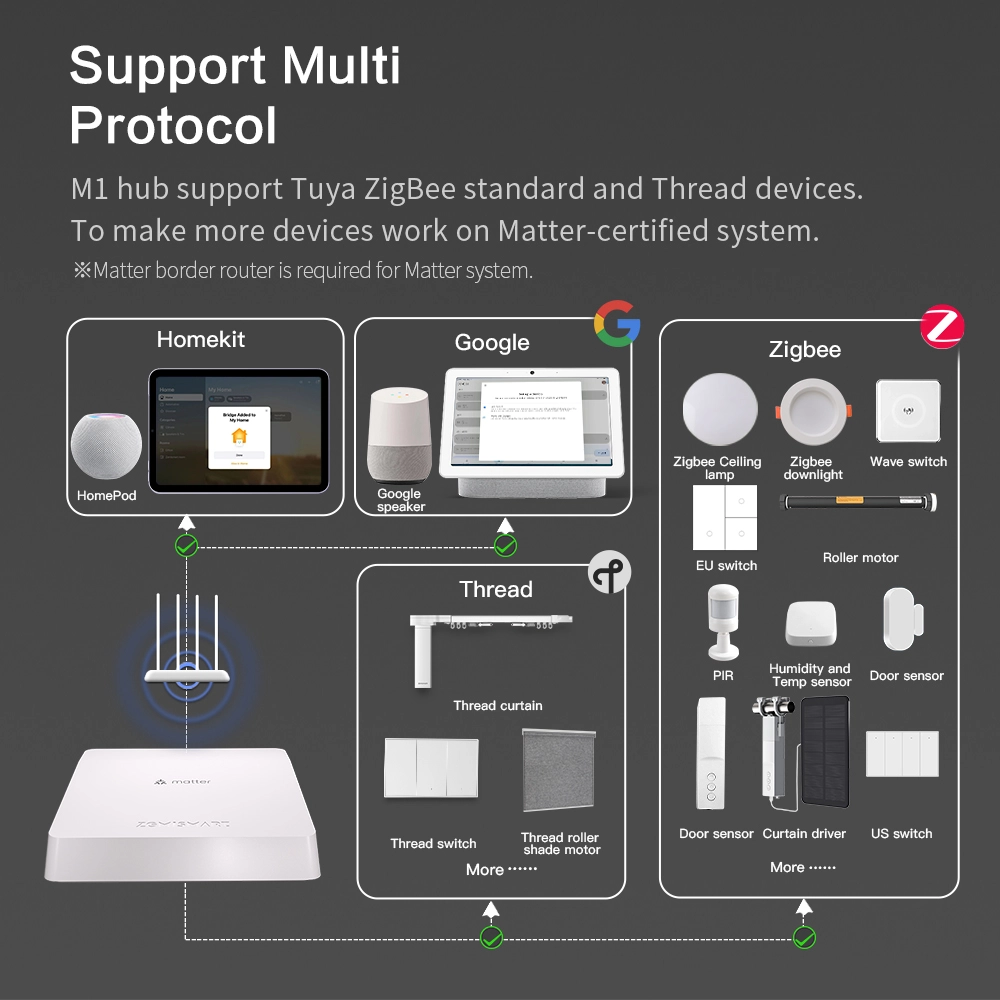
Even though Google Home does not have Zigbee built-in, you can still control Zigbee devices using Google Home. The process involves using a third-party Zigbee hub. Here’s how it works:
- Buy a Zigbee hub (like Philips Hue Bridge or Samsung SmartThings).
- Pair Zigbee devices (bulbs, sensors, switches) with the hub.
- Link the hub to Google Home using the Google Home app.
- Control Zigbee devices with voice commands or routines.
For example, you can say, “Hey Google, turn on the living room light,” and the command travels through Google Home to your Zigbee hub, which then turns on the Zigbee bulb.
Step-by-step Example: Using Philips Hue With Google Home
- Plug in your Philips Hue Bridge.
- Connect the bridge to your Wi-Fi router.
- Pair your Philips Hue bulbs with the bridge.
- In the Google Home app, add Philips Hue as a linked device.
- Now you can control your Hue bulbs with Google Assistant.
Supported Zigbee Hubs
Google Home works well with hubs from brands like:
- Philips Hue
- Samsung SmartThings
- Aqara
- IKEA TRÅDFRI
Each hub has its own app, but once linked, you can use Google Home for basic controls.
Google Home Vs Zigbee Hub: Feature Comparison
Let’s compare Google Home and Zigbee hubs side-by-side to highlight their roles.
| Feature | Google Home | Zigbee Hub |
|---|---|---|
| Built-in Zigbee | No | Yes |
| Voice control | Yes | No (unless paired with a voice assistant) |
| Device pairing | Wi-Fi/Bluetooth devices only | Zigbee devices |
| Automation routines | Yes, via Google Home app | Yes, via hub’s app |
| Smart home integration | Wide (many brands) | Wide (if Zigbee compatible) |
| Remote access | Yes | Yes |
Practical Insight
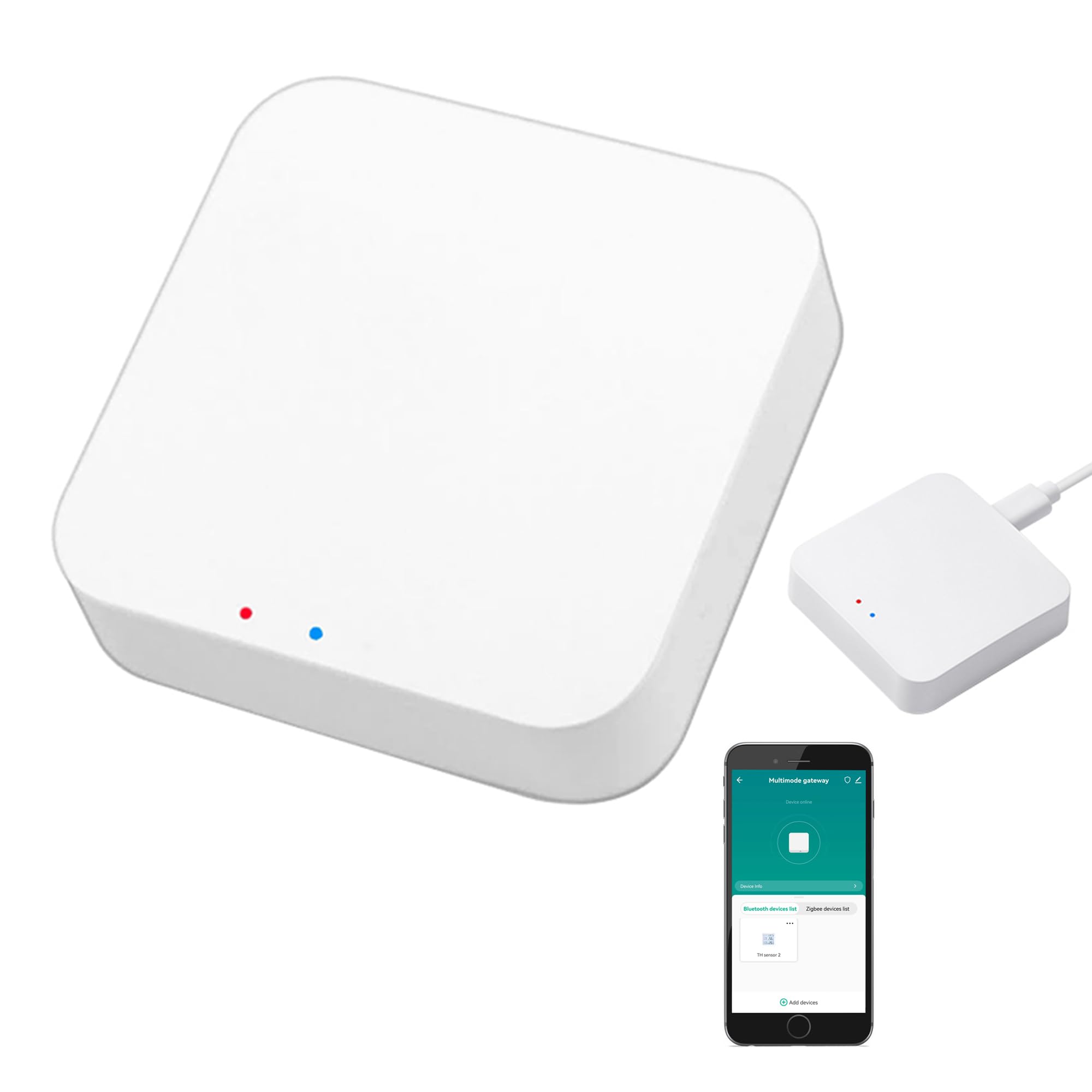
Many beginners think Google Home can “pair” directly with Zigbee bulbs or sensors. In reality, Google Home acts as a controller for hubs, not the hub itself. If you want Zigbee control, you must invest in a hub.
Credit: www.amazon.com
Why Zigbee Hubs Are Still Needed
Even with Google Home, Zigbee hubs are important for two reasons:
- Direct Device Management: Zigbee hubs let you pair, group, and control Zigbee devices. You can set up advanced automation, like turning off all lights when a door sensor triggers.
- Mesh Network Creation: Only Zigbee hubs can start and manage a Zigbee mesh network. This is key for large homes or setups with many devices.
Google Home handles Wi-Fi and Bluetooth devices but cannot create Zigbee networks.
Mistakes Beginners Make
- Buying Zigbee bulbs without a hub: Many users purchase Zigbee devices, expecting Google Home to connect directly. Without a hub, these bulbs cannot be controlled.
- Not linking the hub in Google Home app: Some users miss the step of linking the Zigbee hub to Google Home, so voice commands do not work.
- Mixing Zigbee with Wi-Fi devices: Zigbee and Wi-Fi devices must be managed separately unless you use a hub that connects both.
Alternatives: Zigbee Integration In Other Smart Hubs
Some smart speakers offer built-in Zigbee support. For example, Amazon Echo Plus and Echo 4th Gen include Zigbee radios. This lets you pair Zigbee bulbs and sensors directly, without an extra hub.
Google Home does not have this feature. If you want Zigbee support without buying a separate hub, consider Amazon Echo or Samsung SmartThings.
Example: Amazon Echo Vs Google Home
| Device | Built-in Zigbee | Voice Assistant | Supported Devices |
|---|---|---|---|
| Amazon Echo Plus | Yes | Alexa | Zigbee, Wi-Fi, Bluetooth |
| Google Home / Nest | No | Google Assistant | Wi-Fi, Bluetooth |
| Samsung SmartThings Hub | Yes | No (can link to Alexa or Google Assistant) | Zigbee, Z-Wave, Wi-Fi |
Google Home And Matter: The Future Of Smart Home Integration
A new standard called Matter is emerging for smart home devices. Matter aims to unify how devices connect, making it easier for users. Google Home devices are beginning to support Matter, which includes some Zigbee-like features but is not the same.
What Is Matter?
- Matter is a protocol supported by Google, Apple, Amazon, and others.
- It lets devices from different brands work together.
- Matter uses Wi-Fi, Ethernet, Thread (which is similar to Zigbee), and sometimes Bluetooth.
Does Matter Replace Zigbee?
Not completely. Matter may make Zigbee less important in the future, but today, many devices still use Zigbee. Google Home’s support for Matter is promising, but it does not mean Google Home becomes a Zigbee hub.
Real-world Impact
If you’re buying new devices, look for Matter-compatible products. But if you already have Zigbee devices, you still need a hub.
Setting Up Zigbee Devices With Google Home: Step-by-step
Let’s walk through a typical setup for a smart home with Google Home and Zigbee devices.
- Choose a Zigbee hub: Pick Philips Hue, SmartThings, Aqara, or IKEA TRÅDFRI based on your device needs.
- Install the hub: Plug it in and connect to your home network.
- Pair Zigbee devices: Use the hub’s app to add bulbs, sensors, or switches.
- Link the hub to Google Home: In the Google Home app, tap “Add Device,” select your hub, and follow prompts.
- Test control: Use Google Assistant to control devices (“Turn on kitchen light”).
- Set up routines: Create automations in the Google Home app or hub app.
Tips For Smooth Setup
- Make sure your hub and Google Home are on the same Wi-Fi network.
- Check that your Zigbee devices are compatible with the hub.
- Update firmware on all devices for best performance.
- If linking fails, restart both Google Home and the Zigbee hub.
Real-life Example: Lighting Automation
Imagine you want to automate your living room lighting:
- You buy Philips Hue bulbs (Zigbee).
- You set up the Hue Bridge.
- You link Hue to Google Home.
- Now, saying “Hey Google, dim the living room lights” will change the brightness.
You can also set routines to turn on lights at sunset or when you arrive home.
Google Home App: Managing Zigbee Devices
The Google Home app is your central control point. Once you’ve linked a Zigbee hub, your Zigbee devices appear in the app alongside Wi-Fi and Bluetooth devices.
Key Functions
- Device grouping: Organize devices by room.
- Routine creation: Automate actions (e.g., lights on at bedtime).
- Voice control: Use Google Assistant for hands-free commands.
- Status updates: See which devices are online/offline.
But remember, advanced Zigbee features (like color scenes or sensors) may require the hub’s app for full control.
Advanced Integration: Combining Multiple Hubs
Some smart homes use more than one hub. For example:
- SmartThings Hub for Zigbee and Z-Wave devices.
- Philips Hue Bridge for lighting.
- Google Home for voice control.
You can link all hubs to Google Home, creating a unified control experience. This setup allows you to manage many device types without compatibility issues.
Benefits
- Flexibility: Mix and match brands and protocols.
- Central control: One app (Google Home) for most devices.
- Advanced automation: Use hub-specific features for complex routines.
Challenges
- Setup complexity: More hubs mean more steps.
- App switching: Some features only in hub apps, not Google Home.
Zigbee Device Compatibility With Google Home
Not all Zigbee devices can be fully controlled through Google Home. Compatibility depends on:
- Hub support: If your hub supports the device, Google Home can usually control it.
- Google Home features: Basic functions (on/off, brightness) work. Advanced features (color changes, sensor triggers) may not.
Examples
- Zigbee bulbs: On/off, dimming, color changes (if supported by hub and Google Home).
- Zigbee sensors: May trigger routines, but detailed sensor data often only in hub app.
- Zigbee switches: On/off control, sometimes scene selection.
Always check compatibility lists from both Google Home and your Zigbee hub.
Common Problems And Solutions
Smart home setups can be tricky. Here are some common issues with Google Home and Zigbee devices:
- Devices not appearing in Google Home app: Check if the hub is linked correctly.
- Voice commands not working: Re-link the hub or restart devices.
- Device offline: Move Zigbee devices closer to the hub or add more Zigbee devices to strengthen the mesh.
- Missing features: Use the hub’s app for advanced controls.
Security: Zigbee Vs Google Home
Zigbee uses strong encryption. Google Home also secures your home data. When using a hub, your Zigbee devices stay protected, and Google Home adds voice security (voice match, account controls).
Security Tips
- Update device firmware regularly.
- Use strong passwords for hubs and Wi-Fi.
- Enable two-factor authentication for Google accounts.
- If you lose a device, remove it from both hub and Google Home app.
Should You Buy Zigbee Devices For Google Home?
If you already use Google Home and want to add smart lights or sensors, Zigbee devices are a good choice—if you’re willing to buy a hub. Zigbee’s mesh network is strong, and devices are reliable.
But if you want the simplest setup, look for Wi-Fi devices that connect directly to Google Home. This reduces hardware, but you lose Zigbee’s advantages.
When Zigbee Is Best
- Large homes with many devices.
- Battery-powered sensors.
- Advanced automation needs.
When Wi-fi Is Better
- Simple setups (few devices).
- No need for mesh networking.
- No extra hubs required.
Expert Insights: What Beginners Often Miss
- Google Home is not a Zigbee hub—it’s a controller for hubs, not the hub itself.
- Device compatibility depends on the hub—always check if your Zigbee hub supports the devices you want.
- Advanced automation needs hub apps—Google Home handles basic controls, but complex routines often require the hub’s app.
- Matter is not Zigbee—Matter is new, and while Google Home supports it, Zigbee devices still need a hub.
Frequently Asked Questions
Is Google Home A Zigbee Hub?
No, Google Home does not have built-in Zigbee support. You must use a separate Zigbee hub (like Philips Hue Bridge or SmartThings) and link it to Google Home for Zigbee device control.
Can I Control Zigbee Devices With Google Home?
Yes, but only by linking a compatible Zigbee hub to Google Home. Once linked, you can control basic functions with Google Assistant and routines.
What Smart Hubs Have Zigbee Built-in?
Popular hubs with built-in Zigbee include Philips Hue Bridge, Samsung SmartThings Hub, Amazon Echo Plus, and Aqara Hub. These let you pair Zigbee devices directly.
Will Matter Make Zigbee Hubs Unnecessary?
Not yet. Matter is new and aims to simplify smart home connections, but many devices still use Zigbee. Google Home’s Matter support does not replace Zigbee hubs.
What Is The Main Advantage Of Zigbee Over Wi-fi Smart Devices?
Zigbee uses less power, creates a mesh network for reliability, and is ideal for homes with many devices. Wi-Fi devices are easier for simple setups but can strain your network as you add more devices.
Final Thoughts
Smart homes are easier to build than ever, but device compatibility still matters. Google Home is a powerful voice assistant and smart home controller, but it is not a Zigbee hub. If you want to use Zigbee devices, plan to buy a hub and link it to Google Home. This setup gives you the best of both worlds—reliable Zigbee automation and simple voice control.
As new standards like Matter grow, the future may bring more direct integration. For now, knowing the difference between Google Home and Zigbee hubs will help you build a smart home that works smoothly and securely. If you want to dive deeper, check out the official Zigbee Wikipedia page for technical details.
Smart homes keep evolving. With the right setup, you’ll enjoy easy control, automation, and peace of mind—no matter which devices you choose.
Credit: www.zemismart.com