
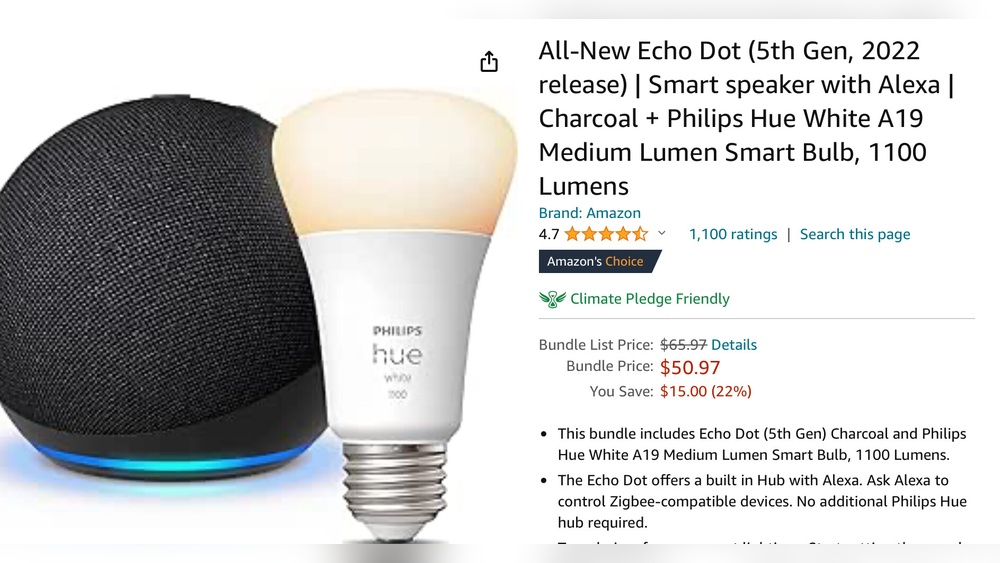
Smart homes are changing the way we live. Voice assistants, smart lights, security cameras, and connected appliances are everywhere. One device that stands out is the Echo Dot by Amazon. But if you’re thinking about building a smart home, you may have a key question: Does Echo Dot have Zigbee hub? Understanding this will help you know what devices you can control and how easy your setup will be.
Let’s break down what Zigbee is, why it matters, and how the Echo Dot fits into the smart home world. I’ll guide you through the differences between Echo Dot models, explain alternatives, and help you make smart decisions with examples and clear comparisons.
Whether you are new to smart home tech or want deeper details, you’ll find everything you need right here.
What Is Zigbee And Why Does It Matter?
Zigbee is a wireless communication standard. It’s used in many smart home devices like bulbs, sensors, plugs, and locks. Unlike Wi-Fi or Bluetooth, Zigbee uses less energy and creates a mesh network. This means devices talk to each other and extend coverage — great for larger homes.
Zigbee’s technology is not new. It has been around for over a decade and is trusted by brands like Philips, Samsung, and Aqara. One reason Zigbee stands out is that it was designed specifically for smart home use, while Wi-Fi and Bluetooth were adapted from other purposes.
Key Benefits Of Zigbee
- Low Power Use: Zigbee devices last longer on batteries. For example, a Zigbee door sensor can run for a year or more on a single battery. This is much better than Wi-Fi sensors, which often need frequent charging.
- Mesh Networking: Each device helps pass the signal along, improving range. If you have sensors in your basement or attic, Zigbee’s mesh network can reach them, even if your router cannot.
- Reliability: Less interference compared to Wi-Fi; stable connections. Zigbee uses a different frequency than most Wi-Fi routers, so crowded Wi-Fi networks won’t affect Zigbee.
- Device Variety: Many brands and devices use Zigbee. There are Zigbee bulbs, switches, locks, and even blinds.
Why Do You Need A Zigbee Hub?
A Zigbee hub acts as a central controller. It connects Zigbee devices and lets you manage them with your phone or voice assistant. Without a hub, Zigbee devices can’t talk to your Wi-Fi or be controlled remotely.
The hub is a bridge. For example, if you want to control a Zigbee bulb from your phone, the hub receives your command and passes it to the bulb. Some hubs can handle hundreds of devices, making them useful for bigger homes.
Some smart speakers, like certain Echo models, come with a built-in Zigbee hub. Others need a separate device. Knowing which Echo has Zigbee is crucial before buying smart bulbs or sensors.
Echo Dot: What Is It And What Does It Do?
The Echo Dot is Amazon’s popular smart speaker. It’s compact, affordable, and works with Alexa — Amazon’s voice assistant. You can ask Alexa to play music, answer questions, set timers, and control smart devices.
Echo Dot is known for its small size. It fits on a nightstand, kitchen counter, or desk without taking up much space. The latest models (4th and 5th Gen) have better speakers than before and can hear your voice from across the room.
Echo Dot Features
- Voice Control: Talk to Alexa for music, news, and more. You can ask Alexa to tell you the weather, set reminders, or even control your smart TV.
- Smart Home Control: Manage devices like lights, plugs, and thermostats. You can create routines, such as “Good Morning,” to turn on lights and start your coffee maker.
- Compact Design: Fits almost anywhere. It’s perfect for apartments or small rooms.
- Affordable Price: Usually less than $60. Sometimes even cheaper during sales.
But not all Echo models are the same. Some have extra features, and this is where Zigbee comes into play.
Which Echo Models Have A Zigbee Hub?
This is where many people get confused. Not every Echo has Zigbee built in. Let’s look at the differences.
Echo Dot Models And Zigbee
There have been several generations of Echo Dot. None of them include a Zigbee hub.
| Echo Dot Model | Zigbee Hub | Release Year |
|---|---|---|
| Echo Dot (1st Gen) | No | 2016 |
| Echo Dot (2nd Gen) | No | 2016 |
| Echo Dot (3rd Gen) | No | 2018 |
| Echo Dot (4th Gen) | No | 2020 |
| Echo Dot (5th Gen) | No | 2022 |
All Echo Dot models lack a Zigbee hub. You cannot directly connect Zigbee devices to them. This is a common mistake among buyers.
Which Echo Devices Do Have Zigbee?
Some larger Echo devices include Zigbee:
- Echo Plus (1st and 2nd Gen): Both have Zigbee hubs.
- Echo (4th Gen): Includes Zigbee hub.
- Echo Show 10 (3rd Gen): Has Zigbee hub.
- Echo Studio: Includes Zigbee hub.
Let’s compare Zigbee support in common Echo devices:
| Device | Zigbee Hub | Price (USD) | Speaker Quality |
|---|---|---|---|
| Echo Dot | No | ~$50 | Good |
| Echo (4th Gen) | Yes | ~$100 | Better |
| Echo Plus | Yes | ~$150 | Excellent |
| Echo Show 10 | Yes | ~$250 | Premium |
If Zigbee is important for your smart home, you need one of these Echo devices — not an Echo Dot.
Why Doesn’t Echo Dot Have Zigbee?
Amazon designed the Echo Dot to be affordable and simple. Adding a Zigbee hub would increase the price and make the device larger. Most Dot buyers use Wi-Fi smart devices or are new to smart homes.
Another reason is that Zigbee support requires more hardware and software. The Dot is meant to be a starter device, not the main smart home hub.
Instead, Amazon includes Zigbee in its more expensive Echo models. These are meant for users who want advanced smart home features.
Common Misunderstandings
- Many assume all Echo devices support Zigbee. This is not true.
- Echo Dot can control Zigbee devices if you use a separate hub (like Philips Hue Bridge), but it cannot connect directly.
Some buyers also think that Alexa itself is a Zigbee hub. Alexa is a voice assistant, not a wireless controller. You need hardware to connect Zigbee devices.
How Echo Dot Controls Smart Devices Without Zigbee
Even without Zigbee, Echo Dot can control many smart devices. Here’s how:
Wi-fi Smart Devices
Most smart plugs, bulbs, and switches use Wi-Fi. You connect them to your home network, then link them to Alexa. Echo Dot can control these easily.
Examples:
- TP-Link Kasa smart plugs
- LIFX bulbs
- Wemo switches
You simply install the device, download its app, and link it to Alexa. This is the fastest way to start a smart home, and most beginners go this route.
Using A Third-party Hub
If you have Zigbee devices, you can use a third-party hub. The hub connects Zigbee products and links to Alexa. Then, Echo Dot can control those devices through Alexa skills.
Popular hubs:
- Philips Hue Bridge
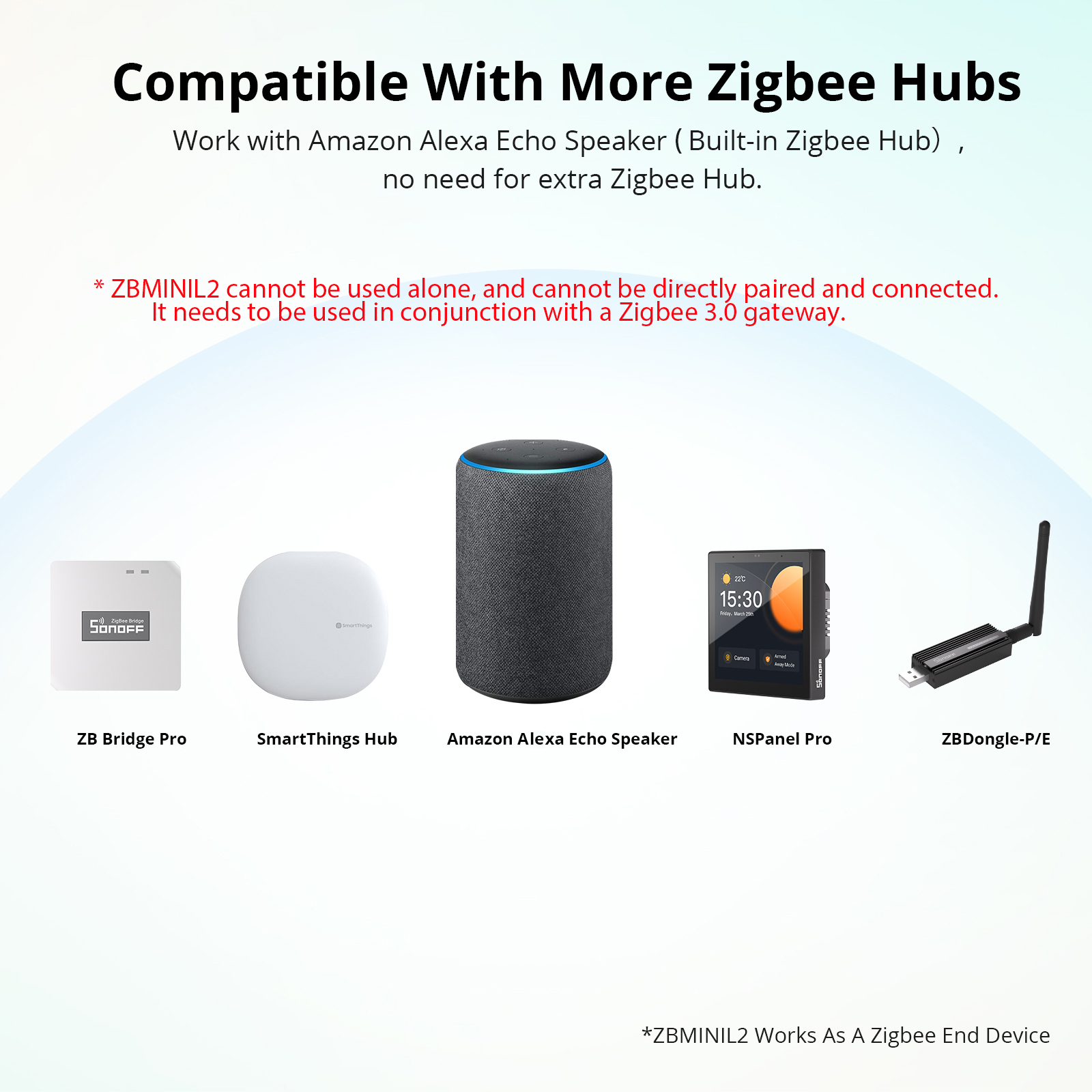
- Samsung SmartThings Hub
- Amazon Echo (with Zigbee)
- Aqara Hub
Each hub has its own app and setup steps. For example, Philips Hue Bridge is mainly for bulbs, while SmartThings can handle sensors, locks, and more.
This adds extra cost and setup steps but expands compatibility.
How It Works (step By Step)
- Zigbee device connects to hub (not Echo Dot).
- Hub connects to your Wi-Fi.
- Hub links to Alexa app.
- Echo Dot sends commands to Alexa, which relays them to the hub.
- Hub controls the Zigbee device.
This setup is reliable but less direct than having Zigbee built-in.
Many people worry this is complicated. But once you set it up, you rarely need to touch the hub again. It runs quietly in the background.
Smart Home Setup Examples
Let’s look at practical scenarios so you can see how this works in real life.
Example 1: Wi-fi Devices Only
Mia buys an Echo Dot and three Wi-Fi smart bulbs. She sets them up in the Alexa app. Now, she can say:
“alexa, Turn On The Living Room Light.”
No Zigbee hub is needed.
It’s simple and quick. Many families start with this setup because Wi-Fi bulbs are easy to find and cheap.
Example 2: Zigbee Devices With A Hub
Raj owns Zigbee motion sensors and bulbs. He also has an Echo Dot. He buys a Philips Hue Bridge.
- He connects Zigbee bulbs and sensors to the Hue Bridge.
- He links the Hue Bridge to Alexa.
- He uses Echo Dot to control the bulbs with voice commands.
The Dot can control Zigbee devices, but only through the hub.
Raj’s setup lets him use Zigbee’s mesh network and battery-powered sensors, which are hard to find in Wi-Fi models.
Example 3: Direct Zigbee With Echo (4th Gen)
Anna upgrades to an Echo (4th Gen). She buys Zigbee bulbs. She connects the bulbs directly to her Echo. No extra hub needed.
She says:
“alexa, Turn Off The Kitchen Lights.”
The Echo (4th Gen) acts as a Zigbee hub, making things simple.
Anna can add more Zigbee devices later, like door sensors or smart plugs, all managed by her Echo.
Zigbee Vs Wi-fi Smart Home Devices
Choosing between Zigbee and Wi-Fi matters for your smart home. Here’s what you need to know.
Zigbee Advantages
- Battery Life: Sensors last longer. This is important for motion detectors or door sensors.
- Mesh Network: Strong coverage. Zigbee networks can cover larger areas than Wi-Fi.
- Less Interference: More stable. In homes with many Wi-Fi devices, Zigbee keeps working reliably.
Zigbee is also good for professional installations. Many security systems use Zigbee because of its reliability.
Wi-fi Advantages
- Easy Setup: No extra hub needed. Most people already have Wi-Fi.
- Wide Compatibility: Works with most smart speakers. You can use Alexa, Google Assistant, or Apple HomeKit.
- Fast Response: Good for plugs and bulbs. Wi-Fi is usually faster than Zigbee for these types.
Wi-Fi devices are everywhere. You can find smart plugs and bulbs at almost any electronics store.
Drawbacks
Zigbee:
- Needs a hub (unless you have an Echo with Zigbee).
- Not all devices support Zigbee.
Wi-Fi:
- Can overload your router with too many devices.
- Shorter battery life for sensors.
Another detail: Zigbee devices are less likely to lose connection during a power outage, since they don’t rely on your router.
Comparing Echo Dot With Other Smart Speakers
If you want to control Zigbee devices directly, you might look at alternatives.
| Device | Zigbee Hub | Voice Assistant | Price | Smart Home Support |
|---|---|---|---|---|
| Echo Dot | No | Alexa | ~$50 | Wi-Fi devices, Zigbee with hub |
| Echo (4th Gen) | Yes | Alexa | ~$100 | Zigbee & Wi-Fi devices |
| Google Nest Mini | No | Google Assistant | ~$49 | Wi-Fi devices, Zigbee with hub |
| Samsung SmartThings Hub | Yes | N/A | ~$70 | Zigbee, Z-Wave, Wi-Fi |
None of the entry-level smart speakers (Echo Dot, Nest Mini) have Zigbee built-in. You need a hub or upgrade to a higher model.
Common Mistakes When Building A Smart Home With Echo Dot
Many beginners make mistakes when planning their smart home. Let’s highlight these so you can avoid them.
- Assuming Echo Dot Has Zigbee: It does not. You need a hub for Zigbee devices.
- Buying Zigbee Devices Without a Hub: They won’t work with Echo Dot directly.
- Mixing Zigbee and Wi-Fi Devices Without Planning: Setup gets complicated.
- Overloading Wi-Fi: Too many Wi-Fi devices can slow your network.
- Ignoring Device Compatibility: Not all smart devices support Alexa.
Non-obvious Insight
You can use smart routines in the Alexa app to control devices together, even if they use different protocols (Wi-Fi, Zigbee, Bluetooth). But you must connect each device properly first.
Another tip: Some Zigbee hubs support both Zigbee and Z-Wave, another popular smart home protocol. If you want to future-proof your setup, look for hubs with both.
How To Set Up Echo Dot With Zigbee Devices (using A Hub)
If you have Zigbee devices and want to use Echo Dot, follow these steps:
- Choose a Zigbee Hub: Pick one that works with Alexa (e.g., Philips Hue Bridge, SmartThings).
- Connect Zigbee Devices to the Hub: Follow the hub’s instructions.
- Link Hub to Alexa: Use the Alexa app to add the hub as a skill.
- Discover Devices: Alexa will find Zigbee devices through the hub.
- Control With Echo Dot: Give voice commands to Alexa, which controls the devices via the hub.
This setup works well for most Zigbee bulbs, sensors, and plugs.
Practical Tip
If you plan to expand your smart home, start with a hub that supports many brands and protocols. SmartThings Hub is flexible and supports Zigbee, Z-Wave, and Wi-Fi.
Also, check if your Zigbee devices are compatible with your chosen hub. Some brands are closed systems (like Philips Hue), while others work with many hubs.

Credit: community.smartthings.com
Alternatives If You Want Zigbee Without Buying An Expensive Echo
If you don’t want to buy a pricey Echo Plus or Echo (4th Gen), there are other ways to use Zigbee.
- Use a Third-Party Hub: Philips Hue, SmartThings, or Aqara hubs work well.
- Buy Wi-Fi Smart Devices: Avoid Zigbee altogether and use Wi-Fi plugs and bulbs.
- Combine Devices: Use an Echo Dot with a hub for Zigbee and Wi-Fi devices.
This gives you flexibility and keeps costs down.
Some users even mix Zigbee and Wi-Fi devices for the best of both worlds. For example, Wi-Fi bulbs for quick setup, Zigbee sensors for reliability.
Future Trends: Will Echo Dot Ever Get Zigbee?
Amazon updates its Echo line often. But so far, Echo Dot does not have Zigbee. Why?
- Target Market: Echo Dot is for entry-level buyers. Most don’t need Zigbee.
- Cost and Size: Adding Zigbee would make the Dot larger and more expensive.
- Product Differentiation: Amazon wants buyers to upgrade to Echo (4th Gen) or Echo Plus for Zigbee.
Some industry experts think Zigbee could come to cheaper devices as smart homes grow. But for now, the Echo Dot is focused on simplicity and affordability.
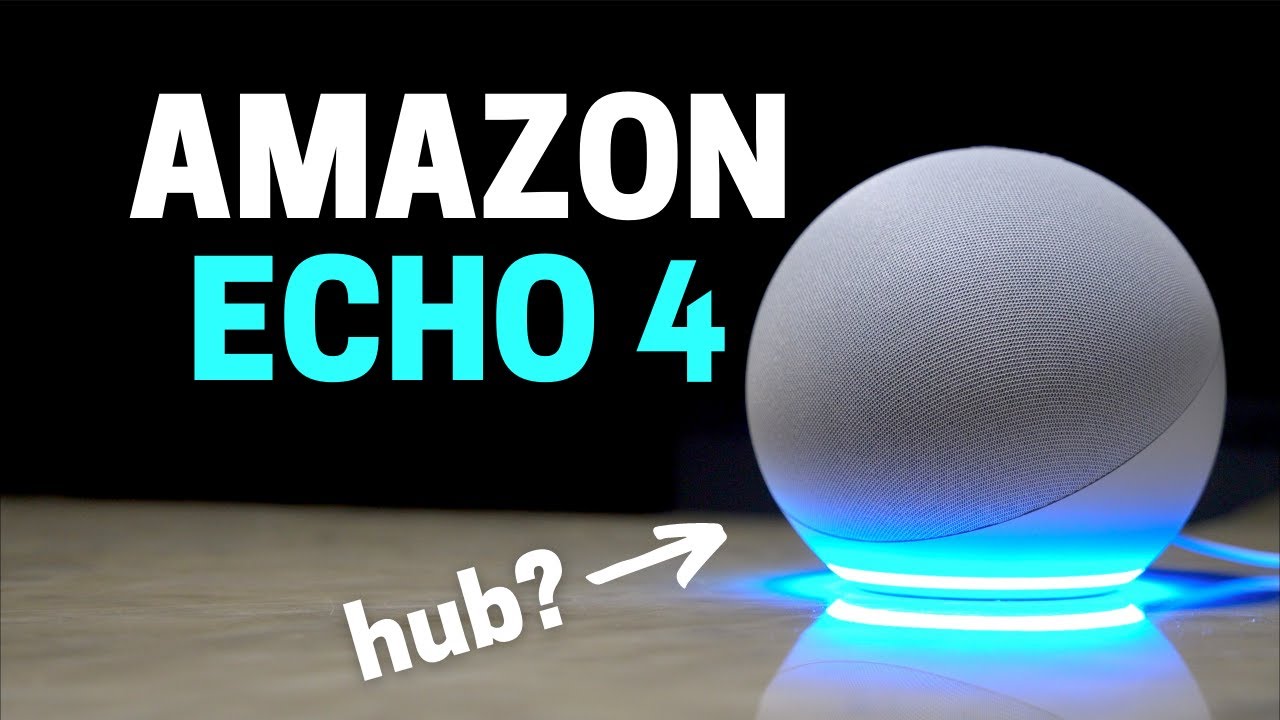
Another interesting trend: New standards like Matter are emerging. Matter aims to unite Zigbee, Wi-Fi, and other protocols, making smart homes easier to set up. Amazon may add Matter support to Echo Dot in the future, but Zigbee hardware is still missing.
Credit: www.youtube.com
Real-world Data: Smart Home Adoption And Zigbee
According to a 2023 report from Statista, over 60 million US households use smart speakers. Echo Dot is the best-selling model. But only about 20% of these homes use Zigbee devices. Most use Wi-Fi smart products.
This shows why Amazon focuses Echo Dot on Wi-Fi control. Zigbee is more popular among advanced users.
Another insight: More people are using smart routines and automation. As smart homes become more common, demand for Zigbee may grow, especially for sensors and security devices.
How To Decide: Is Zigbee Important For Your Smart Home?
Ask yourself these questions:
- Do you have Zigbee devices already? If yes, you need a hub or a higher-end Echo.
- Do you plan to expand your smart home? Zigbee is great for sensors and battery-powered devices.
- Do you want simple setup? Wi-Fi devices work best with Echo Dot.
- Is your home large? Zigbee’s mesh network helps in big houses.
If Zigbee matters, buy an Echo with Zigbee or a third-party hub. Otherwise, Echo Dot is a good choice for Wi-Fi devices.
Consider your budget and future needs. If you only want smart bulbs and plugs, Wi-Fi is enough. If you want motion sensors, door sensors, or to automate many rooms, Zigbee is better.
Frequently Asked Questions
Does Echo Dot Have Zigbee Hub Built-in?
No. Echo Dot does not have Zigbee hub built-in. You cannot directly connect Zigbee devices to it. To use Zigbee products, you need a third-party hub or another Echo device with Zigbee support.
Can Echo Dot Control Zigbee Devices?
Yes, but only through a separate hub like Philips Hue Bridge or SmartThings. The Echo Dot sends commands to the hub, which then controls Zigbee devices. Direct control is not possible.
What Are Alternatives To Echo Dot For Zigbee Support?
You can use Echo (4th Gen), Echo Plus, Echo Show 10, or Echo Studio. These have Zigbee built-in. Or, use a third-party hub like SmartThings or Hue Bridge with your Echo Dot.
Is Zigbee Better Than Wi-fi For Smart Home Devices?
Zigbee is better for battery-powered devices and large homes (mesh network, low power). Wi-Fi is easier for basic setups and works with most smart speakers. Your needs decide which is best.
Where Can I Find Official Details About Echo Dot And Zigbee?
Visit Amazon’s official site for the latest info. For detailed Zigbee and device compatibility, check Wikipedia’s Zigbee page.
Final Thoughts
Choosing the right smart speaker is important for your smart home journey. Echo Dot is a great entry-level device, but it does not have Zigbee. If you want to use Zigbee devices, you need a hub or a higher-end Echo. Wi-Fi smart devices work well with Echo Dot, making setup easy for beginners.
Take time to check your smart home needs. Think about future growth, device compatibility, and your budget. With the right plan, you can enjoy a connected, comfortable home — whether you use Zigbee or not.
A smart home should fit your lifestyle, not the other way around. As technology changes, remember that flexibility and planning will help your system grow smoothly. Start small, learn the basics, and expand when you’re ready.
Credit: www.nilds.gov.ng