
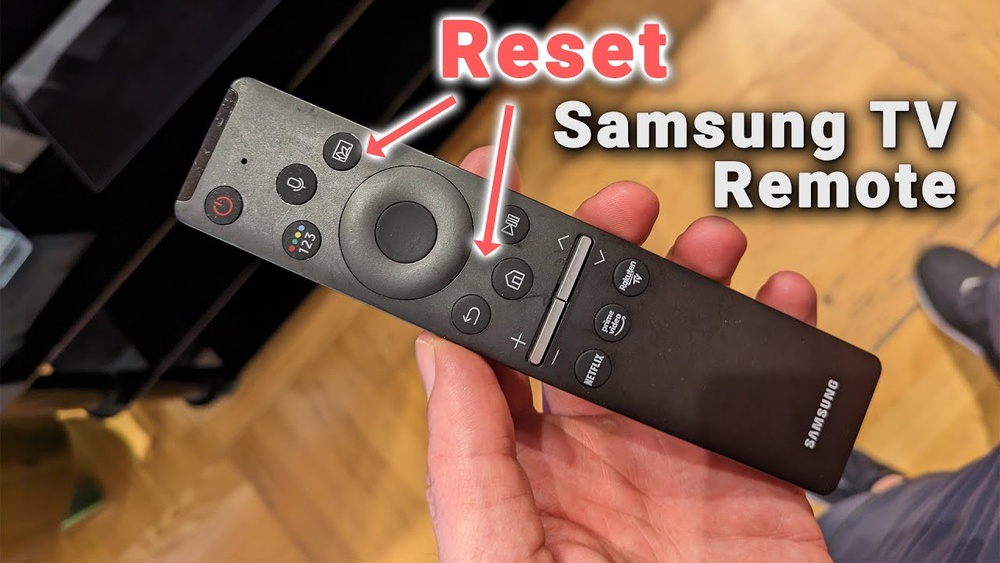
If you press buttons on your Samsung remote control and nothing happens, frustration can build quickly. You may not be able to change channels, adjust volume, or access smart features on your TV. This issue is common, but the reasons behind it are often simple and fixable.
Understanding the problem can save you time, money, and unnecessary stress. Let’s look at why your Samsung remote control might not be working, how to troubleshoot, and ways to fix it.
Common Causes Of Samsung Remote Control Problems
Remote controls are small devices, but they rely on several parts working together. When one part fails, the remote may stop responding. Here are the most frequent reasons:
1. Dead Or Weak Batteries
The most common cause is battery problems. Many people forget to check battery life, especially if the remote worked fine yesterday. Weak batteries can cause slow response, missed button presses, or a completely dead remote. Sometimes, even new batteries may not work if they are not inserted properly or if they are low-quality. If you notice the remote works only when you press buttons hard, or if it works only occasionally, try replacing batteries first.
2. Obstructions Blocking Signal
Samsung remotes often use infrared (IR) signals. If something blocks the path between the remote and TV sensor, the signal won’t reach. Items like books, decorations, or even direct sunlight can interfere. Even transparent glass or plastic can sometimes scatter IR signals. In crowded rooms, it’s easy to accidentally block the sensor with a stack of magazines, a speaker, or a child’s toy.
3. Remote Not Paired With Tv
Some newer Samsung remotes, especially Smart Remotes or Bluetooth remotes, must be paired. If pairing is lost, the remote stops working. This can happen after a power outage or if the TV is unplugged for a long time. Sometimes, pairing fails because the TV’s software is outdated or the remote was paired to another device before.
4. Damaged Remote
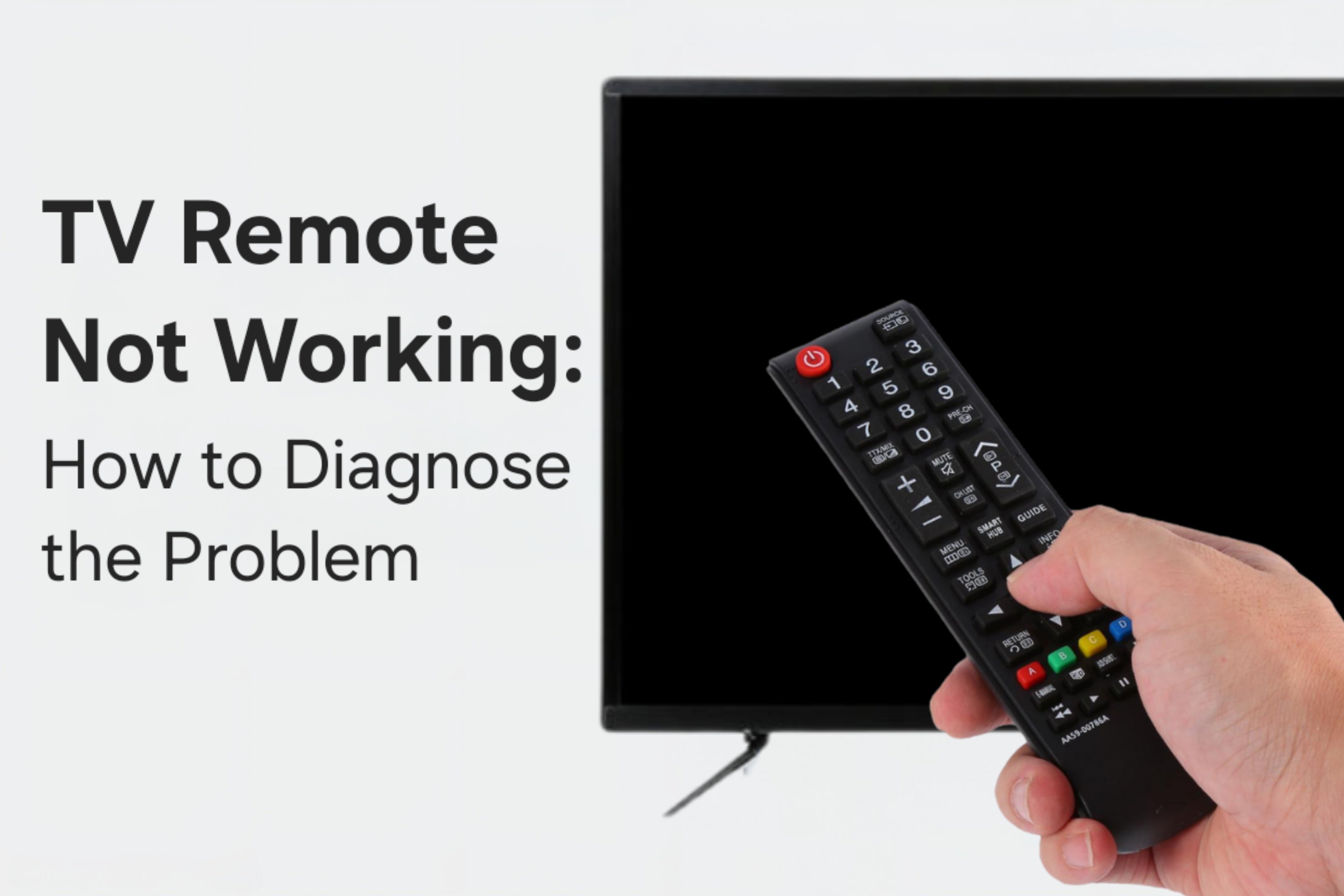
Physical damage—like dropping the remote, water spills, or worn buttons—can break the internal circuits. Sometimes, the damage isn’t visible from outside. For example, rough handling can loosen the battery contacts or crack the circuit board inside.
5. Tv Sensor Issues
The remote may work, but the TV’s IR sensor or Bluetooth receiver could be faulty. If this part fails, your TV won’t receive commands. Sometimes, dust or dirt can cover the sensor, blocking signals. On rare occasions, the TV’s sensor stops working due to age or manufacturing defect.
6. Firmware Or Software Problems
Samsung TVs run complex software. Sometimes, updates or glitches can cause the TV to ignore remote signals. A buggy update may cause the TV to freeze or fail to recognize remote inputs. You might notice other functions slowing down, such as apps taking longer to open.
7. Interference From Other Devices
Other electronics, such as Wi-Fi routers, cordless phones, or even another remote, can cause interference. If you have many devices in the room, the signals may overlap, confusing your TV. Sometimes, nearby devices using Bluetooth or Wi-Fi can make your remote behave unpredictably.
8. Incorrect Remote Model
If you use a remote from a different Samsung TV model, some functions may not work. For example, the remote may turn on the TV but not control volume or access menus. This is common in households with several Samsung TVs or after buying a replacement remote without checking compatibility.
How Samsung Remotes Work: Ir Vs Bluetooth
Understanding your remote type is crucial. Samsung uses two main technologies:
| Remote Type | How It Works | Common Issues |
|---|---|---|
| Infrared (IR) | Sends invisible light to TV sensor | Obstructions, dead batteries, sensor misalignment |
| Bluetooth | Wireless signal, needs pairing | Pairing lost, interference, battery |
IR remotes need a clear line of sight. If you block the path, the TV won’t respond. IR signals can also reflect off surfaces, so sometimes even a mirror in the room can affect performance. Bluetooth remotes do not require line of sight, but they need to be paired with your TV. Bluetooth is more advanced, allowing features like voice control, but it can be affected by wireless networks or other Bluetooth devices. If the TV or remote loses connection, you must pair them again.
A less obvious detail: IR remotes can sometimes be affected by fluorescent lights or certain LED bulbs, which emit light at frequencies close to IR. Bluetooth remotes, on the other hand, may lose pairing if you change your TV’s network settings or reset your Wi-Fi router.

Credit: www.youtube.com
Quick Troubleshooting Steps
When your Samsung remote stops working, try these steps:
1. Replace Batteries
Put in new, high-quality batteries. Make sure the positive (+) and negative (-) ends are placed correctly. If the remote uses rechargeable batteries, ensure they are charged fully. Sometimes, battery contacts inside the remote become dirty or rusty—clean them gently before inserting new batteries.
2. Check For Obstructions
Clear anything between the remote and the TV. Make sure the remote points directly at the TV. Even small objects like a vase or a photo frame can block IR signals. For Bluetooth remotes, try moving closer to the TV to ensure a strong connection.
3. Test Remote With Your Phone Camera
Aim the remote at your phone’s camera and press a button. If you see a blinking light on the screen, the remote sends IR signals. This is a quick test to know if the remote itself is working. If you see no light, the remote may be faulty or batteries are dead.
4. Restart Your Tv
Turn off the TV and unplug it for 1 minute. Plug it back in and try the remote again. This resets the TV’s software and clears minor glitches. If you have a Smart TV, restarting can also refresh Bluetooth connections.
5. Re-pair Bluetooth Remote
For Smart Remotes, press and hold the Return and Play/Pause buttons together for 3 seconds. Follow on-screen instructions. Sometimes, you may need to do this more than once if the first attempt fails.
6. Try Another Remote
If possible, use another Samsung remote. If that works, your original remote is likely faulty. If both remotes fail, the problem is probably with the TV sensor or software.
7. Clean Remote And Tv Sensor
Dust can block signals. Clean both gently with a dry cloth. For sticky buttons, use a little rubbing alcohol and a cotton swab. For the TV sensor, avoid harsh chemicals—just a soft dry cloth is enough.
Extra tip: If you have pets, their hair can easily collect around the TV sensor, so check regularly.
Battery Problems: Signs And Solutions
Many remote issues trace back to battery failure. If your remote works only sometimes, or buttons feel unresponsive, batteries may be low. Cheap batteries lose power quickly and can even leak, damaging the remote.
- Replace with fresh, brand-name batteries
- Avoid mixing old and new batteries
- Check battery compartment for corrosion or residue
If you see greenish or white powder inside, clean carefully with a cotton swab and a bit of rubbing alcohol. Wait until dry before inserting new batteries. Don’t forget to check the battery contacts for rust or bent metal. Even a small bend can prevent proper contact.
For rechargeable batteries, check voltage using a battery tester. Some rechargeables lose capacity after a few months and may need to be replaced. If you use the remote often (for gaming or Smart TV apps), consider keeping spare batteries handy.
A beginner mistake: Some people put batteries in backwards or use only one battery when two are needed. Always check the diagram inside the battery compartment.
Signal Issues: Ir And Bluetooth Troubles
Ir Signal Problems
If your Samsung remote uses IR, the signal must reach the TV sensor. Common mistakes:
- Pointing the remote at the wrong part of the TV
- Using the remote too far away (IR usually works up to 20 feet)
- Bright sunlight can “wash out” IR signals
If your room has large windows, sunlight can flood the area and make IR signals weak. Try using the remote in the evening or closing the curtains. Also, if you have a soundbar or other device covering the TV sensor, move it aside.
A non-obvious tip: Some TVs have the sensor hidden behind the Samsung logo or near the bottom edge. If you’re not sure where it is, check the TV’s manual or shine a flashlight along the bezel to find the small black window.
Bluetooth Signal Problems
Smart remotes use Bluetooth. Pairing can drop unexpectedly after power outages or software updates. To fix:
- Re-pair the remote (see earlier steps)
- Move other wireless devices away from the TV
- Restart both remote and TV
Bluetooth remotes may show lag if the TV’s Bluetooth chip overheats or is surrounded by metal objects. If you have a metal TV stand or place the TV near a radiator, try moving it to a different spot.
Bluetooth signals can also be weakened by thick walls or floors, so avoid using the remote from another room.
Physical Damage: How To Spot And Fix
Remote controls are often dropped, stepped on, or spilled on. Signs of physical damage:
- Buttons feel stuck or do not press smoothly
- The battery compartment is cracked or loose
- The remote has visible cracks, chips, or water marks
If the remote got wet, open the battery compartment and remove batteries. Let the remote dry for 24 hours. Do not use a hair dryer or oven, as heat can damage internal parts.
If buttons are sticky, clean with a damp cloth and mild soap. Never use harsh chemicals. If buttons remain stuck after cleaning, the rubber membrane inside may be damaged. Opening the remote and cleaning inside can help, but only do this if you are comfortable and confident.
A tip for beginners: If you have dropped the remote but it still looks fine, try shaking it gently. Listen for loose parts inside—this can signal internal damage.
If the remote is physically broken beyond repair (for example, if the circuit board is cracked), replacing is usually cheaper than fixing.
Credit: tvpartstoday.com
Tv Sensor Problems: Hidden Causes
Sometimes, the TV is the problem. The IR sensor (a small black window on the TV’s lower bezel) can fail. Signs:
- Other remotes (like a universal remote) also don’t work
- The TV does not respond even though remote blinks
Try a universal remote or your phone’s remote app to test the TV sensor. If nothing works, you may need professional repair.
Sometimes, the TV sensor may be covered by stickers or protective film left on after installation. Remove any film or stickers on the sensor area. In rare cases, the sensor may be loose inside the TV—this requires technician help.
Firmware And Software Glitches
Samsung TVs receive regular software updates. Sometimes, updates cause bugs. If your remote suddenly stops working after an update, try these steps:
- Restart the TV
- Check for new updates (Settings > Support > Software Update)
- Factory reset the TV (Settings > General > Reset)
A factory reset erases all settings, so use it as a last resort.
Sometimes, a bug will affect only certain functions. For example, volume and channel buttons may work, but Smart Hub or Menu does not. If this happens after an update, check Samsung’s support site for any known issues. You can also roll back to a previous software version if available.
A practical tip: Don’t update your TV software during storms or power outages—an incomplete update can cause glitches.
Interference: How Electronics Affect Remote Performance
Wireless devices nearby can cause interference. Bluetooth remotes are more sensitive than IR. Signs of interference:
- Remote works only in certain spots
- TV responds slowly or not at all
To fix:
- Move routers, phones, and speakers away from the TV
- Switch off other Bluetooth devices
Samsung TVs may struggle with crowded Wi-Fi networks. Try changing your router’s channel. If you notice interference after adding a new device (like a wireless speaker), try turning off that device and testing the remote again.
A smart tip: If you live in an apartment, your neighbor’s Wi-Fi or Bluetooth may overlap with yours. Try changing the settings to minimize overlap.
Remote Compatibility: Model Differences
Samsung remotes are not always universal. If you use a remote from another TV, some functions may not work—like Smart Hub, volume, or power. Always check the remote’s model number.
Here’s a quick comparison of Samsung remote types:
| Remote Model | Works With | Special Functions |
|---|---|---|
| Standard IR Remote | Most older Samsung TVs | Basic controls (power, volume, channel) |
| Smart Remote (Bluetooth) | Newer Samsung Smart TVs | Voice, smart menu, pairing required |
| Universal Remote | Many brands and TV types | Programmable codes, basic controls |
Always check compatibility before buying a replacement.
A common mistake: Buying a remote online without checking the TV model. Use the Samsung website or TV manual to confirm remote compatibility. If you want to use advanced features like voice or Smart Hub, buy the exact remote model listed for your TV.
Advanced Troubleshooting: What To Try Next
If simple fixes don’t help, try these advanced steps:
Reset The Remote
Some Samsung remotes can be reset. Remove batteries, press and hold any button for 10 seconds, then insert batteries again. This clears minor glitches. If your remote has a reset hole (small pinhole), use a paperclip to press the button inside.
Update Tv Software
Go to TV Settings > Support > Software Update. If an update is available, install it. Updates fix bugs that affect remote function.
If your TV fails to update, check your internet connection or try updating using a USB drive.
Use Samsung Tv Remote App
Samsung’s SmartThings app lets your phone act as a remote. Download it from the app store, connect to your TV, and check if it works. If it does, your TV sensor is fine. The app also allows you to access advanced features, such as typing with your phone keyboard or controlling Smart Hub.
A non-obvious insight: You can use SmartThings app to check if your TV is online and responsive even when the physical remote fails.
Replace The Remote
If all else fails, buy a replacement. Samsung sells official remotes online. Universal remotes also work for basic functions. When buying, check for warranty and return policy.
Real-world Examples: Remote Troubles And Solutions
1. Battery Leak Damage
A customer’s remote stopped working after battery leakage. Cleaning the compartment restored function, but some buttons remained sticky. Full replacement was needed. This shows the importance of checking batteries often.
2. Lost Bluetooth Pairing
After a power outage, a Samsung Smart TV lost connection to the remote. Re-pairing fixed the issue within minutes. Always remember pairing steps for Bluetooth remotes.
3. Sunlight Interference
A living room with large windows caused IR signals to fail during the day. Closing curtains solved the problem. Sometimes, moving the TV away from direct sunlight can help.
4. Physical Drop Damage
Remote worked poorly after being dropped. Buttons stopped working. Internal circuit board was cracked, requiring replacement. Handle remotes carefully, and store them in safe places.
5. Firmware Glitch After Update
A TV ignored remote commands after software update. Factory reset restored normal function. Always check for updates and backup settings before updating.
When To Contact Samsung Support
If you have tried all troubleshooting steps and the remote still does not work, it may be time to contact Samsung customer support. They can guide you through advanced diagnostics or arrange repairs.
Samsung’s online support offers live chat, phone assistance, and repair requests. If your TV is under warranty, repairs may be free. For out-of-warranty devices, costs may apply.
If you need to send your remote or TV for repair, ask about turnaround time and shipping costs. Always keep your purchase receipt and warranty card. Some repairs may require you to visit a Samsung service center.
Data: How Often Do Samsung Remotes Fail?
Remote controls are durable, but not invincible. According to a consumer electronics survey:
- 60% of remote failures are due to battery issues
- 20% are caused by physical damage
- 10% are related to pairing or software glitches
- 10% are from TV sensor or interference problems
Most problems can be fixed at home. Only about 8% of cases require professional repair or remote replacement.
A less obvious insight: Battery issues are more common in homes with children, as remotes are often handled roughly or left in humid places.
Preventing Remote Problems: Pro Tips
You can avoid most remote issues with simple habits:
- Change batteries every 6 months
- Keep remote dry and clean
- Do not drop or throw remote
- Avoid placing remote on hot surfaces
- Keep clear line of sight for IR remotes
- Update TV software regularly
Non-obvious tip: Store your remote vertically (like in a cup) to prevent accidental spills and physical damage. Few people do this, but it greatly reduces risk.
Another insight: If you use rechargeable batteries, check their voltage often. Rechargeables can drop below the required level even if they look “full.” Use a battery tester to confirm.
If you have small children or pets, consider using a remote cover to prevent damage and keep it clean.
Repair Or Replace: Cost Comparison
Let’s compare average costs for fixing or replacing a Samsung remote:
| Repair Option | Average Cost | Time Required |
|---|---|---|
| Battery Replacement | $4 (2 AA/AAA batteries) | 5 minutes |
| Cleaning/Minor Repair | $0-$10 | 15-30 minutes |
| Professional Repair | $40-$60 | 1-2 weeks |
| New Official Remote | $25-$50 | 1-3 days (shipping) |
| Universal Remote | $15-$30 | 10 minutes (setup) |
For most users, replacing batteries or buying a new remote is faster and cheaper than repair.
If your remote is under warranty, contact Samsung before spending money. If you repair the remote yourself, only attempt minor cleaning or battery fixes—do not open the remote unless you are confident.
Credit: www.samsung.com
Frequently Asked Questions
Why Does My Samsung Remote Only Work Sometimes?
Intermittent function usually means weak batteries or signal interference. Try new batteries and clear any objects blocking the TV sensor. If the remote works when closer to the TV, the signal may be weak. Sometimes, electronic devices nearby can cause interference, so move phones, routers, or laptops away from the TV area.
How Do I Pair My Samsung Smart Remote?
Press and hold the Return and Play/Pause buttons together for 3 seconds. Follow on-screen instructions. Make sure Bluetooth is enabled on your TV. If pairing fails, restart both the TV and remote, and try again.
Can I Use A Universal Remote With My Samsung Tv?
Yes, most universal remotes work with Samsung TVs for basic functions. Advanced features like Smart Hub or voice may not be supported. Set up the remote using the correct Samsung code. If you want advanced features, buy an official Samsung remote.
My Remote Blinks But The Tv Doesn’t Respond. What Does This Mean?
If your remote’s indicator light blinks but the TV ignores commands, the TV sensor may be faulty, or there is interference. Try restarting the TV, clearing obstructions, and testing another remote. Sometimes, software glitches can cause this—check for TV updates.
Where Can I Buy An Official Samsung Remote Replacement?
You can buy official Samsung remotes from the Samsung website, electronics retailers, or online stores. Always check the model number for compatibility. For more guidance, visit Samsung Support.
Remote control problems are annoying, but most are simple to fix. By understanding the causes, testing solutions, and knowing when to seek help, you can restore your Samsung remote’s function quickly. Remember to keep your remote clean, change batteries regularly, and stay updated on TV software.
With these tips, you’ll enjoy seamless control of your Samsung TV for years to come.