

An Ir Remote Control: The Essential Guide For Beginners
Remote controls are everywhere. We use them to change TV channels, adjust air conditioners, open car doors, and even control smart lights. The most common type is the IR remote control. But what is it, how does it work, and why is it still popular in our world full of new technology? Let’s explore everything you need to know, from basic concepts to practical uses, with helpful comparisons and examples.
What Is An Ir Remote Control?
An IR remote control is a handheld device that sends commands to electronic equipment using infrared (IR) light. This invisible light is just below visible red on the electromagnetic spectrum. Devices like TVs, DVD players, and set-top boxes all use this technology.
When you press a button, the remote creates a pattern of infrared pulses. The device’s sensor recognizes these pulses, understands the code, and performs the command—like changing the volume or switching inputs. It’s a simple, low-cost way to control electronics without wires.
How Does Ir Remote Technology Work?
To understand IR remotes, it helps to know the basic components and process:
- Input: You press a button on the remote.
- Encoding: The remote turns your command into a unique code.
- Transmission: An IR LED sends this code as a series of fast, invisible light flashes.
- Reception: The device’s IR sensor receives the light and decodes the pattern.
- Action: The device recognizes the command and responds.
This whole process happens in milliseconds. Because IR light is invisible and safe, it’s perfect for home electronics.
Key Components Inside An Ir Remote
- Buttons: Physical keys that trigger commands.
- Microcontroller: A small chip that reads button presses and creates the code.
- IR LED: The “transmitter” that sends light signals.
- Battery: Powers the remote.
Most receiving devices have an IR sensor (or photodiode) that detects the IR pulses and a microcontroller that decodes them.
Typical Data Transmission
A common IR remote might send data at 38 kHz (38,000 pulses per second). This frequency helps the receiver filter out stray light from the environment, like sunlight or light bulbs.
History And Evolution Of Ir Remote Controls
The idea of controlling devices at a distance is not new. Let’s look at how IR remotes developed over time:
- 1950s: The first TV remotes used wires. Soon after, the Zenith Flash-Matic used visible light in 1955, but it was unreliable.
- 1960s: Ultrasound (sound waves above human hearing) replaced light, but dogs could hear it, and it sometimes triggered by jingling keys.
- 1980s: IR remote controls became standard as technology improved, offering reliability and affordability.
- 1990s–Today: Most home electronics use IR remotes. Newer technologies like Bluetooth and RF (radio frequency) are also common, but IR remains popular due to low cost and simplicity.
Types Of Devices That Use Ir Remote Controls
IR remotes are not just for TVs. Here are common uses:
- Televisions and Set-Top Boxes: For channel changing, volume, menus, and more.
- DVD, Blu-ray, and Media Players: Control playback, menus, and settings.
- Air Conditioners: Set temperature and mode from across the room.
- Fans and Heaters: Adjust speed and timer.
- Projectors: Control presentations and settings in classrooms and offices.
- Audio Systems: Adjust volume, input, and tracks.
- Lights and Smart Home Devices: Many still use IR for basic on/off or brightness control.
- Toys and Gadgets: Some drones, cars, and robots use IR for simple control.
Advantages Of Ir Remote Controls
Why have IR remotes lasted so long, even with new wireless options? Here are the main benefits:
- Low Cost: Manufacturing is simple and cheap.
- Low Power Use: Batteries last a long time.
- No Interference: IR light is not affected by Wi-Fi, Bluetooth, or radio signals.
- Safety: IR is non-ionizing and safe for humans.
- Simple Pairing: Usually works out of the box—no pairing steps needed.
These strengths make IR remotes a practical choice, especially for basic home electronics.
Limitations And Drawbacks
Of course, IR remote controls are not perfect. Here’s what to consider:
- Line of Sight Required: IR light cannot pass through walls or furniture. The remote must point at the device.
- Limited Range: Typical range is 5–10 meters. Beyond that, the signal weakens.
- Single Device Control: Usually, one remote controls one device, unless using a universal remote.
- Interference from Sunlight: Direct sunlight or strong lights can sometimes block or confuse IR signals.
These limitations are why some newer remotes use RF or Bluetooth, which work through walls and over greater distances.
Ir Remote Control Vs. Other Wireless Technologies
It’s helpful to compare IR remotes with alternatives like RF and Bluetooth. Here’s a summary:
| Feature | IR Remote | RF Remote | Bluetooth Remote |
|---|---|---|---|
| Signal Type | Infrared Light | Radio Waves | Bluetooth (Radio) |
| Range | 5–10 meters | 20–50 meters | 10–30 meters |
| Line of Sight Needed | Yes | No | No |
| Power Use | Very Low | Low–Medium | Medium–High |
| Cost | Very Low | Low–Medium | Medium |
| Interference Issues | Light sources | Other RF devices | Wi-Fi/Bluetooth devices |
IR remotes are still ideal for simple, direct control where you’re close to the device. RF and Bluetooth work better for smart homes, game consoles, or devices hidden in cabinets.
Inside An Ir Remote: Technical Details
Let’s look deeper at how IR remotes send and receive signals.
Signal Encoding And Protocols
Each button on a remote sends a unique code. Popular protocols include:
- NEC: Used in many Asian TVs.
- Sony SIRC: Used by Sony devices.
- Philips RC-5/RC-6: Used by Philips and some other brands.
- Panasonic, Samsung, and others have their own systems.
A protocol defines how bits (0s and 1s) are sent as bursts of IR light. For example, one “1” bit might be a long pulse, while a “0” is shorter.
Frequency And Modulation
Most IR remotes use modulation—turning the IR LED on and off quickly, often at 38 kHz. This helps prevent interference from sunlight or lamps, which do not flicker at this speed.
Example: Sending A Signal
When you press “Volume Up”:
- The button connects to the microcontroller.
- The microcontroller sends the code for “Volume Up.”
- The IR LED blinks the code at 38 kHz.
- The device’s IR sensor sees this blinking pattern and responds.
Data Rate
IR remotes typically send data at rates from 1,000 to 10,000 bits per second—fast enough for button presses, but not for video or audio.
How To Use An Ir Remote Control Effectively
Using an IR remote is simple, but there are tips for better performance:
- Point at the Device: Make sure the front of the remote faces the device’s IR sensor.
- Avoid Obstacles: Clear a path—IR cannot go through walls or thick objects.
- Check Battery Power: Weak batteries can reduce range or make the remote unreliable.
- Keep the Sensor Clean: Dust or fingerprints on the device’s IR sensor can block signals.
- Stay Within Range: For most remotes, 5–10 meters is best.
Non-obvious Insight: Bouncing Ir Signals
In some rooms, IR signals can bounce off walls or ceilings. This means the device might still respond even if you don’t point directly at it. However, bouncing weakens the signal, so it’s less reliable than aiming straight.
Non-obvious Insight: Universal Remotes
Universal remotes can control many devices by learning their IR codes. Some even record codes from your original remote, making them handy if you lose the original.
Ir Remote Control In Everyday Life: Examples
IR remotes are everywhere, often in places you might not expect:
- Hotels: Universal remotes allow staff to manage different brands of TVs in hundreds of rooms.
- Classrooms: Teachers use IR remotes to control projectors and smart boards.
- Cars: Some older remote keyless entry systems use IR, though most now use RF.
- Restaurants: Staff can dim lights or control music with IR remotes.
These examples show how IR remotes make life easier—often without us even thinking about them.
Common Problems And How To Fix Them
IR remotes are simple, but issues can happen. Here’s a guide to common problems and solutions:
- Remote Not Working
- Check batteries. Replace if weak or dead.
- Make sure the batteries are installed correctly (correct polarity).
- Device Not Responding
- Make sure you’re pointing the remote at the sensor.
- Remove objects between the remote and device.
- Clean the sensor (a soft cloth works well).
- Buttons Sticking or Not Registering
- Dirt can get under buttons. Clean with a soft cloth or cotton swab.
- Short Range
- Try new batteries.
- Ensure the sensor is not blocked.
- Interference
- Close curtains if sunlight hits the device directly.
- Move lamps that may shine on the sensor.
If these steps don’t work, the remote or sensor may be faulty and need replacement.
The Role Of Ir Remote Controls In Smart Homes
With smart homes growing, you might think IR remotes are outdated. In fact, they’re still useful:
- Many smart home hubs (like universal IR blasters) can control older devices using IR.
- Some smart speakers can send IR commands, letting you use voice commands for your TV or air conditioner.
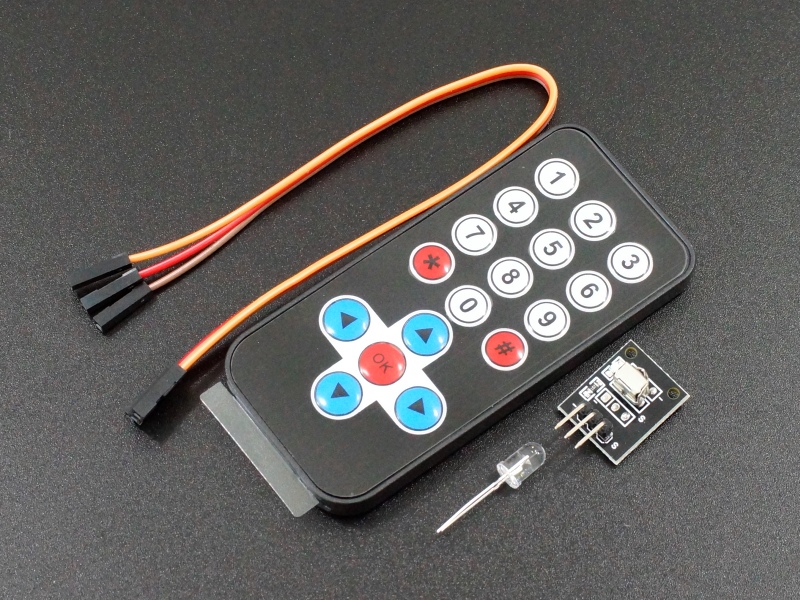
- IR bridges can connect IR-only devices to your Wi-Fi or smart home system.
This means you don’t always need new electronics—just a way to connect your IR devices to your smart home.
Credit: protosupplies.com
Future Of Ir Remote Controls
While Bluetooth, RF, and Wi-Fi remotes are rising, IR is not going away soon. Why?
- Millions of devices still use IR.
- It’s perfect for simple, low-power jobs.
- Upgrading all existing devices is costly and wasteful.
However, new remotes may combine IR and other technologies for better flexibility. For example, a smart remote might use IR for your old TV, but Bluetooth for your streaming stick.
Comparing Ir Remote Control With Smartphone Apps
Many people now use their phones as remote controls. How do they compare with traditional IR remotes?
| Feature | Traditional IR Remote | Smartphone App |
|---|---|---|
| Setup Required | None | App installation, sometimes pairing |
| Battery Life | Months to years | Drains phone battery faster |
| IR Blaster Required | Built-in | Only on some phones |
| Convenience | Always ready | May need to unlock phone, find app |
| Multi-device Control | Universal remotes needed | Often supports many devices in one app |
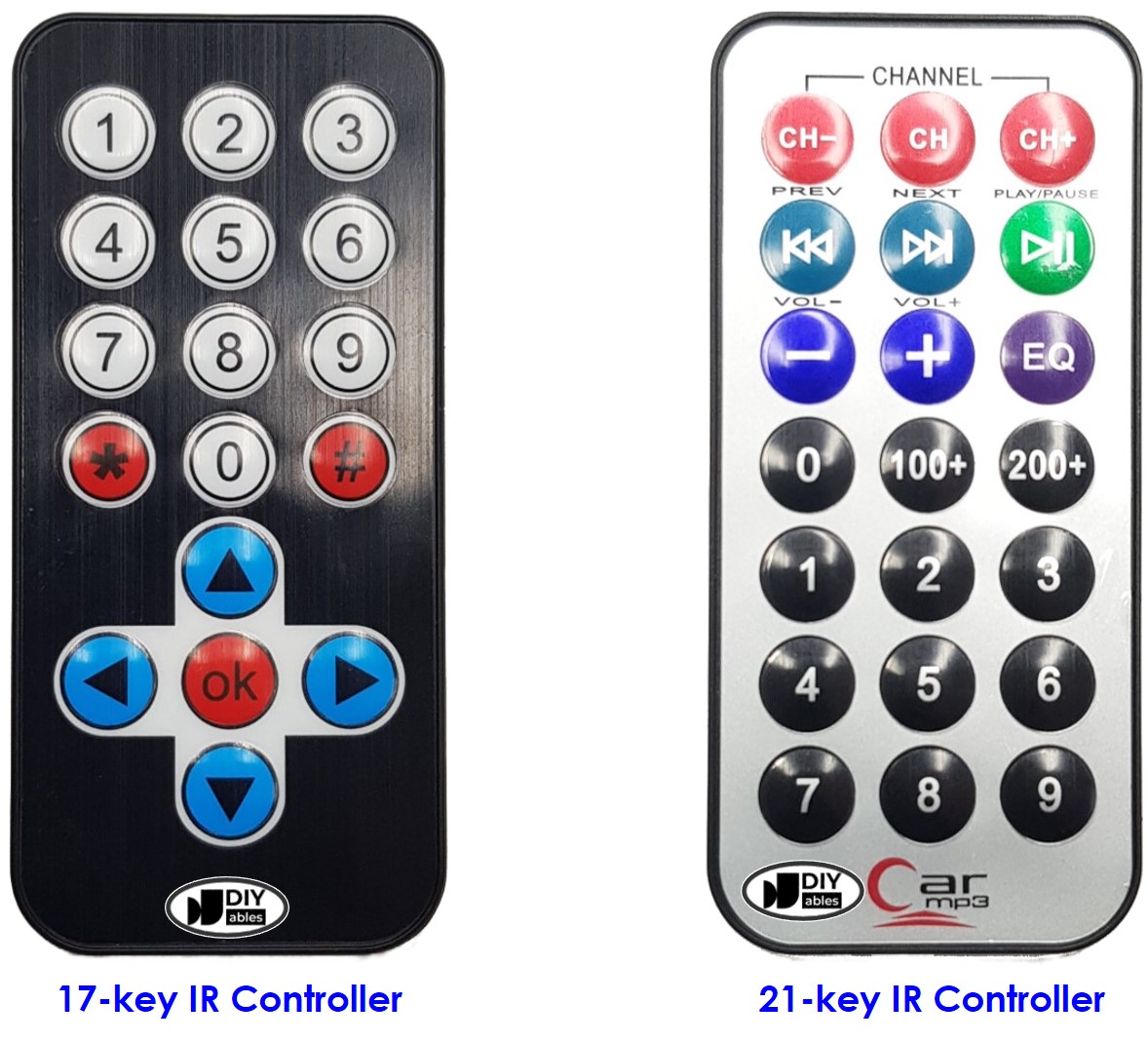
Most new phones no longer have an IR blaster, so you may need to buy an external accessory. If you want simple, instant control, a dedicated IR remote is often better.
Credit: arduinogetstarted.com
Safety And Environmental Considerations
IR remotes are considered very safe:
- IR light is non-ionizing, so it doesn’t harm your body.
- The power level is extremely low—much less than a flashlight.
Environmental Impact
Most IR remotes use AAA or AA batteries. Old batteries can pollute, so recycle them properly. Some remotes now use rechargeable batteries or solar panels to reduce waste.
Building Or Hacking Your Own Ir Remote
Tech hobbyists often build their own IR remotes. Here’s what you need to know:
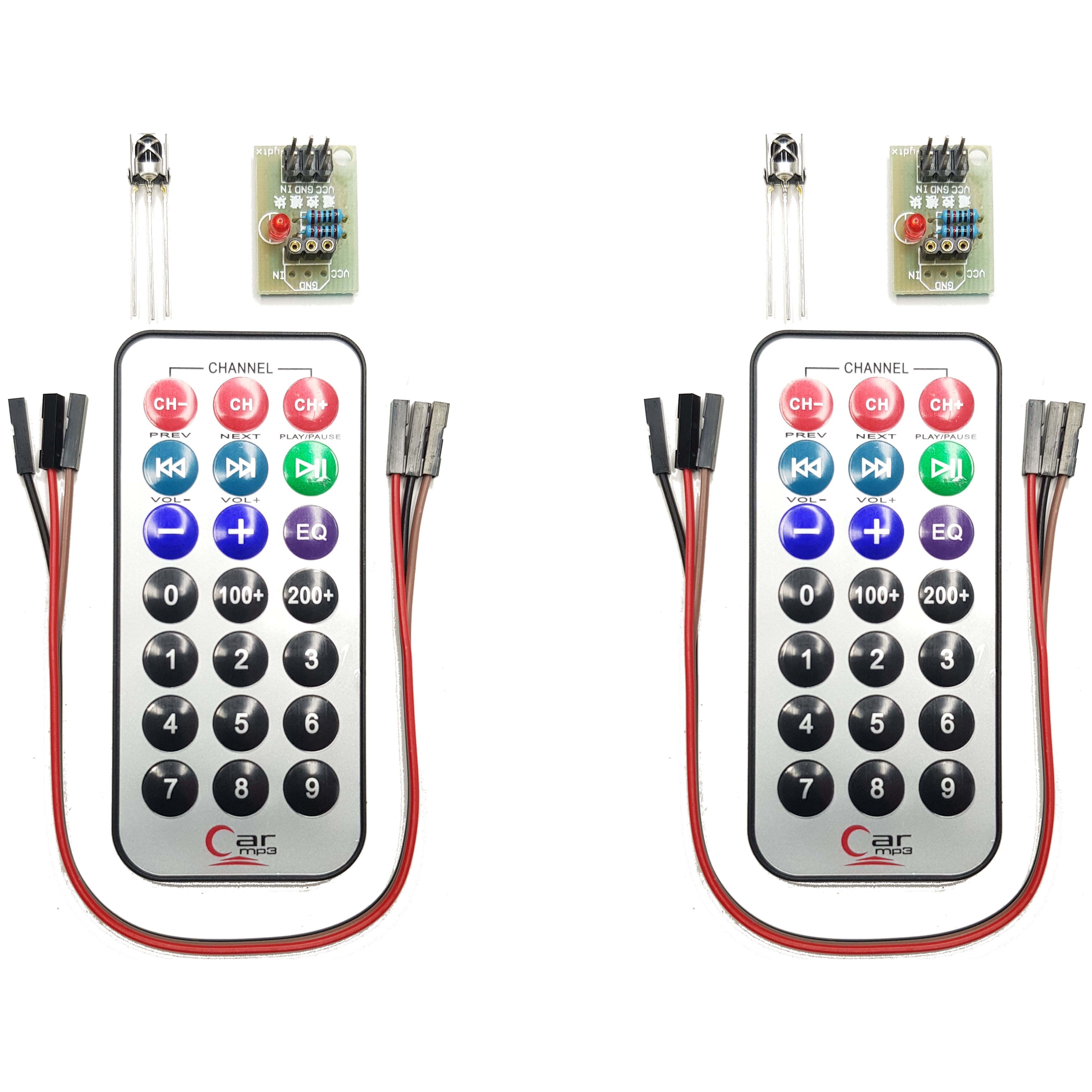
- Microcontrollers like Arduino or Raspberry Pi can send or receive IR signals with a simple IR LED or sensor.
- Many open-source libraries support popular IR protocols.
- You can create custom remotes or automate devices not supported by smart home hubs.
This is a great way to learn about electronics and automation.
Practical Example: Someone might use an Arduino to turn on a TV at a certain time each day, or to control an old fan with a voice assistant.
Universal Ir Remotes: A Closer Look
A universal remote can control multiple brands and types of devices. Here’s how they work:
- Database Method: The remote has a built-in list of codes for thousands of devices. You enter a code, or the remote “searches” for one that works.
- Learning Method: The remote “listens” to your original remote and copies the IR signals.
Benefits
- Fewer remotes to keep track of.
- One remote can control your TV, DVD player, sound system, and more.
- Some universal remotes can even control smart home devices using IR.
Limitations
- May not support very new or very old devices.
- Some universal remotes are hard to program.
Fun Facts And Statistics About Ir Remote Controls
- Over 1 billion IR remotes are made each year.
- The average American home has 4–6 remote controls.
- The Guinness World Record for the most functions on a single remote is over 2,300 buttons!
- Some companies offer IR remotes with voice control and touch screens, combining old and new technologies.
Credit: diyables.io
How To Choose The Right Ir Remote Control
If you need a new remote, here’s what matters:
- Compatibility: Make sure the remote supports your device’s brand and model.
- Number of Devices: For universal remotes, check how many devices it can control.
- Features: Some remotes have backlit buttons, touch screens, or smart home integration.
- Battery Life: Choose remotes with long-lasting batteries.
- Build Quality: Durable remotes last longer, especially in homes with kids or pets.
Common Mistake: Many buyers forget to check if the remote supports all their devices. Look for compatibility lists or “learning” features to avoid disappointment.
Ir Remote Control Standards And Regulations
IR remotes must follow certain standards to work safely and reliably:
- Wavelength: Usually between 850–950 nm (nanometers).
- Power Output: Strict limits prevent eye damage and interference.
- Frequency: Most use 36–40 kHz modulation to avoid overlap.
Tip: If your device and remote use different protocols, they may not work together.
Ir Remote Control And Accessibility
IR remotes help people with disabilities by making devices easier to control from a distance. Some remotes offer:
- Large buttons for easier use.
- Braille markings for the visually impaired.
- Customizable layouts for those with limited movement.
Universal remotes with simple designs can make life easier for seniors or people with arthritis.
Global Use And Variations
IR remotes are used worldwide, but there are some differences:
- Regions: Different brands are popular in different countries. For example, NEC protocol is common in Asia, while RC-5 is common in Europe.
- Voltage and Battery Types: Some remotes use coin cells (CR2025, CR2032), others use AA or AAA batteries.
- Languages: Button labels may be in local languages.
Despite these differences, the basic technology is the same everywhere.
Environmental Challenges And Innovations
Electronics waste is a growing problem. To address this, companies are:
- Making remotes with recycled plastics.
- Offering rechargeable or solar-powered remotes.
- Designing remotes that last longer to reduce waste.
Some brands now offer app-based remotes to reduce physical waste, though this requires compatible devices.
Ir Remote Controls In Industry And Science
Beyond homes, IR remotes are also used in:
- Laboratories: Scientists use them to trigger equipment from a safe distance.
- Medical Devices: Some hospital equipment uses IR control to reduce wires and infection risk.
- Factories: Machines can be started or stopped remotely for safety.
This shows the technology’s flexibility and reliability.
The Science Behind Ir Remote Controls
IR remotes rely on physics principles:
- Infrared Light: Electromagnetic waves just below red in the visible spectrum (700–1000 nm).
- Semiconductor LEDs: Convert electrical energy to IR photons.
- Photodiodes: Detect IR pulses and convert them to electrical signals.
Understanding this science helps engineers design better, more reliable remotes.
For a deeper technical explanation, you can visit the Wikipedia page on remote controls.
Frequently Asked Questions
What Is The Range Of An Ir Remote Control?
Most IR remotes work best within 5–10 meters (16–33 feet). Range depends on the power of the IR LED, the sensitivity of the device’s sensor, and environmental factors like light or obstacles.
Can Ir Remote Signals Go Through Walls?
No, IR signals cannot pass through walls or most solid objects. They need a clear line of sight, though sometimes the signal can bounce off surfaces.
How Do I Know If My Ir Remote Is Working?
An easy way is to point the remote at your smartphone camera and press a button. Most phone cameras can see IR light as a faint glow, even though it’s invisible to your eyes.
What Should I Do If My Ir Remote Is Lost Or Broken?
You can buy a universal remote or use a smartphone app (if your phone has an IR blaster). Make sure the replacement supports your device’s brand and model.
What’s The Difference Between Ir And Rf Remotes?
IR remotes use infrared light and need line of sight. RF remotes use radio waves and can work through walls, at longer distances, and with less precise aiming.
Final Thoughts
The IR remote control is a simple, affordable tool that has changed how we interact with electronics. Even as smart homes and new wireless technologies grow, IR remotes remain a reliable choice for millions of devices. Understanding how they work, their strengths and limits, and how to choose or troubleshoot them can make life easier—whether you’re watching TV, managing smart gadgets, or building your own DIY projects. The next time you pick up a remote, you’ll know the science and history behind this everyday device.