
Wi-Fi dead zones and slow connections are frustrating, whether you’re working from home, streaming a movie, or trying to cover a larger space. Many people end up buying extenders or new routers, only to find their coverage and speed still aren’t consistent.
Mesh routers promise to solve these problems, but the options can feel overwhelming. There are different brands, Wi-Fi versions, and coverage claims. Some look almost identical, but the details matter. The price range is wide, and it’s not always clear what you’re really paying for.
It’s easy to buy more than you need, or not enough.
This guide will help you cut through the confusion and focus on what actually matters for getting the best mesh router for your money.
What To Know Before You Choose
- Coverage claims can be optimistic—think about your home’s layout and walls, not just square footage.
- Wi-Fi 6 and 7 bring more speed and future-proofing, but older devices still work fine on most new mesh systems.
- Don’t pay extra for features you won’t use, like lots of Ethernet ports or tri-band unless you have special needs.
- Security updates and easy setup matter, especially if you don’t want to tinker often.
- Price doesn’t always match performance—some affordable systems work just as well for most homes.
Who Gets The Most Value From Mesh Routers
- People with larger homes or tricky layouts where a single router struggles.
- Households with many connected devices spread across rooms or floors.
- Anyone tired of switching Wi-Fi networks or dealing with range extenders.
The products below were selected to cover a range of needs and budgets, from simple upgrades to more advanced setups. Each one fits a different type of home or user, so you can find what’s right for you.
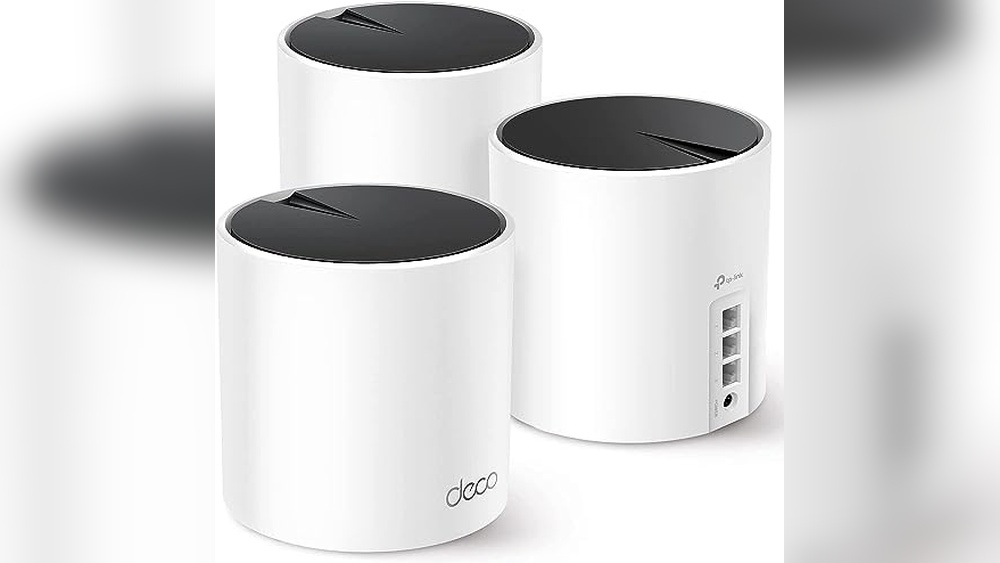
Tp-link Deco X55 Mesh Wifi 6 System
Among the Best Mesh Routers for the Money, this system delivers wide coverage and strong device support for busy homes.

The TP-Link Deco X55 Mesh WiFi 6 System is designed to cover large homes with seamless, high-speed Wi-Fi. By replacing traditional routers and extenders, it helps eliminate dead zones and buffering, so everyone can stay connected. Its strong mesh technology supports up to 150 devices, making it practical for families or small offices where many devices are in use.
If you need reliable coverage for multiple floors or a wide area, this system stands out.
Daily use feels smooth and dependable, with consistent speeds throughout the house and less need to troubleshoot Wi-Fi issues. Setup is straightforward, and once running, the network just works—letting you stream, game, or work without interruptions. The peace of mind from having built-in security features and solid coverage is a real plus, especially for those who just want Wi-Fi to work without extra effort.
Why People Choose This Mesh System
- Wide coverage up to 6,500 sq.ft. Eliminates Wi-Fi dead zones
- Handles up to 150 devices without slowdowns
- Wi-Fi 6 technology for faster, more efficient connections
- Each unit has 3 Gigabit Ethernet ports for flexible wired connections
- Simple setup and easy expansion with additional Deco units
- Designed with advanced security in mind
Things To Consider Before Buying
- Requires at least two or more units for full coverage in larger homes
- Lacks advanced customization for power users
- Physical units are slightly bulky compared to some alternatives
When I’d Pick This
If you want hassle-free, whole-home Wi-Fi and are tired of dead spots, the Deco X55 Mesh WiFi 6 System is a smart choice. It’s best for homes where many people and devices compete for bandwidth, or for those who work and stream in different rooms.
It removes the stress of managing multiple boosters and solves the guesswork of why your Wi-Fi keeps dropping.
To get the most from this system, place the units in open areas away from thick walls for optimal coverage. You’ll enjoy consistent, reliable speeds and the confidence that security is built-in. For anyone who just wants their Wi-Fi to work—without fiddling with settings—this setup delivers peace of mind and a smoother daily experience.
| Best for | Why |
|---|---|
| Large homes or multi-story spaces | Wide coverage eliminates dead zones and keeps speeds consistent |
| Households with many devices | Supports up to 150 connected devices without slowdowns |
| Users seeking simple setup and management | Easy to install and expand as needs grow |
| Anyone wanting built-in security features | Designed with advanced security as a core requirement |
Tp-link Archer Ax21 Mesh Wifi Router
A standout in Best Mesh Routers for the Money, offering reliable Wi-Fi 6 coverage and easy mesh expansion for homes needing stable, fast connections.

The TP-Link Archer AX21 Mesh WiFi Router is designed to solve connectivity issues for busy households. Its Wi-Fi 6 technology improves speed and reduces congestion, making it easier to connect multiple devices without slowdowns. Dual-band support ensures you get fast and stable internet for everyday streaming and gaming.
Using this router feels seamless—setup is quick, and coverage stays strong even in rooms far from the main unit. Mesh capability means expanding your network is simple, and you can count on consistent performance day-to-day. The design is practical and fits neatly on most shelves or desks.
What Sets This Router Apart
- Wi-Fi 6 for faster speeds and less congestion
- Handles multiple devices at once with OFDMA
- Mesh-ready for easy network expansion
- Beamforming and high-gain antennas boost coverage
- Advanced security commitment with Secure-by-Design pledge
- Works with Alexa for smart home integration
- Free expert support from TP-Link
Points To Consider Before Buying
- Requires a separate modem for internet access
- Does not support the 6 GHz band
- Performance may vary based on walls and distance
My Practical Take
This router is ideal for families or anyone with lots of devices who want reliable Wi-Fi without spending extra on features they won’t use. It cuts out the hassle of dropped connections, letting you stream, work, and game with fewer interruptions.
Mesh support removes the guesswork of covering larger spaces—just add another unit when you need it.
For best results, place the router centrally and away from heavy walls. The strong antennas and beamforming help, but positioning matters. You’ll notice fewer surprises in daily use, and TP-Link’s cybersecurity focus brings peace of mind for your connected devices.
If you value straightforward setup and steady performance, this is a safe bet.
| Best for | Why |
|---|---|
| Homes with many devices | Wi-Fi 6 and OFDMA handle simultaneous connections smoothly |
| Users seeking mesh expansion | Easy Mesh support lets you add coverage as needed |
| Smart home owners | Alexa compatibility integrates with voice control |
| Security-conscious buyers | Secure-by-Design pledge ensures ongoing safety updates |
Tp-link Deco X55 Wifi 6 Mesh
Among the Best Mesh Routers for the Money, this TP-Link Deco X55 offers strong whole-home Wi-Fi coverage for demanding users.

The TP-Link Deco X55 WiFi 6 Mesh system is designed to solve weak Wi-Fi spots and buffering in larger homes. It replaces traditional routers and extenders, offering seamless coverage for up to 4500 square feet. With Wi-Fi 6 technology, it handles busy homes and multiple devices without slowing down.
Using the Deco X55 feels effortless—devices stay connected as you move, with no need to manually switch networks. Setup is straightforward, and the system is reliable day-to-day. You can confidently stream, work, or game without interruptions, enjoying consistent speeds everywhere.
Key Benefits For Home Networking
- Eliminates dead zones with wide coverage
- Handles up to 150 connected devices
- Simple setup and management
- Three gigabit ports per unit for flexible wired connections
- Supports Ethernet backhaul for faster, stable speeds
- Advanced security built-in, backed by CISA pledge
What To Consider Before Buying
- May be overkill for small apartments
- No bundled Wi-Fi extender—system replaces old devices
- Limited color options (white only)
- Requires two units for full advertised coverage
What I’d Tell A Friend
If you’re tired of patchy Wi-Fi and juggling extenders, the Deco X55 is a solid fit for homes with lots of devices or tricky layouts. It removes the guesswork from network setup and lets you focus on enjoying fast, stable internet.
Families and remote workers will appreciate the peace of mind from reliable coverage and built-in security features. For best results, place each unit where coverage matters most—like near busy living spaces or home offices. I’d choose this if I wanted a hassle-free upgrade that just works.
| Best for | Why |
|---|---|
| Large homes with multiple floors | Consistent Wi-Fi coverage eliminates dead zones |
| Families with many devices | Handles up to 150 connections without slowing down |
| Remote workers and streamers | Wired and wireless stability for video calls and streaming |
| Security-conscious buyers | Built with advanced security backed by industry standards |
Tp-link Deco S4 Mesh Wifi System
For Best Mesh Routers for the Money, the Deco S4 delivers whole-home coverage and seamless connectivity at a budget-friendly price.

The TP-Link Deco S4 Mesh WiFi System is designed to eliminate WiFi dead zones and replace both your router and extender. Its three-unit mesh setup offers a single, unified network that covers up to 5,500 square feet, making it ideal for larger homes or multi-story spaces.
If you want to avoid juggling multiple network names and passwords, this system keeps things simple.
Daily use feels stable and hassle-free, with devices automatically connecting to the strongest signal as you move around. The consistent coverage means you can stream, work, or game in any room without annoying dropouts. Setup is straightforward, and ongoing management is minimal—just set it up and enjoy reliable WiFi throughout your home.
Why Users Choose This Mesh System
- Seamless coverage up to 5,500 sq. Ft. with no dead zones
- Single network name and password for the whole home
- Handles up to 100 connected devices smoothly
- Automatic device handoff between units for uninterrupted WiFi
- Simple setup process and easy expansion
- Works with Alexa for voice control integration
Potential Considerations
- Not the fastest option for heavy-duty gaming or advanced users
- No built-in advanced parental controls
- May not suit those needing WiFi 6 or higher-end features
What I’d Tell A Friend
If you want reliable WiFi in every corner of your home without fiddling with extenders or multiple routers, the Deco S4 is a smart pick. It’s best for families or anyone tired of guessing why their signal drops in certain rooms.
The system removes the stress of managing complex networks and lets you focus on enjoying stable internet everywhere.
For best results, place the units evenly throughout your home—especially near high-traffic areas. Once set up, you’ll notice fewer surprises with slow speeds or dropped connections, so you can work and relax with confidence. I appreciate how little attention it needs after installation—truly set-and-forget WiFi.
| Best for | Why |
|---|---|
| Homes with WiFi dead zones | Mesh coverage fills gaps and provides stable signal in every room |
| Families with many devices | Supports up to 100 connections without network slowdowns |
| Users who want simple setup | Unified network name and password make management easy |
| Alexa-enabled smart homes | Works with Alexa for added voice control convenience |
Tp-link Deco X55 Wifi 6 Mesh Router
A top pick in Best Mesh Routers for the Money for reliable whole-home coverage and easy expansion.

The TP-Link Deco X55 WiFi 6 Mesh Router is made to fix weak Wi-Fi spots in your home. It works as a stand-alone router and covers up to 2500 square feet, so you can enjoy strong internet even in far corners.
If you need more coverage, you can add extra Deco units without hassle.
Using this mesh system feels seamless, with less buffering and fewer dead zones. You get steady speeds and the confidence that your connection won’t drop when moving from room to room. Setup is simple, and the router’s built-in security features give peace of mind for families or anyone who values safety.
What Makes It Stand Out
- Eliminates weak Wi-Fi areas across your home
- Expandable coverage with easy add-on units
- Supports next-gen WiFi 6 for faster speeds
- Three Gigabit Ethernet ports for flexible wired connections
- Works as a mesh or traditional router
- Strong security commitment for safer browsing
- Simple, straightforward setup process
Points To Consider Before Buying
- Single unit limits coverage to 2500 sq.ft.—larger homes require more units
- No advanced gaming or smart home features
- Physical dimensions may not suit tight spaces
- Does not include built-in parental controls
Where This Shines
This mesh router is best for people who want reliable Wi-Fi in medium-sized homes and don’t want to deal with dead zones. It’s ideal for families, apartment dwellers, or anyone tired of weak spots and buffering.
The Deco X55 removes the stress of guessing where your signal will drop and makes it easy to expand coverage as needed. For the best results, place the unit in a central location and consider adding more Decos if your home is larger or has thick walls.
With advanced security built in, you get peace of mind knowing your network is designed for safety. I appreciate how simple setup feels, especially for anyone who doesn’t want to tinker with complicated settings.
| Best for | Why |
|---|---|
| Medium-sized homes | Covers up to 2500 sq.ft. with strong signal |
| Users needing easy expansion | Add more Deco units for seamless coverage |
| Families wanting safer browsing | Built with security as a core feature |
| Anyone tired of Wi-Fi dead zones | Mesh system eliminates weak spots and buffering |
Eero 7 Dual-band Mesh Wi-fi 7 (2-pack)
A top pick for Best Mesh Routers for the Money if you want wide coverage and solid Wi-Fi 7 performance without overpaying.
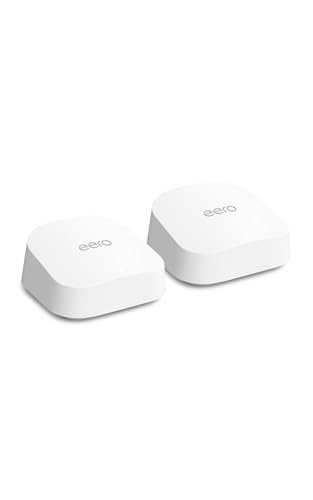
The eero 7 Dual-Band Mesh Wi-Fi 7 (2-Pack) is a simple way to upgrade your home network and remove weak Wi-Fi spots. With support for fast internet plans up to 2. 5 Gbps and coverage for large homes, it’s designed for people tired of unreliable connections.
The two-pack system means you can cover up to 4,000 sq. Ft. , making it a practical choice for most households.
Using eero 7 day-to-day means you’re less likely to lose connection when moving from room to room or streaming on multiple devices. Setup and expansion are straightforward thanks to backward compatibility with other eero models. It feels reliable, and once installed, you won’t have to think much about your Wi-Fi again.
Why Users Like This Mesh System
- Strong coverage for up to 4,000 sq. Ft. with two units
- Handles 120+ connected devices smoothly
- Wi-Fi 7 support for future-ready speeds
- Reduces dead zones and network dropouts
- Compatible with older eero devices for easy upgrades
- Simple to set up and expand
Consider Before Buying
- Does not support internet plans above 2.5 Gbps
- May be more coverage than needed for small apartments
- Requires eero app and account for setup
Who This Fits Best
This eero 7 pack is best for families or anyone in a midsize or larger home who wants fast, consistent Wi-Fi without overcomplicating things. It’s a strong fit if you’re frustrated by dead spots or unreliable connections, especially when streaming or working from home.
The mesh setup takes the guesswork out of coverage, so you don’t need to reposition routers or fiddle with settings.
If you use many devices or need flexibility for the future, this model removes the hassle of upgrades since it supports new and older eero units. For a smoother experience, place one unit near your main router and the other on the opposite side of your space—this helps maximize coverage and cut down on surprises.
It’s a straightforward way to get reliable Wi-Fi, and I like that it just works once set up.
| Best for | Why |
|---|---|
| Homes with many devices | Handles 120+ connections without slowing down |
| Eliminating Wi-Fi dead zones | Mesh system ensures signal in every room |
| Upgrading for future internet plans | Supports Wi-Fi 7 and up to 2.5 Gbps speeds |
| Mixing new and older eero units | Backward compatible with previous eero generations |
Google Wifi Mesh Router (1-pack)
For those seeking Best Mesh Routers for the Money, this Google Wifi Mesh Router offers reliable home coverage with easy setup and strong streaming performance.

Google Wifi Mesh Router is a single-unit mesh system designed to cover up to 1500 square feet, helping eliminate Wi-Fi dead zones throughout your home. It replaces your existing router and can be expanded with more units for larger spaces.
The main appeal here is consistent coverage and simple control, especially in homes where buffering and dropouts are common.
Daily use is straightforward—setup takes just a few steps using the Google Home app, so you don’t have to fuss with complicated menus. The system works quietly in the background to keep your connection fast, so you can stream or work without interruptions.
Parental controls are built-in for easy screen time management. The peace of mind comes from knowing your network just works, without constant tweaking.
Why It Stands Out
- Blankets up to 1500 sq ft with reliable mesh coverage
- Quick, app-based setup with clear guidance
- Consistent speed ideal for streaming and video calls
- Expandable system for larger homes
- Parental controls to manage devices and content
- Works behind the scenes to optimize performance
Consider Before Choosing
- One unit may not be enough for multi-story or very large homes
- No advanced customization for networking enthusiasts
- Requires Google Home app and account for setup
What I’d Tell A Friend
If your main goal is hassle-free Wi-Fi across a typical apartment or small home, the Google Wifi Mesh Router (1-Pack) is a solid fit. It takes the guesswork out of network setup and keeps things running smoothly, so you spend less time troubleshooting and more time enjoying reliable connections.
The app makes it easy to pause Wi-Fi for kids or manage devices without digging through settings.
For best results, place the router in a central location away from thick walls. If you ever need more coverage, you can add extra units as your needs grow. You’ll feel confident knowing your Wi-Fi is stable, with fewer interruptions or surprises—even when everyone’s online at once.
I appreciate how it just works, with minimal upkeep.
| Best for | Why |
|---|---|
| Small homes or apartments | One unit covers up to 1500 sq ft effectively |
| Families needing simple parental controls | Pause Wi-Fi and manage screen time easily |
| Users frustrated by buffering or dead zones | Mesh design eliminates weak spots for smooth streaming |
| People new to mesh networks | App-guided setup makes installation stress-free |
Eero 7 Dual-band Mesh Wi-fi 7 (3-pack)
A top pick among Best Mesh Routers for the Money, this eero 7 system offers reliable, future-ready Wi-Fi for busy homes.

The eero 7 Dual-Band Mesh Wi-Fi 7 (3-Pack) is designed to eliminate dead spots and keep your whole home connected. With support for fast internet plans up to 2. 5 Gbps, it’s a practical option for those wanting reliable Wi-Fi without overspending.
The system is easy to set up and helps ensure your devices stay online wherever you are in the house.
Day to day, you’ll notice consistent speeds and fewer interruptions whether you’re working, streaming, or gaming. The network feels stable and you don’t have to think about moving closer to the router. For homes with many devices, it helps reduce the hassle of managing connections and lets you enjoy Wi-Fi in every room.
Why People Choose This Mesh System
- Expands coverage up to 6,000 sq. Ft. for large homes
- Handles 120+ devices without slowing down
- Minimizes Wi-Fi dead zones and dropouts
- Future-proofs with Wi-Fi 7 compatibility
- Works with older eero models for easy upgrades
- Simple to install and manage
Things To Keep In Mind
- Maximum wireless speeds depend on your internet plan and device support
- No advanced parental controls or security tools included
- Three-pack may be more than needed for small apartments
Who This Fits Best
This mesh system is a smart choice for families or anyone with a lot of devices who wants seamless Wi-Fi across a larger home. It takes away the stress of slow zones and lets you forget about constantly reconnecting or troubleshooting.
If you already own older eero units, you can mix them in for even more coverage.
To get the best results, place each unit in open areas for maximum reach. The system gives peace of mind by keeping your network stable, so you’re less likely to run into surprise disconnects. I like that you can expand or upgrade over time without starting from scratch.
| Best for | Why |
|---|---|
| Large homes with Wi-Fi dead spots | Covers up to 6,000 sq. ft. and minimizes dropouts |
| Households with many devices | Supports 120+ connections for busy families |
| Upgrading to Wi-Fi 7 | Ready for the newest speeds and backward compatible |
| Existing eero users | Works with older eero models for easy expansion |
Netgear Orbi 370 Wifi 7 Mesh System
A top pick among Best Mesh Routers for the Money, this system is ideal for covering large homes with strong, reliable WiFi without overpaying for extras.

The NETGEAR Orbi 370 WiFi 7 Mesh System is a whole-home solution for fast, consistent wireless coverage. If you have lots of devices or dead spots, this mesh kit helps eliminate frustrating drops and slow speeds. With support for the latest WiFi 7 standard, it’s designed for busy households that need stable internet everywhere—without needing a built-in modem.
Day to day, using this mesh system means you can move from room to room without losing your connection. Setup is straightforward, and security is built in, so you don’t have to worry about updates or risks. Once installed, it just works—keeping your home network fast and safe, even as more devices connect.
Why It’s A Strong Contender
- Handles up to 70 devices without slowing down
- WiFi 7 means faster speeds and better support for new tech
- Built-in security features and automatic updates
- Covers up to 6,000 sq.ft.—great for large or multi-story homes
- Dual-band design with enhanced backhaul for stable whole-home coverage
- Backward compatible with older devices
Potential Drawbacks To Consider
- Does not include a cable modem—needs to be paired with your own
- Three-piece kit may be more than needed for small apartments
- WiFi 7 benefits are best for homes with newer devices
What I’d Tell A Friend
If your home’s WiFi struggles with lots of users, the Orbi 370 is a strong fit. It’s best for families or remote workers who want a set-it-and-forget-it network that handles streaming, gaming, and smart devices without headaches. The automatic security updates remove the hassle of manual checks and help protect your privacy.
To get the most out of this system, position the extenders in different corners of your home to eliminate weak spots. This not only strengthens your connection but also gives peace of mind that everyone can stay online, even in the farthest rooms.
I like that you don’t have to babysit it—once it’s set up, it just works.
| Best for | Why |
|---|---|
| Large homes with many devices | Handles up to 70 devices across 6,000 sq.ft. for seamless coverage |
| Households upgrading to WiFi 7 | Delivers faster speeds with future-proof compatibility |
| Families concerned about network security | Includes built-in protections and automatic firmware updates |
| Users needing reliable coverage in every room | Dual-band mesh design reduces dead zones and dropouts |
Eero Pro 7 Tri-band Mesh Wi-fi 7
One of the Best Mesh Routers for the Money, the eero Pro 7 delivers strong Wi-Fi 7 coverage for demanding homes and small businesses.

The eero Pro 7 Tri-Band Mesh Wi-Fi 7 is a set of three routers designed to blanket large homes or offices with reliable, high-speed wireless coverage. With support for internet plans up to 5 Gbps and coverage up to 6,000 square feet, it solves the problem of dead spots and inconsistent connectivity in multi-room spaces.
Using this mesh system means your devices stay connected as you move from room to room, even on different floors. It’s built for heavy use, easily handling dozens—or hundreds—of devices without slowing down. Most users will notice fewer dropouts and far less time spent troubleshooting Wi-Fi issues.
What Makes This Mesh Kit Stand Out
- Strong Wi-Fi 7 performance for fast connections
- Covers large areas up to 6,000 sq. Ft.
- Handles 600+ devices at once
- Eliminates dead zones throughout the home
- Two auto-sensing 5 GbE ports for high-speed wired devices
- Backward compatibility with all previous eero generations
- Works with select Amazon Echo devices with eero Built-in
Points To Consider Before Buying
- Performance may be more than needed for small homes or apartments
- Larger physical size compared to some compact mesh options
- Requires Wi-Fi 7-compatible devices to see top wireless speeds
Why This Makes Sense
This mesh system is best for households or small businesses where seamless coverage and high speeds are critical—especially with many connected devices or heavy streaming and video calls. It removes the hassle of Wi-Fi dead zones and the stress of dropped signals, even in multi-story spaces.
For best results, place the three units evenly throughout your home and use the 5 GbE ports for the most demanding wired devices.
Peace of mind comes from knowing your network can keep up as your needs grow, with support for the latest Wi-Fi 7 standard and backward compatibility. If you value consistent, reliable internet everywhere you need it, this setup is a solid choice.
I like that it quietly handles network traffic without needing constant attention.
| Best for | Why |
|---|---|
| Large homes with multiple floors | Eliminates dead spots and keeps coverage strong in every room |
| Busy households with many devices | Handles 600+ connections for smooth streaming and smart home use |
| Upgrading to Wi-Fi 7 speeds | Ready for the latest devices and highest-speed internet plans |
| Small offices needing consistent uptime | Reliable connectivity across workspaces without signal drops |
How To Choose A Mesh Wi-fi System
Understand Your Space
Consider the total square footage you need to cover and the number of floors. Mesh systems are designed for whole-home coverage, but performance can vary in homes with thick walls or unusual layouts.
Number Of Devices
Count how many devices connect at the same time. Some mesh systems handle over 100 devices, while others are best for smaller networks. If you have many smart home gadgets, prioritize higher device support.
Internet Speed Plans
Match the Wi-Fi system to your internet plan. If you have gigabit internet, choose a system that supports high speeds and multi-gig ports. For basic plans, mid-tier mesh systems are often enough.
Advanced Features
Decide if you need parental controls, security updates, or compatibility with voice assistants. Not all systems support the same features, so check for those that matter in your household.
Common Pitfalls When Buying Mesh Wi-fi
- Overestimating coverage—real-world range is often less than the specs suggest, especially with walls and floors.
- Ignoring compatibility—some mesh systems do not work with all ISPs or require specific modems.
- Assuming all mesh systems are the same—performance, app quality, and updates can differ.
- Not planning for expansion—check if you can add more units later if your needs change.
Who Should Avoid Mesh Wi-fi Systems?
- Small apartments or single-room setups—traditional routers are usually enough.
- Those with very basic internet needs—mesh systems may be more complex and costly than needed.
- Users with highly specialized networking needs—advanced users might prefer customizable enterprise-grade hardware.
Setup And Usage Tips
- Place main units in open, central locations for best coverage.
- Use wired Ethernet backhaul if possible for higher speeds between units.
- Update firmware regularly to keep features and security current.
- Name your network simply to avoid confusion when adding devices.
Faqs
Can I Mix Different Brands Of Mesh Wi-fi Units?
No, mesh units from different brands generally do not work together. Stick to the same brand and model series for best results.
Will A Mesh System Replace My Modem?
No, mesh Wi-Fi systems replace your router, not your modem. You still need your ISP-provided modem for internet access.
How Many Mesh Units Do I Need?
It depends on your home size and layout. Start with the manufacturer’s recommendation and add more if you notice weak spots.
Do Mesh Networks Slow Down My Internet?
Usually, mesh networks improve overall coverage and reduce slow spots. However, speeds may drop slightly with each wireless “hop” if not using Ethernet backhaul.
Is A Wi-fi 7 System Worth It?
Wi-Fi 7 is future-proof but only benefits those with very fast internet plans or many high-performance devices. For most homes, Wi-Fi 6 is still effective.
Can I Use Mesh Wi-fi With Smart Home Devices?
Yes, mesh systems are well-suited for smart homes with many devices. Check for compatibility with your specific gadgets if you rely on smart assistants.
Making Your Final Choice
Choosing a mesh Wi-Fi system depends on your space, device needs, and internet plan. Most buyers benefit by matching coverage claims to their real environment and considering future expansion. Look for features that fit your daily use, and avoid overbuying for simple needs.
With these points in mind, you can select a network solution that brings stable, reliable connectivity throughout your home.