
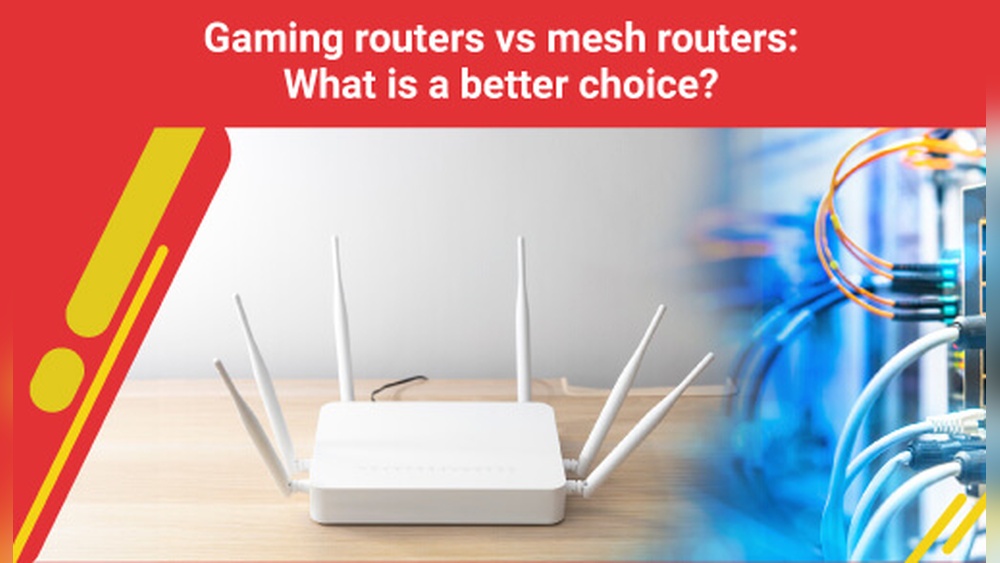
Are Mesh Routers Good For Gaming
Gaming is not just a hobby—it’s a passion that demands speed, stability, and reliability. Every split-second delay can mean the difference between victory and defeat. If you’re a gamer, you know that a strong internet connection is as important as a powerful PC or console. But what if your Wi-Fi struggles to cover your home? Many gamers wonder: are mesh routers good for gaming? This question is more complex than it seems. Mesh routers promise seamless coverage, but does that mean they’re truly fit for the fast-paced world of online gaming? This article explores the facts, reveals hidden pitfalls, and helps you decide if mesh Wi-Fi is the right choice for your setup.
What Is A Mesh Router?
A mesh router system is a type of Wi-Fi network that uses two or more devices (called nodes) to spread wireless internet across a large area. Unlike a single traditional router, which broadcasts from one spot, mesh routers work together to cover every corner of your home. When you move from room to room, your device automatically connects to the nearest node. This creates a “mesh” of coverage, eliminating dead zones and weak spots.
Mesh systems are popular in large homes, apartments with thick walls, or places where a normal router can’t reach. Many well-known brands like Google Nest Wifi, Netgear Orbi, and TP-Link Deco offer mesh solutions. These systems are easy to set up and often come with user-friendly apps for managing your network.
But how does this technology affect your gaming experience? Let’s look deeper.
What Gamers Need From A Network
Not all Wi-Fi is created equal, especially for gamers. Gaming puts unique demands on your network. Here’s what matters most:
- Low Latency: Also called “ping,” latency is the delay between sending a command and seeing the result in-game. Lower is always better.
- Stable Connection: Sudden drops or lag spikes can ruin gameplay.
- High Bandwidth: Some games, especially those with rich graphics or real-time updates, need more data per second.
- Quality of Service (QoS): The ability to prioritize gaming traffic over other devices.
- Wired Options: Ethernet connections are still the gold standard for the lowest ping and most stable link.
A network that meets these needs can make online gaming smooth and competitive.
How Mesh Routers Work
To understand if mesh routers are good for gaming, it’s important to see how they function. In a mesh network, one node acts as the main hub (the “gateway”), and the rest communicate wirelessly with each other to extend coverage.
Data travels from your device to the nearest node, then hops through the mesh until it reaches the gateway and finally the internet.
Some mesh systems use a dedicated backhaul—a special channel for communication between nodes—while others share bandwidth between devices and backhaul traffic.
Mesh Vs. Traditional Routers
Here’s a quick comparison of how mesh routers and traditional single routers stack up for gaming:
| Feature | Mesh Router | Traditional Router |
|---|---|---|
| Coverage | Excellent (whole-home) | Limited (dead zones possible) |
| Ease of Setup | Simple, app-based | Can be complex |
| Latency | Can increase with each hop | Usually lower if close to router |
| Wired Ports | Often limited per node | Usually several on main unit |
| Advanced Features | Varies by brand | Often more customization |
Advantages Of Mesh Routers For Gaming
Mesh routers offer several benefits that can help gamers, especially in certain environments.
1. Full-home Coverage
One of the biggest advantages is seamless coverage. If you game in a basement, attic, or far from your main router, a mesh system ensures you have a strong signal everywhere. No more moving your console or PC just to get better Wi-Fi.
2. Easy Expansion
Mesh networks are modular. If you move or renovate, you can simply add another node. This flexibility means your network grows with your needs.
3. Simple Management
Most mesh systems use intuitive apps. Features like parental controls, device monitoring, and guest networks are often just a tap away. For families, this makes managing screen time and network security easier.
4. Roaming Without Drops
With mesh Wi-Fi, your device switches between nodes automatically. This means you can move around your home while gaming on a handheld device without losing connection—a plus for mobile and cloud gamers.
5. Clean Design
Mesh nodes are usually small and stylish. You can place them anywhere without messing up your room’s look, which can be important in shared spaces.

Credit: www.amazon.com
Disadvantages And Limitations For Gaming
While mesh routers solve many problems, they also have drawbacks, especially for gamers who need the best possible connection.
1. Added Latency
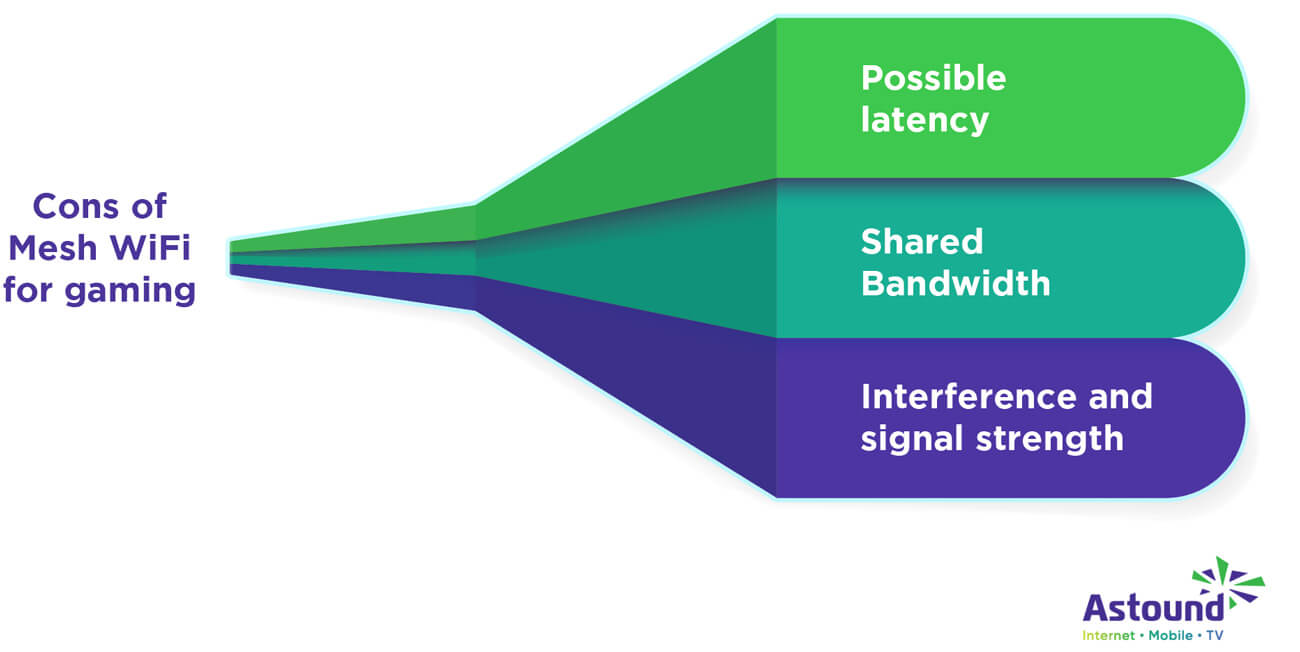
Each time data hops from one mesh node to another, a tiny bit of latency is added. For most online activities, this doesn’t matter. But in fast-paced games like Fortnite, Counter-Strike, or Call of Duty, even a few extra milliseconds can make a difference.
Real-world Example
If your gaming PC connects to a mesh node in your bedroom, but the gateway node is two rooms away, your data travels through at least two nodes before reaching the internet. Each hop adds 2–5 ms of latency. This can stack up quickly, especially if your home has thick walls or a complicated layout.
2. Shared Bandwidth
Unless your mesh system has a dedicated backhaul, nodes share their wireless bandwidth between devices and communication with each other. If someone streams 4K video or downloads large files on the same mesh node, your gaming packets may face congestion, causing lag or jitter.
3. Limited Ethernet Ports
Many mesh nodes have only one or two Ethernet ports. If you prefer wired connections for gaming, you might need to buy a separate network switch.
4. Price
Mesh systems cost more than many traditional routers. A high-quality mesh kit can range from $200–$500 or more, especially with multiple nodes.
5. Limited Advanced Settings
Some mesh systems simplify things so much that advanced settings like QoS, port forwarding, or custom firmware are limited or missing. Hardcore gamers who like to tweak every detail may find this restrictive.
Mesh Routers Vs. Gaming Routers
A gaming router is designed with features tailored for low latency and high-speed connections. These features can include:
- Advanced QoS that prioritizes gaming traffic
- High-performance CPUs
- Multiple antennas for strong signal
- Custom firmware and settings
How Do Mesh Routers Compare?
| Feature | Mesh Router | Gaming Router |
|---|---|---|
| Coverage | Whole-home | Strong but limited by range |
| Latency | Higher with multiple hops | Lowest possible |
| QoS | Basic or missing | Advanced controls |
| Wired Options | Few ports per node | Many ports |
| Design | Minimalist | Often large/flashy |
In short, mesh routers win on coverage and convenience, while gaming routers excel in raw speed, advanced settings, and the lowest possible ping.
Credit: www.astound.com
When Is A Mesh Router Good For Gaming?
Mesh routers are not always the best for gaming, but there are cases where they make sense:
- Large Homes or Multi-Story Apartments: If your game room is far from your modem or router, a mesh system can provide a reliable signal where a single router cannot.
- Multiple Gamers or Devices: Mesh networks handle many connected devices well, which is useful for families or shared housing with several gamers.
- Mobile Gaming: For gaming on tablets, phones, or handheld consoles throughout the house, mesh Wi-Fi keeps you connected as you move.
- No Way to Run Ethernet: If you can’t use wired connections due to building design or rental rules, mesh is a good wireless solution.
However, if you can place your gaming device next to a high-quality traditional router and use Ethernet, that’s still the best option for the lowest latency.
Key Features To Consider In A Mesh Router For Gaming
If you decide to try a mesh system for gaming, not all kits are equal. Here’s what to look for:
1. Dedicated Backhaul
A dedicated backhaul means the mesh nodes use a separate wireless or wired channel to talk to each other, not the same one your devices use. This reduces congestion and keeps latency low.
2. Wired Backhaul Support
Some mesh systems let you connect nodes with Ethernet cables. This creates a “wired mesh” that removes most wireless latency between nodes. If you can run cables, this is the best setup for gaming.
3. Qos (quality Of Service)
QoS allows you to prioritize gaming traffic so that downloads or streaming by others don’t ruin your ping.
4. Fast Wi-fi Standards
Look for systems that support Wi-Fi 6 or newer. These offer faster speeds, lower latency, and better handling of many devices at once.
5. Sufficient Ethernet Ports
Check that the nodes have enough wired ports for your gaming devices. If not, budget for a small Ethernet switch.
6. App And Settings
Some mesh systems offer robust smartphone apps, but fewer advanced settings. Research if you need port forwarding, static IPs, or other gaming-specific tweaks.
7. Security
Modern mesh systems include features like automatic updates and malware blocking. While not unique to gaming, a secure network is important for everyone.
Popular Mesh Systems For Gaming
Here’s a look at some mesh Wi-Fi systems that are often recommended for gaming:
- Netgear Orbi (Wi-Fi 6 models): Known for their dedicated backhaul and high speeds.
- Asus ZenWiFi: Offers both wireless and wired backhaul, advanced settings, and good QoS.
- TP-Link Deco X90/X68: Affordable, Wi-Fi 6 capable, and simple to set up.
- Google Nest Wifi Pro: Easy to use, but limited on advanced controls.
- Eero Pro 6E: Great coverage, but advanced controls require a subscription.
Each has strengths and weaknesses. For gaming, focus on models with wired backhaul and robust QoS.
Real-world Testing: Mesh Routers And Online Gaming
Numbers and features are one thing, but what do real-world tests show? Here are some results from reviewers and users:
- A gamer using the Netgear Orbi RBK852 (Wi-Fi 6, dedicated backhaul) reported latency only 2–3 ms higher than a direct Ethernet connection, even when gaming from a mesh node.
- In contrast, a budget mesh system with no dedicated backhaul added 15–25 ms of ping during peak hours, making competitive shooters less enjoyable.
- Wired backhaul setups almost always matched direct router performance, as long as the Ethernet cables were high quality and properly installed.
These tests show that the right mesh system, properly set up, can be good for gaming—especially for casual and non-competitive play.

Credit: www.astound.com
Common Mistakes Gamers Make With Mesh Routers
Even the best mesh system won’t help if used incorrectly. Here are pitfalls to avoid:
- Relying only on wireless backhaul: Unless your home is small or you have a high-end mesh, always use wired backhaul if possible for gaming nodes.
- Placing nodes too far apart: This weakens the signal and increases hops. Keep nodes within clear line of sight if you can.
- Ignoring QoS settings: If your mesh supports traffic prioritization, enable it and set your gaming device as the top priority.
- Forgetting firmware updates: Mesh systems improve over time. Always keep firmware up to date for best performance and security.
- Not checking device support: Some older gaming consoles or PCs may not fully support Wi-Fi 6 or mesh handoff features.
Wired Vs. Wireless: The Final Word For Gamers
No matter how advanced Wi-Fi becomes, a wired Ethernet connection is still king for gaming. If you can run a cable from your mesh node or router to your gaming device, you’ll get the lowest possible ping and no random drops.
Wireless mesh is best when running Ethernet isn’t possible. For casual gaming, streaming, or playing in spots far from the main router, mesh Wi-Fi provides a solid experience. For competitive eSports or high-stakes tournaments, always choose wired if you can.
Expert Tips For Getting The Best Gaming Performance From Mesh Routers
Here are some non-obvious strategies to squeeze the most from your mesh system:
- Use Ethernet for Backhaul: Even one wired link between nodes can drastically cut latency.
- Turn Off Smart Connect: Some mesh systems automatically move devices between 2.4GHz and 5GHz bands. For gaming, lock your device to the fastest band.
- Assign Static IPs: This helps with port forwarding and ensures your gaming device is always prioritized.
- Monitor for Interference: Microwaves, cordless phones, and neighbors’ Wi-Fi can cause interference. Use your mesh app to check for the clearest channels.
- Test Different Node Placements: Small changes in node location can make a big difference. Place them higher up and away from thick walls.
Comparing Mesh Routers To Other Home Networking Solutions
Besides mesh routers and gaming routers, there are other ways to improve your gaming network. How do these options stack up?
| Solution | Pros | Cons |
|---|---|---|
| Mesh Router | Easy to expand, whole-home coverage, simple setup | Can add latency, expensive, fewer advanced settings |
| Gaming Router | Low latency, advanced controls, many Ethernet ports | Limited coverage, can be bulky |
| Powerline Adapter | Uses home wiring, easy to set up, lower latency than Wi-Fi | Performance depends on wiring quality, can cause interference |
| Wi-Fi Extender | Cheap, simple solution for small dead zones | Usually halves bandwidth, not seamless, not great for gaming |
The Future Of Mesh Routers And Gaming
Mesh technology is evolving fast. Wi-Fi 6E and Wi-Fi 7 promise even more speed, lower latency, and better multi-device handling. Some mesh systems are adding advanced QoS and gaming-specific features, closing the gap with traditional gaming routers.
Cloud gaming services like NVIDIA GeForce Now and Xbox Cloud Gaming rely on both fast internet and stable Wi-Fi. As these services grow, mesh networks will continue to improve to meet gamers’ needs.
For now, mesh routers are a solid choice for most gaming households, as long as you know their limits and set them up wisely.
Frequently Asked Questions
Can I Use A Mesh Router For Competitive Gaming?
You can, but it depends on the setup. For the lowest possible latency, use a mesh system with wired backhaul and connect your gaming device via Ethernet. For casual gaming, modern mesh systems are usually good enough. But for high-stakes eSports, a direct wired connection to a gaming router is still the best.
Do Mesh Routers Support Port Forwarding For Gaming Consoles?
Many mesh systems support basic port forwarding, but the process and options vary by brand. Some systems simplify settings and may limit advanced features. Check your mesh router’s app or web interface to see if it offers port forwarding for your specific gaming console.
Is Wi-fi 6 Important For Gaming On A Mesh Network?
Yes, Wi-Fi 6 brings faster speeds, lower latency, and better performance with many connected devices. This is especially useful in homes with lots of smart devices or multiple gamers. If you’re buying a new mesh system, choose one that supports Wi-Fi 6 or newer.
Can I Mix Mesh Routers From Different Brands?
Usually, no. Most mesh systems are designed to work only with nodes from the same brand and product line. Mixing brands can lead to compatibility problems, dropped connections, or missing features. Stick with one brand for your whole mesh network.
Where Can I Find More Info On Optimizing Mesh Networks For Gaming?
You can find detailed guides and reviews on tech websites like PCMag, which regularly tests mesh routers and offers tips for gamers.
Mesh routers are not a magic solution for every gamer, but with the right setup, they can deliver reliable and fast Wi-Fi throughout your home. Understand their strengths and limitations, and you’ll be able to game confidently—no matter where you set up your battle station.