
It’s not always easy to keep an eye on things at home. You want to feel secure, but you don’t want to turn your living room into a tech project.
Picking the best indoor camera for Apple HomeKit is confusing. There are many options, and each one balances features like video quality, privacy, and smart integration differently. Some cameras focus on sharp footage, while others care more about privacy or ease of use.
There are decisions about cloud storage, local recording, and how much control you want over notifications. Costs can range from affordable basics to expensive, full-featured models. Often, what you gain in one area means giving up something in another, whether it’s convenience, price, or privacy.
This guide will help you understand what matters so you can find an indoor camera that fits your space and your habits.
The products below highlight a range of approaches—some focus on privacy, others on video quality, and some try to balance everything. Not every camera is right for everyone, but seeing the differences makes it easier to spot what actually fits your needs.
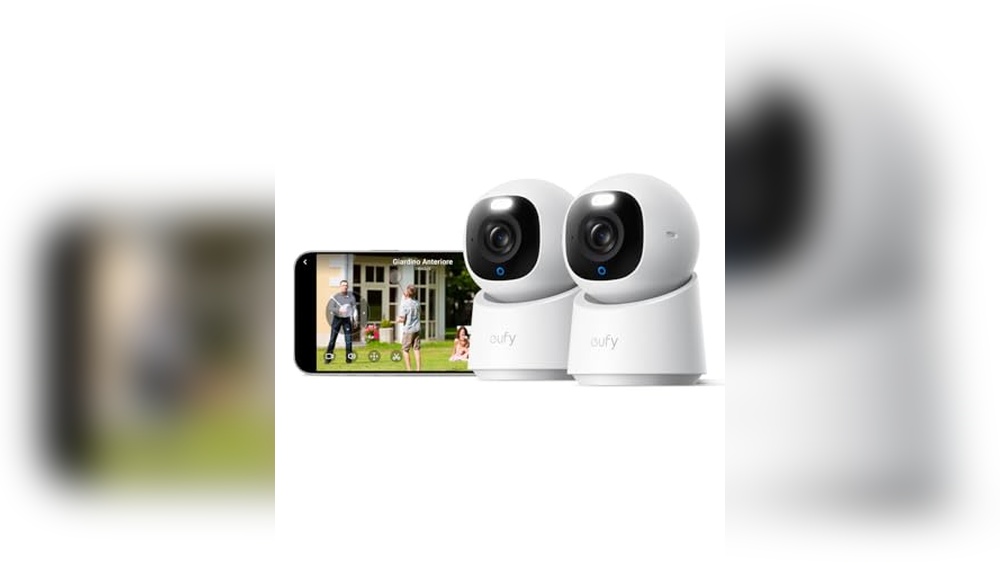
Eufy Indoor Cam E30 4k Pan-tilt (2-pack)
Best Indoor Camera for Apple Homekit users seeking reliable, AI-powered home monitoring with simple integration and peace of mind for families or pet owners.

The eufy Indoor Cam E30 is a compact, intelligent security camera designed to keep your home, loved ones, and pets protected. With crisp 4K video and smooth 360° pan-tilt rotation, it solves the problem of blind spots and grainy footage in indoor surveillance.
Its built-in AI smartly detects and tracks people, pets, and even specific sounds, so you know exactly what’s happening at home.
Using the eufy E30 feels effortless, especially with Apple Homekit compatibility for smooth integration into your smart home. Whether you’re checking in during work or away on vacation, you can rely on clear night vision and real-time notifications. The hands-off approach saves time and gives confidence, knowing your space is monitored without constant manual checks.
- Strengths:
- 4K UHD video clarity for detailed monitoring
- AI-powered detection and auto-tracking for people and pets
- Color night vision with integrated spotlight
- 360° pan-tilt rotation removes blind spots
- Two-way audio for direct communication
- Seamless Apple Homekit compatibility
- Limitations:
- No facial recognition (detects silhouettes only)
- Works indoors only
Is This The Right Fit For You?
This camera is ideal for Apple Homekit users, families, and pet owners who want reliable, high-definition indoor monitoring without fuss. If you need advanced AI tracking and the reassurance of seeing every detail, it’s an excellent choice. However, if you require facial recognition or outdoor use, consider alternative models.
Setup is straightforward, and once installed, you can relax knowing important events are captured and notified automatically. For best results, place the cameras in key rooms and take a moment to explore the app’s focus and panoramic controls—you’ll appreciate how intuitive it feels in daily life.
Let yourself enjoy the day without worrying about what’s happening at home. This camera quietly covers the details, so you don’t have to.
Aqara E1 Homekit Indoor Camera
Best Indoor Camera for Apple Homekit users who want seamless smart home integration and advanced privacy controls.

The Aqara E1 HomeKit Indoor Camera is a smart security camera designed for Apple HomeKit households who value high-quality footage and privacy. With 2K resolution, 360° pan and tilt, and night vision, it offers full-room coverage so you never miss a detail—even in the dark.
Day-to-day, this camera feels reliable and easy to use. Setting up HomeKit Secure Video is straightforward, and features like automated privacy mode and local AI detection give peace of mind that your video is both secure and under your control.
If you want a camera that works with Siri, Alexa, or Google Home, this model fits right in without extra hassle.
- Strengths:
- Full HomeKit Secure Video support with end-to-end encryption
- Automatic privacy mode for enhanced peace of mind
- Flexible storage: cloud, microSD (up to 512GB), or NAS backup
- Local and AI-powered detection for smarter alerts
- Works with Alexa, Google Home, and IFTTT
- Limitations:
- Requires a separate USB-A power adapter (not included)
- Some AI features need an Aqara Home subscription
- Best features are Apple-centric; limited on other platforms
Who Will Appreciate The Aqara E1 Most?
If you’re invested in the Apple HomeKit ecosystem and want a camera that prioritizes privacy without complicated setup, the Aqara E1 is an easy pick. It’s ideal for those who want flexible storage options and smart detection features without dealing with confusing interfaces or hidden costs.
However, if you don’t use HomeKit or want all AI features for free, you might want to explore other options.
This camera takes the stress out of monitoring your space by putting you in control of your data and privacy. As a practical tip, plan to purchase a USB-A power adapter if you don’t already have one. Rest assured, setup and integration with your Apple devices is smooth and reliable.
Eve Cam Indoor Security Camera
The Best Indoor Camera for Apple Homekit, ideal for privacy-focused Apple users seeking effortless smart home integration.

The EVE Cam Indoor Security Camera is a privacy-first smart camera designed exclusively for Apple HomeKit users. It delivers crisp 1080p video, supports end-to-end encrypted HomeKit Secure Video, and instantly alerts you on your iPhone, iPad, or Apple Watch if something unusual is detected at home.
If you’re looking for an indoor camera that doesn’t compromise your privacy, this model stands out with its data protection measures and local processing.
Day-to-day use feels seamless, especially if you’re already invested in the Apple ecosystem. Setup is straightforward, and you don’t have to worry about your footage being accessible to anyone but you. Notifications arrive promptly, and the camera’s ability to distinguish between people and pets means fewer false alarms and more peace of mind.
- Strengths:
- Full support for HomeKit Secure Video with end-to-end encryption
- Works natively with iPhone, iPad, and Apple Watch
- Distinguishes between people and pets for smarter alerts
- Simple, flexible installation in any room
- Considerations:
- Requires a HomePod or Apple TV as a HomeKit hub
- Needs an iCloud+ subscription for video recording features
- Designed only for indoor use
Is The Eve Cam Right For You?
If you’re an Apple HomeKit user who prioritizes privacy and wants a camera that fits perfectly into your existing smart home, the EVE Cam is a natural choice. It’s especially helpful if you want reliable notifications without the hassle of false alarms, and you value knowing your footage stays private.
Those who use Android or need outdoor monitoring should look elsewhere, as this camera is optimized for Apple devices and indoor spaces only. For best results, make sure you have a compatible Apple TV or HomePod, and be prepared for the iCloud+ requirement.
Overall, this camera removes the stress of complicated setup and privacy worries—just install, connect, and let it safeguard your home with minimal fuss.
Aqara G5 Pro Wifi Indoor Camera
The Best Indoor Camera for Apple Homekit is ideal for users who want advanced security features, seamless smart home integration, and reliable HomeKit compatibility.

The Aqara G5 Pro WiFi Indoor Camera is a smart security solution designed for Apple HomeKit users seeking advanced detection and privacy features. Its 4MP HD color night vision lets you monitor your home clearly at all times, and the built-in AI can distinguish between people, vehicles, animals, and detect abnormal sounds—helping you react quickly to any unusual activity.
In daily use, the camera integrates effortlessly with HomeKit Secure Video and other ecosystems like Alexa and Google. With flexible storage options, encrypted local memory, and dual-band WiFi, it provides reliable monitoring without the hassle. I found setup to be straightforward, and notifications are accurate, making the security experience both easy and reassuring.
- Strengths:
- Excellent color night vision with wide field of view
- Advanced AI detection for both visual and audio events
- Supports HomeKit Secure Video for privacy-focused users
- Flexible storage: eMMC, Aqara Cloud, NAS, RTSP
- Dual-band WiFi for stable and fast connectivity
- Works as a hub for Zigbee and Thread devices, expands smart home integration
- Limitations:
- No infrared night vision (uses spotlight for color)
- Does not support third-party Zigbee devices or USB sticks
- Full 24/7 recording only with RTSP/local storage
Is This The Right Fit For You?
If your priority is seamless Apple HomeKit integration and advanced detection for both motion and sound, the Aqara G5 Pro is a solid choice. It’s especially useful for families, pet owners, and anyone wanting to automate their home security with reliable alerts and encrypted video storage.
Those who use Zigbee or Thread devices will appreciate its hub features.
However, if you rely on infrared night vision or need compatibility with third-party Zigbee/USB devices, this may not be the best fit. The camera brings peace of mind by keeping your data private and automating key events—even during internet outages.
To get the most from its features, ensure you have an active iCloud subscription for HomeKit Secure Video, and consider local storage for continuous recording.
Overall, the G5 Pro makes smart security straightforward, and you can trust it to handle the details for you.
Eufy Indoorcam E220 Pan & Tilt
Best Indoor Camera for Apple Homekit—ideal for homeowners seeking reliable smart surveillance that integrates seamlessly with their Apple ecosystem.

The eufy IndoorCam E220 Pan & Tilt is a compact indoor security camera that solves the challenge of monitoring your home with clarity and precision. It stands out for its integration with Apple Homekit, allowing you to control surveillance from your iPhone or iPad.
Its ability to automatically follow movement and distinguish between people and pets ensures you only get relevant alerts.
Setup is straightforward, and the camera’s pan and tilt features make it easy to cover the whole room. The two-way audio gives you peace of mind when checking in on family or pets. I found the AI-powered detection useful for avoiding unnecessary notifications, and its 2K resolution (with 1080p when using Homekit) keeps details crisp.
- Strengths:
- Smart person/pet detection with AI
- Full compatibility with Apple Homekit after a quick activation process
- 360° horizontal and 96° vertical coverage for comprehensive monitoring
- Clear 2K resolution for detailed video
- Two-way audio for direct communication
- Limitations:
- MicroSD card not included for local storage
- Resolution limited to 1080p when using Homekit
Who Will Appreciate This Camera
If you want a smart indoor camera that fits perfectly into your Apple Homekit setup, the eufy IndoorCam E220 is a practical choice. It’s best for families, pet owners, or anyone who values easy control from their Apple devices and wants accurate alerts without constant false alarms.
Those needing higher resolution in Homekit, or wanting built-in local storage, might need to look elsewhere or purchase a MicroSD card separately. For most users, the simple installation and dependable motion tracking make daily home monitoring stress-free. Tip: Don’t forget to activate Homekit in the eufy app for seamless integration.
Even if you’re new to smart cameras, the E220’s user-friendly features and reliable detection help you stay informed and confident about your indoor security.
Logitech Circle View Indoor Camera
Best Indoor Camera for Apple Homekit users seeking reliable home security and seamless integration with their Apple ecosystem.
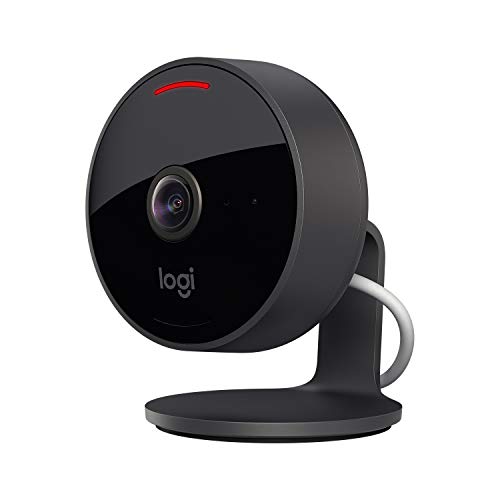
The Logitech Circle View Indoor Camera is a wired security camera designed specifically for Apple HomeKit users. With its IP64-rated weather resistance and easy wall mounting, it’s a dependable choice for monitoring your home with full HD clarity and a wide 180° field of view—so you never miss a detail.
In day-to-day use, the Circle View feels solid and reassuring. Night vision works well up to 4. 5 meters, and privacy controls are simple—just tilt the camera down or use the physical switch. The integration with Apple HomeKit Secure Video adds a layer of convenience, letting you view and manage footage directly from your Apple devices without hassle.
- Strengths:
- 180° diagonal field of view covers large spaces
- Optimized night vision for clear images in darkness
- Physical privacy controls for instant peace of mind
- Works seamlessly with Apple HomeKit Secure Video
- Weather-resistant design for versatile placement
- Limitations:
- Requires a wired power connection (not battery-powered)
- No built-in local storage (relies on HomeKit Secure Video)
Who Will Appreciate This Camera
If you’re invested in Apple HomeKit and want hassle-free indoor security, this camera is an excellent fit. It’s ideal for those who value privacy, as the physical controls provide instant assurance, and it removes the stress of complicated setup thanks to its HomeKit integration.
Anyone wanting battery-operated flexibility or local storage may want to look elsewhere. For everyone else, this camera offers reliable coverage and peace of mind. A practical tip: install it in a central spot to maximize the 180° view—and enjoy quick access to footage right from your iPhone or iPad.
Rest easy knowing your home is monitored with Apple-level privacy and convenience, without unnecessary complexity.
Eufy Security Solocam S220 Indoor 2k Camera
Best Indoor Camera for Apple Homekit users seeking an easy-to-install, subscription-free solution for reliable home monitoring.
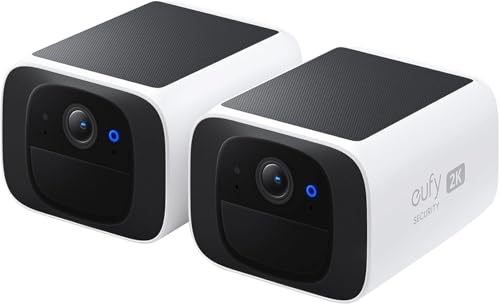
The eufy Security SoloCam S220 is a compact indoor camera that brings 2K clarity and wire-free convenience to your home security setup. It stands out by offering solar power support—just a few hours of sunlight keep it running—so you never have to worry about recharging or changing batteries.
Day-to-night, the SoloCam’s advanced infrared sensors and crisp lens deliver clear footage, giving you peace of mind even in low light. Installation is straightforward, making it ideal for renters or anyone who wants flexible placement without drilling or complicated wiring.
- Solar-powered: Needs only 3 hours of sunlight for continuous operation.
- Smart person detection: Instantly alerts you to family, visitors, or potential intruders, with optional facial recognition via HomeBase 3.
- No subscription fees: A one-time purchase covers all features, avoiding ongoing costs.
- Simple setup: Wireless and compact, it fits anywhere indoors.
- 2K video quality: Sharp footage, day or night.
Is This The Right Fit For You?
If you want a hassle-free indoor camera for Apple Homekit that doesn’t tie you to subscriptions, the eufy SoloCam S220 is a great choice—especially for those who value easy setup and solar power flexibility. It’s an excellent fit for apartment dwellers, busy parents, and anyone who prefers technology that “just works” without much maintenance.
However, if your indoor space lacks access to sunlight, or you require advanced features beyond person detection, you might want to consider a different model. For most homes, though, this camera reduces stress over battery life and monthly fees. My tip: place it near a window to maximize solar charging and enjoy reliable, worry-free indoor monitoring.
Aqara Indoor Camera Hub G3 With Smart Sensors
As the Best Indoor Camera for Apple Homekit, this kit is perfect for homeowners who want seamless smart security and automation integration.

The Aqara Indoor Camera Hub G3 with Smart Sensors is a four-piece security kit that addresses the need for reliable home monitoring and automation. Combining a 2K pan-tilt camera with AI-powered detection and pre-paired sensors for motion, vibration, and door/window activity, it’s a practical solution for anyone looking to safeguard their home and valuables without technical hassle.
The hub’s Matter and HomeKit compatibility make it an easy fit for Apple-centric smart homes.
In everyday use, this system brings peace of mind by automating alerts and cloud recordings whenever suspicious activity is detected. Installation is genuinely simple—no drilling, just adhesive placement and USB-C power—and the sensors run on batteries that last up to five years.
I found the event labeling in the app efficient, making it easy to review incidents without wasting time on endless footage.
- Strengths:
- Works natively with Apple HomeKit, Google Home, Alexa, and Matter
- AI event detection and automatic labeling for fast review
- No-drill installation and long-lasting sensor batteries
- Includes cloud recording with a trial and flexible plans
- Supports up to 128 Zigbee devices for smart home expansion
- Limitations:
- Full automation and event labeling only available in the Aqara Home app
- MicroSD card for local recording not included
- Cloud features require subscription after trial
Should You Choose This Kit?
This Aqara kit suits anyone who wants a robust, Apple Homekit-compatible indoor camera with smart sensors and easy, DIY installation. If you value fast access to critical event footage and plan to expand your smart home, it’s an excellent choice.
Those who prefer a single camera without additional sensors or who don’t use HomeKit might want to look elsewhere.
The pre-configured system removes guesswork and technical stress, letting you focus on security, not setup. One tip: use the app’s layout suggestions for optimal sensor placement. Rest assured, the battery life and cloud backup mean you won’t be worrying about missed events or constant maintenance.
Arlo Essential Indoor Camera 2k
Best Indoor Camera for Apple Homekit for pet owners, parents, or anyone seeking reliable indoor monitoring.

The Arlo Essential Indoor Camera 2K stands out for its automatic privacy shield, which physically covers the lens when the camera is off, ensuring your peace of mind at home. This feature is especially meaningful for those concerned about privacy, allowing you to control monitoring directly from the app in seconds.
In daily use, the camera reliably captures clear footage—even in low light—and sends smart alerts for people, pets, and packages when paired with Arlo Secure. You can easily set it up to monitor kids, pets, or any indoor space, and live streaming or two-way audio is available without a monthly subscription.
I found the app intuitive, making it simple to check in whenever needed.
- Strengths:
- Automatic privacy shield for true privacy
- 2K resolution for detailed video
- Motion detection and night vision
- No required monthly fees for core features
- App offers quick control and customization
- Limitations:
- Premium features (AI alerts, cloud storage) require Arlo Secure subscription after the trial
- Limited to indoor use
Is This The Right Indoor Camera For You?
If privacy matters to you and you want a camera that works seamlessly with Apple Homekit, the Arlo Essential Indoor Camera 2K is a strong choice. It’s ideal for parents who want to keep an eye on kids, pet owners monitoring animals, or anyone seeking dependable indoor security without complicated setups or ongoing fees.
Those needing outdoor coverage or uninterested in cloud features may want to look elsewhere. For indoor monitoring, it removes the worry of being watched when you don’t want to be. A practical tip: set activity zones in the app to reduce unwanted alerts, so you only get notified about what matters most. Feel confident—your privacy is protected, and your loved ones are just a tap away.
Arlo Essential 2k Indoor Camera Duo
As the Best Indoor Camera for Apple Homekit, this set is ideal for parents, pet owners, or anyone seeking reliable home monitoring with smart integration.

The Arlo Essential 2K Indoor Camera Duo is a wired bullet camera system designed for straightforward, high-resolution monitoring of pets, children, or your living space. Featuring crisp 2K video and black-and-white night vision, it directly addresses worries about what happens at home when you’re not there, offering reliable alerts and clear footage day or night.
In practice, these cameras are easy to set up and use through the Arlo app, providing peace of mind whether you’re in the next room or halfway around the world. Two-way audio lets you check in or calm a pet, while privacy is protected with an automatic lens cover.
I found the motion detection to be responsive, making it simple to know when something’s happening without false alarms.
- Strengths:
- 2K video resolution for detailed indoor footage
- Night vision for 24/7 clarity
- Automatic privacy shield for peace of mind
- Easy integration with smart home platforms
- Reliable motion alerts up to 7 meters
- Limitations:
- Wired setup limits flexible placement
- Advanced cloud storage features require a subscription after trial
Is This The Right Homekit Camera For You?
If you want a dependable camera system for monitoring kids, pets, or caregivers and value privacy as much as security, the Arlo Essential 2K Duo is a solid pick. It’s especially well-suited for those already invested in Apple Homekit or smart home setups, and who prefer a wired connection for stable performance.
However, if you need fully wireless placement or want to avoid subscription services entirely, this may not be your first choice. For most users, the stress of not knowing what’s happening at home is eased by the clear video and instant alerts. Tip: Place one camera in the main activity area and the other near entry points for best coverage. You can trust the privacy cover to protect your downtime, too.
How To Choose An Indoor Camera For Apple Homekit
Think about how you want to use your indoor camera day-to-day. Consider whether privacy controls, smart integrations, or ease of installation matter most to you. Decide if you prefer continuous monitoring or occasional check-ins. Trade-offs often come down to subscription needs, compatibility, and storage options.
Filtering your priorities will help narrow the right fit.
Common Mistakes When Picking Homekit-compatible Cameras
- Assuming all features work identically across HomeKit, Alexa, and Google Home.
- Overlooking privacy controls or misunderstanding how privacy modes function.
- Expecting face recognition or advanced AI without reading app requirements.
- Forgetting about ongoing costs for cloud storage or premium features.
- Buying cameras for environments (outdoor, high humidity) they’re not designed for.
Frequently Asked Questions: Best Indoor Camera For Apple Homekit
Will My Camera Work With Apple Homekit Right Out Of The Box?
Many cameras support HomeKit, but some need app setup or firmware updates. Always check compatibility and setup steps before buying.
Do I Need An Icloud+ Subscription For Homekit Secure Video?
Yes, HomeKit Secure Video requires an active iCloud+ plan. Without it, you may lose access to cloud recording and advanced features.
Can I Use Homekit Cameras Without Relying On Cloud Storage?
Some models offer local storage or microSD card support. However, certain HomeKit functions require cloud connectivity.
Are Indoor Cameras Suitable For Outdoor Use?
Indoor models are not built for weather or exposure. If you need outdoor monitoring, choose cameras specifically rated for exterior conditions.
How Do Privacy Shutters Or Modes Work?
Privacy features can disable recording or block the lens. Actual operation varies by brand and may require app control.
Is Face Recognition Available For All Homekit Cameras?
Face recognition depends on both the camera and HomeKit Secure Video. Not all cameras offer this, and some need extra setup.
Will I Get Instant Notifications For All Motion Events?
Notifications are configurable, but not every event triggers an alert. You can usually adjust sensitivity and notification types in the app.
Settling On The Right Indoor Camera For Your Home
Choosing a HomeKit-compatible indoor camera is less about features and more about how it fits into your daily routine. Focus on privacy, integration, and installation ease to guide your choice without stress.
As you weigh the options, remember that the best camera is the one that matches your expectations and lifestyle. Take your time and trust your needs—they are the most important guide.