
Home security matters more than ever. With crime rates and package thefts on the rise, people want to feel safe at home—whether they’re inside or away. Choosing a reliable security camera can give you peace of mind and help protect your loved ones and property.
Arlo is one of the most talked-about brands in this space. But is Arlo a good security camera for your needs? Let’s take a close look at what Arlo offers, who it’s best for, and what you should know before buying.
What Is Arlo And Who Is It For?
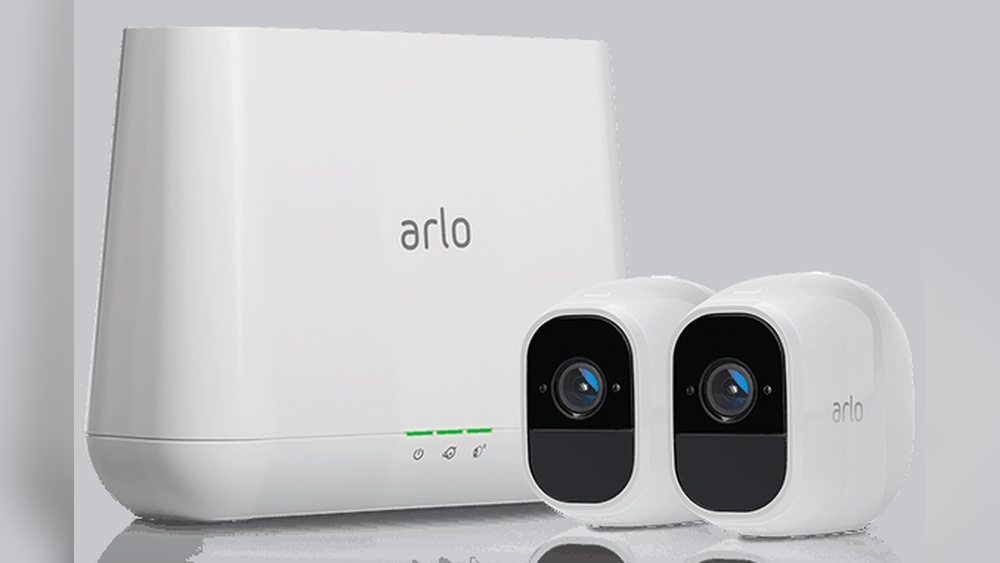
Arlo is a company that focuses on smart security cameras and home security systems. Founded in 2014, Arlo quickly became popular for its easy-to-use, wireless cameras that connect to the internet. Today, Arlo offers a wide range of cameras—indoors and outdoors, with and without wires, and with options for video doorbells and floodlights.
Arlo cameras are designed for:
- Homeowners who want flexible, smart surveillance.
- Renters who need easy installation with minimal drilling.
- Small business owners looking for basic security coverage.
If you want a security camera that works with your phone, has modern features, and doesn’t require professional installation, Arlo is aimed at you.
Key Features Of Arlo Security Cameras
Arlo cameras stand out for their smart features and flexibility. Here are some of the most important features you’ll find across the Arlo lineup:
1. Wireless And Wired Options
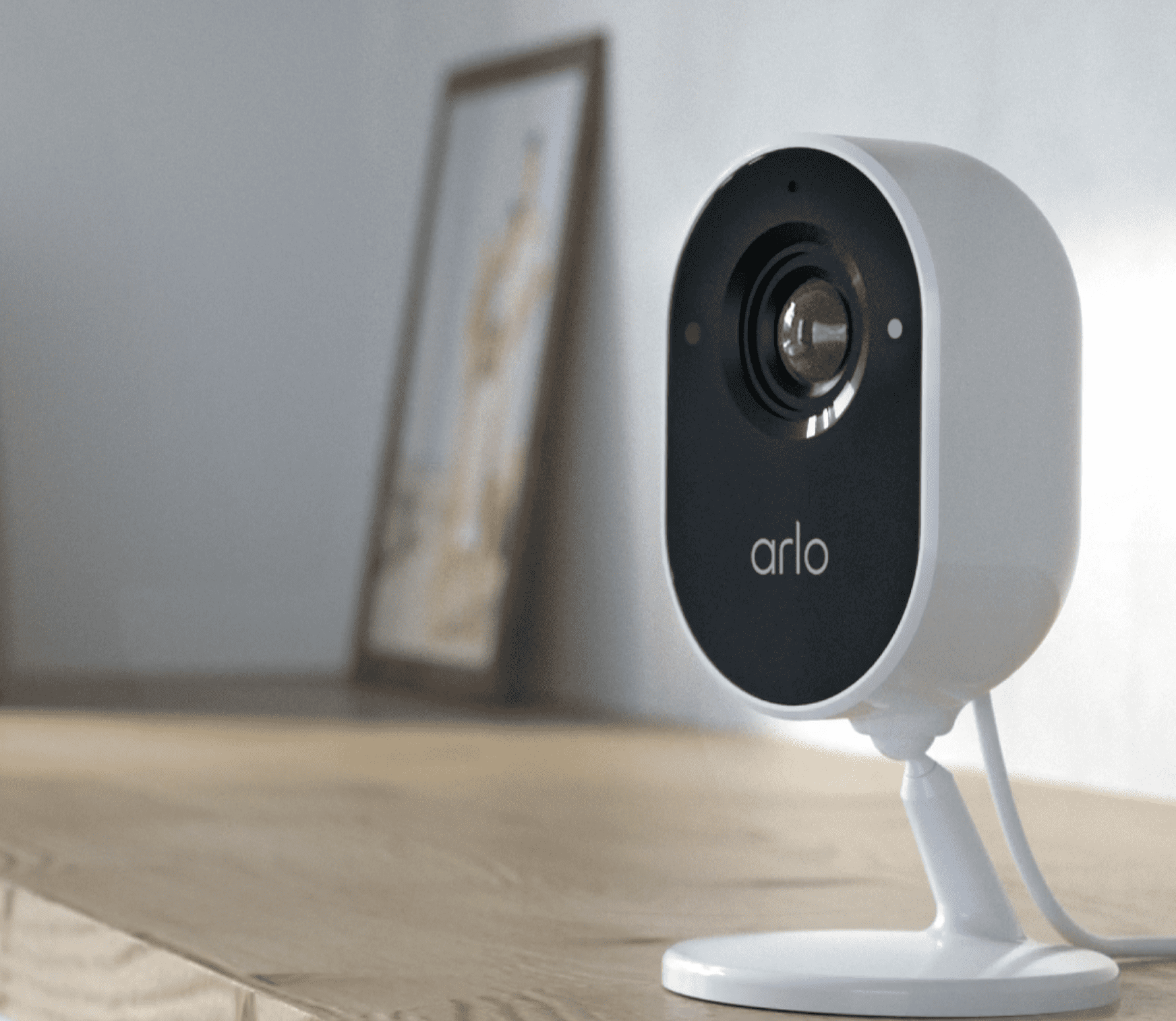
Most Arlo cameras are wire-free, using rechargeable batteries. This makes them easy to install almost anywhere—no need to run power cables. Some models, like the Arlo Essential Indoor, also have wired options for continuous power.
2. High-quality Video
Arlo cameras offer HD or 4K video resolution, depending on the model. The Arlo Ultra 2, for example, records in 4K, while the Arlo Pro 4 records in 2K. Even the lower-end models provide 1080p HD video, which is clear enough for most needs.
3. Night Vision
Every Arlo camera includes night vision. Most use infrared LEDs to light up dark scenes, so you can see what’s happening at night. Some higher-end models, like the Ultra 2, add color night vision for even more detail.
4. Smart Alerts And Motion Detection
Arlo cameras use motion detection to start recording and send alerts to your phone. With a subscription, you get smart notifications that can tell the difference between people, animals, vehicles, and packages.
5. Two-way Audio
Almost all Arlo cameras have two-way audio. This lets you talk to people through the camera using your phone—handy for deliveries or scaring off strangers.
6. Weather Resistance
Outdoor Arlo cameras are weather-resistant, with ratings like IP65 or IP67. They can handle rain, snow, and heat.
7. Cloud And Local Storage
Arlo offers cloud storage through paid subscriptions. Some models support local storage using a base station and USB drive or microSD card, so you don’t always need to pay a monthly fee.
8. Smart Home Integration
Arlo works with Amazon Alexa, Google Assistant, Apple HomeKit (for some models), and IFTTT. This means you can control cameras with your voice or automate actions.

Credit: us.arlo.com
Arlo Camera Models Compared
To help you understand the differences, here’s a comparison of four popular Arlo camera models:
| Model | Resolution | Power | Field of View | Night Vision | Weatherproof | Local Storage | Smart Home Integration |
|---|---|---|---|---|---|---|---|
| Arlo Ultra 2 | 4K | Battery | 180° | Color | Yes (IP65) | Yes (with base) | Alexa, Google, HomeKit |
| Arlo Pro 4 | 2K | Battery | 160° | Color | Yes (IP65) | Yes (with base) | Alexa, Google |
| Arlo Essential | 1080p | Battery | 130° | Black & White | Yes (IP65) | No | Alexa, Google |
| Arlo Essential Indoor | 1080p | Wired | 130° | Black & White | No | No | Alexa, Google |
This table shows that Arlo has options for different budgets and needs. Ultra 2 and Pro 4 are premium, with higher video quality and more features. The Essential models are more affordable, but still offer strong basics.
Pros Of Arlo Security Cameras
Arlo has built a solid reputation for several reasons. Here are the biggest advantages you’ll find with Arlo:
1. Simple Diy Installation
Arlo’s wireless cameras are easy to install. Most people can set them up in minutes with basic tools. You don’t have to hire a professional, and you can move the cameras around as needed.
2. Flexible Placement
Because many Arlo models use batteries, you’re not limited by power outlets. This lets you place cameras in areas other brands can’t reach—like sheds, fences, or far corners of your yard.
3. Clear Video Quality
Even the basic Arlo cameras produce sharp video. With options for 2K and 4K, you get more detail—helpful for identifying faces, license plates, or small objects.
4. Reliable Motion Detection
Arlo’s motion detection is adjustable. You can set activity zones to focus on key areas and reduce false alerts from trees or passing cars.
5. Smart Notifications
With an Arlo Secure subscription, you get alerts that tell you if the camera saw a person, animal, vehicle, or package. This saves time and reduces unnecessary notifications.
6. Privacy Controls
Arlo offers privacy shields on some cameras, like the Essential Indoor. You can close the lens with a tap in the app when you’re home.
7. Good Battery Life
Most users report 3–6 months of battery life per charge, depending on how often the camera records. This is longer than many competitors.
8. Smart Home Compatibility
If you use Alexa, Google Assistant, or Apple HomeKit, Arlo fits in easily. You can view camera feeds on smart displays or automate actions like turning on lights when motion is detected.
9. No Contract Required
You can use Arlo cameras without a long-term contract. Some features require a subscription, but basic live streaming and motion alerts are free.
10. Expandable System
You can start with one camera and add more as needed. Arlo’s app supports multiple cameras and locations.
Cons Of Arlo Security Cameras
No security system is perfect. Here are some disadvantages to consider with Arlo:
1. Subscription Costs
Many of Arlo’s best features—cloud storage, smart notifications, and advanced detection—require a paid Arlo Secure subscription. Prices start at around $4.99/month for a single camera. While basic features are free, you’ll miss out on most smart functions without a subscription.
2. Battery Replacement And Charging
Wireless models need to be recharged every few months. If you have multiple cameras or high-traffic areas, this can be inconvenient. Batteries are not cheap to replace, and charging takes several hours.
3. Limited Free Storage
Without a subscription, video clips are not saved to the cloud (except for select older models with legacy plans). You can use local storage, but this requires buying an Arlo SmartHub or base station.
4. Occasional App Issues
Some users report laggy app performance, delayed notifications, or trouble connecting to cameras. Updates have improved reliability, but occasional glitches still happen.
5. Higher Upfront Cost
Arlo cameras tend to cost more than basic competitors. For example, a single Arlo Pro 4 usually costs around $199, while some brands offer similar features for less.
6. Dependency On Wi-fi
Arlo cameras need a strong Wi-Fi connection. If your Wi-Fi signal is weak where you want to place a camera, you might have trouble with streaming or recording.
7. Integration Limitations
While Arlo works with many smart home systems, some integrations (especially with Apple HomeKit) are only available on select models and require extra hardware.
8. Not A Full Security System
Arlo offers cameras and a few accessories, but it’s not a full alarm system. There are options for sensors and keypads, but they’re limited compared to traditional security companies.
Arlo Secure Subscription: Is It Worth It?
A key thing to know: Arlo’s best features are unlocked with a subscription. Here’s what you get with Arlo Secure:
- Cloud storage for 30–60 days of video (depending on plan)
- Smart notifications for people, animals, vehicles, and packages
- Interactive alerts (call a friend or 911 from the app)
- Activity zones to reduce unwanted alerts
- Priority support
Without a subscription, you can still view live video and get basic motion alerts, but you won’t have cloud storage or smart detection.
Here’s a quick look at Arlo Secure pricing (as of early 2024):
| Plan | Monthly Price | Number of Cameras | Cloud Storage | Smart Detection |
|---|---|---|---|---|
| Secure (Single Camera) | $4.99 | 1 | 30 days | Yes |
| Secure (Unlimited Cameras) | $12.99 | Unlimited | 30 days | Yes |
| Secure Plus | $17.99 | Unlimited | 60 days | Yes + 24/7 Emergency Response |
Many users find the basic Secure plan enough for peace of mind. But if you have many cameras or want longer storage, the costs add up.
Real-world Performance: What Users Say
It’s helpful to know how Arlo performs in real homes and small businesses. Here’s what stands out from user reviews and expert tests:
Video Quality
Most users praise video clarity—especially on the Ultra 2 and Pro 4. Details like faces, clothing, and car plates are usually easy to see, even at night. However, some report blurring if objects move quickly or are far from the camera.
Motion Detection
Arlo’s motion detection is generally accurate. False alerts happen—especially with trees blowing or bright headlights—but activity zones help a lot. Smart notifications make it easy to tell if an alert is important.
Connectivity
Setup is easy for most, but some experience Wi-Fi dropouts. This usually happens when the camera is far from the router or blocked by walls. Using a Wi-Fi extender or Arlo SmartHub helps.
Battery Life
Battery performance varies. In a busy area, batteries may last just 2–3 months. In quieter spots, 4–6 months is common. Cold weather can shorten battery life. One non-obvious tip: reducing video quality and limiting notifications can extend battery time.
App Experience
The Arlo app is full-featured but can be confusing for beginners. Some users find it slow to load or difficult to navigate. Updates have improved reliability, but there’s still a learning curve.
Customer Support
Arlo support is available by chat, phone, and online guides. Most issues are solved with help, but a few users report slow response times or trouble with warranty claims.
How Does Arlo Compare To Other Brands?
Arlo is not alone in the smart camera market. It’s helpful to see how it stacks up against other top brands like Ring, Google Nest, and Eufy.
| Feature | Arlo | Ring | Google Nest | Eufy |
|---|---|---|---|---|
| Resolution | Up to 4K | Up to 1080p | Up to 1080p/2K | Up to 4K |
| Battery Options | Yes | Yes | No (wired only) | Yes |
| Free Cloud Storage | No | No | No | Yes (limited) |
| Local Storage | Yes (base needed) | No | No | Yes |
| Smart Detection | Yes (with subscription) | Yes (with subscription) | Yes (with subscription) | Yes (no fee) |
| Smart Home Integration | Alexa, Google, HomeKit | Alexa, Google | Google, Alexa | Alexa, Google, HomeKit |
| Price Range | $$ – $$$$ | $ – $$ | $$ – $$$ | $ – $$$ |
This comparison shows Arlo competes well on video quality, battery-powered options, and integration. However, Eufy stands out for its local storage and no-fee smart detection. Ring is often cheaper but doesn’t offer 2K or 4K. Google Nest is strong for Google users but doesn’t have battery-powered cameras.
A non-obvious insight: Arlo is often the best pick if you want high video quality and flexibility, but Eufy is a top choice if you want to avoid subscription fees.
Who Should Choose Arlo (and Who Shouldn’t)?
Best For:
- People who want easy DIY setup: No drilling or wiring needed.
- Users who value high video quality: 2K and 4K models deliver sharp footage.
- Smart home fans: Works well with Alexa, Google, and (some models) HomeKit.
- People who move often: Cameras are easy to relocate.
- Those who want expandable systems: Start with one camera, add more later.
Not The Best Choice For:
- People who want completely free storage: You need a subscription for most features.
- Areas with weak Wi-Fi: Reliable performance needs a strong signal.
- Users who dislike charging batteries: Wired options are limited.
- Anyone wanting a full alarm system: Arlo is mostly cameras, not a full security suite.
Common Mistakes When Choosing Arlo
- Ignoring Wi-Fi Coverage: Many users buy Arlo cameras, then realize their Wi-Fi doesn’t reach the installation spot. Always check your Wi-Fi strength first.
- Not budgeting for subscriptions: The upfront cost is only part of the total price. Add in the monthly subscription if you want all features.
- Choosing the wrong model: Picking a 4K camera for a small indoor space may be overkill. Match the model to your needs.
- Forgetting about battery charging: Busy areas drain batteries faster. If you need 24/7 coverage in a high-traffic zone, consider a wired model or solar panel.
- Not updating firmware: Skipping updates can lead to missed features or security risks. Set updates to automatic in the Arlo app.

Credit: au.arlo.com
Practical Tips For Getting The Most From Arlo
- Angle your camera carefully: Place cameras at least 7 feet high and aim slightly downward for the best view and fewer false alerts.
- Use activity zones: Set up zones in the Arlo app to ignore busy streets or trees.
- Consider local storage: If you want to avoid cloud fees, buy a compatible Arlo base station for local recording.
- Try solar panels: For outdoor cameras, Arlo’s solar panels can keep batteries charged and reduce maintenance.
- Test notifications: Walk through the camera’s field of view to make sure you get alerts where you need them.
- Protect privacy: Use privacy shields or schedule cameras to turn off when you’re home.
A little planning goes a long way. Many beginners miss out on features like activity zones or local storage simply because they don’t explore the app fully.
Security And Privacy: How Safe Is Arlo?
Security cameras can be a double-edged sword if they’re not secure themselves. Arlo uses AES encryption for video streams and requires two-factor authentication for accounts. This means your footage and login are protected against most common hacking attempts.
However, like any cloud-connected device, there’s always some risk. Arlo updates its firmware regularly to fix vulnerabilities. Users should enable automatic updates, use strong passwords, and never share login details.
For privacy, Arlo’s cameras do not record audio or video unless motion is detected (or you set them to record continuously with some models). Indoor models with privacy shields give you extra peace of mind.
Credit: www.safehome.org
Is Arlo Worth The Price?
Arlo is often more expensive than entry-level brands. Here’s what you get for the money:
- High-quality hardware: Cameras are well-made, weather-resistant, and last for years.
- Flexible system: Start small or build a full network.
- Modern features: 2K/4K video, smart alerts, two-way audio.
- Easy installation: No tools or professionals needed.
- Trusted brand: Arlo is widely reviewed and used around the world.
If you want a camera that’s easy to use, works well with smart homes, and gives clear video, Arlo is a strong choice. If you want to avoid monthly fees or need a full alarm system with sensors and monitoring, you may want to look elsewhere.
For more on home security and camera comparisons, see the official PCMag home security camera guide.
Frequently Asked Questions
How Long Do Arlo Camera Batteries Last?
Most Arlo wireless cameras last between 3 to 6 months per charge, depending on usage, recording settings, and weather. Busy areas or cold climates can reduce battery life. Using a solar panel can keep outdoor cameras charged longer.
Can Arlo Cameras Work Without A Subscription?
Yes, Arlo cameras work without a subscription. You can view live video and get basic motion alerts. However, cloud storage, smart notifications, and advanced detection require an Arlo Secure plan. Some models support local storage if you add a base station.
Are Arlo Cameras Easy To Install?
Arlo cameras are designed for DIY installation. Most are wireless and mount with simple screws or adhesive. The setup takes about 10–20 minutes per camera. You only need a smartphone and Wi-Fi.
Do Arlo Cameras Support Apple Homekit?
Some Arlo models support Apple HomeKit, such as the Arlo Ultra 2 and Arlo Pro 4, but you need an Arlo SmartHub. Not all models are compatible, so check before buying if HomeKit is important for you.
Can Arlo Cameras Be Hacked?
No system is 100% hack-proof, but Arlo uses AES encryption and two-factor authentication to protect your data. You should use strong passwords, enable auto-updates, and never share login details to keep your cameras safe.
Choosing the right security camera is a big decision. Arlo offers a strong mix of features, quality, and flexibility, making it a good option for many homes and small businesses. By understanding the pros, cons, and best practices, you can get the most from your investment and enjoy greater peace of mind.