
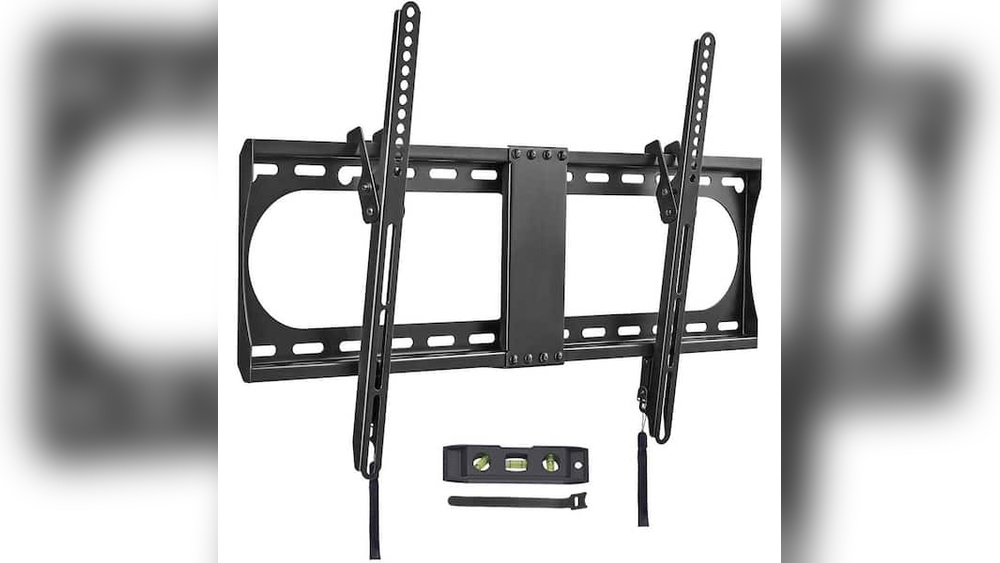
Many people want to hang their TV on the wall, but they often wonder: Are TV mounts universal? This question matters because buying the wrong mount can mean extra costs, frustration, or even damage to your TV. With so many TV brands, sizes, and shapes, the answer is not as simple as yes or no. Some mounts work for most TVs, but there are important details you must know before making a decision.
This article will help you understand everything about TV mount compatibility. You’ll learn about the VESA standard, different types of mounts, what makes a mount “universal,” and how to avoid common mistakes. Whether you’re buying a mount for your living room, office, or bedroom, this guide will make sure you get the right fit and install safely. There are also comparison tables, practical tips, and answers to the most common questions people ask.
What Does “universal” Mean For Tv Mounts?
The word universal sounds simple, but in the world of TV mounts, it has a special meaning. Many products claim to be universal, but they often work only for specific TVs. To understand if a mount is truly universal, you must look at three things: the mounting pattern, weight capacity, and screen size range.
Mounting Pattern
Most TVs use the VESA standard. VESA stands for Video Electronics Standards Association, and it defines the distance between the mounting holes on the back of your TV. The most common VESA patterns are:
- 200×200 mm
- 400×400 mm
- 600×400 mm
If your TV and mount both use the same VESA pattern, they will fit together. However, some older or very small TVs may use non-standard patterns.
Weight Capacity
A universal mount must hold the weight of your TV. If your TV is too heavy, the mount could break or pull away from the wall. Always check the maximum weight rating before buying.
Screen Size Range
Most universal mounts list a range of screen sizes they support, like “32–65 inches. ” This is a helpful guide, but it’s not always exact. Sometimes a small TV with a large VESA pattern won’t fit, or a big TV with a small pattern will.
So, a truly universal TV mount supports multiple VESA patterns, a wide screen size range, and enough weight. But even then, you must check the details.
Understanding The Vesa Standard
The VESA standard is the most important factor in TV mount compatibility. It was created to make mounting TVs and monitors easier. If you know your TV’s VESA pattern, you can find a mount that fits.
How To Find Your Tv’s Vesa Pattern
You can find your VESA pattern in the TV manual, on the manufacturer’s website, or by measuring the holes on the back of your TV. Measure horizontally and vertically, in millimeters.
For example:
- If the holes are 400 mm apart horizontally and 400 mm apart vertically, your VESA pattern is 400×400.
- If your TV has four holes in a square or rectangle, it probably uses VESA.
Some TVs have unusual patterns, so always check before buying.
Common Vesa Patterns
Here’s a quick overview of typical VESA patterns for different TV sizes:
| TV Size (inches) | Common VESA Pattern (mm) | Notes |
|---|---|---|
| 19–32 | 100×100, 200×200 | Smaller TVs may use 75×75 |
| 33–49 | 200×200, 400×400 | Most mid-size TVs |
| 50–65 | 400×400, 600×400 | Large TVs need strong mounts |
| 65+ | 600×400, 800×400 | Extra-large mounts required |
Why Vesa Matters
The VESA pattern is the “language” that TV mounts and TVs use to connect. If your mount does not match your TV’s VESA pattern, you cannot install it safely. Even if the mount says “universal,” always check the VESA specs.

Credit: www.amazon.com
Types Of Tv Mounts And Their Compatibility
TV mounts come in many shapes and designs. Not all mounts are equally universal. Here are the main types:
Fixed Mounts
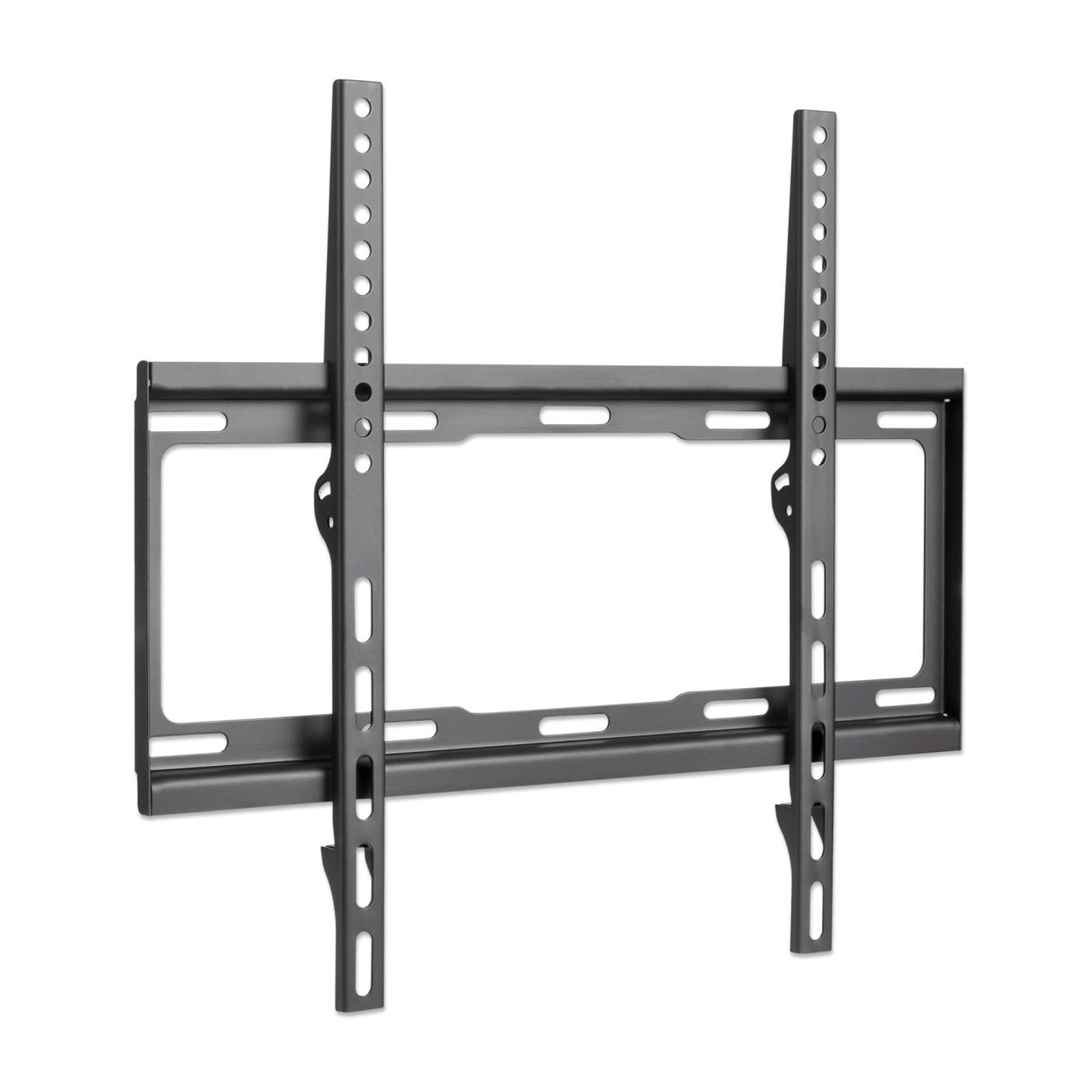
Fixed mounts hold your TV flat against the wall. They are simple and usually support many VESA patterns. If your TV fits the pattern and weight, a fixed mount is almost always compatible.
Tilt Mounts
Tilt mounts allow you to angle the TV up or down. They help reduce glare or improve viewing from higher places. These mounts often support a range of VESA patterns but may have limits on the tilt angle for larger TVs.
Full-motion Mounts
Full-motion mounts (also called articulating mounts) let you move the TV in many directions—up, down, left, right, and even pull forward. These are popular for rooms with multiple seating areas. Because they have more moving parts, you must check both VESA pattern and weight carefully.
Ceiling Mounts
Ceiling mounts attach your TV to the ceiling. They are used in offices, gyms, or rooms with unusual layouts. Compatibility depends on VESA pattern, weight, and whether your ceiling can support the mount.
Corner Mounts
Corner mounts are designed for TVs placed in a corner, not flat against the wall. They are often more specialized, so check VESA and weight carefully.
Comparison Of Mount Types
Here’s a simple table comparing the main mount types and their universal compatibility:
| Mount Type | VESA Compatibility | Weight Capacity | Best Use |
|---|---|---|---|
| Fixed | Wide range | High | Living rooms, bedrooms |
| Tilt | Wide range | High | Above fireplaces |
| Full-motion | Medium–wide | Medium–high | Multi-purpose rooms |
| Ceiling | Medium | Medium–high | Gyms, offices |
| Corner | Limited | Medium | Small spaces |
Non-obvious Insight
Many people think full-motion mounts are universal, but their moving arms may block ports on some TVs. Always check your TV’s port layout before choosing a mount.
“universal” Tv Mounts: Marketing Vs Reality
You’ll find many mounts labeled as “universal.” This is often a marketing term. Most so-called universal mounts work with several VESA patterns and screen sizes, but not all TVs. Here’s what you need to know:
What Universal Really Means
- Supports multiple VESA patterns (like 100×100, 200×200, 400×400)
- Fits a wide range of screen sizes (such as 32–65 inches)
- Has adjustable arms or brackets
- Comes with extra screws and spacers
But “universal” does not mean every TV. Some TVs, especially from brands like Samsung or LG, have unique back shapes or port placements. Curved TVs, very thin TVs, or TVs with built-in stands may need special adapters.
Example: Universal Mount Specs
A typical universal mount might list these specs:
- VESA: 100×100 to 600×400 mm
- Screen size: 32–70 inches
- Weight: Up to 110 lbs (50 kg)
If your TV is outside these specs, the mount will not work. Always double-check.
Hidden Compatibility Issues
Some TVs hide their mounting holes behind a plastic cover. Others place ports where the mount will block access. Here are two non-obvious problems beginners miss:
- Depth of TV: Ultra-thin TVs may need spacers to fit the mount correctly.
- Curved backs: TVs with curved or irregular backs can make mounting tricky. Not all universal mounts include curved adapters.
How To Check If Your Tv Mount Is Compatible
Before buying a mount, follow these steps:
- Find your TV’s VESA pattern: Measure or check the manual.
- Check the weight: Look up your TV’s weight and compare to the mount’s rating.
- Screen size: Make sure your TV fits within the mount’s supported size range.
- Back design: Look for ports, curves, or covers that may interfere.
- Mounting hardware: Check if the mount includes the right screws and spacers.
Quick Compatibility Checklist
- VESA pattern matches
- Weight is within limit
- Screen size is within range
- No blocked ports
- Back shape fits mount arms
Practical Example
Suppose you have a 55-inch Samsung TV, VESA 400×400, weighs 35 lbs. You find a universal mount with:
- VESA 100×100 to 600×400
- Screen size 32–70 inches
- Weight up to 110 lbs
It fits your TV. But if your TV’s HDMI port is right behind the mounting arm, you may lose access. Always check the port layout before installation.
Tv Mount Brands And Compatibility
Some brands make mounts that work with many TVs. Others design mounts for their own products. Here are some leading brands:
- Sanus: Known for high-quality universal mounts.
- Peerless: Offers mounts for both commercial and home use.
- Mount-It! : Makes affordable universal and specialty mounts.
- Vogel’s: European brand with stylish designs.
Brand-specific Issues
Brands like Sony and LG sometimes use unusual hole patterns or require special adapters. If you have a unique TV, look for mounts made for your brand.
Data Table: Popular Tv Brands And Vesa Patterns
| Brand | Typical VESA Patterns | Mounting Notes |
|---|---|---|
| Samsung | 200×200, 400×400, 600×400 | Some curved models need adapters |
| Sony | 200×200, 400×400 | Unique patterns for some models |
| LG | 200×200, 400×400, 600×400 | Ultra-thin models need spacers |
| TCL | 200×200, 400×400 | Standard VESA, easy compatibility |
| Vizio | 200×200, 400×400 | Ports sometimes block mount arms |
Common Mistakes When Choosing A Tv Mount
Choosing the wrong mount can lead to wasted money or even damage. Here are mistakes to avoid:
- Ignoring VESA pattern: Don’t rely on screen size alone.
- Overlooking weight limit: A heavy TV can break a weak mount.
- Forgetting about ports: Mount arms can block HDMI, USB, or power ports.
- Assuming all mounts fit all TVs: Even universal mounts have limits.
- Skipping wall compatibility: Not all walls can support a mount. Check for studs, concrete, or drywall strength.
Non-obvious Mistake
Many people use the wrong screws. TVs often need specific screw lengths and diameters. Using the wrong hardware can strip threads or cause the TV to fall. Always use the screws recommended by your TV manufacturer.
Installation Tips For Tv Mounts
Getting the right mount is only half the job. Proper installation is key for safety and performance.
Tools And Materials
- Drill
- Level
- Stud finder
- Screwdriver
- Mounting hardware (screws, bolts, washers)
- Tape measure
Step-by-step Installation
- Find wall studs: Use a stud finder to locate solid wood behind drywall.
- Mark holes: Hold the mount against the wall and mark where you’ll drill.
- Drill pilot holes: This prevents splitting the wood.
- Attach mount to wall: Use strong bolts, not just screws.
- Attach brackets to TV: Use the correct screws and spacers.
- Hang TV on mount: Ask a friend for help, especially with large TVs.
- Check level: Adjust the TV so it’s straight.
- Tighten all bolts: Make sure everything is secure.
Safety Reminders
- Never mount a heavy TV on drywall alone—always use studs or strong anchors.
- Double-check all connections before letting go of the TV.
Practical Advisor’s Tip
If you’re unsure about your wall’s strength, consult a professional. A falling TV can cause injury or damage. Spending a little extra for safe installation is worth it.
Credit: manhattanproducts.us
When You Need A Specialty Or Custom Mount
Not all TVs work with universal mounts. Here are cases when you need a specialty mount:
- Curved TVs: These often need adapters or flexible arms.
- Ultra-thin TVs: Require spacers to prevent bending or breaking.
- Commercial installations: Large screens in offices or stores may need heavy-duty mounts.
- Unique shapes: TVs with sound bars, built-in stands, or irregular backs may need custom solutions.
Custom Mounts
Some companies make mounts for unique needs. If you have a rare TV or tricky space, look for custom options.
How Tv Mounts Are Evolving
TV mounts have changed over the years. Early mounts were simple and often worked for only one brand or model. Today, universal mounts are more common, but TVs are also changing:
- Thinner screens: Require careful mounting to avoid bending.
- Larger sizes: Need stronger mounts and wall anchors.
- Smart TVs: Ports and connections are more complex.
Manufacturers and mount makers now offer more adjustable, flexible mounts. Look for models with expandable arms and multiple hole options.

Credit: www.amazon.com
Data And Trends: Are Most Tv Mounts Universal?
Recent market data shows that over 70% of TVs sold in the US use standard VESA patterns. About 60% of mounts sold online are labeled as “universal.” But real-world compatibility depends on careful checking.
- Consumer Reports found that 1 in 5 buyers had to return a mount due to incompatibility.
- Most returns were caused by blocked ports or unusual TV backs.
This means universal mounts work for most TVs, but not all. Always check before buying.
Environmental And Safety Considerations
Mounting a TV can affect your wall and room. Here are key points:
- Wall damage: Removing a mount leaves holes. Use wall repair kits if needed.
- Safety: A poorly installed mount can cause injury. Follow instructions carefully.
- Recycling: Many mounts are made of steel or aluminum. If you upgrade, recycle old mounts responsibly.
Expert Recommendations
Most experts recommend:
- Always check the VESA pattern before buying.
- Choose a mount that supports your TV’s weight and size.
- Look for mounts with adjustable arms and multiple hole options.
- Avoid buying mounts based only on screen size.
- If in doubt, ask the store or check the manufacturer’s website.
For official VESA information, visit the VESA website.
Frequently Asked Questions
What Is A Vesa Pattern, And Why Does It Matter?
A VESA pattern is the distance between the mounting holes on the back of your TV, measured in millimeters. It matters because your mount must match this pattern to fit correctly. If the mount and TV use different patterns, you cannot install safely.
Can I Use A Universal Mount For Any Tv Brand?
Most universal mounts work with many brands, but not all. Some brands like Sony or Samsung have unique backs or patterns. Always check your TV’s specs before buying.
What Happens If My Mount Does Not Match My Tv’s Vesa Pattern?
If the mount doesn’t match, you cannot install your TV. Trying to force a fit can damage the TV or cause it to fall. You may need an adapter or a different mount.
Are All Wall Types Suitable For Mounting Tvs?
No, not all walls are strong enough. Drywall alone is not safe for heavy TVs. You need to mount into studs, concrete, or brick. If your wall is weak, use special anchors or consult a professional.
Can A Universal Mount Block Ports On My Tv?
Yes, some mounts can block HDMI, USB, or power ports. Always check the port layout before installing. Some mounts have adjustable arms to avoid this problem.
Final Thoughts
TV mounts are not truly universal, but many work for a wide range of TVs if you pay attention to the VESA pattern, weight, and screen size. Marketing claims can be misleading, so always check your TV’s specs and the mount’s details. Avoid common mistakes, and follow safe installation practices. With careful planning, you’ll enjoy a sleek, safe, and perfect TV setup for your home or office.