

Are Zigbee Hubs Universal?
Smart homes are growing fast. People want their lights, plugs, and sensors to work together. Zigbee is a popular wireless technology that helps devices communicate. But there’s a common question: *Are Zigbee hubs universal?* In other words, can one Zigbee hub connect all Zigbee devices, no matter the brand?
This question matters. If hubs aren’t universal, you might waste money or face frustration. The answer isn’t simple, but understanding how Zigbee works, how hubs differ, and what “universal” really means can help you make smart choices. Let’s break down the details with clear, practical advice.
What Is Zigbee?
Zigbee is a wireless communication standard designed for smart home devices. It allows things like lights, sensors, locks, and plugs to talk to each other without wires. Zigbee is known for:
- Low power use (good for battery devices)
- Mesh networking (devices pass messages for each other, extending range)
- Open standard (any company can use it)
Many brands use Zigbee—Philips Hue, IKEA, Samsung SmartThings, Amazon Echo, and more. This makes Zigbee attractive for people who want to mix devices from different brands.
What Does “universal” Mean For Zigbee Hubs?
Before answering if Zigbee hubs are universal, it’s important to define what “universal” means in this context. For most people, a universal Zigbee hub would:
- Work with all Zigbee-certified devices, regardless of brand
- Provide basic functions (on/off, dimming, reading temperature, etc.)
- Support advanced features when available (color changing, automation)
- Be easy to set up with devices from different manufacturers
But, there are hidden details. Not all Zigbee hubs or devices are made equal, and “universal” support is more complex than just the logo on the box.
How Zigbee Works: Profiles And Versions
Zigbee isn’t just one technology. There are different profiles and versions. These influence compatibility.
Zigbee Profiles
A profile is like a language dialect. The most common is Zigbee Home Automation (ZHA). Others include:
- Zigbee Light Link (ZLL): Used by Philips Hue and some bulbs.
- Zigbee 3.0: The latest, combines older profiles for better compatibility.
If a hub and a device use different profiles, they might not work together fully. For example, a ZLL bulb might not work with a ZHA-only hub.
Zigbee Versions
Zigbee has evolved:
- Zigbee 1.2: Older, still common in early devices.
- Zigbee 3.0: Released in 2016, merges profiles, improves security.
Zigbee 3. 0 hubs are more likely to be “universal,” but only if the devices also use Zigbee 3. 0 or compatible profiles.
Types Of Zigbee Hubs
Zigbee hubs come in several forms. Each type affects how “universal” it can be.
Dedicated Zigbee Hubs
These are standalone hubs whose main job is to connect Zigbee devices. Examples:
- Philips Hue Bridge
- IKEA TRÅDFRI Gateway
- Samsung SmartThings Hub
Multi-protocol Hubs
Some hubs support Zigbee plus other standards (Z-Wave, Wi-Fi, Bluetooth). Examples:
- Amazon Echo (some models)
- Aeotec Smart Home Hub
- Home Assistant Yellow
Diy And Open-source Hubs
Advanced users sometimes build their own hubs, using open-source software and Zigbee radio hardware. Examples:
- Home Assistant with Zigbee2MQTT
- OpenHAB with Zigbee binding
These can be more “universal,” but require technical skill.
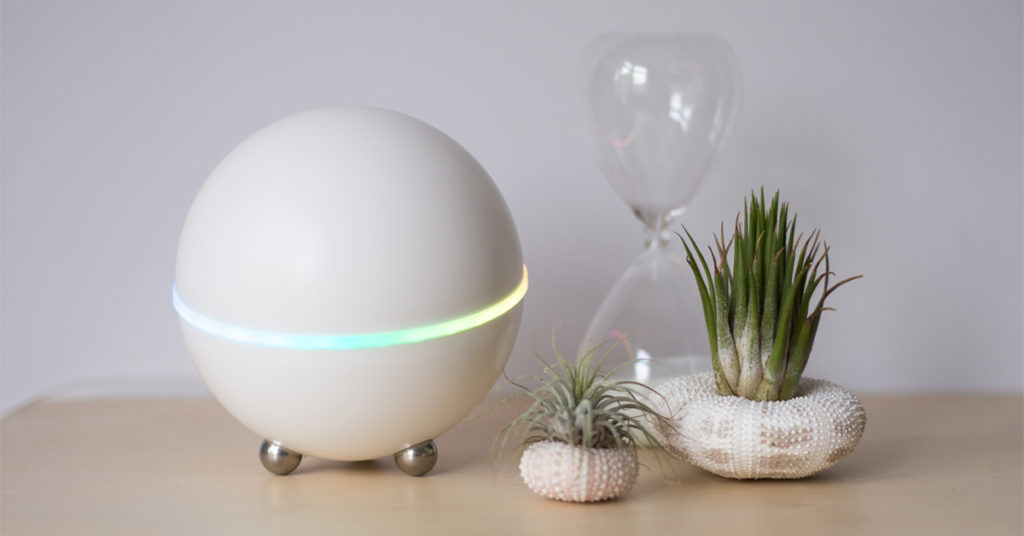
Credit: homey.app
Comparing Popular Zigbee Hubs
To understand universality, compare what real hubs support.
| Hub | Zigbee Version | Other Protocols | Device Compatibility | User Experience |
|---|---|---|---|---|
| Philips Hue Bridge | Zigbee Light Link/Zigbee 3.0 | No | Mainly lights, some sensors | Easy, limited to Hue ecosystem |
| Samsung SmartThings | Zigbee 3.0 | Z-Wave, Wi-Fi | Many brands, wide support | User-friendly, flexible |
| Home Assistant w/Zigbee2MQTT | Zigbee 3.0 (and older) | Customizable | Very broad (hundreds of brands) | Technical, very flexible |
| IKEA TRÅDFRI Gateway | Zigbee 3.0 | No | Mainly IKEA, some Hue | Simple, limited |
| Amazon Echo (4th Gen) | Zigbee 3.0 | Wi-Fi, Bluetooth | Lights, sensors, limited brands | Easy, some limitations |
As the table shows, not all Zigbee hubs are equally universal. Some focus on their own ecosystem. Others, like Home Assistant with Zigbee2MQTT, aim for maximum compatibility.
Why Aren’t Zigbee Hubs Fully Universal?
If Zigbee is a standard, why can’t all hubs connect every device? There are several reasons:
1. Different Profiles And Versions
If a hub and a device use different profiles (e. g. , ZLL vs ZHA), they may not communicate properly. Zigbee 3. 0 helps, but not all hubs or devices use it yet.
2. Manufacturer Customizations
Some brands add extra features or use custom firmware. For example, the Philips Hue Bridge works best with Hue bulbs and sensors. It may connect to third-party Zigbee bulbs, but advanced features (scenes, effects) may not work.
3. Certified Vs. Non-certified Devices
A device with the Zigbee Certified logo should follow the standard. But some cheap devices skip certification or use non-standard tricks to lower costs. These may not work with all hubs.
4. Hubs May Block Third-party Devices
Some hubs purposely block or limit third-party devices. This keeps users in their brand’s ecosystem. For example, the Hue Bridge supports only a short list of non-Hue devices.
5. Feature Gaps
Basic functions (on/off, temperature) usually work. But advanced features (color temperature, power monitoring, firmware updates) may not be supported by all hubs.
Real-world Examples: What Works, What Doesn’t
It helps to look at real situations.
- Connecting IKEA bulbs to a Hue Bridge: On/off and dimming usually work. But some advanced settings may not be available.
- Using Aqara sensors with SmartThings: Basic functions work, but sometimes extra steps or custom device handlers are required.
- Adding third-party Zigbee plugs to Amazon Echo: Many work for on/off, but power monitoring or energy data may not show up.
The main pattern: basic features often work across brands, but advanced features are hit or miss.
Universal Zigbee Hubs: What Comes Closest?
Some hubs are designed to be as universal as possible.
Zigbee2mqtt
This is an open-source project that connects hundreds of Zigbee devices to smart home software (like Home Assistant) using a cheap Zigbee radio. It supports a huge list of brands and models.
Advantages:
- Extremely broad compatibility
- Fast updates for new devices
- Community-driven (new devices added by users)
Limitations:
- Requires technical setup
- No official support
- May need manual configuration
Smartthings
SmartThings tries to support many Zigbee devices. It has a large user community, and Samsung adds official support for new products regularly.
Advantages:
- User-friendly
- Supports many brands
- Mobile app for easy setup
Limitations:
- Some devices need custom handlers
- Cloud-based (less privacy)
- Not all advanced features supported
Amazon Echo (with Zigbee)
Some Echo models (like 4th Gen and Echo Show 10) have a built-in Zigbee hub. They can connect many bulbs, plugs, and sensors.
Advantages:
- Simple setup
- Voice control
- Basic automation
Limitations:
- Limited advanced features
- Not all brands fully supported
- Not as “universal” as open-source options
Common Compatibility Issues And How To Solve Them
If you want a “universal” Zigbee setup, it helps to know common problems and solutions.
Device Won’t Pair
Possible causes:
- Device uses a different Zigbee profile
- Hub doesn’t support that model
- Device is too far from hub
Solutions:
- Move device closer to hub for pairing
- Reset the device before pairing
- Check if the device is supported by your hub (look up compatibility lists)
Missing Features
Possible causes:
- Hub doesn’t recognize advanced functions
- Device uses non-standard features
Solutions:
- Accept basic functions only (on/off, open/close)
- Try custom drivers or handlers (if hub supports them)
- Use an open-source hub for more flexibility
Device Drops Offline
Possible causes:
- Weak Zigbee mesh (not enough routers/extenders)
- Device isn’t fully compatible
Solutions:
- Add more Zigbee devices that act as routers (mains-powered devices)
- Check if firmware updates are available
Can’t Update Device Firmware
Most Zigbee devices get firmware updates via their “native” hub. For example, you can only update Hue bulbs from the Hue Bridge.
Solution:
- Accept that some features (like firmware updates) may require the original hub
How To Choose A Zigbee Hub For Maximum Compatibility
If you want your hub to be as “universal” as possible, here’s what to consider:
- Zigbee Version Support
- Look for Zigbee 3.0 support. It’s the most flexible and supports the widest range of devices.
- Open vs. Closed Ecosystem
- “Open” hubs (like Zigbee2MQTT, SmartThings, Home Assistant) support more brands.
- “Closed” hubs (like Hue Bridge, IKEA TRÅDFRI) focus on their own devices.
- Community and Updates
- Hubs with active communities get new device support faster.
- Check online forums or compatibility lists.
- Advanced Feature Support
- If you want advanced controls (color, power monitoring), check if the hub and device both support them.
- Ease of Use vs. Flexibility
- Plug-and-play hubs are simpler, but less universal.
- DIY hubs offer more compatibility, but need technical skills.
- Integration with Other Platforms
- If you use voice assistants or other smart home systems, make sure your hub can integrate with them.

Credit: www.amazon.com
Common Myths About Zigbee Universality
Let’s clear up some misunderstandings.
Myth 1: All Zigbee Devices Work Together Automatically
Reality: Many devices pair, but advanced features may not work. Some devices (like Xiaomi/Aqara sensors) are known to be picky about the hub.
Myth 2: Zigbee Is The Same As Z-wave
Reality: These are different standards. Hubs that support both often handle them separately.
Myth 3: Certified Means Universal
Reality: Certification helps, but doesn’t guarantee every feature will work on every hub.
Myth 4: All Zigbee 3.0 Devices Are Fully Cross-compatible
Reality: Zigbee 3.0 improves compatibility, but devices may still have unique features or limitations.
The Role Of Zigbee Alliances And Standards
The Connectivity Standards Alliance (formerly Zigbee Alliance) manages Zigbee standards. They test and certify devices. Products with the Zigbee Certified logo meet basic requirements, but:
- Brands may add extra features not covered by standards
- Certification mainly covers basic functions
For full details, you can visit the Connectivity Standards Alliance.
Key Differences Between Zigbee Hubs
To help you choose, here’s a comparison of three popular Zigbee hub types.
| Feature | Open-Source Hub (Zigbee2MQTT) | General-Purpose Hub (SmartThings) | Brand-Specific Hub (Hue Bridge) |
|---|---|---|---|
| Device Compatibility | Very high (hundreds of brands) | High (many brands, some custom work needed) | Low (mainly same-brand devices) |
| Advanced Feature Support | Depends on integration | Moderate | High for brand devices, low for others |
| Ease of Use | Technical | Simple setup, user-friendly app | Very easy (plug and play) |
| Firmware Updates | Usually not possible | Sometimes possible | Supported for own devices |
| Integration (Voice, Automation) | Very flexible | Good | Limited |
Two Insights Most Beginners Miss
- Mesh Strength Affects Compatibility: The more Zigbee routers (like smart plugs or bulbs) you have, the better your network. Devices far from the hub may not work well if the mesh is weak. Beginners often blame the hub, but adding more routers usually fixes the issue.
- Device Handlers Matter: Many hubs let you add custom “device handlers” or drivers. These small pieces of software teach your hub how to talk to new Zigbee devices. Without them, some sensors or switches will only work in a basic way, or not at all.
Should You Use Multiple Hubs?
Some smart home enthusiasts use more than one hub. For example, a Hue Bridge for lights (to get full features) and SmartThings or Home Assistant for everything else. This can:
- Give you access to brand-specific features
- Increase compatibility
- Add complexity (more things to manage)
If you go this route, make sure to keep track of which device is connected to which hub.
Future Of Zigbee And Universality
The smart home industry is changing fast. Matter is a new standard designed to make devices from different brands work together more easily. Many Zigbee devices and hubs are adding support for Matter, but it’s still early days.
Zigbee 3. 0 and Matter will improve universality, but there will always be some limits due to unique features, firmware, or company choices.
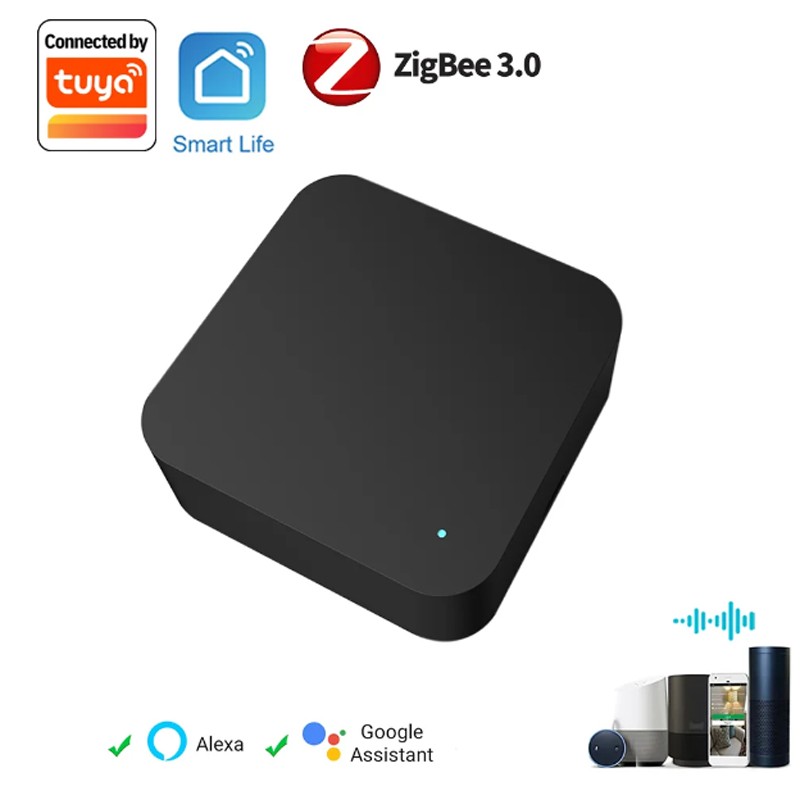
Credit: www.expert4house.com
Practical Tips For Zigbee Hub Buyers
If you want your Zigbee hub to be as universal as possible, here’s what to do:
- Check compatibility lists: Before buying a hub or device, check if they appear on each other’s supported device lists.
- Buy from known brands: Well-known brands are more likely to follow standards and get updates.
- Read user forums: Real-world reports from users reveal which devices work together.
- Consider your technical skill: If you’re comfortable with DIY software, open-source hubs offer the most compatibility.
- Don’t expect 100% universality: Even the best hubs may have issues with some devices.
Frequently Asked Questions
Why Do Some Zigbee Devices Only Work With Their Own Hub?
Brands sometimes add custom features to their Zigbee devices that only their own hub understands. This keeps you in their ecosystem and lets them control updates and support.
Can I Use A Zigbee Device With Multiple Hubs At The Same Time?
No. A Zigbee device can only be paired with one hub at a time. To move it, you need to reset (unpair) it and pair with the new hub.
Are Zigbee Hubs Better Than Wi-fi Smart Hubs?
Zigbee uses less power and supports mesh networking, making it better for battery devices and large homes. Wi-Fi hubs may support more brands but can be less reliable for smart sensors and switches.
Will Zigbee Become Obsolete Because Of Matter?
Not soon. Many Zigbee devices will work with Matter through bridges or firmware updates. Zigbee is still widely used in smart homes and industry.
How Can I Find Out If A Zigbee Device Will Work With My Hub?
Check the manufacturer’s compatibility list and search online forums for user reports. If you use an open-source hub, look for device support lists provided by the community.
Smart homes are exciting, but compatibility is key. Zigbee hubs are not fully universal, but with the right approach, you can build a system that brings most of your devices together. Know the limits, plan your purchases, and you’ll enjoy a connected home that works for you.