
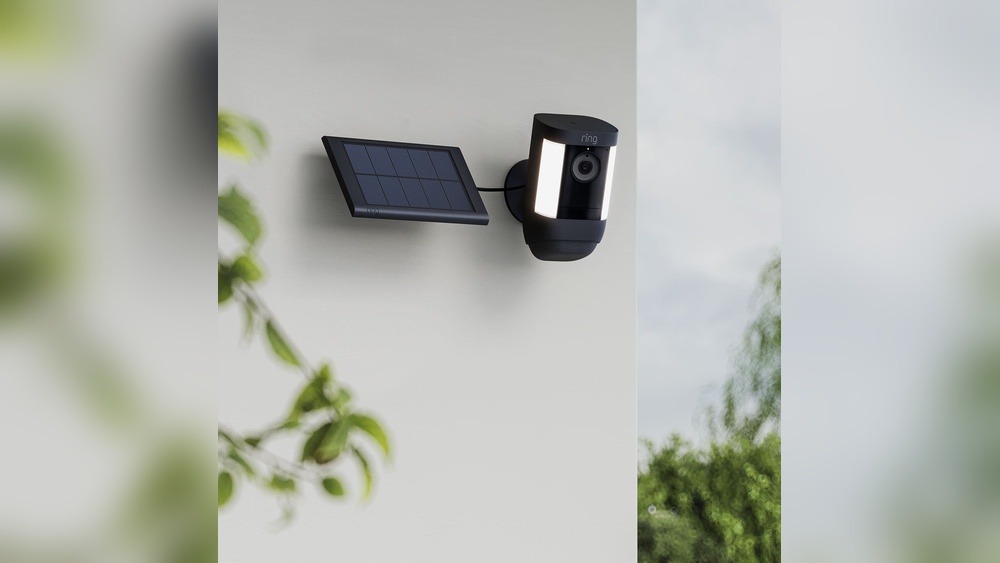
Most homes today are becoming smarter. Devices like Ring cameras help keep families safe, letting people watch their homes from anywhere. But as more cameras are added, one question often comes up: Do you need a solar panel for each Ring camera? This question isn’t just about saving money—it’s about making your security system work well without hassle. In this guide, you’ll learn how Ring cameras get power, how solar panels fit in, and whether each camera needs its own panel. You’ll also see real examples, practical advice, and honest comparisons. By the end, you’ll know exactly what’s best for your home.
Understanding Ring Cameras And Their Power Needs
Ring cameras are popular for home security because they’re easy to install and connect to your phone. There are a few main types:
- Ring Stick Up Cam (battery, wired, or solar)
- Ring Spotlight Cam (battery, wired, or solar)
- Ring Floodlight Cam (wired only)
- Ring Doorbell Cam (mostly wired, some battery models)
Most Ring cameras either run on a rechargeable battery or are wired into your home’s electricity. Some newer models can also use a solar panel to keep the battery charged.
Battery Vs Wired Power
- Battery-powered Ring cameras: These are flexible—you can put them anywhere, even far from outlets. But the battery needs recharging every few months (or sooner, if the camera is busy).
- Wired Ring cameras: These need to be near an outlet or connected to your home’s wiring. They never run out of power, but aren’t as easy to move.
How Much Power Does A Ring Camera Use?
Ring cameras are made to use little energy. For example, a Ring Stick Up Cam uses about 2–5 watts when recording. In standby mode, the power drops even lower.
A fully charged Ring battery usually lasts 1–6 months depending on:
- How often the camera records or senses motion
- Weather (cold drains batteries faster)
- WiFi signal strength
- Camera settings (resolution, frequency)
What Happens If The Battery Runs Out?
When the battery is low, you need to remove it and charge it indoors. If you have many cameras, this can become a chore. That’s where solar panels come in—they keep the battery charged so you rarely, or never, need to recharge manually.
The Role Of Solar Panels In Ring Camera Systems
Solar panels help keep Ring cameras running by turning sunlight into electricity. They are especially useful for battery-powered cameras placed outdoors.
How Ring Solar Panels Work
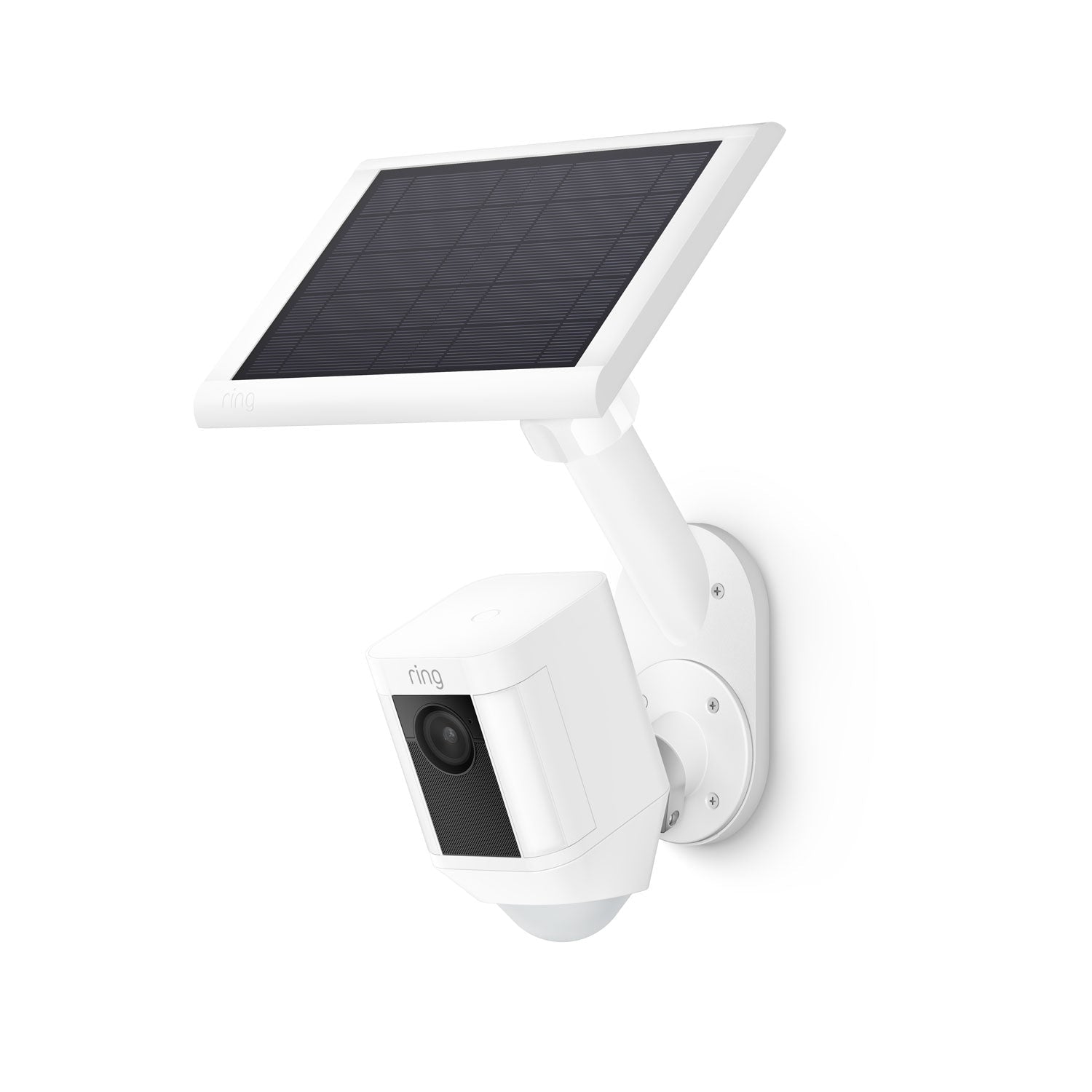
A Ring Solar Panel connects directly to the camera’s battery. When the sun shines, the panel makes electricity, which charges the battery. The process is automatic—no need to plug in or change batteries.
Typical Solar Panel Specs
- Size: About 7 x 5 inches (standard panel)
- Output: Around 2–4 watts per hour in full sun
- Cable length: Usually 13–15 feet
A sunny day gives enough power to keep most Ring cameras charged. Cloudy weather or shade can reduce charging efficiency.
Which Cameras Can Use Solar Panels?
Not all Ring cameras can use solar panels. Most battery-powered models are compatible, including:
- Ring Stick Up Cam Battery
- Ring Spotlight Cam Battery
- Ring Doorbell Battery (with special panels)
Wired cameras do not need solar panels because they get power from your home.
Installing A Solar Panel
Installation is simple:
- Mount the panel where it gets direct sunlight (ideally south-facing in the US).
- Connect the cable to your camera.
- Secure the cable to prevent damage.
Some non-obvious tips: place panels slightly tilted (15–45 degrees) for best sunlight. Avoid mounting near trees or gutters that cause shade.

Credit: www.amazon.com
Do You Need A Solar Panel For Each Ring Camera?
This is the big question—and the answer depends on your setup. Let’s look at the main factors.
Can One Solar Panel Power Multiple Cameras?
Ring’s official panels are designed for one camera each. They have a single cable meant to plug into one battery port. The panel’s power output is enough for one camera, but not more.
Why Not Share A Panel?
- The voltage and current are matched to one device.
- Sharing the power can cause undercharging, especially if both cameras record often.
- Ring’s warranty does not cover setups with split cables or third-party adapters.
Real-world Example
Imagine you have two Ring Stick Up Cams on opposite sides of your house. If you try to use one panel for both, you’ll need a splitter cable (not sold by Ring). The cable may not reach, and both cameras may not charge reliably. In most cases, each camera needs its own solar panel.
Data Comparison: Solar Panel Output Vs Camera Demand
Here’s a quick look at what one panel can deliver versus what two cameras need:
| Device | Average Daily Power Needed | Solar Panel Output (Full Sun) | Charging Result |
|---|---|---|---|
| 1 Ring Camera | 0.15 kWh | 0.15–0.25 kWh | Fully charged |
| 2 Ring Cameras | 0.30 kWh | 0.15–0.25 kWh | Partial charge |
As you can see, one panel is enough for one camera but not two.
What About Third-party Solar Panels?
Some companies sell larger panels or multi-port panels. These often promise to charge two or more cameras. However, there are risks:
- Compatibility issues (Ring cameras may not accept the voltage)
- Warranty voiding
- Safety concerns (overheating, short circuit)
Unless you are skilled with electronics, stick with one panel per camera.
Can Wired Cameras Use Solar Panels?
No. Wired Ring cameras are designed to use your home’s electricity. They do not have battery ports for solar panels.
Non-obvious Insight: Panel Placement Matters More Than You Think
Even if you buy a panel for each camera, placing them poorly can mean weak charging. Panels need direct sunlight for at least 6 hours per day. If you mount them under a roof, near trees, or facing the wrong direction, charging drops sharply.
Benefits Of Using Solar Panels With Ring Cameras
Solar panels aren’t just about saving a trip to charge the battery. Here are the main benefits:
1. Less Manual Charging
With a panel, you rarely need to remove and recharge the battery. This is helpful for cameras placed high up or in hard-to-reach spots.
2. Lower Maintenance
Solar panels reduce the risk of camera downtime. The camera stays online even if you forget to charge the battery.
3. Eco-friendly Power
Solar panels use the sun’s energy, which is clean and renewable. Over a year, one panel can save about 12–24 kWh of electricity, reducing your carbon footprint.
4. Cost Savings
You save on electricity bills and battery replacements. Over time, the savings can cover the cost of the panel.
5. Reliable Performance
Panels keep the battery topped up, so the camera works at full strength (higher resolution, faster detection).
Example: Solar Panel Payback
Let’s look at the numbers. A Ring Solar Panel costs about $50–$60. If it saves you from charging the battery every 2 months, that’s 6 trips saved per year. If you value your time and convenience, the panel pays for itself in less than a year.
Downsides And Limitations Of Solar Panels
Solar panels aren’t perfect. Here are some limitations to consider:
1. Weather Dependency
Panels need sunlight. If your area is cloudy or rainy for weeks, charging drops. In winter, sunlight hours are shorter.
2. Placement Challenges
Not all homes have good spots for panels. North-facing walls or shaded patios may not work well.
3. Extra Cost
Each panel costs money. For five cameras, you’ll spend about $250–$300.
4. Maintenance
Panels need to be cleaned every few months to remove dust or snow.
5. Not For Indoor Cameras
Solar panels are only for outdoor cameras. Indoor cameras must use battery or wired power.
Non-obvious Insight: Solar Panel Cables Can Limit Placement
Ring’s solar panel cables are about 15 feet long. If your camera is far from the best sun spot, you may need to buy extension cables or rethink placement.
Comparing Power Options For Ring Cameras
It helps to see how battery, wired, and solar setups stack up. Here’s a side-by-side comparison.
| Power Option | Pros | Cons | Best For |
|---|---|---|---|
| Battery Only | Flexible placement, easy setup | Manual charging needed | Areas without outlets |
| Wired | Never runs out, stable power | Needs outlet, limited placement | High-traffic areas |
| Solar Panel | Low maintenance, eco-friendly | Needs sunlight, extra cost | Outdoor, hard-to-reach spots |

Credit: www.amazon.com
Practical Tips For Setting Up Ring Cameras With Solar Panels
If you decide to use solar panels, follow these tips for best results:
1. Check Sunlight Before Buying
Use a free sunlight app (like Sun Surveyor) to check how much sun your camera area gets. If it’s less than 4 hours per day, solar panels may not work well.
2. Buy The Right Panel
Use official Ring panels for best compatibility. If you buy third-party panels, check voltage and cable specs carefully.
3. Mount Panels Smartly
- South-facing is best in the US
- Angle panels at 15–45 degrees for maximum sun
- Avoid shade from trees or buildings
- Clean panels every few months
4. Test The Camera With And Without The Panel
After installing, check battery stats in the Ring app. If the battery drops quickly, move the panel or check for cable issues.
5. Plan For Growth
If you want more cameras later, leave room for more panels. Don’t crowd panels too close—shade from one can affect others.
Real Example: Saving Time With Solar Panels
A homeowner in Arizona installed three Ring Spotlight Cams, each with its own solar panel. Before using panels, he had to recharge batteries every 6 weeks. With panels, he hasn’t charged a battery in over 10 months.
Solar Panels And Ring Camera Placement: What Matters Most
The best setup depends on where your cameras are and how much sunlight your home gets.
1. For Outdoor Cameras
Solar panels are ideal for outdoor cameras facing south or west. For north-facing cameras, battery or wired power may be better.
2. For Indoor Cameras
Indoor cameras cannot use solar panels. Stick to battery or wired power.
3. For High-traffic Areas
If your camera records constantly (like a front porch with lots of movement), a wired camera is best. Solar panels can keep up in sunny areas, but may struggle in shade.
4. For Remote Locations
For cameras placed far from your house, use battery power with a solar panel. If you can’t get good sunlight, consider a portable battery charger.
Data Table: Camera Placement Vs Power Solution
| Placement | Recommended Power | Solar Panel Suitability |
|---|---|---|
| South-facing outdoor | Battery + Solar Panel | Excellent |
| North-facing outdoor | Battery Only or Wired | Poor |
| Indoor | Battery or Wired | Not suitable |
| Shaded outdoor | Wired | Poor |
| Remote outdoor | Battery + Solar Panel | Good, if sunny |
Common Mistakes When Using Solar Panels With Ring Cameras
Many beginners make mistakes that can cause problems. Here are some to avoid:
1. Using One Panel For Multiple Cameras
As explained earlier, this rarely works. Each camera needs its own panel for reliable charging.
2. Placing Panels In Shade
Even partial shade can cut charging by more than 50%. Always check for shadows throughout the day.
3. Ignoring Cable Length
Before buying, measure the distance from the camera to the sunniest spot. Ring’s cable may not reach.
4. Buying Cheap Third-party Panels
Low-quality panels may not provide enough power or may damage your camera. Use official panels or trusted brands.
5. Not Checking Compatibility
Not all Ring models accept solar panels. Check your camera’s specs before buying.
6. Forgetting Regular Maintenance
Dust, leaves, or snow can block sunlight. Clean panels every few months.
7. Overlooking Firmware Updates
Ring sometimes updates camera firmware. Make sure your camera is up to date to avoid charging bugs.
Is A Solar Panel Worth It For Every Ring Camera?
Let’s weigh the pros and cons. If your cameras are outdoors, get plenty of sun, and you want low maintenance, a panel for each camera is a smart choice. If your cameras are inside or in shade, skip the panel.
How Many Panels Should You Buy?
- Outdoor, sunny cameras: One panel per camera
- Indoor cameras: No panel
- Shaded or north-facing cameras: Consider wired power
If you have five cameras, buy five panels for best results. If you have a mix, buy only for the cameras that will get good sunlight.
Non-obvious Insight: Solar Panels Can Help Battery Life
Even if a panel can’t fully charge the camera, it still slows battery drain. This means fewer manual charges, even in less sunny spots.
Credit: ring.com
Advanced Options: Expanding Your Ring Camera System
If you plan to expand your system, consider these advanced tips:
1. Use Smart Plugs For Wired Cameras
Smart plugs let you control power remotely. They also help monitor energy usage.
2. Combine Power Solutions
Some users mix battery, wired, and solar panels for different cameras. This gives flexibility and reliability.
3. Monitor Battery Stats
Use the Ring app to track battery health. If a camera’s battery drops quickly, try moving the panel or switching to wired power.
4. Consider Professional Installation
If you’re adding many cameras and panels, a pro installer can help with placement, wiring, and setup.
5. Stay Updated
Ring often releases new products and updates. Check their website for new panels or camera models.
What The Experts Say
Security professionals recommend one solar panel per battery-powered camera. This ensures each camera gets enough power and avoids technical issues. Ring’s own support team confirms this in their official guides.
For more technical details, see the Ring support site or trusted guides like Consumer Reports.
Frequently Asked Questions
How Many Ring Cameras Can One Solar Panel Charge?
Only one Ring camera per panel. Ring’s panels are designed for single devices. Using splitters or connecting multiple cameras can cause undercharging and may void your warranty.
Do All Ring Cameras Work With Solar Panels?
No. Only battery-powered Ring cameras can use solar panels. Wired cameras and most indoor models do not have battery ports for solar charging.
What Happens If My Solar Panel Doesn’t Get Enough Sun?
If your panel gets less than 4–6 hours of direct sun per day, it may not fully charge your camera. The battery will drain faster, and you may need to charge it manually. Try moving the panel to a sunnier spot.
Can I Use Third-party Solar Panels With Ring Cameras?
You can, but it’s risky. Third-party panels may not match Ring’s voltage or current specs, leading to charging problems or warranty issues. Official Ring panels are safer and more reliable.
Is A Solar Panel Worth It If My Camera Is In The Shade?
Usually, no. Panels need direct sunlight to work well. In shaded areas, stick to battery or wired power. If you can’t avoid shade, expect to charge the battery manually more often.
Final Thoughts
Smart home security is all about making life easier and safer. If you have multiple Ring cameras, adding a solar panel for each outdoor, battery-powered camera is the best way to keep your system running smoothly. One panel per camera ensures full charging, less maintenance, and reliable performance. For indoor or shaded cameras, skip the panel and use battery or wired power. Every home is different, so check your sunlight, placement, and camera model before buying. With the right setup, your Ring cameras will protect your home day and night—without you having to worry about power.