
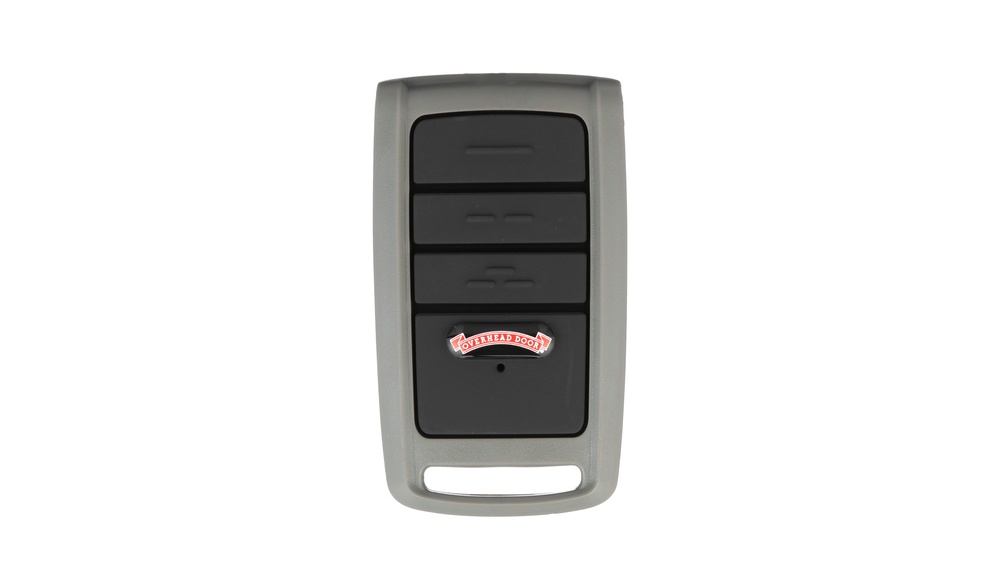
If your garage door remote control suddenly stops working, it can disrupt your daily routine. You might find yourself outside your garage, pressing the button repeatedly, only to realize that the remote has finally given up. The good news is that replacing a garage door remote control is a straightforward process—if you know what to do. Many homeowners are surprised by how simple it can be, but there are a few important details to get right. This guide will walk you through every step, from identifying your existing remote to successfully programming the new one, ensuring your garage door is back in action as quickly as possible.
Understanding How Garage Door Remotes Work
Before buying a replacement, it helps to understand what a garage door remote control does. These devices use a wireless signal to communicate with your garage door opener, telling it to open or close the door. The remote and the opener must be “paired” or programmed to recognize each other. The technology has evolved over time, but the key components remain:
- Remote Control: The device you keep in your car or pocket.
- Garage Door Opener Unit: Mounted on your garage ceiling, it receives the signal and operates the door.
- Frequency: The channel over which the remote sends signals (usually 300, 310, 315, 390 MHz, etc. ).
- Security Codes: Modern remotes use “rolling codes” for security, which change the signal each time.
Understanding these basics will help you choose a compatible replacement and avoid unnecessary frustration.
Signs You Need To Replace Your Garage Door Remote
Sometimes a remote just needs a new battery, but there are situations where replacement is the only solution:
- Physical Damage: If your remote is cracked, water-damaged, or the buttons are stuck, it’s best to replace it.
- Lost or Stolen Remote: For security, you must replace any lost or stolen remote as soon as possible.
- Unresponsive Remote: If changing the battery doesn’t help and the opener works with the wall switch, the remote is likely faulty.
- Obsolete Model: Some older remotes are no longer supported by manufacturers.
- Multiple Users: Sometimes, you need an extra remote for family members or a second vehicle.
A quick tip: If your remote only works when very close to the garage, it’s often a battery issue or signal interference. Try replacing the battery before buying a new remote.

Credit: store.geniecompany.com
Gathering Essential Information Before Replacement
Choosing the right replacement requires some details about your current system. Take a few minutes to collect this information:
1. Brand And Model Number
Look for the brand (like Chamberlain, LiftMaster, Genie, Craftsman, etc.) on your remote or garage door opener unit. The model number is usually on the back of the remote or inside the battery compartment. If you can’t find it on the remote, check the opener motor unit mounted on the ceiling.
2. Frequency
Garage door remotes operate on specific frequencies (e.g., 315 MHz, 390 MHz). This information is often stamped on the opener unit or remote. Matching the frequency is essential for compatibility.
3. Type Of Remote
There are different styles:
- Single-button remotes: Open one door.
- Multi-button remotes: Control more than one door or device.
- Keychain remotes: Small and portable.
- Universal remotes: Work with many brands and models.
4. Programming Method
Older remotes use dip switches (little toggles inside the remote). Modern remotes often use a learn button on the opener unit for programming. Knowing which you have saves time.
Comparing Garage Door Remote Types
Choosing the right type makes the process smoother. Here’s a comparison of the most common remote types:
| Remote Type | Main Feature | Best For | Typical Price Range |
|---|---|---|---|
| Original Replacement | Identical to the original remote | Exact match, no surprises | $20–$50 |
| Universal Remote | Works with multiple brands/models | Hard-to-find or obsolete remotes | $25–$60 |
| Keychain Remote | Small, portable, convenient | Extra remote for on-the-go | $15–$40 |
| Wall-Mounted Remote | Fixed to garage wall for easy access | Secure, always available spot | $25–$55 |
Choosing The Right Replacement Remote
Now that you have the necessary information, you can confidently choose a replacement. Here’s what to consider:
Brand Compatibility
Whenever possible, choose a remote from the same brand as your opener. This reduces the risk of compatibility issues. For example, a LiftMaster remote is almost always compatible with a LiftMaster opener.
Universal Vs. Original
Universal remotes are a good option if your opener is old or discontinued. However, always check the packaging or manufacturer’s website for a compatibility list. Some universal remotes don’t support rolling code systems, which many openers use for security.
Frequency And Security
Check that the new remote matches the frequency and security code technology (fixed or rolling code) of your opener. If you’re unsure, take a photo of your opener’s information label to the store or show it to an online seller.
Button Needs
If you have more than one garage door, choose a remote with multiple buttons. If you only use one door, a single-button remote is simpler.
Price And Warranty
Most garage door remotes cost between $20 and $60. Original remotes tend to last longer, but universal remotes offer flexibility. Check for a warranty—a good remote should have at least a 1-year warranty.
Extra Features
Some modern remotes offer:
- Backlit buttons for easy nighttime use
- Longer range for opening the door from farther away
- Smartphone compatibility (via add-on modules)
These features can add convenience but aren’t essential for most users.
Where To Buy A Replacement Garage Door Remote
You have several options, each with pros and cons:
- Home Improvement Stores: Most major chains (Home Depot, Lowe’s, Menards) stock popular brands and universal remotes. Staff can often help with compatibility questions.
- Online Retailers: Websites like Amazon, eBay, or the manufacturer’s official site offer a wide selection and good prices. Always check the return policy and customer reviews.
- Garage Door Dealers: Many local dealers sell remotes and can provide programming help. This is a good choice if you’re unsure about compatibility.
- Manufacturer’s Website: Buying direct ensures you get an authentic, compatible product.
A practical tip: Avoid very cheap, off-brand remotes from unknown online sellers. They may not work reliably and often lack support.
Steps To Replace Your Garage Door Remote Control
Once you have your new remote, follow these steps to get it working:
1. Check The Batteries
Install fresh batteries in the new remote before programming it. Weak batteries can cause unreliable operation during setup.
2. Locate The Learn Button On The Opener
Most modern garage door openers have a learn button on the main unit (usually mounted on the garage ceiling). It’s often near the wiring terminals and may be colored (yellow, orange, red, purple, etc.).
- Tip: You might need a ladder to reach it safely.
3. Clear Old Remotes (optional But Recommended)
If you lost your old remote or it was stolen, it’s wise to erase all codes from the opener. This prevents anyone with an old remote from accessing your garage.
- To erase: Press and hold the learn button for about 6–10 seconds until the indicator light goes off. This removes all programmed remotes.
4. Program The New Remote
The programming process depends on your opener brand and model, but the general steps are:
- Press and release the learn button. The indicator light will turn on (or blink).
- Within 30 seconds, press and hold the button on the new remote you want to program.
- Release the button when the opener’s light blinks or you hear a click. This confirms programming.
- Test the remote from a few feet away to ensure it works.
If you have a multi-button remote, repeat the steps for each button/door.
5. Test The Remote
Stand at different distances and angles to check the remote’s range and reliability. If it works only near the opener, check the battery or look for signal interference (LED lights, metal objects, or other wireless devices nearby can cause problems).
6. Secure Your System
If you erased all codes earlier, reprogram any other remotes or keypads used by family members. Make sure everyone has working access.
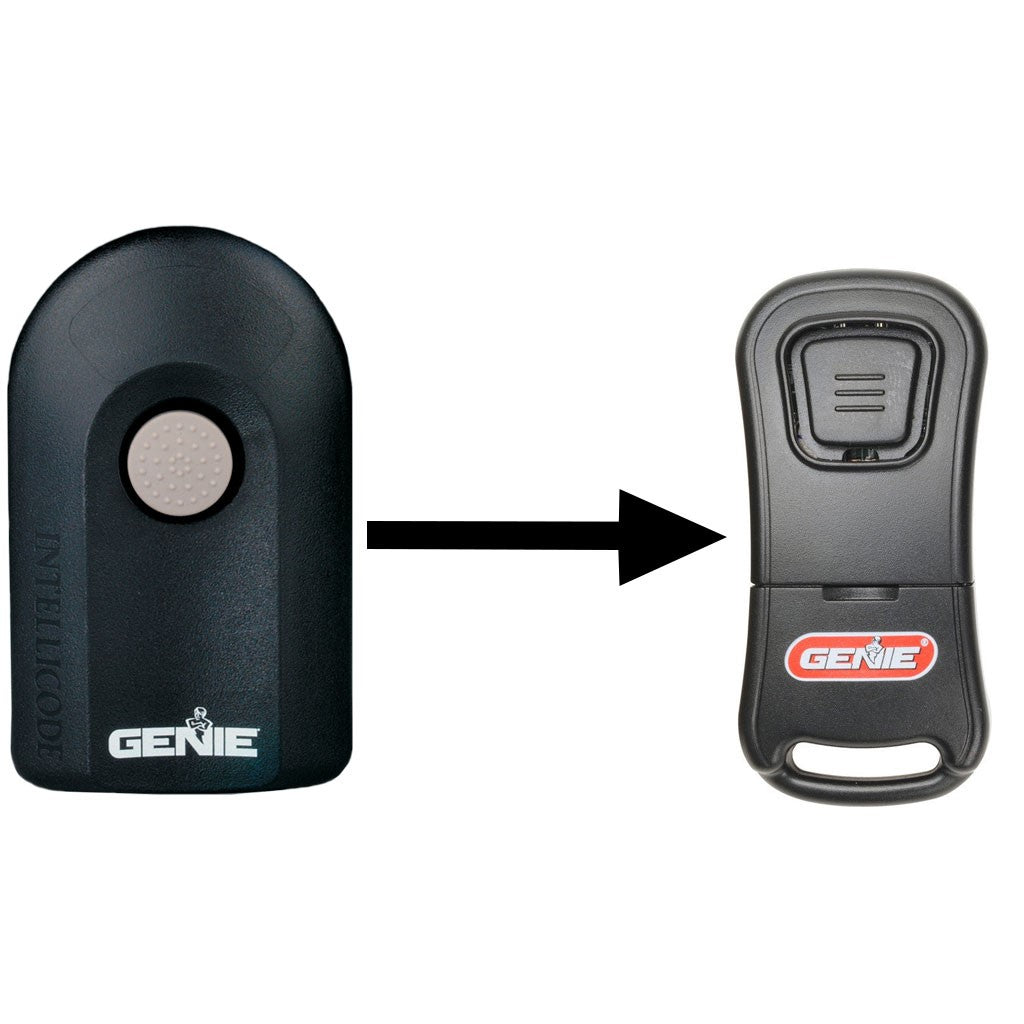
Special Cases: Dip Switch Remotes
Some older garage door systems use dip switches—small toggles inside the remote and opener—to set the code. If your system uses these:
- Open the remote’s battery compartment.
- Match the dip switch pattern (up/down positions) to the opener’s control panel.
- Install the battery and test.
Dip switch systems are less secure than modern rolling code systems. If your opener is very old, consider upgrading for better security.
Credit: store.geniecompany.com
Troubleshooting Common Problems
Even with careful setup, issues can arise. Here’s how to solve the most frequent problems:
Remote Doesn’t Work After Programming
- Check battery installation: Make sure the battery is fresh and installed correctly.
- Repeat programming steps: Sometimes you must press the learn button firmly or try again.
- Distance issues: Test the remote near the opener. If it works only very close, interference or a weak battery is likely.
- Wrong remote: Double-check compatibility (brand, frequency, rolling code support).
Remote Works Intermittently
- Interference: LED lights, cordless phones, or Wi-Fi routers near the opener can disrupt the signal.
- Physical obstructions: Metal garage doors or support beams can block the signal. Try repositioning the opener’s antenna.
- Battery: Replace with a fresh, high-quality battery.
Other Remotes Stopped Working
If you erased all codes to remove lost or stolen remotes, you need to reprogram each one. Follow the programming steps for each remote and wireless keypad in your household.
The Opener Light Blinks But Door Doesn’t Move
The remote is communicating, but the door doesn’t move. Possible causes:
- Safety sensors misaligned: Check the sensors at the bottom of the door.
- Opener in “lock” mode: Some wall controls have a lock button. Unlock it.
- Mechanical problem: The door or opener mechanism could be jammed.
Upgrading To A Smart Garage Door Remote
Today’s technology offers the option to control your garage door with your smartphone. Many modern openers support Wi-Fi modules or smart home integration. Upgrading has benefits:
- Remote monitoring: Check if your door is open or closed, even when you’re away.
- Open/close from anywhere: Let in deliveries or guests remotely.
- Activity logs: See when your garage was accessed.
If you’re replacing an old remote and want more convenience, consider a smart add-on. Popular brands like Chamberlain (MyQ), Genie, and others offer these options. They usually cost between $40 and $100 for the module.

Credit: overheaddoorpartsonline.com
Data: Garage Door Remote Lifespan And Failure Rates
Many homeowners wonder how long a typical remote lasts. Here’s some useful data:
| Brand | Average Remote Lifespan | Common Failure Causes | Replacement Cost |
|---|---|---|---|
| Chamberlain/LiftMaster | 5–7 years | Battery, physical damage, lost remote | $25–$50 |
| Genie | 5–8 years | Battery, worn buttons, water damage | $20–$45 |
| Craftsman | 5–7 years | Battery, circuit failure | $20–$40 |
| Universal | 3–6 years | Poor build quality, compatibility issues | $15–$60 |
Insight: Most failures are due to battery issues or physical damage, not electronic failure. Many remotes last longer with careful handling.
Safety And Security Tips
A garage door remote is a key to your home. Treat it with care:
- Never leave remotes in unlocked cars. Thieves often target vehicles for garage access.
- Replace lost or stolen remotes immediately. Erase all codes and reprogram all remotes.
- Upgrade old remotes. Older remotes with dip switches are less secure than rolling code models.
- Teach children about remote safety. Remotes are not toys.
What Beginners Often Miss
- Programming Remotes Erases Others (Sometimes): On some openers, adding a new remote erases existing ones. Always check your manual and reprogram all devices if needed.
- Remote Batteries Matter: Cheap, off-brand batteries often cause weak signals. Use high-quality batteries for best results.
- Compatibility Isn’t Just About Brand: Even with the same brand, older and newer models may use different frequencies or code systems.
- Wall Controls and Keypads May Also Need Reprogramming: If you clear all codes, remember to reprogram wireless keypads and wall remotes.
Real-world Example: Replacing A Lost Remote
Let’s say you have a Chamberlain opener with a lost remote. Here’s how a typical replacement looks:
- You note your opener’s model number (e.g., Chamberlain B550) from the ceiling unit.
- At a home improvement store, you find a Chamberlain 953EV universal remote—compatible with your model.
- At home, you press the yellow learn button on your opener, then press the remote’s button as instructed.
- The opener’s light blinks, confirming success.
- You test the remote from your driveway, confirming full range.
- Because you lost the old remote, you erase all codes and reprogram your keypad and other remotes.
This process takes less than 15 minutes and restores your garage’s security.
Professional Help Vs. Diy
Most people can replace a garage door remote themselves. However, consider professional help if:
- Your opener is very old and unclear.
- You can’t find the learn button or programming instructions.
- You want to upgrade to a smart system and need wiring.
Garage door companies and locksmiths offer remote replacement services for a fee (usually $75–$150 including the remote and programming).
Environmental Impact And Remote Disposal
When you replace your remote, don’t just throw the old one in the trash. Garage door remotes contain batteries and small electronic parts that can harm the environment. Most home improvement stores and community recycling centers accept electronics for safe disposal. Remove the battery and dispose of it according to local regulations.
Comparing Diy Vs. Professional Replacement
To help you decide, here’s a comparison:
| Option | Cost | Time Required | Pros | Cons |
|---|---|---|---|---|
| DIY | $20–$60 | 10–30 minutes | Cheaper, flexible, satisfying | Requires some research, possible compatibility issues |
| Professional | $75–$150 | 30–60 minutes | Expertise, less stress, includes troubleshooting | More expensive, less control |
Tip: If you’re comfortable using a screwdriver and reading simple instructions, DIY is usually the best option.
Preventing Future Remote Issues
To get the most from your new remote:
- Label each remote: Mark with a sticker or permanent marker for easy identification.
- Store spares safely: Keep extra remotes in a secure drawer, not in the car.
- Regularly check batteries: Replace batteries every 1–2 years or when you notice reduced range.
- Clean remotes gently: Dust and moisture can damage buttons over time.
When To Consider Replacing The Whole Opener
If your garage door opener is over 15 years old or uses outdated technology, replacing the whole unit may be smarter than just replacing the remote. Signs you need a new opener include:
- Loud operation
- Frequent breakdowns
- Obsolete safety features (no sensors)
- Difficulty finding compatible remotes
Modern openers are quieter, safer, and more secure. They also support smart home features and backup batteries.
Trusted Resources For Garage Door Remote Replacement
If you need more details, the Garage Door Openers page on Wikipedia offers an excellent overview of opener types, remotes, and technologies. You can find it here: Wikipedia: Garage Door Openers.
Frequently Asked Questions
How Do I Know Which Remote Will Work With My Garage Door Opener?
You must match the brand, model number, and frequency. Check your opener unit or old remote for this information. Universal remotes can work with many brands, but always confirm compatibility before buying.
Can I Program More Than One Remote To My Garage Door Opener?
Yes, most openers allow multiple remotes. After programming the first remote, repeat the process with each additional remote. There’s usually a limit (often 5–8 remotes per opener).
What Should I Do If My Remote Is Lost Or Stolen?
Erase all codes from your garage door opener by holding the learn button for 6–10 seconds. Then, program new remotes. This prevents anyone with the old remote from opening your garage.
Why Does My Remote Only Work When I’m Very Close To The Garage?
This is usually a battery issue or signal interference from other electronics (LED bulbs, Wi-Fi routers, etc.). Try a fresh battery and check for sources of interference near the opener.
Can I Use My Smartphone As A Garage Door Remote?
Yes, many modern openers support smartphone control with an add-on Wi-Fi module. Brands like Chamberlain (MyQ) and Genie offer these upgrades, letting you open or close your door from anywhere.
Replacing a garage door remote control doesn’t have to be a hassle. With the right information and a bit of patience, you can restore access and security in less than half an hour. Remember to keep your system updated, use high-quality batteries, and take simple steps to protect your home.
If you ever feel stuck, professional help is always available—but for most, DIY replacement is fast, affordable, and satisfying.