
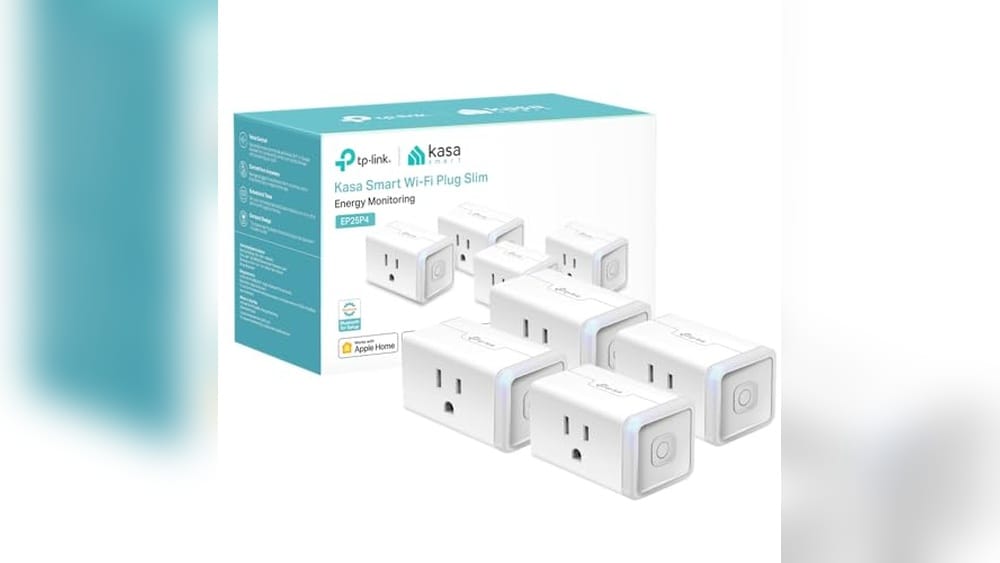
Smart plugs have become a key part of making homes more connected and convenient. When it comes to Apple users, finding the best smart plugs for HomeKit is important to ensure smooth integration with the ecosystem. These plugs let you control your devices with simple voice commands or through the Home app, adding automation without extra hassle. Compatibility, reliability, and ease of setup are crucial factors to consider. Whether you’re looking to control lights, fans, or other appliances, the right HomeKit-compatible smart plug can make a big difference in your daily routine.
Kasa Mini Smart Plug For Homekit
For Apple users seeking the Best Smart Plugs for Homekit, this compact smart outlet fits well in any connected home setup.

Everyday Use Highlights
- Seamless Apple HomeKit integration allows easy Siri voice commands.
- Compact design fits without blocking other outlets.
- Energy monitoring helps track device power consumption over time.
- Setup is straightforward with Kasa app and supports Google and Amazon assistants.
- UL certified flame retardant ensures safety and peace of mind.
This smart plug is a straightforward device that turns any outlet into a voice-controlled switch compatible with Apple HomeKit. It solves the common problem of managing devices remotely while offering energy monitoring to keep tabs on usage, which can inform smarter energy habits.
Using it feels reliable and simple. The compact size means it doesn’t block adjacent sockets, and the setup via the app is quick. Voice commands through Siri work smoothly, making daily control feel natural. I appreciated the safety certification, which adds confidence for continuous use.
Choosing This Smart Plug
This product suits Apple HomeKit users who want a small but capable smart plug with energy tracking and solid safety features. It fits well in homes where space around outlets is tight or for those interested in monitoring device power.
If you need a smart plug that supports 5 GHz Wi-Fi or have a non-Apple focused smart home, this might feel limiting. Also, those wanting multi-pack options might find the single pack less convenient.
- Ideal for compact spaces and Apple ecosystems.
- Good for users wanting detailed power usage info.
- Not suitable for 5 GHz Wi-Fi networks.
- Single unit pack may not suit large deployments.
A Thoughtful Pick for HomeKit Users
This Kasa Mini Smart Plug is a practical choice if you want a low-profile device that integrates well with Apple’s HomeKit and voice control. It’s especially useful when you want to keep an eye on your energy consumption without fuss.
However, if your setup demands faster Wi-Fi bands or you need multiple plugs in one purchase, you might want to explore other options. For typical users, the easy setup and trusted safety features bring reassurance.
One tip: have your Apple hub device nearby for smooth remote access. Overall, it balances simplicity and function without unnecessary complexity.
Kasa Smart Plug Mini For Homekit
For Apple users seeking the Best Smart Plugs for Homekit, this compact smart plug from Kasa Smart offers seamless integration and easy control.

Everyday Ease and Features
- Supports Apple HomeKit for voice control via Siri, fitting smoothly into Apple setups.
- Real-time energy monitoring helps track power use, avoiding surprises on bills.
- Compact size means it won’t block adjacent outlets, useful in tight spaces.
- Setup is straightforward with apps and supports Amazon and Google assistants as well.
- UL certification adds a layer of safety and reliability.
Considerations Before Buying
- Only works on 2.4 GHz WiFi, which may limit some network setups.
- Apple HomeKit remote control requires an additional Apple device at home.
- Maximum load is 15A, so not suitable for very high-power appliances.
Thoughts on Using This Smart Plug
This Kasa Smart Plug Mini fits well for anyone invested in the Apple ecosystem looking for a simple, reliable smart outlet. The Apple HomeKit support works as expected, giving easy voice control and scheduling through Siri. The compact design means you can use it in crowded outlets without hassle.
While setup is quick and the energy monitoring is a handy bonus, keep in mind it only connects via 2.4G WiFi and requires additional Apple devices for remote HomeKit use. Overall, it feels like a solid, no-fuss tool that saves time and adds smart convenience to your home.
Who Will Appreciate This Smart Plug?
This device is best for Apple users who want a dependable smart plug that integrates directly with HomeKit and Siri. It’s a neat choice if you want to monitor energy and control devices hands-free without complicated installs.
If you don’t have other Apple devices for HomeKit remote access or need a plug that works on 5 GHz WiFi, this might feel limiting. Also, heavy-duty appliance control isn’t its strength.
- Ideal for bedrooms, living rooms, or home offices with standard appliances.
- Great for those who want simple voice commands and scheduling.
- Less suitable if you rely on 5 GHz WiFi or need smart plugs for heavy appliances.
Practical Advice for Potential Buyers
If you’re already using Apple devices like an iPad or HomePod, this smart plug integrates smoothly and lets you control devices effortlessly. For those without Apple hubs, remote control won’t be available, so plan accordingly. The compact design and energy tracking add useful touches without complexity.
It’s a good fit when you want simple smart control without fuss or overspending. This plug can quietly improve daily routines while fitting neatly into your home setup.
Meross Mini Smart Plug For Homekit
If you want one of the Best Smart Plugs for Homekit to control your home devices with ease, this compact option suits users who value simplicity and reliable voice control.
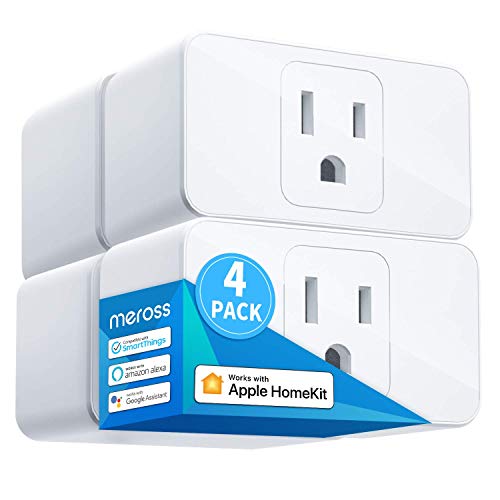
Daily Use Highlights
- Works smoothly with Apple HomeKit via a HomePod or Apple TV as a bridge.
- Compact size allows two plugs in one outlet without blocking neighbors.
- Voice commands through Siri and other assistants feel natural and responsive.
- Scheduling options help manage energy use with sunrise and sunset settings.
- Setup and control through the app is straightforward once connected.
Points to Consider
- Requires a 2.4GHz Wi-Fi network; no 5GHz support.
- Remote control only works if the HomeKit bridge device stays online continuously.
- Only supports devices up to 15A, so heavy appliances are not ideal.
Thoughts on the Meross Smart Plug Mini
This smart plug offers a neat solution for HomeKit users looking to bring basic automation and voice control to their home outlets. Its compact design stands out, allowing more flexibility in socket usage without overcrowding.
However, the dependency on a HomeKit bridge being always online might be inconvenient for some. If you keep your Apple devices powered and connected, the experience is smooth and dependable, giving good control over your home gadgets.
Who Will Benefit Most
This device is well suited for people who already use Apple’s ecosystem and want a simple, no-fuss smart plug that fits tight spaces. It’s also good for those who appreciate voice control through multiple assistants.
On the other hand, if you don’t have a stable 2.4GHz Wi-Fi or prefer a plug that works independently from other Apple devices, this might cause frustration.
- Ideal for small appliances and lamps.
- Best for users comfortable managing HomeKit setups.
- Not for high-power devices or those needing 5GHz Wi-Fi.
Practical Insight for Buyers
If you want a smart plug that integrates well with HomeKit and occupies minimal outlet space, this fits well. It’s handy for daily tasks like scheduling lights or small fans.
Keep in mind the need to keep your HomeKit bridge device online to unlock full remote control. With that in place, you gain confidence in managing your home environment quietly and efficiently.
Linkind Matter Smart Plug 4-pack
If you want reliable and simple control, these are one of the Best Smart Plugs for Homekit for users who prefer seamless integration with Apple and other smart home platforms.

Daily Use Highlights
- Works well with Apple Home, Siri, Alexa, and Google Assistant for voice control.
- Maintains local control during internet outages thanks to the Matter protocol.
- Easy to set up with existing smart home hubs or via the AiDot app without a hub.
- Allows remote switching and scheduling to manage devices efficiently.
- Supports up to 15A/1800W, suitable for many household appliances.
Considerations Before Buying
- Only works on 2.4 GHz Wi-Fi networks, not 5 GHz.
- Requires a Matter-certified hub or controller for full Apple Home integration.
- Some may find the 4-pack size more than needed if only a few plugs are required.
Thoughts for Your Home Setup
This smart plug focuses on simplicity and compatibility across major smart home platforms. Its use of the Matter protocol ensures devices talk to each other directly on your local network, which is a big plus for reliability. However, it’s important to note it only supports 2.4 GHz Wi-Fi, so your router setup matters.
Setting it up felt straightforward, especially with Apple HomeKit. The ability to control devices remotely and schedule power saves some hassle and can reduce waste. The included 4-pack is convenient if you want to cover multiple devices at once, but it might be more than needed for some users.
Which Users This Suits and Who Might Pass
This plug fits best for someone already invested in Apple HomeKit or other mainstream smart home ecosystems who wants a no-fuss experience with solid local control. It’s ideal if you need a few reliable plugs that work across different voice assistants.
On the other hand, if you rely on 5 GHz Wi-Fi or don’t use any Matter-compatible hubs, you may find integration or connectivity limiting. People wanting a single plug or a higher power rating might want to look elsewhere.
- Great for Apple HomeKit and Siri users.
- Good for homes with stable 2.4 GHz Wi-Fi.
- Less ideal if you want cloud-only control or 5 GHz Wi-Fi support.
A Practical Take on Linkind’s Smart Plug
This set of smart plugs is a solid choice if you want dependable HomeKit compatibility and local network control without fuss. If you use Apple Home or other Matter-certified hubs, it will fit naturally into your daily routines.
Those who want the convenience of voice commands and scheduling will appreciate its ease of use. However, if your home Wi-Fi setup leans heavily on 5 GHz or you don’t have a Matter hub, you might find setup a bit more involved.
Before buying, check your router frequency and confirm your hub compatibility. Once set up, it’s reassuring to know your devices work even if the internet drops. This plug offers a practical, straightforward way to smarten your outlets without unnecessary complications.
Meross Compact Homekit Smart Plug
For Apple users looking for one of the Best Smart Plugs for Homekit, this meross smart plug offers a simple, privacy-focused solution for smart home control.

The meross Compact HomeKit Smart Plug is a small, easy-to-install outlet switch designed to integrate with Apple HomeKit and other smart home platforms. It solves the common challenge of complicated setup by offering frustration-free setup (FFS) with Alexa and simple manual pairing for HomeKit users. Its focus on 100% local control without cloud dependency ensures privacy and uninterrupted operation even if your internet goes offline.
Using this smart plug feels straightforward and reliable. The compact size fits well in tight spaces without blocking adjacent outlets. I found controlling devices through the Meross app and voice commands intuitive, saving time on manual switches and adding confidence in managing home appliances remotely.
Daily Use Insights for HomeKit Smart Plugs
- Easy setup with Alexa and straightforward manual pairing for HomeKit users.
- Works exclusively on 2.4 GHz Wi-Fi, which suits most home networks.
- Maintains privacy with local area network control, no cloud dependence.
- Compact design prevents blocking nearby outlets.
- Compatible with multiple voice assistants including Siri, Alexa, and Google Assistant.
- Supports scheduling and timers for automated control.
- Does not support Thread protocol, which may limit future connectivity options.
Thoughtful Considerations Before Buying
This smart plug is a good fit for Apple HomeKit users who value privacy and want simple, reliable control without cloud reliance. It works best in homes with stable 2.4 GHz Wi-Fi and compatible hubs like Apple TV or HomePod Mini.
However, if you need Thread support or dual-band Wi-Fi compatibility, this model might feel restrictive. Also, Android users will require additional hubs to unlock full features. Keep in mind that the full advantage of frustration-free setup requires matching Amazon and purchase accounts.
Balanced Advice for HomeKit Smart Plug Seekers
Choose this meross smart plug if you want a compact, privacy-focused device that integrates well with Apple HomeKit and other major voice assistants. It’s particularly suitable for those who dislike cloud dependency and want consistent access even during internet outages.
Skip it if your setup demands Thread support or if your Wi-Fi environment is predominantly 5 GHz. Also, Android users who lack compatible hubs might find the experience less seamless.
To get the best from this plug, ensure your Apple ecosystem is up to date and your Wi-Fi is stable. Rest assured, this device balances ease of use with strong privacy principles, making it a practical addition to a smart home focused on security and simplicity.
Kasa Homekit Outdoor Smart Plug
For homeowners seeking the Best Smart Plugs for Homekit, this outdoor smart plug by Kasa Smart offers reliable control for outdoor devices.

Daily Use at a Glance
- Weatherproof design handles outdoor conditions well with an IP64 rating.
- Two independently controlled outlets allow flexible device management.
- Voice support through Siri, Alexa, and Google Assistant simplifies hands-free control.
- Long-range Wi-Fi coverage reduces connectivity issues in larger outdoor spaces.
- Scheduling and grouping features help automate lighting and save energy.
- Only works on 2.4GHz Wi-Fi, which may limit network options.
- Requires an Apple HomeKit hub for remote control outside home network.
Choosing This Outdoor Smart Plug
This smart plug is ideal if you want solid integration into Apple’s HomeKit ecosystem combined with dependable outdoor use. The two sockets let you control separate devices independently, which is handy for string lights or garden equipment. It’s built to withstand dust and light water exposure, making it practical for patios or yards.
On the downside, the plug only supports 2.4GHz Wi-Fi and needs an Apple hub for remote access outside your home. If you rely heavily on 5GHz networks or don’t use Apple devices, this could be a drawback. Still, for HomeKit users, it offers straightforward setup and consistent performance.
Thoughts for Potential Buyers
If you own several outdoor devices and want easy voice or app control within the Apple ecosystem, this smart plug is a solid choice. It works best for those with a HomePod or Apple TV to enable remote features. Avoid it if you need 5GHz Wi-Fi support or do not use Apple’s platform, as those needs aren’t met here.
One practical tip: plan your Wi-Fi setup to ensure strong 2.4GHz signal coverage where you’ll install the plug. This will help avoid connectivity drops and maximize reliability. Overall, the Kasa HomeKit Outdoor Smart Plug offers confidence and convenience without complexity for the right user.
Tp-link Tapo Compact Homekit Plug
For smart home users seeking the best smart plugs for Homekit, this compact plug offers seamless integration and reliable control for everyday convenience.

Daily Use and Connectivity Highlights
- Works smoothly with Apple Home and other major smart home platforms due to Matter certification.
- Local network control keeps devices responsive even if your internet is down.
- Compact size avoids blocking adjacent outlets in tight spaces.
- Voice control support lets you manage devices hands-free through Siri or Alexa.
- UL certified design adds a layer of safety and reliability for everyday use.
Considerations Before Buying
- Only supports 2.4 GHz Wi-Fi networks, which might limit connectivity options.
- Maximum load of 15A/1800W means it’s best for typical household devices, not heavy appliances.
- Requires setup through the Tapo app, which may add a small learning curve for some users.
A Thoughtful Choice for Homekit Users
This smart plug fits well if you want a reliable and compact device that integrates effortlessly with Apple Home and other smart home ecosystems. Its Matter certification ensures future compatibility and local control, which can make your home automation more dependable. The compact design is a practical bonus for crowded outlets.
However, if you rely on 5 GHz Wi-Fi or have high-power devices, this may not be the best match. The setup process is straightforward but involves using the Tapo app, which might be an adjustment for those who prefer minimal apps.
Overall, this plug offers a good balance of convenience, safety, and compatibility for everyday smart home control.
Amazon Basics Homekit Smart Plug
For anyone looking for one of the Best Smart Plugs for Homekit, this product fits users who want easy integration with multiple smart home platforms.
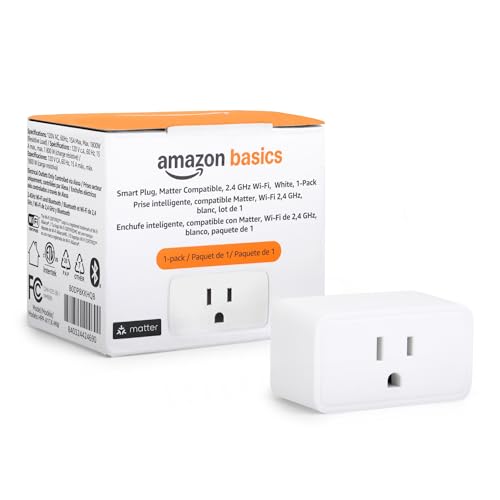
Daily Use Highlights
- Works smoothly with Apple HomeKit, Alexa, Google Home, and more thanks to Matter certification.
- Setup with Alexa is straightforward, especially if linked during purchase.
- Compact design doesn’t block adjacent outlets, fitting well in tight spaces.
- Allows scheduling and remote control when connected to a Matter-compatible hub.
- Limited to 2.4 GHz Wi-Fi networks, which may restrict some setups.
Considerations Before Buying
- Requires a Matter-compatible hub to unlock full smart automation features.
- Only supports 2.4 GHz Wi-Fi, so 5 GHz networks won’t work.
- Designed as a single-pack product, which might not suit larger setups.
Thoughts on This Smart Plug
This Amazon Basics smart plug is a practical choice for those wanting a reliable device that plays well with multiple smart home ecosystems, including Apple HomeKit. Its Matter certification ensures future-proof compatibility as smart home standards evolve.
While it’s easy to set up and use, the need for a Matter hub to access full features might be a drawback for some. The compact size is a bonus in real life, allowing use in crowded outlets without blocking others.
Finding the Right Fit for Your Home
This smart plug suits users who value cross-platform compatibility and straightforward Alexa integration. If you have or plan to get a Matter hub, this plug can be a seamless part of your automated home.
On the other hand, those without a Matter hub or relying on 5 GHz Wi-Fi might find it limiting. Also, buyers needing multiple plugs at once may want to consider quantity options.
- Good for multi-ecosystem smart homes.
- Best for smaller setups or single-device control.
- Not ideal if you lack a Matter hub or use 5 GHz Wi-Fi exclusively.
Insight Before You Decide
If your home setup includes Apple HomeKit and you want a smart plug that integrates well across platforms, this product offers a balanced feature set without complexity. It’s especially useful when you want a compact design that doesn’t waste socket space.
However, if you don’t have a Matter-compatible hub, some automation features won’t be available, so consider your existing devices first. As a tip, linking the plug to your Alexa account during purchase can save setup time. Overall, it’s a dependable option for those who prioritize compatibility and simple control.
Tp-link Tapo Homekit Smart Plug Mini
For those looking for the Best Smart Plugs for Homekit, this compact smart plug offers seamless integration for Apple users wanting simple home automation.

Daily Use Insights for Home Automation
- Supports Apple HomeKit for effortless voice control via Siri.
- Compact design prevents blocking adjacent outlets.
- UL certified flame retardant casing adds safety confidence.
- Bluetooth onboarding speeds up the initial setup process.
- Scheduling feature helps automate daily routines smoothly.
Considerations Before You Buy
- Only works on 2.4G Wi-Fi networks, not 5G.
- Remote HomeKit control needs another Apple device at home.
- Limited to a 15A/1800W power rating, not for heavy appliances.
Who Benefits Most from This Smart Plug
This smart plug fits well with Apple users invested in the HomeKit ecosystem who want a simple, compact solution to control devices hands-free. It suits daily tasks like managing lamps, fans, or holiday lights with ease.
Those needing dual-band Wi-Fi support or higher power capacity may find this model limiting. Also, users without another Apple device at home won’t get full remote control benefits.
- Ideal for small appliance automation.
- Great for users prioritizing safety certifications.
- Best if you prefer voice commands through Siri or other assistants.
Final Thoughts on Convenience and Compatibility
The TP-Link Tapo HomeKit Smart Plug Mini delivers a straightforward way to add HomeKit compatibility to your home without bulky hardware. The compact size and easy Bluetooth setup make it feel hassle-free from the start.
Just keep in mind it requires a 2.4G Wi-Fi network and another Apple device for full remote access. For many, this is a reasonable trade-off for seamless Siri control and reliable scheduling features.
It’s a practical choice for everyday smart home needs, especially if you want to avoid complex configurations.
Dohome Mini Smart Plug For Homekit
If you want one of the Best Smart Plugs for Homekit to control your home devices with ease, this DoHome smart plug is a solid option for Apple users and voice control fans.

This is a compact smart plug designed to work seamlessly with Apple HomeKit, Alexa, and Google Assistant. It allows you to control your home devices remotely without needing a hub. One key benefit is the Apple MFi certification, ensuring reliable and secure integration with HomeKit.
Using it feels straightforward—just plug it in and connect via Wi-Fi. The setup is quick, and I appreciated being able to group devices and set timers effortlessly. It saved me time and added convenience without extra subscriptions or hubs.
Everyday Use Highlights
- Voice commands work well with Siri, Alexa, and Google Assistant.
- Timer and scheduling features help automate daily routines.
- Small size avoids blocking adjacent outlets.
- Group control simplifies managing multiple devices at once.
- Quick Wi-Fi setup with no hub required.
Considerations Before Buying
- Only supports 2.4 GHz Wi-Fi, no 5 GHz compatibility.
- Limited to Apple HomeKit for some advanced features.
- May not suit users needing larger plug sizes or heavy-duty devices.
Thinking About Adding This Smart Plug?
This DoHome smart plug fits best for Apple users wanting simple HomeKit integration without extra hardware. It works well if you want voice control and scheduling without fuss. If your setup relies heavily on 5 GHz Wi-Fi or if you want a plug for very high-power devices, this might not be ideal.
Keep in mind it’s designed for standard home electronics rather than heavy appliances. If you value straightforward setup and reliable voice assistant support, this is a practical choice. It offers peace of mind with certified safety features and energy saving.
Good Fit for Smart Home Convenience
This smart plug is a practical pick for those setting up or expanding a HomeKit-based smart home, especially when you want easy voice control and scheduling. It’s less suited for users who need 5 GHz Wi-Fi support or advanced power monitoring.
A useful tip is to group several plugs for simultaneous control to maximize convenience. If you want a reliable, small, and certified smart plug without extra gadgets, this offers solid performance and calm confidence in everyday use.
Narrowing Down The Best Smart Plugs For Homekit
Choosing a smart plug for Homekit often depends on your home’s Wi-Fi setup and the devices you want to control. Start by checking if you need an outdoor plug or an indoor one. Consider how many outlets you want to control with a single device, such as single or multi-pack options. Most people miss checking compatibility with their existing Apple devices like HomePod or Apple TV, which are needed for remote control. Also, think about whether you want Matter support for future-proofing. Lastly, balance size and design to avoid blocking other outlets.
The 30-second Checklist
- Does it support your current Apple Homekit setup and accessories?
- Can it handle the power load of your connected devices safely?
- Is the plug compact enough to avoid blocking adjacent outlets?
- Does it offer reliable Wi-Fi connectivity within your home’s range?
- Are you comfortable setting it up with the required app or platform?
- Does it include scheduling or timer features you will actually use?
Regret Prevention When Choosing Smart Plugs
Regret #1: Buying a smart plug without confirming HomeKit remote control setup. Fix this by verifying you have a HomeKit hub like HomePod or Apple TV for remote access.
Regret #2: Selecting a plug that’s too bulky and blocks adjacent outlets. Look for compact designs to keep other sockets free and avoid frustration.
Regret #3: Overlooking the Wi-Fi frequency supported. Most smart plugs work only on 2.4 GHz Wi-Fi, so ensure your router supports this band for stable connection.
Best Smart Plugs For Homekit: What To Look For And What To Avoid
| If you want… | Look for this | Avoid this |
|---|---|---|
| Easy and fast setup | Smart plugs with Bluetooth onboarding or FFS (Frustration-Free Setup) | Devices requiring complex app registration or multiple steps |
| Reliable remote control from anywhere | HomeKit-compatible plugs with hub support (HomePod, Apple TV) | Plugs lacking hub or remote access requirements |
| Outdoor use | Plugs with IP64 or higher weather resistance ratings | Indoor-only plugs without waterproof features |
| Future-proof smart home | Plugs supporting Matter protocol for broad compatibility | Legacy plugs without Matter or limited platform support |
| Compact design | Mini plugs that don’t block adjacent outlets | Large bulky plugs that occupy multiple sockets |
Tips For Setting Up And Using Smart Plugs With Homekit
- Ensure your HomeKit hub device is powered on and connected to the same Wi-Fi network for remote access.
- Use the manufacturer’s official app for the initial setup before adding the plug to the Apple Home app.
- Label your smart plugs clearly in the Home app for easy voice control with Siri.
- Place plugs within good Wi-Fi range to avoid connectivity issues, especially if using outdoor models.
- Regularly check for firmware updates via the app to maintain security and performance.
Best Smart Plugs For Homekit: Frequently Asked Questions
Do all smart plugs work with Apple HomeKit?
No, only those specifically labeled as Apple HomeKit compatible will work. Check for official certification and required hub support.
Can I use these smart plugs outdoors?
Only select models have weather resistance like IP64. Indoor plugs should not be used outdoors to avoid damage.
Do I need a special hub to control smart plugs remotely?
Yes, Apple HomeKit remote control requires a networked Apple device such as HomePod, Apple TV, or iPad acting as a hub.
Will these plugs work with my 5 GHz Wi-Fi?
Most smart plugs support only 2.4 GHz Wi-Fi. Confirm your router supports dual-band for best compatibility.
How do I set schedules or timers?
Use the device’s app or Apple Home app to configure schedules easily. This helps automate device control based on your routine.
Are smart plugs safe to use with high-power appliances?
Check the maximum load rating (usually 15A or 1800W). Avoid using plugs with devices that exceed this limit for safety.
What if I need to return the smart plug?
Return policies vary by seller. Keep packaging and check the return window before purchase to avoid issues.
Final Thoughts On Choosing The Best Smart Plugs For Homekit
Smart plugs that integrate well with Apple HomeKit can simplify your home automation and voice control experience. Focus on compatibility with your existing Apple devices and your home Wi-Fi setup. Compact design and Matter support add convenience and future-proofing.
If you’re unsure, pick a smart plug that supports Matter and has easy setup features. This choice will give you more flexibility as smart home standards evolve.