
In our daily lives, we interact with screens far more than we realize. From smartphones and tablets to self-service kiosks and ATMs, the common link is the touch panel. In the world of computer graphics, touch panels have completely changed how humans and computers communicate. Instead of typing on a keyboard or using a mouse, we now reach out and touch the screen directly. But what is a touch panel in computer graphics, and why has it become so essential? Let’s dive deep into its workings, types, uses, and the technology behind this seemingly magical interface.
What Is A Touch Panel?
A touch panel (sometimes called a touch screen or touch interface) is a special input device that allows users to interact directly with what is displayed on a screen, by touching it with a finger or stylus. Unlike a regular computer monitor, which only shows images, a touch panel senses and responds to touch, converting physical contact into digital signals that the computer can understand.
Touch panels bridge the gap between the digital world and human touch, making computers feel more natural and intuitive. Instead of moving a cursor with a mouse, you simply tap, swipe, or drag your finger on the screen to make things happen.
This direct interaction is a huge reason why touch panels have become so popular in modern devices.
A Brief History Of Touch Panels
Touch technology is not as new as many people think. The journey of touch panels started over 50 years ago:
- The first touch screen, invented by E.A. Johnson in 1965, was designed for air traffic control in the UK.
- In the 1970s, Dr. G. Samuel Hurst developed the resistive touch screen, which became the foundation for many future devices.
- Early 1980s: Touch screens were used in computers and commercial products like the HP-150.
- The real boom came in the 2000s with smartphones and tablets, making touch panels a central part of our digital lives.
Today, touch panels are everywhere—from medical devices to gaming consoles—and their technology continues to evolve.
How Do Touch Panels Work?
At the heart of every touch panel is a simple idea: detect where and how the screen is touched, then translate that information so the computer can respond. But how does this happen?
A touch panel is made of several layers, usually including:
- A protective outer layer (glass or plastic)
- Touch-sensitive layer(s)
- Display screen underneath
When you touch the screen, the panel senses the location and sometimes the pressure or movement of your finger. It then sends this data to the computer’s processor, which decides what action to take—like opening an app or zooming into a photo.
But the way a touch panel senses touch depends on the technology used. Let’s look at the main types of touch panels.
Main Types Of Touch Panels
There are several different touch panel technologies. Each has its own strengths, weaknesses, and uses. The most common types are:
- Resistive Touch Panels
- Capacitive Touch Panels
- Infrared Touch Panels
- Surface Acoustic Wave (SAW) Touch Panels
- Optical Touch Panels
Let’s break down how each one works and where you might find them.
1. Resistive Touch Panels
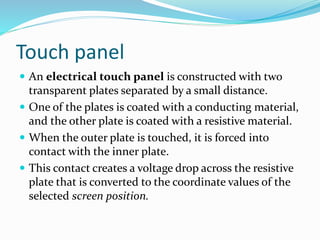
Resistive touch panels are one of the oldest and most common types. They consist of two thin, flexible layers separated by a small gap. Each layer is coated with a conductive material.
- When you press the screen, the two layers touch at that spot, creating an electrical connection.
- The controller measures the voltage at the contact point to figure out the exact location.
Key facts:
- Can be operated with a finger, stylus, or even a gloved hand.
- Good for environments where users might wear gloves (factories, hospitals).
- Less sensitive than capacitive screens.
- Slightly lower image clarity due to multiple layers.
2. Capacitive Touch Panels
Capacitive touch panels are now the standard for smartphones, tablets, and many laptops.
- The screen is coated with a material that stores electrical charge.
- When you touch the screen, your finger (which conducts electricity) changes the local electric field.
- Sensors detect this change and pinpoint the touch location.
Key facts:
- Excellent image clarity and touch sensitivity.
- Supports multi-touch (using more than one finger at a time).
- Must be touched with a conductive object (usually a finger, not a regular stylus or glove unless special gloves are used).
- Common in consumer electronics.
3. Infrared Touch Panels
Infrared (IR) touch panels work by using a grid of invisible infrared light beams:
- Emitters and receivers are placed around the edges of the screen.
- When you touch the screen, your finger blocks some of the beams.
- The system calculates the touch point based on which beams are interrupted.
Key facts:
- No need for a conductive or pressure-sensitive surface.
- Works with any object (stylus, finger, gloved hand).
- Durable and often used in public kiosks or ATMs.
- Can be affected by direct sunlight or dust.
4. Surface Acoustic Wave (saw) Touch Panels
SAW panels use ultrasonic waves:
- Waves are sent across the surface of the glass.
- When you touch the screen, the waves are absorbed or changed at that point.
- Sensors detect the change to locate the touch.
Key facts:
- Very high image clarity.
- Sensitive to scratches and dirt.
- Used in applications where image quality is important.
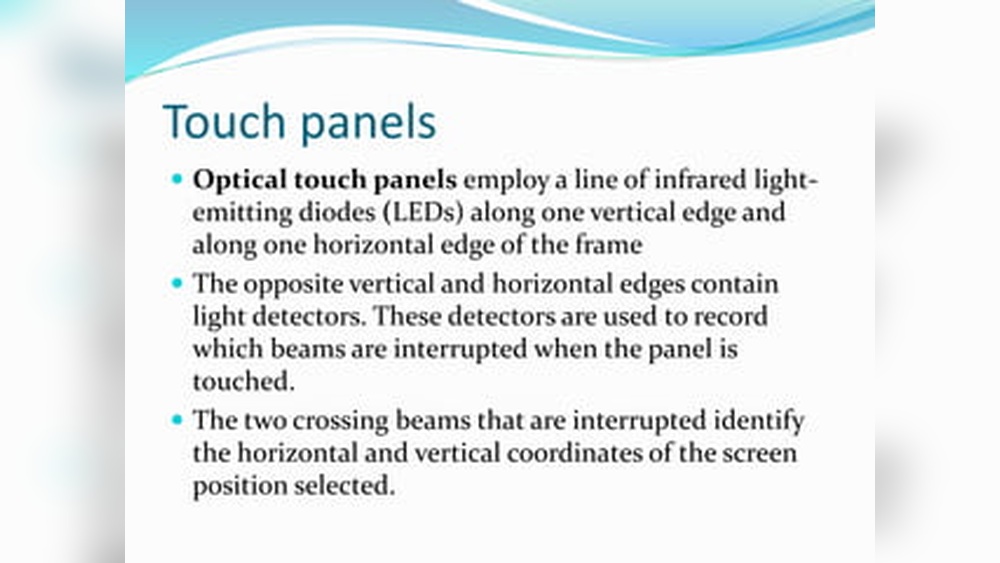
5. Optical Touch Panels
Optical touch technology uses cameras or light sensors:
- Sensors are placed at the corners or edges of the screen.
- When something touches the panel, it interrupts the pattern of light.
- The system calculates the touch location from the shadow or blockage.
Key facts:
- Supports large screens.
- Durable, as there is no need for direct contact with the sensing layer.
- Used in interactive whiteboards and large displays.

Credit: www.youtube.com
Comparison Of Touch Panel Types
To help you understand the differences, here’s a quick comparison of the main touch panel types:
| Type | Input Method | Durability | Clarity | Multi-Touch | Common Uses |
|---|---|---|---|---|---|
| Resistive | Finger, stylus, glove | Medium | Good | No | ATMs, industrial devices |
| Capacitive | Finger (conductive) | High | Excellent | Yes | Phones, tablets, laptops |
| Infrared | Any object | High | Excellent | Yes | Kiosks, ticket machines |
| SAW | Finger, soft stylus | Medium | Excellent | No | Medical screens, kiosks |
| Optical | Any object | High | Good | Yes | Large displays, whiteboards |
Why Touch Panels Matter In Computer Graphics
Touch panels are not just for convenience; they play a critical role in computer graphics. Here’s why:
- Direct interaction: Users can move, zoom, rotate, or draw objects directly on the screen, making graphic design, gaming, and education more interactive.
- Accessibility: People with physical limitations may find touch controls easier than using a mouse or keyboard.
- Speed and intuition: Tapping and swiping are often faster and more natural than typing or clicking.
- Multi-touch: Allows for advanced gestures, like pinch-to-zoom, which are essential in image editing or map navigation.
The impact of touch panels is most obvious in creative fields like digital art, animation, and UI/UX design, where direct manipulation of graphics is vital.
Where Are Touch Panels Used?
Touch panels appear in many places, from the obvious to the surprising:
- Smartphones and Tablets: The most common use. Almost every modern mobile device uses a capacitive touch panel.
- Laptops and 2-in-1 PCs: Many modern laptops feature touch screens, making them more flexible.
- Information Kiosks: Public spaces, airports, and shopping malls use touch panels for ticketing and information.
- Industrial Controls: Machines in factories often use rugged touch panels for easy, fast operation.
- Medical Devices: Touch screens let doctors and nurses enter data quickly, even with gloves on.
- Automotive Displays: Car dashboards and entertainment systems are now touch-based.
- Gaming Consoles: Devices like the Nintendo Switch feature touch panels for both controls and gameplay.
- Retail POS Systems: Cash registers and self-checkout machines rely on touch panels.
- ATMs and Banking Machines: Most modern ATMs use touch interfaces for quick transactions.
- Education and Training: Interactive whiteboards and displays help teachers and trainers engage learners.
Inside A Touch Panel: Core Components
While the exact design depends on the type, all touch panels share some common parts:
- Cover glass or plastic: Protects the sensitive layers beneath.
- Touch sensor layer(s): Senses the presence, location, and sometimes pressure of a finger or stylus.
- Controller: Converts analog signals (from the touch) into digital data.
- Software driver: Interprets the data and tells the operating system what action to perform.
Some advanced touch panels include haptic feedback (vibrations or clicks) to give a sense of touch, or pressure sensitivity for drawing and handwriting.
How Touch Panels Integrate With Computer Graphics
Touch panels and computer graphics work together closely:
- When you touch an icon, the panel sends the location to the graphics subsystem.
- The graphics system then highlights the icon, opens an app, or performs another action.
- For drawing or design, every touch or swipe is translated into digital brush strokes, shapes, or selections.
In modern operating systems, there are special APIs (Application Programming Interfaces) that connect touch input with graphics, allowing for smooth, real-time interactions.
Touch Panel Gestures And Their Importance
One of the biggest advantages of touch panels is the ability to use gestures—special finger movements that trigger actions. Common gestures include:
- Tap: Select an item.
- Double-tap: Zoom in or open something.
- Swipe: Scroll through lists or switch screens.
- Pinch: Zoom in or out (using two fingers).
- Rotate: Twist two fingers to rotate an object.
- Long press: Open a context menu or start moving an icon.
These gestures make working with graphics, games, and apps more natural and efficient.
Single-touch Vs. Multi-touch Panels
Not all touch panels are created equal. The difference between single-touch and multi-touch is important:
- Single-touch panels can only detect one touch at a time. You can tap or drag, but not pinch or rotate.
- Multi-touch panels recognize two or more touches at the same time, enabling advanced gestures.
Most modern devices use multi-touch panels because they offer a much richer and more flexible user experience.
Advantages Of Touch Panels
The rise of touch panels is no accident. Their popularity comes from several strong advantages:
- Intuitive use: People of all ages can understand how to touch and swipe a screen.
- Faster input: No need to move a cursor or type commands.
- Space-saving: Devices can be slimmer, with fewer physical buttons.
- Durability: Fewer moving parts means less chance of mechanical failure.
- Accessibility: Easier for children, elderly, or people with disabilities.
- Clean design: Devices look modern and simple.
Challenges And Limitations
Touch panels are not perfect. Here are some common challenges:
- Fingerprints and smudges: Touching the screen leaves marks that can block the view.
- Accidental touches: Unintentional taps (especially on small screens) can cause mistakes.
- Glove and wet-hand issues: Some panels do not work well with gloves or wet hands (especially capacitive types).
- Cost: Advanced touch panels add to the price of devices.
- Durability concerns: While sturdy, screens can still crack or scratch if dropped.
Developers and engineers are always working to improve these issues, but it’s important to be aware of them when choosing or designing a touch-based system.
Real-world Example: Touch Panels In Digital Art
A practical example of touch panels in computer graphics is digital art tablets. Artists use these devices to draw directly on the screen, making art creation more intuitive.
- Pressure-sensitive panels allow artists to create thin or thick lines, just like real brushes.
- Multi-touch gestures make it easy to zoom, rotate, and move artwork.
- Haptic feedback can simulate the feel of paper or different brushes.
This technology has transformed industries like animation, graphic design, and illustration, making creative work faster and more flexible than ever before.
Credit: www.slideshare.net
Touch Panel Market And Growth
The touch panel market is growing rapidly. According to a 2023 report from Statista, the global touch screen market was valued at over $60 billion and is expected to reach nearly $90 billion by 2028. The main drivers are:
- The popularity of smartphones and tablets.
- The spread of touch technology into cars, appliances, and industrial equipment.
- New applications in education, healthcare, and retail.
This growth means more innovation and better technology for users in the years ahead.
Emerging Technologies In Touch Panels
Touch panel technology is evolving quickly. Here are some new trends to watch:
1. Flexible And Foldable Touch Screens
With the rise of foldable smartphones and rollable displays, touch panels must now bend and flex without losing function. Manufacturers use special materials and designs to achieve this.
2. 3d Touch And Force Sensing
Some devices can now sense not just the location, but also the pressure of a touch. This adds another layer of control—pressing harder can trigger different actions.
3. Haptic Feedback
More panels now include tiny motors or actuators to give tactile feedback. This helps users feel a “click” or vibration, making touch more satisfying and precise.
4. Touchless And Gesture Controls
Advanced systems use cameras or sensors to detect gestures above the screen, allowing users to control devices without touching them. This is useful in medical or public environments where hygiene is important.
5. Integration With Artificial Intelligence
Some touch panels now use AI to predict what the user wants to do, improve gesture recognition, or even adjust sensitivity based on the situation.
How To Choose The Right Touch Panel For Your Application
If you’re designing a product or choosing a device, picking the right touch panel is crucial. Here are some key factors to consider:
- Intended Use: Is the device for consumers, industry, or public spaces?
- Environment: Will it be used outdoors, by people with gloves, or in a dusty setting?
- Durability: Does it need to withstand drops, scratches, or heavy use?
- Multi-touch Support: Do you need advanced gestures or just simple tapping?
- Screen Size: Larger screens may need different technology (like optical panels).
- Budget: Capacitive panels are more expensive, but offer better performance.
- Clarity: For medical or art applications, high image quality is important.
Here’s a quick table to compare which touch panel type fits different needs:
| Application | Recommended Panel Type | Why |
|---|---|---|
| Smartphones/Tablets | Capacitive | Multi-touch, clarity, speed |
| Industrial Controls | Resistive or Infrared | Works with gloves, durable |
| Public Kiosks/ATMs | Infrared or SAW | Any input, high durability |
| Digital Art | Capacitive (with pressure) | Precision, sensitivity |
| Large Displays | Optical or Infrared | Scalable for size |
Common Mistakes When Implementing Touch Panels
Many beginners and even experienced designers make mistakes with touch panels. Here are two less obvious pitfalls to avoid:
- Ignoring Touch Software Calibration
- Some panels need software tuning to interpret touches accurately. Skipping calibration can result in poor accuracy, missed touches, or ghost touches (where the system thinks you’re touching when you’re not).
- Overlooking Environmental Factors
- Not every panel works well in sunlight, rain, or extreme temperatures. For example, IR panels can have trouble in bright sunlight, and capacitive screens may not work with gloves or wet fingers. Always test panels in real-world conditions.
The Future Of Touch Panels In Computer Graphics
Touch panels have already changed the way we interact with computers and graphics, but the journey is far from over. Here’s what’s coming:
- More natural input: Combining touch with voice, pen, and gesture for richer experiences.
- Augmented Reality (AR) and Virtual Reality (VR): Touch panels will help bridge the gap between real and virtual worlds.
- Universal accessibility: Touch interfaces designed for all users, including those with disabilities.
- Smarter surfaces: Surfaces that can sense not just touch, but also temperature, humidity, and even emotions.
As these advances roll out, touch panels will become even more central to computer graphics and everyday technology.
Frequently Asked Questions
What Is The Main Function Of A Touch Panel In Computer Graphics?
The main function is to allow users to interact directly with digital images and controls on the screen, making tasks like drawing, zooming, and navigating more natural and efficient.
What Type Of Touch Panel Is Used In Smartphones?
Most smartphones use capacitive touch panels because they offer high clarity, fast response, and support for multi-touch gestures.
Can Touch Panels Work With Gloves?
Some touch panels, like resistive and infrared types, work well with gloves. Standard capacitive panels need special gloves or a stylus, but new technologies are making them more glove-friendly.
How Is A Touch Panel Different From A Regular Monitor?
A regular monitor only displays images; a touch panel can both display and detect touch, allowing direct interaction with the content.
Are Touch Panels Expensive To Repair?
Repair costs depend on the device and panel type. Capacitive screens (like those on smartphones) can be costly to replace, while resistive and infrared panels may be cheaper. It’s important to use protective cases and avoid dropping devices to reduce repair needs.
Touch panels are a vital bridge between humans and computers. As technology evolves, touch panels will only become more powerful, flexible, and essential in the world of computer graphics. For deeper technical details, visit the Wikipedia Touchscreen page for further reading. The digital world is now at our fingertips—literally.

Credit: www.extremetech.com