
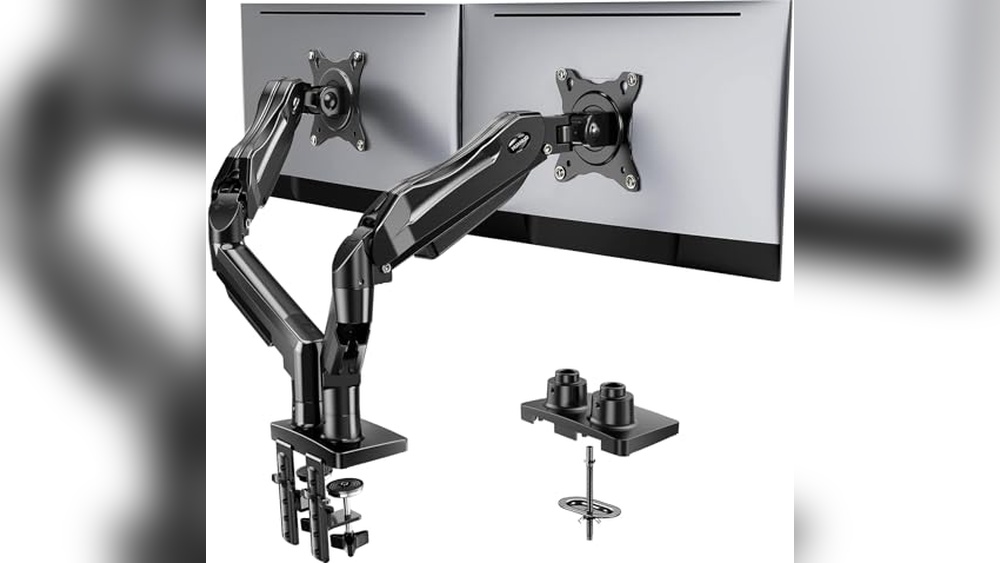
Working with two monitors can make a huge difference in how you get things done. But finding the right way to mount them often feels frustrating.
There are so many options for monitor mounts, and it’s not always clear which one fits your setup best. Desk size, monitor weight, and how much you want to move the screens all matter. Some mounts save space but can be tricky to adjust.
Others are sturdy, but take up more room or need a thick desk. Prices range from basic models to heavy-duty arms with extra features. It’s easy to get lost between budget picks and premium solutions, especially if you’re not sure what actually matters for your work or comfort.
This guide will help you understand the real differences and make a choice that fits your needs and desk.
What To Think About Before You Buy
The size and weight of your monitors are the first things to check. Not all mounts support large or heavy screens. Desk material matters too—some mounts won’t work on glass or thin particleboard. Decide if you want to adjust your monitors often or just set them and forget them.
Cable management and how much space you’ll save are also worth considering.
Below, you’ll find a range of dual monitor mounts compared by how they handle different setups and needs. Each option has its own strengths, so you can find what fits your workspace and style best.
Huanuo Flowlift Dual Monitor Stand
One of the Best Monitor Mounts for 2 Monitors, this stand is a smart pick for anyone needing a stable, flexible setup for dual screens in a home office or gaming space.

The HUANUO FlowLift Dual Monitor Stand is a fully adjustable arm designed to hold two monitors between 13 and 32 inches, solving the common problem of desk clutter and awkward screen positioning. Its robust dual C-clamp and grommet base ensure a rock-solid fit on wooden desks, keeping both screens steady no matter how much you type, click, or game.
In everyday use, this mount stands out for how easy it is to move your screens exactly where you want them—tilt, swivel, or rotate with just one hand. Having both monitors lifted gives you valuable desk space and the built-in cable management keeps things tidy, making for a cleaner and more comfortable workspace.
- Strengths:
- Wide compatibility: Fits most 13–32″ monitors (VESA 75×75/100×100, 4.4–19.8 lbs each)
- Stable mounting with dual C-clamp or grommet base
- Smooth, full-motion adjustability for comfort
- Keeps cords organized and desk uncluttered
- Limitations:
- Only suitable for wooden desks (not for glass or plastic)
- Desk must be 0.59″–3.54″ thick and free of crossbeams underneath
Is This The Right Dual Monitor Mount For You?
If you’re working or gaming on two standard-sized monitors and want more desk space with less neck or back strain, this stand is a solid choice. It’s especially useful for those who frequently adjust their screens for different tasks, or for anyone who values a clean, organized workstation.
If your desk isn’t wooden, or it has beams or panels beneath, you might want to look for a different style of mount. But for most home office setups and gamers with compatible desks, this one takes away a lot of the guesswork and instability that comes with cheaper arms.
Before buying, double check your monitor’s size and weight, and your desk’s thickness—a quick measure now can save future frustration. Rest easy knowing that, once set up, your screens will stay put and your workspace will feel much more efficient.
Ergear Adjustable Dual Monitor Mount
Among the Best Monitor Mounts for 2 Monitors, this ErGear arm is ideal for users seeking flexible, tool-free setup for 13–32″ screens.

The ErGear Adjustable Dual Monitor Mount is a sturdy and fully adjustable stand designed to hold two monitors ranging from 13 to 32 inches. It solves the common problem of limited desk space and awkward screen positioning by allowing independent height, tilt, swivel, and rotation adjustments, while supporting monitors up to 19.
8 lbs each. One standout feature is its tool-free VESA mounting system, enabling quick installation without complicated assembly.
Using this dual monitor arm brings a noticeable improvement in workspace organization and ergonomics. The smooth movement and reliable hold mean I can effortlessly reposition my monitors to reduce neck strain and increase productivity. Its cable management clips also help maintain a tidy desk, contributing to a clean and focused work environment.
- Supports 13″–32″ flat or curved monitors with VESA 75x75mm or 100x100mm patterns
- Tool-free, quick installation with C-clamp or bolt-through mounting options
- Dynamic angle adjustments: +80°/-50° tilt, ±90° swivel, 360° rotation, height up to 17.5″
- Durable build tested for over 20,000 cycles for smooth, long-lasting performance
- Integrated cable management keeps cables organized and desk clutter-free
Who Should Consider This Dual Monitor Mount
This mount is perfect for professionals and home office users who need an easy-to-install, highly adjustable solution for two monitors within the 13 to 32-inch size range. If you want to maximize desk space and customize your monitor positions without tools or complicated setups, this stand suits you well.
However, those with desks thinner than 0. 39 inches or thicker than 2. 95 inches, or users with non-wooden desks or obstructive crossbeams underneath, might find installation challenging or unsupported. Also, if your monitors exceed 19. 8 lbs, this mount may not provide sufficient support.
Choosing this ErGear dual monitor arm can relieve the stress of tangled cables and awkward viewing angles. A practical tip is to carefully measure your desk thickness and verify your monitors’ VESA compatibility before ordering. Rest assured, its tested design and tool-free mounting give you confidence in a secure, ergonomic setup that will last for years.
Mountup Dual Monitor Desk Stand
One of the Best Monitor Mounts for 2 Monitors, ideal for professionals or gamers who want a clutter-free, ergonomic workspace.

The MOUNTUP Dual Monitor Desk Stand is a fully adjustable mount designed to hold two monitors between 17 and 32 inches each, keeping your screens elevated and your desk organized. With its universal VESA compatibility and C-clamp/grommet base, it’s a smart solution for anyone suffering from neck or back strain due to poor monitor positioning.
In daily use, this stand makes it easy to adjust your monitors for optimal comfort and productivity, whether you’re working or gaming. The pneumatic arms move smoothly, and cable management keeps things tidy, making your workspace feel more spacious and less stressful.
- Strengths:
- Wide compatibility for most monitor sizes and weights
- Flexible positioning with tilt, swivel, and rotation
- Easy installation via C-clamp or grommet
- Integrated cable management for a clean look
- Durable, stable pneumatic arms
- Limitations:
- Requires proper tension adjustment for arm movement
- Desks must support clamping or grommet mounting
Is This Dual Monitor Stand Right For You?
If you want a flexible, sturdy mount for two monitors and value desk space, this stand is a solid choice—especially for remote workers, designers, or gamers who spend long hours at the screen. It’s not ideal for anyone with ultra-thick or fragile desks that can’t handle clamping, or if you have monitors outside the supported size/weight range.
The MOUNTUP stand takes out the guesswork and hassle of adjusting monitor heights individually, giving you a more ergonomic setup in minutes. Remember to carefully set the arm tension for your monitor weight, and you’ll enjoy a more comfortable, organized workspace without the usual cable mess.
Vivo Dual Monitor Desk Mount
As one of the Best Monitor Mounts for 2 Monitors, this VIVO stand is ideal for anyone seeking a sturdy, flexible way to organize dual screens at their workstation.

The VIVO Dual Monitor Desk Mount is a heavy duty, fully adjustable stand designed to hold two computer screens between 13 and 30 inches. It solves the common problem of desk clutter and limited positioning by securely elevating both monitors, giving you more usable workspace.
The standout feature is its wide range of motion—offering tilt, swivel, and rotation for each monitor, so you can easily get the perfect viewing angle.
In daily use, this mount feels reassuringly solid thanks to its steel construction and reliable C-clamp or grommet mounting options. Adjusting the height or orientation is straightforward and smooth, and integrated cable management helps keep your setup tidy. Assembly is simple, even for those new to monitor mounts, and the included instructions are clear.
- Strengths:
- Supports two monitors up to 22 lbs each
- Flexible adjustments for tilt, swivel, and rotation
- Fits desks up to 3.25” thick
- Neat cable management clips included
- 3-year warranty and responsive support
- Consider:
- Only compatible with VESA 75x75mm or 100x100mm mounting patterns
- Requires a sturdy desk for best stability
Is The Vivo Dual Mount Right For You?
If you need reliable support for two monitors and want to keep your workspace organized, this VIVO mount is a practical choice. It’s best for those with standard-sized screens and desks who value adjustability and durability. However, if your monitors are extra-large or your desk surface is unusually thin or fragile, you may want to consider other options.
This stand takes away the guesswork of monitor placement, making it easy to customize your setup for comfort and productivity. For the easiest installation, lay out all the parts and follow the step-by-step guide—they really make it straightforward. Once installed, you can trust it to hold your screens securely and keep your workspace looking sharp.
Wali Dual Monitor Stand, Black
One of the Best Monitor Mounts for 2 Monitors, this stand is perfect for anyone who wants a cleaner, more ergonomic workspace with dual screens.

The WALI Dual Monitor Stand is designed to hold two computer screens up to 32 inches, clearing your desk and giving you much-needed space for a neater, more focused work area. Its full motion arms let you easily adjust each monitor for the best viewing angle, which can make a real difference for comfort during long hours at your desk.
In day-to-day use, this stand feels sturdy and reliable, with cable management built in to keep cords out of sight. Setup is straightforward with two mounting options, so you can get organized quickly and start enjoying a more streamlined setup right away.
- Strengths:
- Supports two monitors up to 32″ and 22 lbs each
- Full motion arms for ergonomic positioning
- Easy cable management and tidy look
- Tested for durability over 20,000+ adjustment cycles
- Simple installation with C-clamp or grommet base
- Limitations:
- Only recommended for wooden desks without an obstructive crossbeam
- Requires compatible VESA mounting (75x75mm or 100x100mm)
Should You Choose The Wali Dual Monitor Stand?
If you work with two monitors and want to reclaim your desktop, this stand will help you get organized and feel less cramped. It’s a strong fit for remote workers, gamers, and anyone who values comfort and flexibility in monitor positioning.
Those with glass desks or incompatible VESA mounts may want to consider other options. For everyone else, this mount removes the stress of cable clutter and awkward monitor heights—just check your desk type before ordering. For smoothest setup, measure your desk thickness and make sure there are no crossbeams in the way.
Ergear Dual Adjustable Monitor Stand
One of the Best Monitor Mounts for 2 Monitors, this stand is ideal for professionals or gamers who want a flexible, space-saving setup.

The ErGear Dual Adjustable Monitor Stand is designed to hold two monitors between 13 and 32 inches, making it a practical solution for those looking to organize a cluttered workspace or gaming desk. With its heavy-duty build and fully adjustable arms, this mount lets you position your screens at the perfect angle, reducing strain and freeing up valuable desk space.
Setting up this stand is straightforward, and once installed, it offers stable support with flexible tilt, swivel, and rotation options. The integrated cable management keeps cords tidy, so your setup always looks clean. Whether working, gaming, or multitasking, you get a more comfortable and efficient environment.
- Strengths:
- Fits most monitors up to 32″ and 17.6 lbs per arm
- Wide range of adjustability for height, tilt, swivel, and rotation
- Sturdy construction for secure support
- Easy, clear installation with two mounting options (‘C’ clamp or grommet)
- Excellent for freeing up desk space and improving ergonomics
- Limitations:
- Only compatible with monitors that have VESA 75x75mm or 100x100mm mounting holes
- Best suited for wooden desks without obstructive beams underneath
Is This Dual Mount Right For You?
If you work with multiple screens or want a more ergonomic and organized desk, this ErGear stand is a solid pick—especially for home offices, studios, or gaming setups. It’s particularly useful if you value adjustability and need to reclaim desk space for other gear.
If your monitors lack VESA mounting holes or your desk is made from glass or has built-in obstructions, this may not be the right fit. But for most standard wooden desks and compatible monitors, installation is simple and worry-free. Make sure to measure your monitors and check for VESA support before ordering; this small step saves time and guarantees a smoother upgrade.
Huanuo Dual Monitor Stand With Usb
One of the Best Monitor Mounts for 2 Monitors, this stand is ideal for professionals or home users who want a sturdy, adjustable solution for dual displays.

The HUANUO Dual Monitor Stand is a heavy-duty mounting solution designed for anyone who needs to hold two monitors up to 40 inches each. With its robust aluminum arms and wide base, this stand solves the problem of wobbly setups and supports even ultrawide screens securely—making it a great fit for demanding office or creative workstations.
In everyday use, the flexible adjustment options let you easily set each screen to the perfect angle, helping reduce neck and eye strain. The built-in USB ports and cable management keep your desk tidy and give you quick charging access, making your workspace neater and more comfortable.
- Strengths:
- Supports large and heavy monitors (up to 26.4 lbs per arm)
- Height adjustable up to 21.1″ and extends to 25.59″ for deep desks
- Full motion: swivel, tilt, and rotate each screen
- Both clamp and grommet mounting options
- Dual USB ports for convenient device charging
- Integrated cable management for a clutter-free workspace
- Limitations:
- Requires a desk thickness under 3.54″ for mounting
- Some assembly required
Is This The Right Dual Monitor Stand For You?
This stand is well-suited for anyone working long hours at a desk with two monitors, especially if you need extra height, flexibility, or support for heavier screens. If your desk is unusually thick or you prefer a tool-free solution, it might not be the best fit.
The HUANUO’s cable management and USB ports remove the hassle of tangled cords and limited charging spots, bringing calm to your workspace.
To get the most stability, be sure to follow the mounting instructions and double-check your desk’s thickness before ordering. Once set up, you can count on this mount to keep your monitors steady and your workspace organized, so you can focus on your work without distraction.
Huanuo Flowlift Pro Dual Monitor Mount
One of the Best Monitor Mounts for 2 Monitors, this pick is ideal for professionals and gamers who need reliable dual-screen flexibility and ergonomic comfort.

The HUANUO FlowLift Pro Dual Monitor Mount is a sturdy, adjustable solution designed for anyone juggling two screens between 13″ and 32″. It solves the persistent problem of wobbly, hard-to-adjust arms thanks to its MechaSpring technology and tool-free VESA mount, making setup and daily use straightforward.
If you’ve ever struggled with sagging or poorly positioned screens, the LockSteady system and TÜV Rheinland certification offer extra peace of mind for stability and safety.
In actual use, this mount feels robust and smooth—adjustments can be made with just one finger, and monitors stay precisely where you position them. Whether you’re coding, gaming, or multitasking between meetings, the ergonomic lift and effortless adjustments genuinely reduce neck and back strain while keeping your workspace organized and professional.
- Strengths:
- Limitations:
Is This The Dual Monitor Mount For You?
If you need a dual monitor setup that genuinely lasts and keeps your screens steady with minimal fuss, the HUANUO FlowLift Pro is a wise choice—especially for programmers, designers, or anyone spending long hours at their desk. It’s less suited to those with glass or unusually shaped desks, or monitors that don’t support standard VESA mounting.
This mount takes the guesswork out of tension adjustment and keeps your workspace tidy and ergonomic, so you can focus on the work at hand. For best results, double-check your desk and monitor compatibility before installing—and enjoy the relief of a clutter-free, healthier workstation.
Huanuo Dual 17-32″ Vertical Monitor Stand
As one of the Best Monitor Mounts for 2 Monitors, this stand is ideal for professionals and multitaskers seeking an ergonomic, space-saving dual monitor solution.

The HUANUO Dual 17-32″ Vertical Monitor Stand is a sturdy, ergonomic mounting solution designed to hold two monitors vertically, making it perfect for maximizing both screen space and desk real estate. Its standout feature is the 17-inch extension pole, which enables you to raise your monitors up to 25.
19 inches for optimal eye-level positioning—helping reduce neck and back strain during long hours at your workstation.
Once installed, this monitor arm makes adjusting your screens incredibly simple, with full-motion flexibility including tilt, swivel, and 360° rotation. The integrated cable management keeps your setup tidy, and the solid construction ensures your monitors stay secure and stable. It’s a piece of hardware that, after just a short time, blends seamlessly into your workflow and keeps your workspace organized and stress-free.
- Strengths:
- Fits most 17–32” monitors (VESA 75x75mm or 100x100mm)
- Height extension up to 25.19” for improved ergonomics
- Full tilt, swivel, and rotation for versatile viewing angles
- Excellent cable management keeps your desk uncluttered
- Easy installation with both C-clamp and grommet mount options
- Limitations:
- Not compatible with glass desks
- Each monitor must weigh between 4.4 lbs and 19.8 lbs
- Requires VESA mounting holes on your monitors
Is This The Dual Monitor Mount For You?
If you’re a programmer, designer, or anyone who needs two monitors vertically stacked for improved workflow, this mount is a smart choice—especially if you value a clean, ergonomic setup. It’s also great for compact workspaces where maximizing vertical space is more important than spreading out.
However, if your monitors are larger than 32”, heavier than 19. 8 lbs, or lack VESA mounting holes, you’ll need to look elsewhere. It’s not suited for glass desks either. For most standard office, home, or gaming setups, though, this mount eliminates cable mess and monitor slouching with ease.
Tip: Before purchasing, double-check your monitor sizes, weights, and VESA compatibility for a hassle-free experience. Once installed, you’ll appreciate how much neater and more comfortable your workspace feels.
Vivo Dual Adjustable Monitor Stand
One of the Best Monitor Mounts for 2 Monitors, this stand is ideal for gamers, remote workers, and anyone needing a versatile dual-screen setup.
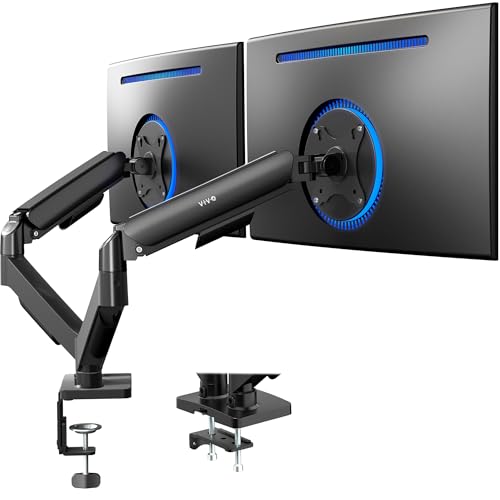
The VIVO Dual Adjustable Monitor Stand is a mechanical articulating desk mount built for two screens, supporting monitors from 17 to 32 inches and up to 19. 8 lbs each. It helps you reclaim desk space and reduce clutter, making it a smart choice for anyone tired of clunky stands or cramped workstations.
The standout feature is its mechanical spring adjustment, which allows for effortless, tool-free monitor positioning.
Using this mount feels smooth and reliable, with a wide range of tilt, swivel, and rotation adjustments to get your screens just right. Assembly is straightforward, thanks to clear instructions and well-designed hardware. Once set up, you can trust your monitors to stay securely in place, making your workspace look cleaner and more organized.
- Strengths:
- Wide compatibility with most 17-32” flat and curved screens (VESA 75×75, 100×100)
- Articulates for custom viewing (+90°/-90° tilt, 180° swivel, 360° rotation)
- Easy, toolless monitor mounting and adjustment
- Desk space saving with both C-clamp and grommet options
- Considerations:
- The arms may extend beyond the back edge of your desk—check your space before buying
- Each monitor must weigh between 4.4 and 19.8 lbs
Who Will Benefit Most
This dual monitor stand is an excellent pick for anyone who spends long hours at their desk and values both ergonomics and a neat workspace, whether you’re a gamer, designer, or working from home. If your desk is very shallow or placed against a wall, measure first—the arms do extend a bit behind the desk. For those with compatible monitors and a desire to maximize desk real estate without fuss, this mount will take the guesswork out of setup and daily use. A practical tip: assemble the mount before attaching your monitors for the easiest install. Once in place, you’ll appreciate the flexibility and peace of mind knowing your screens are secure and adjustable at any time.
How To Weigh Your Options When Picking A Dual Monitor Mount
Think about your workspace and how you actually use your monitors each day. Consider whether you need more flexibility, extra height, or just a simple way to clear desk space. The right choice depends on your monitor size, desk type, and how often you adjust your setup.
There’s no single best—just what fits your habits and environment best.
Common Missteps And Who Should Look Elsewhere
- If your desk is glass or has a unique shape, most mounts will not be suitable.
- Monitors without VESA mount holes cannot be used with these stands.
- Very heavy or oversized monitors may not be supported.
- If you rarely move your screens or don’t need extra desk space, simpler solutions might suffice.
- Expecting a universal fit without checking your desk’s thickness or monitor weight can lead to returns.
Frequently Asked Questions About The Best Monitor Mounts For 2 Monitors
How Do I Know If My Monitors Are Compatible With A Dual Monitor Mount?
Check that your monitors have VESA mounting holes and fall within the supported size and weight range. Always review both your monitor specs and the mount’s requirements before buying.
Can I Use A Dual Monitor Mount On A Glass Or Plastic Desk?
Most mounts are not recommended for glass or plastic desks due to stability and safety concerns. Wood desks are generally preferred for secure mounting.
What If My Desk Has A Crossbeam Or Unusual Edge?
Desks with crossbeams or irregular edges may block proper installation. Measure carefully and inspect your desk underside before choosing a mount.
Is It Difficult To Adjust The Arms Once Installed?
Most dual monitor arms allow for tool-free adjustments, but tension may need to be set for your monitor weight. Once set, movement is usually smooth and easy.
Do I Need Any Special Tools To Install A Dual Monitor Stand?
Most kits include the tools you’ll need. Read instructions before starting, and have a screwdriver handy just in case.
Will A Dual Monitor Arm Really Help With Ergonomics?
Positioning your screens at eye level can reduce neck and back strain. The main benefit comes from adjusting your setup to match your posture and workflow.
What Happens If My Monitors Are Too Heavy For The Mount?
Overloading a mount risks sagging or even damage. Always follow the recommended weight limits for each arm.
Settling On The Right Dual Monitor Arm For Your Needs
Choosing a dual monitor mount is mostly about matching your workspace and work style. There are options for nearly every setup, but the best choice is the one that quietly fits your daily habits and makes your desk feel better.
Take your time, check your details, and trust that a good fit will make your routine smoother. A simple, well-chosen mount brings clarity and comfort to your workspace.