
What Does Ptz Camera Stand For?
If you have ever watched a live event online, joined a video conference, or entered a building with security cameras, you may have seen the term PTZ camera. This three-letter term is everywhere in the world of video and surveillance, but what does PTZ camera actually stand for? And why are these cameras so popular in so many industries? Understanding PTZ cameras can help you make better choices for home security, business monitoring, live streaming, or even creating your own content.
In this article, you’ll learn what PTZ means, how these cameras work, why they are different from other types, and how they’re used in the real world. We’ll also compare PTZ cameras with other options, talk about key features, and answer common questions.
By the end, you’ll know exactly what to look for if you ever need a PTZ camera—or if you’re simply curious about the technology behind the scenes.
What Does Ptz Stand For?
The abbreviation PTZ stands for Pan-Tilt-Zoom. These three words describe the main features that make this type of camera special:
- Pan: This means the camera can move left and right, often covering a wide area.
- Tilt: This allows the camera to move up and down, so it can look higher or lower.
- Zoom: The camera can zoom in to see details or zoom out for a wider view. This is done with an optical lens or digitally.
PTZ cameras are unique because they can be controlled remotely. With a joystick, computer, or even a smartphone, you can move the camera in almost any direction and zoom in or out. This makes them much more flexible than fixed cameras, which only point in one direction.
How Ptz Cameras Work
PTZ cameras use motors inside the camera housing. These motors move the lens and body of the camera based on your commands. Here’s how each function works:
- Panning: The camera rotates horizontally, often up to 360 degrees.
- Tilting: The camera moves vertically, typically between 90 and 180 degrees.
- Zooming: The lens moves to change the field of view, either optically or digitally.
A PTZ camera usually connects to a control device. This can be a physical controller, a computer with software, or a mobile app. Some systems allow you to set pre-programmed movements, called “presets,” to quickly move to certain positions.
Example
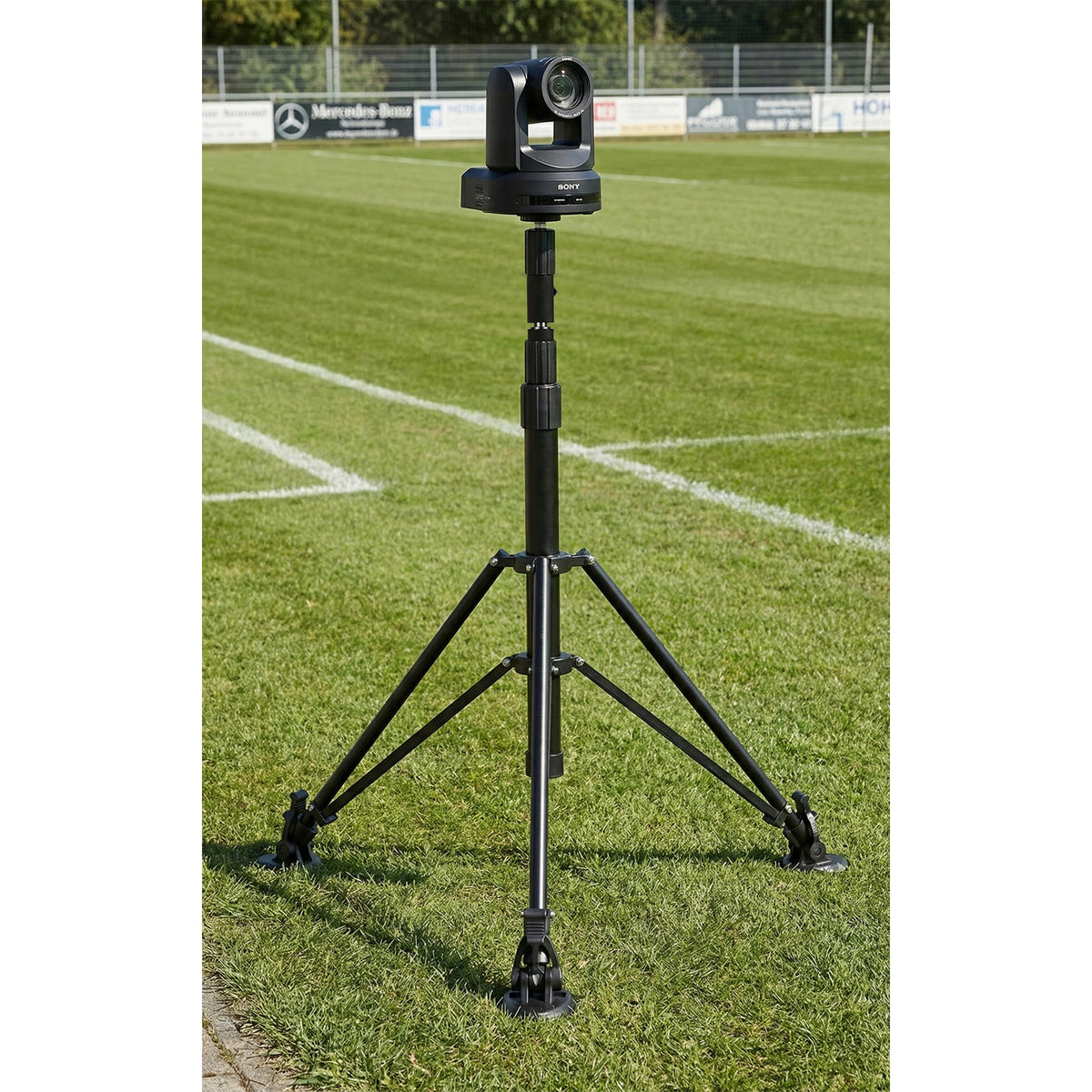
Imagine a security guard watching a large parking lot. If something suspicious happens in one corner, the guard can pan and tilt the camera to focus on that area and zoom in to see a license plate or a person’s face.
Credit: www.proaim.com
Main Uses Of Ptz Cameras
PTZ cameras are incredibly versatile. They are used in many industries and situations where remote control, flexibility, and wide coverage are important. Here are some of the main uses:
Security And Surveillance
PTZ cameras are very common in security systems for businesses, parking lots, stadiums, and even city streets. Their ability to move and zoom lets security staff track moving objects, follow people, or focus on an incident.
Live Events And Broadcasting
If you’ve watched a concert, church service, sports game, or news broadcast, you’ve probably seen footage from PTZ cameras. They can be placed in hard-to-reach locations and controlled from a distance. This allows event staff to get close-up shots or wide views without being on stage.
Video Conferencing
Many modern offices use PTZ cameras in meeting rooms. They can automatically follow the person speaking or focus on different parts of the room, making video calls feel more natural.
Education And Lecture Capture
Schools and universities use PTZ cameras to record lectures or stream classes online. The camera can follow the teacher as they move or focus on the whiteboard, making the recording more engaging.
Houses Of Worship
Churches, mosques, and temples often use PTZ cameras for live streaming services. Volunteers can control the camera from a booth, giving viewers professional-quality video without a large crew.
Industrial And Scientific Uses
PTZ cameras are also used in factories, laboratories, and research facilities. They monitor processes, machinery, or experiments from a safe distance, sometimes in dangerous or clean environments.
Ptz Cameras Vs. Other Camera Types
To understand the value of PTZ cameras, it helps to compare them with other common camera types. Below is a comparison of PTZ cameras, fixed cameras, and dome cameras.
| Camera Type | Main Feature | Movement | Best For |
|---|---|---|---|
| PTZ Camera | Remote pan, tilt, zoom | Multi-directional, zoomable | Large areas, tracking, live events |
| Fixed Camera | Simple, single view | No movement | Entryways, small areas, budget setups |
| Dome Camera | Vandal-resistant, discreet | Some are fixed, some PTZ | Indoors, public places, retail |
Key Differences
- PTZ cameras can cover much larger areas and can be redirected as needed.
- Fixed cameras are set to one direction and do not move, so you need more of them to cover the same area.
- Dome cameras often hide which way the camera is facing, but not all dome cameras have PTZ features.
Non-obvious insight: Many beginners think PTZ cameras are always better, but for small spaces or for simple monitoring, fixed cameras can be more reliable and cost-effective.
Types Of Ptz Cameras
PTZ cameras come in several types, each designed for specific needs. Here are the most common varieties:
Network (ip) Ptz Cameras
These connect to a local network or the internet. You can control them from anywhere in the world using special software or a web browser. They are perfect for modern security systems and live streaming.
Analog Ptz Cameras
Older systems use analog connections, often called CCTV PTZ cameras. They connect to a DVR (digital video recorder) and are usually controlled via a cable. While less common today, they’re still used in some legacy systems.
Outdoor Ptz Cameras
Built to withstand weather, dust, and sometimes vandalism. They are used in parking lots, city streets, or building exteriors.
Indoor Ptz Cameras
Lighter and often more stylish, these are used in offices, conference rooms, or homes.
Wireless Ptz Cameras
These connect using Wi-Fi instead of cables, making installation easier in places where running wires is hard.
Auto-tracking Ptz Cameras
These advanced models use software to follow moving objects automatically. For example, they can track a person walking across a room without human control.
Key Features To Look For In A Ptz Camera
Choosing the right PTZ camera depends on your needs and environment. Here are some of the most important features to consider:
Pan, Tilt, And Zoom Range
- Pan Range: Many PTZ cameras can rotate a full 360 degrees.
- Tilt Range: Usually between 90 and 180 degrees up and down.
- Zoom: Optical zoom is more valuable than digital zoom, as it keeps image quality sharp.
Image Quality
Look for resolution (HD, Full HD, 4K), low-light performance (infrared or night vision), and frame rate (higher is smoother).
Control Options
Can you control the camera with a remote, a joystick, or a mobile app? Some cameras also support automation and presets.
Presets And Patterns
The best PTZ cameras allow you to save preset positions and even patrol between them automatically. This is useful for regular monitoring.
Weatherproofing
For outdoor use, make sure the camera is rated for water, dust, and extreme temperatures.
Power Options
Some PTZ cameras use Power over Ethernet (PoE), so they need only one cable for both power and data. Others need separate power sources.
Audio Support
Some models include microphones or even two-way audio, which can be useful for communication or alerts.
Integration
Does the camera work with your existing security system, video management software, or streaming platform?
Price
PTZ cameras vary widely in price—from under $200 for simple models to several thousand dollars for advanced broadcast-quality units.
Non-obvious insight: Many buyers overlook installation costs. PTZ cameras are heavier and more complex to install than fixed cameras, so factor in setup time and possible professional help.

Credit: www.cartoni.com
Advantages Of Ptz Cameras
PTZ cameras offer several strong advantages over other types:
- Wide Area Coverage: One camera can replace several fixed cameras, saving money and reducing blind spots.
- Remote Control: You can adjust the view instantly, even from another city.
- Zoom for Detail: Zoom in to see faces, license plates, or specific activities.
- Preset Tours: Set the camera to move through a series of views automatically.
- Active Tracking: With auto-tracking, the camera can follow motion without human input.
These advantages make PTZ cameras a favorite for large spaces, dynamic environments, and situations where you need both overview and detail.
Limitations And Common Misunderstandings
No technology is perfect. Here are some important limitations and myths about PTZ cameras:
Not Always Recording Everything
A PTZ camera can only look in one direction at a time. If you’re zoomed in on one area, you might miss something happening elsewhere. Some people mistakenly believe a PTZ camera can see “everywhere at once”—that’s not true.
Higher Cost And Complexity
PTZ cameras are more expensive than fixed cameras. They also need more careful installation, maintenance, and sometimes special cabling.
Mechanical Wear
The motors and moving parts can wear out over time, especially in harsh environments or with heavy use.
Privacy Concerns
Because PTZ cameras can be controlled remotely and zoom in on specific people, they raise privacy questions in some settings. Always follow local laws and get consent when recording people.
Practical tip: In high-security areas, professionals often use a mix of PTZ and fixed cameras. PTZs track and zoom, while fixed cameras record the full scene for backup.
Real-world Examples And Case Studies
City Surveillance
Many cities use PTZ cameras to monitor traffic, intersections, and public spaces. For example, London’s “Ring of Steel” uses hundreds of PTZ cameras to keep an eye on downtown areas. Operators can quickly focus on incidents, zooming in on faces or vehicles.
Sports Broadcasting
Major sports events like the Olympics or World Cup use PTZ cameras to capture action from many angles. These cameras can be mounted on tall poles, behind goals, or above stadiums, and controlled from a remote room.
Business Security
A large warehouse might use a single PTZ camera to watch over the entire loading area, panning between doors and zooming in when an alarm goes off.
Education
During the COVID-19 pandemic, many schools set up PTZ cameras to stream classes. Teachers could move naturally, and the camera would follow them or focus on students asking questions.
Houses Of Worship
A church with a small media team can use one or two PTZ cameras to broadcast services, switching angles and zooms to keep the stream interesting, all without a camera operator on the stage.
Choosing The Right Ptz Camera: What Matters Most
If you’re ready to choose a PTZ camera, focus on the following questions:
- What is your main use case? Security, live streaming, video conferencing, or something else?
- How large is the area you want to cover? Bigger spaces need more zoom and pan range.
- Will the camera be indoors or outdoors? Outdoor cameras need weatherproofing.
- What is your budget? Remember to include installation and any software you need.
- What resolution do you need? For faces and license plates, Full HD or higher is best.
- Do you need remote or automatic control? If so, make sure the camera supports your preferred method.
Here’s a quick look at how PTZ cameras compare in a few key areas:
| Feature | PTZ Camera | Fixed Camera | Auto-Tracking Camera |
|---|---|---|---|
| Remote Control | Yes | No | Limited |
| Coverage Area | Wide | Narrow | Medium |
| Zoom | Optical/Digital | Digital (rarely optical) | Usually digital |
| Price Range | $$–$$$$ | $–$$ | $$–$$$ |
| Best For | Large, dynamic areas | Fixed spots, entryways | Following single subjects |
Non-obvious insight: For live events, the best results often come from mixing PTZ cameras with a few fixed cameras. This gives both dynamic movement and reliable coverage.
Setting Up And Using A Ptz Camera
Getting the most from your PTZ camera means installing and configuring it correctly. Here are the basic steps:
1. Planning
Decide where you need coverage. PTZ cameras work best when mounted high, with a clear line of sight.
2. Installation
Mount the camera securely. Outdoor cameras need weather protection. Run cables for power, data, or both (unless using wireless).
3. Connecting
Connect the camera to your network or recorder. For IP cameras, this means plugging into your router or switch. For analog, connect to your DVR.
4. Configuration
Use the camera’s software or app to set up presets, adjust image quality, and control movement.
5. Control
Test remote control options. Try moving, tilting, and zooming the camera. Set up patrols or auto-tracking if supported.
Tip: Always update your camera’s firmware for better security and new features.
Maintenance And Troubleshooting
PTZ cameras need some care to keep working well:
- Clean lenses regularly to avoid blurry images.
- Check mounts and cables for wear, especially outdoors.
- Update software to fix bugs and security issues.
- Test movement—motors can fail after years of use.
- Backup presets if your camera supports them.
If you notice the camera is not moving smoothly, check for power issues or physical obstructions. If the image is unclear, clean the lens and check camera settings.
Future Trends In Ptz Camera Technology
PTZ camera technology continues to improve. Here are some trends to watch:
Ai And Auto-tracking
More PTZ cameras now use artificial intelligence to recognize faces, follow people, or detect vehicles automatically.
Higher Resolutions
4K and even 8K PTZ cameras are becoming more affordable. This means sharper images and the ability to zoom in further without losing detail.
Integration With Cloud Systems
Many PTZ cameras now connect to cloud-based recording and management systems. This allows for remote access, easy sharing, and improved security.
Wireless And Battery-powered Models
Newer PTZ cameras can run on batteries and connect over Wi-Fi or even cellular networks, making them easier to install in remote areas.
Improved User Interfaces
Control apps and software are becoming easier to use, allowing more people to take advantage of advanced camera features without technical training.
Practical tip: As features grow, always balance new technology with your real needs. Sometimes, simpler is better if reliability matters most.
Frequently Asked Questions
What Does Ptz Stand For In A Camera?
PTZ stands for Pan-Tilt-Zoom. This means the camera can move left and right (pan), up and down (tilt), and zoom in or out on objects. These functions are usually controlled remotely.
Are Ptz Cameras Better Than Fixed Cameras?
Not always. PTZ cameras are more flexible and can cover larger areas, but they are also more expensive and complex. For small spaces or simple needs, fixed cameras may be a better choice.
Can Ptz Cameras Be Controlled From A Smartphone?
Yes, most modern PTZ cameras support control via smartphone apps or computer software. Some even let you use a web browser from anywhere in the world.
Do Ptz Cameras Work At Night?
Many PTZ cameras include infrared LEDs or other night vision technology. This lets them see in low light or total darkness, though the range depends on the model.
Where Can I Learn More About Ptz Camera Technology?
A reliable source for more information is the Wikipedia PTZ camera article, which offers technical details and industry examples.
PTZ cameras have changed how we see, secure, and share the world. By understanding what PTZ stands for and how these cameras work, you can make smarter choices for your security, streaming, or creative projects. Whether you need to watch over a large area, capture an event, or simply keep an eye on your home, PTZ cameras offer the flexibility and power that fixed cameras can’t match.
With technology improving every year, the possibilities for PTZ cameras are only growing.
Credit: www.proaimusa.com