
Finding The Right Smart Hub For Remote Control
Have you ever struggled with juggling multiple remotes or wished you could control all your devices from one place? Managing various home electronics can quickly become frustrating without a centralized solution.
Choosing a smart hub for remote control isn’t always straightforward. There are different types that support infrared, Wi-Fi, Bluetooth, or Zigbee devices. Some offer voice control and automation, while others focus on broad compatibility or ease of use. The trade-offs often involve device support, setup complexity, and integration with your existing smart home ecosystem.
This guide will help you understand what to consider when picking a smart hub, so you can find one that fits your needs without unnecessary complications.
What Matters Most When Choosing A Smart Hub
Compatibility is key. Some hubs work primarily with infrared devices like TVs and air conditioners, while others also support Bluetooth and Zigbee smart products. Think about the devices you want to control and whether you need support for multiple protocols.
Voice assistant integration is another factor. If you use Alexa, Google Home, or similar platforms, ensure the hub works smoothly with them for hands-free control.
Consider the setup and usability. Some hubs require complex programming or rely on specific apps, while others offer simple learning modes or cloud-based device libraries for easier configuration.
Finally, think about your home’s layout. IR-based hubs usually need line-of-sight to devices, whereas hubs with wireless protocols or multiple blasters can cover larger or obstructed spaces better.
Common Confusions And Missteps
Many buyers assume all smart hubs control every device type, but that’s not the case. Infrared hubs won’t manage Zigbee devices, and some hubs don’t support Bluetooth remotes. Checking supported protocols before buying can save a lot of hassle.
Another frequent mistake is overlooking network requirements. Most hubs need a stable 2.4GHz Wi-Fi connection, and some don’t work well with mesh networks or 5GHz bands.
Also, don’t underestimate the importance of an intuitive app or voice assistant compatibility. A hub with a cluttered or unreliable app can make daily use frustrating.
With these points in mind, let’s look at a selection of smart hubs chosen for their varied features, compatibility, and user-friendliness. Each offers a different balance suited to different setups and preferences.
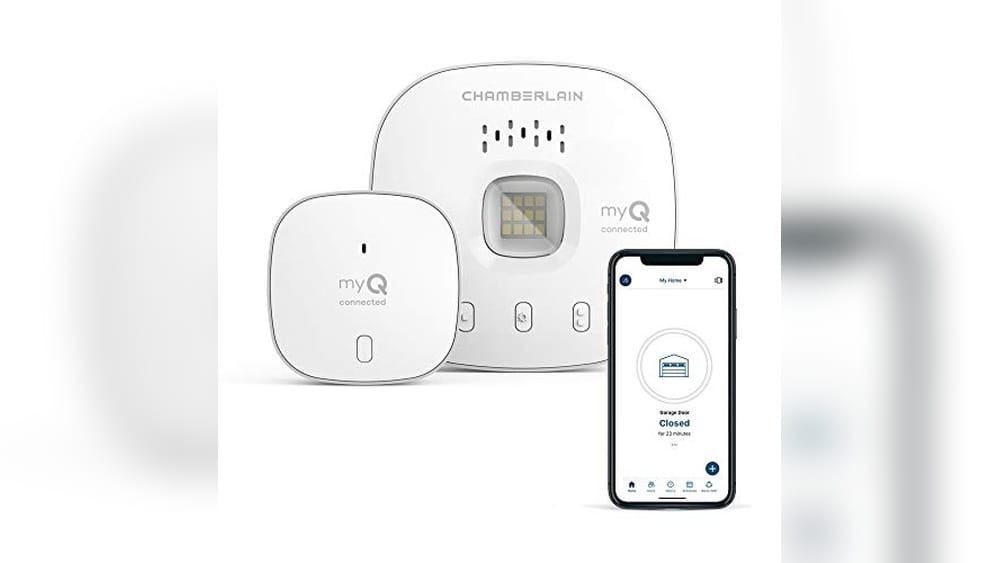
Chamberlain Smart Garage Hub
This is the Best Smart Hub for Remote Control if you want to open and close your garage from anywhere with simple smartphone access.

The CHAMBERLAIN Smart Garage Hub lets you wirelessly control your garage door through your smartphone, eliminating worries about whether you left it open. Using the free myQ app, you can open or close your garage from anywhere, making it easier to manage access remotely. It also supports Amazon Key In-Garage Delivery, adding an extra layer of convenience for Prime members.
In daily use, this device offers peace of mind by allowing you to check and control your garage door status from your phone. You can grant access to family or friends on the go and set schedules to ensure your garage is closed at night without needing to be physically present. It simplifies garage management with reliable wireless connectivity.
Key Benefits for Garage Control
- Remote garage door operation from anywhere via smartphone
- Integration with Amazon Key for secure package delivery
- Ability to grant access to family or friends remotely
- Scheduling feature to automatically close the garage at night
- Simple setup with WiFi and Bluetooth connectivity
Considerations Before Buying
- Designed specifically for garage control, not a full smart home hub
- Requires smartphone app for operation and monitoring
- No built-in video or audio surveillance features
What Makes This Smart Hub Stand Out
This smart garage hub is best suited for homeowners who want to manage their garage door remotely without extra smart home complexity. It removes the stress and guesswork about garage security and delivery safety, especially for busy households or frequent travelers. A helpful tip is to use the app’s scheduling feature to automatically close your garage at night to avoid any overnight security concerns.
The reliability of the myQ app and the ability to share access easily provide peace of mind and fewer surprises. For anyone wanting straightforward garage control with added delivery protection, this is a practical and user-friendly option.
| Best for | Why |
|---|---|
| Homeowners needing remote garage access | Allows opening or closing garage from anywhere via smartphone |
| Amazon Prime members using in-garage delivery | Supports Amazon Key for secure package drop-offs |
| Families wanting controlled garage access | Enables sharing garage access with trusted people remotely |
| Users seeking automated garage security | Scheduling feature ensures garage closes automatically at night |
Senckit Wifi Smart Remote
This SENCKIT WiFi Smart Remote is among the Best Smart Hub for Remote Control devices, offering easy universal control of multiple household electronics without needing a hub.

The SENCKIT WiFi Smart Remote is a universal infrared controller designed to manage a wide range of household appliances such as TVs, air conditioners, fans, and DVD players. It eliminates the need for multiple remotes by supporting over 50,000 devices and allowing custom device configuration through its app compatibility.
Using the remote is straightforward and flexible, as it works with the Smart Life or Tuya app to provide control from anywhere. Voice compatibility with Alexa and Google Home adds convenience, making it easy to integrate into daily smart home routines without worrying about distance or multiple remotes.
Key Advantages of This Smart Hub
- Supports more than 50,000 infrared devices for broad compatibility.
- Works without needing a separate hub, simplifying setup.
- Remote control access from anywhere via dedicated smartphone apps.
- Voice control support with Alexa, Google Home, and IFTTT integration.
- Custom device addition using DIY infrared learning function.
- Lightweight design, easy to place anywhere in the home.
- Includes 24-month warranty with responsive customer support.
Considerations Before Buying
- Requires a 2.4GHz Wi-Fi network; no support for 5GHz networks.
- USB charging cable included, but no power adapter, so you need a separate USB plug.
- Infrared control requires line of sight without obstacles between remote and device.
Who This Works Best For
This smart hub is ideal for users who want to consolidate control of various IR-based devices into one app and enjoy voice command convenience. It removes the hassle of juggling multiple remotes and the uncertainty of device compatibility thanks to its extensive device database and DIY options.
To get the most from this remote, ensure your home Wi-Fi is stable and use the Smart Life app to customize device settings for smoother control. The reliable connection and easy voice integration give peace of mind for consistent smart home operation.
If you prefer a simple, no-hub setup with wide device support, this SENCKIT remote offers a practical and flexible solution that fits into everyday smart home life.
| Best for | Why |
|---|---|
| Users with multiple infrared devices | Supports over 50,000 devices, reducing remote clutter |
| Voice assistant enthusiasts | Compatible with Alexa, Google Home, and IFTTT for hands-free control |
| Remote control from anywhere | App control via Tuya/Smart Life enables remote access beyond home |
| DIY device customizers | Allows adding new infrared devices using the learning function |
Frankever Smart Ir Hub
The Frankever Smart IR Hub stands out as the Best Smart Hub for Remote Control by supporting a vast range of infrared devices for easy home automation.
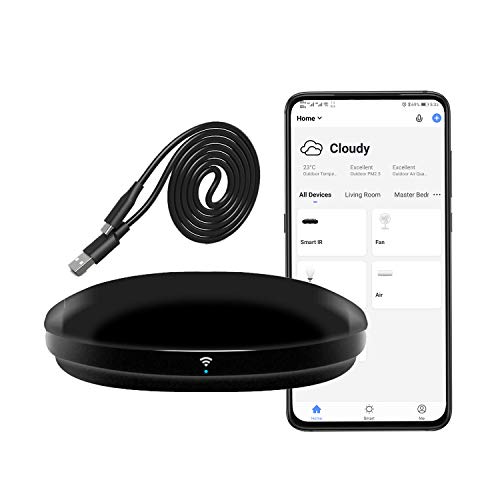
The Frankever Smart IR Hub is a universal WiFi infrared remote control designed to manage various household devices like TVs, air conditioners, and set-top boxes with one system. It solves the hassle of juggling multiple remotes by consolidating control into a single app compatible with Alexa and Google Assistant.
Using the hub feels convenient and reliable, as you can control your IR devices remotely through your phone or voice commands. Setting timers and creating custom scenes simplifies daily routines, making smart home management more consistent and less time-consuming.
Key Advantages of This Smart Hub
- Supports over 50,000 infrared-controlled devices for broad compatibility.
- Works with Alexa, Google Assistant, and Siri for seamless voice control.
- Enables remote control via the Smart Life app from anywhere.
- Allows programming and learning of remote buttons for unmatched flexibility.
- Supports custom timers and smart home scenes for automation.
- Compact and lightweight design fits easily in any space.
- Professional technical support and setup guidance included.
Considerations Before Buying
- Only supports infrared (IR) devices, not RF-controlled equipment.
- Requires a secured 2.4GHz Wi-Fi network for operation.
- Setup may require some time for programming devices without cloud data.
Who This Device Is Best For
This smart IR hub is ideal for anyone looking to simplify control of multiple infrared devices in their home, especially those with a variety of entertainment and climate control equipment. It removes the confusion of managing different remotes and reduces time spent adjusting settings manually.
For best results, ensure your home Wi-Fi is stable and use the Smart Life app’s programming feature for any uncommon devices. This approach offers peace of mind through reliable voice and remote control while keeping your smart home setup straightforward and accessible.
| Best for | Why |
|---|---|
| Homes with multiple IR devices | Supports over 50,000 infrared-controlled devices for unified management |
| Users wanting voice control | Compatible with Alexa, Google Assistant, and Siri for hands-free operation |
| Remote control from anywhere | Smart Life app enables device control outside the home |
| Custom automation enthusiasts | Allows creation of timers and scenes for personalized smart home routines |
Broadlink Rm5plus Smart Hub
The Broadlink RM5plus stands out as the Best Smart Hub for Remote Control by offering seamless infrared device management with voice and app control.

The Broadlink RM5plus Smart Hub is a universal infrared remote control that connects to your 2.4GHz Wi-Fi network, allowing you to manage over 5,000 infrared devices like TVs, air conditioners, and audio systems from anywhere. Its voice compatibility with Alexa and Google Home makes controlling your appliances hands-free and convenient.
Using the RM5plus feels intuitive and reliable, as you can set smart scenes and automate routines with ease. Its manual IR learning feature ensures even uncommon devices are supported, so you can enjoy consistent control without juggling multiple remotes.
Key Benefits for Smart Home Control
- Supports over 5,000 infrared devices, consolidating multiple remotes into one hub
- Remote access via 2.4GHz Wi-Fi allows control from anywhere through the app
- Hands-free voice commands with Alexa and Google Home integration
- Customizable smart scenes and scheduling simplify daily routines
- Manual IR learning for older or uncommon devices not in the database
- Compact and lightweight design fits unobtrusively in any room
Considerations Before Buying
- Only works with infrared devices at 38KHz; no support for RF or Bluetooth devices
- Requires 2.4GHz Wi-Fi network; incompatible with 5GHz or mesh routers
- Infrared signals need line-of-sight and do not pass through walls or furniture
Why This Hub Is Worth Considering
This smart hub is ideal for anyone looking to simplify control of infrared appliances in one place, especially if you want voice control without investing in multiple device-specific remotes. It removes the hassle of juggling remotes and guessing which device is on or off, saving time and reducing frustration.
To get the best results, place the RM5plus in the same room as your devices to ensure clear infrared signals. This setup provides peace of mind with reliable operation and less chance of command failures. Its compact style fits well in most environments, blending in without drawing attention.
| Best for | Why |
|---|---|
| Users with multiple IR devices | Consolidates control for TVs, ACs, fans, and audio into one smart hub |
| Remote control enthusiasts | Allows managing appliances from anywhere via Wi-Fi and app |
| Voice control adopters | Compatible with Alexa and Google Home for hands-free operation |
| Owners of older IR devices | Manual IR learning supports uncommon or outdated remotes |
Sofabaton X1s Smart Remote Hub
The SofaBaton X1S stands out as the Best Smart Hub for Remote Control by offering seamless control of up to 60 devices with comprehensive compatibility and a powerful hub.

The SofaBaton X1S is a universal remote with an integrated smart hub designed to simplify managing multiple home entertainment devices. It supports IR, Bluetooth, and WiFi control, accommodating up to 60 devices from over 6,000 brands, making it a solid solution for complex setups. Its hub ensures a stable signal without needing direct line-of-sight, solving common remote control issues.
Using the SofaBaton X1S feels intuitive and efficient, especially with custom activities that execute multiple commands with one press. The backlit buttons and raise-to-wake screen improve usability in low light, while voice control through Alexa or Google Assistant adds hands-free convenience, helping you save time and avoid fumbling with multiple remotes.
Key Advantages of the SofaBaton X1S
- Controls up to 60 devices via IR, Bluetooth, and WiFi in one remote.
- Comprehensive code library supports over 6,000 brands and 500,000 models.
- Powerful hub with 360-degree control and 2 IR blasters eliminates signal blind spots.
- Custom one-click activities automate multiple device commands for convenience.
- Hands-free voice commands with Alexa and Google Assistant integration.
- Backlit buttons and raise-to-wake screen improve use in dark settings.
- “Find my remote” feature helps locate the remote with a loud beep.
Considerations Before Choosing
- May require initial setup time to customize activities and connect devices.
- Best suited for users with multiple devices, less value if controlling few devices.
- Relies on the included hub, which must be placed within range of devices.
Where This Product Excels
This remote hub is ideal for anyone with a complex home entertainment system who wants to reduce clutter and control all devices from one place. It removes the hassle of juggling several remotes and the guesswork of device compatibility thanks to its vast code library.
To get the most from the SofaBaton X1S, invest time in setting up custom activities tailored to your viewing habits—this can drastically simplify daily use. The reliable hub signal and voice control add peace of mind, ensuring commands are executed smoothly without surprises.
| Best for | Why |
|---|---|
| Users with multiple entertainment devices | Supports up to 60 IR/Bluetooth/WiFi devices, reducing remote clutter |
| Homeowners seeking voice control | Works with Alexa and Google Assistant for hands-free management |
| People needing reliable signal coverage | Includes a hub with 2 IR blasters to avoid signal blind spots |
| Those wanting easy device automation | Custom activities allow multiple commands with a single button press |
Sofabaton X2 Smart Remote Hub
The SofaBaton X2 is the Best Smart Hub for Remote Control, offering seamless integration and one-touch activities to simplify managing multiple devices at home.

The SofaBaton X2 Smart Remote Hub replaces all your old remotes by supporting IR, Bluetooth, Wi-Fi, and RF devices from over 6,000 brands. It consolidates control for your entertainment system and smart home devices in one place, eliminating the clutter of multiple remotes. Its integration with Home Assistant lets you automate and control your devices easily.
Using the X2 is straightforward and efficient with its touchscreen and charging dock. You can launch preset activities like “Movie Night” with a single touch or use voice commands through Alexa or Google Assistant. This remote makes managing your home entertainment and smart devices feel smooth and reliable every day.
Key Advantages for Smart Home Control
- Supports over 500,000 devices across 6,000+ brands for wide compatibility.
- Integrated with Home Assistant for smart home automation and bi-directional control.
- Touchscreen with quick access to numeric keypad, favorites, and macros.
- One-touch activities to activate multiple devices and settings simultaneously.
- Works hands-free with Alexa and Google Assistant voice commands.
- Includes a convenient charging dock to keep the remote ready at all times.
Considerations Before Buying
- May require time to set up and customize activities and commands.
- Heavier and larger than typical single-purpose remotes due to hub integration.
- Relies on the SofaBaton app and cloud connectivity for full functionality.
Why This Works Well for Connected Homes
This remote is ideal for users who want to streamline control over multiple entertainment and smart home devices without juggling several remotes. It removes the frustration of manual input by enabling quick activities and voice commands, saving time and reducing hassle.
For best results, take advantage of the Home Assistant integration to customize automations that fit your daily routines. This setup offers peace of mind with reliable device control and fewer surprises during use. It’s a practical choice for anyone who values efficiency and simplicity in managing their smart home.
| Best for | Why |
|---|---|
| Smart home enthusiasts | Seamless integration with Home Assistant for automation and control |
| Users with many remotes | Replaces multiple remotes by supporting IR, Bluetooth, Wi-Fi, and RF devices |
| Voice control users | Compatible with Alexa and Google Assistant for hands-free operation |
| People seeking quick setup | One-touch activities simplify complex device arrangements |
Sofabaton X2 Smart Remote Hub
The SofaBaton X2 stands out as the Best Smart Hub for Remote Control by combining extensive device compatibility with smart home integration.

The SofaBaton X2 Smart Remote Hub is an all-in-one universal remote designed to control a wide range of devices including TVs, soundbars, and streaming devices. It solves the problem of juggling multiple remotes by supporting IR, Bluetooth, RF, and WiFi connections for over 500,000 devices from 6,000+ brands.
Using the X2 feels intuitive thanks to its 2.4-inch HD touchscreen, which offers quick access to digital keypads and customizable activities. Integrating with Home Assistant and MQTT allows seamless automation, making remote control more consistent and less of a hassle in daily use.
Key Benefits of the SofaBaton X2
- Supports a vast cloud-based device library for unmatched compatibility.
- 2.4-inch touchscreen simplifies navigation and customization.
- Works with IR, Bluetooth, RF, and WiFi for flexible connectivity.
- Integrates with smart home systems like Alexa, Google Home, and Home Assistant.
- Enables one-touch activities to automate multiple device commands.
- Includes a Type-C charging dock for easy power management.
- Programmable via MQTT for advanced smart home control.
Considerations Before Buying
- Touchscreen learning curve may require adjustment for some users.
- Lacks detailed info on battery life and physical button layout.
- May be more complex than basic remotes for simple setups.
Who Will Appreciate the SofaBaton X2
This remote hub suits those managing multiple entertainment and smart home devices who want to simplify control and reduce clutter. It removes the guesswork of device compatibility and the hassle of switching remotes by centralizing commands and automations.
For best results, take time to customize your activity macros early on to maximize convenience. The reliable cloud-based device library and smart integrations offer peace of mind by minimizing surprises when adding new devices or automations.
Overall, it fits users looking for a modern, versatile smart remote that doubles as a central hub for both entertainment and home automation.
| Best for | Why |
|---|---|
| Users with many different brands of devices | Extensive cloud code library supports over 500,000 devices from 6,000+ brands |
| Smart home enthusiasts | Integrates with Home Assistant and MQTT for advanced automation |
| People who prefer touchscreen controls | 2.4-inch HD touchscreen offers intuitive navigation and customization |
| Those wanting one-touch multi-device commands | Customizable activities simplify controlling complex setups |
Switchbot Hub Mini
The SwitchBot Hub Mini is one of the Best Smart Hub for Remote Control options, offering easy control of multiple infrared devices from a single app.

The SwitchBot Hub Mini is a compact smart remote that replaces multiple infrared remotes by consolidating control of TVs, air conditioners, and other IR devices into a single app. Its smart learning mode quickly clones signals, which makes setup fast and easy without complex programming.
Using this hub feels seamless and efficient. You can control all compatible devices from anywhere with voice commands or the app, saving time and hassle. Its USB-powered design and simple app integration ensure consistent performance in daily use.
Key Benefits for Remote Control
- Quick setup with smart learning to clone remotes in seconds
- Controls a wide range of infrared devices from one app
- Works as a central gateway for SwitchBot devices and infrared appliances
- Supports voice commands via Alexa, Google Assistant, and Siri
- Enables remote power-off to reduce energy waste
- Compact and portable with USB power for flexible placement
Considerations Before Buying
- Requires a 2.4GHz Wi-Fi network to function
- Limited to infrared devices; no Bluetooth or RF support
- Does not include an internal battery, must remain USB-powered
Why This Works Well
This smart hub is ideal if you want to replace multiple IR remotes with one simple device that integrates well with your smart home ecosystem. It removes the guesswork and clutter of managing different remotes by unifying control in one app and voice assistants.
Setting it up is straightforward, which saves time and reduces frustration. For best results, place the hub where it has clear line-of-sight to your IR devices. This ensures reliable operation and fewer surprises when controlling your home appliances remotely.
Its small size and plug-in power make it easy to move as needed, fitting smoothly into most living spaces.
| Best for | Why |
|---|---|
| Homes with multiple IR devices | Consolidates control into a single app and hub |
| Users with Alexa or Google Assistant | Supports voice commands for hands-free operation |
| Those wanting energy savings | Remote power-off features prevent wasted electricity |
| Small spaces or portable setups | Compact size and USB power allow flexible placement |
Senckit Zigbee 3.0 Smart Hub
The SENCKIT Zigbee 3.0 Smart Hub is the Best Smart Hub for Remote Control, offering seamless app and voice control for all Tuya ZigBee devices.

The SENCKIT Zigbee 3.0 Smart Hub acts as a central bridge for Tuya ZigBee smart home devices, allowing you to control them remotely via the app or voice commands. It supports up to 100 devices, making it a solid choice for managing various smart products in one place.
Using this hub feels intuitive and convenient, as it lets you manage your smart home from anywhere without complex setup. With voice control compatibility for Alexa and Google Assistant, it saves you time and effort in daily device management.
Key Benefits for Smart Home Control
- Connects and controls up to 100 Tuya ZigBee devices seamlessly
- Remote access through Tuya or SmartLife app from anywhere
- Supports voice commands via Alexa and Google Assistant
- Enables automation and scenario creation for device coordination
- Compact wireless design fits easily in any space
- Device sharing feature allows family control without re-pairing
- Includes 24 months warranty for reliability
Considerations Before Buying
- Works only with Tuya ZigBee 3.0 compatible products
- No direct price information or bundled devices included
- Requires a stable WiFi connection for remote control features
Who This Hub Suits Best
This smart hub is ideal for homeowners already invested in Tuya ZigBee devices who want centralized control without juggling multiple apps. It removes the hassle of managing each device individually by uniting them under one system accessible remotely or by voice.
To get the most out of it, set up automation scenarios early to reduce manual control and enjoy a smoother smart home experience. The peace of mind comes from knowing your devices work reliably together with easy sharing options for family members.
| Best for | Why |
|---|---|
| Tuya ZigBee device users | Designed specifically to bridge and control all Tuya ZigBee smart products |
| Remote smart home control | Enables app and voice access to devices from anywhere in the world |
| Multi-device households | Supports up to 100 devices, ideal for large smart home setups |
| Families sharing control | Allows device sharing without re-pairing for multiple users |
Sofabaton X1s Universal Remote Hub
The best smart hub for remote control to manage multiple devices effortlessly with voice and app customization.

The SofaBaton X1S Universal Remote Hub combines control of up to 60 devices into one system, simplifying your entertainment setup. It solves the problem of juggling multiple remotes by connecting through an app and a powerful hub that covers every angle in your room.
Using this remote feels seamless because you can customize commands and use voice assistants like Alexa or Google Assistant. The hub’s 360° IR coverage means you don’t need to point the remote directly, which adds convenience and reduces frustration.
Key Advantages for Remote Control Users
- Supports over 500,000 devices with live cloud updates for compatibility.
- One-touch activities let you control multiple devices with a single command.
- Customizable app enables easy device management and personalized button assignments.
- Smart voice control with Alexa and Google Assistant integration.
- 360° IR coverage through the hub and wired IR blasters ensures reliable signal in any room layout.
- Built-in remote locator helps find your remote quickly.
Considerations Before Buying
- Requires app setup, which may not suit users preferring simple plug-and-play remotes.
- Hub and IR blasters add some installation steps compared to standard remotes.
- Works best with devices that support IR, Bluetooth, or WiFi control; very niche or older devices might lack support.
Who This Works Well For
This remote hub is ideal for users with multiple entertainment devices who want to streamline control without switching remotes. It removes the hassle of manual input changes and device juggling, saving time and reducing confusion during use.
To get the best results, spend a few minutes customizing activities in the app to match your typical routines. This setup ensures reliable performance and hands-free control that adapts to your lifestyle.
If you value convenience and consistent device compatibility, the SofaBaton X1S offers peace of mind with live cloud updates and broad brand support.
| Best for | Why |
|---|---|
| Homes with multiple entertainment devices | Consolidates control to one remote and hub system |
| Users wanting voice assistant integration | Supports Alexa and Google Assistant for hands-free commands |
| Those needing reliable IR coverage | 360° hub and wired IR blasters ensure signal reaches all devices |
| Tech-savvy users who customize controls | App customization allows personal button mapping and activity creation |
Understanding The Role Of Smart Remote Hubs And Controllers
Smart remote hubs and controllers serve as centralized devices to manage multiple infrared (IR), Bluetooth, Wi-Fi, and sometimes radio frequency (RF) devices within a home. They replace the clutter of multiple remotes by offering unified control through apps, voice assistants, or physical remotes. Buyers should consider how these hubs integrate with existing smart home ecosystems and the types of devices they intend to control.
Key Considerations When Choosing A Universal Remote Or Smart Hub
Device Compatibility
Check whether the remote or hub supports the brands and types of devices you own, including TVs, air conditioners, set-top boxes, and other appliances. Some models support tens of thousands of devices, while others may require manual programming or learning functions for less common devices.
Connectivity and Network Requirements
Most smart hubs require a 2.4GHz Wi-Fi network for stable connection and remote access. Confirm your home network setup matches the device’s requirements. Some hubs do not support 5GHz or mesh Wi-Fi networks, which can limit functionality.
Integration with Voice Assistants
Consider compatibility with voice platforms like Amazon Alexa, Google Assistant, or Siri. This enables hands-free control through voice commands, but note that some devices may have limited voice command support depending on the hub’s capabilities.
Control Range and Signal Type
IR-based devices require a direct line of sight for control, so placement and signal blasters may affect usability. Some remotes come with hubs or blasters that provide 360-degree coverage or wired extensions to avoid signal blind spots.
Customization and Automation Features
Look for features such as programmable activities, scheduling, and scene creation. These allow multiple devices to be controlled with a single command and can automate daily routines for convenience and energy savings.
Common Challenges And How To Address Them
Device Not Found in Database
If your device is not listed, choose a remote with manual IR learning or DIY programming. This lets you teach the hub commands directly from your original remote.
Network Connectivity Issues
Ensure your Wi-Fi network is stable and compatible (typically 2.4GHz only). Keep SSID and password lengths within limits to avoid connection failures.
Signal Interference and Range Limitations
Place hubs in open areas and consider models with IR blasters or multiple transmitters to avoid signal blockage by furniture or walls.
Complex Setup Processes
Look for devices with straightforward app interfaces and clear setup guides. Some manufacturers offer customer support or tutorial videos to assist with installation.
Usage Tips For Optimal Performance
- Place the smart hub centrally in the room for best IR signal coverage.
- Keep firmware and app software updated to benefit from new features and device compatibility.
- Utilize scheduling and automation to reduce manual control and save energy.
- Use voice control integration for hands-free convenience when possible.
- Regularly check device connections and app permissions to maintain smooth operation.
Frequently Asked Questions
Can these smart remotes control devices from different brands simultaneously?
Yes, universal remotes and hubs are designed to support multiple brands and device types, often through extensive code libraries or learning functions.
Do I need a specific Wi-Fi network for these devices?
Most smart hubs require a 2.4GHz Wi-Fi network. They typically do not support 5GHz or mesh networks, so ensure your router settings accommodate this.
Will voice control work with all my devices?
Voice control compatibility depends on the hub and the device’s integration. Basic functions usually work, but some advanced commands may not be supported.
What if my device uses RF signals instead of IR?
Many universal remotes primarily support IR signals. If your device uses RF, confirm the remote supports it or consider a model with multi-protocol support.
Is it difficult to set up and program these remotes?
Setup complexity varies. Many devices offer app-based configuration with step-by-step instructions, but some manual programming might be needed for uncommon devices.
Final Thoughts On Selecting A Smart Remote Or Hub
Choosing the right smart remote or hub involves balancing compatibility, ease of use, and the features that match your lifestyle. Focus on how well the device integrates with your existing gadgets and smart home setup. Consider the network environment and control preferences, such as voice commands or app control. Taking time to understand these factors can help you select a device that simplifies your entertainment and home automation without unnecessary complexity.