
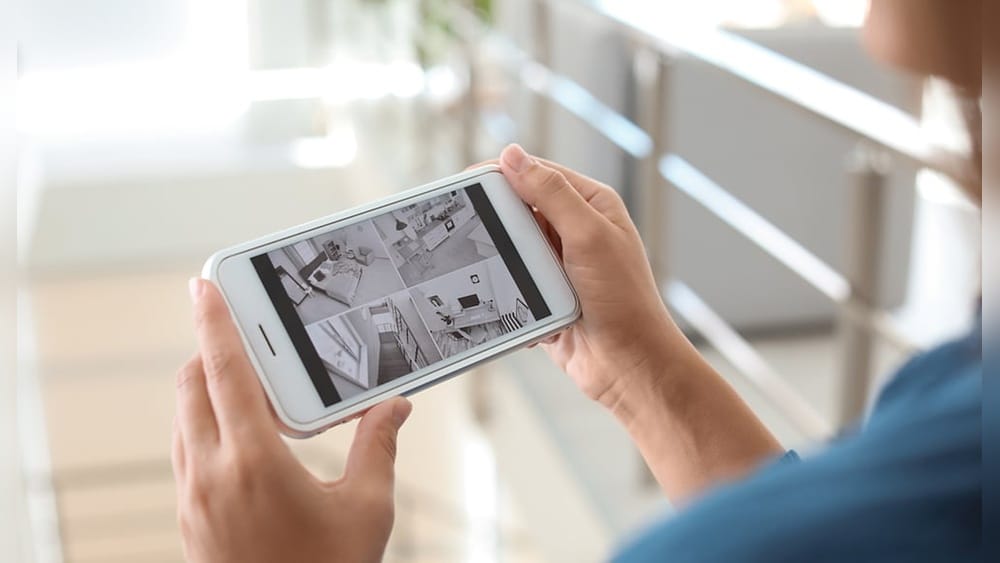
Can A Security Camera See Your Phone?
Imagine you’re standing outside a store or passing through a busy airport. Security cameras are everywhere—some are obvious, others hidden. You might wonder, can these cameras see your phone? Can they read your screen or track what you’re doing? The question feels simple, but the answer is layered.
It touches on technology, privacy, and even the tricks used by security systems. Understanding how cameras “see” and what they can actually capture is more than just curiosity—it affects your privacy and daily habits.
This article explores the real capabilities of security cameras when it comes to your phone. We’ll look at what cameras can and can’t see, how different technologies work, and the privacy risks most people don’t notice. By the end, you’ll know exactly what’s possible, what’s not, and how to protect yourself in public spaces.
How Security Cameras Work
Security cameras are everywhere. They come in many shapes and sizes, but most work in similar ways. A camera captures images or video, sends them to a screen or a recorder, and stores the footage. Some cameras are simple, while others use advanced technology.
Types Of Security Cameras
There are several main types:
- Analog cameras: These are older models. They record video and send it to a monitor or tape recorder.
- Digital cameras: Most modern systems are digital. They capture high-resolution images and often store them on hard drives or cloud servers.
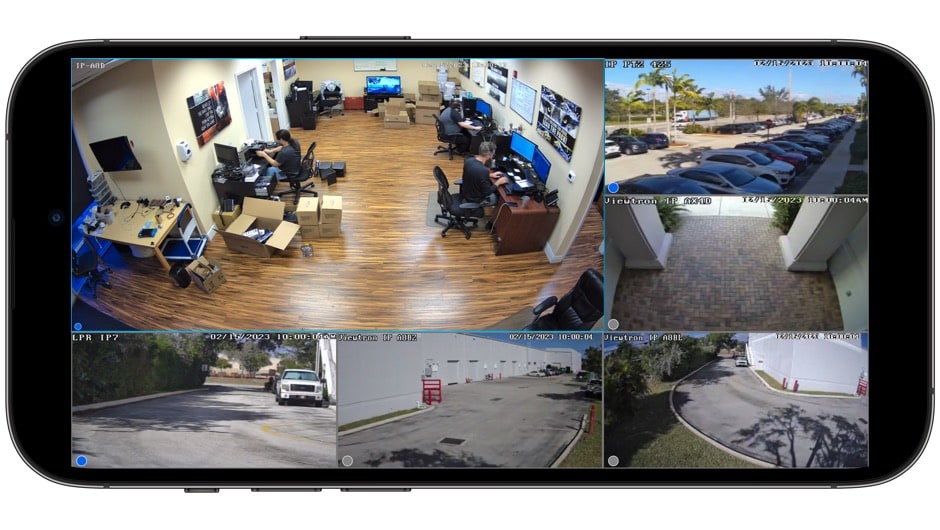
- IP cameras: These connect to the internet. They can be watched and controlled remotely.
- PTZ cameras: PTZ stands for Pan-Tilt-Zoom. These cameras move and zoom in to follow action.
- Infrared (IR) cameras: These can see in the dark using infrared light.
Each type has different strengths. For example, IR cameras work well at night, while PTZ cameras can follow moving objects.
Resolution And Image Quality
Camera resolution is key. Higher resolution means more detail. Here’s a comparison of common resolutions:
| Resolution | Pixels | Typical Use |
|---|---|---|
| 720p (HD) | 1280 x 720 | Basic monitoring |
| 1080p (Full HD) | 1920 x 1080 | Retail, offices |
| 4K (Ultra HD) | 3840 x 2160 | High-security zones |
Most standard cameras are 1080p. This is clear enough to see faces, license plates, and small objects. Some newer systems use 4K, which can show even tiny details.
Night Vision And Low Light
Security cameras often work in low light. IR cameras use invisible infrared light to “see” in darkness. The image is usually black and white, but still shows objects and movement.
Some cameras use low-light sensors, which amplify available light. These can show color images even at night. However, when light is very low, details are harder to see.
Zoom Capabilities
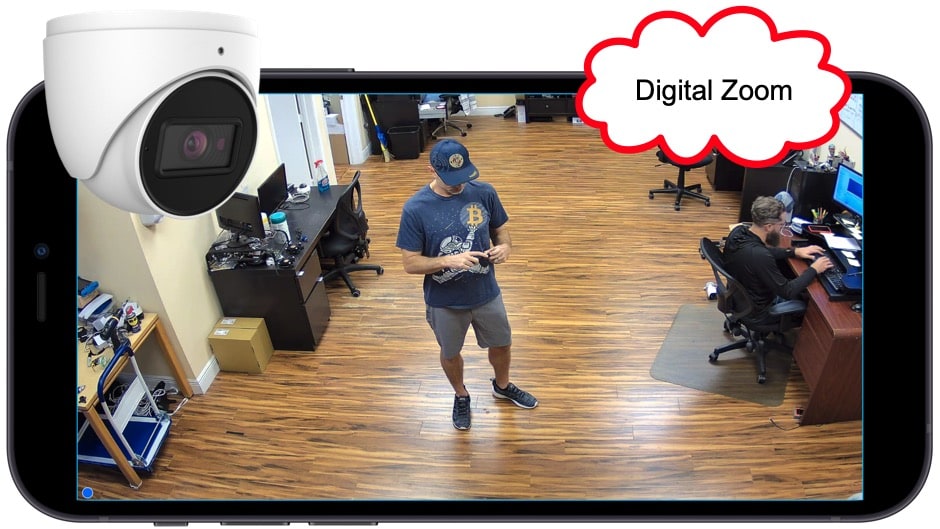
Zoom is important. PTZ cameras can zoom in to see distant objects. Optical zoom keeps the image clear, while digital zoom can make things blurry.
For example, a PTZ camera with 30x optical zoom can clearly see a phone in someone’s hand from 100 feet away. But reading the screen is much harder.
What Can Security Cameras See On Your Phone?
Security cameras can see your phone in your hand. But what about the screen? Can they capture what you’re typing, reading, or watching?
Seeing The Device
Almost all security cameras can see a phone if it’s visible. They can tell you’re holding a device, and sometimes even the model if the camera is high-quality.
For example, a 4K camera in a store can show that you’re holding an iPhone 14 Pro or a Samsung Galaxy S23. If the camera is closer, it might even see the color and case design.
Screen Visibility
Seeing the phone is easy. Seeing the screen is not. Here’s why:
- Screen angle: Most people hold their phone facing themselves. The camera usually sees the back or side. To capture the screen, the camera must be directly in front.
- Glare and brightness: Phone screens reflect light. If there’s glare, the camera can’t see the screen clearly.
- Resolution limits: Even 4K cameras may not capture what’s on your screen unless they are very close.
- Movement: If you’re moving, the image will be blurry. Cameras struggle to capture fine details on moving screens.
Practical Examples
Imagine you’re texting in a shopping mall. The camera sees you holding your phone. If you turn the screen toward the camera, and it’s close enough (within 10 feet), a high-resolution camera might see the icons or the color of your screen.
Reading text is almost impossible unless the camera is very close and you hold the phone perfectly still.
Some studies show that at a distance of 5-10 feet, a 4K camera can barely make out large text or icons. At 30 feet, even the best cameras can’t read your screen.
Screen Reflection
Sometimes, security cameras pick up screen reflections. If your phone screen reflects on glass or another surface, the camera might see part of what’s displayed. However, this is rare and usually unclear.
Credit: chauffalia.fr
Advanced Security Cameras And Special Technologies
Standard cameras can’t read your phone screen easily. But some advanced systems use special tricks.
High-end Surveillance Cameras
High-security areas use special cameras:
- Super-resolution cameras: These use software to enhance images. They can sometimes clear up blurry footage, but only to a point.
- Thermal cameras: These detect heat, not light. They can see your phone as a warm object, but not the screen.
- AI-powered cameras: Some cameras use artificial intelligence to identify objects. They can tell if you’re holding a phone, but not what’s on the screen.
Long-range Lenses
Some cameras use telephoto lenses. These can zoom in from far away. For example, police or airport cameras might use lenses to see details from hundreds of feet away. Still, seeing a phone screen is tough unless you hold the device in a way that faces the camera.
Hidden Cameras
Hidden cameras are often used in hotels, Airbnbs, or offices. They’re smaller and sometimes placed at eye level. If you hold your phone up and it’s facing the camera, it might capture more detail. But most hidden cameras are low-quality and can’t read screens.
Screen Capture Attempts
Some research groups have tried to use cameras to read phone screens. They use special setups, perfect lighting, and high-end cameras. The results are mixed. In controlled conditions, it’s possible to read large text or icons. In real life, it’s almost impossible.
Data Table: Camera Capabilities Vs. Screen Visibility
| Camera Type | Screen Visibility | Typical Use |
|---|---|---|
| Standard 1080p | Can see phone, not screen details | Retail, offices |
| 4K Ultra HD | Can see phone, possible to see icons at close range | High-security areas |
| PTZ with telephoto | Can zoom in, but screen reading is rare | Airports, police |
| Hidden camera | Can see phone at close range, screen rarely visible | Private rooms |
Can Security Cameras Access Your Phone Data?
This is a common misconception. Security cameras capture images and video—they don’t access your phone’s data.
Wireless Signals
Some people think cameras can “see” Bluetooth or WiFi signals. Cameras don’t detect wireless signals. However, some security systems use wireless scanners to detect devices nearby. These scanners can see that a phone is present, but not what’s on it.
Hacking Myths
There are stories about cameras hacking phones. In reality, cameras don’t have the ability to hack. To access your phone, hackers need software, not video.
Phone Identification
Some advanced systems use AI to identify devices by shape, color, or behavior. For example, a system might count the number of phones in a room. But it still can’t read your screen or access files.
Common Mistakes
Many people worry about cameras accessing their private messages or apps. This is not possible. Cameras only capture what’s visible in the real world.
Privacy Risks And Real Concerns
Even if cameras can’t read your phone screen, they still affect your privacy.
Facial Recognition
Many cameras use facial recognition software. If you use your phone in public, cameras might link your face to your device. This is used in stores to track shoppers or in airports for security.
Behavior Tracking
Cameras can see how often you use your phone, where you use it, and sometimes even your gestures. Some stores use this to analyze customer habits.
Location Data
While cameras don’t track your phone’s GPS, they record where you are and when. If you’re seen with your phone at a certain place, this footage can be matched with other data.
Example: Retail Stores
Some stores use cameras to see if shoppers are texting, comparing prices, or browsing. They don’t see your screen, but they can tell what you’re doing.
Example: Airports
Airport cameras track people using phones. If you pull out your phone at security, the camera records it. Some systems flag people using devices in certain areas.
Can Security Cameras See Your Phone’s Screen In The Dark?
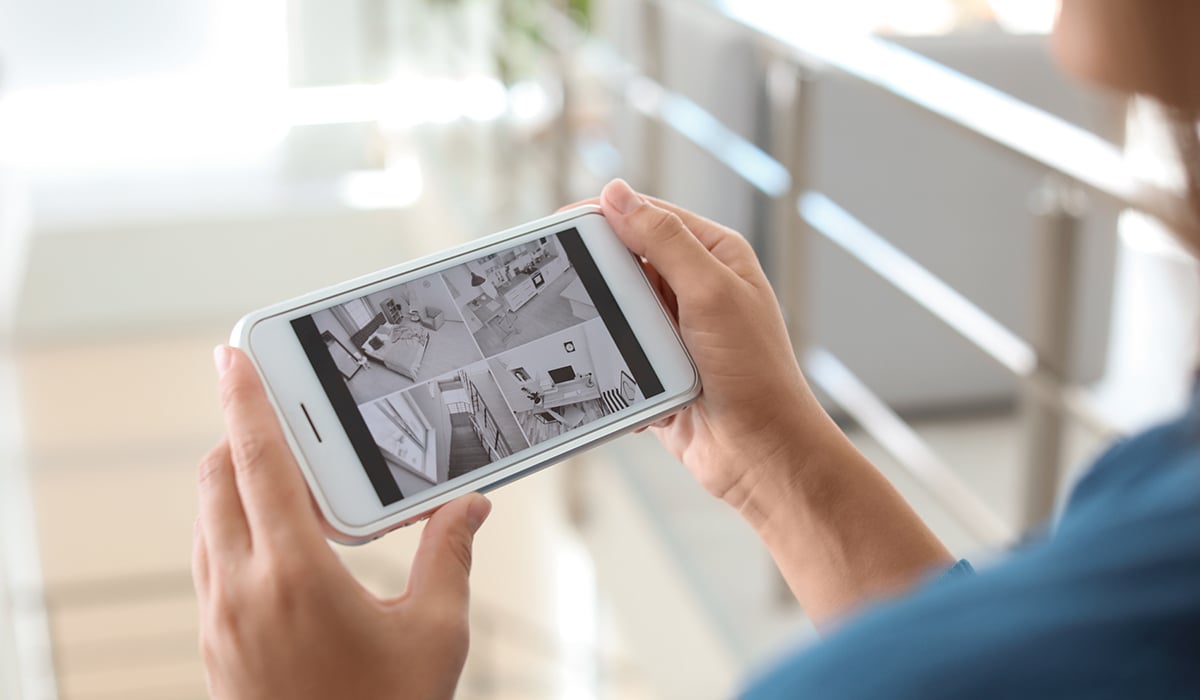
Night vision cameras use infrared light. They can see you holding your phone, but the screen is usually too bright or too reflective.
How Ir Cameras See Phones
IR cameras show heat and reflectivity. Phone screens appear as bright spots, but details are lost. You might look like you’re holding a glowing rectangle, but the camera can’t read the screen.
Low-light Color Cameras
Some newer cameras can see color in low light. If you hold your phone close and face it toward the camera, it might capture the screen’s color, but not the content.
Practical Limitations
Night cameras are designed for movement and shapes, not fine details. They are unlikely to capture your screen’s content in darkness.
Credit: www.gensecurity.com
Can Security Cameras See Through Phone Cases Or Screen Protectors?
Phone cases and screen protectors block some details. Here’s how:
Case Types
- Opaque cases: Most cases are solid. Cameras can’t see through them.
- Clear cases: Cameras can see the phone’s color and sometimes the logo.
- Reflective cases: These cause glare, making it even harder for cameras to see the screen.
Screen Protectors
- Matte protectors: These reduce glare and blur the screen for cameras.
- Glass protectors: These don’t block cameras but may add reflections.
Data Table: Case/protector Effects On Camera Visibility
| Accessory Type | Effect on Camera Visibility | Notes |
|---|---|---|
| Opaque case | Blocks phone details | Camera sees only the case |
| Clear case | Shows phone color/logo | Camera sees some details |
| Matte screen protector | Blurs screen content | Reduces visibility |
| Glass screen protector | No effect on content | Possible glare |
Can Security Cameras See What’s On Your Phone Screen?
This is the big question. Can a security camera actually see what you’re reading, typing, or watching?
Conditions Needed
To read your screen, several conditions must be met:
- Camera must be directly in front of the screen
- High-resolution camera
- Phone held steady
- No glare or reflections
- Close distance (less than 10 feet)
Even then, only large text or bright icons are visible. Small text is almost always unreadable.
Real-world Examples
- ATMs: Cameras watch people using phones, but don’t see the screen. Privacy screens protect details.
- Stores: Cameras may see you using a shopping app, but not what’s on your screen.
- Public places: Unless you hold your phone up to a camera, it won’t capture your screen’s content.
Non-obvious Insight
Most people don’t realize that screen brightness affects camera visibility. Lower brightness makes the screen harder to see, while high brightness can cause glare and reflections.
Another overlooked point: phone screens are designed to be readable to humans, not cameras. The pixels and color balance don’t match camera sensors, making them harder to capture.
How To Protect Your Phone Screen From Cameras
If you’re worried about privacy, there are ways to protect your phone screen from cameras.
Privacy Screen Protectors
These are special screen covers that block the view from the side. Only someone looking straight at the screen can see content.
- Effective against cameras at an angle
- Used in banks, airports, and public transport
Adjust Screen Brightness
Lower your phone’s brightness. This reduces glare and makes the screen less visible to cameras.
Hold Phone At Safe Angles
Keep your phone facing your body or away from cameras. This simple trick blocks most cameras.
Avoid Using Phones Near Suspicious Cameras
If you see a hidden camera or don’t trust the location, avoid using your phone for sensitive tasks.
Cover Your Screen When Typing Passwords
Use your hand or a wallet to block the screen when entering passwords.
Be Aware Of Glass And Mirrors
Reflections can reveal your screen to cameras. Check your surroundings before using your phone.
Are There Security Cameras That Can Read Your Phone Screen?
Some specialized cameras exist:
- Forensic cameras: Used by law enforcement. They are designed for evidence gathering in controlled environments.
- Research cameras: Used in labs to test screen visibility.
- Spy cameras: Some spy devices claim to read screens, but this is rare and usually involves special lighting and setup.
These cameras are not common in public spaces.
Legal And Ethical Questions
Security cameras raise important legal and ethical issues.
Public Vs. Private Spaces
- Public spaces: Cameras are legal, but must follow privacy rules. They can record, but not invade personal privacy.
- Private spaces: Cameras in homes, hotels, or bathrooms are illegal in many places.
Consent
Most countries require consent for recording in private areas. In public, cameras are allowed, but there are limits.
Data Protection Laws
Laws like GDPR in Europe and CCPA in California protect privacy. These laws limit what can be recorded, stored, and used.
Ethical Concerns
Even if cameras can’t read your screen, constant monitoring affects privacy. People feel watched, which changes behavior.
Example: Store Policies
Some stores tell customers about cameras. Others don’t. It’s important to know your rights.
Non-obvious Insights Most People Miss
- Camera blind spots: Most cameras have areas they can’t see. Corners, behind objects, and under tables are often safe spots.
- Image compression: Security footage is often compressed to save space. This reduces quality and makes screens harder to read.
Many beginners think high-resolution means clear images. But compression and poor angles ruin detail.
Credit: www.cctvcamerapros.com
Real-world Scenarios: What Cameras Actually Capture
Let’s look at some real examples:
Scenario 1: Shopping Mall
You’re texting in a crowded mall. The camera sees you pull out your phone. If you turn the screen toward the camera, it might capture the app’s colors or large icons, but not the text.
Scenario 2: Airport Security
At a checkpoint, cameras watch everything. If you hold your phone upright, they might see the home screen. But reading messages or emails is impossible unless you hold the phone directly in front of the camera.
Scenario 3: Coffee Shop
You’re watching a video. The camera sees you looking at your phone. Unless you hold it up and face the camera, it won’t see the content.
Scenario 4: Atm
You check your banking app. Cameras are focused on your hands, not your screen. Privacy screens and low lighting protect your data.
Scenario 5: Office Building
You use your phone in the lobby. Cameras track movements and usage, but not what’s on your screen.
Comparison Table: Camera Capabilities In Common Locations
| Location | Camera Type | Screen Visibility | Privacy Level |
|---|---|---|---|
| Shopping mall | 1080p fixed | Low, only basic details | Moderate |
| Airport | PTZ, 4K | Medium, possible icon visibility | Low |
| Coffee shop | Hidden camera | Very low | High |
| ATM | IR, 1080p | None | Very high |
| Office lobby | Fixed, 1080p | Low | Moderate |
Frequently Asked Questions
Can A Security Camera See What App I’m Using?
Most cameras can see you’re using a phone, but can’t tell the specific app unless the camera is very close and the screen is facing it. Even then, it’s hard to make out details unless the app has large icons or bright colors.
Can Security Cameras Read My Text Messages On The Screen?
No, security cameras can rarely read text messages. The screen needs to be directly facing the camera, with high resolution and close distance. Even then, only large text might be visible, not small messages.
Can Security Cameras Detect My Phone’s Wireless Signals?
Security cameras don’t detect wireless signals like Bluetooth or WiFi. Some security systems use separate wireless scanners to see if devices are nearby, but they don’t capture what’s on your phone.
Are There Cameras That Can Hack Into My Phone?
No, cameras themselves cannot hack phones. Hacking requires software or network attacks, not video footage. Cameras only record what they see in the real world.
How Can I Protect My Phone Screen From Cameras?
Use privacy screen protectors, lower your screen brightness, hold your phone at safe angles, and avoid using your phone near suspicious cameras. Cover your screen when entering passwords and be aware of reflections from glass or mirrors.
Final Thoughts
Security cameras are powerful tools for safety and monitoring. They can see you using your phone, track how often you pull it out, and record your movements. But when it comes to reading your phone screen, their abilities are limited.
Factors like resolution, angle, distance, glare, and screen brightness all play a part.
Understanding what cameras can and cannot see helps protect your privacy. Most fears about cameras reading your messages or hacking your device are unfounded. However, cameras still impact privacy in other ways, like behavior tracking and facial recognition.
Stay aware of your surroundings. Use simple precautions like privacy protectors and safe angles. Knowing the real limits of security cameras gives you confidence and control. For more details on surveillance technology, you can check resources like Wikipedia.
Remember, technology is always changing. Stay informed, protect your privacy, and use your phone with confidence—even in the eye of the camera.