
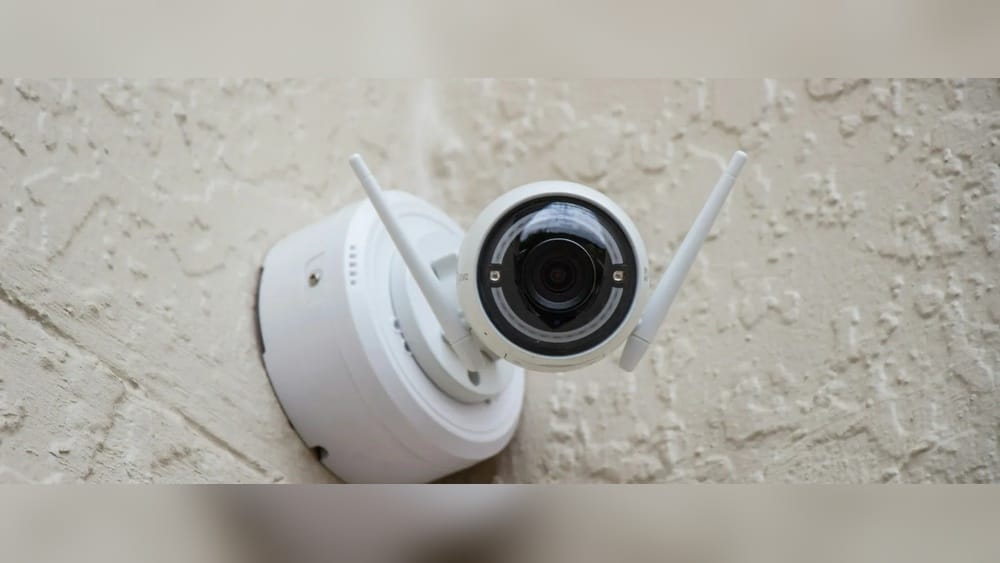
When you move into a neighborhood managed by a Homeowners Association (HOA), you agree to live by a set of rules that help keep the community orderly and attractive. But what happens when you want to add extra security, like installing security cameras around your home? Many homeowners are surprised to learn that putting up a camera isn’t always a simple decision. The answer to whether you need HOA approval isn’t just yes or no—it depends on many factors, including your HOA’s rules, state laws, and even how visible your cameras are. In this article, you’ll discover what you need to know before installing security cameras in an HOA community, learn about common rules and restrictions, and get practical advice to avoid trouble with your association.
Understanding Hoas And Their Powers
An HOA is a private organization that manages and regulates a housing community. When you buy a property in an HOA neighborhood, you sign documents agreeing to follow the HOA’s rules, which are called the Covenants, Conditions, and Restrictions (CC&Rs). These documents can cover many things—like what color you paint your house, how tall your grass can be, and yes, whether you can put up security cameras.
HOAs have the power to create and enforce rules that help maintain property values and community standards. However, their power is not unlimited. State and federal laws can override HOA rules, especially when it comes to privacy and property rights.
Still, most disputes about cameras come down to what’s in the CC&Rs and how the HOA board interprets them.
Why Homeowners Want Security Cameras
Security cameras are more popular than ever. According to a 2022 report by SafeHome, over 38% of US households use some form of home security camera. Homeowners install cameras to:
- Deter theft and break-ins
- Monitor deliveries
- Keep an eye on children and pets
- Collect evidence in case of incidents
For many, security cameras provide peace of mind. But in a shared community, these benefits must be balanced with the rules and privacy concerns of neighbors.
Do Hoas Commonly Require Approval For Security Cameras?
Most HOAs require homeowners to get approval before making changes to the exterior of their property. This includes visible features like paint, fencing, and, in many cases, security cameras. The main reasons for these rules are:
- Uniform Appearance: HOAs want the neighborhood to look neat and consistent.
- Privacy Concerns: Cameras should not record neighbors’ private spaces.
- Safety and Liability: Poorly installed cameras can cause damage or even legal trouble for the HOA.
However, not all HOAs treat security cameras the same way. Some associations have clear written policies about cameras, while others handle requests on a case-by-case basis. Here’s a quick look at how different HOAs might approach the issue:
| HOA Camera Policy | Approval Needed? | Typical Restrictions |
|---|---|---|
| No Policy | Usually | Board decides if allowed |
| Written Policy | Always | Location, size, type, privacy |
| Ban on Exterior Cameras | Not allowed | None allowed outside |
| Case-by-Case | Yes | Depends on board decision |
Where To Find Your Hoa’s Rules On Security Cameras
If you’re unsure whether you need approval, the first step is to check your CC&Rs and any related documents, like Architectural Guidelines or Rules and Regulations. These documents are usually given to you when you buy your home or can be requested from the HOA.
- CC&Rs: Main document outlining what you can and cannot do.
- Architectural Guidelines: More detailed rules on modifications, often updated more frequently.
- Rules and Regulations: Day-to-day rules for community living.
Look for sections about “exterior modifications,” “security devices,” or “surveillance equipment. ” If the rules are unclear, contact your HOA manager or board for clarification.
Steps To Take Before Installing Security Cameras
If you discover that HOA approval is required, follow these steps to avoid problems:
1. Read The Rules Carefully
Understand exactly what is required. Some HOAs only allow cameras in certain locations, like front doors, while others prohibit them on shared walls or common areas. Take notes on:
- Camera placement rules
- Camera type and size
- Visibility from the street
- Recording zones (where the camera points)
2. Prepare Your Application
Most HOAs have a formal process for requesting changes. You may need to submit:
- A detailed description of the camera (brand, model, color)
- A diagram or photo showing where you want to install it
- The field of view (what areas the camera will record)
- Reason for installing (for security, package delivery, etc.)
3. Address Privacy Concerns
HOAs are often worried about cameras recording neighbors’ private spaces, like backyards or inside windows. To increase your chances of approval:
- Choose cameras with adjustable fields of view
- Point cameras only at your property, not at shared spaces or neighbors’ homes
- Use privacy zones or software to block out areas you don’t want to record
4. Wait For Written Approval
Never install cameras before getting written approval. Some HOAs can fine homeowners or require removal of unapproved equipment.
5. Install Cameras As Approved
Once you have approval, install the cameras exactly as described in your application. Any changes later may require a new approval.
Common Hoa Rules And Restrictions For Security Cameras
While every HOA is different, here are some of the most common rules and restrictions you might face:
- No cameras on shared walls (for condos or townhomes)
- Cameras must be small and unobtrusive
- Only certain colors allowed (must match home)
- Cameras can’t face neighboring property
- No cameras in common areas (like pools, gyms, or clubhouses)
- Limit on the number of cameras per home
- Cameras must be professionally installed for safety reasons
Let’s look at a quick comparison of common rules:
| Restriction Type | Reason | Typical Enforcement |
|---|---|---|
| Color/Size | Uniform appearance | Must match exterior |
| Placement | Privacy, aesthetics | No facing neighbors |
| Number of Cameras | Limit visual clutter | Usually 2-4 allowed |
| Installation Method | Safety, property damage | Professional required |
Legal Issues: State And Federal Laws That Can Affect You
It’s not just HOA rules you need to worry about—there are state and federal laws that impact what you can and can’t record. Here are some key legal points:
Privacy Laws
Most states allow homeowners to record video on their own property, but there are limits:
- Audio recording is often more restricted than video. In many states, you need the consent of anyone being recorded.
- Cameras cannot record areas where people expect privacy, like inside a neighbor’s home or in shared bathrooms and locker rooms.
- Some states have strict surveillance laws that may override HOA rules.
Federal Laws
The main federal law affecting security cameras is the Wiretap Act, which mostly applies to audio. If your cameras record sound, you need to be careful about consent.
State-specific Examples
- California: Strong privacy laws; cannot record private areas without consent.
- Texas: Allows exterior cameras, but not if they invade privacy or record audio without consent.
- Florida: Video is legal on your property, but not in shared spaces or if it invades privacy.
Always check your local and state laws before installing cameras, even if your HOA says it’s okay.
What Happens If You Install Cameras Without Hoa Approval?
Some homeowners think they can “ask for forgiveness, not permission.” But in HOA communities, this can lead to serious problems:
- Fines: HOAs can issue daily fines until you remove unapproved cameras.
- Legal Action: In extreme cases, the HOA can take you to court.
- Forced Removal: You may be ordered to remove the cameras at your own expense.
- Loss of Privileges: Some HOAs restrict your access to community amenities if you break rules.
Ignoring the process may also create tension with neighbors and damage your reputation in the community. If you have a valid reason for needing cameras—like a recent break-in—most HOAs will work with you if you follow the rules.
Practical Tips For Getting Hoa Approval
Based on experience, here are some non-obvious tips to help you get your cameras approved:
- Talk to your neighbors first: If your cameras might face their property, let them know in advance. Their support can help your case.
- Use cameras with privacy features: Many modern cameras let you block out certain areas from being recorded.
- Show evidence of need: If there’s been crime in the area, provide police reports or news articles.
- Offer to share footage: Some HOAs worry about security. Offer to share footage with the association if incidents occur.
- Choose wireless options: Wireless cameras are less invasive to install and can often be moved if the HOA requests changes.
Often, it’s not just about the camera itself, but about communication and compromise.
What About Interior Cameras?
HOA rules usually only apply to the exterior of your home. You can install as many cameras as you want inside your house, as long as they don’t record outside or into shared spaces. However, be careful with cameras in places like windows that point toward neighbors or common areas—this can still raise privacy issues.
Security Cameras In Condos And Townhomes
If you live in a condo or townhome, the rules can be even stricter. Shared walls, doors, and hallways are often considered common areas, and most HOAs ban any personal security devices in these spaces. You may only be allowed to install cameras inside your unit or in private patios and balconies, as long as they don’t record common areas.
For example, if your condo’s front door opens into a shared hallway, you may not be allowed to put a camera there at all. Always double-check the specific rules for your type of property.
Rights Vs. Rules: Can You Challenge The Hoa?
Some homeowners believe their right to protect their home should outweigh HOA rules. However, in most cases, courts side with HOAs if the rules are clearly written and enforced equally. That said, you do have rights:
- Request a hearing: If your application is denied, ask for a formal hearing.
- Appeal the decision: Many HOAs have an appeals process.
- Negotiate: Suggest alternatives, like a smaller or less visible camera.
- Seek legal advice: If you believe the HOA is violating your rights, consult an attorney.
In rare cases, especially if an HOA’s rules go against state or federal law, you may have a valid legal challenge. For more on homeowner rights, see the Nolo HOA Law Center.

Credit: www.pamcotx.com
Examples Of Real Hoa Security Camera Disputes
Learning from real situations can be helpful. Here are two examples:
Example 1: Suburban Hoa In Arizona
A homeowner installed a visible camera above their garage, facing the street. The HOA fined them $50 per day, claiming it violated the rule about “no visible exterior modifications without approval. ” The homeowner appealed, showed that several neighbors already had cameras, and the HOA updated its guidelines to allow small cameras in certain locations—with approval.
Example 2: Condo Association In Florida
A resident put a camera in their peephole to monitor the hallway. The condo board required removal, citing a rule against “personal equipment in common areas. ” The homeowner argued for security, but the board’s decision stood, as the hallway was a shared space.
These cases show that HOA rules can change over time, especially if many homeowners request new security options. However, most disputes are resolved by following the proper process.
Weighing The Pros And Cons Of Security Cameras In Hoa Communities
Before installing cameras, consider both the benefits and the possible drawbacks in an HOA community:
| Pros | Cons |
|---|---|
| Increased security for your property | Possible conflicts with HOA rules |
| Deters theft and vandalism | Privacy concerns for neighbors |
| Evidence in case of incidents | Need for approval and paperwork |
| Peace of mind for your family | Risk of fines or forced removal |
A balanced approach is usually best—work with your HOA, respect neighbors’ privacy, and choose cameras that meet everyone’s needs.

Credit: www.eufy.com
Common Mistakes Homeowners Make
Many people make the same errors when it comes to security cameras and HOAs. Here are two mistakes beginners often miss:
- Assuming silence means permission: Just because your HOA documents don’t mention cameras, it doesn’t mean you can install whatever you want. Many HOAs treat cameras as “architectural changes,” which always require approval.
- Not considering field of view: Even if your camera is on your property, if it records into neighbors’ yards or homes, you can be forced to move or remove it. Always plan your camera angles carefully and use privacy masking features when available.
Avoiding these common mistakes can save you time, money, and frustration.
Future Trends: Are Hoas Becoming More Flexible?
Technology is changing fast, and HOAs are slowly updating their rules to catch up. Here are some trends:
- More HOAs are adopting written camera policies, which clarify what is and isn’t allowed.
- Some associations are installing community-wide security systems, reducing the need for personal cameras.
- New camera technology, like doorbell cameras and AI-powered privacy zones, makes it easier to respect neighbors’ privacy.
Still, it’s unlikely that HOAs will stop regulating cameras any time soon. Homeowners should expect to need approval for the foreseeable future.
What To Do If You Have A Special Security Need
Sometimes, homeowners need cameras for unique reasons—such as being a victim of a crime, having medical concerns, or owning high-value property. If you have a special need:
- Document your reasons: Provide police reports or doctor’s notes if relevant.
- Propose solutions: Suggest ways to minimize privacy impact, like motion-activated recording or covering certain areas.
- Ask for exceptions: Some HOAs grant temporary or conditional approval in special cases.
Being honest and proactive usually leads to better outcomes.
Frequently Asked Questions
Do I Always Need Hoa Approval For Security Cameras?
Not always, but in most HOA communities, you do need approval for any exterior cameras or modifications. The best approach is to check your HOA’s CC&Rs and contact your board before installation.
Can My Hoa Ban All Exterior Security Cameras?
Yes, some HOAs have strict rules that ban all cameras on the outside of homes to protect privacy and maintain a uniform appearance. However, you usually have the right to install cameras inside your home.
What If My Neighbor’s Camera Points At My Property?
If you believe a neighbor’s camera is recording your private space, talk to them first. If the problem continues, report it to your HOA. Most associations have rules about camera placement to protect privacy.
Can I Install A Doorbell Camera Without Hoa Approval?
Even though doorbell cameras are small and common, many HOAs still require approval because they are visible from the street. Always check your specific rules before installing one.
What If My Hoa Denies My Security Camera Request?
You can ask for a hearing, appeal the decision, or negotiate for a compromise. If you believe the HOA is acting unfairly or against the law, seek legal advice to protect your rights.

Credit: www.pamcotx.com
Final Thoughts
Living in an HOA community means balancing your need for security with the rules and expectations of your neighbors. While security cameras can help protect your property and loved ones, installing them without proper HOA approval can lead to headaches, fines, or even legal trouble.
The smartest path is to read your HOA documents, communicate openly with your board and neighbors, and follow the approval process step by step. By respecting both the rules and the privacy of others, you can enjoy the benefits of home security without risking conflict in your community.