
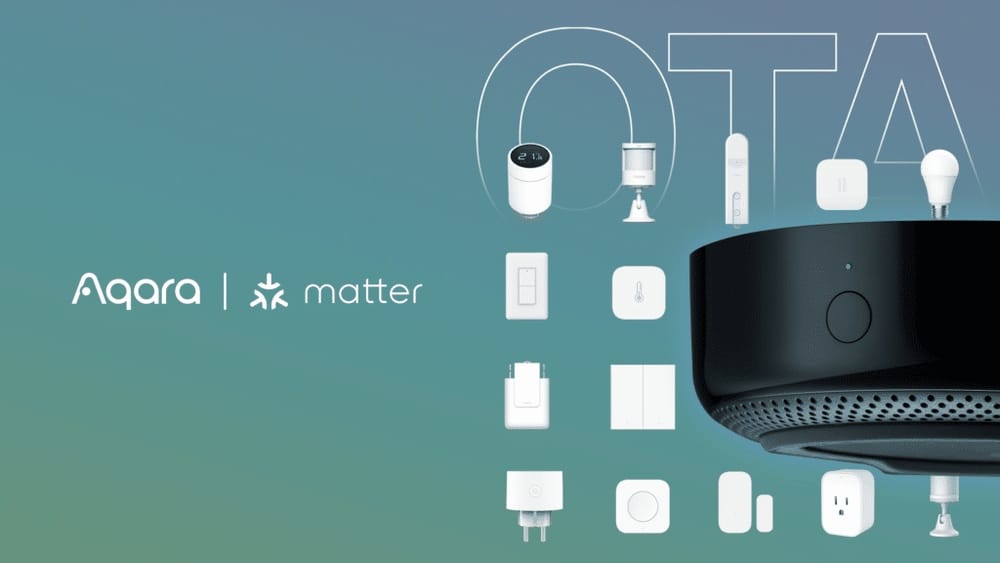
Smart home technology is getting easier to use, but it can still be confusing for beginners. If you own or plan to buy the Aqara M2 Hub, you might wonder: can it connect with other Zigbee devices? Or are you limited to Aqara products only? This question matters because Zigbee is one of the world’s most common smart home standards. If your hub can work with different brands, your home setup becomes more flexible—and cheaper.
Let’s explore if the Aqara M2 Hub really supports other Zigbee devices, how compatibility works, what you can expect, and the practical details you need before making any decisions.
Understanding Aqara M2 Hub
The Aqara M2 Hub is a central device that connects Aqara sensors, switches, and other smart products. It uses Zigbee 3.0—the latest version of the Zigbee wireless standard. This hub links your devices to the Aqara Home app and lets you control them from your phone, tablet, or smart speaker.
You can connect the M2 Hub to your home network using Ethernet or Wi-Fi. It also supports Apple HomeKit, which means you can use Siri voice commands to control devices. Aqara M2 is popular because it’s reliable, works with many Aqara products, and offers strong automation features.
Key Features
- Supports Zigbee 3.0 (faster, more stable than older Zigbee)
- Up to 128 connected devices (using repeaters)
- Works with Apple HomeKit, Alexa, and Google Assistant
- Wired (Ethernet) and wireless (Wi-Fi) connectivity
- Built-in IR blaster for controlling traditional devices (TV, AC)
- Automation and scene support via Aqara app
This hub is designed to be the “brain” of your Aqara smart home, but many users want to know if it can also be the “brain” for other Zigbee devices.
What Is Zigbee?
Zigbee is a wireless protocol made for smart home devices. It’s used by brands like Philips Hue, IKEA Tradfri, Samsung SmartThings, and many others. Zigbee allows devices to talk to each other without Wi-Fi, using a mesh network. This means each device can relay signals, so your network is more stable and covers more space.
Zigbee 3.0 Explained
Zigbee 3. 0 is the most recent version. It combines older Zigbee versions into one standard, aiming for better compatibility between brands. In theory, any Zigbee 3. 0 device should work with any Zigbee 3. 0 hub. But in practice, things are more complicated because brands often add their own features or restrictions.
Why Zigbee Matters
- Easy integration (many brands use it)
- Low power (good for battery devices)
- Mesh networking (stronger coverage)
- Supports sensors, lights, switches, locks, and more
This is why people want their hub to work with more than just one brand.

Credit: www.ebay.com
Aqara M2 Hub Compatibility With Zigbee Devices
Now let’s answer the big question: can the Aqara M2 Hub work with other Zigbee devices? The answer is sometimes—but not always. The compatibility depends on several factors.
Official Support
Aqara officially says the M2 Hub works best with Aqara-branded Zigbee devices. These are sensors, switches, and controllers made by Aqara. The hub is built to recognize these devices quickly and provide full features.
Third-party Zigbee Devices
Some other Zigbee devices can connect to the Aqara M2 Hub, but support is limited. Here’s what affects compatibility:
- Zigbee version: Devices must use Zigbee 3.0 or be compatible with it.
- Device type: Some types (like basic sensors) work better than others (like complex lights).
- Manufacturer ID: Many hubs check the brand ID before allowing connection.
- Custom features: Brands often add their own functions, so not all features may work.
Real-world Compatibility
In real-world tests, people have tried connecting Zigbee devices from other brands (like IKEA Tradfri or Philips Hue) to the Aqara M2 Hub. Sometimes the device is recognized as a “generic Zigbee device,” but often some functions are missing. For example, a motion sensor might connect, but not report battery status or allow automation.
Aqara’s app sometimes blocks devices that are not officially supported. Even if the Zigbee protocol allows connection, the app must support the device’s features.
Example Devices
- Philips Hue lights: Usually not compatible; Hue uses its own Zigbee profile.
- IKEA Tradfri sensors: May connect, but often limited functionality.
- Tuya Zigbee devices: Some may connect, but automations might not work.
- Xiaomi Zigbee devices: Often compatible, since Aqara is part of Xiaomi ecosystem.
Technical Factors That Influence Compatibility
Even if Zigbee is a global standard, not all hubs and devices work together seamlessly. Here’s why:
Zigbee Profiles
Zigbee has “profiles”—sets of rules for specific device types. The Home Automation profile is the most common, but some brands use custom profiles. If the M2 Hub does not recognize a device’s profile, it may not connect or work properly.
Device Join Process
When you try to add a device, the hub checks:
- If the device is Zigbee 3.0 or compatible
- The manufacturer and model ID
- Supported features (sensors, switches, lights, etc.)
If the device fails this process, it will not join the network.
Firmware Updates
Both the hub and devices need updated firmware for best compatibility. Aqara releases updates for the M2 Hub, but third-party devices may not be updated as often. Sometimes an update fixes compatibility issues, but sometimes it breaks them.
App Support
The Aqara app must support the device type and its features. If the app only recognizes Aqara devices, third-party products may not show up or may appear as “unknown device. ”
Comparing Aqara M2 Hub With Other Zigbee Hubs
Let’s see how the Aqara M2 Hub compares to other popular Zigbee hubs for third-party device support. This helps you decide if the M2 Hub is the right choice for a flexible smart home.
| Hub | Zigbee Version | Third-Party Device Support | Max Devices | App Integration |
|---|---|---|---|---|
| Aqara M2 Hub | Zigbee 3.0 | Limited | 128 | Aqara Home, HomeKit |
| Samsung SmartThings Hub | Zigbee 3.0 | Wide (many brands) | 200+ | SmartThings App |
| Philips Hue Bridge | Zigbee Light Link | Mostly Hue lights | 50 | Hue App, HomeKit |
| IKEA Tradfri Gateway | Zigbee 3.0 | Some brands | 50 | IKEA Home Smart |
| Amazon Echo (with Zigbee) | Zigbee 3.0 | Moderate | 100+ | Alexa App |
As you can see, the Aqara M2 Hub is strong for Aqara devices, but less flexible for third-party Zigbee devices compared to SmartThings or Echo.
Common Compatible And Incompatible Devices
Let’s list some devices that are known to work (or not work) with the Aqara M2 Hub. This helps you avoid mistakes and wasted money.
Compatible Devices
- Aqara Sensors and Switches: All are fully compatible.
- Xiaomi Zigbee Devices: Many sensors and switches work well.
- Some Tuya Zigbee Devices: Basic sensors may connect, but advanced features may not work.
- Third-Party Zigbee 3.0 Repeaters: Some repeaters help expand the mesh network.
Incompatible Devices
- Philips Hue Lights: Usually not supported directly.
- IKEA Tradfri Lights: Limited compatibility; often only basic on/off.
- Zigbee Locks (Yale, Schlage, etc. ): Most do not connect.
- Zigbee Thermostats: Rarely supported unless Aqara-branded.
Why Some Devices Don’t Work
Brands like Philips and IKEA use custom Zigbee profiles. Their hubs and apps expect special signals and features. Aqara M2 Hub expects standard Zigbee Home Automation profile, so lights and locks with custom profiles don’t connect or work properly.
How To Add A Zigbee Device To Aqara M2 Hub
If you want to try connecting a third-party Zigbee device to your Aqara M2 Hub, follow these steps:
- Open the Aqara Home app
- Select your M2 Hub
- Tap “Add Device”
- Choose Zigbee device type (sensor, switch, etc.)
- Put your third-party device into pairing mode (usually pressing a button for 5 seconds)
- Wait to see if the app recognizes the device
- If recognized, follow the instructions to finish setup
If the device is not recognized, it may not be compatible. Sometimes you can try using the “generic Zigbee device” option, but features may be missing.
Practical Tips
- Always check device compatibility before buying. Look for Zigbee 3.0 devices with Home Automation profile.
- Update your Aqara M2 Hub firmware for best compatibility.
- For advanced users, try integrating using HomeKit or other smart platforms if the device is not supported natively.
Automation And Control With Third-party Zigbee Devices
Even if a third-party Zigbee device connects to your Aqara M2 Hub, automation features may be limited.
What Works
- Basic on/off (for switches, plugs)
- Simple sensor data (motion, temperature)
- Some scenes (triggering routines)
What May Not Work
- Battery status (for sensors)
- Advanced settings (color changes for lights)
- Device groups (grouping multiple lights)
- Custom automation triggers
Example
If you connect a Tuya Zigbee motion sensor, it may trigger automations (like turning on an Aqara light), but you may not see battery status or adjust sensitivity.

Credit: www.amazon.com
Using Aqara M2 Hub With Apple Homekit
A major advantage of the Aqara M2 Hub is Apple HomeKit support. You can add Aqara devices to HomeKit and use Siri voice commands, automations, and scenes.
Homekit Integration
- Aqara sensors, switches, and locks appear in HomeKit
- You can create automations with other HomeKit devices (e.g., Philips Hue, Eve, etc.)
- Non-Aqara Zigbee devices connected to M2 Hub rarely show up in HomeKit
Example
If you have an Aqara motion sensor and a Philips Hue light, you can create a HomeKit automation: “When motion detected, turn on Hue light.” But if you connect a Tuya Zigbee sensor to Aqara M2 Hub, it may not appear in HomeKit.
Limitations Of Aqara M2 Hub For Zigbee Device Integration
There are several reasons why the Aqara M2 Hub does not fully support other Zigbee devices:
- Brand focus: Aqara wants to keep users in their ecosystem for reliability and support.
- App design: The Aqara Home app is made for Aqara devices; third-party support is not a priority.
- Profile restrictions: Custom Zigbee profiles are hard to support universally.
- Firmware updates: Lack of regular updates for third-party device support.
These limitations mean that the Aqara M2 Hub is best for people who plan to use mostly Aqara products.
Advanced Solutions: Using Third-party Software
Some advanced users try to use third-party software to connect more Zigbee devices to the Aqara M2 Hub. This is not officially supported and requires technical skill.
Home Assistant Integration
Home Assistant is a popular open-source platform for smart homes. It can connect many Zigbee devices using a USB dongle, but using the Aqara M2 Hub as a bridge is tricky. Some integrations allow Aqara devices to appear in Home Assistant, but third-party Zigbee devices connected through the M2 Hub rarely show up.
Zigbee2mqtt
This tool lets you connect Zigbee devices to a computer or Raspberry Pi, then manage them with Home Assistant or other apps. Zigbee2MQTT supports hundreds of brands and models, but does not use the Aqara M2 Hub—so you need separate hardware.
Practical Recommendation
If you need wide Zigbee device support, consider using Home Assistant with a dedicated Zigbee dongle. The Aqara M2 Hub is best for simple setups with mostly Aqara devices.
Real-world Examples And User Experiences
Let’s look at some real-world examples to see how the Aqara M2 Hub performs with other Zigbee devices.
Case 1: Trying To Add Ikea Tradfri Sensor
A user bought an IKEA Tradfri motion sensor and tried to add it to their Aqara M2 Hub. The sensor was detected, but only basic motion events were available. Battery status and advanced settings did not appear. The sensor could trigger automations, but was not as reliable as Aqara sensors.
Case 2: Connecting Tuya Zigbee Plug
Another user added a Tuya Zigbee smart plug to their Aqara M2 Hub. The plug was recognized as a generic switch, and could be turned on/off through the app. However, energy monitoring features were missing.
Case 3: Adding Philips Hue Light
A user tried to pair a Philips Hue bulb directly to the Aqara M2 Hub. The bulb was not recognized. Hue bulbs require the Hue Bridge for full functionality, and their Zigbee profile is not compatible with Aqara M2 Hub.
Non-obvious Insights
- Many beginners assume all Zigbee devices can connect to any Zigbee hub, but brand profiles and app support are more important than the Zigbee version.
- Even if a device connects, advanced features (like battery monitoring or color changes) are often not supported unless it’s an Aqara device.
Credit: eu.aqara.com
Tips For Smart Home Buyers
If you want to build a smart home using the Aqara M2 Hub and Zigbee devices, here are some tips:
- Stick to Aqara devices for best reliability.
- If you want to use other brands, look for devices with Zigbee 3.0 and Home Automation profile.
- Test devices before buying in bulk; try one unit first.
- Consider SmartThings or Home Assistant if you need wide Zigbee support.
- Update your hub and devices regularly.
- Avoid mixing too many brands; compatibility can break after updates.
Comparison: Aqara M2 Hub Vs Smartthings Hub
Here’s a simple comparison to help you decide.
| Feature | Aqara M2 Hub | SmartThings Hub |
|---|---|---|
| Zigbee Device Support | Mostly Aqara/Xiaomi | Many brands |
| App Quality | Simple, limited options | Advanced, many integrations |
| HomeKit Support | Yes | No (officially) |
| Automation Features | Basic | Advanced |
| Price | Lower | Higher |
The Future Of Zigbee Compatibility
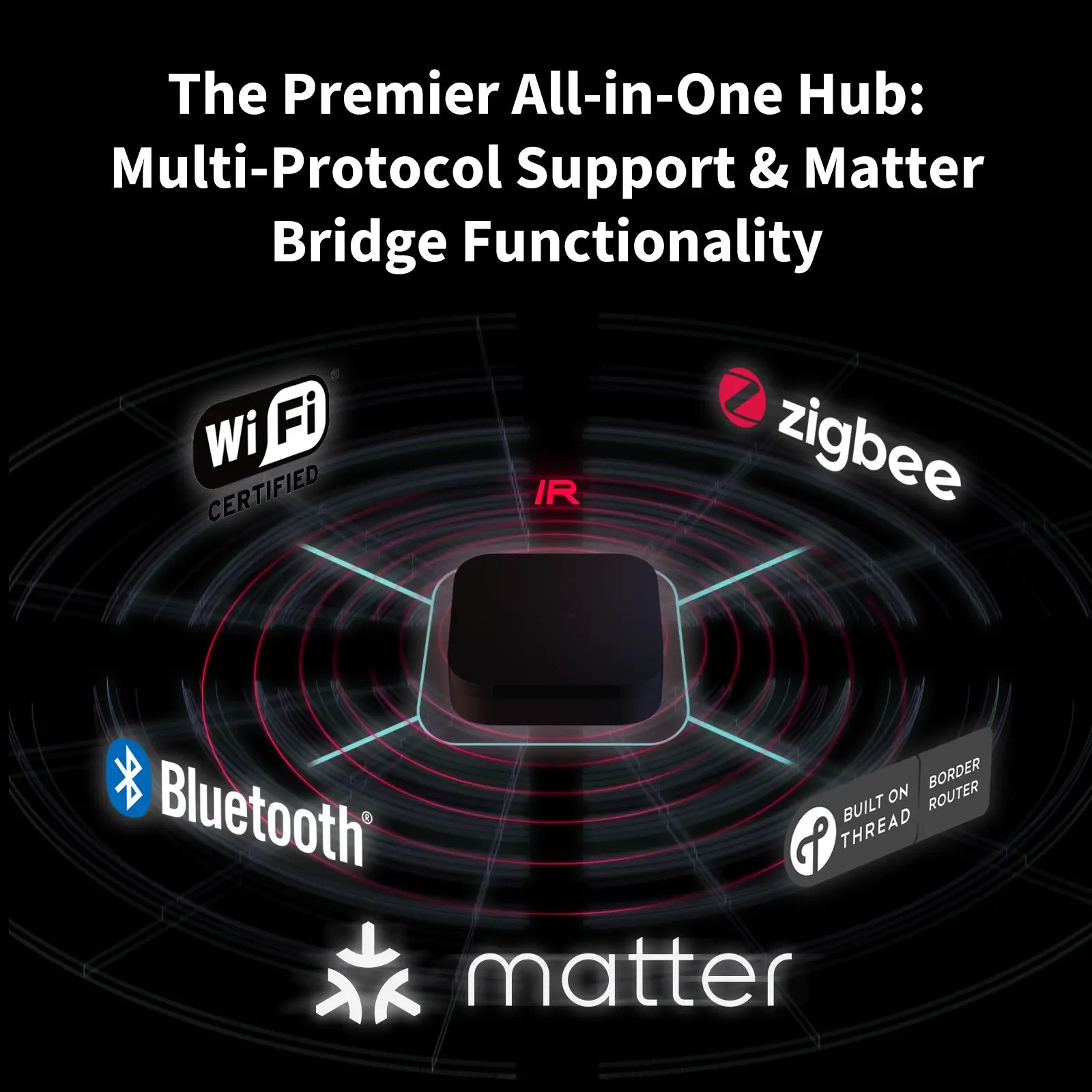
The smart home industry is moving toward better compatibility. Zigbee 3.0 was designed to solve many problems, but brands still limit support to their own products. A new standard, Matter, is being developed to unify smart home devices. Aqara has announced that future hubs will support Matter, which may improve compatibility.
What To Expect
- Aqara M2 Hub will continue to work best with Aqara devices.
- Future Aqara hubs may support more brands via Matter.
- For now, wide Zigbee support requires hubs like SmartThings or Home Assistant.
Frequently Asked Questions
Can I Connect Philips Hue Bulbs To Aqara M2 Hub?
No, Philips Hue bulbs require the Hue Bridge for full functionality. Their Zigbee profile is not compatible with the Aqara M2 Hub.
Does Aqara M2 Hub Support Zigbee Locks From Other Brands?
Most Zigbee locks (like Yale or Schlage) do not work with the Aqara M2 Hub. The hub is optimized for Aqara locks only.
What Is The Maximum Number Of Zigbee Devices I Can Connect To Aqara M2 Hub?
You can connect up to 128 Zigbee devices using repeaters. Direct connections are fewer. This is enough for most homes.
Will Aqara M2 Hub Support Matter In The Future?
Aqara has announced plans to support Matter in future hubs. The M2 Hub may get updates, but full Matter support is not confirmed yet.
How Can I Improve Zigbee Device Compatibility With Aqara M2 Hub?
- Use Aqara-branded devices for best results.
- Update firmware regularly.
- Look for Zigbee 3.0 devices with Home Automation profile.
- Test devices before buying more.
Final Thoughts
If you want a smart home hub that works with many Zigbee brands, the Aqara M2 Hub is not the best choice. It’s excellent for Aqara sensors, switches, and automations, and integrates well with HomeKit. But support for third-party Zigbee devices is limited—usually only basic functions, and sometimes not even that.
If you want maximum flexibility, consider a hub like SmartThings or a platform like Home Assistant. For simple, reliable setups with mostly Aqara devices, the M2 Hub is a strong option.
Smart home technology changes quickly, so always check compatibility before buying. For now, Aqara M2 Hub is best used inside the Aqara ecosystem, with limited support for other Zigbee devices. For more details on Zigbee standards, visit Wikipedia.