
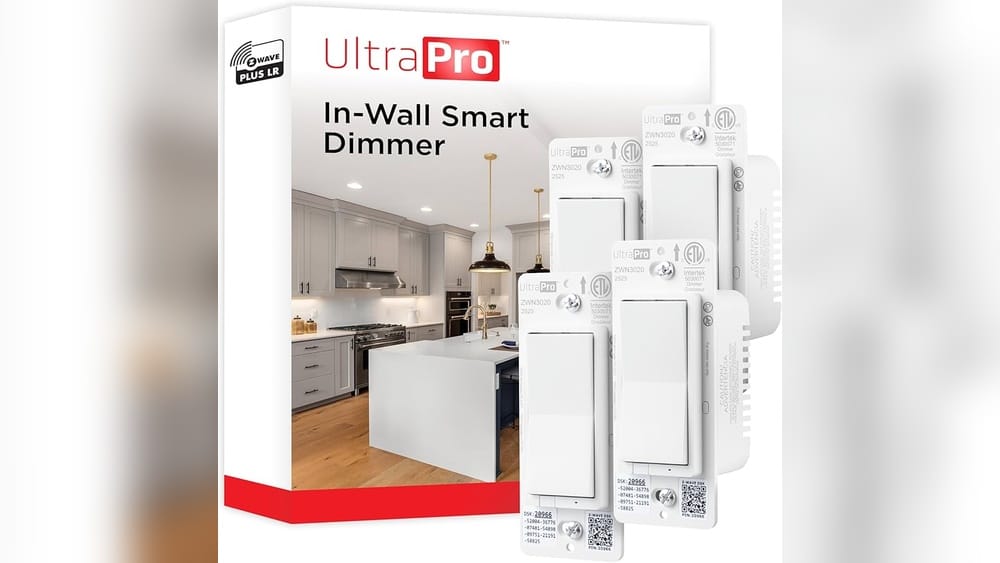
Smart homes are changing how people live. Many devices connect wirelessly, making everyday tasks easier. Z-Wave is one of the most trusted wireless standards for smart home technology. But if you’re new to this, you might wonder: Do I need a hub for Z-Wave? This question matters because a hub can affect how your devices work, how much you spend, and how easy it is to control your home.
Let’s explore what Z-Wave is, how it works, and whether a hub is needed. We’ll look at real examples, compare setups with and without hubs, and highlight things most beginners miss. If you’re thinking about building a smart home or expanding your system, this guide will help you make the right choice.
What Is Z-wave?
Z-Wave is a wireless protocol designed for smart home devices. It lets gadgets like lights, locks, sensors, and thermostats talk to each other without wires. Z-Wave uses low-energy radio waves, meaning devices can run for years on batteries. Compared to Wi-Fi and Bluetooth, Z-Wave is more reliable and less likely to interfere with other electronics.
There are thousands of Z-Wave certified products. Big brands use it, and the technology is tested for security and performance. Z-Wave’s main strength is its mesh network. Each device can pass signals to others, extending the range and improving reliability.
Key Features Of Z-wave
- Mesh networking: Devices communicate through each other, not just with a central point.
- Low power: Most sensors run on small batteries for months or years.
- Interoperability: Most Z-Wave devices work together, even from different brands.
- Security: Uses AES-128 encryption for safe communications.
Z-wave Vs Other Smart Home Standards
There are other protocols like Zigbee and Wi-Fi. Z-Wave stands out for its long range, low interference, and strong compatibility. Unlike Wi-Fi, which can get slow with many devices, Z-Wave networks stay stable as you add more gadgets.
Here’s a quick comparison:
| Feature | Z-Wave | Zigbee | Wi-Fi |
|---|---|---|---|
| Range | Up to 328 ft | Up to 65 ft | Variable (depends on router) |
| Mesh Support | Yes | Yes | No |
| Power Use | Very low | Low | High |
| Device Interference | Rare | Sometimes | Common |
| Security | Strong | Good | Varies |
What Is A Z-wave Hub?
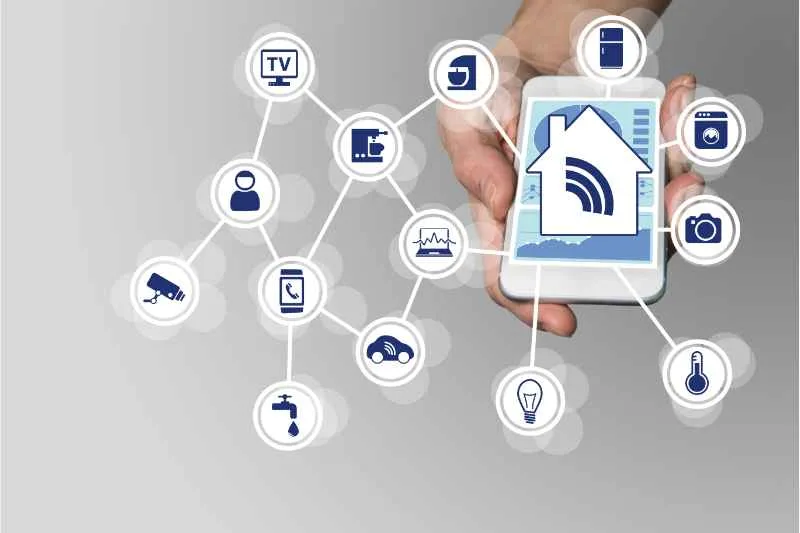
A Z-Wave hub is a device that connects Z-Wave gadgets to your home network. It acts as a bridge between your smart devices and your phone, tablet, or voice assistant. With a hub, you can control everything from one app, set up automation, and link devices together.
Some hubs only support Z-Wave. Others handle multiple standards like Zigbee, Bluetooth, or Wi-Fi. Popular Z-Wave hubs include Samsung SmartThings, Hubitat, and Aeotec Smart Home Hub.
What Does A Z-wave Hub Do?
- Central control: Lets you manage devices from one place.
- Automation: Enables routines (like turning off lights when you leave).
- Remote access: Control your home from anywhere via the internet.
- Integration: Connects Z-Wave with other smart home standards.
Without a hub, Z-Wave devices can’t talk to your phone directly. They need a hub to link with apps and the internet.
Can Z-wave Work Without A Hub?
This is the big question. The short answer: Most Z-Wave devices need a hub. But there are exceptions and workarounds.
Direct Device-to-device Communication
Z-Wave’s mesh network lets devices talk to each other. For example, a sensor can trigger a light switch. Some devices support association—a feature where one device sends commands to another without a hub. This works for simple setups (like turning on a lamp when a sensor detects motion).
But without a hub:
- You can’t control devices from your phone or voice assistant.
- Automation is limited to basic actions.
- Devices can’t connect to the internet.
Examples Of Hubless Setups
- Motion sensor to light switch: Sensor turns on light directly.
- Door sensor to siren: Door opens, siren sounds.
These setups are rare and often tricky for beginners. Device association must be programmed manually, usually through pressing buttons in a special sequence. Most people find this confusing.
Limitations Without A Hub
- No remote access: You must be physically present to use devices.
- No advanced automation: Can’t set schedules, scenes, or routines.
- No app control: Can’t use smartphone or smart speaker to manage devices.
- Troubleshooting is harder: Diagnosing issues is more complex.
In short, a hub unlocks the full potential of Z-Wave.
Benefits Of Using A Hub With Z-wave
A hub turns your Z-Wave devices into a true smart home system. Here’s what you gain:
Easy Management
You can control all devices from one app. Whether it’s lights, locks, or sensors, you don’t need separate controls for each gadget.
Advanced Automation
Set up routines like:
- Good morning: Lights turn on, blinds open, coffee maker starts.
- Away mode: Locks doors, arms security, turns off lights.
Automation saves time and boosts security.
Remote Access
With a hub, you can control your home from anywhere. Forgot to lock the door? Do it from your phone. Want to check if the garage is closed? No problem.
Integration With Other Technologies
Many hubs support multiple standards. You can connect Z-Wave to Zigbee, Wi-Fi, or Bluetooth devices. For example, you can have a Zigbee sensor trigger a Z-Wave alarm.
Voice Control
Hubs often work with Amazon Alexa or Google Assistant. You can say, “Turn off the living room lights,” and it happens instantly.
Improved Security
Hubs offer strong security features, like encrypted connections and regular updates. This protects your home from hacking.
Easy Troubleshooting
If something goes wrong, the hub can show which device is causing problems. It’s much easier than checking each gadget manually.
Credit: butterflymx.com
Scenarios Where A Z-wave Hub Is Essential
Let’s look at when you absolutely need a hub.
Multi-device Automation
If you want lights, sensors, thermostats, locks, and alarms working together, a hub is needed. Complex routines require centralized control.
Remote Monitoring
Home security systems often use Z-Wave sensors and alarms. To monitor your home while away, you need a hub.
Integration With Other Smart Home Standards
If you plan to use Zigbee, Wi-Fi, or Bluetooth devices along with Z-Wave, a hub is vital.
Future Expansion
If you might add more devices later, a hub makes scaling easy. You won’t have to worry about compatibility or manual setups.
Voice Assistant Support
To use Alexa or Google Assistant, most Z-Wave devices require a hub.
When You Might Not Need A Hub
There are rare cases when a hub isn’t needed.
Simple Device Associations
If you only need one device to trigger another (like a motion sensor turning on a light), you can sometimes set up direct association. This is best for small spaces with few devices.
Temporary Or Portable Setups
If you want a quick, temporary installation—like a battery-powered alarm in a shed—you might skip the hub.
Budget Constraints
If your budget is tight, skipping the hub can save money. But remember, you lose most smart features.
Technical Limitations
Some people want to avoid hubs for privacy reasons. Without a hub, devices don’t connect to the cloud. But you also lose remote access and automation.

Credit: reolink.com
Comparison: Z-wave With Hub Vs Without Hub
To help you decide, here’s a side-by-side comparison.
| Feature | Z-Wave with Hub | Z-Wave without Hub |
|---|---|---|
| Remote Control | Yes (via app) | No |
| Automation | Advanced (scenes, schedules) | Basic (device association) |
| Integration | With other standards | None |
| Voice Assistant Support | Yes | No |
| Security Features | Enhanced | Limited |
| Setup Complexity | Easy (guided app setup) | Manual (button presses) |
| Troubleshooting | Centralized | Manual per device |
| Cost | Higher (hub + devices) | Lower (devices only) |
Choosing The Right Z-wave Hub
If you decide to get a hub, choosing the right one matters. Not all hubs are equal. Here’s what to look for:
Compatibility
Make sure the hub supports all your devices. Some hubs only work with certain brands or models. Check the hub’s compatibility list before buying.
Multi-protocol Support
If you want to mix Z-Wave with Zigbee or Wi-Fi devices, pick a hub that supports multiple protocols.
User Interface
Look for a hub with a simple app or web interface. Some hubs are easier to use than others.
Automation Features
Check if the hub supports advanced automation, like scenes, schedules, and routines.
Voice Assistant Integration
If you use Alexa or Google Assistant, ensure the hub works with these platforms.
Price
Hubs range from $50 to $200 or more. Cheaper hubs may have fewer features, while expensive ones support more devices and standards.
Here’s a comparison of popular Z-Wave hubs:
| Hub | Protocols Supported | Price Range | Voice Integration | Automation Level |
|---|---|---|---|---|
| Samsung SmartThings | Z-Wave, Zigbee, Wi-Fi | $70-$150 | Alexa, Google | Advanced |
| Hubitat Elevation | Z-Wave, Zigbee | $120-$170 | Alexa, Google | Advanced |
| Aeotec Smart Home Hub | Z-Wave, Zigbee | $130-$180 | Alexa, Google | Advanced |
| Wink Hub 2 | Z-Wave, Zigbee, Bluetooth, Wi-Fi | $100-$150 | Alexa | Moderate |
Common Mistakes Beginners Make
Starting with smart home tech can be confusing. Here are mistakes to avoid:
- Buying incompatible devices: Always check if your hub supports the devices you want.
- Skipping the hub for big setups: Without a hub, automation and remote control are almost impossible.
- Not planning for expansion: If you think you’ll add more devices, get a hub that supports growth.
- Ignoring security updates: Hubs need regular updates for safety. Don’t forget this step.
- Trying manual association without understanding: Direct device association sounds easy but is hard to set up correctly.
Hidden Insights Most Beginners Miss
Z-wave Mesh Needs More Devices
A strong Z-Wave mesh needs multiple devices plugged into power (like smart outlets or switches). Battery devices alone won’t repeat signals. If your home has only battery sensors, the network might be weak. Place at least one powered device in each room for best performance.
Hubs Can Bridge Old And New Devices
Some hubs support both Z-Wave Classic and Z-Wave Plus devices. This helps if you have old gadgets alongside new ones. Not all hubs do this, so check before buying.
Real-life Examples
Here are some practical scenarios:
Small Apartment
You have a motion sensor and smart light switch. Direct association is possible. But you’ll miss remote control and automation. Adding a hub lets you set schedules and control from your phone.
Family Home
Multiple rooms, security sensors, smart locks, thermostats. A hub is essential. It lets you automate routines, monitor remotely, and link devices from different brands.
Office Setup
Want to automate lights, security, and climate? A hub connects everything. Staff can control devices from their phones. Managers can set work schedules and monitor security.
Z-wave Hub Setup: Step-by-step
If you’re ready to add a hub, here’s how to do it:
- Choose your hub: Pick based on compatibility and features.
- Connect the hub: Plug it into power and your router.
- Install the app: Download the hub’s app on your phone or tablet.
- Add devices: Use the app to pair Z-Wave gadgets.
- Set up automation: Create scenes, routines, and schedules.
- Test connections: Make sure all devices respond correctly.
- Update firmware: Keep the hub software up to date.
Cost Breakdown: Z-wave Setup With And Without Hub
Let’s look at what you might spend.
- Z-Wave device (e.g., smart switch): $30-$50 each
- Hub: $70-$180
- Total for a basic setup (hub + 3 devices): $160-$330
Without a hub, you only pay for devices, but lose many features.
Security Considerations
Z-Wave is known for strong security. But a hub adds even more protection. It can block unauthorized access, keep devices updated, and let you monitor activity.
AES-128 encryption is standard, but hubs can offer extra safeguards like two-factor authentication.
Privacy Concerns
Some people worry about smart home privacy. Hubs connect to the internet, so data may be sent to the cloud. Read privacy policies carefully. Some hubs (like Hubitat) process everything locally, which is better for privacy.
How Many Devices Can A Z-wave Network Support?
Z-Wave can handle up to 232 devices per network. But this depends on your hub’s capacity and the network’s strength. More devices mean a better mesh, but also more complexity.

Credit: www.amazon.com
Should You Buy A Hub Now Or Wait?
If you’re starting small, you might delay buying a hub. But most people quickly outgrow basic setups. Adding a hub early makes expansion easier and avoids frustration.
Expert Recommendations
Most smart home experts recommend starting with a hub, even for small homes. The benefits—automation, remote control, integration—are worth the cost. If you’re worried about complexity, choose a hub with a simple app and strong customer support.
For more technical details, check out the Z-Wave Wikipedia page.
Frequently Asked Questions
What Happens If I Use Z-wave Devices Without A Hub?
You can set up basic device-to-device actions, like a sensor turning on a light. But you lose remote control, automation, and app access. Most features need a hub.
Can I Use Z-wave Devices With Alexa Or Google Assistant Without A Hub?
No. To use voice assistants, you need a hub that connects Z-Wave devices to these platforms. The hub acts as a bridge.
How Hard Is It To Set Up Device Association Without A Hub?
It’s tricky. You must follow manual steps, often pressing buttons in a sequence. Mistakes are common, and support is limited.
Are All Z-wave Hubs The Same?
No. Hubs differ in compatibility, features, user interface, and price. Some support only Z-Wave, others handle multiple standards. Always check before buying.
Can I Upgrade From A Hubless Setup To A Hub Later?
Yes. You can add a hub anytime. Devices will need to be paired with the hub, but this is usually straightforward.
Smart homes are powerful, but only if you set them up well. Z-Wave technology works best with a hub, unlocking full control, automation, and integration. For most users, investing in a hub is the smart choice. If you’re starting small, you can try direct association—but you’ll quickly see the limits.
Take your time, plan for growth, and enjoy a smarter, safer home.