
Smart home technology is changing how people interact with their houses. One brand that stands out is Aqara, known for affordable, reliable devices. Many users wonder if Aqara products can connect to any Zigbee hub. Understanding this compatibility is important before you start building your smart home. If you choose the wrong hub, your devices may not work as expected, leading to frustration and wasted money.
The Zigbee protocol promises easy connections between devices from different brands. However, real-world experience often shows limits. Aqara uses Zigbee for most of its sensors, switches, and controllers, but does that mean you can use them with any Zigbee hub?
Not always. There are technical details and brand-specific choices to consider. This article explores how Aqara works with Zigbee hubs, common issues, and practical solutions for buyers. You’ll find clear examples, data, and advice that helps you avoid mistakes and build a smart home that truly works.
Understanding Zigbee Technology
Zigbee is a wireless protocol, used in smart home devices for communication. It is similar to Wi-Fi or Bluetooth but optimized for low-power sensors and switches. Zigbee hubs act as a central controller, connecting devices like lights, sensors, and locks. You control everything from an app or voice assistant.
Unlike Wi-Fi, Zigbee does not require your devices to connect directly to your router. Instead, they connect to the hub, which then talks to your router. This makes Zigbee networks stable and responsive. Zigbee uses mesh networking, meaning devices can relay messages to each other.
If one device is far from the hub, it can send messages through another nearby device. This increases range and reliability.
Zigbee has several versions. The most common are Zigbee 1.2 and Zigbee 3.0. Zigbee 3.0 is newer and supports more features, including better compatibility between brands. However, not all devices use Zigbee 3.0 yet. Aqara mainly uses Zigbee 1.2 in older products and Zigbee 3.0 in newer ones.
Key Features Of Zigbee
- Low power usage: Ideal for battery-powered sensors
- Mesh networking: Improves coverage and reliability
- Interoperability: Promises compatibility between brands, but real-world results vary
- Fast response: Commands are sent quickly, usually within milliseconds
Common Zigbee Hubs
Here are some popular Zigbee hubs:
- Amazon Echo with Zigbee: Some Echo devices have a built-in Zigbee hub.
- Samsung SmartThings Hub: Known for broad compatibility and automation.
- Philips Hue Bridge: Mostly for lights, but supports some sensors.
- Home Assistant Zigbee Gateway: Open-source and flexible.
- Hubitat Elevation: Advanced automation features.
Each hub has its own ecosystem and compatibility limits. Not every Zigbee hub supports all Zigbee devices.
Aqara Devices Overview
Aqara is a sub-brand of Xiaomi, focusing on smart home products. Their devices are popular for price and reliability. Most Aqara devices use Zigbee for wireless communication, making them attractive to smart home builders.
Common Aqara Devices
- Door and window sensors
- Motion sensors
- Temperature and humidity sensors
- Smart switches
- Water leak sensors
- Smart plugs
- Curtain controllers
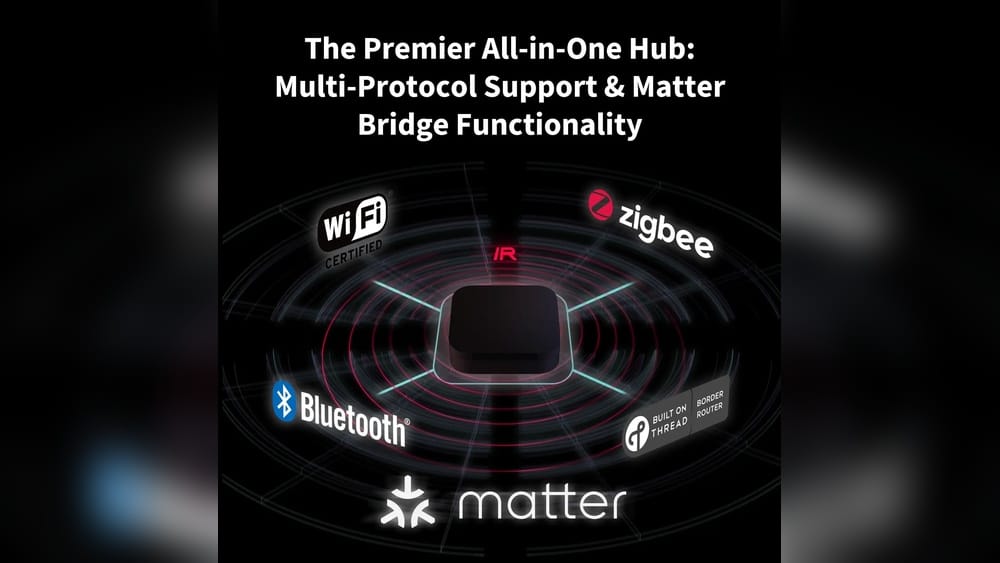
Aqara also sells its own hubs, like the Aqara Hub M2 and Aqara Hub M1S, which support Zigbee and connect to Apple HomeKit, Alexa, and Google Assistant.
Zigbee Versions In Aqara Products
Older Aqara devices use Zigbee 1. 2, while new devices use Zigbee 3. 0. Zigbee 3. 0 improves compatibility, but not all hubs fully support it yet. Always check the Zigbee version before buying.
Compatibility: Aqara And Zigbee Hubs
The big question: Does Aqara work with any Zigbee hub? The answer is complicated. Aqara devices are Zigbee-based, but not always fully compatible with every Zigbee hub. Compatibility depends on:
- Zigbee version (1.2 vs 3.0)
- Hub firmware and software
- Device-specific features
- Brand restrictions
Aqara designs many products to work best with their own hubs, using extra features not found in standard Zigbee. This can limit compatibility with other brands.
Aqara With Aqara Hubs
Aqara hubs guarantee full compatibility. Every feature works—automation, battery status, advanced settings. You can connect Aqara hubs to Apple HomeKit, Alexa, and Google Assistant. This is the safest choice for beginners.
Aqara With Third-party Zigbee Hubs
Aqara devices may connect to other Zigbee hubs, but results vary:
- Some devices work with basic functions only
- Advanced features may not work
- Pairing can be tricky
- Firmware updates may break compatibility
Here’s a comparison of Aqara device compatibility with popular Zigbee hubs:
| Hub | Basic Functions | Advanced Features | Ease of Pairing |
|---|---|---|---|
| Aqara Hub M2/M1S | Full support | Full support | Easy |
| Samsung SmartThings | Mostly supported | Limited | Moderate |
| Amazon Echo Zigbee | Partial | Not supported | Moderate |
| Home Assistant (ZHA/Zigbee2MQTT) | Varies | Varies | Moderate to complex |
| Philips Hue | Limited | Not supported | Difficult |
| Hubitat Elevation | Partial | Limited | Moderate |
Technical Reasons For Compatibility Issues
Aqara sometimes uses manufacturer-specific Zigbee clusters. These are extra commands or data that only their hubs understand. Other hubs may ignore them or fail to use advanced features. For example, battery status, device health, or special automation triggers might not show up in third-party hubs.
Some Aqara sensors use unique pairing methods. If your hub does not support this, pairing may fail. Firmware updates can also change how Aqara devices work. Sometimes, an update breaks compatibility with third-party hubs, leaving users stuck.
Zigbee 3.0 And Future Compatibility
Zigbee 3. 0 aims to fix compatibility issues. It combines older Zigbee versions and improves device discovery. Aqara is releasing more Zigbee 3. 0 devices, which work better with many hubs. However, full compatibility still depends on the hub’s software and support.
Real-world Examples: Aqara Device Performance With Zigbee Hubs
Many users share their experiences online. Here are some real-world cases:
Aqara Door Sensor With Smartthings
The Aqara Door Sensor pairs with SmartThings. It shows open/close status, but advanced features like battery level may not show. Automation works, but you might lose extra settings. Some users report that the sensor disconnects after a few weeks.
Aqara Motion Sensor With Home Assistant
Home Assistant is flexible. Aqara sensors can work well with Zigbee2MQTT or ZHA. You get basic motion detection, but again, battery status and sensitivity settings may be missing. Updating the sensor firmware sometimes fixes issues, but this is not always easy.
Aqara Switch With Amazon Echo Zigbee
Amazon Echo can pair with some Aqara switches, but you only get basic on/off control. Advanced automation and extra settings are not available. Pairing may require multiple tries.
Aqara Water Leak Sensor With Hubitat
Hubitat supports the Aqara Water Leak Sensor. It shows leak detection, but battery level and device health features may not work. Automation is limited compared to Aqara’s own hub.
These examples show a pattern: Basic functions often work, advanced features rarely do.

Credit: www.amazon.com
Comparing Aqara Device Compatibility Across Zigbee Hubs
To help you decide, here’s a data table comparing key features across popular hubs:
| Device | Aqara Hub | SmartThings | Home Assistant | Amazon Echo | Hubitat |
|---|---|---|---|---|---|
| Door Sensor | Full | Basic | Basic | Basic | Basic |
| Motion Sensor | Full | Basic | Basic | Not supported | Basic |
| Temperature Sensor | Full | Basic | Basic | Not supported | Basic |
| Smart Switch | Full | Partial | Partial | Partial | Partial |
| Water Leak Sensor | Full | Basic | Basic | Not supported | Basic |
Full means all features work. Basic means main functions only (e.g., sensing open/close, motion, temperature), but advanced settings or battery status might not be available. Partial means only some features work, or device may not be stable.
Why Some Aqara Devices Fail To Work With Zigbee Hubs
There are several reasons:
- Custom Zigbee implementation: Aqara sometimes adds unique features not found in standard Zigbee.
- Firmware mismatches: Firmware updates can change compatibility. If your hub’s firmware is old, pairing may fail.
- Pairing methods: Aqara uses different pairing steps. If your hub does not support this, you may get stuck.
- Hub limitations: Some hubs only support basic Zigbee functions. Advanced automation is not possible.
- Device age: Older Aqara devices use Zigbee 1.2, which is less compatible with modern hubs.
Non-obvious Insight 1
Some Aqara sensors use compressed Zigbee clusters to save battery. This makes them efficient, but also harder for other hubs to understand. You may see strange behavior, like delayed reporting or missing events.
Non-obvious Insight 2
Hub location and signal strength matter. Zigbee uses mesh networking, but Aqara sensors can be sensitive to weak signals. Place your hub centrally and add more Zigbee devices to strengthen the mesh.

Credit: www.techhive.com
Practical Steps For Connecting Aqara Devices To Zigbee Hubs
If you want to use Aqara devices with a non-Aqara Zigbee hub, follow these steps:
- Check device Zigbee version: Prefer Zigbee 3.0 devices for better compatibility.
- Update hub firmware: Make sure your hub is running the latest software.
- Follow pairing instructions: Aqara devices often require holding a button for several seconds. Read the manual carefully.
- Add devices one by one: Do not try to pair many devices at once.
- Test basic functions first: Make sure sensors report status correctly.
- Check automation support: Try simple automation before advanced setups.
- Monitor battery status: If battery information is missing, check regularly.
- Place devices close to the hub during pairing: This increases success rate.
- Add Zigbee repeaters: If your devices disconnect, add more Zigbee plugs or bulbs to boost the mesh.
Common Mistakes
- Assuming full compatibility: Do not expect advanced features unless using Aqara’s hub.
- Ignoring Zigbee version: Older devices may not work well with modern hubs.
- Skipping firmware updates: Outdated hub or device firmware causes problems.
- Poor hub placement: Weak signals lead to dropped connections.
Buyer’s Guide: Choosing The Right Zigbee Hub For Aqara Devices
Choosing the right hub is important. Here’s what matters:
1. Compatibility
Check the hub’s compatibility list. Aqara’s own hub is best for full support. SmartThings, Home Assistant, and Hubitat offer partial support.
2. Firmware Updates
Choose a hub with regular firmware updates. This helps fix bugs and add new features.
3. Automation Features
If you want advanced automation, pick a hub with strong rule engines (like Home Assistant or Hubitat). Aqara’s hub offers basic automation but is easier for beginners.
4. Ecosystem Integration
Consider which voice assistants and platforms you want. Aqara’s hub works with Apple HomeKit, Alexa, and Google Assistant. SmartThings and Home Assistant support even more platforms.
5. User Interface
Some hubs have simple apps, others are more complex. Beginners may prefer Aqara’s app, while advanced users like Home Assistant.
6. Device Limits
Hubs have limits on how many devices you can connect. Aqara’s hub supports up to 32 devices directly. SmartThings and Home Assistant support more, but performance may vary.
7. Support And Community
Choose a hub with strong user support. Home Assistant and Hubitat have active forums. Aqara’s support is improving, but some users report slow responses.
8. Price
Aqara’s hub is affordable. Home Assistant requires extra hardware. SmartThings and Hubitat are mid-priced.
Here’s a comparison table:
| Hub | Compatibility | Automation | Voice Assistant Support | Device Limit | Price Range |
|---|---|---|---|---|---|
| Aqara Hub M2/M1S | Full (Aqara devices) | Basic | HomeKit, Alexa, Google Assistant | 32 | $50–$70 |
| SmartThings | Partial | Advanced | Alexa, Google Assistant | 60+ | $70–$100 |
| Home Assistant | Partial | Advanced | HomeKit, Alexa, Google Assistant | 100+ | $80–$200 |
| Hubitat Elevation | Partial | Advanced | Alexa, Google Assistant | 60+ | $100–$130 |
| Amazon Echo Zigbee | Limited | Basic | Alexa | 50+ | $60–$120 |
Aqara Device Integration With Home Automation Platforms
Aqara devices are popular because they work with big automation platforms:
Apple Homekit
Aqara’s hubs connect to HomeKit. This lets you control Aqara devices from the Apple Home app. Automations are easy, and you get full support for sensors and switches.
Amazon Alexa
Aqara hubs connect to Alexa. You can control devices by voice and use routines. If you connect Aqara devices directly to Echo’s Zigbee hub, you may lose advanced features.
Google Assistant
Aqara hubs support Google Assistant. Voice control works, but advanced automation is limited compared to HomeKit.
Home Assistant
Home Assistant is open-source. You can use Zigbee2MQTT or ZHA to connect Aqara devices. Many features work, but you may need to tweak settings and update firmware.
Advanced Tips For Maximizing Aqara Device Performance
If you want the best performance, follow these advanced tips:
- Use Aqara’s hub for full features: If you need battery status, device health, or advanced triggers, stick with Aqara’s hub.
- Combine hubs for flexibility: Some users run Aqara’s hub for sensors and a second hub for automation. This requires technical skills.
- Update device firmware: Use the Aqara app for updates. New firmware improves compatibility.
- Build a strong Zigbee mesh: Add smart plugs or bulbs to increase coverage.
- Monitor device logs: Home Assistant lets you view device logs. This helps diagnose issues.
- Check for community integrations: Home Assistant and SmartThings have community plugins that improve Aqara support.
- Avoid mixed Zigbee networks: If possible, stick to one Zigbee version. Mixing 1.2 and 3.0 devices can cause problems.

Credit: us.aqara.com
Aqara Device Security And Privacy
Security matters in smart homes. Aqara hubs use AES encryption for Zigbee traffic. Data sent to cloud services is encrypted. However, connecting Aqara devices to third-party hubs may reduce security if the hub lacks strong encryption.
Privacy is also important. Aqara’s app collects some data for device management. Home Assistant and Hubitat allow local control, meaning your data stays in your home.
Non-obvious Insight 3
If you want maximum privacy, use Home Assistant with Zigbee2MQTT. No data is sent to the cloud, and you control everything locally.
Common Problems And Troubleshooting
Even with careful setup, problems can occur:
Device Drops Connection
- Move the hub closer to the device.
- Add Zigbee repeaters (plugs, bulbs).
- Avoid Wi-Fi interference; Zigbee uses 2.4 GHz.
Pairing Fails
- Reset the device (hold button for 10 seconds).
- Update hub firmware.
- Pair one device at a time.
Missing Features
- Try pairing with Aqara’s hub.
- Check for firmware updates.
- Use community integrations (Home Assistant, SmartThings).
Battery Drains Quickly
- Check signal strength; weak Zigbee signals drain battery.
- Update device firmware.
- Place device away from thick walls.
Frequently Asked Questions
Can Aqara Devices Work With Any Zigbee Hub?
Not all Aqara devices work with every Zigbee hub. Most will connect and provide basic functions, but advanced features may be missing. For full compatibility, use Aqara’s own hub.
What Is The Main Difference Between Zigbee 1.2 And Zigbee 3.0 In Aqara Devices?
Zigbee 3. 0 improves compatibility and allows easier pairing with modern hubs. Older Aqara devices using Zigbee 1. 2 may have trouble connecting to newer hubs and might not support advanced functions.
Is It Possible To Update Aqara Device Firmware Without Aqara’s Hub?
Usually, you need an Aqara hub to update device firmware. Some advanced platforms offer workarounds, but these are not recommended for beginners. Firmware updates help fix bugs and improve compatibility.
Why Do Aqara Sensors Sometimes Disconnect From Third-party Zigbee Hubs?
Aqara sensors can be sensitive to Zigbee network quality. Weak signals, interference, or poor mesh structure lead to disconnections. Adding more Zigbee repeaters (like smart plugs) and placing devices closer to the hub helps.
Are Aqara Devices Secure When Used With Other Zigbee Hubs?
Aqara devices use encrypted Zigbee traffic. However, security depends on the hub. Some third-party hubs may not offer strong encryption or privacy controls. For maximum security, use Aqara’s hub or a platform with local control, like Home Assistant.
Smart home technology is getting smarter every year, but compatibility is still a challenge. Aqara offers excellent devices with strong Zigbee support, but they are not guaranteed to work perfectly with every Zigbee hub. Basic functions usually work, advanced features may be missing. Before buying, check device versions, hub compatibility, and update firmware. If you want full control and easy setup, Aqara’s hub is the safest choice. For advanced automation, platforms like Home Assistant or SmartThings offer flexibility, but you may need extra steps. Understanding these details helps you build a smart home that works for your needs, saving time and avoiding frustration. For more technical details about Zigbee, visit Wikipedia.