
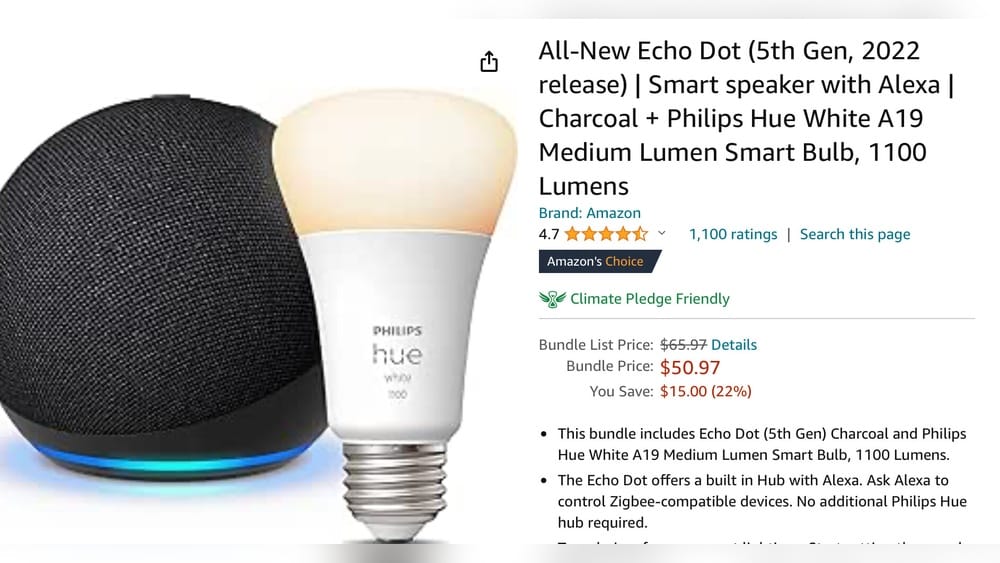
Smart homes are changing how we live. Devices like the Amazon Echo Show offer new ways to control lights, locks, and sensors. But not every Echo Show is the same. If you want your Echo Show to manage Zigbee devices, you need to know exactly which models support this feature.
This article will guide you through all the details about Zigbee support in Echo Show devices, how it works, what you can do with it, and what you should consider before buying.
What Is Zigbee? Understanding The Basics
Before we talk about the Echo Show, let’s look at Zigbee itself. Zigbee is a wireless communication standard for smart home devices. It connects sensors, lights, plugs, and other products without using Wi-Fi. Zigbee is designed for low-power, short-range communication. This means devices can run on batteries for months or years.
Zigbee creates a mesh network. In a mesh, devices talk to each other and pass messages along. If one device is far from the hub, it can use other Zigbee products as “repeaters” to reach the hub. This makes Zigbee reliable and flexible.
Common Zigbee products include:
- Smart bulbs (Philips Hue, Sengled)
- Door/window sensors
- Motion detectors
- Smart plugs
- Thermostats
Zigbee hubs or gateways connect these products to your phone or voice assistant. You can control Zigbee devices using apps, smart speakers, or screens like the Echo Show.
Echo Show: Overview And Features
The Echo Show is Amazon’s smart display. It combines Alexa voice control with a touchscreen. You can use Echo Show to:
- Watch videos
- Make video calls
- See security camera feeds
- Control smart home devices
- Get weather, news, and reminders
Echo Show comes in several sizes and generations. Not all Echo Show devices have the same hardware or features. Some have Zigbee, some do not. Understanding this difference is key if you want to control Zigbee products directly.
Which Echo Show Models Have Zigbee Hub Built-in?
Amazon has released many Echo Show models. Only a few have a built-in Zigbee hub. Here’s a clear breakdown:
| Echo Show Model | Zigbee Hub Support | Release Year |
|---|---|---|
| Echo Show 10 (3rd Gen) | Yes | 2021 |
| Echo Show 8 (All Generations) | No | 2019–2023 |
| Echo Show 5 (All Generations) | No | 2019–2023 |
| Echo Show 15 | No | 2021 |
| Echo Show 2 (2nd Gen) | Yes | 2018 |
| Echo Show (1st Gen) | No | 2017 |
Only the Echo Show 10 (3rd Gen) and Echo Show 2 (2nd Gen) have Zigbee built-in. If you have other models, you will need a separate Zigbee hub.
Why Do Only Some Echo Shows Have Zigbee?
Adding a Zigbee chip increases cost and complexity. Amazon included Zigbee in its premium models to offer advanced smart home control. Most smaller Echo Shows focus on basic Alexa features and video calling.
How Zigbee Works On Echo Show
If your Echo Show has Zigbee, it acts as a hub. You can connect Zigbee devices directly to it. Here’s how this process works:
- Open the Alexa app on your phone.
- Go to “Devices” and choose “Add Device.”
- Select your Echo Show as the hub.
- Put your Zigbee device in pairing mode.
- Alexa finds the device and adds it to your smart home.
Once connected, you can:
- Control Zigbee lights and plugs with your voice or touchscreen
- Set routines (like turning on lights at sunset)
- See sensor status on the Echo Show screen
- Group devices for easier control
Example: Adding A Zigbee Smart Bulb
Let’s say you have a Zigbee bulb. You put it in pairing mode. Your Echo Show 10 (3rd Gen) finds it and adds it. You can say, “Alexa, turn on the bedroom light,” or use the Echo Show screen to dim or change color.
Zigbee Device Compatibility
The Echo Show supports most Zigbee Home Automation devices. Popular brands include:
- Philips Hue (without Hue Bridge)
- Samsung SmartThings
- Sengled
- GE
- Innr
But not every Zigbee device works. Some use special features or security settings not supported by Echo Show. For example, some advanced Zigbee locks may need their own hub. Always check compatibility before buying.
Echo Show Zigbee Hub Vs. Dedicated Zigbee Hubs
You might wonder: Is the Echo Show’s Zigbee hub as good as a dedicated hub? Here’s a comparison:
| Feature | Echo Show Zigbee Hub | Dedicated Zigbee Hub |
|---|---|---|
| Device Support | Basic Zigbee devices | Wide Zigbee and advanced features |
| Automation | Alexa routines | Complex automations, local control |
| Integration | Alexa only | Works with Alexa, Google, Apple |
| Firmware Updates | Limited | Frequent, manufacturer support |
| Security | Basic | Advanced, more controls |
| Price | Included with Echo Show | Extra cost ($50–$150) |
Echo Show Zigbee is great for beginners. It’s simple and lets you control basic devices. But if you want advanced automations or use many Zigbee brands, a dedicated hub like SmartThings or Hubitat may be better.
Common Limitations
- Some Zigbee devices need special hubs for full features.
- Echo Show Zigbee does not support Zigbee 3.0 advanced options.
- Firmware updates for Zigbee devices may not happen automatically.
- You can’t use Zigbee devices with Apple HomeKit via Echo Show.
Setting Up Zigbee Devices With Echo Show
If you have an Echo Show with Zigbee, setup is easy. Here’s a step-by-step guide:
- Plug in your Zigbee device and put it in pairing mode.
- On your Echo Show screen, swipe down and tap “Smart Home.”
- Choose “Add Device.”
- Follow the instructions. Alexa will search for Zigbee devices.
- When found, name your device and assign it to a room.
You can now control the device with voice or screen. If you want to automate, use the Alexa app:
- Create routines (like “turn on lights at 7 PM”).
- Add Zigbee sensors to routines for security or comfort.
Practical Tips
- Place your Echo Show in a central location for best Zigbee range.
- Zigbee mesh works best with several devices spread out.
- If a device won’t connect, reset it and try again.
- Avoid Wi-Fi interference by keeping Zigbee devices away from routers.
Common Mistakes
- Buying Zigbee devices not compatible with Alexa.
- Trying to connect Zigbee devices to Echo Show models without Zigbee.
- Forgetting to update Alexa app for new features.

Credit: www.amazon.com
Real-world Use Cases: Zigbee On Echo Show
Zigbee support on Echo Show lets you build a smart home easily. Here are some practical examples:
Home Security
Connect Zigbee door sensors to your Echo Show. When a door opens, Alexa can announce it. You can see sensor status on the screen.
Lighting Control
Add Zigbee bulbs and plugs. Control them with voice or touchscreen. Create scenes like “Movie Night” to dim lights and close smart blinds.
Energy Savings
Use Zigbee motion sensors to turn off lights when nobody is in the room. Automate smart plugs to cut power to devices at night.
Elderly Care
Set routines to turn on lights or send alerts if a sensor detects movement at unusual times. Use Echo Show’s video call feature for remote check-ins.
Smart Home Integration
Combine Zigbee devices with Wi-Fi gadgets. For example, use a Zigbee sensor to trigger a Wi-Fi smart speaker or camera.
Zigbee Vs. Other Smart Home Protocols
Zigbee isn’t the only option. Let’s compare it to other standards:
| Protocol | Range | Power Usage | Device Types | Hub Needed? |
|---|---|---|---|---|
| Zigbee | 30–50 feet | Low | Lights, sensors, locks | Yes (Echo Show or others) |
| Wi-Fi | 100–150 feet | High | Speakers, cameras, plugs | No |
| Z-Wave | 100 feet | Low | Locks, thermostats, sensors | Yes |
| Bluetooth | 30 feet | Medium | Locks, sensors | Usually no |
| Thread | 100 feet | Low | New smart devices | Yes (HomePod, Nest Hub) |
Zigbee is strong for battery-powered sensors and bulbs. Wi-Fi is best for high-power devices. Z-Wave is good for locks and thermostats, but Echo Show does not support Z-Wave directly.

Credit: www.youtube.com
Echo Show Zigbee Hub: Data, Stats, And Market Trends
Smart home adoption is growing fast. According to Statista, over 60 million US homes have smart devices. Zigbee is used in about 25% of connected homes. Amazon Echo devices are the top-selling smart speakers, with over 40 million units shipped in 2022.
The Echo Show 10 (3rd Gen) is one of the few smart displays with Zigbee. Philips Hue, one of the biggest Zigbee brands, reported over 35 million bulbs sold worldwide.
Consumers choose Zigbee for:
- Reliability: Mesh networks recover from device failures.
- Low Power: Sensors run for years on small batteries.
- Easy Setup: Echo Show makes pairing simple.
Most new smart homes use a mix of Zigbee, Wi-Fi, and Bluetooth devices. The trend is toward more integration, with protocols like Matter bringing Zigbee-like features to Wi-Fi and Thread devices.
Upgrading Your Smart Home: When To Use Echo Show Zigbee
If you’re starting with smart home devices, the Echo Show Zigbee hub is a smart choice. It’s easy, affordable, and works well for simple setups. But as your home grows, you may run into limits.
When Echo Show Zigbee Is Best
- Small homes or apartments
- Few Zigbee devices (bulbs, plugs, sensors)
- Basic routines and automation
- Alexa as main voice assistant
When To Consider A Dedicated Hub
- Large homes needing strong Zigbee mesh
- Many brands of Zigbee devices
- Advanced automation (multiple triggers, local control)
- Integration with Google Home, Apple HomeKit
- Need for Z-Wave support
Troubleshooting Zigbee On Echo Show
Smart home setups can be tricky. Here are tips for common Zigbee problems with Echo Show:
Device Won’t Pair
- Reset the Zigbee device.
- Move device closer to Echo Show.
- Check if Echo Show has Zigbee (only 10 3rd Gen and 2 2nd Gen).
Device Not Responding
- Check battery levels.
- Restart Echo Show.
- Remove and re-add device in Alexa app.
Routine Not Working
- Update Alexa app.
- Check device status in Alexa app.
- Edit routine to use correct device and trigger.
Zigbee Range Issues
- Add more Zigbee devices to build mesh.
- Avoid thick walls and metal objects.
- Place Echo Show in central location.
Privacy And Security: Zigbee On Echo Show
Smart home devices raise privacy concerns. Zigbee is designed for low-power, secure communication, but there are still risks.
Data Handling
Echo Show Zigbee hub stores device info in your Alexa account. Voice commands and routines are processed in the cloud. Amazon says it encrypts data and follows privacy standards.
Security Features
- Zigbee uses encrypted messages.
- Devices must be paired securely.
- You can remove devices at any time.
Risks
- If someone accesses your Alexa account, they may control Zigbee devices.
- Some Zigbee devices may have firmware bugs.
- Always update devices and Echo Show for best security.
Tip: Use strong passwords and enable two-factor authentication on your Amazon account.
Echo Show And Zigbee: Non-obvious Insights
Most buyers think all Echo Show models can control Zigbee devices. This is not true. Only Echo Show 10 (3rd Gen) and Echo Show 2 (2nd Gen) have Zigbee chips. Buying an Echo Show 5, 8, or 15 will not let you connect Zigbee products directly.
Another common mistake: Using a Zigbee device that needs its own hub (like advanced locks or sensors). Echo Show Zigbee only supports standard Zigbee Home Automation products. Always check compatibility lists.
A third insight: Zigbee devices connected to Echo Show can be grouped and automated, but some features (like color scenes or advanced security) may not work without the original manufacturer hub.
Future Trends: Zigbee, Echo Show, And Matter
Smart home protocols are evolving. The Matter standard aims to unite Zigbee, Wi-Fi, and Thread devices. Amazon has announced that future Echo devices will support Matter, but Zigbee is still important for battery-powered sensors and bulbs.
Matter will make it easier to mix brands and protocols. But for now, Echo Show Zigbee is the fastest way to connect Zigbee devices to Alexa.
For more on Zigbee and smart home protocols, see Wikipedia.

Credit: www.amazon.com
Frequently Asked Questions
Does Every Echo Show Support Zigbee?
No. Only the Echo Show 10 (3rd Gen) and Echo Show 2 (2nd Gen) have built-in Zigbee hubs. Other Echo Show models do not support Zigbee directly.
Can I Use Zigbee Devices With Echo Show 8 Or Echo Show 5?
You can control Zigbee devices using Alexa if you have a separate Zigbee hub (like SmartThings or Hue Bridge), but Echo Show 8 and 5 do not have built-in Zigbee. You must connect the hub to Alexa.
What Zigbee Devices Work With Echo Show Zigbee Hub?
Most standard Zigbee Home Automation devices work, such as bulbs, plugs, and sensors. Advanced devices or those needing special hubs may not be fully compatible. Check with the device manufacturer for Alexa support.
Is Echo Show Zigbee Hub As Powerful As Smartthings Or Hubitat?
No. Echo Show Zigbee is best for basic devices and routines. Dedicated hubs offer more advanced features, local control, and support for more Zigbee brands and device types.
Will Echo Show Support Matter In The Future?
Amazon has said future Echo devices will support Matter, which connects Zigbee, Thread, and Wi-Fi products. Matter is still rolling out, so Zigbee hubs are still important for many smart home setups.
Smart home technology is moving fast. With the right Echo Show, you can start building a Zigbee-powered home today. Always check your device’s model and compatibility before buying. Zigbee offers reliable, simple control—especially with Echo Show’s voice and screen features.
But for advanced setups, a dedicated hub or future Matter support may be worth waiting for.