
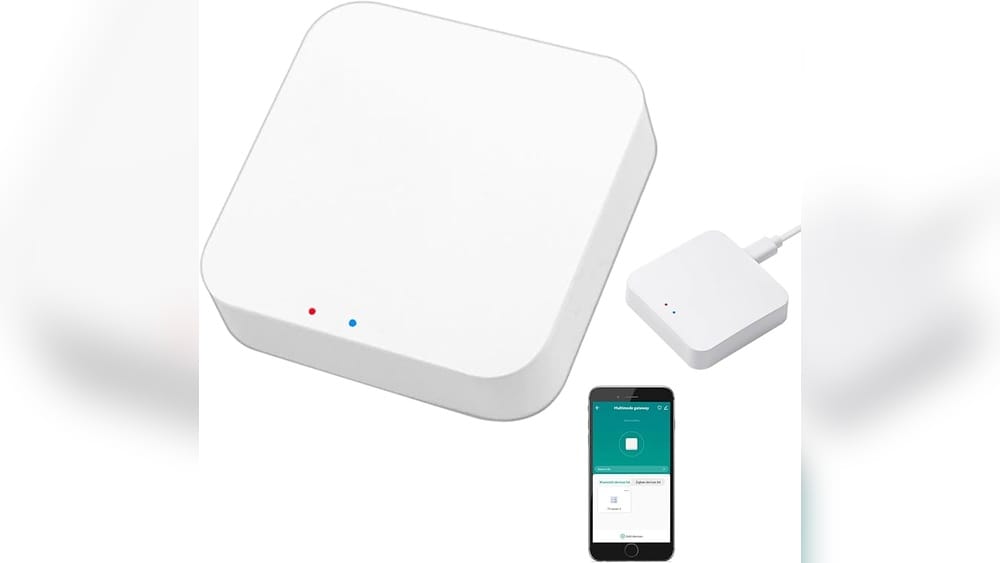
When you start building a smart home, choosing the right hub is key. Many people look at Google’s smart displays—especially the Google Home Hub—as an all-in-one control center. But questions often come up: Does Google Home Hub have Zigbee? Can it directly control Zigbee smart devices like Philips Hue bulbs, smart plugs, or sensors? If you want to avoid buying extra bridges or hubs, this is a very important point.
Let’s dive into the details of what Zigbee is, how Google Home Hub works, and what your options are if you want to build a seamless smart home using Google’s ecosystem.
What Is Zigbee And Why Does It Matter?
Before we get into Google Home Hub, you need to know what Zigbee is and why it’s so popular in the smart home world.
Zigbee is a wireless communication standard. It’s designed to connect smart devices like lights, plugs, sensors, and locks, letting them talk to each other with very little power. Zigbee is famous for:
- Low energy use (good for battery-powered devices)
- Mesh network (devices repeat signals for each other, extending range)
- Reliability (less interference than Wi-Fi for certain tasks)
- Industry support (used by Philips Hue, Samsung SmartThings, Ikea, and more)
Here’s why Zigbee matters: Some smart devices only use Zigbee. They won’t connect directly to Wi-Fi. If your hub or smart speaker doesn’t support Zigbee, you’ll need an extra bridge (like the Philips Hue Bridge) to control these products. This can add cost and complexity.
What Is The Google Home Hub?
The Google Home Hub was released in 2018 as Google’s first smart display. It later became known as the Google Nest Hub (the product line was renamed, but the hardware is very similar).
Key features:
- 7-inch touchscreen display
- Google Assistant built-in for voice control
- Control for smart home devices
- Shows weather, photos, recipes, calendars, and more
- Streams music and video from services like YouTube and Spotify
The Home Hub acts as a dashboard for your smart home, letting you see and control devices from the screen or with your voice.
Does Google Home Hub Have Zigbee Built-in?
The simple answer: No, the original Google Home Hub does not have Zigbee built-in.
This means you cannot pair Zigbee-only devices (like most Philips Hue bulbs, Ikea Tradfri lights, or Zigbee smart sensors) directly with the Google Home Hub. There’s no Zigbee chip inside.
Let’s make this clearer with a comparison:
| Device | Zigbee Built-In? | Wi-Fi Support? | Bluetooth Support? |
|---|---|---|---|
| Google Home Hub (Nest Hub) | No | Yes | Yes |
| Amazon Echo Plus (2nd Gen) | Yes | Yes | Yes |
| Samsung SmartThings Hub | Yes | Yes | Yes |
| Apple HomePod Mini | No (but has Thread, not Zigbee) | Yes | Yes |
So if you want a smart display that can act as a Zigbee hub, Google’s Home Hub is not the answer. Amazon’s Echo Plus or Samsung’s SmartThings Hub do include Zigbee radios.
Why Doesn’t Google Home Hub Have Zigbee?
This is a common question, and the answer comes down to Google’s ecosystem strategy.
Google focuses on controlling devices through Wi-Fi and cloud services. The Home Hub is designed to work with devices that connect to Google Assistant via Wi-Fi or through partner integrations (like Philips Hue, TP-Link Kasa, or Nest).
Adding Zigbee would have made the device more expensive, and Google chose to keep the price low and the hardware simple. Google prefers you use bridges or cloud integrations instead of direct Zigbee control.
How Does Google Home Hub Control Zigbee Devices?
Here’s the key: Even though Google Home Hub does not have Zigbee hardware, it can still control Zigbee devices—but only with help.
How? By connecting to the cloud-based services of those devices. For example, you can control Philips Hue bulbs (which use Zigbee) by linking your Hue Bridge to Google Home.
The setup looks like this:
- Zigbee device (like a Hue bulb) connects to its own bridge (like the Hue Bridge).
- The bridge connects to your Wi-Fi router.
- You link the bridge’s cloud account (e.g., Philips Hue account) to your Google Home app.
- Now, you can control the Zigbee device by talking to Google Home Hub, but all commands go through the internet.
This method works for:
- Philips Hue
- Ikea Tradfri (with Tradfri Gateway)
- SmartThings (with SmartThings Hub)
- Other Zigbee brands that offer cloud integrations
But you always need the brand’s own hub or bridge for the Zigbee part.
What About The Newer Google Nest Hubs?
You might wonder if newer Google displays add Zigbee support. Let’s look at the major models:
| Model | Zigbee Support | Thread Support | Wi-Fi Support |
|---|---|---|---|
| Google Nest Hub (2nd Gen) | No | Yes | Yes |
| Google Nest Hub Max | No | No | Yes |
| Google Nest Mini | No | No | Yes |
The Nest Hub (2nd Gen) adds a Thread radio (used by the new Matter standard), but still no Zigbee. The Nest Hub Max and Nest Mini do not have Zigbee or Thread either.
Key insight: Even in 2024, Google’s main smart displays do not offer built-in Zigbee support.
Credit: www.zemismart.com
Zigbee Vs. Thread: What’s The Difference?
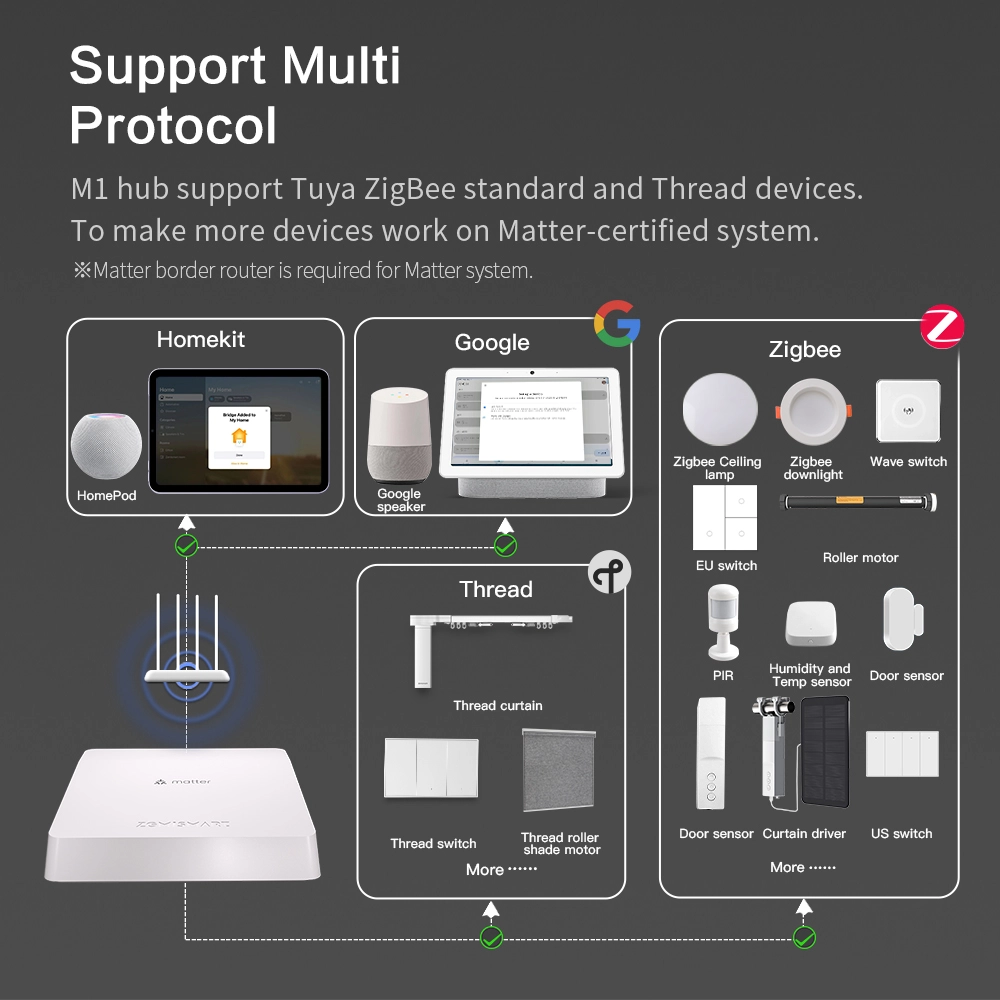
With the rise of Matter (a new smart home standard), you may see “Thread” mentioned. Thread is another wireless protocol similar to Zigbee, but not the same.
- Zigbee: Older, very common, especially for lights and sensors. Needs a hub or bridge.
- Thread: Newer, used by Matter devices. Designed for easy setup and low power. Supported by some new Google and Apple devices.
- Matter: A universal language for smart devices. It can use Wi-Fi, Thread, or Ethernet as the network layer.
The Google Nest Hub (2nd Gen) supports Thread, so it can be a “Thread border router.” But this does not help with classic Zigbee devices. If you have old Zigbee bulbs or sensors, Thread support won’t connect to them directly.
Non-obvious insight: Some devices may release Matter/Thread versions, but the original Zigbee versions will still need a bridge unless you upgrade them.
What Devices Can Google Home Hub Control Directly?
Let’s be clear on what works natively with Google Home Hub:
- Wi-Fi devices: Most smart plugs, switches, cameras, and bulbs that use Wi-Fi can be controlled directly.
- Bluetooth devices: Some smart locks or sensors (rare).
- Cloud-connected devices: Anything that offers a Google Assistant integration, regardless of protocol, as long as it’s set up in the Google Home app.
Devices that only use Zigbee (no Wi-Fi or cloud account) cannot connect directly.
How To Control Zigbee Devices With Google Home
If you have Zigbee smart home devices and want to control them with Google Home Hub, here’s what you need to do:
1. Get The Right Bridge Or Hub
You need a Zigbee hub or bridge for your device brand. Examples:
- Philips Hue Bridge for Hue bulbs
- Ikea Tradfri Gateway for Tradfri lights and sensors
- Samsung SmartThings Hub for a wide range of Zigbee devices
2. Set Up Devices In The Manufacturer’s App
Follow the instructions to add your Zigbee devices to their own app. For example, set up your Hue bulbs in the Philips Hue app first.
3. Link The Account To Google Home
In the Google Home app:
- Tap the “+” icon to add a device
- Choose “Works with Google”
- Search for your device brand (e.g., Philips Hue)
- Log in to link your account
Once linked, your Zigbee devices will appear in Google Home. You can assign them to rooms and control them with your voice or the Home Hub screen.
4. Control Devices Via Google Assistant
Now you can say:
- “Hey Google, turn on the living room lights”
- “Hey Google, set the kitchen light to 50%”
- Tap on the device in the Home Hub’s dashboard
Key point: All commands are sent through the cloud. If your internet is down, Google Home Hub cannot control Zigbee devices, even if they’re on the same network.
Are There Any Google Devices With Zigbee?
As of mid-2024, no Google smart speakers or displays have built-in Zigbee. This includes:
- Google Home
- Nest Mini
- Nest Hub (1st and 2nd Gen)
- Nest Hub Max
- Nest Audio
If you want Zigbee built-in, you need to look at other brands (like Amazon Echo Plus or SmartThings).
What Are The Alternatives If You Want Zigbee Support?
If you really want a hub with built-in Zigbee, here are your best options:
- Amazon Echo devices: Some, like the Echo Plus and Echo 4th Gen, have a Zigbee radio built-in.
- Samsung SmartThings Hub: Supports both Zigbee and Z-Wave. Works with Google Assistant and Alexa.
- Philips Hue Bridge: Only for Hue bulbs and accessories, but works well.
- Aeotec Smart Home Hub: Works like SmartThings and supports many Zigbee brands.
Let’s compare a few top smart home hubs for Zigbee:
| Hub | Zigbee Support | Works with Google Home? | Extra Features |
|---|---|---|---|
| Amazon Echo Plus (2nd Gen) | Yes | Partial (voice, not dashboard) | Alexa built-in, Zigbee control |
| Samsung SmartThings Hub (Aeotec) | Yes | Yes | Z-Wave support, advanced automations |
| Philips Hue Bridge | Yes (Hue only) | Yes | Works with Hue lights, accessories |
| Google Home Hub | No | Yes | Display, Google Assistant |
Pros And Cons Of Google Home Hub Without Zigbee
Pros
- Simple setup for Wi-Fi and cloud-connected devices
- Affordable price compared to advanced hubs
- Easy to use with Google Assistant and touchscreen
- Integrates well with YouTube, Google Photos, and calendar
Cons
- Cannot connect Zigbee devices directly
- Requires extra bridges for Zigbee products
- No local control—cloud connection required for Zigbee devices
- Limited automation compared to SmartThings
Non-obvious insight: If you lose internet, you may lose control of your Zigbee lights, even if you’re at home, since the Home Hub cannot communicate locally with Zigbee devices.

Credit: www.amazon.com
Is There A Way To Add Zigbee To Google Home Hub?
There is no way to add Zigbee hardware to the Home Hub itself. It does not have a USB port or expansion slot for Zigbee.
However, you can add Zigbee support to your Google Home ecosystem by:
- Using a SmartThings Hub, then linking it to Google Home. This lets you add almost any Zigbee device to SmartThings, then control it with Google Assistant.
- Using Philips Hue Bridge or another brand’s bridge for their own Zigbee devices.
Should You Worry About The Lack Of Zigbee?
For many users, lack of Zigbee in Google Home Hub isn’t a problem. Here’s why:
- Most new smart plugs, switches, and bulbs now use Wi-Fi or Matter (not Zigbee).
- Many Zigbee devices can be controlled via their own bridge and cloud integration.
- The Google Home app makes it easy to organize and control devices, even if they’re on different platforms.
But if you want to avoid extra hubs and bridges, or if you already have a large number of Zigbee-only devices, you may want to consider a hub with built-in Zigbee.
The Future: Matter, Thread, And The Changing Smart Home
The smart home world is changing fast. The new Matter standard aims to make devices from different brands work together seamlessly. Thread is the network protocol that Matter often uses.
- Matter: Works over Wi-Fi, Ethernet, and Thread. Supported by Google, Apple, Amazon, Samsung, and more.
- Thread: Low-power mesh network, like Zigbee, but more modern.
- Some new Google Nest devices have Thread radios, which helps with Matter, but does not help with old Zigbee devices.
Manufacturers are slowly moving away from Zigbee in favor of Thread/Matter. But Zigbee is still very common, especially for bulbs and sensors.
If you’re buying new devices, look for Matter or Thread compatibility for future-proofing. If you already own Zigbee devices, plan to use a bridge for the next few years.
For more on Matter and smart home protocols, check the Matter Wikipedia page.
Smart Home Setup Examples With Google Home Hub
Let’s look at three real-world setups and how Zigbee fits in:
Example 1: All Wi-fi Devices
You buy smart plugs, bulbs, and cameras that use Wi-Fi (e. g. , TP-Link Kasa, LIFX bulbs, Nest cameras). You set them up in their own apps, then link to Google Home. No Zigbee needed. Everything works with Home Hub out of the box.
Example 2: Philips Hue Lights
You want to use Philips Hue bulbs (Zigbee). You buy a Hue Bridge, set up your bulbs in the Hue app, then link your Hue account to Google Home. You can control your lights from the Home Hub screen or with your voice.
Example 3: Mixed Devices
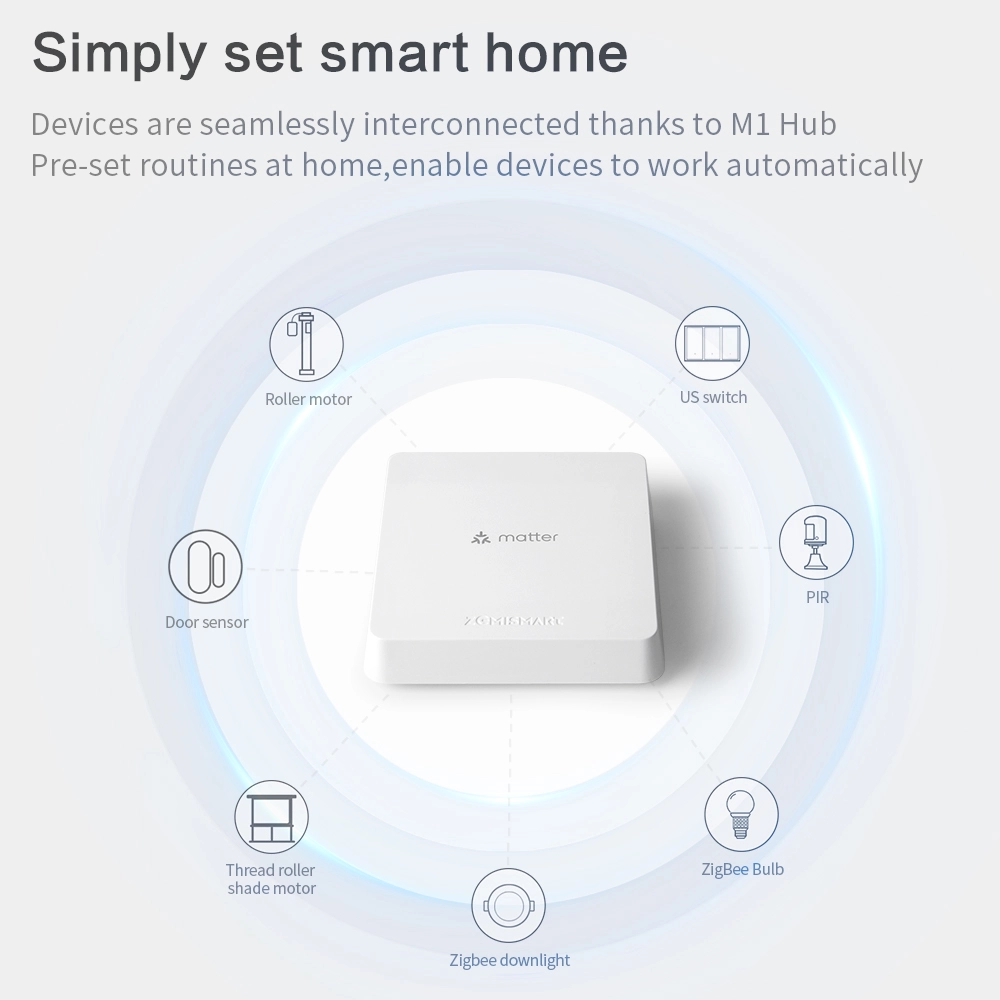
You have a mix: some Zigbee sensors, Hue bulbs, Wi-Fi plugs, and Google Nest cameras. You use SmartThings as your Zigbee/Z-Wave hub. You add all devices to SmartThings, then link SmartThings to Google Home. Now, you can control almost everything from the Home Hub, but you still need the SmartThings hub plugged in.
Credit: www.zemismart.com
Common Mistakes When Setting Up Zigbee With Google Home Hub
- Trying to pair Zigbee devices directly: Many people try to add Zigbee bulbs or sensors to Google Home Hub without a bridge. This will not work.
- Not buying the right bridge/hub: Make sure your devices are compatible with the bridge you buy (e.g., Philips Hue Bridge only works with Hue products).
- Assuming everything works locally: With Google Home Hub, Zigbee devices need the internet for voice or app control.
- Ignoring firmware updates: Always update your hub and bridges for best compatibility.
- Mixing too many ecosystems: Keep your smart home as simple as possible. Too many bridges or apps can get confusing.
Advanced Tips For Google Home Hub And Zigbee
- Automations: Use the Google Home app for basic automations (“routines”). For advanced triggers and actions, SmartThings offers more options.
- Voice control names: Give your devices clear names (“kitchen light,” “bedroom plug”) to avoid confusion with Google Assistant.
- Grouping: You can group Zigbee and Wi-Fi lights together in the Google Home app for easy control (“turn off all lights”).
- Latency: Commands to Zigbee devices may be a bit slower than pure Wi-Fi devices, since they go through the cloud.
- Security: Make sure your bridges and hubs are on your main Wi-Fi network, not a guest network.
Is Google Home Hub Still A Good Choice Without Zigbee?
For most people, Google Home Hub (and Nest Hubs) are still excellent smart displays. They make it easy to see and control your devices, ask Google Assistant questions, and display personal content.
The lack of built-in Zigbee is only a big problem if:
- You want to avoid bridges/hubs completely
- You already own many Zigbee-only devices
- You want local-only control without cloud/internet
For everyone else, using a bridge with Google Home Hub is not a big inconvenience, especially as more devices move to Wi-Fi, Thread, or Matter.
Frequently Asked Questions
Does Google Home Hub Have Zigbee Built-in?
No, the Google Home Hub does not have Zigbee hardware. You need a separate Zigbee bridge or hub (like Philips Hue Bridge or SmartThings) to control Zigbee devices with Google Home.
Can Google Home Hub Control Zigbee Devices?
Yes, but only through cloud integrations. Your Zigbee devices must connect to their own bridge, which you then link to the Google Home app. The Home Hub sends commands to the bridge via the internet.
Which Google Device Has Zigbee Support?
As of 2024, no Google smart speakers or displays (including Nest Hub, Nest Hub Max, Nest Mini, or Nest Audio) have built-in Zigbee radios. Some support Thread for Matter, but not Zigbee.
What Is The Difference Between Zigbee And Thread?
Zigbee is an older wireless standard used by many smart bulbs and sensors. Thread is newer, used by Matter, and supported by some Google and Apple devices. Thread and Zigbee are not compatible.
Do I Need A Zigbee Hub If I Use Google Home Hub?
Yes, if you want to control Zigbee devices, you need their brand-specific hub (e. g. , Philips Hue Bridge) or a universal Zigbee hub (like SmartThings), even if you have a Google Home Hub.
If you want a smart home display that can control Zigbee devices natively, Google Home Hub is not the right choice. But for most users, using bridges and cloud integrations provides almost all the same features, with just a little extra setup.
As smart home standards evolve, Google Home Hub will remain a strong part of a connected home—just not as a Zigbee hub.