
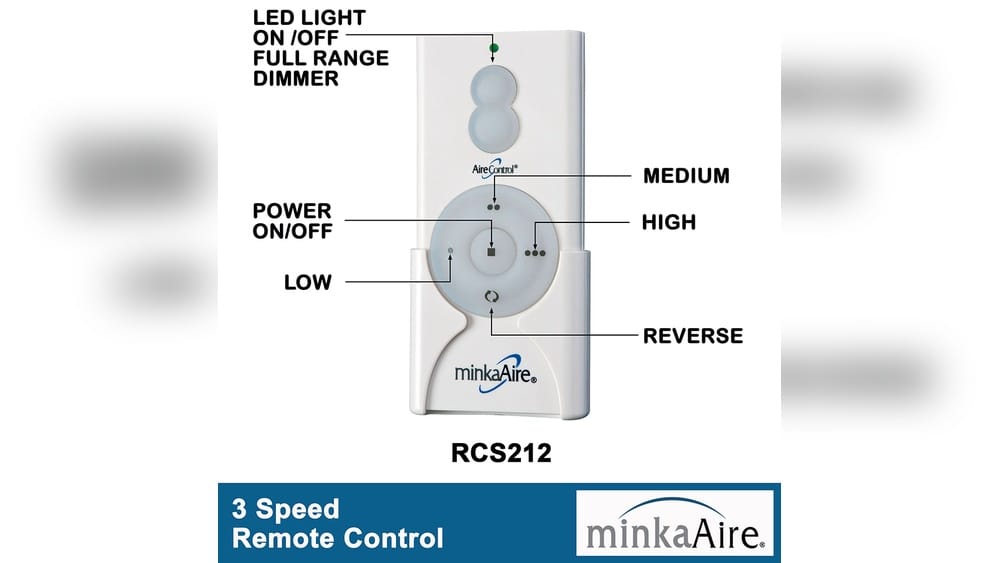
Programming a remote control should be a simple task, but it rarely feels that way. If you own a Minka Aire ceiling fan and its remote, you may find the process confusing—especially if you are not familiar with electronics or do not have the original manual. This guide will walk you through everything you need to know about how to program a Minka Aire remote control. Whether you are replacing a lost remote, setting up a new fan, or troubleshooting problems, this article will help you gain full control over your ceiling fan’s features and functions.
Minka Aire is a trusted brand for stylish, energy-efficient ceiling fans, found in homes and businesses worldwide. Their remotes are designed to give users easy access to fan speeds, light dimming, and sometimes even smart home integration. But to make everything work, the remote and the fan’s receiver must “talk” to each other using the correct codes or frequency.
Missing this step is one of the most common reasons a new or replacement remote does not work as expected.
You will learn how to identify your remote and fan model, set the right DIP switch codes, synchronize the devices, and solve the most frequent issues. Along the way, you’ll get practical tips, warnings about common mistakes, and advice on handling tricky situations like lost remotes or interference from other electronics.
By the end, you will feel confident programming your Minka Aire remote—without calling an electrician.
Understanding Minka Aire Remote Controls
Minka Aire offers several types of remote controls. Knowing the difference between them is important, since the programming process can be different for each.
Types Of Minka Aire Remotes
- Handheld remotes – The most popular type. These control fan speeds, light dimming, and sometimes have “reverse” or “timer” buttons.
- Wall-mounted remotes – Installed in place of a standard light switch. They provide similar functions but are fixed to the wall.
- Universal remotes – Designed to work with multiple Minka Aire fan models, and sometimes with other brands.
Each type uses radio frequency (RF) or, in rare cases, infrared (IR) signals to communicate with the fan’s receiver. Most Minka Aire fans use RF for better range and reliability.
How Minka Aire Remotes Work
The fan’s receiver is a small electronic box, usually installed in the fan’s canopy (the part closest to the ceiling). The remote sends a unique signal code to the receiver. If the codes match, the receiver responds by changing speed, turning lights on/off, or reversing the fan.
The communication code is usually set by DIP switches—tiny switches inside the remote and receiver. Matching the switches ensures only your remote controls your fan, not your neighbor’s.
Some newer models use pairing buttons or digital programming instead of physical DIP switches. Knowing which system your fan uses is essential before starting.
Why Proper Programming Matters
- Avoid interference from other remotes or nearby fans
- Restore control if your remote stops working
- Replace lost or broken remotes without changing the entire fan
- Unlock advanced features like timers or reverse
Understanding your remote system is the first step to a smooth setup.
Identifying Your Minka Aire Fan And Remote Model
Before you start programming, you need to know which model you own. This will save you time and prevent mistakes.
Where To Find Model Information
- Fan User Manual: The manual lists the model number for both the fan and the remote. If you’ve lost the manual, you can usually find a PDF on the Minka Aire website.
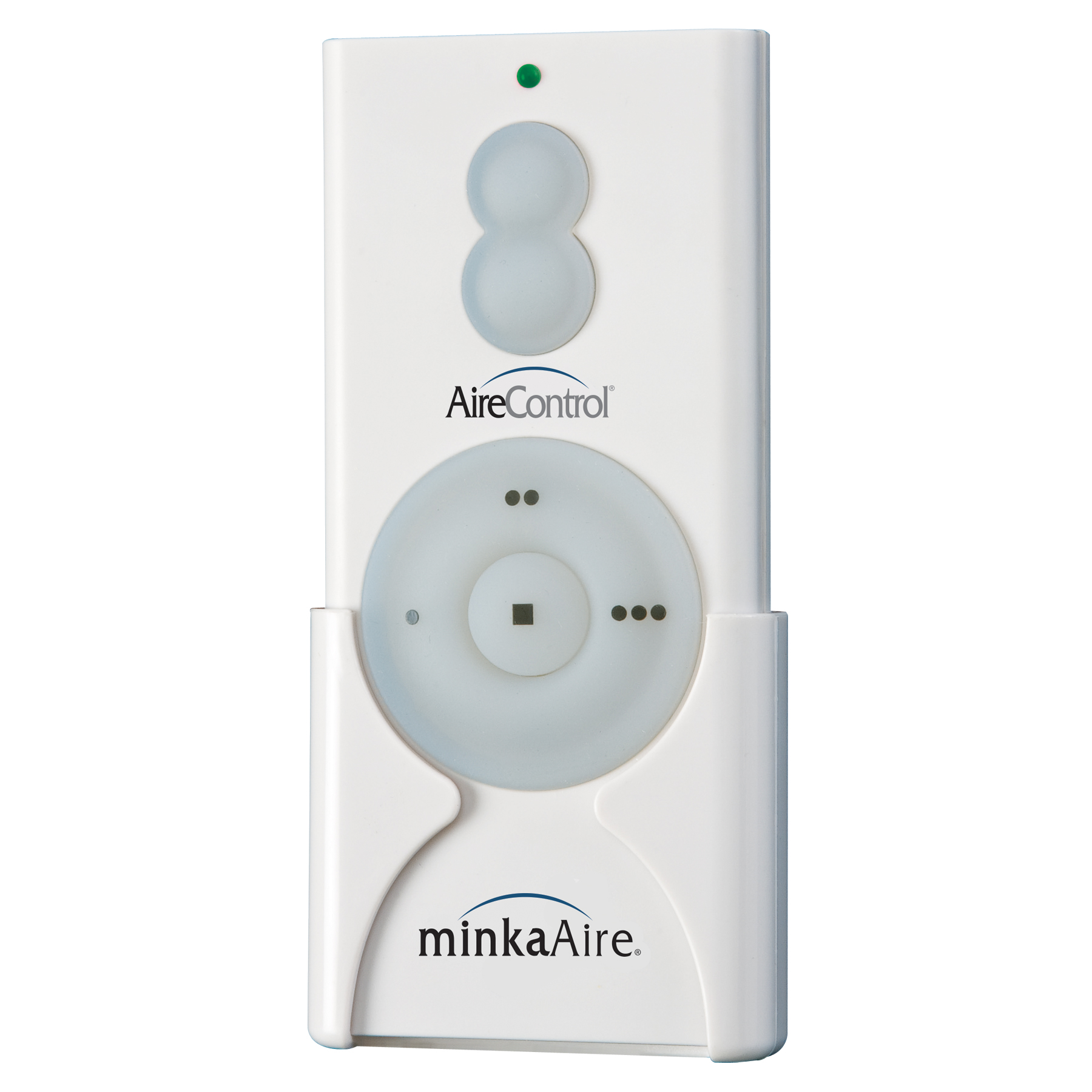
- Remote Label: Most remotes have a sticker inside the battery compartment. Look for a number starting with “RC” (like RC600, RC400, etc. ).
- Receiver Label: If you are comfortable, open the canopy at the ceiling. The receiver should have a sticker with a model code.
- Original Packaging: Boxes sometimes include model numbers for both parts.
- Online Images: Compare your remote to pictures on the Minka Aire site or major retailers to confirm the type.
Why Model Matters
- DIP switch remotes: Most Minka Aire fans made before 2018 use DIP switches.
- Pairing button remotes: Many newer fans (2018 and later) use “smart” pairing instead of DIP switches.
- Universal remotes: Some remotes are designed to work with many fans, but may need extra steps.
Using the wrong instructions for your model can waste hours, so double-check before you start.
Credit: www.minka.com
Tools And Preparation
Programming a Minka Aire remote does not require many tools, but preparing a few items will make the process easier.
What You’ll Need
- Small Phillips or flat-head screwdriver (for battery compartments or canopy covers)
- Fresh AAA or 9V batteries (check your remote’s requirements)
- Step ladder (to safely reach the fan)
- Flashlight (if the fan is installed in a dark room or during the evening)
- Pen and paper (to write down DIP switch settings, in case you need to refer back)
Safety First
- Turn off power at the breaker before opening the fan canopy to avoid electric shock.
- Do not force parts. If the remote or canopy feels stuck, double-check for hidden screws or tabs.
- Keep screws and small parts safe—losing them can cause frustration.
A little preparation can prevent common mistakes and keep you safe during programming.
How To Program A Dip Switch Minka Aire Remote
Most classic Minka Aire fans and remotes use DIP switches for programming. This method is simple but requires careful attention to detail.
Step 1: Locate The Dip Switches
- Remote control: Remove the battery cover. You should see a row of 4 or 5 tiny switches (sometimes more).
- Fan receiver: Turn off power at the breaker. Remove the fan canopy (the metal cover at the ceiling). Look for a similar set of DIP switches on the receiver.
Step 2: Set Matching Dip Switch Codes
- Use a small screwdriver or pen tip to flip the switches to your desired code.
- The code can be any combination of up/down (or ON/OFF). For example, UP-UP-DOWN-UP.
- Both the remote and receiver must have the exact same code. If they are different, the remote will not work.
Step 3: Reinstall And Test
- Replace the battery cover on the remote.
- Carefully reinstall the canopy.
- Turn the power back on at the breaker.
- Test the remote. Try changing fan speed and turning the light on/off.
If the fan responds, you have programmed the remote successfully.
Common Dip Switch Mistakes
- Forgetting to match codes: Even one switch in the wrong position will cause failure.
- Static electricity: Touch a metal object before touching DIP switches to avoid static damage.
- Loose connections: Make sure the receiver wiring did not come loose during installation.
Sometimes, it helps to take a photo of the DIP switch settings for reference.
Example Dip Switch Settings Table
Here’s what sample DIP switch combinations might look like:
| Switch 1 | Switch 2 | Switch 3 | Switch 4 | Switch 5 | Meaning |
|---|---|---|---|---|---|
| UP | UP | DOWN | UP | DOWN | Default code |
| DOWN | UP | DOWN | DOWN | UP | Custom code |
| UP | DOWN | UP | UP | DOWN | Avoids neighbor interference |
You can use any combination, but it is best to pick one not used by nearby fans.
Credit: www.minka.com
How To Program A Pairing Button Minka Aire Remote
If your remote and receiver do not have DIP switches, they likely use a pairing button system. This is common on models from 2018 onward.
Step 1: Install Batteries
- Insert fresh batteries into the remote.
- Make sure the battery contacts are clean and the orientation is correct.
Step 2: Turn Power On
- At the circuit breaker, turn power off to the fan for at least 60 seconds.
- Turn power back on. Many receivers enter pairing mode automatically for 30–60 seconds after power is restored.
Step 3: Press The Pairing Button
- On the remote, find the pairing button. This is sometimes labeled “Learn,” “Sync,” or just a small hole you press with a paperclip.
- Within 60 seconds of restoring power, press and hold the pairing button for 3–5 seconds.
- The fan or light should blink or beep (if equipped) to confirm pairing.
Step 4: Test The Remote
- Try all fan speeds and light functions.
- If the fan responds, the pairing was successful.
Troubleshooting Pairing Remotes
- Missed pairing window: If you wait too long after restoring power, the receiver may not be in pairing mode. Repeat the process.
- Weak batteries: Always use new batteries.
- Multiple fans: If you have several Minka Aire fans nearby, pair them one at a time to avoid cross-pairing.
Example Pairing Sequence
- Turn off breaker for 1 minute.
- Turn breaker on.
- Within 1 minute, press and hold pairing button on remote.
- Wait for beep or flash.
- Test functions.
Pairing Button Vs. Dip Switch Table
Here’s a quick comparison:
| Feature | DIP Switch Remotes | Pairing Button Remotes |
|---|---|---|
| Setup Method | Manual switch matching | Hold pairing button after power cycle |
| Model Years | Pre-2018 (mostly) | 2018 and newer |
| Interference Risk | Higher if codes not unique | Lower, uses digital encryption |
| Difficulty | Requires opening fan canopy | Usually easier, no tools needed |
Advanced Features And Settings
Minka Aire remotes often include features beyond basic on/off and speed control. Knowing how to use these can improve your experience.
Light Dimming
Most remotes support light dimming if your fan has a compatible bulb (usually incandescent or dimmable LED). To dim:
- Hold the light button instead of tapping it.
- The light will cycle through brightness levels.
- Release at your preferred brightness.
Important: Some LED bulbs do not dim smoothly or at all. If your lights flicker, try replacing with Minka Aire-approved bulbs.
Fan Direction (reverse)
Some remotes have a reverse button, letting you change fan blade direction for summer or winter:
- Press the reverse button.
- Wait a few seconds for the blades to slow, then reverse direction.
- If the remote does not have this button, you may need to use a manual switch on the fan.
Timer And Sleep Mode
Premium remotes offer timer functions:
- Press the timer button (often a clock icon) to set the fan to turn off after 1, 3, or 6 hours.
- Useful for bedrooms or energy savings.
Smart Home Integration
A few recent Minka Aire fans support Wi-Fi control via smartphone apps or home assistants like Alexa or Google Home. These require a special receiver and setup through the app. If you want this, check your model and consider upgrading the receiver.
Example Of Advanced Feature Table
| Feature | How to Use | Compatible Models |
|---|---|---|
| Light dimming | Hold light button | Most with dimmable bulbs |
| Reverse | Press reverse button | RC400, RC600, some RC1000 |
| Timer | Timer/clock button | RC600, select smart models |
| Wi-Fi control | App setup, smart receiver needed | Bond-enabled, new smart fans |
Troubleshooting Common Remote Problems
Programming does not always go as planned. Here’s how to solve the most frequent issues with Minka Aire remotes.
Remote Not Working At All
- Check batteries first. Even “new” batteries can be dead from the store.
- Verify DIP switch or pairing. If the code does not match, the remote cannot communicate.
- Reset the receiver. Turn off power at the breaker for 1 minute, then turn back on.
- Check distance and obstacles. RF remotes work up to 40–50 feet, but thick walls or metal can block signals.
- Try another remote. If you have two fans of the same model, test with the other remote to isolate the problem.
Some Buttons Do Not Work
- Light or speed buttons may fail if the receiver wiring is incorrect.
- Check compatibility. Not all remotes work with all fans. Always match model numbers.
- Try re-pairing. Sometimes, programming resets only part of the remote’s features.
Fan Responds To Wrong Remote
- Neighbor interference is common in apartments or condos. Change your DIP switch code to a unique setting.
- With pairing button models, unpair and re-pair each fan one at a time.
Lights Flicker Or Buzz
- Use only dimmable bulbs approved by Minka Aire.
- Avoid mixing different bulb types (e.g., LED and incandescent) in the same fixture.
Receiver Or Remote Is Dead
- Receivers can fail after years of use or due to power surges.
- Replacement receivers and remotes are available, but must match your fan’s model.
- If in doubt, contact Minka Aire support or a licensed electrician.
Example: Real-world Problem
A homeowner in Texas found that his Minka Aire remote only worked from 5 feet away. The culprit? The fan’s receiver was squeezed too tightly in the canopy, blocking the antenna. After re-positioning the receiver, the remote worked from across the room.
Non-obvious Insights For Troubleshooting
- Always power cycle the fan after changing DIP switches or pairing. Many fans need a full power reset to recognize new codes.
- Note the order of operations. With pairing models, pressing the pairing button before restoring power will not work. Sequence matters.
Tips For Replacing Or Adding A Minka Aire Remote
If you have lost your remote, want a backup, or are adding a wall remote, here is what you need to know.
Buying A Replacement
- Get the exact model. Mixing models (e.g., RC400 with RC600) often leads to limited or no function.
- Universal Minka Aire remotes can work, but check for compatibility with your specific fan and receiver.
- If your receiver is very old, you may need to upgrade both the remote and receiver.
Adding A Second Remote
- Many fans support two remotes (e.g., a handheld and a wall remote) if both use the same DIP switch or are paired correctly.
- Set both remotes to the same code or pair them at the same time.
- Avoid using more than two remotes, as this can cause interference.
Diy Vs. Professional Help
- Programming is safe for most homeowners, but if you are not comfortable opening the fan canopy, call a licensed electrician.
- If your home has complex wiring or multiple fans on one circuit, professional help can prevent damage.
Credit: www.youtube.com
Preventing Interference And Security Risks
Because Minka Aire remotes use radio signals, there is a small risk of interference or security problems.
Avoiding Interference
- Use a unique DIP switch code.
- In large homes or buildings, keep fans on separate circuits if possible.
- Avoid mounting multiple receivers close together.
Security Considerations
- The risk of someone else controlling your fan is low, but not zero. Always change the default code after installation.
- Newer pairing remotes use digital encryption, making “hacking” nearly impossible.
Maintenance For Long-term Performance
Programming your remote is only part of the story. Keep your system working smoothly with these tips.
Battery Care
- Change batteries once a year or if the remote feels weak.
- Remove batteries if you will not use the fan for a long time (e.g., during winter in a vacation home) to prevent corrosion.
Receiver Care
- Check for dust or spider webs in the canopy, which can block signals.
- If you hear buzzing or see flickering, inspect wiring for loose connections.
Firmware Updates
- Smart fans may get firmware updates through their app. Follow instructions to keep features up to date.
Physical Damage
- Avoid dropping the remote. Cracked housings can lead to battery or button issues.
- If buttons stick, clean gently with a cotton swab and rubbing alcohol.
When To Call Customer Support
Sometimes, even with the best programming, problems persist. Here’s when to get help:
- Fan is completely unresponsive after all troubleshooting steps.
- Receiver smells burnt or shows signs of overheating.
- Remote works, but fan spins erratically or makes loud noises.
- You cannot safely access the canopy due to ceiling height or wiring complexity.
Minka Aire’s support team can guide you through advanced programming or help identify the need for replacement parts. For complex problems, use a licensed electrician.
For more details and official manuals, visit the Minka Aire official website.
Frequently Asked Questions
How Do I Know If My Minka Aire Fan Uses Dip Switches Or A Pairing Button?
Check inside the remote’s battery compartment. If you see small switches, it is a DIP switch remote. If not, look for a “pair” or “learn” button. You can also check your fan’s manual or the Minka Aire website using your model number.
Can I Use A Universal Remote With My Minka Aire Fan?
Some universal remotes work with Minka Aire fans, but not all. Always check compatibility with your fan and receiver model. Using the wrong remote can result in missing features or no control at all.
What Should I Do If My Remote Works For The Light But Not The Fan (or Vice Versa)?
This usually means the receiver wiring is incorrect or the remote is not fully paired. Double-check DIP switch codes or repeat the pairing process. If the problem continues, inspect receiver wiring or consult an electrician.
How Can I Prevent My Neighbor’s Remote From Controlling My Fan?
Change the DIP switch code in both your remote and receiver to a unique setting. If your fan uses a pairing button, re-pair the remote after turning off power to the fan. This will “lock out” other remotes.
Where Can I Buy Replacement Minka Aire Remotes Or Receivers?
You can order official parts from the Minka Aire website, major home improvement stores, or online retailers. Always match the part numbers to your fan model for best results.
Programming your Minka Aire remote control does not have to be intimidating. With the right steps, some patience, and a little troubleshooting, you can enjoy full control over your fan’s comfort and style features for years to come.