
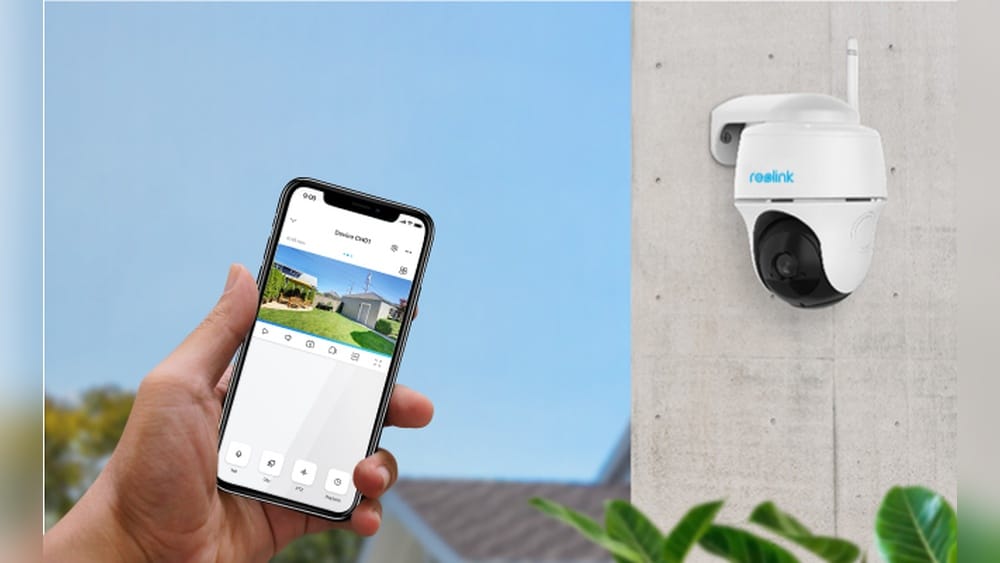
Wireless security cameras have changed how we protect our homes and businesses. They make it easier to see what’s happening around you without the need for complex wiring or expensive installations. With the rise of smart homes and mobile technology, understanding how wireless security cameras work is more important than ever.
But what’s going on behind the scenes when you get an alert on your phone? How do these cameras send video across the air? And what should you know before choosing one for your property? This guide explains the details in clear, simple language so anyone can understand.
What Are Wireless Security Cameras?
Wireless security cameras are video cameras that send audio and video signals over the air, rather than through cables. Unlike traditional wired cameras, they don’t need a physical connection between the camera and the recording device. Instead, they use Wi-Fi, cellular networks, or sometimes radio frequencies to send data. This makes them flexible—you can put them almost anywhere, as long as they’re within range of a network or base station.
Some wireless cameras are powered by batteries, while others use a power adapter. In general, people like wireless cameras because they’re easy to install, move, and expand. They work well for renters, small businesses, and anyone who wants to avoid complicated wiring.
How Do Wireless Security Cameras Work?
Wireless security cameras have several main parts working together. Here’s a step-by-step look at what happens when you use one:
- Capturing Images and Sound: The camera’s lens and image sensor capture video and, in many cases, audio.
- Processing and Compression: The camera has a small computer (processor) inside that turns the raw video into a digital format. It compresses the data to make it smaller and faster to send.
- Wireless Transmission: The camera uses a built-in Wi-Fi radio (or sometimes a cellular radio) to send the compressed video data through the air.
- Receiving the Signal: A receiver (like your home Wi-Fi router, a base station, or the cloud) picks up the signal.
- Recording and Viewing: The video is stored on a local device (like an SD card or DVR), sent to a cloud service, or both. You can view the video on your smartphone, tablet, or computer.
The process happens quickly—usually in less than a second—so you can see live footage almost in real time.
Wireless Vs. Wired Security Cameras
Many people wonder if wireless cameras are as good as wired ones. Here’s a quick side-by-side look:
| Feature | Wireless Cameras | Wired Cameras |
|---|---|---|
| Installation | Easy, no wires | Complex, needs wiring |
| Power Source | Batteries or power adapter | Usually wired power |
| Placement | Flexible | Limited by cables |
| Reliability | Can be affected by Wi-Fi | Very stable |
| Video Quality | High, but depends on Wi-Fi | High, stable |
| Maintenance | Easy, but batteries need changing | Low, but fixing wires is harder |
Non-obvious insight: Wired cameras are less likely to be affected by Wi-Fi interference or hacking, but wireless cameras are much easier for most people to set up and move.
Types Of Wireless Security Cameras
Not all wireless security cameras are the same. The main types include:
- Wi-Fi Cameras: The most common, these connect to your home Wi-Fi network. They send video to your router, which sends it to your phone or the cloud.
- Wire-Free (Battery-Powered) Cameras: These don’t need any power cables at all. You can put them anywhere, but you must recharge or change their batteries.
- Cellular Cameras: These use 4G or 5G networks, like a smartphone. They’re great for places without Wi-Fi, such as construction sites or farms.
- Point-to-Point Cameras: These create a direct wireless link (not Wi-Fi) to a base station, often used for long distances.
Indoor Vs. Outdoor Cameras
- Indoor cameras are designed for inside use. They’re usually smaller and may not handle rain or cold weather well.
- Outdoor cameras are built to survive the elements—rain, dust, heat, and cold. They often have night vision and stronger mounts.
Pro tip: If you use an indoor camera outdoors, it may stop working quickly due to moisture or temperature changes.
Key Features Of Wireless Security Cameras
When choosing a wireless camera, it helps to know what features matter most. Here are the main ones:
- Resolution: This is how clear the video looks. Most cameras today are 1080p (Full HD) or 2K/4K (Ultra HD).
- Night Vision: Lets the camera see in the dark, often using infrared LEDs.
- Motion Detection: Alerts you when the camera sees movement. Some cameras use smart detection to tell people from pets.
- Two-Way Audio: You can talk and listen through the camera using your phone.
- Field of View: This is how wide an area the camera can see, measured in degrees.
- Storage Options: Video can be stored on a microSD card, a local device, or in the cloud.
- Weather Resistance: Outdoor cameras should be rated IP65 or higher to resist water and dust.
- Mobile Alerts: Get instant notifications on your phone when something happens.
Additional Smart Features
Some wireless cameras offer more advanced options:
- Facial Recognition: Identifies known people and sends special alerts.
- Activity Zones: You choose areas in the camera’s view to watch closely.
- Integration with Smart Home: Works with Alexa, Google Assistant, or other smart devices.
Non-obvious insight: Some cameras require a paid subscription for cloud storage or advanced features. Always check the monthly fees before buying.
How Wireless Transmission Works
Wireless cameras use different technologies to send video without cables. Here’s how they do it:
Wi-fi Transmission
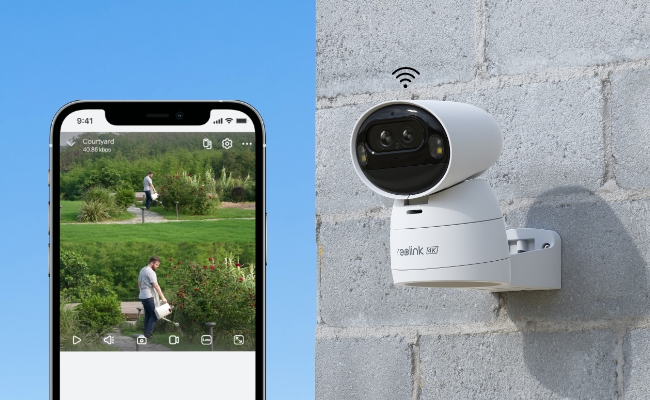
Most home wireless cameras use Wi-Fi (usually 2.4 GHz or 5 GHz bands). The camera connects to your home router, just like a laptop or phone.
How it works:
- The camera compresses the video and sends it over the Wi-Fi network.
- Your router passes the video to your internet connection.
- You can view the stream live or watch recorded clips from anywhere with an internet connection.
Limitations: Wi-Fi signals can be blocked by walls, metal objects, or interference from other devices.
Cellular Transmission
Some cameras use a cellular SIM card (like a phone). They connect to mobile data networks (4G or 5G).
- Good for remote locations without Wi-Fi.
- Requires a data plan, which adds cost.
Radio Frequency (rf) Transmission
Older or specialized cameras may use RF transmission (not Wi-Fi or cell). These are common for analog systems or long-range links.
- More secure, but less flexible.
- Usually needs a matching receiver.
Credit: reolink.com
Powering Wireless Security Cameras
Even though they send video wirelessly, most wireless cameras still need power. There are three main ways:
- Plug-In Power: The camera uses a small power adapter plugged into a wall socket.
- Reliable, but limits where you can put the camera.
- Battery Power: The camera runs on built-in or replaceable batteries.
- Very flexible, but you must recharge or change batteries every few weeks or months.
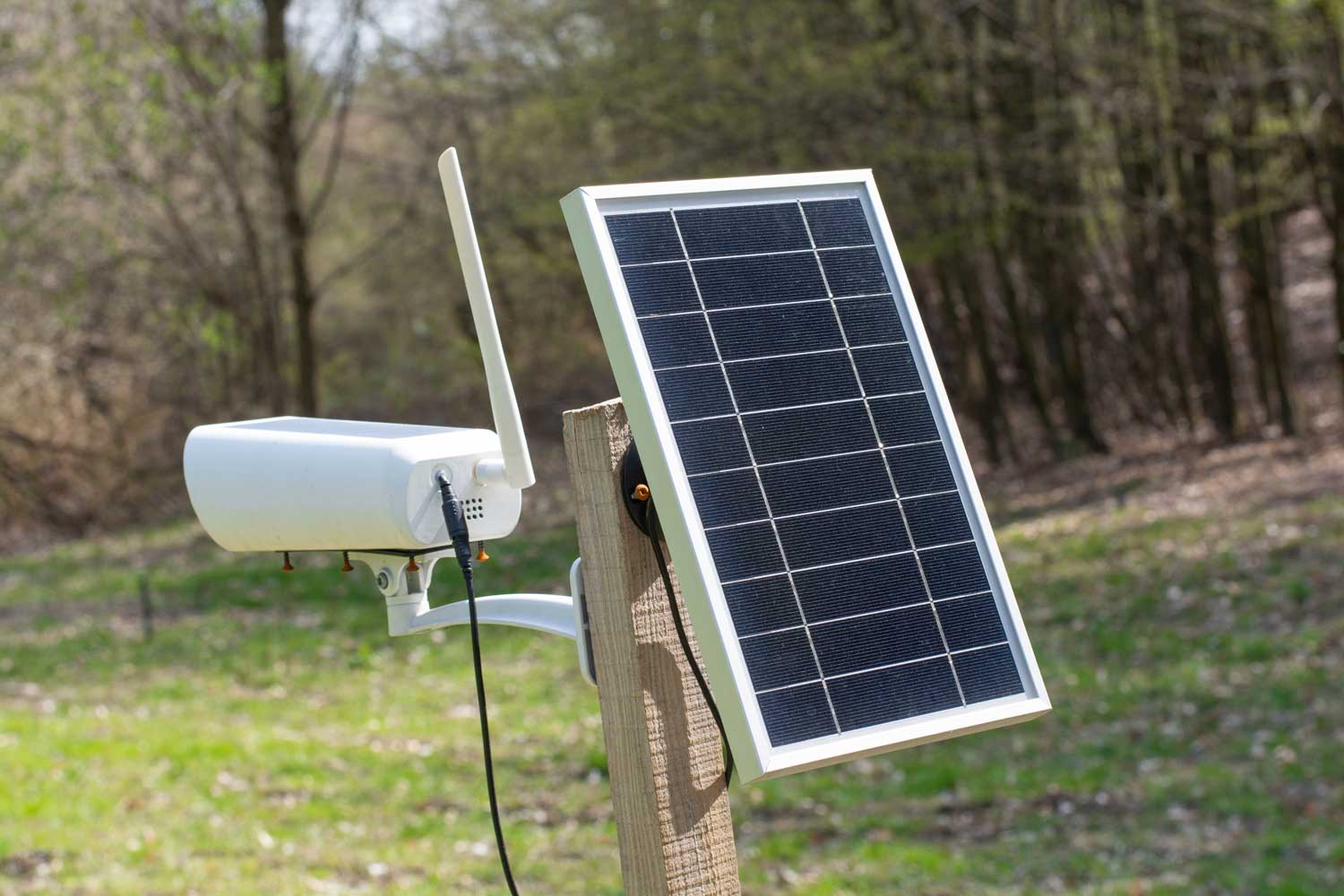
- Solar Power: Some cameras have a small solar panel.
- Great for outdoor, off-grid use, but needs enough sunlight.
Pro tip: Battery life is affected by how often the camera records, the weather, and how strong your Wi-Fi signal is. Cold weather can reduce battery life by half or more.
Video Storage And Access
How you store and access your video is important. There are three main storage options:
Local Storage
Many cameras have a microSD card slot. The video is saved right on the card, inside the camera.
- No monthly fees.
- If the camera is stolen, you lose the video.
Network Video Recorder (nvr)
Some systems use a central NVR or DVR (digital video recorder). All cameras send their footage to one device, which saves it on a hard drive.
- Good for multiple cameras.
- Needs more setup and equipment.
Cloud Storage
Most modern wireless cameras offer cloud storage. The video is sent to a secure server online.
- You can access your video from anywhere.
- Usually requires a paid subscription.
- Safer from theft—video is offsite.
Example: A popular brand like Arlo stores video clips in the cloud, and you can access them for 30 days with a paid plan.
| Storage Type | Pros | Cons |
|---|---|---|
| Local (microSD) | No fees, quick access | Risk of theft, limited capacity |
| NVR/DVR | Handles many cameras, central storage | Setup needed, not always wireless |
| Cloud | Remote access, safe from theft | Monthly cost, needs internet |
Installation And Setup
Setting up a wireless security camera is usually simple. Here are the basic steps:
- Choose a Location: Pick a spot with a good view and within range of your Wi-Fi or base station.
- Mount the Camera: Use screws or adhesive mounts. Make sure it’s stable and protected from weather or tampering.
- Power Up: Plug in the camera or insert batteries. For solar, attach the panel.
- Connect to Wi-Fi: Most cameras use an app. Follow the instructions to connect the camera to your network.
- Adjust Settings: Set up motion zones, alerts, and recording options in the app.
- Test the Camera: Check the live feed to make sure everything works.
Non-obvious insight: Place cameras high enough to avoid easy tampering, but not so high that faces or license plates become hard to see.
Security And Privacy Concerns
Wireless security cameras help you watch your property, but they can also be targets for hackers if not set up carefully. Here’s what you should know:
- Default Passwords: Always change the default password. Hackers know the factory passwords for many brands.
- Encryption: Choose cameras that use encrypted data transmission. This scrambles video so others can’t watch.
- Firmware Updates: Keep your camera’s software up to date. Updates fix bugs and security holes.
- Network Security: Use a strong Wi-Fi password and WPA3 or WPA2 encryption.
- Privacy Zones: Some cameras let you block out areas you don’t want to record, which helps protect neighbors’ privacy.
Example: In 2020, some home security cameras were hacked because owners didn’t change default passwords or update firmware.
What Makes A Good Wireless Security Camera?
Choosing the right camera depends on your needs, but a quality wireless camera should offer:
- Clear video (1080p or better)
- Reliable motion alerts
- Good night vision
- Easy mobile access
- Strong security features
- Flexible storage options
Consider these questions:
- Do you want to watch indoors, outdoors, or both?
- How far from your router will the camera be?
- Will you need battery or solar power?
- Do you want to talk through the camera?
- How much video storage do you need?
Common mistake: Many buyers focus only on video quality and forget about storage fees, battery life, or app reliability.
Popular Brands And Models
There are many good wireless security camera brands. Some of the most trusted include:
- Arlo: Known for easy installation and strong features.
- Ring: Famous for doorbell cameras and smart integration.
- Google Nest Cam: Great app and smart home features.
- Eufy: No monthly fees for basic storage.
- Blink: Affordable, with long battery life.
- Reolink: Good for outdoor and off-grid use.
Example: The Arlo Pro 4 offers 2K video, color night vision, and works with Alexa and Google Assistant.
Credit: pro-vigil.com
Real-world Example: How A Wireless Camera Works Day-to-day
Imagine you install a wireless camera at your front door. Here’s what happens in a typical day:
- The camera is powered by a rechargeable battery and connected to your home Wi-Fi.
- When a visitor approaches, the camera’s motion sensor triggers recording.
- The camera sends a short video clip to the cloud and an alert to your phone.
- You check the live feed on your phone, see who’s there, and use two-way audio to talk to them.
- Later, you review the stored video to see if any packages were delivered.
Non-obvious insight: If your Wi-Fi goes down, most cameras can still record to local storage but won’t send alerts until the network is back.
Limitations And Challenges
Wireless security cameras are not perfect. Here are some common issues:
- Signal Dropouts: If the Wi-Fi is weak, video may freeze or be delayed.
- Battery Life: In high-traffic areas, cameras may need charging every few weeks.
- Bandwidth Use: Streaming high-quality video can slow your internet if you have many cameras.
- Interference: Other wireless devices (like baby monitors or microwaves) can cause interference.
- Weather: Extreme cold or heat can affect camera performance and battery life.
Pro tip: Use a Wi-Fi range extender or mesh network to improve coverage for outdoor cameras.
Advanced Technologies In Wireless Cameras
Technology keeps improving, and wireless cameras are getting smarter. Here’s what’s new:
- Artificial Intelligence (AI): Some cameras can recognize people, animals, cars, and even faces.
- Edge Computing: Cameras process video on the device, not just in the cloud. This means faster alerts and more privacy.
- Color Night Vision: Newer models use better sensors and LEDs to show color images, even in low light.
- Integration with Smart Devices: Cameras work with doorbells, alarms, and smart lights for complete security.
Example: Google Nest Cam uses AI to tell if a person, animal, or package is at your door.
How To Improve Your Wireless Security Camera System
If you want your cameras to work their best, follow these tips:
- Check Wi-Fi Strength: Use your phone to test signal strength where you plan to put the camera.
- Update Regularly: Keep camera apps and firmware current.
- Use Strong Passwords: Never use “123456” or the default password.
- Position Carefully: Avoid pointing cameras at direct sunlight or busy streets unless needed.
- Combine with Other Security: Use cameras along with lights, alarms, and locks for full protection.
Non-obvious insight: Overlapping camera views help cover blind spots and make your system harder to defeat.
Credit: birdseyesecurity.com
Cost Of Wireless Security Cameras
Prices range from $40 to $300 per camera, depending on features. Here’s a quick breakdown:
| Camera Type | Approximate Cost (USD) | Main Features |
|---|---|---|
| Basic Indoor Wi-Fi | $40–$80 | 1080p, night vision, app alerts |
| Outdoor Wi-Fi | $70–$150 | Weatherproof, motion alerts, IR night vision |
| Battery-Powered | $80–$200 | Wire-free, 2-way audio, app control |
| AI/Smart Cameras | $150–$300 | Person detection, color night vision, cloud storage |
Additional costs can include:
- Cloud storage subscriptions ($3–$15/month per camera)
- Extra batteries or solar panels
- Mounts and accessories
Pro tip: Some brands offer free basic cloud storage or local storage, which can save you money over time.
Common Mistakes To Avoid
Many first-time buyers make simple mistakes. Here’s how to avoid them:
- Ignoring Wi-Fi Range: Place cameras within your router’s coverage.
- Using Default Passwords: Always change them to something secure.
- Overlooking Weather Ratings: Don’t use indoor cameras outside.
- Not Considering Storage Costs: Free options are rare for cloud storage.
- Mounting Too High or Low: Install at head height for best facial recognition.
Non-obvious insight: If you live in a windy area, check that outdoor mounts are strong enough to stop vibration, which can blur video.
Frequently Asked Questions
How Far Can A Wireless Security Camera Transmit Video?
Most Wi-Fi cameras work best within 100–150 feet (30–45 meters) of the router, depending on walls and obstacles. Outdoor or point-to-point cameras can reach up to 500 feet (150 meters) in open space, but signal strength drops with distance and interference.
Do Wireless Cameras Need The Internet To Work?
No, wireless cameras don’t always need the internet. They can record locally to an SD card or NVR. However, you need an internet connection for remote access, app alerts, and cloud storage features.
Are Wireless Security Cameras Safe From Hacking?
Wireless cameras can be secure if you use strong passwords, keep firmware updated, and choose models with encrypted video transmission. Avoid cameras that don’t offer basic security features. For more details, see this Wikipedia article on wireless security cameras.
How Long Do Batteries Last In Wireless Cameras?
Battery life depends on the camera, usage, and weather. Most last 2 to 6 months on a charge. High-traffic areas, cold weather, or frequent live viewing can shorten battery life.
What Happens If Wi-fi Goes Out?
If Wi-Fi drops, most cameras can still record to local storage (SD card), but you won’t get live alerts or remote access until the connection returns. Some advanced models can switch to cellular backup.
Wireless security cameras have made home and business security simpler and more powerful. With their easy setup, flexibility, and smart features, they’re a strong choice for modern protection. By understanding how they work, considering your needs, and following best practices, you can pick a camera system that keeps you safe—and gives you peace of mind.