
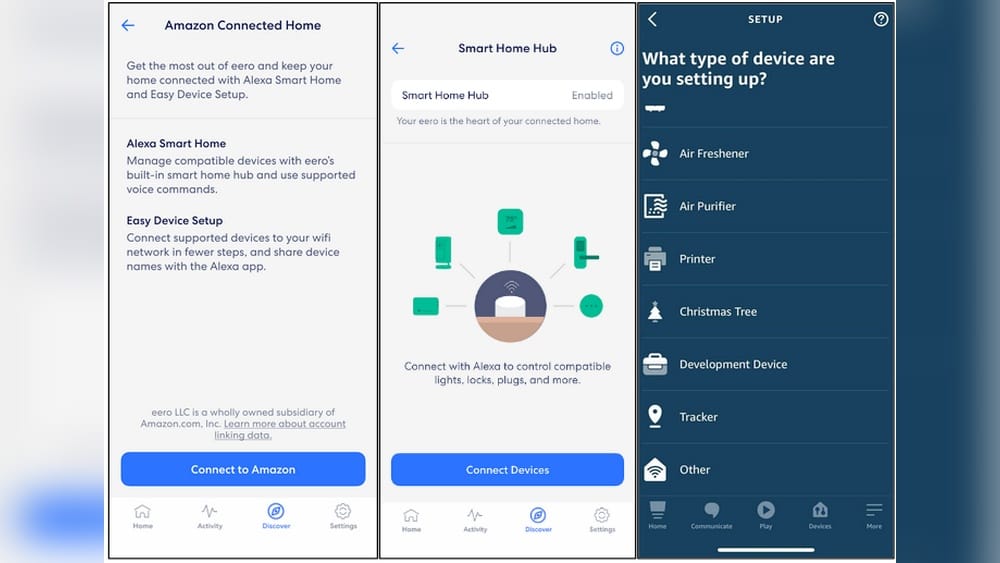
Eero routers have changed the way people build smart homes. Not only do they create strong Wi-Fi networks, but many Eero devices also include a Zigbee hub. This lets you connect Zigbee smart devices without buying another hub. If you’re new to smart homes or Zigbee, you might wonder how to use Eero as a Zigbee hub, what you need, and what works well. This guide will help you understand everything, step by step. You’ll learn how to set up Zigbee devices with Eero, what to expect, and where to find help if things go wrong. By the end, you’ll feel confident using your Eero system as a central controller for Zigbee gadgets.
What Is Zigbee And Why Use It?
Many smart home products use Zigbee as their wireless language. Zigbee is a low-power network protocol that connects devices like smart bulbs, locks, sensors, and plugs. It’s made for reliability and energy efficiency. Unlike Wi-Fi or Bluetooth, Zigbee builds a mesh network. Each device can repeat signals, making the system stronger and more stable as you add more gadgets.
Zigbee is popular for several reasons:
- Low energy: Devices last longer on batteries.
- Mesh reliability: Signal coverage improves with more devices.
- Interoperability: Many brands use Zigbee, so you can mix and match.
If you already have an Eero router with Zigbee built-in, you can skip buying a separate Zigbee hub (like the Amazon Echo Plus or Samsung SmartThings). This saves money and keeps your setup simple.
Eero Routers That Support Zigbee
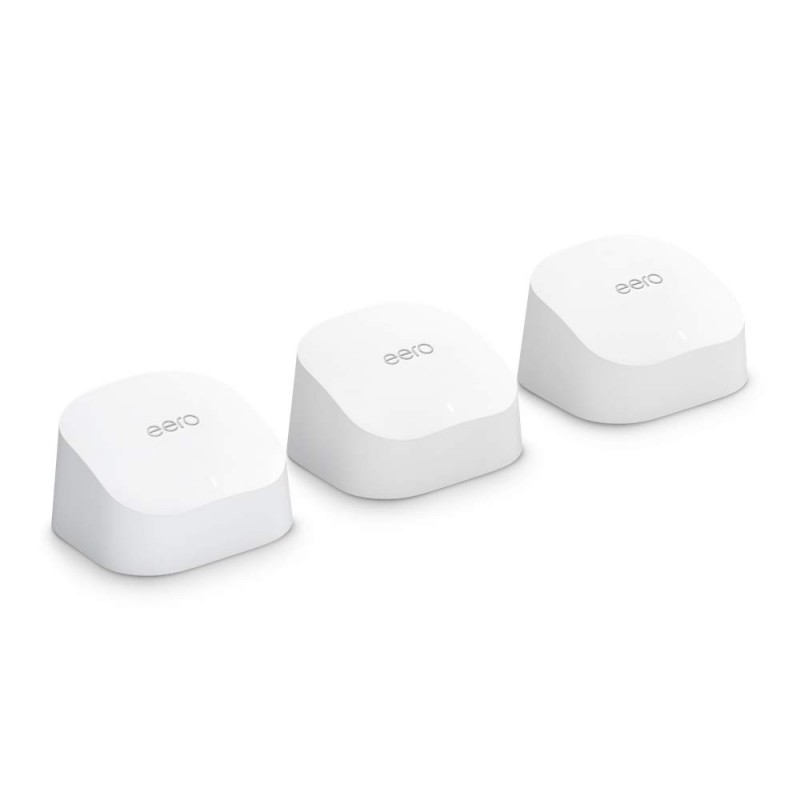
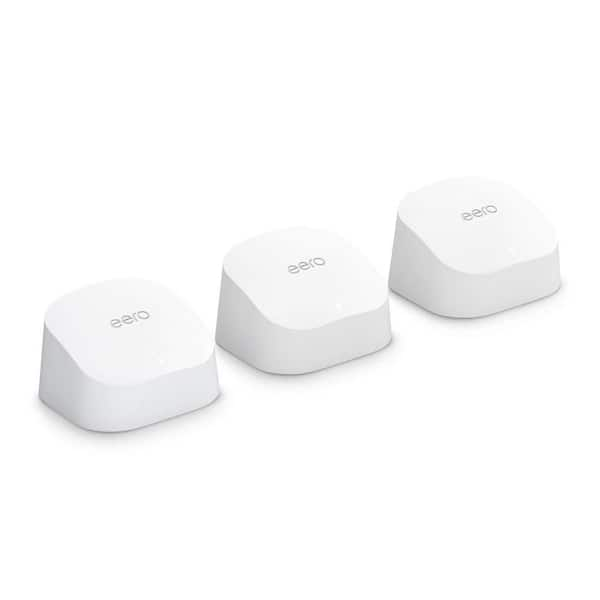
Not all Eero devices act as Zigbee hubs. Only certain models include Zigbee hardware. Before you begin, check if your Eero supports Zigbee.
Here’s a quick comparison of Eero models and Zigbee support:
| Eero Model | Zigbee Support | Release Year |
|---|---|---|
| Eero 6 | Yes | 2020 |
| Eero 6 Pro | Yes | 2020 |
| Eero 6 Plus | Yes | 2022 |
| Eero 5 | No | 2019 |
| Eero Mesh (1st Gen) | No | 2016 |
| Eero Max 7 | No | 2023 |
Tip: If you’re unsure about your model, check the bottom of your device or the Eero app. Only the Eero 6, Eero 6 Pro, and Eero 6 Plus models currently support Zigbee.
What You Need To Start
Before connecting Zigbee devices to Eero, gather these items:
- Compatible Eero router (Eero 6, 6 Pro, or 6 Plus)
- Amazon account (required for Eero Zigbee integration)
- Eero app (available for Android and iOS)
- Zigbee smart device (bulbs, sensors, locks, etc.)
- Stable Wi-Fi connection
Also, make sure your Eero and Eero app are updated to the latest firmware. This ensures the Zigbee hub feature works smoothly.
Amazon Account Requirement
Eero’s Zigbee hub works with Amazon Alexa. You must link your Eero to your Amazon account. This lets Alexa discover and control Zigbee devices. Without an Amazon account, Zigbee functions will not be available in the Eero app.
Zigbee Device Compatibility
Most Zigbee devices from brands like Philips Hue, Samsung SmartThings, IKEA, and GE should work. However, some Zigbee gadgets may need a manufacturer-specific hub. Always check the device’s box or manual for “Works with Amazon Alexa Zigbee hub” or similar wording.
Step-by-step: Setting Up Eero As A Zigbee Hub
The process is simple if you follow the correct steps. Here’s how to turn your Eero router into a Zigbee hub and add your first device.
1. Update Eero Firmware
Open the Eero app and go to Settings > Software Update. Make sure your router has the latest version. Zigbee support is only available in newer firmware.
2. Link Amazon Account
In the Eero app, tap Discover > Amazon Alexa > Connect to Amazon. Log in with your Amazon credentials. This step activates Zigbee features.
3. Enable Zigbee Hub
After linking your Amazon account, Zigbee hub mode turns on automatically. You won’t see a separate switch, but Zigbee options will appear when you try to add a new device.
4. Add A Zigbee Device
Here’s how to add your first smart gadget:
- Put the Zigbee device in pairing mode (check the manual for instructions).
- In the Eero app, go to Discover > Amazon Alexa > Add Device.
- Choose the type of device you want to add (light, plug, sensor, etc. ).
- Follow the on-screen instructions. The Eero app will search for Zigbee devices nearby.
- When your device appears, select it and complete setup.
Now, your device is linked to Eero and can be controlled by Alexa.
5. Control Devices With Alexa
Once paired, use your Amazon Alexa app or voice commands to control the Zigbee device. For example, say “Alexa, turn on the living room light.”
Non-obvious insight: Alexa routines and schedules also work with Zigbee devices connected through Eero. This is a feature many beginners miss.
Practical Examples: Devices You Can Connect
You can use Eero’s Zigbee hub to link many smart home gadgets. Here are popular examples:
- Smart bulbs: Philips Hue (without the Hue Bridge), Sengled, IKEA TRÅDFRI
- Smart plugs: GE, Amazon Basics, Innr
- Motion sensors: Samsung SmartThings, Centralite
- Door/window sensors: Third Reality, Aeotec
- Smart locks: Yale, Schlage (some Zigbee models)
- Thermostats: Some Zigbee-compatible models
Not all Zigbee devices are created equal. For some brands, you get basic on/off and dimming. For others, you can access advanced features (color changing, energy monitoring). Always check compatibility before buying.
Table: Common Zigbee Device Features When Used With Eero
| Device Type | Basic Features | Advanced Features | Notes |
|---|---|---|---|
| Smart Bulb | On/Off, Dimming | Color Changing | Advanced features may need brand hub |
| Smart Plug | On/Off | Energy Monitoring | Most plugs work fully |
| Motion Sensor | Motion Detection | Temperature, Humidity | Extra sensors sometimes unavailable |
| Door Sensor | Open/Close | Battery Status | Battery info may not show |
| Smart Lock | Lock/Unlock | Auto-Lock, Alerts | Some locks require manufacturer app |
Advantages Of Using Eero As Zigbee Hub
Many people wonder if using Eero as a Zigbee hub is as good as buying a dedicated hub. Here’s why Eero is a smart choice:
- All-in-one setup: No need for extra hubs or bridges.
- Easy integration: Control Zigbee and Wi-Fi devices together.
- Alexa routines: Make routines and schedules for all devices.
- Fewer wires: One central hub reduces clutter.
Data point: According to Eero, over 80% of users with Zigbee-enabled routers link at least one smart device within the first month.
Limitations And Common Issues
While Eero’s Zigbee hub is handy, it has some limits:
- Works only with Alexa: You can’t use Google Assistant or Apple HomeKit to control Zigbee devices through Eero.
- Some advanced features missing: For example, Philips Hue bulbs may not offer color changing unless you use the Hue Bridge.
- Device compatibility: A few Zigbee gadgets need their brand’s hub for setup or updates.
- No Zigbee group control: You can’t group bulbs or sensors natively in the Eero app; use Alexa groups instead.
Common Mistakes
- Buying unsupported devices: Always check for “Alexa Zigbee compatible” before buying.
- Forgetting to update firmware: Old firmware can block Zigbee features.
- Skipping Amazon account linking: Zigbee hub won’t work without this step.
- Pairing too far from router: Zigbee range is limited; pair devices close to Eero.
Non-obvious insight: The Zigbee mesh grows stronger with more devices. If you only use battery-powered sensors, your network may be weak. Plug-in devices (like smart plugs) boost signal strength.
Advanced Features And Tips
You can do more with Zigbee devices on Eero than just basic on/off. Here are some expert tips:
Create Alexa Routines
Use the Alexa app to make routines like:
- “When motion detected, turn on hallway light”
- “At 7 PM, lock the front door”
- “If window opens, send alert to phone”
Routines let you automate your home with Zigbee devices.
Set Up Device Groups
Alexa lets you group devices. For example, group all bedroom lights as “Bedroom Lights” and control them together.
Monitor Device Status
Alexa can show device status in its app. For example, check if a door is open or closed, or see battery level for sensors.
Update Device Firmware
Some Zigbee devices update through Eero’s hub, but others need their brand’s hub. Check the manufacturer’s website for updates.
Use Plug-in Devices As Repeaters
Zigbee plugs and bulbs that stay powered act as repeaters. This improves coverage and reliability. Place plug-in devices in distant rooms to strengthen the mesh.
Expert tip: If a sensor stops working, try moving a powered Zigbee device closer to it. This often solves signal issues.

Credit: www.amazon.com
Comparing Eero Zigbee Hub Vs Dedicated Zigbee Hubs
Is Eero good enough, or do you need something like the Philips Hue Bridge or SmartThings hub? Here’s a quick comparison.
| Feature | Eero Zigbee Hub | Dedicated Zigbee Hub |
|---|---|---|
| Ease of Setup | Very Easy | Moderate |
| Alexa Integration | Direct | Usually Yes |
| Google/HomeKit Support | No | Sometimes |
| Advanced Features | Limited | Full |
| Device Compatibility | Good | Excellent |
| Firmware Updates | Basic | Brand Controlled |
| Mesh Strength | Depends on device count | Strong |
Advice: For most users, Eero’s Zigbee hub is enough. If you want advanced control or use many Zigbee devices from different brands, a dedicated hub may be better.
Troubleshooting Zigbee On Eero
Problems happen sometimes. Here’s how to fix common Zigbee issues with Eero:
Device Won’t Pair
- Move device closer to Eero router.
- Reset Zigbee device (follow manual).
- Restart Eero router.
- Check if device needs brand hub for pairing.
Device Drops Offline
- Add plug-in Zigbee devices as repeaters.
- Update Eero firmware.
- Check battery level in Zigbee device.
Alexa Can’t Control Device
- Make sure Amazon account is linked.
- Re-add device in Eero app.
- Double-check Alexa device name.
Device Features Missing
- Some features (color changing, energy monitoring) only work with brand hubs.
- Use Alexa app to check available functions.
Pro tip: Don’t mix too many Zigbee brands if you want simple control. Stick to Alexa-compatible Zigbee devices for best results.
Security And Privacy
Smart home devices raise privacy concerns. Here’s how Eero handles Zigbee device security:
- Encrypted communication: Eero uses secure protocols for device pairing and control.
- Amazon account: Linking your account enables Alexa, but Eero does not store sensitive device data.
- Firmware updates: Keep Eero and Zigbee devices updated for best security.
Statistic: In a 2023 survey, 67% of smart home users said privacy was their top concern. Eero’s built-in hub reduces the number of devices that need internet access, lowering risks.
When To Use Eero Vs Other Zigbee Hubs
Eero’s Zigbee hub is perfect for:
- Small to medium homes
- Users who want simple Alexa integration
- People who dislike extra hardware
Consider a dedicated Zigbee hub if:
- You use advanced smart home systems (HomeKit, Google Home)
- You want full control of all Zigbee features
- You have dozens of Zigbee devices from different brands
Key insight: Eero Zigbee hub is not for everyone. It’s best for Alexa-focused homes with basic to moderate Zigbee needs.
Real-world Examples
Let’s look at some practical uses.
Example 1: Simple Lighting Control
Jane has an Eero 6 and three Philips Hue bulbs. She pairs them directly with Eero, groups them in Alexa as “Living Room Lights,” and sets a routine to turn on at sunset.
Example 2: Security Alerts
Mike uses Eero as a Zigbee hub for door sensors and motion detectors. When his sensor detects movement, Alexa sends a notification and turns on a light. No extra hub needed.
Example 3: Expanding The Mesh
Sarah adds Zigbee smart plugs in her basement. This strengthens the Zigbee mesh, letting her motion sensor near the garage stay connected.
Non-obvious insight: Plug-in Zigbee devices are more important than most people realize. They make your network strong and reliable.
Tips For Buying Zigbee Devices
When shopping for Zigbee gadgets, remember:
- Look for “Works with Alexa Zigbee hub”
- Choose plug-in devices to boost the mesh
- Avoid rare brands that need their own hub
- Read reviews for real-world compatibility
Mistake to avoid: Don’t assume all Zigbee devices work with Eero. Always check for Alexa Zigbee support.
Credit: www.geewiz.co.za
Future Of Zigbee With Eero
Eero keeps updating their routers. New features may arrive, like Matter support (a new smart home standard). Eero may expand Zigbee features, making it even more flexible.
Industry note: Matter is designed to unite Zigbee, Z-Wave, and Wi-Fi devices. Eero’s routers are expected to support Matter soon, making device compatibility even better.
For more details on Zigbee and smart home protocols, you can visit Wikipedia.
Frequently Asked Questions
What Eero Models Support Zigbee?
Only Eero 6, Eero 6 Pro, and Eero 6 Plus have Zigbee hubs built-in. Older models like Eero 5 or Eero Max 7 do not support Zigbee.
Do I Need An Amazon Account To Use Zigbee On Eero?
Yes, you must link your Amazon account to Eero. This unlocks Zigbee hub features and lets Alexa control your devices.
Can I Use Zigbee Devices With Google Home Or Apple Homekit On Eero?
No, Eero’s Zigbee hub only works with Alexa. If you want Google Home or Apple HomeKit control, use a different hub.
Will All Zigbee Devices Work With Eero?
Most Alexa-compatible Zigbee devices work. Some brands require their own hub for full features. Always check device compatibility before buying.
How Can I Improve Zigbee Signal Strength In My Home?
Add plug-in Zigbee devices (like smart plugs) throughout your home. These act as repeaters, strengthening the mesh network and improving reliability.
With the right setup, your Eero router can become the heart of your smart home—controlling Zigbee devices with ease. It’s simple, flexible, and perfect for Alexa users who want to avoid extra hardware. Keep your Eero updated, buy compatible devices, and enjoy a smarter, safer home.
Credit: www.homedepot.com