
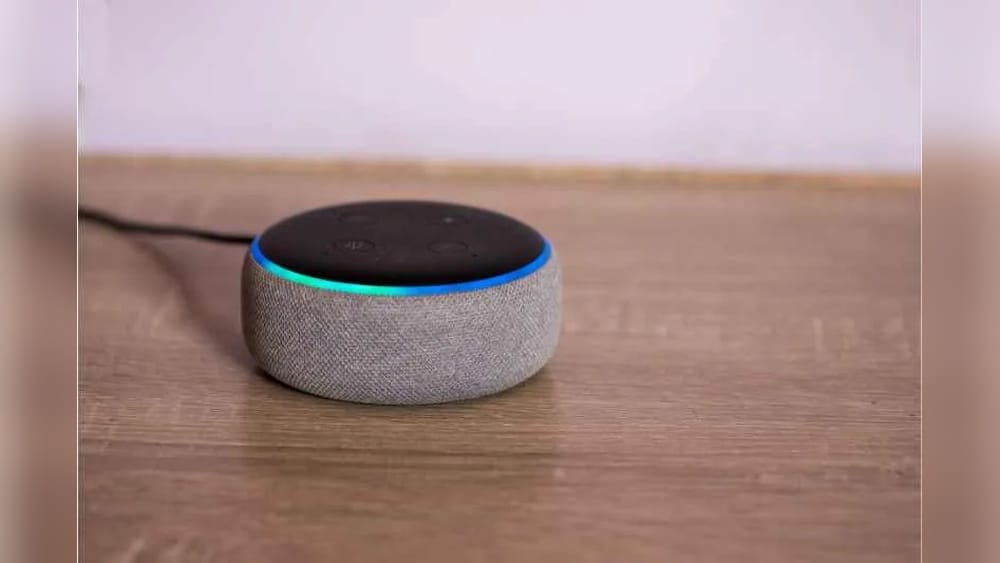
Is Alexa A Z-wave Hub? Everything You Need To Know
Smart homes are becoming more popular every year. Many people want to control lights, locks, and sensors using voice commands. Amazon Alexa is one of the most recognized names in this space. But as you explore smart devices, you may hear about different technologies like Z-Wave. This leads to a common question: *Is Alexa a Z-Wave hub?*
This article will give you a clear answer. We’ll break down what Alexa is, what Z-Wave means, and how the two work together. You’ll learn if Alexa devices support Z-Wave, how to connect Z-Wave products, and what your best options are.
We’ll also cover alternatives, common mistakes, and expert tips so you can build the smart home that truly fits your needs.
What Is Alexa?
Amazon Alexa is a voice assistant created by Amazon. It helps you play music, answer questions, and control smart devices with your voice. Alexa lives inside devices like the Amazon Echo, Echo Dot, Echo Show, and many others.
When you say, “Alexa, turn on the light,” Alexa sends a signal to your smart light. If your device is compatible, the light turns on. Alexa can control devices using Wi-Fi, Bluetooth, and sometimes Zigbee (another smart home protocol). But what about Z-Wave?
Let’s first understand what Z-Wave is.
What Is Z-wave?
Z-Wave is a wireless technology used in smart homes. It allows smart devices to talk to each other over a special network. Z-Wave is different from Wi-Fi or Bluetooth. It uses its own frequency, which helps it avoid interference from other wireless devices.
Here’s why people choose Z-Wave:
- Reliability: Z-Wave has a long range and is not easily disturbed by other signals.
- Mesh Network: Each device can pass messages to other devices, increasing coverage and making the system more stable.
- Low Power: Z-Wave devices use little energy, which is good for battery-powered sensors.
Common Z-Wave devices include:
- Smart locks
- Door/window sensors
- Light switches
- Motion detectors
- Thermostats
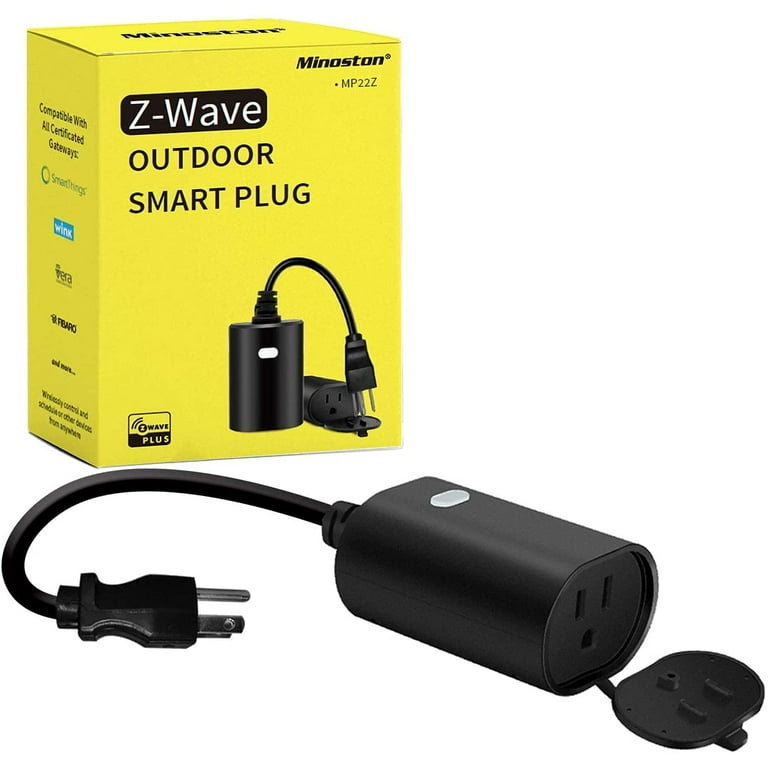
Z-Wave devices need a Z-Wave hub (also called a controller) to work. The hub sends commands to your Z-Wave devices and connects them to the internet or your smart home system.
Is Alexa A Z-wave Hub?
Many people think that Alexa can control any smart device directly. However, not all Alexa devices can act as a Z-Wave hub.
- Most Echo devices (Echo, Echo Dot, Echo Show, etc.) Do not have a built-in Z-Wave chip.
- Alexa devices usually control smart products through Wi-Fi, Bluetooth, and sometimes Zigbee (only certain models like the Echo Plus and Echo 4th Gen).
- There is no Alexa device sold by Amazon that includes a Z-Wave radio.
In simple terms: Alexa by itself is not a Z-Wave hub. You cannot pair a Z-Wave device directly to an Echo or Alexa-enabled speaker.
Why Is There Confusion?
There are a few reasons why people think Alexa could be a Z-Wave hub:
- Many smart home products work with Alexa, but they often use Wi-Fi or Zigbee, not Z-Wave.
- Some third-party hubs (like SmartThings or Hubitat) let you control Z-Wave devices with Alexa, but the Alexa device is not acting as the hub—it’s just sending commands through the real hub.
- Amazon sometimes promotes Alexa’s ability to control “thousands of smart devices,” but the fine print usually mentions the type of connection.
Which Alexa Devices Support Zigbee?
Some Alexa devices have a built-in Zigbee hub. These include:
- Echo Plus (1st and 2nd Gen)
- Echo Show 2nd Gen
- Echo Studio
- Echo 4th Generation
But none of these support Z-Wave. Zigbee and Z-Wave are different technologies, and a device must have the right chip inside to work with each.
How To Use Z-wave Devices With Alexa
You can still use Z-Wave devices in your Alexa-powered smart home. You just need an extra piece: a Z-Wave hub that works with Alexa.
Here’s how it works:
- Get a Z-Wave Hub: This could be Samsung SmartThings, Hubitat Elevation, or another brand.
- Connect Your Z-Wave Devices: Pair your sensors, switches, or locks to the Z-Wave hub.
- Link the Hub to Alexa: Use the Alexa app to add the Z-Wave hub as a skill or device.
- Control With Your Voice: Now, you can say, “Alexa, lock the front door,” and Alexa will send the command to the Z-Wave hub, which tells your lock to close.
Alexa acts as a voice assistant, not the Z-Wave hub. The Z-Wave hub is the “middleman” between Alexa and your Z-Wave devices.
Example Integration
Let’s say you have a SmartThings hub and a Z-Wave door lock. You pair the lock with SmartThings. Then, you connect SmartThings to Alexa through the Alexa app. Now, when you say, “Alexa, lock the door,” the command goes from Alexa to SmartThings, then SmartThings tells the Z-Wave lock to lock.
Comparison: Alexa Vs. Z-wave Hubs
It helps to see how Alexa devices compare to real Z-Wave hubs. Here’s a table showing the key differences:
| Feature | Amazon Echo (Typical) | Z-Wave Hub (e.g., SmartThings) |
|---|---|---|
| Voice Control | Yes | No (but can work with Alexa) |
| Wi-Fi Support | Yes | Yes |
| Zigbee Support | Some models | Some models |
| Z-Wave Support | No | Yes |
| Acts as a Hub | Only for Wi-Fi and sometimes Zigbee | Yes (for Z-Wave and often Zigbee) |
| Main Function | Voice assistant | Smart home controller |
Popular Z-wave Hubs Compatible With Alexa
If you want Z-Wave devices to work with Alexa, you’ll need a Z-Wave hub that supports Alexa integration. Here are some of the most popular options:
1. Samsung Smartthings Hub
- Supports Z-Wave, Zigbee, and Wi-Fi devices
- Works with the SmartThings app
- Alexa integration is easy through the Alexa app
2. Hubitat Elevation
- Local control (doesn’t need cloud for most functions)
- Supports Z-Wave, Zigbee, and LAN devices
- Works with Alexa through a built-in app
3. Aeotec Smart Home Hub
- Officially recommended as a SmartThings replacement
- Supports Z-Wave, Zigbee, and Wi-Fi
- Integrates with Alexa via the SmartThings skill
4. Vera By Ezlo
- Z-Wave and Zigbee support
- Known for easy scene setup and automation
- Alexa integration available
5. Homeseer
- Advanced automation and scripting
- Strong Z-Wave support
- Alexa skill available for voice control
Each of these hubs connects to your Z-Wave devices and then lets Alexa control them using voice commands. Make sure the hub you choose supports Alexa officially, to avoid setup headaches.

Credit: www.amazon.com
How To Set Up Alexa With A Z-wave Hub: Step-by-step
Connecting Alexa to your Z-Wave devices can feel complex at first. Here’s a step-by-step guide to make it easier.
Step 1: Set Up Your Z-wave Hub
- Plug in the Z-Wave hub and connect it to your Wi-Fi or router.
- Download the hub’s app (SmartThings, Hubitat, Vera, etc. ).
- Create an account if needed.
Step 2: Add Z-wave Devices To The Hub
- Put your Z-Wave device in pairing mode (check its manual).
- Use the hub’s app to add a new device.
- Wait for the hub to find and add the device.
- Test the device using the hub’s app.
Step 3: Link The Hub To Alexa
- Open the Alexa app on your phone.
- Go to “Devices” then “Add Device.”
- Search for your hub brand (e.g., “SmartThings”).
- Follow the instructions to log in and connect accounts.
- Alexa will scan and add your Z-Wave devices.
Step 4: Control Devices With Alexa
- Try simple commands: “Alexa, turn on the hallway light,” or “Alexa, is the door locked?”
- Group devices into rooms for easier control.
Helpful Setup Tips
- Give your devices clear names (like “Kitchen Light” not “Device 123”) for easier voice commands.
- If a device doesn’t show up in Alexa, check the hub’s app to be sure it’s working there first.
- Some advanced Z-Wave features (like custom automation) may not be available in Alexa—use the hub’s app for deeper control.
Benefits Of Using Z-wave With Alexa
Combining Z-Wave devices with Alexa gives you more flexibility and power than using either alone. Here’s why:
1. Wider Device Choice
Z-Wave supports many device types—from sensors to locks to switches—that don’t always have Wi-Fi or Zigbee versions. By adding a Z-Wave hub, you can use these devices with Alexa.
2. More Reliable Smart Home
Z-Wave networks are stable and less prone to interference than Wi-Fi. This means your devices are likely to work even if your internet is slow or crowded.
3. Better Coverage
Z-Wave’s mesh network lets devices extend the signal to each other. This is useful in large homes or places with thick walls.
4. Lower Power Devices
Many Z-Wave devices are battery-powered sensors that last a year or more. They’re ideal for doors, windows, and places where running wires is hard.
5. Voice Control For Everything
With Alexa, you can control Z-Wave devices hands-free. This is great for convenience and accessibility.
Credit: www.walmart.com
Common Mistakes When Setting Up Alexa And Z-wave
Many beginners run into problems connecting Alexa to Z-Wave devices. Here are mistakes to avoid:
1. Buying Z-wave Devices Expecting Direct Alexa Support
Remember, Alexa is not a Z-Wave hub. You need a separate hub to make Z-Wave devices work.
2. Mixing Up Zigbee And Z-wave
Some Echo models have Zigbee but not Z-Wave. Don’t assume a device will work just because it says “Alexa compatible. ” Always check the details.
3. Not Naming Devices Clearly
If you have multiple lights or switches, unclear names make voice commands confusing. Use unique, easy names like “Porch Light” or “Bedroom Lamp. ”
4. Ignoring Firmware Updates
Both Z-Wave hubs and Alexa devices get better with updates. Skipping updates can lead to bugs or missing features.
5. Forgetting Hub Compatibility
Not all Z-Wave hubs work smoothly with Alexa. Check for official Alexa skills or support before buying.
Alternatives To Z-wave For Alexa Users
If you don’t want to use a Z-Wave hub, there are other smart device options that work directly with Alexa:
Wi-fi Devices
- Wi-Fi smart plugs, bulbs, and switches connect directly to Alexa.
- No hub needed; just add them in the Alexa app.
- Downside: Too many Wi-Fi devices can slow your network.
Zigbee Devices
- Some Echo models (Echo Plus, Echo 4th Gen, Echo Show 10) have Zigbee built in.
- Zigbee bulbs, sensors, and switches can connect directly.
- Zigbee has good range and mesh networking, but fewer devices than Z-Wave.
Thread And Matter Devices
- Newer standards like Matter and Thread aim to make devices easier to connect.
- Some Alexa devices are starting to support Matter.
- The ecosystem is still growing, but it’s a good future-proof option.
Bluetooth Devices
- Some smart locks and sensors use Bluetooth.
- Alexa rarely controls these directly unless the device is designed for Echo (like some August locks).
Tip: If you want the simplest setup, start with Wi-Fi or Zigbee devices that say “Works with Alexa.” Add Z-Wave later if you need more options or reliability.

Credit: www.amazon.com
How Secure Is Z-wave With Alexa?
Security is important in any smart home. Here’s what you should know about Z-Wave and Alexa:
- Z-Wave uses strong encryption (S2 security) for communications between devices.
- Z-Wave hubs often require a password and sometimes two-factor authentication.
- Alexa uses secure cloud connections for voice commands.
- When you link a Z-Wave hub to Alexa, commands are sent securely through the hub’s skill or integration.
Non-obvious insight: If you use cloud-based hubs (like SmartThings), your commands may go through the internet, not just inside your house. For the highest privacy, consider hubs like Hubitat, which process commands locally.
Best practice: Always set strong passwords and keep your hub’s firmware updated. Don’t share your Alexa or hub accounts with people you don’t trust.
Real-world Examples: Using Z-wave Devices With Alexa
Let’s look at some real-life scenarios where Z-Wave and Alexa work together:
Smart Locks
You install a Z-Wave door lock (like Schlage or Yale) and connect it to SmartThings. When you say, “Alexa, lock the front door,” Alexa sends the command to SmartThings, which locks your door.
Motion Sensors
A Z-Wave motion sensor detects movement in your hallway. It’s connected to your Z-Wave hub. You create an Alexa routine: when motion is detected at night, Alexa turns on the lights and says, “Welcome home.”
Smart Switches
You have several Z-Wave light switches around your house. With the Z-Wave hub linked to Alexa, you can group them (“Living Room Lights”) and control all with one voice command.
Garage Door Control
A Z-Wave garage door opener lets you check if the door is closed. You ask, “Alexa, is the garage door closed?” Alexa checks with your hub and answers you.
Water Leak Sensors
Place Z-Wave leak sensors under sinks or near your water heater. If a leak is detected, Alexa can announce, “Warning: Water detected in the kitchen.”
Practical tip: Not all device features are supported by Alexa. Some advanced controls may only work in your hub’s app.
Table: Popular Z-wave Devices And Alexa Compatibility
Here’s a quick reference for common Z-Wave devices and how they can be controlled with Alexa (using a compatible Z-Wave hub):
| Z-Wave Device Type | Alexa Voice Control | Notes |
|---|---|---|
| Smart Lock | Yes | Lock/unlock, check status |
| Light Switch | Yes | On/off, dimming (some models) |
| Thermostat | Yes | Set temperature, check status |
| Motion Sensor | Yes (via routines) | Trigger actions, not direct voice control |
| Water Leak Sensor | Yes (via routines) | Alerts and automation |
| Door/Window Sensor | Yes (via routines) | Automation, not direct voice status |
Advanced Tips For Power Users
If you want to get the most from Alexa and Z-Wave, consider these expert strategies:
1. Use Alexa Routines With Z-wave Triggers
Set up routines in the Alexa app that use Z-Wave sensors as triggers. For example, “If the front door opens after 10 PM, turn on the porch light and announce ‘Door opened!’”
2. Combine Devices From Different Brands
With a good Z-Wave hub, you can mix and match devices from many brands. Alexa will see them all in one place.
3. Leverage Local Processing
Some hubs (like Hubitat) process commands locally, so your devices work even if the internet is down. This makes your home faster and more reliable.
4. Explore Custom Skills
Advanced users can create custom Alexa skills or routines for unique needs. For example, set up custom voice commands for complex automation.
5. Monitor Device Health
Most Z-Wave hubs let you check if devices are connected and working. Use this to spot weak spots in your network or replace failing batteries before there’s a problem.
Non-obvious insight: The placement of your Z-Wave hub matters. Put it in a central, open spot in your home for the best signal. Avoid closets or metal cabinets.
Should You Use Z-wave With Alexa?
The right answer depends on your needs:
- If you only want to control a few smart plugs or bulbs, Wi-Fi or Zigbee devices may be simpler.
- If you want a robust, reliable smart home with lots of sensors, locks, and automation, Z-Wave is a good choice.
- If you’re renting or moving soon, Wi-Fi devices are easy to set up and take with you.
- If you own your home and want to expand, Z-Wave gives you more options and future-proofing.
Remember, Alexa makes voice control easy, but the real power comes from combining Alexa with a capable Z-Wave hub.
Table: Z-wave Vs Zigbee Vs Wi-fi For Alexa Users
To help you decide which technology fits best, here’s a side-by-side look:
| Feature | Z-Wave | Zigbee | Wi-Fi |
|---|---|---|---|
| Works With Alexa Directly | No | Some Echo models | Yes |
| Device Variety | Very high | High | Medium |
| Mesh Network | Yes | Yes | No |
| Range | Up to 300 ft | Up to 200 ft | Depends on router |
| Power Usage | Low | Low | High |
| Security | Strong (S2) | Strong | Depends on device |
| Setup Complexity | Medium (needs hub) | Low-Medium | Low |
Frequently Asked Questions
Is Alexa A Z-wave Hub?
No, Alexa devices do not have Z-Wave radios and cannot act as Z-Wave hubs. To control Z-Wave devices with Alexa, you need a separate Z-Wave hub (like SmartThings or Hubitat) connected to Alexa.
Can I Connect Z-wave Devices Directly To Echo?
No, you cannot connect Z-Wave devices directly to Echo speakers or displays. Echo devices only support Wi-Fi and, in some models, Zigbee. Z-Wave devices require a dedicated Z-Wave hub.
Which Alexa Devices Have Zigbee But Not Z-wave?
Alexa devices like the Echo Plus, Echo Show 2nd Gen, and Echo 4th Generation have Zigbee support but do not support Z-Wave. If you need Z-Wave, you’ll still need a separate hub.
What Is The Easiest Way To Use Z-wave With Alexa?
The simplest method is to buy a Z-Wave hub that supports Alexa integration (such as SmartThings or Hubitat). Pair your Z-Wave devices with the hub, link the hub to Alexa through the Alexa app, and control your devices by voice.
Is Z-wave Better Than Zigbee Or Wi-fi For Smart Homes?
Z-Wave offers strong reliability, low power use, and a large device ecosystem. Zigbee is similar and supported directly by some Echo models. Wi-Fi devices are easy to set up but can crowd your network. The best technology depends on your needs and the devices you want to use.
For more details on smart home protocols, see the Z-Wave Wikipedia page.
—
Building a smart home is exciting, but it’s important to choose the right technology. Alexa is a powerful voice assistant, but it’s not a Z-Wave hub. If you want to use Z-Wave devices, add a compatible hub and connect it to Alexa. This gives you the best of both worlds: the reliability and device variety of Z-Wave, plus the convenience of Alexa voice control. With the right setup, you’ll enjoy a smart home that’s flexible, secure, and truly responsive to your needs.