
Is Apple TV a Zigbee Hub? Understanding Compatibility, Home Automation, and What You Really Need
The world of smart homes is exciting, but it can feel confusing—especially when you start looking at hubs, protocols, and different brands. Many people ask, “Is Apple TV a Zigbee hub?” This question matters because Zigbee is a popular wireless standard for smart home devices, while Apple TV is a well-known streaming box that also acts as a smart home controller. But do these two worlds connect directly? Or do you need something else to bridge the gap?
This article will help you understand how Apple TV fits into the smart home ecosystem, what Zigbee really is, and whether Apple TV can control Zigbee devices. We’ll also look at real-world setups, explain what works and what doesn’t, and give you clear advice—so you avoid common mistakes and wasted money.
What Is Zigbee? The Basics You Need
Zigbee is a wireless communication protocol designed for smart home devices. It connects things like smart lights, door locks, motion sensors, and thermostats. Zigbee is known for its low power usage and strong mesh network. In a mesh network, every device helps pass messages to others, so your smart home stays connected even if some devices are far from your hub.
Zigbee works on the 2.4 GHz frequency. It’s not Wi-Fi or Bluetooth—it’s a separate technology made for devices that need to talk to each other quickly and efficiently, but don’t need lots of data (like video streaming). Brands such as Philips Hue, IKEA TRÅDFRI, and Samsung SmartThings use Zigbee in their products.
Why Do People Choose Zigbee?
- Reliable coverage: Mesh networking means less dead spots in your home.
- Low power: Great for battery-powered devices like sensors.
- Interoperability: Many brands support Zigbee, so devices can work together.
- Scalability: You can add dozens, even hundreds, of devices.
But Zigbee devices need something to coordinate them: a Zigbee hub. That leads to the next important question: what counts as a Zigbee hub?
What Makes A Device A Zigbee Hub?
A Zigbee hub is a small box or dongle that acts as a central controller for all your Zigbee devices. It has a Zigbee radio chip inside, allowing it to send and receive Zigbee signals. The hub connects to your home network (often by Ethernet or Wi-Fi), translating commands from your smartphone or voice assistant into Zigbee signals that your devices understand.
Some well-known Zigbee hubs include:
- Philips Hue Bridge
- Samsung SmartThings Hub
- Amazon Echo (select models with Zigbee built-in)
- IKEA TRÅDFRI Gateway
Without a Zigbee hub, Zigbee devices can’t talk to your Wi-Fi, phone, or voice assistants. They live in their own “language,” so the hub is the translator.
Non-obvious insight: Not all smart home hubs have Zigbee. Some only use Wi-Fi, Bluetooth, or Z-Wave. Always check the specs before buying a hub for Zigbee devices.
Apple Tv: More Than A Streaming Box
Most people know Apple TV as a streaming device for Netflix, Apple TV+, and YouTube. But recent models—especially the Apple TV 4K (both 1st, 2nd, and 3rd generation)—also serve as a HomeKit home hub. This means they can control HomeKit-compatible smart home devices, automate actions, and allow remote access when you’re away.
With Apple TV as your home hub, you can:
- Control lights, locks, thermostats, and cameras from your iPhone or Siri.
- Automate routines (like turning off all lights at bedtime).
- Share control with family members.
- Get remote access to your HomeKit devices.
But the big question remains: Does Apple TV have a Zigbee radio? Can it be a Zigbee hub?
Does Apple Tv Have Zigbee Hardware?
The short answer is: No, Apple TV does not have a Zigbee radio inside. That means it cannot directly communicate with Zigbee devices. Unlike some Amazon Echo models, which include a built-in Zigbee chip, Apple TV relies on Wi-Fi, Ethernet, Bluetooth, and Thread (on newer models), but not Zigbee.
Here’s a breakdown of the radios in recent Apple TV models:
| Apple TV Model | Wi-Fi | Bluetooth | Thread | Zigbee |
|---|---|---|---|---|
| Apple TV HD | Yes | Yes | No | No |
| Apple TV 4K (1st Gen) | Yes | Yes | No | No |
| Apple TV 4K (2nd Gen) | Yes | Yes | Yes | No |
| Apple TV 4K (3rd Gen) | Yes | Yes | Yes | No |
Key takeaway: No Apple TV model (as of 2024) has Zigbee built in. If you want to control Zigbee devices, you need to add something else to your setup.
How Apple Tv Controls Smart Home Devices
If Apple TV doesn’t have Zigbee, how does it work as a smart home hub? The answer is HomeKit—Apple’s smart home platform. Apple TV acts as a HomeKit home hub, connecting to devices over:
- Wi-Fi: Most HomeKit devices use Wi-Fi.
- Bluetooth: Some devices (like locks and sensors) use Bluetooth.
- Thread: Newer Apple TV 4K models support Thread, a new smart home protocol.
HomeKit does not directly support Zigbee. However, there’s a workaround—using bridges.
The Role Of Bridges
A smart home bridge is a device that connects non-HomeKit devices (like Zigbee lights) to HomeKit. The bridge has a Zigbee radio and communicates with Zigbee devices. It then translates these commands into HomeKit, so your Apple TV can control them.
Common HomeKit-compatible Zigbee bridges include:
- Philips Hue Bridge: Controls Hue bulbs and accessories.
- Aqara Hub: Connects Aqara Zigbee sensors and switches.
- IKEA TRÅDFRI Gateway: Works with IKEA’s Zigbee products.
So, when you add these bridges to HomeKit, your Apple TV can control the devices through the bridge—but not directly.
Non-obvious insight: Not every Zigbee bridge works with HomeKit. Always check for the “Works with Apple HomeKit” label before buying.
Thread: Apple Tv’s New Smart Home Protocol
Starting with the Apple TV 4K (2nd generation), Apple added support for Thread. Thread is a new, open wireless standard for smart homes, similar to Zigbee in some ways but not the same. Thread is designed for reliability, low power, and mesh networking, and it’s a key part of the new Matter standard.
Here’s how Zigbee and Thread compare:
| Feature | Zigbee | Thread |
|---|---|---|
| Frequency | 2.4 GHz | 2.4 GHz |
| Mesh Network | Yes | Yes |
| Smart Home Support | Wide (Philips, SmartThings, etc.) | Growing (Matter, Eve, Nanoleaf, etc.) |
| HomeKit Native | No (needs bridge) | Yes (with Apple TV 4K, HomePod Mini) |
| Direct Apple TV Support | No | Yes (Apple TV 4K 2nd/3rd gen) |
Important difference: Thread is not Zigbee. Even though both use 2.4 GHz and mesh networking, they are not compatible. Thread is part of the new Matter standard, aiming to make smart homes more unified. Apple TV supports Thread and Matter, but not Zigbee.

Credit: www.vesternet.com
Real-world Examples: Setting Up Zigbee Devices With Apple Tv
Let’s look at a common scenario. You want to control Philips Hue bulbs with your iPhone and Siri, using Apple TV as your hub.
- Buy Philips Hue bulbs (Zigbee).
- Buy a Philips Hue Bridge (the Zigbee hub).
- Connect the Hue Bridge to your Wi-Fi router with an Ethernet cable.
- Open the Apple Home app on your iPhone.
- Add the Hue Bridge to HomeKit (scan the HomeKit code on the bridge).
- Your Hue bulbs now appear in the Home app.
- Use Siri or automations—your Apple TV acts as the HomeKit hub, sending commands to the Hue Bridge, which then controls your Zigbee bulbs.
Key point: The Apple TV is not talking directly to the Zigbee bulbs. It’s using the Hue Bridge as a translator.
Another Example: Aqara Sensors
Suppose you buy Aqara Zigbee sensors (like a motion or door sensor):
- Buy an Aqara Hub (must be HomeKit compatible).
- Pair your sensors to the Aqara Hub.
- Add the Aqara Hub to the Apple Home app.
- Your Zigbee sensors show up as HomeKit devices.
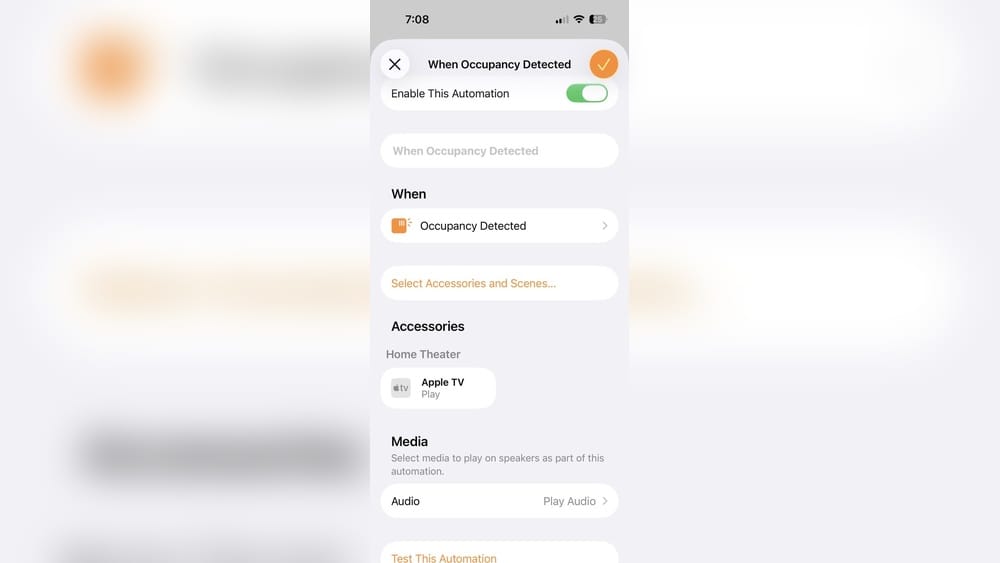
Now, automations (like turning on lights when motion is detected) work through the Apple TV—again, with the hub translating.
Beginner’s mistake: Some users buy Zigbee bulbs or sensors, expecting Apple TV alone to control them. Without a bridge, these devices won’t appear in the Home app.
Why Apple Tv Is Not A Zigbee Hub (and What That Means)
It’s important to be clear: Apple TV is not a Zigbee hub. Here’s why:
- No Zigbee radio: Apple TV lacks the hardware needed to communicate with Zigbee devices.
- No Zigbee software stack: HomeKit doesn’t natively support Zigbee, only Wi-Fi, Bluetooth, and Thread (on newer models).
- Relies on bridges: Zigbee devices must be connected to HomeKit through a compatible bridge.
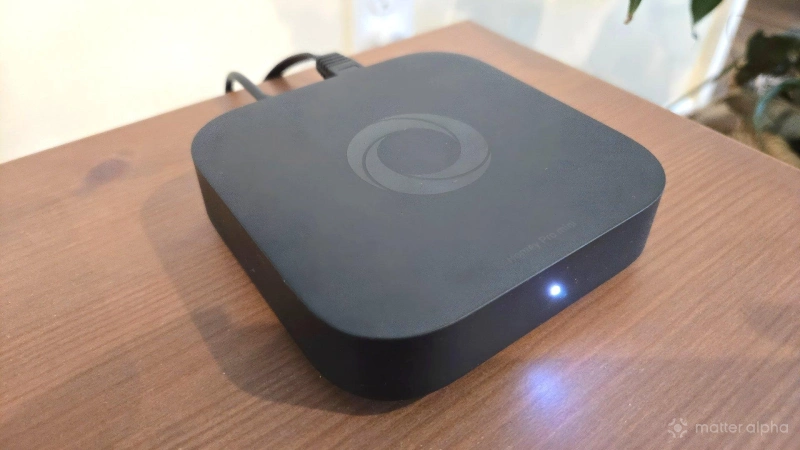
What this means for you: If you want to use Zigbee devices with your Apple TV setup, you’ll always need a bridge. Apple TV alone cannot replace a dedicated Zigbee hub.
Credit: www.matteralpha.com
The Role Of Matter: A New Hope For Compatibility?
You may have heard of Matter, the new smart home standard supported by Apple, Google, Amazon, and many device makers. Matter aims to unify different smart home devices, so they can talk to each other regardless of brand.
Apple TV 4K (2nd and 3rd gen) supports Matter and Thread. Some Zigbee device makers plan to add Matter support, either through new firmware or new hubs. This could, in the future, allow more devices to connect directly to Apple TV—but only if they support Thread or Wi-Fi.
Current reality (2024): Most Zigbee devices still need their own bridge. Matter is improving things, but we’re not there yet for direct Zigbee-to-Apple TV connections.
Practical tip: If you’re building a new smart home, look for Matter or Thread support. It’s more future-proof than Zigbee alone.
Comparing Zigbee Hubs And Apple Tv
To make things clearer, here’s a side-by-side look at how Zigbee hubs and Apple TV compare:
| Feature | Zigbee Hub (e.g., Hue Bridge) | Apple TV (HomeKit Hub) |
|---|---|---|
| Zigbee radio built-in | Yes | No |
| Controls Zigbee devices directly | Yes | No |
| Controls Wi-Fi devices | No | Yes (with HomeKit) |
| HomeKit support | Some (if HomeKit bridge) | Yes (native) |
| Voice control (Siri) | Through HomeKit | Yes |
| Remote access to smart home | Through HomeKit bridge | Yes |
| Supports Thread/Matter | No (usually) | Yes (Apple TV 4K 2nd/3rd gen) |
Bottom line: Apple TV is a powerful smart home hub for HomeKit, Thread, and Matter, but it cannot replace a Zigbee hub.
Pros And Cons Of Using Apple Tv In A Zigbee Setup
Let’s break down the benefits and limitations of using Apple TV as your smart home hub when you have Zigbee devices.
Pros
- Unified control: Use the Apple Home app and Siri for all HomeKit-compatible devices.
- Automations: Create scenes and automations combining Zigbee (via bridge), Wi-Fi, and Bluetooth devices.
- Remote access: Control your home from anywhere using your iPhone, with Apple TV as the secure gateway.
- Family sharing: Easily share access with family members in the Home app.
- Future-ready: Supports Thread and Matter for newer devices.
Cons
- Requires bridges for Zigbee: You can’t avoid buying a compatible Zigbee hub if you want to use Zigbee products.
- Extra setup steps: Adding bridges and pairing devices takes more time than using only HomeKit-native products.
- Limited Zigbee device support: Only Zigbee devices supported by HomeKit-compatible bridges will work.
- Not all features available: Some advanced features (like Zigbee group control or firmware updates) may be limited in HomeKit.
Practical advice: If you already have Zigbee devices, invest in a HomeKit-compatible bridge. If you’re starting fresh, consider Thread or Matter devices for maximum flexibility.
Common Mistakes And How To Avoid Them
Many beginners run into trouble when mixing Apple TV and Zigbee devices. Here are some mistakes to watch for:
- Buying Zigbee devices without a bridge: These won’t show up in the Home app by themselves.
- Choosing non-HomeKit bridges: If the bridge isn’t HomeKit compatible, Apple TV can’t see the devices.
- Assuming all smart home devices work with Apple TV: Only devices that support HomeKit, Thread, or Matter (or that use a compatible bridge) will work.
- Mixing too many platforms: Having devices on Zigbee, Z-Wave, Wi-Fi, and Bluetooth can make your setup complex and harder to manage.
- Ignoring firmware updates: Outdated bridges or devices may lose HomeKit compatibility after system updates.
Tip: Always check for the HomeKit or Matter logo before buying new smart home products.
Should You Choose Zigbee, Thread, Or Wi-fi?
The smart home world is full of protocols. Here’s when to pick each one:
- Zigbee: Best for homes with many battery-powered sensors and accessories. Needs a bridge for Apple TV.
- Thread: Best for new setups—future-proof, supported by Apple TV 4K, HomePod Mini, and growing number of devices.
- Wi-Fi: Easiest for simple setups (plugs, cameras, bulbs). No bridge required but can add network load.
If you’re just starting, Thread and Matter are the best bets for long-term compatibility with Apple TV.
Future Trends: Will Apple Tv Ever Support Zigbee Directly?
As of mid-2024, Apple has not announced any plans to add Zigbee radios to Apple TV. The company is investing in Thread and Matter instead, aiming for a more unified and open smart home standard. Given the push for Thread and Matter, it’s unlikely Apple TV will become a direct Zigbee hub.
Still, Zigbee will remain important for years, as millions of devices use it. Most major brands now offer bridges that connect Zigbee products to HomeKit, so you won’t be left behind.
Expert tip: If Apple ever adds Zigbee hardware, it will be a major update. Until then, bridges are the answer.

Credit: www.reddit.com
How To Build A Reliable Homekit Smart Home With Zigbee Devices
If you want to combine Zigbee devices with Apple TV, follow these steps for the best experience:
- Pick a HomeKit-compatible Zigbee bridge (Philips Hue, Aqara, or IKEA TRÅDFRI).
- Connect the bridge to your network (usually via Ethernet).
- Pair your Zigbee devices to the bridge using the manufacturer’s app.
- Add the bridge to the Apple Home app by scanning its HomeKit code.
- Organize devices into rooms and zones in the Home app for easier control.
- Set up automations (e.g., “Turn on the hallway light when motion is detected”).
- Keep your bridge and devices updated for security and compatibility.
Advanced tip: For large homes, you can add multiple bridges (from the same or different brands). Each bridge appears as a separate accessory in the Home app.
Security And Privacy In Apple Tv And Zigbee Setups
Apple is known for its focus on privacy and security. With Apple TV as your HomeKit hub:
- End-to-end encryption: Your smart home data is encrypted between your devices and Apple servers.
- Local processing: Many automations run locally, so your data stays in your home.
- Secure sharing: Only invited users can control your home.
However, bridges may have their own cloud connections (e. g. , Philips Hue remote access). Always use strong passwords and keep firmware up-to-date.
Non-obvious insight: For the highest privacy, limit cloud-based features and favor local control whenever possible.
Alternatives To Apple Tv For Zigbee Smart Homes
If you want to control Zigbee devices without Apple TV, consider these options:
- Amazon Echo (with Zigbee): Some Echo models have built-in Zigbee radios.
- Samsung SmartThings Hub: Popular for advanced automations and multiple protocols (Zigbee, Z-Wave, Wi-Fi).
- Home Assistant (DIY): Open-source platform that supports Zigbee with USB dongles.
- Google Nest Hub Max: Works with Matter and Thread, but not direct Zigbee.
Each has pros and cons. Apple TV is best if you want deep integration with iPhone, iPad, and Siri.
Practical Setup Tips For Beginners
- Start small: Begin with one bridge and a few devices. Expand slowly.
- Label devices: Give clear names (“Bedroom Lamp,” “Front Door Sensor”) in the Home app.
- Test automations: Make sure they work before relying on them.
- Backup HomeKit settings: Use iCloud for easy recovery.
- Read reviews: Some Zigbee accessories have better HomeKit support than others.
Pro tip: Check for firmware updates in both the bridge app and the Home app.
When To Avoid Zigbee With Apple Tv
You might want to skip Zigbee if:
- You dislike extra hardware (bridges).
- You want the simplest setup (Thread or Wi-Fi is easier).
- You value instant setup—Zigbee often needs more pairing steps.
- You prefer to avoid brand lock-in.
Instead, look for Thread or Wi-Fi smart home accessories with the “Works with Apple Home” or “Matter” badge.
Useful Resources For Smart Home Owners
- The official Apple HomeKit support page is a great place to learn more about compatible devices and setup instructions.
- Community forums (like Reddit’s r/HomeKit) offer real-world advice.
- Manufacturer support sites (Philips, Aqara, IKEA) provide firmware updates and troubleshooting tips.
Staying informed helps you avoid costly mistakes and enjoy a smarter, safer home.
Frequently Asked Questions
Is Apple Tv A Zigbee Hub?
No, Apple TV does not have a Zigbee radio and cannot act as a Zigbee hub. It can control Zigbee devices only through a compatible HomeKit bridge (like Philips Hue Bridge or Aqara Hub). Apple TV is a HomeKit home hub, not a Zigbee hub.
Can Apple Tv Control Zigbee Devices Directly?
Apple TV cannot control Zigbee devices directly. You need a HomeKit-compatible bridge that connects Zigbee devices to your Apple TV and Home app. The bridge translates commands between Zigbee and HomeKit.
What Smart Home Protocols Does Apple Tv Support?
Apple TV supports Wi-Fi, Bluetooth, and Thread (on 2nd/3rd gen 4K models). It also supports Matter, a new smart home standard. Zigbee is not supported directly.
Will Matter Make Apple Tv A Zigbee Hub In The Future?
Matter improves compatibility but does not turn Apple TV into a Zigbee hub. Only Zigbee devices that add Matter support (often through a firmware update or a new bridge) will work with Apple TV. Most Zigbee devices still require a separate bridge.
What Is The Best Way To Use Zigbee Devices With Apple Tv?
Buy a HomeKit-compatible Zigbee bridge (like Philips Hue Bridge, Aqara Hub, or IKEA TRÅDFRI Gateway). Pair your Zigbee devices to the bridge, add the bridge to the Home app, and use Apple TV as your HomeKit hub for automations and remote control.
Apple TV is a powerful smart home hub for HomeKit, Thread, and Matter, but it’s not a Zigbee hub. With the right bridges, you can enjoy the benefits of Zigbee devices alongside Apple’s secure and easy-to-use ecosystem. For most homes, this combination offers flexibility, security, and future readiness—so you can build the smart home that fits your needs.