
Smart home technology is growing fast, and many people want devices that are easy to use, powerful, and future-proof. One product that gets a lot of attention is the Aqara M3 Hub. People often ask: Is the Aqara M3 Hub a Zigbee hub? This question matters because Zigbee is a popular protocol for connecting smart devices smoothly and reliably. But the M3 Hub is more than just a Zigbee controller—it combines several advanced features in a single package.
If you’re thinking about building or improving your smart home, understanding how the Aqara M3 Hub uses Zigbee, how it compares to other Aqara hubs, and what makes it unique can help you make the right choice. In this article, you’ll find a clear explanation of the Aqara M3 Hub’s capabilities, its Zigbee functions, what else it offers, and how it fits into the smart home ecosystem.
We’ll also look at how it stacks up against other hubs and answer the most common questions buyers have. Whether you’re new to smart home tech or want to upgrade your setup, you’ll get all the practical details you need—without confusing jargon.
What Is Zigbee And Why Does It Matter?
Before exploring the Aqara M3 Hub, it’s important to understand what Zigbee is and why it’s a key feature in smart homes. Zigbee is a wireless communication protocol that helps smart devices talk to each other. It’s designed for low-power, low-data use, which makes it perfect for sensors, lights, locks, and other home devices.
Key Benefits Of Zigbee
- Low Power Use: Zigbee devices can run for months or even years on small batteries.
- Mesh Networking: Devices can relay signals for each other, creating a strong, reliable network that covers your whole house.
- Interoperability: Many brands use Zigbee, so devices from different companies can often work together.
- Fast Response: Zigbee is designed for instant actions, like turning on lights or triggering alarms.
Many smart home fans prefer Zigbee because it’s not Wi-Fi dependent, so your smart devices keep working even if your internet goes down.
The Role Of A Zigbee Hub
A Zigbee hub acts as the “brain” of your smart home. It connects Zigbee devices and translates their signals to work with your phone, voice assistants, or other systems. Without a hub, your Zigbee sensors and switches can’t communicate with your Wi-Fi or the internet.
Overview Of The Aqara M3 Hub
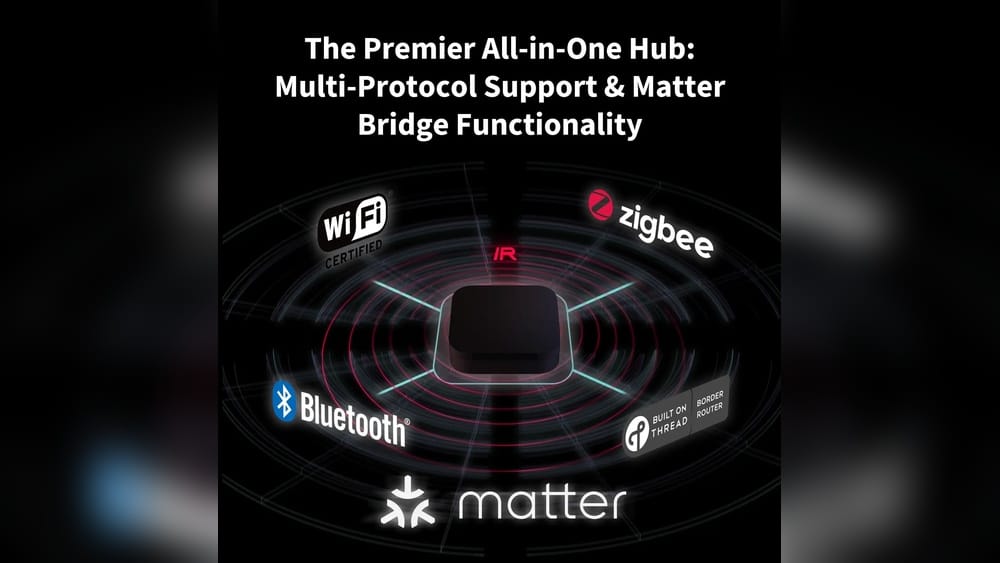
The Aqara M3 Hub is the latest flagship hub from Aqara, a company well-known for its affordable and reliable smart home devices. The M3 stands out because it’s not just a Zigbee hub—it’s a multi-protocol smart home controller. This means it supports different communication methods, including Zigbee, Matter, Thread, and Wi-Fi.
Main Features
- Multi-protocol support: Works with Zigbee, Thread, and Matter.
- Powerful processor: Handles many devices at once with fast response times.
- Local automation: Can control devices and run routines even if your internet is offline.
- Wide compatibility: Works with Apple Home, Google Home, Amazon Alexa, and others.
- Advanced security: Uses encryption and privacy protection for your data.
The M3 Hub is designed to be the center of a modern, flexible smart home, letting you mix and match devices from different brands.
Is Aqara M3 Hub Zigbee?
This is the core question many buyers have. The answer: Yes, the Aqara M3 Hub is a Zigbee hub. In fact, its Zigbee capabilities are one of its biggest strengths. But it also adds new technology on top, so you’re not limited to Zigbee alone.
Zigbee Support In Aqara M3 Hub
- Zigbee 3.0 certified: The M3 supports the latest Zigbee standard, making it compatible with both new and older Zigbee devices.
- Device capacity: You can pair over 100 Zigbee devices to one M3 Hub (exact numbers may vary depending on use).
- Mesh extension: The M3 can act as a Zigbee mesh router, extending coverage throughout large homes.
- Fast pairing: Adding Zigbee sensors, switches, and bulbs is quick and simple through the Aqara Home app.
Real-world Example
If you already own Aqara’s Zigbee door and motion sensors, you can connect them directly to the M3 Hub. You can then create automations, such as turning on hallway lights when motion is detected at night—all handled locally, without needing the cloud.
Zigbee Vs Other Protocols In M3
While the M3 shines as a Zigbee hub, it’s important to know it also supports Thread and Matter. These are newer protocols designed for even wider compatibility and better future-proofing.
- Zigbee: Best for existing Aqara and many third-party sensors and switches.
- Thread/Matter: Useful for new devices coming to the market, especially those labeled “Matter-enabled.”
By supporting Zigbee, the M3 Hub lets users keep their older devices and gradually add new ones without changing their whole setup.
Comparing Zigbee Functionality: Aqara M3 Vs Other Hubs
To understand what makes the M3 Hub unique, let’s compare its Zigbee support to other popular Aqara hubs. This helps you see where the M3 fits in the lineup.
| Hub Model | Zigbee Version | Max Zigbee Devices | Other Protocols | Local Automation |
|---|---|---|---|---|
| Aqara M3 Hub | Zigbee 3.0 | 100+ | Thread, Matter, Wi-Fi | Yes |
| Aqara M2 Hub | Zigbee 3.0 | 128 | Wi-Fi, IR | Yes |
| Aqara G3 Camera Hub | Zigbee 3.0 | 128 | Wi-Fi, IR | Yes |
| Aqara E1 Hub | Zigbee 3.0 | 128 | Wi-Fi | No |
Key Takeaways
- The M3 Hub matches or beats other Aqara hubs in Zigbee support.
- It’s the only model with Thread and Matter for wider compatibility.
- Device capacity is high, but advanced automations and protocols make the M3 more future-proof.

Credit: us.aqara.com
Aqara M3 Hub: A Deep Dive Into The 3 Main Items
The topic specifically mentions three items. Let’s break down each one with clear explanations, so you understand their roles and how they relate to the M3 Hub.
1. Zigbee Support In Aqara M3 Hub
Zigbee is the backbone of many Aqara devices. With the M3, Zigbee support means:
- Backward compatibility: Use all your existing Zigbee sensors, buttons, and switches.
- Fast and stable: Zigbee’s mesh system means signals travel through the house without delay.
- Low energy use: Most Zigbee sensors last over a year on tiny batteries.
Non-obvious Insight
Zigbee devices paired to the M3 Hub can often run local automations. This means if your internet goes down, your lights, alarms, and sensors can still work—something many Wi-Fi-only setups can’t offer.
2. Multi-protocol Capability
The M3 Hub isn’t just Zigbee. It also supports Thread and Matter, which are becoming the new standard for smart homes.
- Thread: Similar to Zigbee, but designed for even more devices and greater speed. It’s a key part of the new “Matter” standard.
- Matter: Lets devices from Apple, Google, Amazon, and other brands all talk to each other. Matter support means your Aqara hub can connect with a growing range of products.
Example
If you buy a new Matter-enabled thermostat or door lock, you can add it to your M3 Hub—even if it’s not made by Aqara.
Non-obvious Insight
Many people don’t realize that by using the M3 Hub’s Thread and Matter support, you can “future-proof” your smart home. You won’t need to replace your hub as new devices and standards come out.
3. Local And Cloud Control
The M3 Hub is designed for both local and cloud use.
- Local control: Automations and device control work even with no internet.
- Cloud integration: Use voice assistants, remote access, and notifications through the cloud.
Why It Matters
Many users only think about app control, but local automations are important for privacy and reliability. If you want your smart home to respond instantly, or keep working during internet outages, local control is a must.
Example
You can set an automation so your bedroom lights turn on at 7 AM, even if your Wi-Fi is down.
Setting Up The Aqara M3 Hub With Zigbee Devices
Getting started with the Aqara M3 Hub is simple, but there are a few steps and tips that make the process smoother.
Step-by-step Setup
- Plug in the M3 Hub: Power it on and connect it to your Wi-Fi router.
- Install the Aqara Home app: Available for both iOS and Android.
- Add the M3 Hub: Follow the app’s instructions to add the hub to your account.
- Pair Zigbee devices: Put your Zigbee sensors or switches into pairing mode, then add them through the app.
- Name and organize devices: Name each device for easy control and automation.
- Create automations: Set up routines based on device status, time, or triggers.
Practical Tips
- Place the hub in a central location for best Zigbee coverage.
- Don’t hide the hub in a metal cabinet—Zigbee signals can be blocked by metal.
- Update firmware regularly to get the latest features and security fixes.
Common Mistakes To Avoid
- Pairing too many devices at once can cause setup issues. Add them one at a time.
- Forgetting to name devices can make automation confusing later.
- Using Wi-Fi extenders for the hub can cause delays—direct router connection is better.
Real-life Use Cases For Zigbee With Aqara M3 Hub
The M3 Hub’s Zigbee support unlocks many smart home possibilities. Here are some practical scenarios that show its value:
Home Security
- Window and door sensors: Get instant alerts if a door opens when you’re away.
- Motion sensors: Trigger alarms or lights if someone enters a room at night.
- Sirens and alarms: Pair with Zigbee sirens for loud warnings.
Smart Lighting
- Automated schedules: Lights turn on at sunset or when someone enters a room.
- Scenes: Create “movie night” or “away mode” scenes with one tap.
Energy Efficiency
- Smart plugs and switches: Turn off devices automatically when not in use.
- Temperature sensors: Adjust heating or cooling based on room occupancy.
Elderly And Child Safety
- Panic buttons: Let elderly family call for help quickly.
- Leak sensors: Warn you instantly if there’s a water leak in the bathroom or kitchen.
Aqara M3 Hub Vs Other Zigbee Hubs
How does the Aqara M3 Hub compare with Zigbee hubs from other brands? Here’s a side-by-side look at some popular options.
| Hub | Zigbee Version | Supports Thread/Matter | Max Devices | Local Automation | Voice Assistant Integration |
|---|---|---|---|---|---|
| Aqara M3 Hub | Zigbee 3.0 | Yes | 100+ | Yes | Alexa, Google, Siri |
| Philips Hue Bridge | Zigbee Light Link | No | 50 | Limited | Alexa, Google |
| Samsung SmartThings Hub v3 | Zigbee 3.0 | No | 100+ | Yes | Alexa, Google |
| Amazon Echo 4th Gen | Zigbee 3.0 | No | Unknown | No | Alexa |
What Makes Aqara M3 Stand Out
- Broader compatibility: Only the M3 supports Zigbee, Thread, and Matter in one device.
- Advanced automations: More local control and privacy than most hubs.
- Device capacity: Handles a large smart home without slowing down.
Security And Privacy With The Aqara M3 Hub
Smart home security isn’t just about alarms—it’s also about data privacy and keeping your system safe from hackers.
How Aqara M3 Protects Your Data
- Encryption: All data between your phone, hub, and devices is encrypted.
- Local processing: Automations and controls run on the hub, not just the cloud.
- Two-factor authentication: Aqara accounts require extra steps for better security.
Security Best Practices
- Always use strong, unique passwords for your Aqara account.
- Enable two-factor authentication for extra protection.
- Keep firmware updated to patch security holes.
Non-obvious Insight
Many users don’t realize that Zigbee is more secure than Wi-Fi for device-to-hub communication because it uses its own encrypted network. This means hackers need physical access to your home to try to break in.
Compatibility With Smart Home Ecosystems
The M3 Hub is designed to work with many smart home platforms, making it easy to add to almost any system.
Supported Platforms
- Apple HomeKit
- Amazon Alexa
- Google Home
- IFTTT
- Matter (future devices)
You can control devices by voice, set up automations using your favorite platform, and mix devices from many brands.
Practical Example
You can use Siri on your iPhone to control Zigbee lights connected to your M3 Hub, or use Alexa routines to automate security sensors.
Firmware Updates And Future-proofing
With the smart home world changing quickly, having a hub that stays updated is important.
How Aqara Handles Updates
- Automatic updates: The M3 Hub can update itself when new features or fixes are released.
- Manual update option: You can check for updates in the app if you prefer.
- Future protocol support: As new standards like Matter evolve, Aqara will add support through updates.
Non-obvious Insight
Unlike some competitors, the M3’s update system is designed to not interrupt your automations. Updates usually install at night or when not in active use.
Limitations Of The Aqara M3 Hub
No device is perfect. Here are some things to consider before buying the M3 Hub:
- Price: The M3 is usually more expensive than older Aqara hubs.
- Device compatibility: While Zigbee 3.0 is standard, some very old Zigbee devices may not work.
- Setup complexity: Multi-protocol support means more options, but also more settings to manage.
Who Should Choose The M3 Hub?
- Smart home beginners who want to future-proof their system.
- Experienced users adding Matter or Thread devices.
- People with mixed platforms (Apple, Google, Alexa) who want everything to work together.

Credit: www.amazon.com
Alternatives To Aqara M3 For Zigbee
If you only need basic Zigbee support, there are simpler and cheaper hubs available, such as:
- Aqara M2: Good for Zigbee-only setups.
- Philips Hue Bridge: Best for lighting-focused homes.
- Amazon Echo 4th Gen: Built-in Zigbee, but fewer automation options.
But if you want full flexibility and future support, the M3 is hard to beat.
Where To Buy And What To Check Before Purchasing
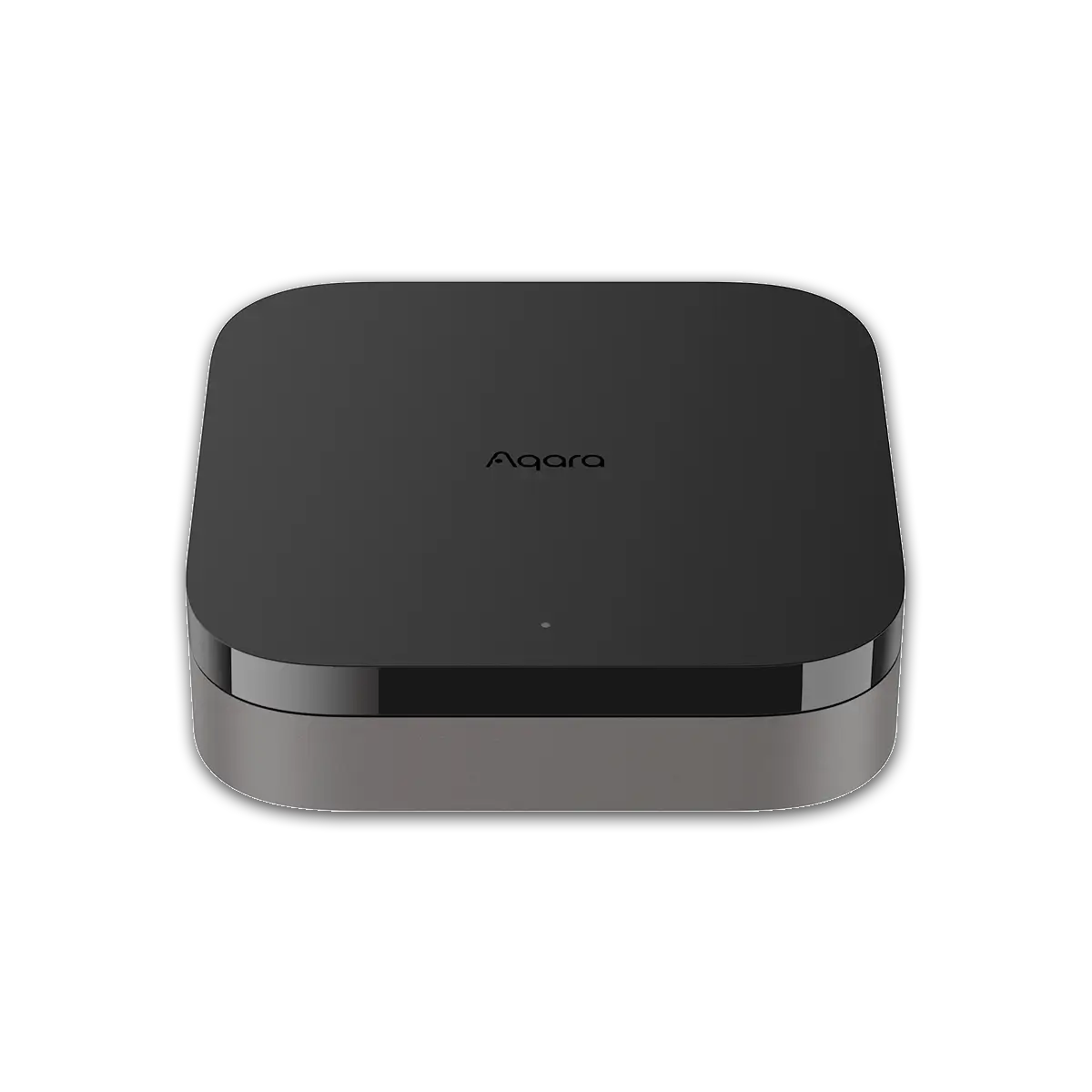
The Aqara M3 Hub is available from major electronics stores, online retailers, and the official Aqara website.
Before You Buy
- Check region compatibility: Some features may differ by country.
- Read the device list: Make sure your current Zigbee devices are supported.
- Look for deals: Prices can vary, so compare before buying.
For more information, visit the official Aqara M3 Hub page.
Credit: eu.aqara.com
Frequently Asked Questions
Is The Aqara M3 Hub A Zigbee Hub?
Yes, the Aqara M3 Hub is a full Zigbee 3. 0 hub. It supports pairing and controlling Zigbee sensors, switches, lights, and other devices. It also works as a Zigbee mesh router, extending your network across your home.
Can I Use Older Zigbee Devices With The Aqara M3 Hub?
Most Zigbee 3. 0 and Zigbee Home Automation (ZHA) devices will work with the M3 Hub. However, some very old Zigbee products may not be fully compatible. Always check the supported device list before buying.
Does The Aqara M3 Hub Require An Internet Connection To Work?
The M3 Hub can run many automations and control devices locally, even without the internet. However, remote control, notifications, and voice assistant integrations need an internet connection.
How Many Zigbee Devices Can I Connect To The Aqara M3 Hub?
You can connect over 100 Zigbee devices to a single M3 Hub. The exact number depends on the type of devices and the complexity of your automations.
What Makes The Aqara M3 Hub Different From The M2 Or G3 Hubs?
The M3 Hub supports not only Zigbee, but also Thread and Matter protocols. This makes it more future-proof and compatible with a wider range of new devices. It also has improved local automation, security, and broader smart home ecosystem support.
Final Thoughts
The Aqara M3 Hub is not just a Zigbee hub—it’s a powerful, flexible smart home controller built for today and tomorrow. With full Zigbee 3.0 support, plus new protocols like Thread and Matter, it lets you connect a huge range of devices from many brands. Local automation, strong security, and easy integration with major platforms make it a top choice for both beginners and advanced users.
If you want to build a smart home that works reliably and is ready for future technology, the Aqara M3 Hub is a strong investment. Just make sure to check device compatibility and regional features before buying. As smart home standards keep changing, the M3’s multi-protocol design means you won’t be left behind.
Whether you’re starting fresh or upgrading, the M3 makes smart home control simple, secure, and ready for what’s next.