
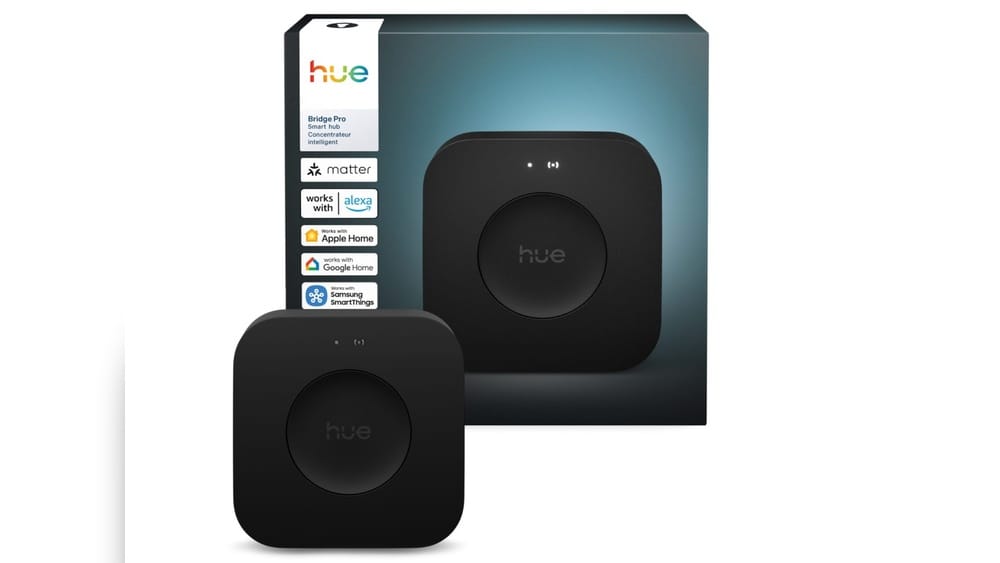
The world of smart lighting is growing fast, with new technology making it easier for people to control their homes. Among the most popular systems is Philips Hue, which offers beautiful, customizable lighting. Many people ask an important question: Is the Philips Hue Bridge a Zigbee hub? This question matters because Zigbee is a key wireless standard for smart home devices. Understanding how the Hue Bridge works—and how it connects with Zigbee—can help you build a smarter, more flexible lighting setup.
This article will explain everything you need to know about the Philips Hue Bridge and Zigbee. You’ll learn what Zigbee is, how the Hue Bridge uses it, and whether it works as a hub for other Zigbee devices. We’ll cover compatibility, compare Hue Bridge with other Zigbee hubs, and share practical tips for using Hue in your home.
By the end, you’ll know exactly what the Hue Bridge can and cannot do—and how to make the most of it.
What Is Zigbee?
Zigbee is a wireless communication protocol designed for smart devices. Unlike Wi-Fi or Bluetooth, Zigbee is made for low-power, low-data devices. This means it’s ideal for products like smart lights, sensors, and switches.
Zigbee operates on the 2.4 GHz frequency, which is common for many wireless devices. Its main features include:
- Low energy use: Zigbee is much more efficient than Wi-Fi, so devices can run longer on battery.
- Mesh networking: Zigbee devices form a network where each device can pass signals to others. This lets devices communicate over a wider area, even if they’re far from the hub.
- Reliability: Mesh networks make Zigbee strong in homes with many devices. If one device fails, the others can still connect.
Zigbee is widely used in smart home systems, including lighting, security, and automation. Many brands, like Philips Hue, use Zigbee to connect their products.
What Is The Philips Hue Bridge?
The Philips Hue Bridge is the central device in the Hue smart lighting system. It connects your Hue lights and accessories, letting you control them from your smartphone, tablet, or voice assistant.
The Bridge plugs into your home’s router with an Ethernet cable. Once connected, it communicates wirelessly with Hue bulbs and accessories using Zigbee. The Bridge allows you to:
- Control lights remotely or with schedules
- Group lights into rooms or zones
- Use smart features like dimming, color changing, and scenes
- Connect with platforms like Apple HomeKit, Google Assistant, and Amazon Alexa
Without the Hue Bridge, you can only control Hue bulbs with Bluetooth—meaning limited range and fewer features. The Bridge unlocks full smart home functionality.
How Does The Hue Bridge Use Zigbee?
The Hue Bridge uses Zigbee Light Link (ZLL) and Zigbee 3.0 protocols. It creates a Zigbee mesh network, so your Hue bulbs can communicate with each other and the Bridge. This lets you control up to 50 Hue devices across your home.
When you add a bulb or accessory, the Bridge connects it to the Zigbee network. You can then control all devices through the Hue app or voice assistants.
Is The Philips Hue Bridge A Zigbee Hub?
Now, let’s answer the main question: Is the Philips Hue Bridge a Zigbee hub?
The short answer is yes—the Hue Bridge acts as a Zigbee hub for Philips Hue lights and accessories. It manages Zigbee communication, forms a mesh network, and controls devices.
However, it’s important to understand the limits:
- The Hue Bridge is not a universal Zigbee hub. It’s designed mainly for Hue products.
- You cannot easily connect non-Hue Zigbee devices (like sensors or bulbs from other brands) to the Bridge.
- The Bridge uses some Zigbee standards, but it has custom features for Hue.
So, the Hue Bridge is a Zigbee hub—but it’s a closed Zigbee hub, focused on the Hue ecosystem.
What Makes A Zigbee Hub?
To understand this better, let’s look at what a Zigbee hub is supposed to do:
- Create a Zigbee network: The hub manages device connections and communication.
- Allow device pairing: You can add Zigbee devices to the network.
- Control devices: The hub lets you manage devices through an app or automation.
The Hue Bridge does all of these—but mostly for Hue-branded products.
Comparing Hue Bridge With Other Zigbee Hubs
Many smart home hubs support Zigbee, like Samsung SmartThings, Amazon Echo Plus, and Hubitat. How does the Hue Bridge compare?
Here’s a comparison of common features:
| Hub | Zigbee Standard | Device Compatibility | App Control | Voice Assistant Support |
|---|---|---|---|---|
| Philips Hue Bridge | ZLL / Zigbee 3.0 | Hue products only | Hue app | Alexa, Google, HomeKit |
| SmartThings Hub | Zigbee 3.0 | Many Zigbee devices | SmartThings app | Alexa, Google |
| Amazon Echo Plus | Zigbee 3.0 | Many Zigbee devices | Alexa app | Alexa only |
| Hubitat Elevation | Zigbee 3.0 | Many Zigbee devices | Hubitat dashboard | Alexa, Google |
As you can see, most Zigbee hubs work with many brands, while the Hue Bridge focuses on its own ecosystem.
Why Is Hue Bridge So Closed?
Philips designed the Hue Bridge for simplicity and reliability. By limiting compatibility, they ensure all devices work smoothly. This avoids problems with mismatched Zigbee features or firmware.
But for users who want more flexibility, this can feel restrictive. You can’t easily add third-party Zigbee sensors, switches, or bulbs to the Bridge.
Philips Hue Bridge: Zigbee Capabilities And Limitations
Let’s dive deeper into what the Hue Bridge can—and cannot—do as a Zigbee hub.
What The Hue Bridge Can Do
- Manage a Zigbee mesh network: The Bridge connects up to 50 devices, forming a strong mesh.
- Control Hue lights and accessories: You can manage bulbs, switches, sensors, and plugs—all made by Hue.
- Automate lighting: Set schedules, scenes, and routines.
- Integrate with smart home platforms: Use Apple HomeKit, Google Assistant, and Amazon Alexa.
What The Hue Bridge Cannot Do
- Pair non-Hue Zigbee devices easily: Most third-party Zigbee products won’t connect.
- Act as a Zigbee repeater for other hubs: The Bridge is not designed to boost Zigbee signals for non-Hue networks.
- Share Zigbee network with other hubs: You cannot use the Bridge as a universal Zigbee coordinator.
Common Compatibility Confusion
Many beginners assume Zigbee devices can connect to any Zigbee hub. But in reality, manufacturers often limit compatibility.
For example:
- IKEA Tradfri bulbs use Zigbee, but connecting them directly to Hue Bridge is unreliable and unsupported.
- Third-party Zigbee switches or sensors usually won’t work with Hue Bridge.
There are some hacks and advanced tricks, but they’re not recommended for most users.
Zigbee Versions In Hue Bridge
Philips Hue Bridge uses Zigbee Light Link (ZLL) and later Zigbee 3.0. Zigbee 3.0 is newer and more flexible, combining older Zigbee standards.
- Hue Bridge v1 (the round model) used Zigbee Light Link. It had limited compatibility.
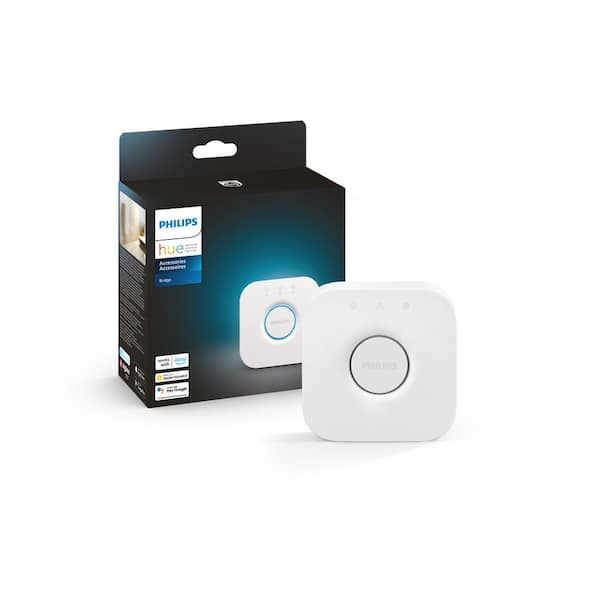
- Hue Bridge v2 (the square model) uses Zigbee 3.0, supporting more advanced features.
Most Hue products now use Zigbee 3. 0. This makes the network more stable and secure.
Adding Devices To Hue Bridge: Step-by-step
If you want to add Hue bulbs or accessories, here’s how to do it:
- Open the Hue app on your phone or tablet.
- Go to Settings > Lights > Add Light.
- The app searches for new bulbs.
- Turn on your new Hue bulb or accessory.
- The app finds the device and adds it to your Zigbee network.
- You can assign the bulb to a room and set up controls.
For Hue accessories (like switches or sensors), the process is similar. Just choose Accessories in the app.
Common Mistakes When Adding Devices
- Mixing brands: Trying to add non-Hue Zigbee devices usually won’t work.
- Bluetooth confusion: Some bulbs support Bluetooth, but you need the Bridge for full Zigbee control.
- Distance issues: If a bulb is far from the Bridge, it may not join the mesh. Add bulbs closer together for best results.
Can You Use Hue Bridge With Other Zigbee Devices?
This is a frequent question, especially from people who want to mix brands.
- Officially, the Hue Bridge only supports Hue lights and accessories.
- Unofficially, a few Zigbee bulbs (like some from IKEA or Osram) may work—but results are mixed.
- Sensors and switches from other brands almost never work with the Hue Bridge.
Some advanced users use software like Home Assistant to connect the Bridge with other Zigbee networks, but this is complex and not for beginners.
Why Is Compatibility Limited?
Hue Bridge uses Zigbee, but adds custom features. These include:
- Special pairing methods
- Unique firmware
- Custom commands for color and scenes
This makes the system stable, but limits flexibility.
Zigbee Mesh And Signal Strength With Hue Bridge
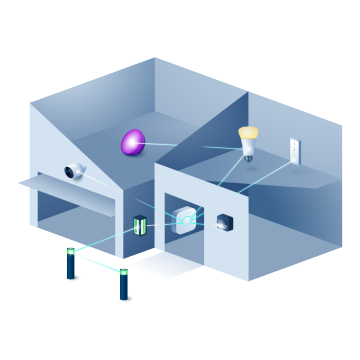
One of Zigbee’s strengths is mesh networking. The Hue Bridge forms a mesh with its bulbs and accessories. Here’s how it works:
- Each powered bulb acts as a Zigbee repeater, passing signals along.
- Battery-powered devices (like sensors) do not repeat signals.
- The mesh grows stronger as you add more bulbs.
If you have a large home, place bulbs evenly to boost the mesh. Weak signals usually mean not enough bulbs, or bulbs placed too far apart.
Practical Tip: Improving Your Hue Mesh
- Add bulbs in hallways or rooms with poor signal.
- Avoid placing bulbs behind thick walls or metal objects.
- Check for firmware updates in the Hue app, as updates can improve mesh performance.
Hue Bridge Vs. Zigbee Usb Sticks And Gateways
Some smart home users prefer USB Zigbee sticks (like Conbee II or Zigbee2MQTT) for more flexibility. These allow you to connect many brands and types of devices.
How Does Hue Bridge Compare?
| Hub Type | Device Compatibility | Setup Difficulty | Mesh Strength | Integration Options |
|---|---|---|---|---|
| Hue Bridge | Hue products only | Easy | Strong (with Hue bulbs) | HomeKit, Alexa, Google |
| USB Zigbee Stick | Many Zigbee brands | Advanced | Depends on devices used | Home Assistant, custom |
Beginners often miss that USB sticks require more setup and technical skill. The Hue Bridge is simpler and more reliable, but less flexible.
Credit: www.philips-hue.com
Real-world Examples: Smart Home Setups With Hue Bridge
Let’s look at how people use the Hue Bridge in real homes:
- Apartment setup: One Bridge controls all bulbs in each room, plus motion sensors and switches. Everything works through the Hue app and voice assistants.
- Large house: Multiple Bridges (one per floor) manage dozens of bulbs. The mesh keeps signals strong even far from the router.
- Mixed ecosystem: Some users connect Hue Bridge to Apple HomeKit, so Hue bulbs can work alongside other smart devices, like thermostats or locks.
One insight beginners often miss: You can have multiple Hue Bridges in one home if you need more than 50 devices or better mesh coverage.
Security And Firmware Updates
The Hue Bridge receives regular firmware updates from Philips. These updates improve security, compatibility, and mesh performance.
- Updates are easy—just check the Hue app for new versions.
- Zigbee networks are secure, but always update your Bridge and bulbs for best protection.
- Philips sometimes adds new features (like improved scenes or routines) in updates.
Credit: www.homedepot.com
Integration With Other Smart Home Platforms
The Hue Bridge works well with major smart home platforms:
- Apple HomeKit: Lets you control Hue with Siri and add Hue bulbs to HomeKit scenes and automations.
- Google Assistant: Control lights with voice commands and routines.
- Amazon Alexa: Use Alexa to manage lights, set schedules, and trigger routines.
The Bridge acts as the Zigbee coordinator, but communicates with these platforms over your home network.
Advanced Tip: Using Hue Bridge With Home Assistant
Some advanced users link the Hue Bridge to Home Assistant (a popular smart home software). This lets you control Hue bulbs alongside other Zigbee devices. However, Home Assistant cannot use the Hue Bridge as a universal Zigbee hub—it only manages Hue devices through the Bridge.
If you want to control other Zigbee products, you’ll need a separate Zigbee stick or hub.
The Role Of Zigbee In Philips Hue Ecosystem
Zigbee is the backbone of the Hue system. Here’s why:
- Reliability: Mesh networking means your lights work even if one device fails.
- Efficiency: Low power use keeps bulbs running smoothly.
- Scalability: You can add up to 50 devices per Bridge.
If you’re building a smart lighting setup, Zigbee gives you strong performance without using lots of energy.

Credit: www.ebay.com
Common Myths About Hue Bridge And Zigbee
Let’s clear up some misunderstandings:
- Myth 1: Any Zigbee device can connect to Hue Bridge
- Reality: Only Hue products are officially supported. Most third-party Zigbee devices will not pair.
- Myth 2: Hue Bridge can boost Zigbee for other hubs
- Reality: The Bridge forms its own mesh, but does not extend other Zigbee networks.
- Myth 3: Zigbee is the same as Bluetooth
- Reality: Zigbee is a mesh protocol for smart devices, while Bluetooth is for short-range connections.
Understanding these myths helps you avoid frustration when building your smart home.
Practical Tips For Using Hue Bridge As A Zigbee Hub
If you’re planning to use the Hue Bridge for your smart lighting, here are some tips:
- Stick to Hue bulbs and accessories for easy setup and reliability.
- Place your Bridge near your router for best network performance.
- Add bulbs evenly throughout your home to strengthen the Zigbee mesh.
- Update firmware regularly to get new features and security fixes.
- If you need more than 50 devices, add a second Bridge.
Two Non-obvious Insights
- Multiple Bridges: You can run more than one Hue Bridge in your home. This is useful for large houses or if you want separate zones. Many beginners don’t realize this is possible.
- Hue Bridge and HomeKit: Even though the Bridge is closed to other Zigbee devices, you can use HomeKit to create automations that include Hue bulbs and other brands. This gives you more flexibility without hacking the Zigbee network.
Future Of Hue Bridge And Zigbee
Philips continues to update the Hue Bridge and expand Zigbee support. New bulbs and accessories now use Zigbee 3. 0, which is more flexible and secure.
Some users hope for broader compatibility in the future. However, Philips seems focused on maintaining a stable, reliable ecosystem.
If you want a more open Zigbee hub, look at SmartThings, Hubitat, or USB Zigbee sticks. But for smart lighting, the Hue Bridge is one of the best options.
Frequently Asked Questions
Is Philips Hue Bridge A Zigbee Hub?
Yes, the Hue Bridge is a Zigbee hub for Philips Hue products. It manages a Zigbee network and controls Hue bulbs, switches, and sensors. However, it does not support most third-party Zigbee devices.
Can I Connect Non-hue Zigbee Bulbs To The Hue Bridge?
Most non-Hue Zigbee bulbs cannot connect to the Hue Bridge. Some IKEA or Osram bulbs may work, but results are mixed and not officially supported. Stick to Hue bulbs for best performance.
How Many Devices Can The Hue Bridge Control?
The Hue Bridge can manage up to 50 Hue bulbs and accessories. If you need more, you can add a second Bridge to your home.
Does The Hue Bridge Improve Zigbee Signal In My Home?
Yes, the Bridge forms a Zigbee mesh network. Each powered Hue bulb acts as a repeater, boosting the signal. Add more bulbs to strengthen the mesh.
Is Zigbee Safe And Secure In The Hue Bridge?
Zigbee is secure, and the Hue Bridge receives regular firmware updates from Philips. Always keep your Bridge and bulbs updated for best security.
Final Thoughts
The Philips Hue Bridge is a powerful Zigbee hub—if you stay within the Hue ecosystem. It offers reliable control, easy setup, and strong mesh networking. While you can’t use it as a universal Zigbee hub for all brands, it’s perfect for smart lighting.
If you want to mix Zigbee devices, consider other hubs like SmartThings or Hubitat. But for most users, the Hue Bridge delivers a smooth, simple smart home experience.
For more detailed technical info on Zigbee, check out Wikipedia’s Zigbee page.
Smart homes are about convenience and reliability. The Hue Bridge brings both, making your lighting smarter and your life easier.