
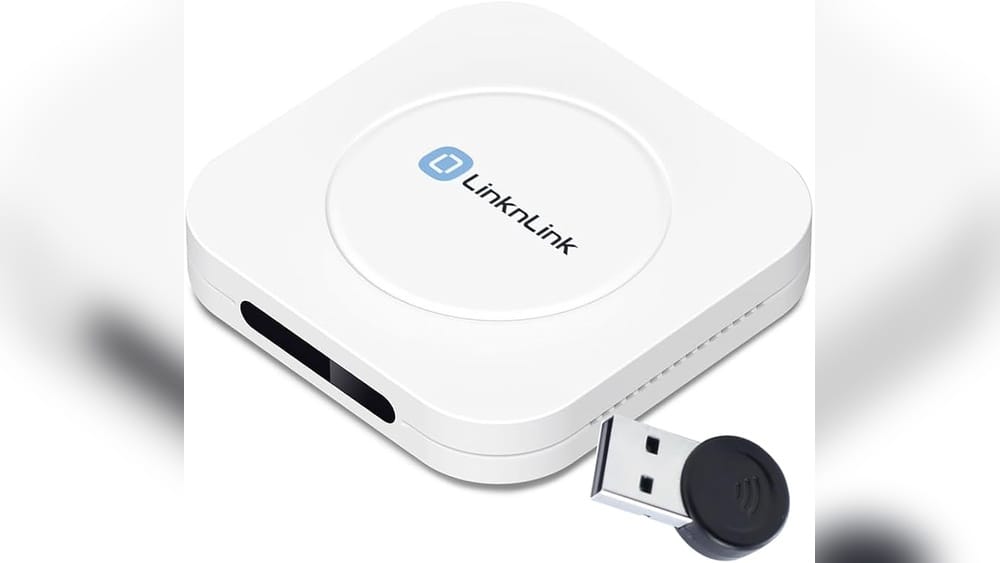
Imagine walking into your home after a long day, and the lights switch on automatically. Your favorite music starts playing, and the thermostat adjusts to the perfect temperature. You didn’t touch a button, and you didn’t give a voice command. This isn’t science fiction—this is the reality of a Zigbee smart home hub. Many people hear the term “Zigbee” and think it’s just another tech buzzword. But Zigbee is one of the most important pieces in modern smart homes. If you’ve ever wondered what a built-in Zigbee smart home hub is, how it works, and why it matters, you’re in the right place.
What Is Zigbee?
Zigbee is a wireless communication protocol. It’s designed for smart devices in homes, offices, and buildings. Unlike Wi-Fi or Bluetooth, Zigbee is made for simple, low-power devices that don’t need to send lots of data. Think of smart light bulbs, sensors, locks, and thermostats. Zigbee lets these devices talk to each other quickly and reliably.
The protocol uses the 2. 4 GHz frequency, like Wi-Fi, but it’s not the same. Zigbee is optimized for short-range communication and low energy use. This is perfect for battery-powered devices that must run for months or years without changing batteries.
One thing that makes Zigbee special is its mesh network. Devices don’t just connect to a central hub; they also connect to each other. If one device is far from the hub, it can send data through other devices. This makes Zigbee networks strong and flexible.
The Role Of A Smart Home Hub
A smart home hub is the brain of a smart home. It connects devices, lets them talk to each other, and gives you control over everything from one place. Without a hub, each device would work alone. You’d have to control your lights, locks, and sensors using different apps or remotes.
The hub makes things simple. It acts as a middleman between devices and your smartphone, tablet, or computer. Most hubs support several protocols, including Zigbee, Z-Wave, Wi-Fi, and Bluetooth. But today, we’re focusing on hubs with built-in Zigbee.

Credit: us.aqara.com
What Is A Built-in Zigbee Smart Home Hub?
A built-in Zigbee smart home hub is a device that has Zigbee protocol support inside. It allows you to connect Zigbee devices directly, without needing extra adapters or bridges. For example, some smart speakers (like Amazon Echo) have Zigbee hubs built in. This means you can pair Zigbee bulbs, sensors, and plugs with your Echo and control them using Alexa.
Built-in Zigbee hubs are not limited to speakers. They can be part of smart routers, security systems, or even smart TVs. The key feature: Zigbee support is inside the device, not added through external dongles or bridges.
Why Built-in Matters
Having Zigbee built into your hub makes setup easier. You don’t need to buy or install extra hardware. Your hub can connect to Zigbee devices right out of the box. This saves time, money, and reduces clutter.
Built-in Zigbee hubs also mean fewer points of failure. External adapters can lose connection or break. When Zigbee is integrated, it’s more reliable and often gets regular software updates.
How Zigbee Works Inside A Smart Home Hub
Zigbee inside a hub acts like a translator. It listens to Zigbee devices and sends their messages to your phone, app, or cloud service. Here’s how it works step by step:
- Device Pairing: You add Zigbee devices to the hub. The hub scans for Zigbee signals and connects to new devices securely.
- Communication: Devices send status updates (like “door opened” or “light on”) to the hub.
- Control: You use an app or voice command to send instructions to the hub. The hub sends the message to the Zigbee device (like “turn off light”).
- Automation: The hub can create routines. For example, if a sensor detects motion, it turns on a light.
The hub keeps everything connected, even if your internet goes down. Zigbee devices can still talk through the hub.
Zigbee Vs. Other Smart Home Protocols
Many people ask how Zigbee compares to Wi-Fi, Bluetooth, and Z-Wave. Each protocol has strengths and weaknesses. Here’s a clear comparison:
| Protocol | Range | Power Use | Best For | Mesh Support |
|---|---|---|---|---|
| Zigbee | up to 66 feet (20 meters) per device | Very low | Sensors, bulbs, locks | Yes |
| Z-Wave | up to 328 feet (100 meters) | Low | Home automation devices | Yes |
| Wi-Fi | up to 328 feet (100 meters) | High | Cameras, speakers | No |
| Bluetooth | up to 33 feet (10 meters) | Low | Wearables, locks | No |
Zigbee’s mesh network is a major advantage. If your home is large, Zigbee devices can relay signals across the house. Wi-Fi is strong but uses more power, which isn’t ideal for battery devices.
Real-world Examples Of Built-in Zigbee Hubs
Many well-known products have built-in Zigbee hubs. Here are some examples:
- Amazon Echo (4th gen and later): Supports Zigbee directly. You can pair bulbs, sensors, and plugs.
- Samsung SmartThings Hub: Has Zigbee, Z-Wave, and Wi-Fi support.
- Aeotec Smart Home Hub: Works with Zigbee, Z-Wave, and more.
- Philips Hue Bridge: Controls Zigbee bulbs and accessories.
- Home security systems: Some alarms and cameras have built-in Zigbee for sensors.
These devices let you control Zigbee devices using their apps, voice assistants, or automation tools. For example, you can set your Echo to turn off all Zigbee lights when you say, “Goodnight. ”
Advantages Of Zigbee In Smart Homes
Choosing a hub with built-in Zigbee offers several benefits:
1. Easy Setup
Pairing Zigbee devices takes minutes. Just follow the app instructions, and the hub connects directly. No need for extra bridges.
2. Reliable Connection
Zigbee’s mesh network means devices stay connected, even if one device goes offline. The hub manages connections for you.
3. Energy Efficiency
Zigbee uses very little power. Most Zigbee devices run on batteries for months or years. This is much better than Wi-Fi devices, which often need constant power.
4. Automation Possibilities
With Zigbee devices and a hub, you can create routines. For example:
- When you unlock your door, lights turn on.
- When motion is detected, an alarm sounds.
- When you leave home, all lights turn off.
5. Compatibility
Zigbee is used by many brands. Philips, Samsung, Yale, and others make Zigbee devices. A built-in Zigbee hub can connect to products from different companies.
Limitations And Challenges
Zigbee is powerful, but it has some limits:
1. Range
Each Zigbee device covers about 66 feet. But the mesh network helps extend this. Still, thick walls or interference can reduce range.
2. Device Compatibility
Not all Zigbee devices work with every hub. Some brands use special Zigbee versions. Always check compatibility before buying.
3. Security
Zigbee uses encryption, but security depends on the hub and device setup. If your hub is hacked, your devices could be at risk. Always use strong passwords and update software.
4. Learning Curve
Setting up routines and automations can be confusing for beginners. It takes time to learn the hub’s app and features.
Zigbee Hub Features: What To Look For
If you’re choosing a built-in Zigbee hub, pay attention to these features:
1. Protocol Support
Some hubs support Zigbee only. Others also support Wi-Fi, Bluetooth, or Z-Wave. Multi-protocol hubs give you more flexibility.
2. Device Limit
Each hub can support a certain number of devices. For example, Amazon Echo supports up to 100 Zigbee devices. Check the limit before you buy.
3. Automation Tools
Look for hubs with easy-to-use apps. Can you set routines? Can you control devices remotely? Good automation tools make life easier.
4. Voice Assistant Integration
If you like using Alexa or Google Assistant, choose a hub that connects to your favorite voice assistant.
5. Updates And Support
Choose a hub from a company that offers regular updates and good customer support. This keeps your system secure and reliable.
Zigbee Smart Home Hub: Popular Models Compared
Let’s compare some popular Zigbee hubs.
| Hub Model | Zigbee Support | Other Protocols | Max Devices | Voice Assistant |
|---|---|---|---|---|
| Amazon Echo (4th gen) | Yes (built-in) | Wi-Fi, Bluetooth | 100+ | Alexa |
| Samsung SmartThings | Yes (built-in) | Z-Wave, Wi-Fi | 200+ | Alexa, Google Assistant |
| Aeotec Smart Hub | Yes (built-in) | Z-Wave, Wi-Fi | 200+ | Alexa, Google Assistant |
| Philips Hue Bridge | Yes (built-in) | None | 50 | Alexa, Google Assistant |
This shows that some hubs are more flexible than others. If you want to connect many devices or use multiple protocols, SmartThings or Aeotec may be best. If you only want Zigbee bulbs, Hue Bridge is enough.
Setting Up A Built-in Zigbee Hub: Step-by-step Guide
Here’s a typical process for setting up a Zigbee hub:
- Unbox and power up your hub: Plug it in and connect it to your Wi-Fi network.
- Install the app: Download the hub’s app on your phone or tablet.
- Create an account: Register and log in.
- Add Zigbee devices: In the app, select “Add Device” or “Pair Device.” The hub scans for Zigbee signals.
- Follow instructions: Put your Zigbee device in pairing mode. (Usually, press a button or switch.)
- Name your device: Give it a name like “Living Room Light.”
- Test control: Turn the device on/off from the app.
- Set up routines: In the app, create automations for daily use.
If you have trouble, check the app’s help section or contact support.
Zigbee In Action: Real-life Smart Home Scenarios
Zigbee hubs make smart homes smarter. Here are real-world examples:
Smart Lighting
You install Zigbee bulbs in your living room. With your hub, you create a routine: the lights turn on at sunset and off at bedtime. You never touch a switch.
Security
Zigbee door sensors and motion detectors connect to your hub. If the sensors detect movement while you’re away, the hub sends you an alert and turns on lights to scare away intruders.
Energy Saving
A Zigbee thermostat connects to your hub. When you leave home, the hub lowers the temperature to save energy. When you return, it warms up again.
Elder Care
For older adults, Zigbee sensors track movement. If no motion is detected for hours, the hub sends a message to family members. This can help keep loved ones safe.
Credit: www.geewiz.co.za
Common Mistakes When Using Zigbee Hubs
Beginners often make these mistakes:
- Mixing incompatible devices: Not all Zigbee devices work with every hub. Check compatibility lists before buying.
- Ignoring hub placement: Place your hub in the center of your home for best coverage.
- Skipping firmware updates: Keep your hub’s software updated for security and new features.
- Overloading the network: Adding too many devices can slow down your system. Stay within the hub’s limit.
- Weak passwords: Use strong, unique passwords to protect your hub from hackers.
Zigbee Hub Security: Protecting Your Smart Home
Smart homes are convenient, but security is vital. Here’s how to keep your Zigbee hub and devices safe:
- Change default passwords: Set strong, unique passwords for your hub and app.
- Update software: Regular updates fix bugs and security risks.
- Use secure Wi-Fi: Protect your home network with WPA2 encryption.
- Monitor devices: Check the app for unknown devices. Remove anything you don’t recognize.
- Limit access: Only share app access with trusted family members.
Zigbee uses AES-128 encryption, which is strong. But your hub’s security depends on your habits.
Zigbee And The Future Of Smart Homes
Zigbee is not alone. New protocols like Matter are coming, promising more compatibility between brands and devices. But Zigbee is still a leader for reliable, low-power smart home connections.
Zigbee hubs are evolving. More devices have Zigbee built in, making smart homes easier to set up. As smart homes grow, Zigbee’s mesh network and energy efficiency will stay important.
Data: Zigbee Adoption And Market Trends
Smart home adoption is rising worldwide. According to Statista, there were about 300 million smart homes globally in 2023. Zigbee is used in over 500 million devices, from bulbs to sensors.
A 2022 survey found that:
- 62% of smart home owners use Zigbee devices.
- Zigbee is the top choice for lighting, security, and sensors.
- 75% of users prefer hubs with built-in Zigbee for easier setup.
This shows Zigbee’s strong position in the smart home market.
Advanced Features In Modern Zigbee Hubs
Some Zigbee hubs offer advanced tools:
Local Control
Many hubs allow local control. Your devices work even if the internet is down. This is useful for security and reliability.
Energy Monitoring
Some hubs can track energy use by device. You see which appliances use the most power and can save money.
Voice Control
Built-in Zigbee hubs often support voice assistants like Alexa or Google Assistant. You can control devices with simple commands.
Integration With Other Systems
Modern hubs connect to other smart systems, like IFTTT, Apple HomeKit, or cloud services. This lets you build complex automations.
Zigbee Hub: Practical Insights Beginners Often Miss
Here are two insights many beginners overlook:
1. Zigbee mesh networks get stronger with more devices. Many people think adding devices will cause problems. But in Zigbee, each powered device acts as a repeater, making the network more stable.
2. Battery-powered Zigbee devices do not repeat signals. Only plugged-in Zigbee devices help extend the network. If your network is weak, add a Zigbee plug or bulb to act as a repeater.

Credit: www.amazon.com
When Not To Choose Zigbee
While Zigbee is great, it’s not always the best option. Here’s when you might skip it:
- If you only need Wi-Fi smart devices (like cameras), Zigbee isn’t necessary.
- If you want only plug-and-play devices, some Zigbee setups need extra steps.
- If your home has thick walls or metal barriers, Zigbee’s range may be limited.
How To Expand Your Zigbee Network
If your Zigbee hub struggles to reach all devices, try these tips:
- Add more Zigbee plugs or bulbs: Each plugged-in device extends the mesh.
- Reposition your hub: Move it to a central location.
- Avoid interference: Keep Zigbee devices away from Wi-Fi routers and microwaves.
- Check device firmware: Update devices for better performance.
Zigbee And Interoperability: Why It Matters
Interoperability means devices from different brands work together. Zigbee supports this, but only if brands follow standard Zigbee rules. Some brands add special features that may limit compatibility.
Always check your hub’s compatibility list before buying new devices. If you want a “mix and match” smart home, choose a hub known for wide Zigbee support.
Zigbee Hub Troubleshooting: Common Issues And Solutions
If your Zigbee hub isn’t working, try these fixes:
- Device won’t pair: Reset the device and try again. Move it closer to the hub.
- Devices offline: Check if they have power. Replace batteries if needed.
- Slow response: Reduce the number of devices or add more repeaters.
- App issues: Update your app or restart your phone.
If problems continue, contact the hub’s customer support.
Zigbee Hub Data Table: Device Types Supported
Here’s a breakdown of Zigbee device types supported by common hubs.
| Device Type | Amazon Echo | SmartThings | Philips Hue Bridge |
|---|---|---|---|
| Bulbs | Yes | Yes | Yes |
| Sensors | Yes | Yes | No |
| Locks | Yes | Yes | No |
| Plugs | Yes | Yes | Yes |
| Thermostats | Yes | Yes | No |
Frequently Asked Questions
What Devices Can Connect To A Zigbee Smart Home Hub?
A Zigbee hub connects to devices like smart bulbs, sensors, locks, plugs, and thermostats. The exact list depends on your hub’s compatibility. Always check the hub’s supported device list before buying.
Is Zigbee Better Than Wi-fi For Smart Homes?
For low-power devices like sensors and bulbs, Zigbee is often better. It uses less energy and supports mesh networking. Wi-Fi is best for high-data devices, like cameras and speakers.
Can I Use Zigbee Devices With Alexa?
Yes. Hubs like Amazon Echo (4th gen) have built-in Zigbee. You can pair Zigbee devices and control them with Alexa voice commands.
How Many Zigbee Devices Can A Hub Support?
Most hubs support from 50 to 200 Zigbee devices, depending on the model. For example, Amazon Echo supports over 100, while SmartThings supports up to 200.
Are Zigbee Hubs Secure?
Zigbee uses strong encryption (AES-128). Security also depends on the hub’s software and your setup. Always use strong passwords and keep your hub updated.
Smart homes are changing fast, and Zigbee is a key part of this evolution. If you want a reliable, energy-efficient, and flexible smart home, a hub with built-in Zigbee is a smart choice. With the right hub, your smart devices work together easily and securely. For more details on Zigbee technology, visit Wikipedia.
Whether you’re just starting or looking to upgrade, understanding built-in Zigbee smart home hubs will help you build a smarter, safer, and more comfortable home.