
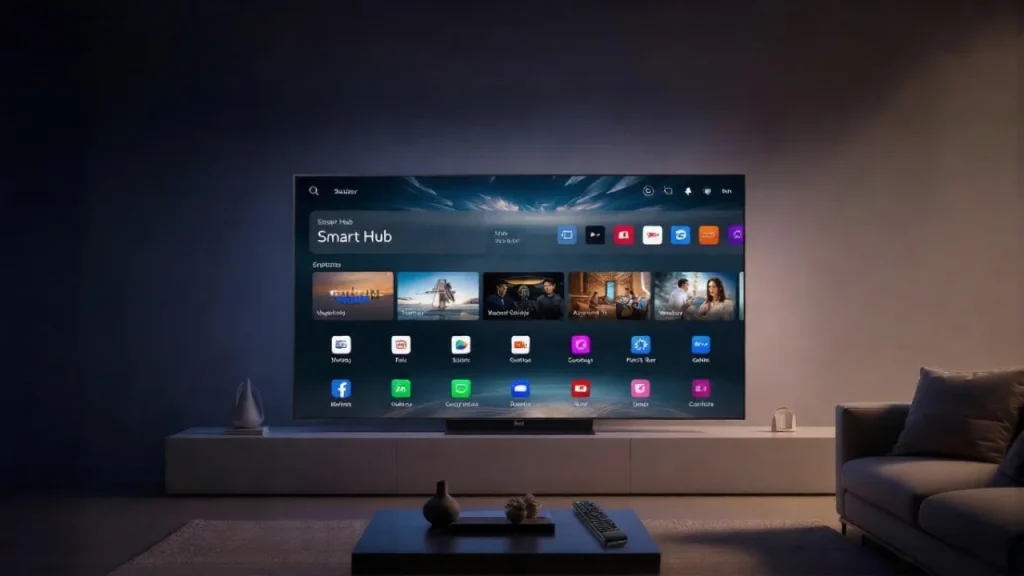
Have you ever wondered what makes your Samsung TV more than just a screen? The answer lies in the Smart Hub.
This feature transforms your TV into a powerful entertainment center, putting movies, shows, apps, and games right at your fingertips. If you want to unlock the full potential of your Samsung TV and enjoy a seamless viewing experience, understanding Smart Hub is the first step.
Keep reading, and you’ll discover how this smart feature can change the way you watch TV forever.
Credit: www.samsung.com
Smart Hub Basics
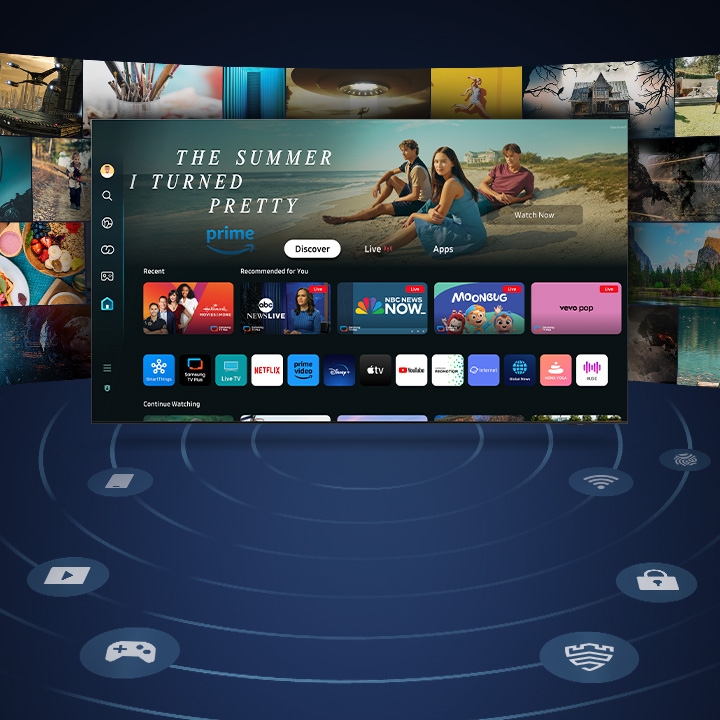
Smart Hub is the main menu on your Samsung TV. It brings together apps, settings, and content in one place. This makes it easy to find what you want to watch or do. The Smart Hub lets you explore TV shows, movies, games, and more without switching devices.
Getting to know Smart Hub helps you use your TV better. It saves time and makes your viewing more fun. Let’s look at the basic parts of Smart Hub and how to move around it.
Core Functions
Smart Hub offers many features for a smart TV experience. It has apps like Netflix, YouTube, and Hulu. You can stream videos, listen to music, or browse the internet.
It also connects to other devices. You can share photos or videos from your phone to the TV. The TV’s settings are in Smart Hub too, so you can adjust picture and sound easily.
Navigation Tips
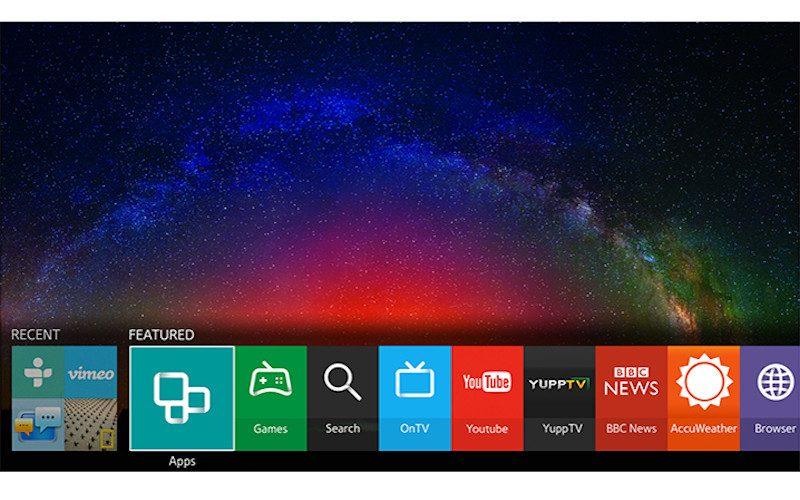
Use your remote control to open Smart Hub by pressing the Home button. The screen shows rows of app icons and options.
Move left or right to browse apps. Use up or down to switch between categories. Press OK to open an app or select a feature.
Some Samsung remotes have a touchpad or voice control. These tools make navigation faster and easier.
Credit: hometheaterreview.com
Key Features
Samsung Smart Hub offers many useful features to enhance your TV experience. It brings all your favorite apps, shows, and devices into one place. This makes using your TV easier and more fun. The key features of Smart Hub help you enjoy content and control your TV in simple ways.
App Store Access
Smart Hub gives direct access to Samsung’s app store. You can download popular apps like Netflix, YouTube, and Hulu. The app store updates regularly with new apps and games. This lets you customize your TV with apps you enjoy. No need for extra devices or complicated setups.
Content Aggregation
Smart Hub collects all your content in one screen. It shows live TV, streaming services, and connected devices together. You can browse movies and shows without switching apps. This saves time and makes it easy to find what you want. Everything is organized for quick access.
Voice Control
Smart Hub supports voice commands using Samsung’s Bixby or other assistants. You can change channels, search for shows, and open apps by speaking. This feature helps you control your TV without using the remote. It works well for simple commands and hands-free control.
Multi-device Connectivity
Smart Hub connects with smartphones, tablets, and other devices easily. You can share photos, videos, and music from your phone to the TV. It also supports screen mirroring for a bigger view. This feature makes your TV part of a smart home setup. Control and share content smoothly across devices.
Customization Options
Samsung Smart Hub offers many ways to customize your TV experience. These options help you make the TV feel just right for you. You can change what you see and how you use the apps. This makes watching TV more fun and easier.
Personalized Home Screen
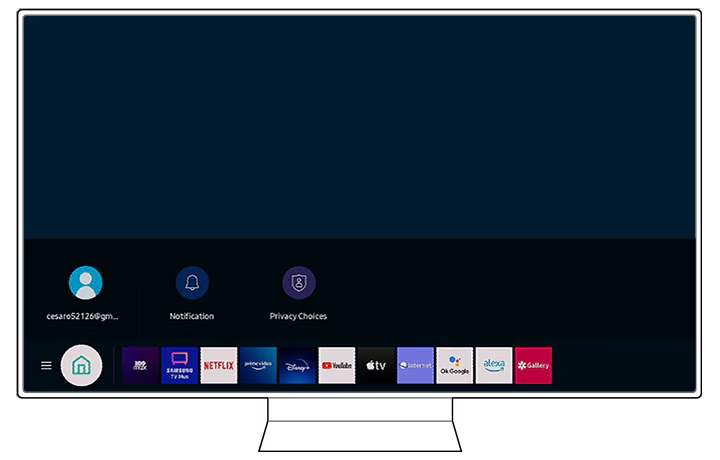
The home screen shows your favorite apps and content. You can add or remove apps to keep it tidy. Arrange the order to find what you want fast. The screen adapts to your choices and habits. It feels like the TV knows what you like.
App Management
You control which apps appear on your Smart Hub. Download new apps or delete ones you don’t use. Updates happen automatically to keep apps running smooth. Managing apps helps keep the TV space neat and quick.
Profile Settings
Create separate profiles for each person in your home. Each profile saves your favorite apps and viewing history. Switch profiles to get personalized recommendations and settings. Profiles keep everyone’s preferences private and easy to access.
Credit: www.samsung.com
Smart Hub Benefits
The Smart Hub on Samsung TV offers many benefits that improve how you watch and use your TV. It brings all your favorite content and apps into one easy place. This smart feature makes entertainment simple and fun for everyone.
Enhanced User Experience
Smart Hub creates a smooth way to navigate your TV. It shows apps, live TV, and settings on one screen. The interface is clear and easy to understand. This helps users spend less time searching and more time enjoying.
Seamless Entertainment
With Smart Hub, you can switch between streaming services quickly. It supports popular apps like Netflix, YouTube, and more. You can watch movies, shows, and videos without interruptions. This keeps your entertainment flow steady and enjoyable.
Time-saving Features
Smart Hub saves time by organizing your apps and channels. It remembers your favorite content and suggests new shows. Voice control helps you find what you want fast. These features reduce hassle and let you relax sooner.
Setting Up Smart Hub
Setting up Smart Hub on your Samsung TV lets you enjoy apps, streaming, and more. The process is simple and quick. This guide helps you get started easily.
Initial Configuration
Turn on your Samsung TV and connect to the internet. Use the remote to access the Smart Hub menu. Follow the on-screen instructions to choose your language and connect to Wi-Fi. This step ensures your TV can reach online services.
Account Integration
Sign in with your Samsung account to access apps and features. If you don’t have an account, create one directly on the TV. Linking your account helps save preferences and download apps. It also keeps your TV updated with new content.
Troubleshooting Tips
If Smart Hub does not load, check your internet connection first. Restart your TV and router to refresh the network. Clear the Smart Hub cache from settings to fix slow responses. For ongoing issues, update your TV’s software to the latest version.
Smart Hub Compatibility
Smart Hub on Samsung TV offers a simple way to access apps, games, and streaming services. Its compatibility depends on the TV model, software, and connected devices. Understanding this helps users enjoy Smart Hub without problems.
Supported Samsung Tvs
Smart Hub works on most Samsung Smart TVs made from 2015 onward. Older models may not have full access to all features. Newer TVs receive better support and more apps through Smart Hub. Check your TV model to see if it supports the latest Smart Hub version.
Software Updates
Samsung releases regular software updates to improve Smart Hub. Updates fix bugs and add new features. Your TV must be connected to the internet to get updates. Keep your software up to date for the best Smart Hub experience.
Third-party Devices
Smart Hub supports some third-party devices like keyboards and game controllers. These devices make navigation and gaming easier. Compatibility varies by device and TV model. Check device support before connecting to Smart Hub.
Security And Privacy
Smart Hub on Samsung TV offers important features to keep your data safe. It protects your privacy while you enjoy apps and streaming. Understanding how Smart Hub handles security helps you use it confidently.
Data Protection
Smart Hub uses strong methods to protect your personal data. It encrypts information to stop unauthorized access. Your login details and viewing habits stay private. Samsung updates security often to fix any weaknesses.
Parental Controls
Parents can control what kids watch on Smart Hub. It lets you block certain apps or content. You can set age limits for shows and movies. This helps create a safe viewing environment for children.
Privacy Settings
Smart Hub allows you to adjust privacy preferences easily. You can manage permissions for apps and services. Turn off data collection or voice recognition if you want. These settings give you more control over your information.
Frequently Asked Questions
What Is Smart Hub On Samsung Tv?
Smart Hub is Samsung TV’s main interface for apps, settings, and content. It organizes streaming services, live TV, and connected devices in one place for easy access.
How Do I Access Smart Hub On My Samsung Tv?
Press the Smart Hub button on your Samsung TV remote. This opens the Smart Hub menu, where you can browse apps, settings, and media content.
Can I Customize Smart Hub On Samsung Tv?
Yes, you can customize Smart Hub by rearranging apps and adding favorites. This helps you quickly access your preferred streaming services and settings.
Does Smart Hub Support Third-party Apps?
Smart Hub supports many third-party apps like Netflix, YouTube, and Hulu. It allows easy installation and management of various streaming platforms.
Conclusion
Smart Hub on Samsung TV makes entertainment easy and fun. It brings apps, games, and streaming together in one place. You can watch movies, listen to music, and browse the internet quickly. The simple menu helps you find what you want fast.
Smart Hub keeps your TV connected and up to date. It makes your viewing experience smoother and more enjoyable. Try exploring Smart Hub to see all it offers. It’s a useful tool that fits well with modern TV use.