
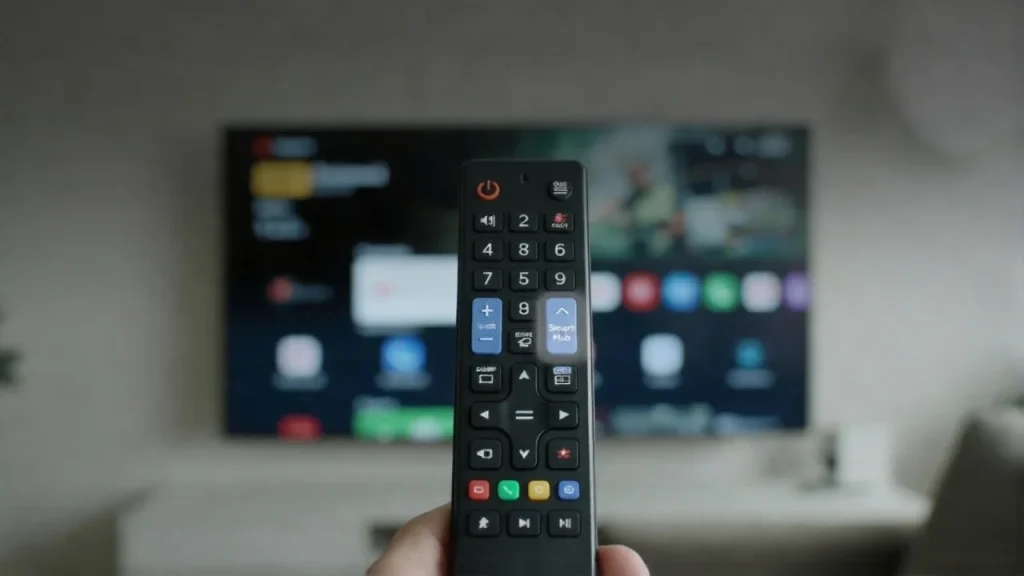
Are you struggling to find the Smart Hub button on your Samsung remote? You’re not alone.
Many users get frustrated when they want to access apps, settings, or streaming services but can’t locate this important button. Knowing exactly where the Smart Hub button is will save you time and make your TV experience smoother. Keep reading, and you’ll quickly learn how to find it and unlock all the features your Samsung TV has to offer.
Don’t miss out on making your viewing easier and more enjoyable!
Credit: www.samsung.com
Locating The Smart Hub Button
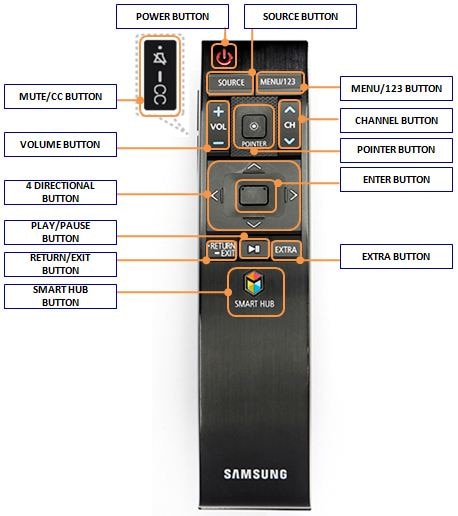
Finding the Smart Hub button on your Samsung remote is simple. This button opens the Smart Hub menu, where you access apps, settings, and other smart features. Knowing its location helps you use your TV faster and easier.
Position On Different Samsung Remotes
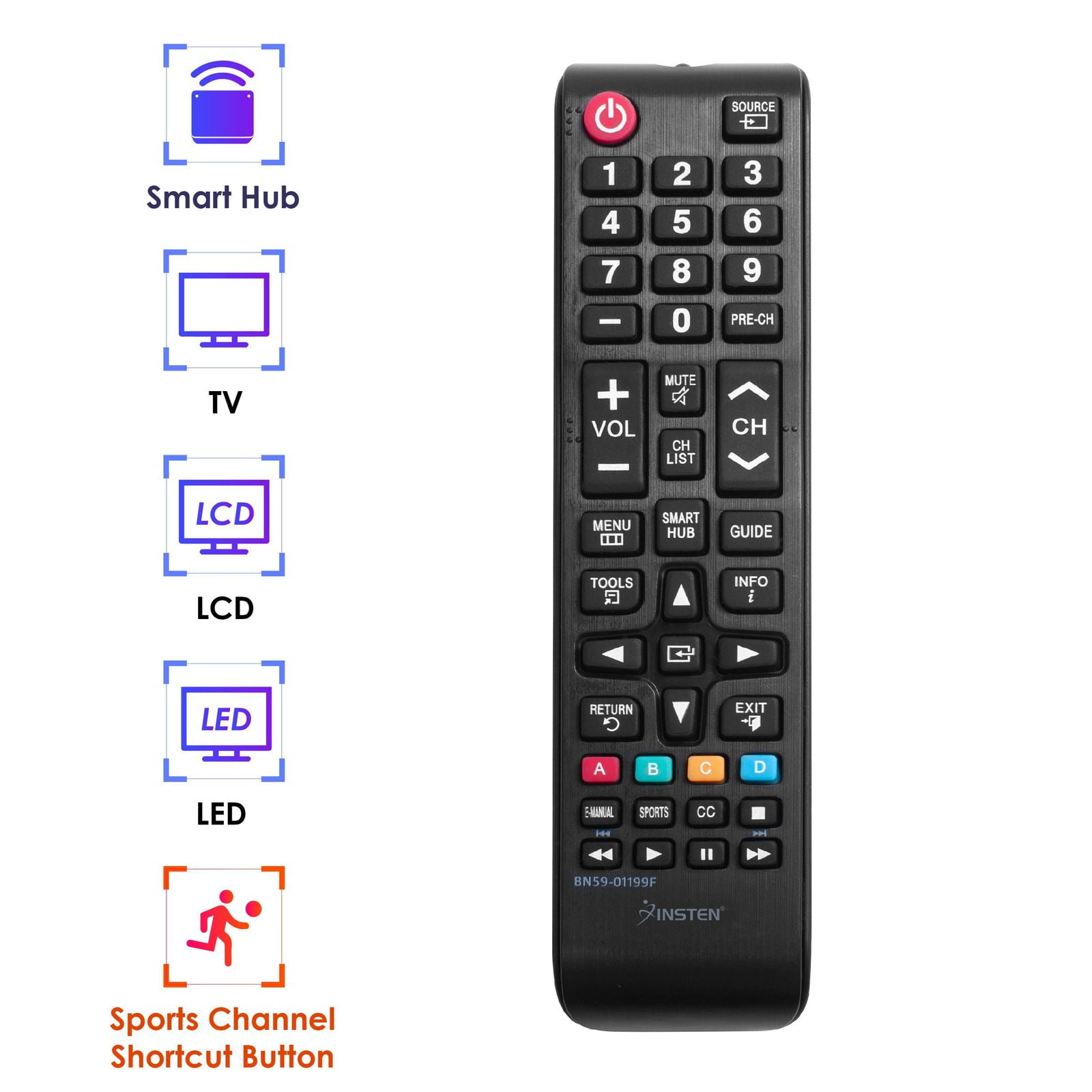
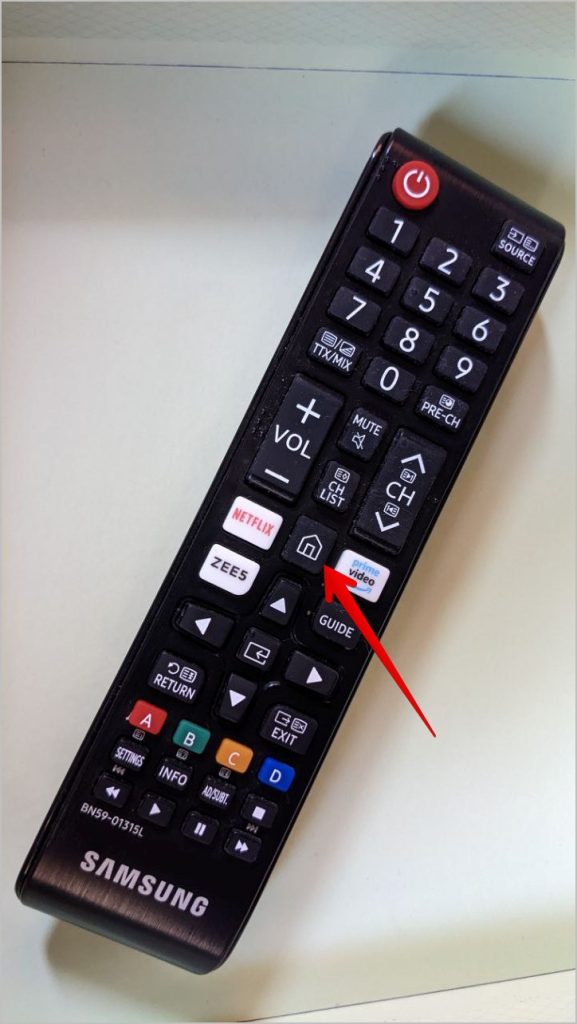
The Smart Hub button’s position varies by remote model. On newer Samsung remotes, it often sits near the center, below the directional pad. Older remotes may have it near the top or on the side. Some remotes label it as “Smart Hub,” while others use a home icon. Check your remote’s layout carefully to spot the correct button.
Visual Appearance And Icon
The Smart Hub button usually has a simple icon. It looks like a house or a square with rounded edges. The icon is clear and easy to spot among other buttons. Some remotes have the word “Smart Hub” printed below the icon. The button is often a different color or shape to stand out. This helps you find it quickly without confusion.
Functions Of The Smart Hub Button
The Smart Hub button on your Samsung remote opens a world of entertainment. It acts as a gateway to all your favorite apps and features. With one press, you can explore movies, shows, games, and more. This button simplifies how you use your smart TV. It saves time and makes navigation easy.
Accessing Apps And Features
Pressing the Smart Hub button shows all your installed apps. You can quickly find streaming services like Netflix, YouTube, and Hulu. The button also lets you access settings and connected devices. It brings everything into one place. No need to search through many menus.
Navigating The Smart Hub Interface
The Smart Hub interface is user-friendly and clear. Use the arrow keys on your remote to move between icons. Select an app or feature with the OK button. The interface is designed for fast and smooth navigation. It helps you find what you want quickly. No confusion or extra steps.
Troubleshooting Missing Smart Hub Button
Finding the Smart Hub button on your Samsung remote can be tricky sometimes. Some remotes do not have this button at all. This can confuse users who want to access Smart Hub quickly. Troubleshooting this issue helps you use your TV’s smart features without delay.
Remote Model Variations
Samsung makes many remote models. Not all have a dedicated Smart Hub button. Older remotes may show a “Menu” or “Home” button instead. Newer models often combine Smart Hub functions with other keys. Check your remote’s manual to know its buttons. Identifying your remote type clears confusion about missing buttons.
Alternative Access Methods
You can open Smart Hub without the button. Press the “Home” or “Menu” button on your remote. Use the TV’s physical buttons if your remote lacks Smart Hub keys. Some Samsung TVs allow voice commands to open Smart Hub. Also, try the Samsung SmartThings app on your phone to control the TV. These options offer easy access when the button is missing.
Credit: www.comoros.ubuy.com
Customizing Smart Hub Settings
Customizing Smart Hub settings on your Samsung TV improves your viewing experience. It helps make the Smart Hub fit your needs. You can change app positions and manage alerts easily. This section explains how to personalize app layout and control notifications.
Personalizing App Layout
Arrange your favorite apps in the order you like. Move apps to the front for quick access. Remove apps you rarely use to keep the screen tidy. You can do this using the Smart Hub menu on your TV. This makes navigation faster and simple.
Managing Notifications
Control which alerts you want to see on your TV. Turn off notifications that interrupt your watching. Keep important alerts active, like software updates or messages. Adjust settings in the Smart Hub to reduce distractions. This keeps your viewing smooth and pleasant.
Tips For Efficient Smart Hub Use
Using the Smart Hub on your Samsung TV can be simple and fast. Knowing some tips helps you get the most from it. You save time and enjoy your favorite apps easily. Smart Hub is more than just a button; it is your gateway to entertainment.
Here are two key tips to use your Smart Hub better and faster.
Shortcut Keys And Commands
The Smart Hub button on your Samsung remote opens the main menu quickly. Some remotes have a home button that works the same. Use arrow keys to move through apps and options. Press “Enter” to select what you want. You can also use voice commands if your remote has a microphone. Say the app name or command to open it fast.
Keeping Software Updated
Regular updates keep your Smart Hub running smooth. Updates fix bugs and add new features. Check for updates in the settings menu under Support. Choose Software Update and then Update Now. Connect your TV to the internet for this. Updated software helps apps work better and loads faster. It also improves security and adds new content.
Credit: techwiser.com
Frequently Asked Questions
Where Is The Smart Hub Button On Samsung Remote?
The Smart Hub button is usually located near the center of the remote. It often has a colorful house icon or says “Smart Hub” directly. Pressing it opens Samsung’s Smart TV interface for apps and settings.
How To Identify The Smart Hub Button On Samsung Remote?
Look for a button with a multicolored house icon or labeled “Smart Hub. ” It is often placed below the directional pad or near the center. This button accesses Samsung’s smart TV features.
Does Every Samsung Remote Have A Smart Hub Button?
Most Samsung remotes designed for smart TVs include a Smart Hub button. Older or basic remotes may lack it. Check your remote’s layout or manual to confirm its presence.
Can The Smart Hub Button Be Customized Or Moved?
No, the Smart Hub button is fixed and cannot be reassigned. It always opens the Smart Hub interface to access apps, streaming, and settings on Samsung TVs.
Conclusion
Finding the Smart Hub button on your Samsung remote is simple. It usually sits near the center or top of the remote. Pressing this button opens Samsung’s main menu for apps and settings. Knowing its location helps you use your TV better.
Explore your Smart Hub to enjoy streaming, games, and more. Keep this guide handy for quick reference. This small step makes your Samsung TV easier to navigate. Give it a try and see how it improves your viewing experience.