
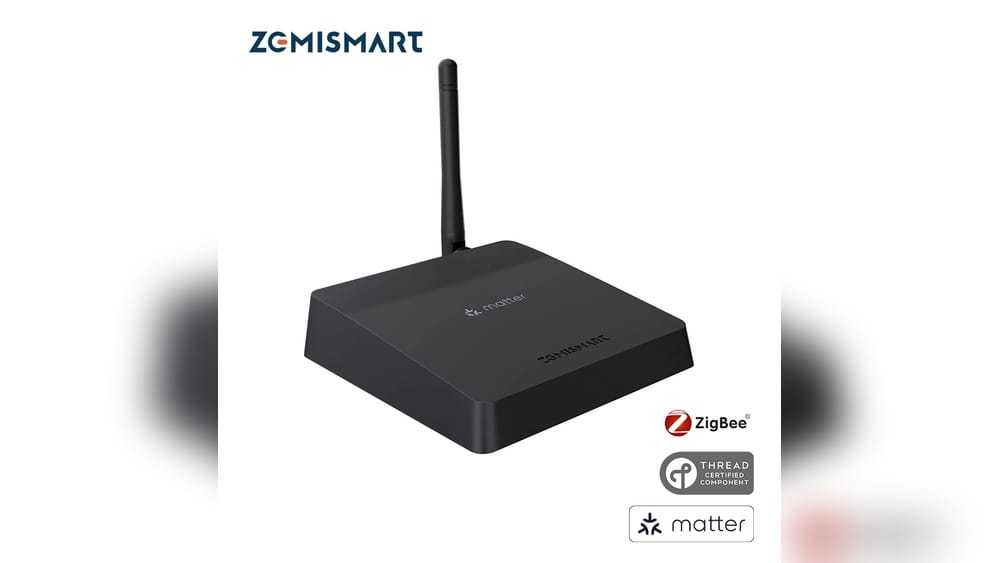
Smart homes are growing fast. But with so many devices and standards, things can get confusing. You may have heard about Matter and Zigbee—two technologies that promise to make smart devices work better together. But what if you want a single device that brings these worlds together, right out of the box? That’s where routers with built-in Matter and Zigbee hubs come in. These routers can be the heart of your smart home, making setup easier and helping your devices talk to each other smoothly.
In this article, you’ll discover which routers offer inbuilt Matter and Zigbee hubs. You’ll learn what makes them special, how they compare, and what to watch for when choosing one. If you’re thinking about building a future-proof smart home, this guide will help you make a confident decision.
Understanding Matter And Zigbee
Before diving into products, it helps to understand what Matter and Zigbee actually do. These two technologies solve different problems—but work best together.
Zigbee is a wireless standard designed for smart home gadgets. It’s been around for years and is used in devices like light bulbs, sensors, and plugs. Zigbee is great for low-power, reliable connections, especially in larger homes where Wi-Fi may not reach every corner.
Matter is newer. It’s a protocol created by big companies like Apple, Google, Amazon, and Samsung. Matter aims to make smart devices from different brands work together easily. If a device supports Matter, it should connect to other Matter devices—no matter who makes them.
A router with both Matter and Zigbee built in acts as a bridge. It lets you mix old Zigbee devices with new Matter gadgets, all controlled from one place. This is the future of smart home convenience.
Why Choose A Router With Built-in Matter And Zigbee Hub?
There are several reasons why a router with built-in Matter and Zigbee is a smart buy:
- Simpler setup: You don’t need multiple hubs plugged into your wall. One device does it all.
- More reliable: Fewer devices means fewer things to break.
- Future-proof: You can use older Zigbee devices and new Matter devices together.
- Central control: Manage everything through one app or platform.
- Better coverage: Routers are often placed centrally, so your Zigbee network can reach more rooms.
Many beginners do not realize that Zigbee and Matter use different radio frequencies. Routers that combine these save you the trouble of adding dongles or bridges. Also, some smart devices only work with specific hubs—choosing a router with both means you won’t be stuck later.
Top Routers With Inbuilt Matter And Zigbee Hub
Not every router has this powerful combo. The market is still new, but several strong options are available. Here’s a closer look at the top choices for 2024.
1. Amazon Eero Pro 6e
The Amazon eero Pro 6E is one of the most popular home routers today. It’s known for fast Wi-Fi speeds and mesh networking, but it also includes built-in Zigbee hub and supports Matter.
- Wi-Fi 6E: Offers the latest wireless technology, improving speed and reducing congestion.
- Zigbee Hub: Works with many Zigbee smart plugs, lights, and sensors.
- Matter Support: Recent updates add support for Matter devices, making it one of the first routers to offer both.
- Alexa Integration: You can control smart devices with your voice.
- Easy Setup: The Eero app makes installation smooth.
Example: If you have Zigbee bulbs in the bedroom and new Matter plugs in the kitchen, you can control both from the Eero app or Alexa.
2. Aeotec Smart Home Hub (works With Smartthings)
Though not a traditional router, the Aeotec Smart Home Hub is a key part of the SmartThings platform and can be paired with select routers for central control. It includes both Zigbee and Matter support.
- Zigbee and Z-Wave: Covers a wide range of smart home devices.
- Matter Bridge: Via SmartThings software updates, it acts as a Matter controller.
- Flexible Integration: Works with many Wi-Fi routers as a smart home bridge.
Note: While not a router by itself, it’s included here because when paired with compatible routers (like Samsung SmartThings Wi-Fi), it creates an all-in-one solution.
3. Samsung Smartthings Station
The SmartThings Station is Samsung’s latest smart home hub, and it can work as a router when paired with Samsung’s Wi-Fi mesh products.
- Zigbee Hub: Connects sensors, bulbs, and switches.
- Matter Controller: Supports Matter devices directly.
- Wi-Fi Integration: Can combine with Samsung routers for central management.
Unique Feature: The Station also acts as a wireless charger for your phone—saving space on your desk.
4. Homey Pro (2023 Edition)
Homey Pro is a flexible smart home hub that can connect to many devices using Zigbee, Z-Wave, Matter, and more. It pairs with existing routers via Ethernet or Wi-Fi, acting as a bridge.
- Zigbee and Matter: Controls both types of devices.
- Wide Protocol Support: Also handles Z-Wave, Infrared, Bluetooth, and 433MHz.
- Smart Automation: Advanced rules for your home.
Example: Set up an automation that turns on Zigbee-powered lights when a Matter sensor detects motion.
5. Tp-link Deco M9 Plus
The Deco M9 Plus is a powerful mesh Wi-Fi system that includes a built-in Zigbee hub. With recent firmware updates, it offers some Matter support.
- Tri-band Wi-Fi: Fast and reliable coverage.
- Zigbee Smart Hub: Directly connects Zigbee devices.
- Matter Compatibility: Limited support, but improving with updates.
- HomeCare Security: Built-in antivirus and parental controls.
Insight: Many users miss that the M9 Plus does not support Z-Wave, only Zigbee and Wi-Fi/Matter.
6. Aqara Hub M2 (with Ethernet Router Integration)
While not a standalone router, the Aqara Hub M2 can be plugged into your existing router via Ethernet. It supports Zigbee 3.0 and is gaining Matter support through firmware updates.
- Zigbee 3.0: Fast pairing and reliable mesh.
- Matter Controller: Being rolled out in stages.
- IR Control: Also controls older infrared devices.
Note: Works best with Aqara and compatible Zigbee devices.
7. Google Nest Wifi Pro
Google’s latest Nest Wifi Pro router includes support for Thread, a key technology used by Matter. It does not have Zigbee built in, but when paired with a Matter bridge (like the Nest Hub Max), it can control both Zigbee and Matter devices.
- Wi-Fi 6E: Fast, future-ready speeds.
- Matter Over Thread: Native support for Matter smart home standard.
- Google Home Integration: Easy management and voice control.
Tip: For Zigbee devices, add a compatible bridge (like Aeotec or SmartThings) to your Nest Wifi Pro.
Detailed Comparison: Key Features
To help you understand the differences, here’s a side-by-side look at the most important specs:
| Router/Hub | Zigbee Support | Matter Support | Wi-Fi Standard | Mesh Ready | Voice Assistant |
|---|---|---|---|---|---|
| Amazon eero Pro 6E | Yes | Yes | Wi-Fi 6E | Yes | Alexa |
| Aeotec Smart Home Hub | Yes | Yes (via SmartThings) | Depends on paired router | No | Google, Alexa |
| Samsung SmartThings Station | Yes | Yes | Depends on paired router | Yes | Google, Alexa, Bixby |
| Homey Pro (2023) | Yes | Yes | Depends on router | No | Google, Alexa |
| TP-Link Deco M9 Plus | Yes | Limited | Wi-Fi 5 | Yes | Alexa |
| Aqara Hub M2 | Yes | Yes (rolling out) | Uses Ethernet/Wi-Fi | No | Google, Alexa, Siri |
| Google Nest Wifi Pro | No (needs bridge) | Yes | Wi-Fi 6E | Yes | Google Assistant |
What To Consider Before Buying
Choosing a router with a built-in Matter and Zigbee hub is a big step. Here’s what you should look for:
Compatibility With Your Devices
Not all Zigbee or Matter devices work with every hub. Check the compatibility list for your chosen router. Some routers support only Zigbee 3.0, while others work with older versions too. Matter devices are usually compatible if the router is Matter-certified, but it’s always smart to double-check.
Non-obvious insight: Some routers only support certain brands or device types (for example, Eero works best with Amazon-certified Zigbee devices).
Wi-fi Performance
A smart home hub is only as good as your Wi-Fi. If you have many devices, choose a router with Wi-Fi 6 or 6E. These standards allow more gadgets to connect without slowing down your network.
Number Of Supported Devices
Each router and hub has a limit on how many Zigbee or Matter devices it can handle. If you plan a large smart home setup, make sure your hub can keep up.
Software Updates
Matter is still evolving. Choose routers from brands that offer regular firmware updates. This ensures you get new features and better security.
Ease Of Use
Look for routers with a simple app for setup and device management. Some routers offer advanced automation, while others keep things basic.
Price And Value
Routers with built-in hubs cost more, but they often save money in the long run. You won’t need extra bridges, which can cost $30–$60 each.
Voice Assistant Support
If you use Alexa, Google Assistant, or Siri, make sure your router works with your favorite assistant. This adds hands-free control for your smart home.
Common Buyer Mistakes
Many buyers run into problems by missing small but important details. Here are the most common mistakes to avoid:
- Assuming all Zigbee devices will work: Some Zigbee hubs only support specific device profiles or brands.
- Not checking Matter certification: Some routers claim “Matter-ready” but need firmware updates that are not yet released.
- Ignoring device limits: You might outgrow a hub if you add too many gadgets.
- Forgetting about security: Smart home devices need strong security, so pick a router with regular updates.
- Placing the router in a bad spot: Central placement improves both Wi-Fi and Zigbee range.
Pro tip: Always check for user reviews about real-world compatibility. Manufacturer lists may not cover every issue.
Real-life Example: Building A Future-proof Smart Home
Let’s say you’re setting up a new apartment. You want to control your lights, plugs, and sensors from one app and prepare for more devices in the future.
- You buy the Amazon eero Pro 6E. It acts as your main Wi-Fi router and also connects to your Zigbee bulbs and sensors.
- Next year, you add new Matter-enabled smart plugs. The Eero recognizes them automatically, no extra setup needed.
- You use Alexa to control everything, or the Eero app on your phone.
If you later add a smart speaker that supports only Matter, you’re still covered. This shows the power of choosing a router that combines Zigbee and Matter.
How Matter And Zigbee Work Together
It’s important to know that Matter and Zigbee are different, but they can work side by side. Matter is designed to be the universal language for smart homes, but Zigbee is already inside millions of devices. Many routers act as a Matter bridge for Zigbee devices, letting you control them through the Matter protocol.
This means you can keep your old Zigbee sensors and lights, even as you add new Matter gadgets. The right router helps all your devices talk to each other, often through one app.

Credit: www.amazon.com
Software Ecosystems: What You Get
When you buy a router with a built-in smart home hub, you’re also choosing a software ecosystem. Here are some key differences:
- Amazon Eero and Alexa: Best for homes that use Alexa and Amazon devices.
- SmartThings: Flexible, supports many brands and protocols, and great for automation.
- Google Home: Simple and clean, but less advanced automation.
- Homey Pro: Great for advanced users who want lots of control and compatibility.
Pick the ecosystem that matches your preferred assistant and devices.
Table: Zigbee And Matter Device Support By Router
Here’s a quick look at which types of devices each router supports best:
| Router/Hub | Best with Zigbee Devices | Best with Matter Devices | Works with Z-Wave |
|---|---|---|---|
| Amazon eero Pro 6E | Yes (Amazon-certified) | Yes | No |
| SmartThings Station | Yes (wide support) | Yes | No |
| Homey Pro | Yes | Yes | Yes |
| TP-Link Deco M9 Plus | Yes | Limited | No |
| Aqara Hub M2 | Best with Aqara | Yes (in progress) | No |
Which Router Is Right For You?
Here are some scenarios to help you choose:
- For Alexa users: Go for the Amazon eero Pro 6E. It’s seamless with Alexa and supports both Matter and Zigbee.
- If you want advanced automation: Homey Pro is best, with support for many protocols.
- On a budget and want mesh Wi-Fi: TP-Link Deco M9 Plus gives you reliable Wi-Fi and Zigbee support.
- For Samsung device owners: SmartThings Station works best with Samsung’s ecosystem.
- If you already have a router: Consider adding a Homey Pro or Aqara Hub M2 for smart home control.
Non-obvious tip: If you only need Zigbee and plan to use mostly Philips Hue, the Hue Bridge is more specialized. But for a mix of Zigbee and Matter, a router/hub combo is more flexible.
Setting Up Your Router With Matter And Zigbee
Setting up a router with built-in hubs is usually simple. Here’s a typical process:
- Install the router: Follow the manufacturer’s app instructions to connect to your internet.
- Add devices: Use the app to pair Zigbee or Matter devices. Most apps auto-detect new gadgets.
- Organize rooms: Group devices by room for easier control.
- Set up automation: Create routines, like turning on lights at sunset or running a fan when it gets hot.
- Connect voice assistants: Link Alexa, Google Assistant, or Siri for hands-free use.
Example: In the Eero app, tap “Add Device” and select “Zigbee” or “Matter.” The app walks you through pairing.
Watch out: Some devices need to be reset before pairing with a new hub.

Credit: us.aqara.com
The Future Of Smart Home Routers
The world of smart homes is changing quickly. More routers are adding support for Matter, Zigbee, and Thread. In the next few years, expect even more all-in-one devices. For now, the options listed here are the best mix of speed, coverage, and compatibility.
Insight: Matter is designed to be updated over time. If you invest in a router with regular software updates, you’ll be ready for new standards and devices for years to come.
If you want to dig deeper into the technical side of Matter and Zigbee, the official Connectivity Standards Alliance site has more details.
Frequently Asked Questions
What Is The Difference Between Matter And Zigbee?
Matter is a universal protocol that allows smart devices from different brands to work together over Wi-Fi, Thread, or Ethernet. Zigbee is a wireless standard mainly for low-power devices like sensors and bulbs. Matter is newer and designed for wide compatibility, while Zigbee is already in many smart homes.
Can I Use Zigbee And Matter Devices Together?
Yes, if your router or hub supports both. Some routers act as a bridge, letting Zigbee devices be controlled via Matter. Always check if your devices are compatible with your hub or router.
Is It Worth Buying A Router With Built-in Matter And Zigbee Hub?
For most smart home users, yes. It makes setup easier, reduces clutter, and prepares your home for future devices. You also get better reliability, since everything runs through one central device.
Do I Need A Separate Hub If My Router Has Matter And Zigbee Built In?
Usually, no. A router with built-in hubs replaces the need for extra bridges. However, for some advanced features or devices, you might still need a brand-specific hub.
How Many Smart Devices Can I Connect To These Routers?
It depends on the model. Most routers with built-in hubs support dozens—sometimes over 100—smart devices. Check the manufacturer’s specifications for exact limits.
Smart homes are all about convenience. With the right router, you can make your home smarter, simpler, and ready for the future.
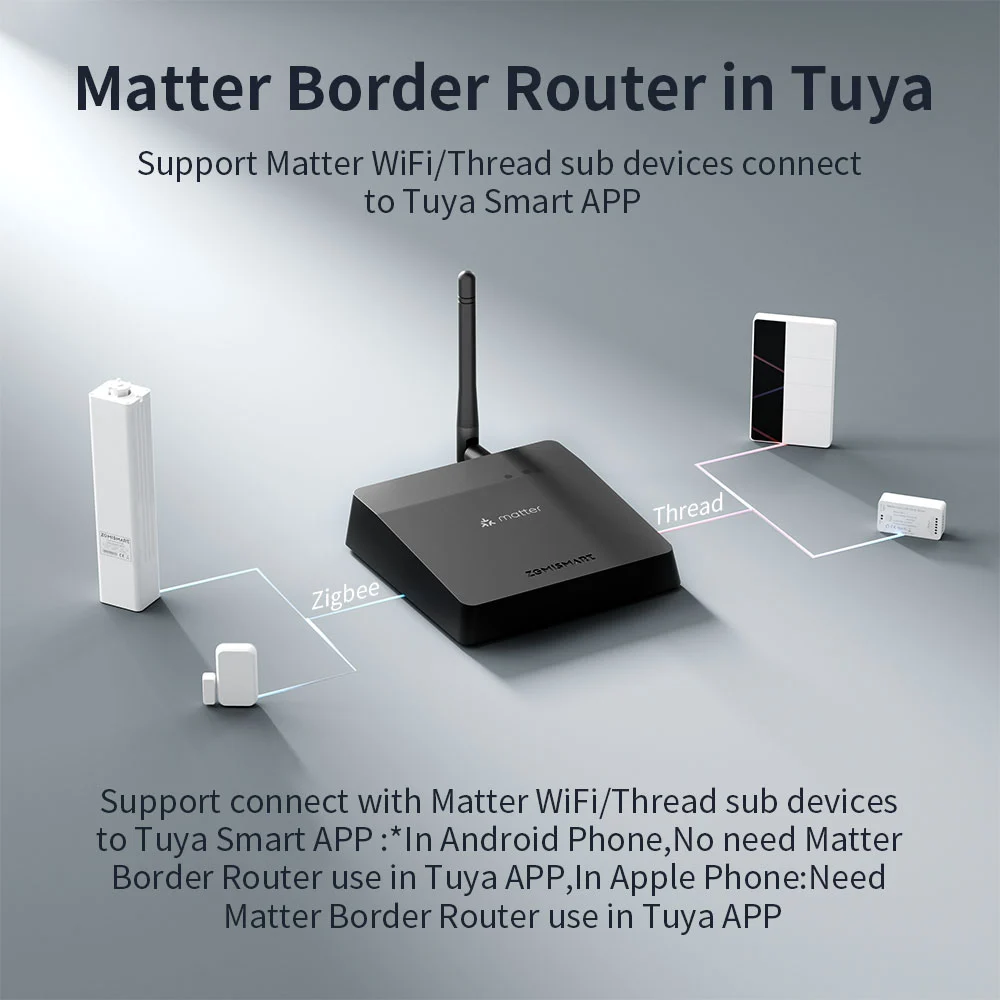
Credit: www.zemismart.com