
If you have smart bulbs or want to automate your home, you may have heard about the Hue Bridge. Many people wonder: is Hue Bridge a Zigbee hub? This question matters because Zigbee is a popular wireless protocol used in smart devices. Understanding how Hue Bridge works, its compatibility, and its strengths can help you make smarter choices for your home. In this article, you’ll get a clear answer, learn about Zigbee, see how Hue Bridge compares to other hubs, and discover practical tips for setting up a smart home with Hue Bridge.
What Is Zigbee?
Before diving into Hue Bridge, it’s important to know what Zigbee is. Zigbee is a wireless technology designed for smart home devices. It connects products like bulbs, sensors, and switches. Unlike Wi-Fi, Zigbee uses less power, so devices can run longer on batteries. It works at 2.4 GHz frequency and can handle lots of devices at once.
Key facts about Zigbee:
- Supports up to 65,000 devices in a network
- Creates a mesh network (devices relay signals to each other)
- Offers low latency for real-time control
- Used by brands like Philips Hue, IKEA, Samsung SmartThings
Zigbee is popular because it’s reliable and flexible. Mesh networking means even if one device fails, others can still communicate. This is ideal for large homes or setups with many devices.
What Is Hue Bridge?
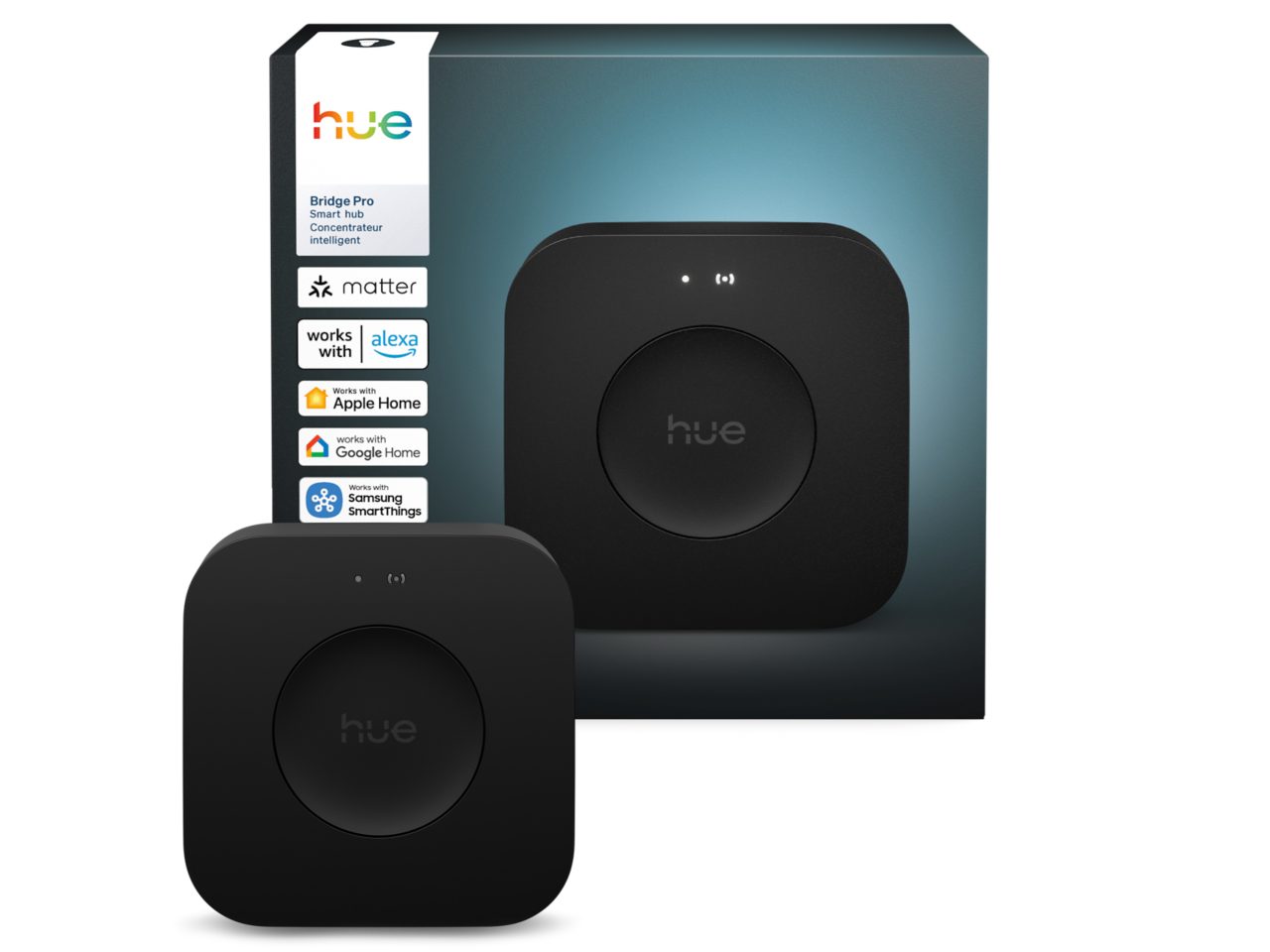
Hue Bridge is the heart of the Philips Hue smart lighting system. It’s a small, square device that connects to your Wi-Fi router via an Ethernet cable. The Bridge allows you to control Hue bulbs, scenes, and routines from your phone, tablet, or voice assistant.
Features of Hue Bridge:
- Can control up to 50 Hue lights and accessories
- Enables remote access (control lights from anywhere)
- Supports automation (schedules, timers, geofencing)
- Works with Alexa, Google Assistant, Apple HomeKit
- Connects to third-party apps and smart home systems
The Bridge is required for advanced features, like syncing lights with music or movies. It also provides software updates to your bulbs and accessories, improving security and adding new features over time.
Is Hue Bridge A Zigbee Hub?
The short answer: Yes, Hue Bridge is a Zigbee hub. It uses Zigbee to talk to Hue bulbs and accessories. However, it is a specialized Zigbee hub designed mainly for Philips Hue products.
How Hue Bridge Uses Zigbee
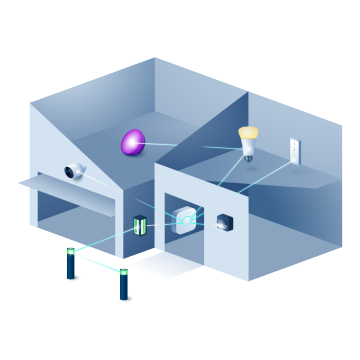
When you add a Hue bulb or accessory, the Bridge connects to it using Zigbee. The Bridge acts as a Zigbee coordinator, creating a mesh network with your devices. Zigbee allows the Bridge to:
- Send commands to bulbs instantly
- Receive status updates from sensors
- Keep devices linked even if Wi-Fi goes down
This makes Hue Bridge reliable for smart lighting. You don’t need to worry about Wi-Fi congestion or interference because Zigbee operates separately.
What Makes Hue Bridge Unique?
While Hue Bridge is technically a Zigbee hub, it’s not a general-purpose Zigbee hub. It’s designed for Philips Hue products, with limited support for other Zigbee devices.
Differences from generic Zigbee hubs:
- Only officially supports Hue bulbs, accessories, and a few partner products
- Cannot add random Zigbee devices from other brands
- Offers deep integration with Hue ecosystem (scenes, effects, updates)
Generic Zigbee hubs like SmartThings or Home Assistant are broader—they can add many Zigbee devices from different brands. Hue Bridge focuses on providing a seamless experience for Hue users.
Zigbee Hub Vs Wi-fi Hub: Core Differences
Many people confuse Zigbee hubs with Wi-Fi hubs. Understanding the difference can help you make the right choice.
| Feature | Zigbee Hub (Hue Bridge) | Wi-Fi Hub |
|---|---|---|
| Protocol | Zigbee | Wi-Fi |
| Device Support | Low power, mesh network devices | Wi-Fi devices (smart plugs, cameras) |
| Network Type | Mesh (devices relay messages) | Star (devices connect to router) |
| Reliability | High (even with many devices) | Can suffer from congestion |
| Power Usage | Very low | Higher |
| Interference | Less (dedicated channel) | More (shares Wi-Fi band) |
Zigbee hubs are ideal for lighting, sensors, and accessories. Wi-Fi hubs are better for high-bandwidth devices like cameras or smart speakers.
Hue Bridge Compatibility And Limitations
Hue Bridge is powerful, but it has some limitations. If you plan to expand your smart home, knowing these can save you headaches.
Compatible Devices
Hue Bridge supports:
- Philips Hue bulbs (LED, color, white ambiance)
- Hue accessories (motion sensors, dimmer switches, smart buttons)
- A few partner products (like some IKEA bulbs, if added through Hue app)
Unsupported Devices
Most Zigbee devices from other brands (like sensors or plugs) cannot connect directly to Hue Bridge. Some people use tricks or third-party apps to add unsupported devices, but it’s not official and can cause problems.
Common limitations:
- No direct support for Zigbee smart plugs from other brands
- No support for Zigbee thermostats, locks, or cameras
- Not compatible with Z-Wave or Bluetooth devices
If you want to mix devices from many brands, you may need a broader hub like SmartThings, Home Assistant, or Amazon Echo with Zigbee support.
How Hue Bridge Works: Step-by-step
Setting up Hue Bridge is simple, but understanding the process helps avoid mistakes.
- Connect Hue Bridge to router with Ethernet cable.
- Plug in power and wait for lights to turn on.
- Install Hue app on your phone (iOS or Android).
- Open the app and follow instructions to find Bridge.
- Add bulbs and accessories by searching for them in the app.
- Create groups, scenes, and routines for easy control.
- Enable remote access (optional, for control from anywhere).
- Integrate with Alexa, Google, or Apple HomeKit for voice control.
Hue Bridge uses Zigbee behind the scenes. Bulbs and accessories talk to the Bridge wirelessly, forming a mesh network. The Bridge connects to your phone or voice assistant via Wi-Fi.
Real-world Example: Hue Bridge In A Smart Home
Let’s look at a real scenario. Imagine you have:
- 10 Hue bulbs in different rooms
- 2 motion sensors (hallway, bathroom)
- 3 smart switches (bedroom, living room, kitchen)
Hue Bridge connects all these devices using Zigbee. You set up routines:
- Lights turn on when you enter the hallway
- Bedroom lights dim at night
- Living room lights sync with music
Because Zigbee is a mesh network, each bulb helps relay signals. If one bulb is turned off at the switch, the network still works. The Bridge updates bulbs automatically, keeping everything secure and running.
Comparison: Hue Bridge Vs Other Zigbee Hubs
Hue Bridge is not the only Zigbee hub. Let’s compare it with other popular hubs:
| Hub | Device Support | Integration | Ease of Use | Advanced Features |
|---|---|---|---|---|
| Hue Bridge | Hue bulbs/accessories | Alexa, Google, Apple HomeKit | Very easy | Scenes, routines, music sync |
| SmartThings | Wide Zigbee/Z-Wave support | Many brands | Easy/moderate | Complex automation |
| Amazon Echo (with Zigbee) | Some Zigbee devices | Alexa | Easy | Basic routines |
| Home Assistant | Custom Zigbee integration | Many brands | Moderate/hard | Advanced control |
Hue Bridge is best for people who want simple, reliable smart lighting. Other hubs are better for mixing devices or creating complex automation.
Advanced Insights: What Beginners Often Miss
Many beginners don’t realize a few key facts about Hue Bridge and Zigbee:
- Bulb Placement Matters: Because Zigbee forms a mesh, placing bulbs evenly helps the signal reach all parts of your home. Avoid gaps where no bulbs are present, or the network may break.
- Firmware Updates Improve Performance: Hue Bridge updates bulbs and accessories automatically. These updates can improve speed, fix bugs, and add new features. Some users ignore updates, but they are important for reliability.
- Power Switches Can Break the Mesh: If you turn off a Hue bulb at the wall switch, it drops from the Zigbee network. Try to use smart switches or keep bulbs powered to maintain the mesh.
These tips can save you trouble and make your smart lighting system more stable.
Security And Privacy With Hue Bridge
Smart homes raise privacy concerns. Hue Bridge is designed with security in mind.
Security features:
- Uses Zigbee encryption for device communication
- App access protected by login and local pairing
- Regular updates from Philips for bugs and vulnerabilities
Hue Bridge doesn’t send your lighting data to third parties unless you link with cloud services (like Alexa or Google). You control which integrations are enabled.
Non-obvious insight: Some people worry about hacking. Because Zigbee uses strong encryption and devices are local, risks are low. However, always update firmware and use secure Wi-Fi passwords.
Hue Bridge And Smart Home Ecosystems
Hue Bridge fits well into larger smart home ecosystems.
Integration options:
- Alexa: Voice control, routines, triggers
- Google Assistant: Voice control, automation
- Apple HomeKit: Advanced automation, security, Siri
You can use Hue Bridge as part of a wider system, or keep it just for lighting. For advanced users, third-party platforms like Home Assistant or SmartThings can connect Hue Bridge with other devices.
Real-world data: According to Philips, over 30 million Hue devices have been sold globally. Hue Bridge is one of the most popular Zigbee hubs for lighting.
Expanding Your Zigbee Network
If you want to expand your smart home, there are ways to do it without losing Hue Bridge’s strengths.
Adding More Devices
Hue Bridge can handle up to 50 devices. If you need more, you can:
- Add a second Hue Bridge (each controls its own devices)
- Use a broader Zigbee hub for non-Hue devices
Tip: If you add a second Bridge, it appears as a separate system in the app. You can control both, but routines won’t cross over.
Mixing Zigbee And Wi-fi Devices
Some smart home setups use both Zigbee and Wi-Fi. For example:
- Zigbee for lights, sensors, switches
- Wi-Fi for cameras, speakers, plugs
This works well because Zigbee reduces Wi-Fi congestion. Hue Bridge keeps your lighting fast and reliable.
Common Buyer Mistakes And How To Avoid Them
Many buyers make mistakes when choosing Hue Bridge or Zigbee devices. Here are some to watch out for:
- Assuming All Zigbee Devices Work with Hue Bridge: Not all Zigbee devices are compatible. Check compatibility lists before buying.
- Overloading One Bridge: Hue Bridge supports 50 devices. If you need more, plan ahead and consider multiple Bridges or a broader hub.
- Mixing Zigbee and Z-Wave: Hue Bridge does not support Z-Wave. If you want Z-Wave devices, you need a separate hub.
- Ignoring Placement: Poor bulb placement can weaken the Zigbee mesh. Plan your layout for coverage.
- Turning Off Bulbs at the Switch: This breaks the mesh network. Use smart switches or keep bulbs powered.
By avoiding these mistakes, you’ll build a stable and flexible smart home.
Hue Bridge Setup: Practical Tips
Setting up Hue Bridge is easy, but these tips can help:
- Place Bridge near router: This ensures strong connection for remote access.
- Space bulbs evenly: Helps Zigbee mesh cover your home.
- Use smart switches: Keeps bulbs powered and mesh stable.
- Update firmware regularly: Improves security and performance.
- Integrate with voice assistants: Adds convenience and automation.
Hue Bridge is designed for quick setup. Most users can install it in under 15 minutes.
Zigbee Technology: Statistics And Growth
Zigbee is growing fast in smart homes. According to the Zigbee Alliance, over 500 million Zigbee devices have shipped worldwide. Zigbee is used in:
- Lighting (Hue, IKEA)
- Sensors (motion, temperature)
- Smart plugs and switches
- Security systems
Why Zigbee matters: Its mesh networking allows smart homes to scale easily. As more homes adopt automation, Zigbee will become even more important.
Hue Bridge Firmware And Software
Firmware is the software inside devices. Hue Bridge updates firmware for bulbs and accessories automatically. This process:
- Adds new features (like new scenes)
- Improves performance and speed
- Fixes security bugs
You can check for updates in the Hue app. Updates happen over Zigbee, so bulbs must be powered and connected.
Credit: www.philips-hue.com
Troubleshooting Hue Bridge And Zigbee Issues
If you have problems with Hue Bridge or Zigbee, try these steps:
- Check power and connections: Make sure Bridge and bulbs are powered.
- Restart Bridge: Unplug for 10 seconds, then plug back in.
- Rescan for devices: Use Hue app to search for missing bulbs.
- Update firmware: Check for updates in the app.
- Move Bridge closer to router: Improves connection.
- Check for interference: Avoid placing Bridge near Wi-Fi routers or microwaves.
If problems persist, Philips Hue support offers help and guides.
Alternatives To Hue Bridge For Zigbee Control
If you want to control more Zigbee devices, consider alternatives:
- SmartThings Hub: Controls Zigbee, Z-Wave, and Wi-Fi devices. Supports many brands.
- Home Assistant: Open-source platform for advanced control. Requires technical skills.
- Amazon Echo Plus/Echo 4th Gen: Has built-in Zigbee hub. Supports basic devices.
Each option has pros and cons. Hue Bridge is best for lighting; others are better for mixed devices.

Credit: www.amazon.com
Zigbee’s Future And Hue Bridge’s Role
Zigbee is evolving. The new Matter protocol promises even more compatibility between devices. Hue Bridge is expected to support Matter in the future, making it easier to connect devices from different brands.
Non-obvious insight: Matter won’t replace Zigbee but will sit alongside it. Hue Bridge will stay important for lighting and automation.
Smart Home Automation With Hue Bridge
Hue Bridge enables powerful automation:
- Schedules: Lights turn on/off at set times
- Geofencing: Lights adjust when you arrive or leave home
- Sensors: Lights respond to motion or temperature
Automation can save energy and add convenience. Hue Bridge makes it easy to set up routines, even for beginners.
User Experience: Why People Choose Hue Bridge
Most users choose Hue Bridge for:
- Reliability: Zigbee mesh is stable and fast
- Ease of use: Simple app and setup
- Integration: Works with popular voice assistants
- Updates: Regular improvements and security fixes
Hue Bridge is recommended by many experts and users. It’s a top choice for smart lighting.
Frequently Asked Questions
Is Hue Bridge A Zigbee Hub?
Yes, Hue Bridge is a Zigbee hub. It uses Zigbee to connect and control Hue bulbs and accessories. However, it is specialized for Hue products and may not support all Zigbee devices from other brands.
Can Hue Bridge Control Non-hue Zigbee Devices?
Mostly no. Hue Bridge is designed for Hue bulbs and accessories. Some third-party Zigbee bulbs may work, but most sensors, plugs, or switches from other brands are not supported. For broader Zigbee device control, use a hub like SmartThings.
How Many Devices Can Hue Bridge Support?
Hue Bridge can support up to 50 devices (bulbs and accessories). If you need more, you can add a second Bridge or use a different Zigbee hub.
Does Hue Bridge Work With Alexa, Google Assistant, And Apple Homekit?
Yes. Hue Bridge integrates with all three. You can control lights by voice, set routines, and use advanced automation with HomeKit. Setup is easy in the Hue app.
Is Zigbee Secure For Smart Homes?
Yes, Zigbee is secure. It uses encryption for communication between devices. Hue Bridge receives regular updates to fix bugs and improve security. For best results, update firmware and use secure Wi-Fi settings.
Credit: www.philips-hue.com
Final Thoughts
Hue Bridge is a reliable, easy-to-use Zigbee hub designed for smart lighting. It uses Zigbee to connect bulbs and accessories, forming a mesh network for fast, stable control. While it focuses on Hue products, its integration with voice assistants and automation features make it a strong choice for smart homes. If you want broader Zigbee support, consider other hubs. But for lighting, Hue Bridge delivers excellent performance and convenience. For more on Zigbee technology, see the Wikipedia Zigbee page. With the right setup and tips, you can build a smart, flexible home that’s ready for the future.