
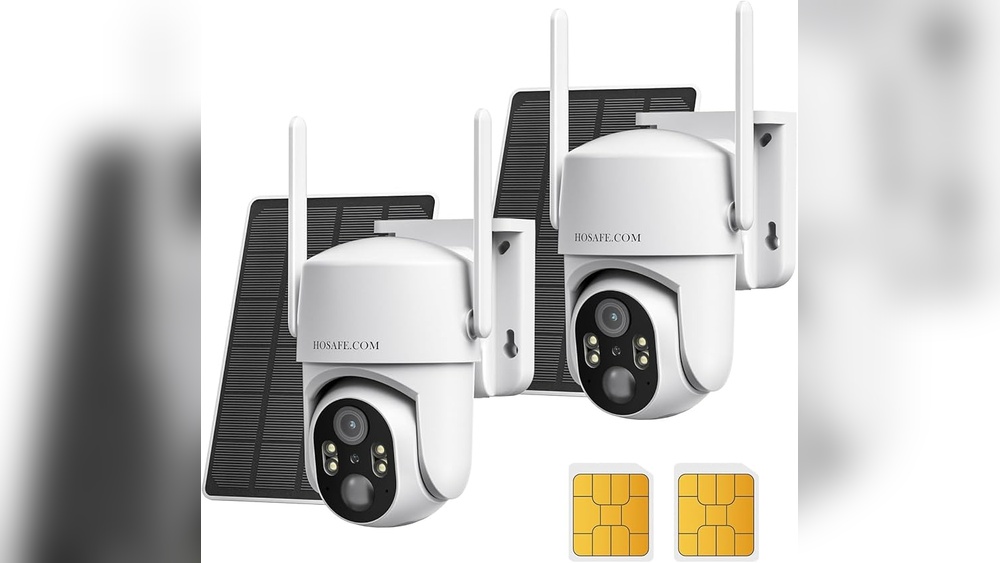
The idea of solar cameras is exciting for anyone looking to boost security without running wires or worrying about power outages. But as you look at these cameras, a big question comes up: Do solar cameras need WiFi? The answer is not as simple as it sounds. Solar cameras come in many types, with different features and requirements. Some need WiFi to work fully, while others can run without it. This article explores all the factors, options, and practical realities behind solar cameras and their WiFi needs.
You’ll learn how these cameras work, what happens without WiFi, and how to choose the best setup for your needs. We’ll cover real-life examples, technical details, and common mistakes people make when buying or installing a solar camera. Whether you want to monitor a remote area or just avoid messy wires, you’ll find clear answers here.
How Solar Cameras Work
Solar cameras combine two main technologies: solar power and camera surveillance. The camera gets its energy from solar panels, which convert sunlight into electricity. This means you don’t need a traditional power outlet or batteries that need regular replacement.
Most solar cameras are designed for outdoor use. They are built to withstand rain, dust, and temperature changes. The camera itself records video, sometimes audio, and often has features like motion detection and night vision.
Key Components Of Solar Cameras
Solar cameras have several important parts:
- Solar panel: Captures sunlight and turns it into electricity.
- Battery: Stores energy for use at night or during cloudy days.
- Camera unit: Captures video and sometimes audio.
- Wireless module: Handles communication, often via WiFi or cellular networks.
- Memory storage: Saves recordings, either on a memory card or in the cloud.
How The System Operates
When sunlight hits the solar panel, energy is sent to the battery and camera. The camera records based on settings—motion-triggered or continuous. If connected to WiFi, it can send live video or alerts to your phone or computer. If not, it might only record locally.
WiFi comes into play mainly for remote access, real-time alerts, and cloud storage. But not every solar camera needs WiFi for basic recording.
Types Of Solar Cameras And Their Connectivity
Solar cameras are not all the same. Their connectivity options affect how you use them and what features are available. Let’s look at the three main types:
1. Wifi-enabled Solar Cameras
These cameras use your home or office WiFi network to send data. They let you:
- Watch live feeds from anywhere
- Receive alerts on your phone
- Store video in the cloud
Advantages:
- Easy remote access
- Real-time notifications
- Cloud storage options
Drawbacks:
- Needs a reliable WiFi signal
- Limited range if WiFi is weak
- May use more battery due to wireless transmission
2. Cellular Solar Cameras
Some solar cameras use cellular networks (4G or LTE) instead of WiFi. They are ideal for places without WiFi, like farms or construction sites.
Advantages:
- Works anywhere with cell coverage
- No need for WiFi setup
- Often good for remote areas
Drawbacks:
- Needs a SIM card and data plan
- May have extra monthly costs
- Signal may be weaker in some locations
3. Local Storage-only Solar Cameras
These cameras don’t connect to WiFi or cellular networks. They store footage on an SD card or internal memory.
Advantages:
- Simple setup, no network required
- Lower risk of hacking
- Good for places with no connectivity
Drawbacks:
- No remote access
- You must retrieve the card to view footage
- No real-time alerts
Comparison Table: Solar Camera Connectivity
Here’s a quick comparison of the three main connectivity types:
| Type | Remote Access | Live Alerts | Cloud Storage | Needs WiFi? |
|---|---|---|---|---|
| WiFi-Enabled | Yes | Yes | Yes (optional) | Yes |
| Cellular | Yes | Yes | Yes (optional) | No |
| Local Storage | No | No | No | No |
Do Solar Cameras Need Wifi?
The short answer: Not always. It depends on what you want your camera to do.
When Wifi Is Required
If you want to:
- View live video from your phone or computer
- Get instant alerts for motion or sound
- Use cloud storage for backup
- Control camera settings remotely
Then your solar camera needs WiFi (or cellular data). Without WiFi, these features won’t work.
When Wifi Is Not Required
If you only need:
- Local recording to an SD card
- Basic surveillance without remote access
- No alerts or notifications
Then a solar camera does not need WiFi. It will record footage locally, and you can view it later by removing the memory card.
Real-life Example
Suppose you want to monitor a garden shed where there’s no WiFi. A local storage solar camera can record any activity. You won’t get live updates, but you can check the footage when needed.
For a home entrance, where WiFi is available, a WiFi solar camera lets you watch live feeds and get alerts if someone approaches.
How Solar Cameras Use Wifi
Solar cameras that use WiFi connect to your router. The setup usually involves:
- Powering the camera with the solar panel and battery
- Using a mobile app to find and connect to your WiFi network
- Setting up features like live view, alerts, and cloud storage
Data Usage
WiFi cameras use data to send video streams and alerts. The amount depends on:
- Video quality (HD uses more data)
- How often the camera records
- Whether it streams live or only sends alerts
A typical HD WiFi solar camera may use 1–3 GB per month for regular alerts and short clips. Continuous streaming uses much more.
Range And Signal Strength
WiFi solar cameras need a strong signal. If your camera is too far from the router, video may lag or fail to upload. Walls, trees, and other obstacles can weaken the signal.
Pro tip: Use a WiFi extender or mesh system to improve coverage for outdoor cameras.
Security Concerns
WiFi cameras are vulnerable to hacking if not properly secured. Always:
- Use strong passwords
- Update firmware regularly
- Enable encryption
What Happens If Wifi Is Lost?
Solar cameras handle WiFi loss in different ways, depending on their design.
Wifi-enabled Cameras
If WiFi drops:
- The camera may continue recording locally, if it has an SD card
- Live viewing and alerts stop until WiFi returns
- Cloud uploads pause
Some cameras store footage temporarily and upload it when WiFi is back.
Cellular And Local Storage Cameras
These cameras are not affected by WiFi loss. Cellular cameras switch to mobile data, while local storage cameras keep recording as usual.
Comparison Table: Camera Behavior During Wifi Loss
Let’s see how different types of solar cameras react to WiFi interruptions.
| Camera Type | Records Locally | Remote Access | Alerts | Cloud Backup |
|---|---|---|---|---|
| WiFi-Enabled | Yes (with SD card) | No | No | No |
| Cellular | Yes | Yes | Yes | Yes |
| Local Storage | Yes | No | No | No |
Pros And Cons Of Wifi For Solar Cameras
Before choosing, consider the main advantages and disadvantages.
Pros
- Remote monitoring: Watch your property from anywhere.
- Instant alerts: Know when something happens.
- Cloud storage: Protect footage from theft or damage.
- Easy control: Change settings without visiting the camera.
Cons
- Needs strong WiFi: Range and signal can be limiting.
- Potential security risks: Weak passwords may expose your camera.
- Higher energy use: Wireless transmission uses more battery.
- Setup complexity: Requires network configuration.

Credit: uboxcam.com
Alternatives To Wifi For Solar Cameras
Not every location has good WiFi. Here are the main alternatives:
Cellular Connectivity
Some solar cameras come with a SIM card slot. They connect to mobile networks and work in remote areas. Data plans cost extra, but you get full remote access.
- Example: A construction site with no WiFi can use a 4G solar camera.
Local Storage
Cameras with SD cards or internal memory store footage onsite. No network is needed. You have to visit the camera to view recordings.
- Example: A wildlife camera deep in the forest records animal activity.
Wired Ethernet
Rarely, some solar cameras have Ethernet ports. This is unusual, as most solar cameras are wireless for easy setup.
Bluetooth
A few cameras use Bluetooth for basic setup, but not for streaming video. Bluetooth has very short range.
Choosing The Right Solar Camera Without Wifi
If you want a solar camera but don’t have WiFi, focus on these features:
- SD card support: Make sure the camera can record locally.
- Good battery life: Solar power must be reliable in your location.
- Easy playback: Check how you can access footage (removable card, USB, etc. ).
- Weather resistance: Choose a camera rated for outdoor conditions (IP65 or higher).
- Motion detection: Saves power and storage by recording only when needed.
Example Models
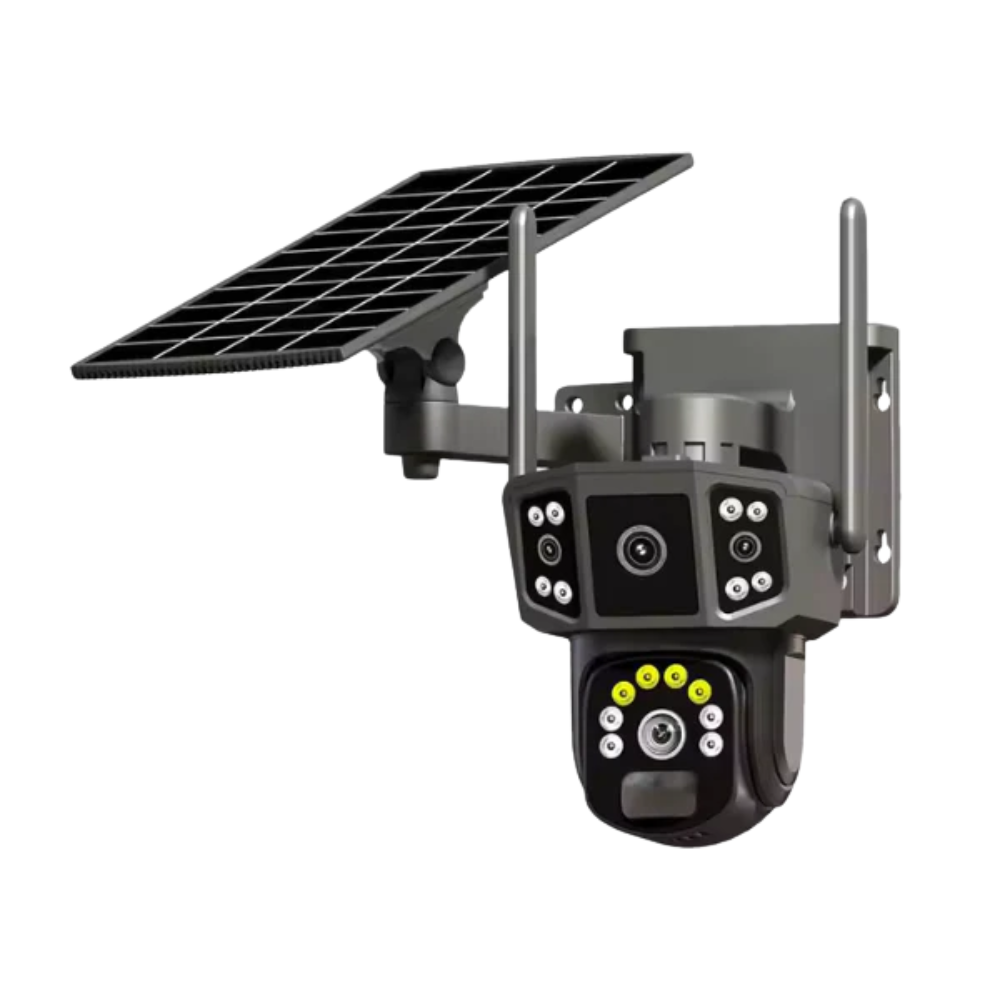
- Reolink Go: Works with 4G, no WiFi needed.
- Eufy SoloCam: Local storage, can run offline.
- Arlo Go: Cellular and solar-powered.
Credit: cctvkzn.com
Common Mistakes When Installing Solar Cameras
Many people make errors when setting up solar cameras. Here are some to avoid:
- Placing the solar panel in shade: Panels must get direct sunlight to charge.
- Ignoring WiFi signal strength: Test the area before installation.
- Choosing the wrong connectivity: If you don’t have WiFi, pick cellular or local storage models.
- Forgetting about battery backup: Make sure the battery can last through cloudy days.
- Not securing the camera: Mount it firmly to prevent theft or damage.
Practical Tips For Solar Camera Setup
Setting up a solar camera is easier with the right steps:
- Check sunlight exposure before mounting.
- Test WiFi or cellular signal with your phone at the spot.
- Use the recommended app for setup.
- Set motion detection sensitivity to avoid false alerts.
- Clean the solar panel regularly for best performance.
- Keep the camera’s lens clear from dirt or spider webs.
Comparing Solar Camera Brands
Popular brands offer different features. Here’s a quick comparison of three leading solar camera brands:
| Brand | WiFi Support | Cellular Option | Local Storage | App Quality |
|---|---|---|---|---|
| Reolink | Yes | Yes | Yes | Very Good |
| Arlo | Yes | Yes | Yes | Good |
| Eufy | Yes | No | Yes | Excellent |
Factors To Consider Before Buying
When shopping for a solar camera, keep these points in mind:
- Coverage area: Wide-angle lenses cover more space.
- Resolution: Higher resolution means clearer footage.
- Battery size: Larger batteries last longer.
- Panel size: Bigger panels charge faster.
- Connectivity options: WiFi, cellular, or local storage.
- Playback method: App, browser, or SD card reader.
- Warranty and support: Choose brands with good service.
Data Security And Privacy Concerns
With WiFi-enabled solar cameras, data security is critical. Hackers can target weak cameras and steal footage or control the device.
Best practices:
- Use cameras with encrypted connections (SSL/TLS).
- Update firmware as soon as updates are released.
- Change default passwords.
- Set up guest networks for cameras.
- Disable remote access if not needed.
Non-obvious insight: Even local storage cameras can be vulnerable if someone physically steals the camera or SD card. Always mount cameras high and out of reach.
Solar Camera Battery And Power Considerations
Solar cameras depend on sunlight and battery storage. Here’s what you need to know:
- Average battery life: 2–6 months on a full charge, depending on usage.
- Solar panel output: 2–10 watts per panel, affects charging speed.
- Backup power: Some cameras offer USB charging for cloudy days.
- Winter use: Lower sunlight means slower charging. Choose bigger panels or higher-capacity batteries.
Tip: Check your local weather and sunlight hours before buying. In cloudy or rainy areas, you may need a larger solar panel or extra battery capacity.
Installation Locations And Wifi Challenges
Some areas are hard to cover with WiFi:
- Farms and ranches
- Vacation cabins
- Construction sites
- Parking lots
- Wildlife trails
For these places, cellular solar cameras or local storage models are best.
Insight: WiFi mesh systems or range extenders can help in large properties, but they increase cost and complexity. Sometimes, a cellular camera is easier and more reliable.
Practical Use Cases
Solar cameras are used in many ways:
- Home security: Monitor entrances, yards, or garages.
- Remote property: Keep an eye on vacation homes.
- Wildlife observation: Study animals without disturbing them.
- Construction sites: Watch equipment and materials.
- Farms: Protect livestock and crops.
Each use case may need different connectivity. For wildlife, local storage is best. For home security, WiFi lets you check live feeds.
How To Improve Wifi For Solar Cameras
If you must use WiFi, here are ways to make it work better:
- Place routers near windows facing the camera area.
- Use WiFi extenders or mesh systems.
- Avoid thick walls or metal barriers.
- Upgrade to dual-band routers (2.4 GHz and 5 GHz).
- Position antennas for best coverage.
Insight: Sometimes, changing the camera’s location by a few feet can double signal strength.
Solar Camera Maintenance Tips
Solar cameras need little maintenance, but a few actions help:
- Clean the solar panel monthly.
- Check battery health every few months.
- Remove spider webs and dust from the lens.
- Update camera software for new features and security.
If your camera has a cellular SIM, check data plan usage regularly.
Expert Recommendations
For most people, WiFi solar cameras are best if you have reliable coverage and want remote access. If you lack WiFi, cellular or local storage models are ideal. Always consider:
- Your location’s sunlight hours
- Connectivity options
- How you want to access footage
Don’t buy the cheapest model. Look for trusted brands with good reviews and support.
If you need more info on solar cameras and their technology, you can visit Wikipedia’s solar camera page.
Frequently Asked Questions
Do All Solar Cameras Need Wifi?
No, not all solar cameras need WiFi. Some use cellular networks or local storage for recording. WiFi is only needed for remote access, live alerts, and cloud storage.
Can Solar Cameras Work Without Any Internet?
Yes. Many solar cameras record to an SD card or internal memory. You can retrieve footage later, but you won’t get real-time alerts or live viewing.
What Happens If My Wifi Goes Out?
WiFi-enabled solar cameras may keep recording locally, if equipped with SD cards. Remote access, alerts, and cloud uploads stop until WiFi returns.
Are Cellular Solar Cameras Better Than Wifi Models?
Cellular cameras are better for places without WiFi, like farms or construction sites. They require a SIM card and data plan. WiFi models are best where you have good coverage and want easy setup.
How Do I Secure My Solar Camera From Hackers?
Use strong passwords, enable encryption, update firmware regularly, and set up a secure home network. Disable remote access if not needed. Mount cameras out of reach to prevent theft.
Solar cameras are a smart choice for reliable, eco-friendly security. Whether you need WiFi depends on your location, desired features, and how you want to access your footage. Take time to compare options and choose a camera that fits your exact needs.
With careful planning, you can enjoy the benefits of solar-powered surveillance with or without WiFi.

Credit: leersolarcameras.com