
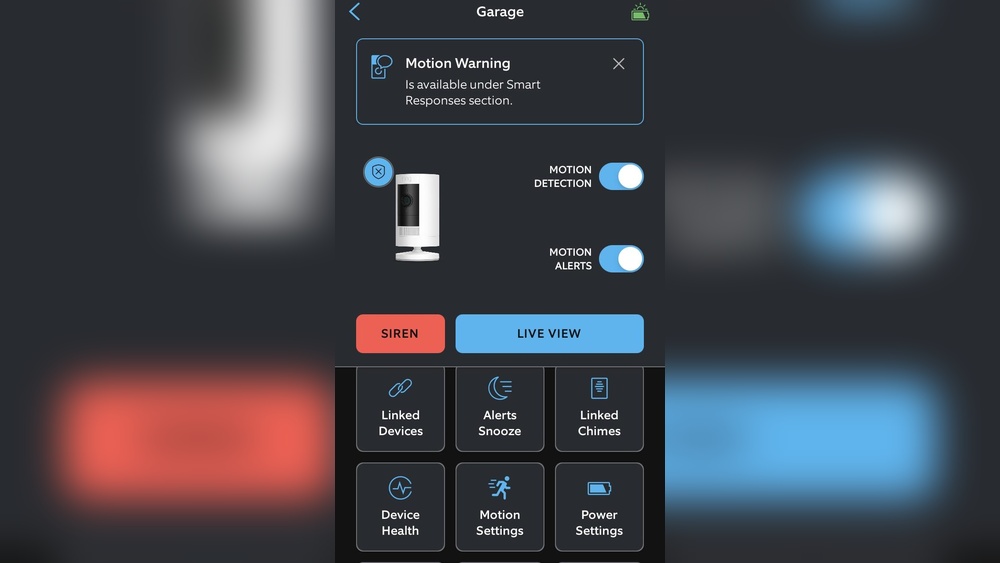
Many people install Ring cameras with a solar panel to keep their home security running without worrying about battery changes. It seems simple: connect the panel, place it in sunlight, and your camera should stay powered. But what if your Ring camera is not charging with the solar panel? This is a common issue that leaves users confused and worried. Understanding why this happens is key to solving it and making the most of your investment.
Ring cameras are designed to be user-friendly, but the charging system can be tricky. You might see your battery draining even with the solar panel attached. Or, the camera might show “Not Charging” on the app. There are many reasons for this problem, and each has its own solution.
Some issues are technical, while others are related to placement or weather. This article will guide you step by step to identify the cause and fix it, so you can keep your camera running smoothly.
How Ring Solar Panels Work
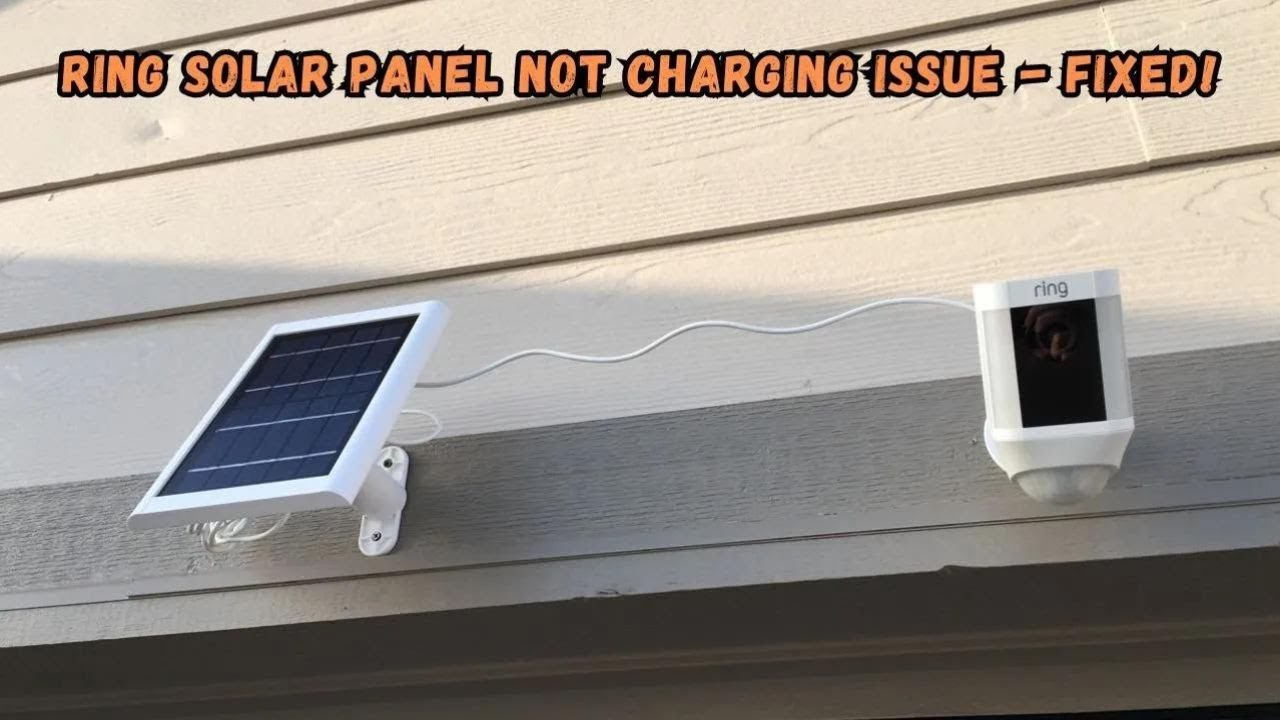
A Ring solar panel is a small device that collects sunlight and turns it into electricity. This electricity charges your Ring camera’s battery during the day. The panel connects to the camera via a cable. Most models, like the Ring Stick Up Cam and Ring Spotlight Cam, use a similar setup.
Solar panels are not meant to fully power the camera. They are designed to keep the battery topped up, reducing the need for manual charging. For example, a Ring solar panel provides about 2-4 watts of power in direct sunlight.
This is enough for light use but may not be enough for heavy motion alerts or frequent live views.
If your camera is not charging, it means something is blocking the power flow, or the panel isn’t producing enough energy. Understanding this process helps you see where things might go wrong.
Common Reasons Ring Cameras Don’t Charge With Solar Panels
Several factors can prevent your Ring camera from charging with the solar panel. Here are the most frequent causes:
- Poor Sunlight Exposure: If the panel isn’t in full sunlight for several hours, it won’t produce enough power. Shade from trees, buildings, or even clouds can reduce charging.
- Incorrect Panel Placement: Panels must face the sun directly. If placed at the wrong angle or direction, output drops.
- Dirty Solar Panel Surface: Dust, leaves, or bird droppings can block sunlight from reaching the solar cells.
- Faulty Cables or Connections: Loose or damaged cables prevent power from reaching the camera.
- Battery Health Issues: Old or damaged batteries may not hold a charge, even if power is supplied.
- Extreme Temperatures: Very hot or cold weather can affect battery performance and charging.
- High Camera Activity: Too many motion alerts or live views use more power than the panel can supply.
- Firmware Problems: Software bugs can cause the camera to misreport battery or charging status.
- Wrong Panel Type: Not all Ring cameras are compatible with every solar panel. Using the wrong model can cause issues.
Each of these problems has specific signs and solutions. Identifying the exact cause is the first step to fixing your camera.
Diagnosing The Problem: Step-by-step
Before fixing anything, you need to find out why your camera isn’t charging. Here’s how to check each possible issue:
Check Sunlight Exposure
Look at the solar panel during different times of the day. Is it in direct sunlight for at least 4-6 hours? Even partial shade can cut output by half. Use a smartphone app or a solar calculator to check the sun’s path for your location.
Inspect Panel Placement
The solar panel should face south (in the Northern Hemisphere) and be tilted at about 30–45 degrees. If it’s flat or facing another direction, adjust it. Also, make sure it’s not blocked by leaves, gutters, or nearby objects.
Examine The Panel Surface
Wipe the panel gently with a soft cloth. If you see dust, pollen, or other debris, clean it off. Dirty panels can lose up to 20% efficiency.
Test Cables And Connections
Check the cable for cuts or damage. Push the connector into the camera firmly. If it feels loose, try reconnecting. If the cable is damaged, replace it.
Review Battery Health
Open the Ring app and check battery status. If the battery drains quickly or doesn’t charge, it might be old. Replace it if needed.
Monitor Temperature
Ring cameras work best between 32°F and 104°F (0°C to 40°C). If it’s too cold or hot, charging may slow down or stop.
Watch Camera Usage
Check the app for motion alerts and live view usage. If you have many events per day, the battery may drain faster than the panel can charge.
Update Firmware
Go to the app’s device settings and check for updates. Install any available firmware updates.
Confirm Compatibility
Check the model numbers on both the camera and the panel. Look for compatibility information on Ring’s website or in the manual.
How Solar Charging Works: The Science
Solar panels create electricity using sunlight and special materials called photovoltaic cells. When sunlight hits these cells, electrons move and produce energy. This energy flows through the cable to the Ring camera’s battery.
The amount of power depends on:
- Panel size
- Sunlight intensity
- Angle of the panel
- Cleanliness of the surface
Ring solar panels are small and produce limited power. On a sunny day, a typical panel generates 2–4 watts per hour. If the panel gets 6 hours of full sun, it makes about 12–24 watt-hours. The Ring battery holds about 5,800 mAh at 3.
65V, which is roughly 21 watt-hours. In ideal conditions, the panel can keep the battery charged for light use.
But real-world conditions are rarely perfect. Shade, dirt, and weather can cut output. Heavy camera activity uses more energy. That’s why your camera may not charge as expected.
Comparing Solar Panel Output Vs. Camera Power Needs
To understand if your panel can charge your camera, compare their energy needs. Here’s a table showing typical numbers:
| Device | Solar Panel Output (watts) | Battery Capacity (watt-hours) | Typical Daily Usage (watt-hours) |
|---|---|---|---|
| Ring Stick Up Cam | 2-4 | 21 | 8-16 |
| Ring Spotlight Cam | 2-4 | 21 | 12-20 |
| Ring Floodlight Cam | N/A (no solar option) | None | 30-50 |
If your daily usage is higher than the panel’s output, the battery will drain. For example, if you get many alerts or use live view often, the panel may not keep up.
Real-world Examples And Data
Let’s look at actual user experiences:
- User A placed the panel on a roof facing south. On sunny days, the camera stayed charged. On cloudy days, the battery dropped but recovered when sun returned.
- User B had the panel in partial shade. The battery drained within a week, even with little camera activity.
- User C cleaned their panel and saw battery levels improve by 15% in one day.
Ring’s own support page says the solar panel “provides trickle charging” and “is not meant to fully recharge the battery from zero. ” This means the panel helps, but isn’t a full power source.
Fixes And Solutions For Each Problem
Now that you know the causes, here’s how to fix them:
Improve Sunlight Exposure
Move the panel to a spot with more direct sunlight. Trim tree branches or remove objects blocking the sun. Use a sun mapping tool to find the best position.
Adjust Panel Placement
Tilt the panel towards the sun. In the US, face it south. If you’re in the Southern Hemisphere, face it north. The angle should match your latitude for best results.
Clean The Panel Regularly
Use a damp cloth to wipe the panel once a month. Avoid harsh chemicals. Check after storms or pollen seasons.
Replace Faulty Cables
If the cable is damaged, buy a new one from Ring or an approved supplier. Make sure the connector fits tightly.
Change The Battery
If your battery is old, buy a replacement. Ring batteries last about 1–2 years with regular use.
Limit Camera Activity
Reduce motion sensitivity or limit live view sessions. Adjust settings in the Ring app.
Update Software
Install firmware updates as soon as they are available. This fixes bugs that can affect charging.
Use The Right Panel
Check Ring’s compatibility chart. Only use panels approved for your camera model. Mixing brands or wrong models can cause charging failures.
Comparing Solar Panel Models And Compatibility
Different Ring cameras need specific solar panels. Here’s a comparison:
| Camera Model | Compatible Panel | Output (watts) | Connector Type |
|---|---|---|---|
| Ring Stick Up Cam | Ring Solar Panel | 2-4 | Micro-USB |
| Ring Spotlight Cam | Ring Solar Panel | 2-4 | DC Connector |
| Ring Doorbell 2/3/4 | Ring Solar Charger | 2-3 | Specialized Mount |
| Ring Floodlight Cam | None | N/A | N/A |
Always check your camera model before buying a panel. Using the wrong panel can damage the camera or simply not work.
Non-obvious Insights Most Beginners Miss
Many users think the solar panel will fully recharge their camera from zero. In reality, Ring panels are designed for trickle charging. If your battery is empty, the panel may take days or weeks to recharge it. It’s better to keep the battery above 20% for the panel to work effectively.
Another overlooked point: temperature affects charging speed. If it’s below freezing or above 100°F, the battery may not charge at all. This is a safety feature to protect the battery, not a fault.
Practical Tips For Long-term Use
- Install the panel before battery drops below 20%
- Clean the panel monthly
- Check cable connections after storms
- Adjust camera settings to reduce unnecessary alerts
- Update firmware every few months
- Replace batteries every 1–2 years
These steps help keep your camera running and avoid charging issues.
Credit: www.youtube.com
Weather Impact On Charging
Weather plays a big role in solar charging. Here’s a comparison of charging efficiency in different conditions:
| Weather | Charging Efficiency | Expected Output (watts) |
|---|---|---|
| Sunny | High | 2-4 |
| Cloudy | Medium | 1-2 |
| Rainy | Low | 0.5-1 |
| Snowy | Very Low | 0.2-0.5 |
If you live in an area with frequent clouds or rain, consider supplementing with manual battery charging.
Troubleshooting Steps For Persistent Problems
If your camera still won’t charge, try these troubleshooting steps:
- Remove the battery and reconnect the panel, then reinsert the battery.
- Restart the camera using the app.
- Try a different cable or connector.
- Test the panel with another Ring device if possible.
- Contact Ring support if none of these work.
Some cameras may need a reset or replacement if the charging circuit is damaged.
Safety Considerations
Always follow Ring’s safety instructions. Do not open the battery or panel. Use only approved accessories. Do not install panels where they can fall or get damaged.
If you notice overheating or swelling in the battery, remove it and contact Ring support immediately.
When To Contact Support
If you’ve tried all fixes and your camera still won’t charge, it’s time to contact Ring support. Provide details:
- Camera model
- Panel model
- Battery age
- Weather conditions
- Troubleshooting steps tried
Ring may offer a replacement or additional advice.
Credit: www.youtube.com
Expert Advice For Maximum Efficiency
Experts recommend installing panels at the highest point possible, facing the sun directly. Keep cables short to reduce energy loss. For homes with lots of shade, consider a backup battery or manual charging.
If you want to optimize your system, use a solar tracker or adjustable mount to follow the sun throughout the day. This can increase output by 15–30%.
Myths About Ring Solar Panels
There are some myths that confuse users:
- Myth: Solar panels charge the battery fully every day.
- Reality: Panels provide steady, slow charging, not full recharges.
- Myth: Any panel works with any Ring camera.
- Reality: Only specific panels are compatible.
- Myth: Cleaning isn’t important.
- Reality: Dirty panels lose efficiency quickly.
Knowing these facts helps set realistic expectations.
Useful Resources
For more technical details, visit the Wikipedia page on solar panels. This gives deeper information about how solar energy works.
Frequently Asked Questions
Why Does My Ring Camera Show “not Charging” Even With The Solar Panel Connected?
This message means the battery is not receiving enough power. Causes include low sunlight, dirty panel, or high camera activity. Check all connections and clean the panel. If the battery is old, replace it.
How Long Does It Take For The Solar Panel To Charge My Ring Camera?
It depends on sunlight and battery level. In full sun, the panel provides a trickle charge. If the battery is low, it may take several days to fully recharge. For best results, keep the battery above 20%.
Can I Use A Third-party Solar Panel With My Ring Camera?
Most Ring cameras require official Ring panels for proper charging. Third-party panels may not provide the right voltage or connector type, leading to charging issues or damage.
Does Weather Affect Solar Panel Charging?
Yes. Clouds, rain, and snow reduce sunlight and charging efficiency. Very cold or hot weather can also affect battery performance. In winter or rainy climates, manual battery charging may be needed.
What Should I Do If None Of The Fixes Work?
If you’ve checked placement, connections, battery, and software but your camera still won’t charge, contact Ring support. They can guide you through advanced troubleshooting or offer a replacement if needed.
Ring cameras and solar panels are powerful tools, but they require careful setup and maintenance to work well. By understanding the causes and solutions for charging problems, you can keep your security system running smoothly and avoid surprises. Always check compatibility, clean your panel, and monitor battery health.
With these steps, your Ring camera should stay powered and ready to protect your home.

Credit: sajdikovehumence.sk