
A mesh router system can transform your Wi-Fi experience. It promises smooth coverage, fewer dead spots, and easy expansion. But before you buy, one question often comes up: Are all mesh routers compatible with each other? Can you mix brands and models, or are there hidden limits? The answer is more complex than most people expect.
This article will guide you through what mesh router compatibility really means. You’ll learn how different systems work, what happens when you try mixing brands, and how to avoid common mistakes. We’ll cover technical details, compare popular products, and help you make confident choices for your home or business network.
What Is A Mesh Router System?
A mesh router system uses several devices (nodes) to cover your home with Wi-Fi. Each node acts as a mini-router, passing data to the next. Unlike a traditional router with extenders, mesh systems create a single, seamless network. You can walk around your house, and your phone or laptop connects to the best node automatically.
Here are the basics:
- Main router node: Connects to your internet modem.
- Satellite nodes: Spread around your home to boost coverage.
- Single network name: You use one Wi-Fi name (SSID) for all nodes.
- Automatic device switching: Your devices switch to the strongest signal without manual steps.
Mesh systems are popular because they solve weak Wi-Fi in large homes, offices, or places with thick walls. But the technology behind mesh systems is not always the same.
Mesh Router Compatibility: The Main Idea
When people ask about mesh router compatibility, they often mean one of three things:
- Can you use mesh nodes from different brands together?
- Can you add new nodes to an existing mesh system?
- Can you use older and newer models together?
The short answer: Not all mesh routers are compatible. Compatibility depends on several factors, including:
- Brand and model
- Mesh networking protocols
- Software and firmware
- Wi-Fi standards
Let’s explore these factors in detail.
Credit: www.bestbuy.com
Why Mesh Router Compatibility Is Not Universal
Brand Lock-in
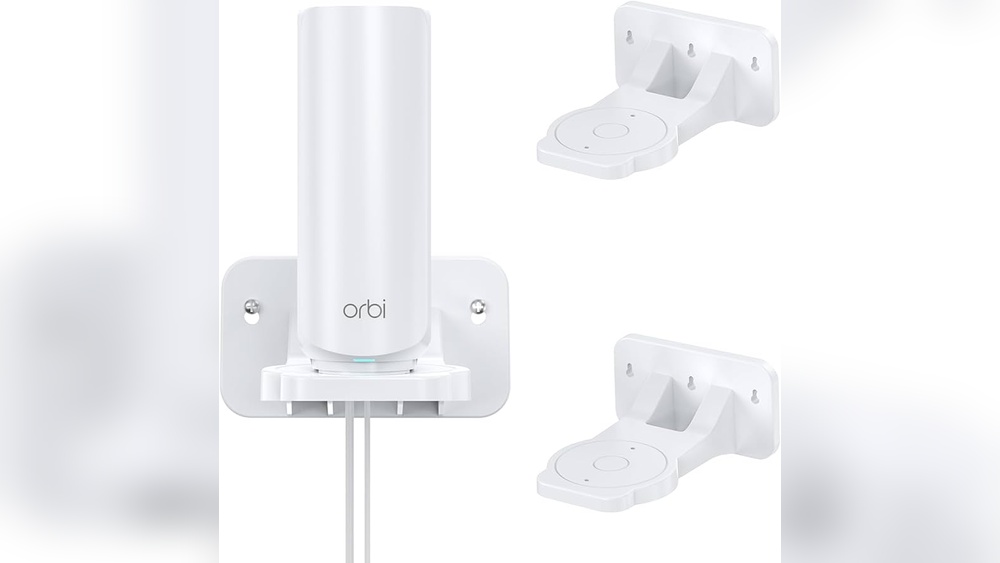
Most mesh systems are brand-specific. For example, if you buy a Netgear Orbi system, you usually need Orbi satellites to expand it. If you buy a Google Nest Wifi, you need Nest Wifi points. Mixing brands (like Orbi and Nest) does not work.
Manufacturers design their products to work together. They use custom software and protocols, so nodes from one brand cannot talk to another brand’s mesh system.
Mesh Protocol Differences
Mesh routers use different networking protocols to connect nodes. Some common protocols are:
- Proprietary protocols: Unique to each manufacturer (e.g., Orbi, Eero, Google Nest).
- Wi-Fi EasyMesh: An open standard supported by some brands.
If two systems use the same protocol, they may work together. But proprietary protocols block compatibility.
Firmware And Software
Mesh routers run on firmware (software inside the device). Each brand updates firmware differently. If firmware does not match, nodes may fail to join the mesh or lose features.
Wi-fi Standards
Wi-Fi comes in different versions (Wi-Fi 5, Wi-Fi 6, Wi-Fi 6E). Some mesh systems only support certain standards. Mixing routers with different Wi-Fi versions can cause speed drops or features to disappear.
Popular Mesh Router Brands: Compatibility Overview
Let’s look at how leading brands handle compatibility. The following table compares some popular systems:
| Brand | Mix with Other Brands? | Add Older Models? | Wi-Fi Standard Support |
|---|---|---|---|
| Netgear Orbi | No | Some models | Wi-Fi 5, Wi-Fi 6, Wi-Fi 6E |
| Google Nest Wifi | No | Nest + Google Wifi (some) | Wi-Fi 5 |
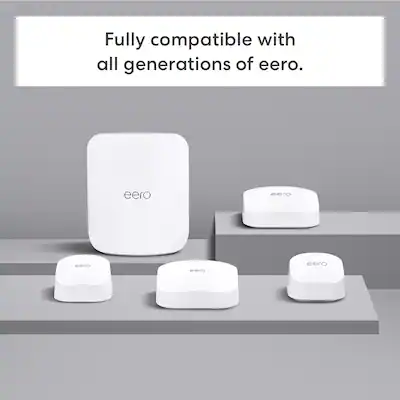
| Amazon Eero | No | Eero generations mix | Wi-Fi 5, Wi-Fi 6, Wi-Fi 6E |
| TP-Link Deco | No | Deco models mix | Wi-Fi 5, Wi-Fi 6, Wi-Fi 6E |
| Linksys Velop | No | Velop models mix | Wi-Fi 5, Wi-Fi 6 |
| Asus ZenWiFi | No | Some Asus routers with AiMesh | Wi-Fi 5, Wi-Fi 6, Wi-Fi 6E |
Notice that mixing brands is usually impossible. Some brands allow mixing older and newer models within their own product family, but even this can have limits.
Open Standards: Wi-fi Easymesh
Not all mesh systems are closed. The Wi-Fi EasyMesh protocol aims to solve compatibility problems. It’s an industry standard that lets routers from different brands form a mesh network.
Here are key points about EasyMesh:
- Supported by some brands: TP-Link, D-Link, and others offer EasyMesh routers.
- Mix and match possible: If both routers support EasyMesh, you can link them.
- Features may differ: Not all functions (like device prioritization or parental controls) work across brands.
However, EasyMesh is still not common in the market. Most popular mesh systems use their own protocols.
Comparing Mesh Router Protocols
Understanding mesh protocols is important for compatibility. Here’s a summary table:
| Mesh Protocol | Brand Examples | Cross-Brand Compatibility | Special Features |
|---|---|---|---|
| Proprietary | Netgear Orbi, Eero, Google Nest | No | Advanced device switching, app control |
| EasyMesh | TP-Link, D-Link | Yes (if both support EasyMesh) | Basic mesh features |
| AiMesh | Asus ZenWiFi, Asus routers | No (only Asus devices) | Flexible node setup, custom features |
Most mesh protocols are not open. If you want to mix brands, look for EasyMesh.
Adding Nodes: New Vs Old Models
Within a brand, adding new nodes is usually easy. But mixing old and new models can create problems:
- Speed mismatch: Newer nodes may support faster Wi-Fi versions. Older nodes slow the network.
- Missing features: Some features (like parental controls) only work on newer nodes.
- Firmware conflicts: If firmware versions differ too much, nodes may not connect.
For example, Amazon Eero lets you add older Eero nodes to a new Eero system. But the whole network runs at the speed of the slowest node. Netgear Orbi offers limited backward compatibility—some older satellites work, but not all.
Real-world Example: Mixing Mesh Routers
Suppose you have a Google Nest Wifi system and want to add a Netgear Orbi satellite. This will not work. The two brands use different mesh protocols and software. The Orbi satellite cannot join the Nest Wifi mesh.
However, if you have a TP-Link Deco system with EasyMesh, you can add another EasyMesh-compatible router—even from a different brand like D-Link. But features may be limited.
Another example: Asus AiMesh routers can mix different Asus models. You can use an old Asus router as a mesh node, but all devices must support AiMesh.
Common Mistakes With Mesh Router Compatibility
Many people make mistakes when buying or expanding mesh networks. Here are some to avoid:
- Mixing brands: Buying a satellite from a different brand will not work with your main mesh system (unless both support EasyMesh).
- Ignoring Wi-Fi standards: Adding an older node may reduce the speed of your entire network.
- Not checking firmware: If you don’t update firmware, new nodes may not connect.
- Overlooking protocol differences: Even routers from the same brand can use different protocols. Always check compatibility lists.
- Assuming plug-and-play: Mesh systems are not always plug-and-play across generations.
Non-obvious insight: Many mesh systems look similar in design and marketing. But their internal technology is very different. Always check compatibility charts on the manufacturer’s website.
Practical Steps To Check Mesh Router Compatibility
If you want to expand your mesh network or mix routers, follow these steps:
- Check your main router’s brand and model.
- Visit the manufacturer’s website and look for compatibility lists.
- Find firmware requirements for adding new nodes.
- Compare Wi-Fi standards (e.g., Wi-Fi 6 vs Wi-Fi 5).
- Look for EasyMesh support if you want to mix brands.
- Read user forums for real-world experiences.
Most brands publish official compatibility charts. For example, Netgear lists which Orbi satellites work with which Orbi routers.
Mesh Router Compatibility For Businesses
Business users face bigger challenges. Offices may have large areas and more devices. Mixing mesh systems can lead to:
- Security risks: Different brands may have different security standards.
- Management problems: Each brand uses its own app or dashboard.
- Feature gaps: Guest networks, device prioritization, and analytics may not work across brands.
Businesses should choose one brand and stick with it. If you need to mix, pick routers that support EasyMesh.
Technical Details: How Mesh Routers Connect
Mesh routers connect using two main methods:
- Wireless backhaul: Nodes talk over Wi-Fi.
- Wired backhaul: Nodes connect with Ethernet cables.
Wireless backhaul is easier but slower. Wired backhaul offers more speed and reliability. Compatibility can depend on whether your mesh system supports both methods.
Some mesh systems allow you to mix wireless and wired nodes. Others require all nodes to connect the same way. Check your brand’s support pages for details.
Comparing Mesh Router Features
Different mesh routers offer different features. Here’s a table comparing some important options:
| Feature | Netgear Orbi | Google Nest Wifi | Amazon Eero | TP-Link Deco |
|---|---|---|---|---|
| Parental Controls | Advanced | Basic | Advanced (subscription) | Basic to advanced |
| Device Prioritization | Yes | Limited | Yes | Yes |
| Guest Network | Yes | Yes | Yes | Yes |
| EasyMesh Support | No | No | No | Yes (some models) |
| Wi-Fi 6 Support | Yes (some models) | No | Yes (some models) | Yes (some models) |
Features can change with model and firmware. Always check specs before buying.
When Is Mixing Mesh Routers Possible?
Mixing mesh routers is only possible if:
- Both routers support an open protocol like EasyMesh.
- Firmware versions are compatible.
- Wi-Fi standards match.
Even then, you may lose advanced features. For example, parental controls or device prioritization may only work within one brand’s system.

Credit: www.amazon.com
Non-obvious Insights: What Beginners Often Miss
- Mesh systems are not standardized. Each brand designs its own mesh technology. Even routers that claim to be “mesh” may not work together.
- Open standards are rare. EasyMesh is the main open option, but most brands do not use it. If you want true compatibility, seek routers with EasyMesh support.
- Speed and coverage depend on the weakest node. Adding an old, slow node to your mesh system can lower performance everywhere.
- Firmware matters more than you think. If one node’s firmware is too old, it may refuse to join the mesh or cause bugs.
Future Trends In Mesh Router Compatibility
The mesh router market is changing. More brands are joining the Wi-Fi EasyMesh standard. The Wi-Fi Alliance (the group behind Wi-Fi) promotes EasyMesh to solve compatibility problems.
But adoption is slow. Most popular brands still use proprietary systems. Experts believe that open standards will become more common as consumers demand flexibility.
In the future, you may be able to mix and match mesh routers like you mix light bulbs or USB devices. But today, most mesh systems are closed.

Credit: eerostore.sg
How To Choose A Compatible Mesh Router System
If you want to avoid compatibility headaches, follow these tips:
- Pick a brand with strong support and clear compatibility charts.
- Decide if you need EasyMesh. If you want to mix brands, EasyMesh is your best option.
- Choose Wi-Fi 6 or higher for future-proof speeds.
- Check expansion options. Can you add more nodes easily?
- Read reviews and user forums. Real-world feedback is valuable.
- Consider your home layout. Some mesh systems perform better in large, multi-story homes.
Most people are happy with a single-brand mesh system. If you need flexibility, look for EasyMesh routers.
Real Data: Mesh Router Performance And Coverage
Mesh routers offer real benefits. According to a 2023 survey by Statista, 28% of US households use mesh Wi-Fi systems. Homes with mesh systems report:
- Fewer dead spots
- Higher average speeds
- Better device switching
Tests by PCMag show that mesh systems like Netgear Orbi and Amazon Eero can boost coverage in homes up to 5,000 square feet. But mixing brands still causes issues.
Mesh Router Compatibility: Summary Table
Here’s a quick summary of compatibility points:
| Compatibility Factor | Is Mixing Possible? | Tips |
|---|---|---|
| Brand | No (except EasyMesh) | Stick to one brand |
| Mesh Protocol | No (unless EasyMesh) | Check protocol support |
| Firmware | No (if versions mismatch) | Update firmware |
| Wi-Fi Standard | Yes/No | Match Wi-Fi versions |
| Features | No (across brands) | Expect feature gaps |
Expert Advice: Avoiding Compatibility Headaches
If you want a mesh system that just works, follow these guidelines:
- Research before buying. Don’t assume mesh routers are compatible.
- Plan for expansion. Buy a system that lets you add more nodes later.
- Check for EasyMesh if you want mixing options.
- Keep firmware updated. Updates fix bugs and improve compatibility.
- Don’t mix Wi-Fi versions unless you accept slower speeds.
For more technical details, visit the Wi-Fi Alliance’s official page on Wi-Fi EasyMesh.
Frequently Asked Questions
Can I Use Mesh Routers From Different Brands Together?
No, most mesh routers are not compatible across brands. Only routers that support Wi-Fi EasyMesh can be mixed. Even then, features may be limited.
Will Adding An Old Mesh Node Slow Down My Network?
Yes. The slowest node in your mesh system can reduce speed for all devices. Try to use nodes with similar Wi-Fi versions and performance.
How Do I Know If My Router Supports Easymesh?
Check the manufacturer’s website or product specs. Look for “EasyMesh” support. If both routers support EasyMesh, you can mix them.
What Happens If Firmware Versions Don’t Match?
If firmware is too old or mismatched, nodes may not connect or lose features. Always update firmware before adding new mesh nodes.
Are Mesh Routers Worth It For Small Apartments?
Mesh routers are best for large homes or places with many Wi-Fi dead spots. In small apartments, a single high-quality router may be enough.
Final Thoughts
Mesh router compatibility is a hidden but important topic. Most systems are brand-locked and use unique protocols, making mixing nearly impossible. Only routers with EasyMesh support offer true cross-brand compatibility, and even then, advanced features may not work. If you want a stress-free Wi-Fi setup, stick to one brand and check compatibility charts before expanding.
Mesh networks are a great solution for better coverage and speed. But don’t rush into buying extra nodes without checking compatibility. Smart planning and careful research will help you build a reliable, fast Wi-Fi network that meets your needs.