
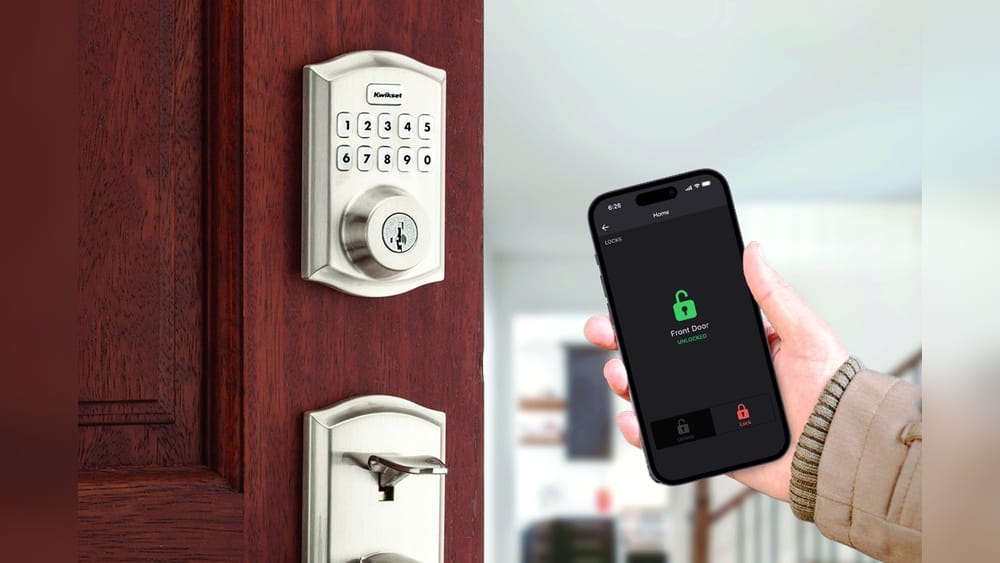
Smart locks are everywhere in modern homes and offices today. Many people see them as a step forward in home security and convenience. With just a tap on a phone or a voice command, you can open your door, give access to a friend, or check if your home is locked. But this new technology raises a big question: Are smart locks safe?
If you are thinking about buying a smart lock, or you already own one, it’s natural to wonder if it is really secure. Stories about hacked devices, lost passwords, or power failures can make anyone nervous. On the other hand, smart locks offer features that traditional locks cannot match, such as remote access, activity logs, and temporary digital keys.
This article looks closely at the safety of smart locks. We’ll examine how they work, what makes them secure or risky, and how to protect yourself if you use one. We’ll also compare them with standard locks and share expert tips for choosing and using smart locks safely.
How Smart Locks Work
Before we can judge their safety, it’s important to understand how smart locks function. A smart lock is an electronic lock that connects to your home’s Wi-Fi, Bluetooth, or other networks. It usually replaces or attaches to your existing door lock.
You control a smart lock in several ways:
- Using a mobile app
- Entering a PIN code
- Scanning a fingerprint
- Voice commands through smart assistants like Alexa or Google Assistant
- NFC or RFID cards
Some smart locks also let you create virtual keys for family or guests. You can set these keys to work only at certain times or for certain people.
Most smart locks use strong encryption to keep your data safe. When you unlock your door with your phone, the app sends a coded message to the lock. The lock only opens if the message is correct.
What Makes A Lock “smart” And What Makes It Safe?
A smart lock is not just a door lock with a motor. It is a small computer with software, sensors, and a wireless connection. This means it offers both new features and new risks.
Security Features Found In Smart Locks
Many smart locks include strong safety features, such as:
- Encryption: Almost all smart locks use encryption to keep communication between the lock and your phone private. This helps stop hackers from intercepting your digital keys.
- Two-Factor Authentication (2FA): Some locks require you to prove your identity in two ways, for example, a password and a fingerprint.
- Auto-Lock: The lock can automatically secure itself after a set time.
- Activity Logs: You can see who unlocked your door and when.
- Temporary Access: You can give guests or workers access for a limited time.
These features can actually make smart locks safer in some ways than regular locks, especially if you are careful about how you use them.
Main Risks Associated With Smart Locks
No security device is perfect. Smart locks have their own set of risks that you need to know.
1. Hacking And Cybersecurity Threats
Smart locks, like other smart home devices, are targets for hackers. If someone gains access to your lock’s app or your Wi-Fi network, they might unlock your door remotely. In 2016, security researchers showed that some smart locks had weak encryption or poor password systems. However, manufacturers have improved their products since then.
Still, some smart locks use outdated technology or have weak default passwords. If you do not change these, you are more at risk.
2. Physical Attacks
A smart lock is still a lock on your door. Thieves can try to force it open by picking, drilling, or breaking the lock just like a traditional lock. Some cheap smart locks have weaker physical parts than good old-fashioned deadbolts.
3. Power And Connectivity Problems
Smart locks need power, usually from batteries. If the batteries die, you could get locked out. Some locks have backup keys, but not all do.
If your lock uses Wi-Fi or Bluetooth, a network failure could stop it from working. However, many smart locks are designed to work offline for basic locking and unlocking.
4. App And Cloud Vulnerabilities
The mobile app or cloud server that connects to your smart lock is another possible weak point. If hackers break into the app or server, they might control your lock. This is why it’s important to keep your app and firmware updated.
5. User Mistakes
Many smart lock problems come from user errors. People forget to update passwords, use weak PIN codes, or share access too freely. Sometimes, people forget to lock the door at all, thinking the smart lock will do it automatically.
Comparing Smart Locks To Traditional Locks
Smart locks and traditional locks both have strengths and weaknesses. Here’s a comparison to help you see the differences.
| Feature | Smart Locks | Traditional Locks |
|---|---|---|
| Remote Access | Yes (via app or web) | No |
| Keyless Entry | Yes (PIN, fingerprint, etc.) | No (requires physical key) |
| Risk of Hacking | Possible (if not secured) | No |
| Physical Break-in | Possible (depends on build) | Possible (depends on build) |
| Activity Logs | Yes | No |
| Risk of Lost Key | No (unless backup key used) | Yes |
| Auto-Lock Feature | Yes | No |
| Requires Power | Yes (batteries or wired) | No |
As you can see, smart locks offer more convenience but also open up new risks that traditional locks do not have.
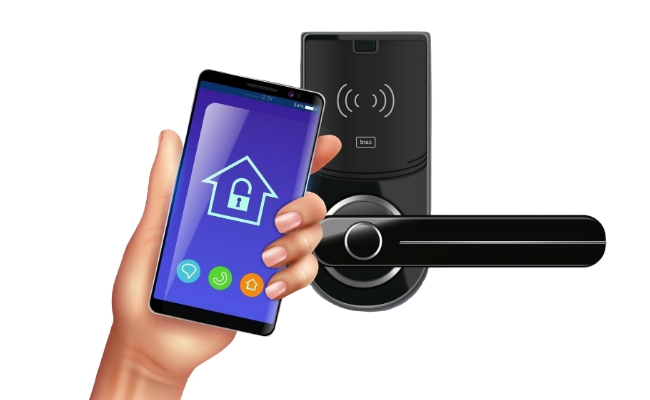
Credit: reolink.com
Are Smart Locks Safer Than Regular Locks?
The answer is not simple. A smart lock can be safer if it is well-made and used correctly, but it can also be less safe if you make common mistakes.
Here are some facts to consider:
- According to a 2023 study by Consumer Reports, most smart locks with strong encryption and good physical build are as safe as high-quality deadbolts. However, cheap smart locks with weak materials or poor software can be less safe than a solid mechanical lock.
- In a survey, 61% of smart lock users felt safer with a smart lock, but 39% said they worried about hacking or technical failure.
- Most break-ins still happen by physical force, not by hacking. Thieves usually kick the door or break a window instead of hacking a lock.
How Hackers Attack Smart Locks
To protect yourself, it helps to know how hackers try to break into smart locks.
- Brute Force Attacks: Trying thousands of PIN codes or passwords until one works. Most good smart locks block access after a few wrong tries.
- Replay Attacks: Recording and replaying the signal between your phone and the lock. Modern locks use unique codes for each unlock to stop this.
- Bluetooth/Wi-Fi Spoofing: Pretending to be your phone or network. Strong locks check for the real device before unlocking.
- Physical Attacks: If the lock’s body is weak, a thief may just break it open.
- Cloud Account Hacks: If your email or lock app account is hacked, someone can control your lock remotely.
What To Look For In A Secure Smart Lock
Choosing a safe smart lock is not just about buying the most expensive model. Here are some key features and qualities to look for:
1. Strong Physical Construction
- Look for locks with ANSI Grade 1 or 2 ratings. These are tested for security and strength.
- Metal bodies are stronger than plastic.
2. Advanced Encryption
- The lock should use AES-128 or AES-256 encryption for all communication.
- Avoid locks that use outdated or basic encryption.
3. Two-factor Authentication
- Choose locks and apps that support 2FA. This adds a second step for unlocking, like a fingerprint or SMS code.
4. Regular Software Updates
- The manufacturer should provide frequent updates to fix bugs and add security features.
- Locks that cannot be updated are riskier.
5. Backup Entry Options
- Good locks offer a physical key option or a backup code in case of battery failure.
- Some locks let you charge them with a USB cable if the battery is dead.
6. Access Log And Notifications
- The lock should show you a log of who unlocked the door and when.
- Instant notifications can alert you to suspicious activity.
7. Privacy Policies
- Read the company’s privacy policy. Avoid brands that sell your data or have a history of leaks.
8. Compatibility With Trusted Platforms
- Locks that work with Apple HomeKit, Google Home, or Amazon Alexa are often more secure because these platforms require strict safety standards.
Real-world Examples Of Smart Lock Security
Let’s look at a few real cases to see how smart locks have been attacked or defended.
Example 1: Lockstate 6000
In 2017, a software update for the LockState 6000 smart lock accidentally disabled 500 locks, locking out users. This was not a hack, but it showed the risk of relying on software.
Example 2: August Smart Lock
August Smart Lock uses strong encryption and physical construction. No major hacks have been reported, and the lock is approved by many security experts.
Example 3: Cheap Unbranded Locks
Some low-cost smart locks sold online have been found to use no encryption or default PIN codes like “1234. ” These are very easy for hackers to break.
Example 4: Yale Assure Lock
Yale Assure Lock has been tested by independent labs and is rated as secure as most top deadbolts. It also has regular firmware updates and works with many smart home platforms.
Example 5: Kwikset Kevo
An early version of Kwikset Kevo had a flaw where hackers could clone the signal. The company fixed this with a software patch, showing the importance of updates.
Expert Tips To Keep Your Smart Lock Safe
Even the best smart lock can be unsafe if not used properly. Here are some proven tips from security experts:
- Change default passwords and PIN codes right away. Never use the ones the lock comes with.
- Use unique, strong passwords for your lock app and Wi-Fi network. Avoid using the same password for different accounts.
- Update the firmware and app whenever a new version is available. Updates fix security holes.
- Enable two-factor authentication on your lock’s app if possible.
- Set up notifications for all lock activity. This way, you’ll know right away if something strange happens.
- Don’t share digital keys or codes with people you don’t trust. If you must, set them to expire after use.
- If your lock has a backup key, store it in a secure place, not under the mat or in a flowerpot.
- Check the battery level often and change batteries before they get too low.
- Use a smart lock as part of a larger security system, not your only line of defense. Combine it with cameras, alarms, and strong doors.
- If you move to a new home, reset the lock and remove old digital keys.
Benefits Of Smart Locks (when Used Properly)
Smart locks can actually make your life safer and easier if you use them with care.
- No more lost keys: You don’t have to worry about hiding or losing a key.
- Control from anywhere: Lock or unlock your door remotely, even if you are not home.
- Know who comes and goes: Activity logs let you see when your kids, cleaners, or guests arrive.
- Time-limited access: Give guests or service workers access only when you want.
- Integrate with other smart devices: Connect your lock to alarms, lights, or cameras for better security.
Common Myths About Smart Lock Security
Many people have false ideas about smart locks. Let’s clear up a few:
- Myth 1: “Smart locks are easy to hack.”
Reality: Most modern smart locks use strong encryption. Hacking a quality smart lock is hard, but not impossible. The real risk is from poor setup or weak passwords.
- Myth 2: “If the internet goes down, I’ll be locked out.”
Reality: Most smart locks work offline with Bluetooth or a backup key. Only a few need constant internet.
- Myth 3: “Smart locks are weaker than regular locks.”
Reality: Top smart locks are built to the same standards as good deadbolts. Cheap smart locks can be weak, though.
- Myth 4: “Anyone with a smartphone can unlock my door.”
Reality: Only people you give digital keys or codes to can unlock your door.
- Myth 5: “Smart locks invade my privacy.”
Reality: Good smart locks keep your data private, but you should always check the privacy policy.
Real Statistics And Industry Trends
Let’s look at some numbers and trends to put things in perspective.
- The global smart lock market was valued at $2.1 billion in 2022 and is expected to reach $4.4 billion by 2027, growing at a 16% annual rate.
- In a 2022 survey, over 40% of US smart home owners had a smart lock.
- According to the FBI, only about 12% of home burglaries in the US involve picking or breaking a lock. Most burglars enter through unlocked doors or windows.
- A 2021 report found that over 80% of smart lock users never experienced a security breach, but nearly 60% did not regularly update their lock’s firmware.
- Research by Consumer Reports found that high-end smart locks scored just as well as top mechanical deadbolts in forced entry tests.
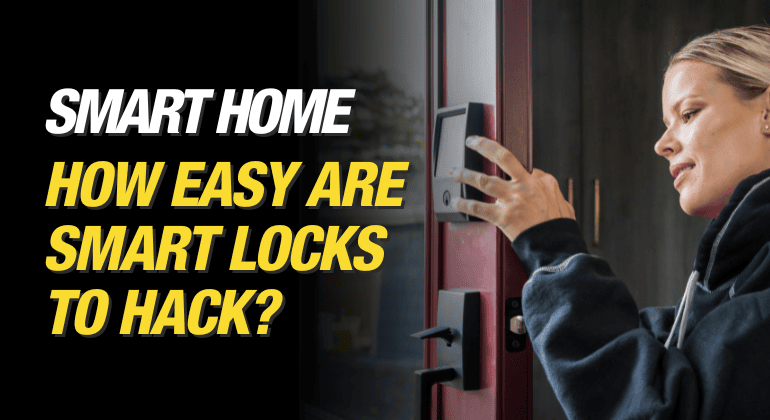
Credit: makeitright.ca
How To Set Up A Smart Lock Safely
If you decide to use a smart lock, following a careful setup process is key. Here’s a step-by-step example:
- Read the manual carefully and follow the manufacturer’s instructions.
- Install the lock securely, using all screws and plates provided.
- Change all default codes and passwords before using the lock.
- Download the official app from the company’s website or a trusted app store.
- Connect the lock to a secure Wi-Fi network with a strong password.
- Set up two-factor authentication if your lock and app allow it.
- Create user accounts for family members. Set access levels and times for each person.
- Test all features before using the lock daily.
- Register your device so you get alerts about updates and recalls.
- Keep backup keys safe in case of battery or tech failure.
Smart Lock Brands And Safety Ratings
Not all smart locks are equal. Here’s a look at some popular brands and their general safety reputation.
| Brand | Security Features | Physical Strength | Software Updates | Expert Rating |
|---|---|---|---|---|
| August | Encryption, 2FA, auto-lock, logs | High | Frequent | Excellent |
| Yale | Encryption, logs, backup key | High | Frequent | Excellent |
| Schlage | Encryption, alarm, 2FA | Very High | Frequent | Excellent |
| Kwikset | Encryption, logs, backup key | Medium | Regular | Good |
| Ultraloq | Fingerprint, logs, 2FA | High | Regular | Good |
| Generic/Unbranded | Varies, often weak | Low | Rare | Poor |
Note: Always check the latest reviews and security updates for any brand you consider.
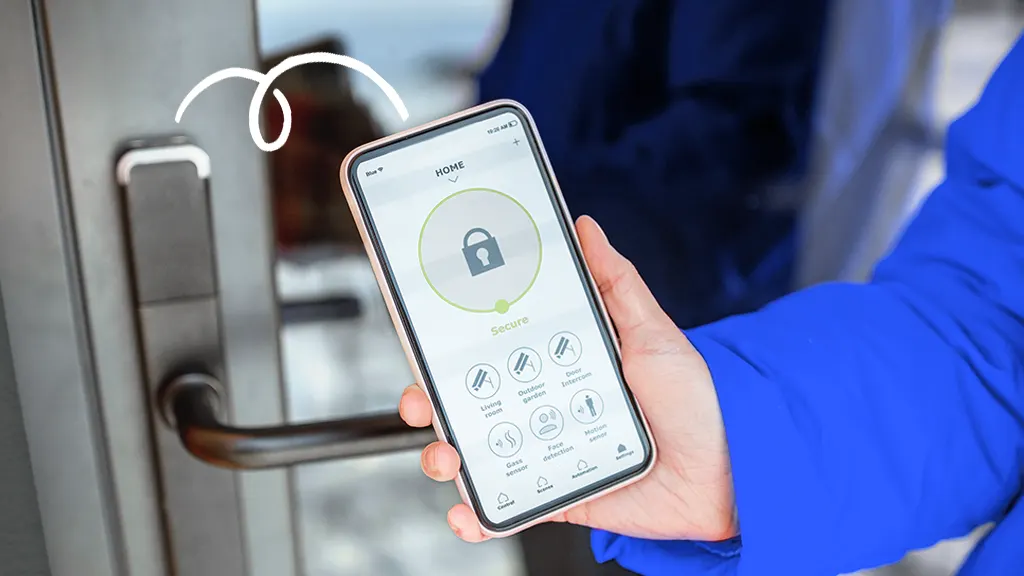
Credit: www.asurion.com
Two Non-obvious Insights About Smart Lock Safety
1. Lock Integration Can Be A Weak Point:
Many people connect their smart lock to other devices, like voice assistants or home automation hubs. If these other devices are not secure, they can become the weak link. For example, if your Alexa account is hacked, a thief might unlock your door by voice.
Always secure every device in your smart home.
2. Physical Security Still Matters:
Some homeowners focus only on digital threats. But if your door or door frame is weak, a thief can break in no matter how smart your lock is. Always use strong doors and frames with your smart lock.
When Are Smart Locks A Bad Idea?
Smart locks are not right for every situation. Think twice if:
- You have unreliable internet or power (unless your lock works fully offline).
- You are not comfortable updating software or managing digital keys.
- You live in a high-crime area and need maximum physical security—sometimes, a heavy-duty mechanical lock is best.
- You rent your home and cannot change the door hardware without permission.
When Smart Locks Make Sense
Smart locks are a good fit if:
- You want to let friends, cleaners, or guests in without giving them a key.
- You travel often and want to control your lock from anywhere.
- You want to monitor who enters and leaves your home.
- You are comfortable with simple apps and security settings.
Should You Trust Smart Locks?
The short answer: A smart lock can be very safe if you choose a good model, set it up correctly, and use it carefully. Like any security device, it is only as strong as its weakest link—whether that’s the app, the hardware, or the user.
Many security experts now recommend quality smart locks for most homes. But they also warn that you should never rely on any one device for all your home security.
For more details on how smart lock technology works and the latest research, check out this article by Wikipedia.
Frequently Asked Questions
What Happens If My Smart Lock’s Batteries Die?
Most smart locks warn you when the batteries are low. If they die, some locks let you use a backup key. Others have a way to give them emergency power, like a hidden battery port. It’s smart to check battery levels often to avoid being locked out.
Can Hackers Really Break Into Smart Locks?
It is possible, but very rare with top smart locks that use strong encryption and good passwords. Most smart lock hacks happen when people use weak PINs or do not update their software. Using two-factor authentication and keeping your software updated makes hacking much harder.
Are Smart Locks Safe For Apartments Or Rentals?
They can be, but always check with your landlord first. If you install one, be careful with digital keys and reset the lock when you move out. Some landlords use smart locks to make it easier to manage access for tenants.
Do Smart Locks Work If The Internet Goes Out?
Most smart locks work with Bluetooth or have backup ways to unlock, like a physical key or PIN code. Only a few locks need a constant internet connection. Always choose a model that works offline in case of outages.
How Do I Know If A Smart Lock Is Secure?
Look for locks with strong encryption, two-factor authentication, and regular software updates. Choose brands with good safety ratings and check for security certifications like ANSI Grade 1 or 2. Reading reviews and expert tests can help you pick a safe model.
Smart locks are not perfect, but with the right choices and habits, they can be a powerful tool for modern home security. If you use them wisely, you can enjoy both convenience and peace of mind.