
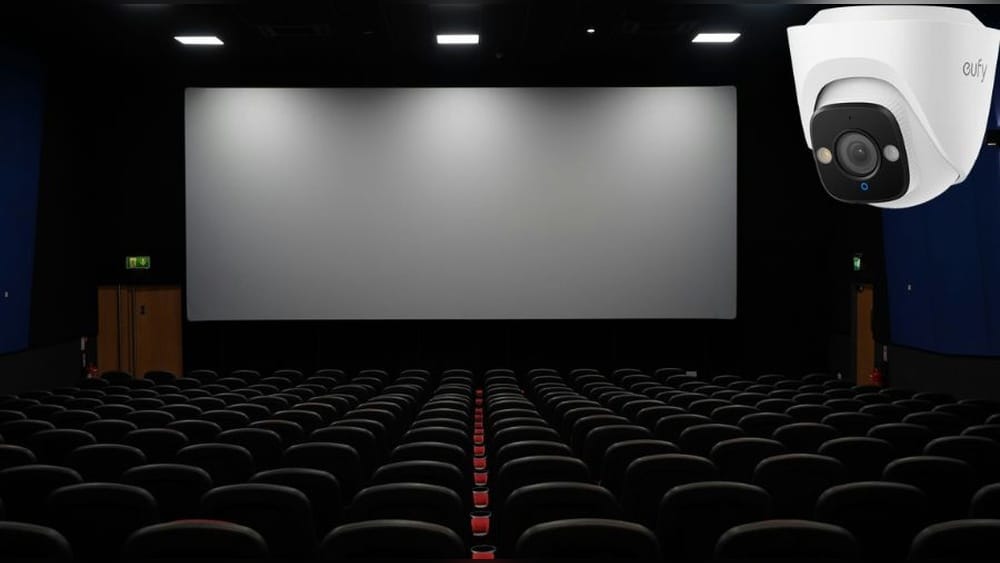
Movie theaters are places where people relax, enjoy films, and escape daily life for a few hours. Many visitors never think about security, but behind the scenes, cinema owners take safety seriously. One question that often comes up is: Are there security cameras in movie theaters? This topic may seem simple, but it has many layers—privacy, theft prevention, legal rules, and even the technology used. If you’ve ever wondered whether you’re being watched while munching popcorn, this article will give you a clear, detailed answer. We’ll explore why cameras exist, where they’re usually placed, how footage is used, and what this means for your privacy. You’ll also see real examples, industry statistics, and learn how theaters balance safety with comfort.
Why Movie Theaters Use Security Cameras
Movie theaters are busy public spaces. They host hundreds, sometimes thousands, of guests every day. Owners and managers face many risks: theft, vandalism, safety incidents, and even piracy. Security cameras help manage these risks.
Theft And Vandalism Prevention
Theaters are attractive targets for thieves. Cash registers, ticket counters, and concession stands often handle large amounts of money. Cameras in these areas deter theft and help identify suspects if a crime occurs. For example, if someone tries to steal from the cash register, camera footage can provide clear evidence for police or management.
Vandalism is another concern. Walls, seats, and restrooms can be damaged by unruly guests. Video evidence makes it easier to catch offenders and reduce repair costs. Many theaters use camera recordings to claim insurance or prove damage during disputes. Even minor acts, such as graffiti in restrooms or broken seat arms, are easier to trace with video.
Besides deterring crime, cameras also prevent staff theft. Employees know they are being monitored, which reduces temptation to steal money or goods. Managers sometimes review footage to spot suspicious patterns, like missing inventory or cash discrepancies.
Safety And Emergency Monitoring
Emergencies can happen anytime. Fights, medical incidents, or accidents may occur. Security cameras help staff respond quickly. By monitoring entrances, exits, and common areas, employees can spot trouble early and send help.
For instance, if a guest faints in the lobby or slips in a hallway, cameras allow staff to see what happened and provide assistance. Footage is also useful for reviewing how emergencies were handled, so staff can learn and improve future responses.
In larger theaters, cameras are linked to alarms or emergency systems. If fire alarms go off, staff can check footage to see which area is affected and confirm if guests are evacuating safely. This is especially valuable during busy weekends or special events when crowds are bigger.
Anti-piracy Measures
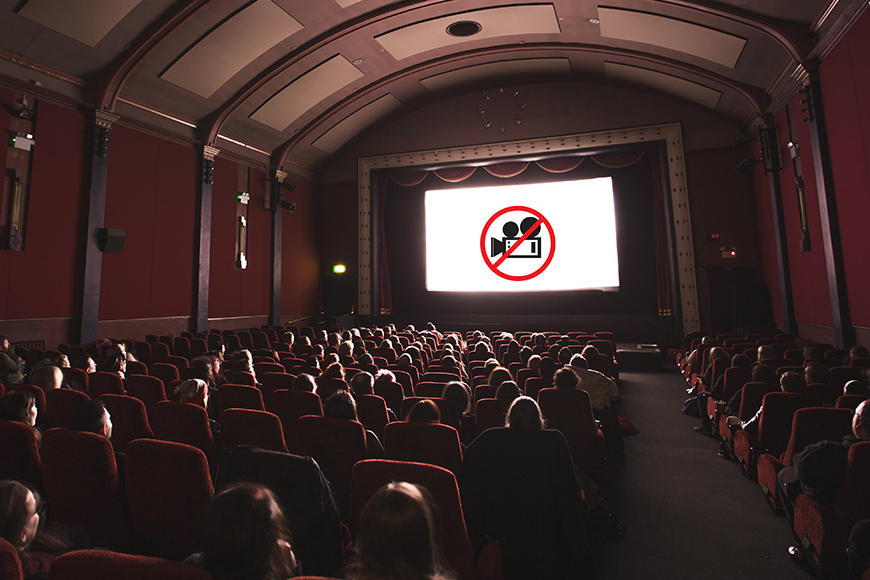
Movie piracy is a big issue for theaters and film studios. Recording movies in theaters is illegal, but some people try to do it anyway. Cameras help catch these pirates. Staff can review footage or monitor live feeds to spot suspicious activity.
Some theaters use cameras with zoom or night vision to spot people using smartphones or hidden devices. In high-profile releases, staff may pay extra attention to footage during the first few weeks. If a guest is seen holding up a device toward the screen, security can intervene before a full recording is made.
Piracy also affects box office earnings. Studios sometimes ask theaters to tighten surveillance during major premieres, especially for films expected to be leaked online. Camera footage provides evidence if a piracy attempt is reported.
Legal Protection
Security cameras can protect theaters from lawsuits. If someone claims they slipped or got injured, video evidence can clarify what really happened. This helps settle disputes quickly and fairly.
For example, if a guest alleges they were hurt due to poor maintenance, footage can show if the floor was clean, if staff responded, or if the person ignored warning signs. This makes legal processes smoother and protects the theater from false claims.
Insurance companies often require camera systems as part of their coverage. If a theater can provide video proof, claims are processed faster and with fewer arguments. This saves time and money for owners.
Where Security Cameras Are Installed
Cameras are not placed everywhere in a cinema. Managers choose locations carefully based on risk, privacy, and law.
Common Locations
- Entrance and Exit Doors: Cameras here track who comes in and leaves. They help prevent unauthorized access and can be used to review incidents. For example, if someone sneaks in without a ticket, footage helps identify them.
- Lobby Areas: These spaces are busy and open, with people buying tickets or waiting. Cameras cover interactions and cash transactions. They also catch disputes or accidents near ticket counters.
- Concession Stands: Food and drink counters handle money. Cameras help prevent theft and monitor staff behavior. If a customer complains about incorrect change or missing items, video can clarify what happened.
- Hallways and Corridors: These areas connect different parts of the theater. Cameras provide a broad view for safety and security. They help monitor crowd flow and spot lost children or unattended bags.
- Restrooms (Outside): Cameras are usually placed outside restroom doors, not inside. This prevents vandalism and keeps privacy intact. If damage is reported, footage shows who entered and exited.
- Parking Lots: Theft and accidents often happen here. Cameras record vehicle movement and help with investigations. For example, if someone’s car is scratched or broken into, video can help find the culprit.
Inside The Auditorium
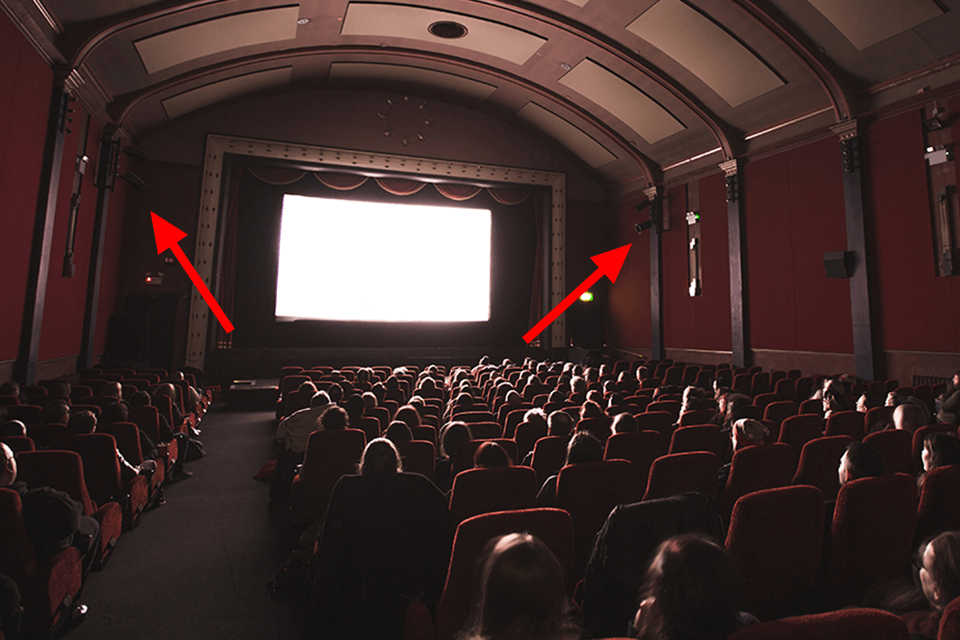
This is where the main question arises: Are cameras inside the screening rooms? Most theaters do not place cameras inside the main auditorium for privacy reasons. However, some may install cameras:
- Near the entry door inside the auditorium, pointed at the doorway, not at seats. This helps track who comes and goes during the film.
- High up, covering the screen or aisles, mainly for anti-piracy. These cameras focus on movement near the screen, not audience faces.
- On rare occasions, in very large or high-risk theaters, cameras may be placed in corners to monitor the room. But they usually avoid filming audience faces. Some auditoriums use infrared cameras to spot unauthorized devices during dark screenings.
Areas Without Cameras
Some spaces are almost always camera-free:
- Inside restrooms (due to privacy laws)
- Inside private staff rooms
- Directly above customer seating (except for rare anti-piracy cases)
Staff rooms and offices have security measures but not constant video monitoring. Theaters respect privacy in these areas, focusing cameras where risk is higher.
Credit: shotkit.com
Privacy Concerns And Legal Regulations
People often worry about privacy when cameras are present. Laws in the US and other countries protect theater guests.
Us Regulations
Most states allow cameras in public spaces, but not where people expect privacy. For example, filming inside restrooms or changing rooms is illegal. In theaters, most cameras are in open areas—lobbies, entrances, and concession stands. If cameras are inside auditoriums, they are usually aimed at the screen or aisles, not at seats.
Some states have stricter rules. In California, for instance, there are clear guidelines about not filming spaces where people change or rest privately. Theaters must comply or face fines. The same applies in New York and Texas, where privacy complaints can lead to investigations.
Notification Policies
Some theaters post signs at the entrance saying cameras are in use. This is not always required, but it’s considered good practice. Notices give people a chance to decide if they want to enter.
In larger chains, you may see signs stating, “For your safety, this premises is under video surveillance. ” These signs are meant to reassure guests and warn potential thieves. Some theaters also mention surveillance in their terms and conditions when you buy tickets online.
Data Storage Rules
Footage is usually kept for a limited time—30 to 90 days is common. After that, it’s deleted unless needed for a police investigation or legal dispute.
The storage period depends on the risk level. High-risk areas, like cash counters, may keep footage longer. All data must be protected, often stored in secure servers with restricted access. Some theaters use third-party services for encryption and backup, adding another layer of safety.
International Differences
Rules vary by country. In Europe, privacy laws are stricter. Theaters must inform guests about surveillance and protect their data. For example, the General Data Protection Regulation (GDPR) requires clear consent and access to information about data use.
In Asia and Latin America, rules depend on local law, but most theaters avoid filming inside auditoriums. Some countries, like Japan, have special guidelines for surveillance in entertainment venues, focusing on guest comfort and privacy.
Security Camera Technology Used In Theaters
Movie theaters use modern camera systems. These devices are more advanced than simple home cameras.
Types Of Cameras
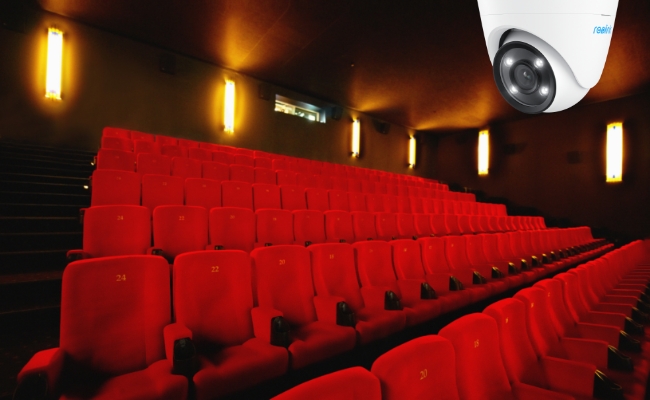
- Dome cameras: Small, round devices often placed on ceilings. They give a wide view and are hard to spot. Their shape makes it difficult to see which way they are pointing, improving security.
- Bullet cameras: Long, cylindrical cameras. Used in hallways or outdoors. They are visible and act as deterrents to criminals.
- PTZ cameras: Pan-Tilt-Zoom cameras can move and zoom in to track suspicious activity. These are used in large areas where staff need to follow movement.
- Infrared cameras: These work in low light, useful for dim areas like auditoriums. They help spot activity even during late-night screenings.
Features
- High Definition (HD) Video: Clear footage helps identify faces and details. This is critical when reviewing incidents or theft.
- Remote Monitoring: Staff can watch live feeds from a central control room. In some theaters, managers can check cameras from their smartphones during emergencies.
- Motion Detection: Cameras record only when movement is detected, saving storage. This also reduces staff workload when reviewing footage.
- Night Vision: Cameras can see in darkness, useful for theaters during late shows. Some systems automatically switch to night mode when lights are dimmed.
Example Systems
Large theater chains use brands like Axis, Hikvision, and Lorex. These systems can handle hundreds of cameras, with secure storage and backup. Smaller theaters may use simpler systems, but still rely on HD and motion detection for efficiency.
Advanced systems integrate alarms, access control, and fire detection. If a door is forced open, cameras record automatically and alert staff. Some chains use AI to highlight unusual behavior, such as loitering or suspicious movement near cash registers.
| Camera Type | Best Location | Special Feature |
|---|---|---|
| Dome | Lobbies, ceilings | Wide angle, discreet |
| Bullet | Hallways, outdoors | Long range, visible deterrent |
| PTZ | Parking lots, large rooms | Remote control, zoom |
| Infrared | Auditoriums, dark areas | Night vision |
Credit: reolink.com
How Security Camera Footage Is Used
Security cameras are only useful if footage is handled properly. Theaters follow strict rules to protect guests and staff.
Monitoring Live Feeds
Security staff monitor live footage during busy times. This helps spot problems quickly—fights, theft, or suspicious activity. During special events or premieres, monitoring is often increased.
In some theaters, staff use mobile devices to check cameras while walking the premises. This allows fast action if trouble is spotted. For example, if a group starts fighting in the lobby, security can respond before things escalate.
Reviewing Recordings
If an incident occurs, managers review footage to understand what happened. Police may request video if a crime is reported. The review process is controlled so only authorized people can access sensitive footage.
Recordings are used to resolve disputes, such as ticket fraud or food theft. If a guest complains about service, managers may check video to see if staff followed proper procedures. This protects both guests and employees.
Anti-piracy Detection
Staff sometimes scan recordings for signs of movie piracy. If someone uses a camera or smartphone to record a film, footage helps catch them. Some theaters use software to detect screen glare or device lights during shows.
If piracy is confirmed, staff report the incident to studios and law enforcement. Footage is kept until investigations are finished. This process is confidential and follows strict privacy rules.
Staff Training
Video can be used to train employees. Reviewing footage helps improve customer service and safety. For example, managers may show clips of emergency response or good customer interactions during staff meetings.
Footage is also used to spot areas needing improvement, like slow service or missed cleaning routines. This helps theaters offer better experiences for guests.
Data Protection
Footage is kept secure, often encrypted. Only authorized staff can access it. Most theaters delete footage after a set period unless it’s needed for evidence.
Some chains store video in off-site servers or cloud storage with strong passwords. This prevents hacking or unauthorized access. If footage is part of a legal case, it is locked and tracked until the issue is resolved.
| Use Case | Footage Access | Typical Storage Time |
|---|---|---|
| Theft investigation | Manager, police | 30-90 days |
| Anti-piracy check | Security staff | 30 days |
| Staff training | Manager, HR | Varies |
| Accident review | Legal team | Until case is closed |
Real-life Examples And Statistics
Security cameras have helped solve crimes and protect guests in many theaters.
Theft Cases
In 2019, a cinema chain in California reported $15,000 in theft losses over six months. After installing new cameras, losses dropped by 60%. Staff could spot suspicious behavior and react faster. In one case, a thief targeting concession stands was caught thanks to clear video evidence.
Smaller theaters report similar success. In a Florida cinema, cameras helped solve a string of wallet thefts. Police reviewed footage, identified the suspect, and made an arrest. The theater improved trust among guests and staff.
Anti-piracy Success
A Texas theater caught a guest trying to record a new movie on their smartphone. Cameras in the auditorium spotted the device’s screen light. Staff confronted the guest, stopped the recording, and reported the incident to police.
Studios sometimes reward theaters for preventing leaks. In some cases, theaters receive bonuses or early access to films if they maintain strong anti-piracy systems. Camera footage is vital for proving compliance and stopping illegal recordings.
Safety Incidents
In 2022, a large theater in New York used lobby cameras to help a guest who fainted. Footage showed the incident, so staff quickly sent help and later reviewed the event for training.
Another example: during a fire alarm, camera footage helped staff see which exits were used and how guests moved. This allowed for a smoother evacuation and highlighted areas needing better signage.
Data
According to the National Association of Theatre Owners, over 80% of US cinemas use security cameras in public areas. Less than 10% have cameras inside auditoriums, and those are mostly for anti-piracy.
These numbers reflect the industry’s focus on balancing safety and privacy. While coverage is high in open spaces, theaters avoid intrusive surveillance in private or sensitive areas.
| Theater Size | Camera Coverage | Auditorium Cameras |
|---|---|---|
| Small (1-3 screens) | Lobby, entrance, parking | Rare |
| Medium (4-12 screens) | Lobby, halls, concessions | Occasional (anti-piracy) |
| Large (13+ screens) | All public areas | Possible, focused on screen |
How Movie Theaters Balance Security And Comfort
Theaters want guests to feel safe but not watched. They must find a balance.
Discreet Camera Placement
Most cameras are placed high up or in corners. This keeps them out of sight and reduces discomfort. For example, dome cameras blend into ceilings, making them less noticeable. Staff are trained to respect privacy and avoid intrusive monitoring.
Cameras are rarely aimed at seats or private areas. When placed in auditoriums, they focus on the screen or exits, not on guests.
Clear Policies
Theater chains often have clear policies on where cameras are used and how footage is handled. Some publish privacy policies on their websites or post notices at entrances. These policies explain why cameras are needed and how data is kept safe.
Guests can ask to see these policies at any time. This builds trust and shows the theater values customer privacy.
Guest Feedback
Managers sometimes ask guests about their comfort with cameras. Feedback helps adjust policies and placement. If many guests feel uncomfortable, theaters may move cameras or increase signage.
Some chains run surveys asking if guests feel safe or if cameras make them nervous. Results are used to improve the visitor experience.
Only When Necessary
Cameras are added only when needed—after incidents or in high-risk areas. This avoids making guests feel like they’re under constant surveillance.
For example, if theft rises in the parking lot, more cameras are added there. If vandalism drops, some cameras may be removed or turned off.
Practical Insights
Beginners often miss two key points:
- Cameras are not recording every moment in auditoriums. Motion detection and privacy rules limit what is captured. Some cameras only activate if movement is detected near the screen.
- Footage is not watched by staff all the time. Most monitoring happens during peak hours or after incidents. Staff use footage mainly for security and not for spying on guests.
Another detail: camera angles and technology are chosen to avoid invading privacy. For instance, wide angles cover large areas without zooming in on individuals.
Misconceptions About Security Cameras In Theaters
People have many ideas about cameras in cinemas. Some are true, some are false.
Myth: Cameras Film Every Seat
Most theaters avoid filming seats directly. Privacy is a priority, and laws restrict this. Only in rare anti-piracy cases are seats visible, and even then, faces are not the focus.
Myth: Camera Footage Is Always Watched Live
Staff rarely watch every camera all the time. Live monitoring happens mainly during busy times or if trouble is expected. Most footage is reviewed only after an incident.
Myth: Cameras Are Hidden Everywhere
While some cameras are small and discreet, most are in plain sight. Hidden cameras are rare and usually illegal. Theaters avoid using hidden devices except for special investigations, and this must follow legal rules.
Myth: Footage Is Shared Publicly
Footage is not shared with outsiders. Only managers, security staff, or police can access it. Footage is kept private and deleted after a set period. Some guests worry about leaks, but theaters have strong rules to protect data.
Myth: Cameras Can See In Total Darkness
Infrared cameras help in dim light, but they cannot see everything in complete darkness. Some areas may be hard to cover. If a projector is off and lights are out, even infrared cameras may struggle.
What To Do If You Have Privacy Concerns
If you worry about cameras in a theater, there are steps you can take.
Ask Staff
You can ask managers where cameras are placed and how footage is used. Most will explain their policies. Staff are trained to answer questions and reassure guests.
Read Privacy Notices
Look for signs at entrances or on the theater’s website. These notices explain surveillance and data rules. If you cannot find them, ask at the box office.
Avoid High-risk Areas
If you dislike being filmed, avoid lobbies and concession stands. Auditoriums rarely have cameras aimed at seats. Sitting away from the aisles or near the back can reduce your chance of being on camera.
Report Suspicious Cameras
If you spot a camera in a private area (like inside a restroom), report it immediately. This is illegal and should be addressed. Managers will investigate and remove any illegal devices.
External Resources
For more information about privacy laws and surveillance, visit ACLU Privacy & Technology.
Frequently Asked Questions
Is It Legal For Movie Theaters To Have Cameras Inside Auditoriums?
Yes, but with limits. US law allows cameras in public spaces, but privacy rules apply. Cameras inside auditoriums are usually aimed at screens or aisles, not seats. Filming faces is avoided.
Are Security Cameras Hidden In Movie Theaters?
Most cameras are not hidden. They are placed in plain sight—on ceilings, in corners, or near entrances. Hidden cameras are rare and usually illegal, especially in private areas.
Can Theater Staff See What I Am Doing During The Movie?
Staff can monitor live feeds, but they rarely watch every camera all the time. Monitoring happens during busy times or if an incident occurs. In auditoriums, cameras are usually not aimed at guests.
How Long Do Theaters Keep Security Camera Footage?
Most theaters store footage for 30 to 90 days. After that, it is deleted unless needed for an investigation or legal case. Storage times vary by theater and local law.
What Should I Do If I Find A Camera In A Private Area?
Report it to the theater manager immediately. Cameras in private spaces, like restrooms, are illegal. The manager should address the issue quickly.
Movie theaters are places to enjoy films, not worry about surveillance. Security cameras help keep guests safe, prevent crime, and protect staff. Most cameras are placed in public areas, with careful attention to privacy. Audiences are rarely filmed directly during movies, and footage is protected by law.
If you have concerns, you can ask staff or check privacy policies. The balance between safety and comfort is always changing, but theaters aim to make visits enjoyable and secure.
Credit: fixthephoto.com